
flowtyone/flowty-realtime-lcm-canvas
flowtyone/flowty-realtime-lcm-canvas has 1,768 GitHub stars and 147 forks. GitHot measured 0 stars in 24 hours and 0 in 7 days. Last checked 2026-11-11 15:44 UTC. Last push 2023-12-02.
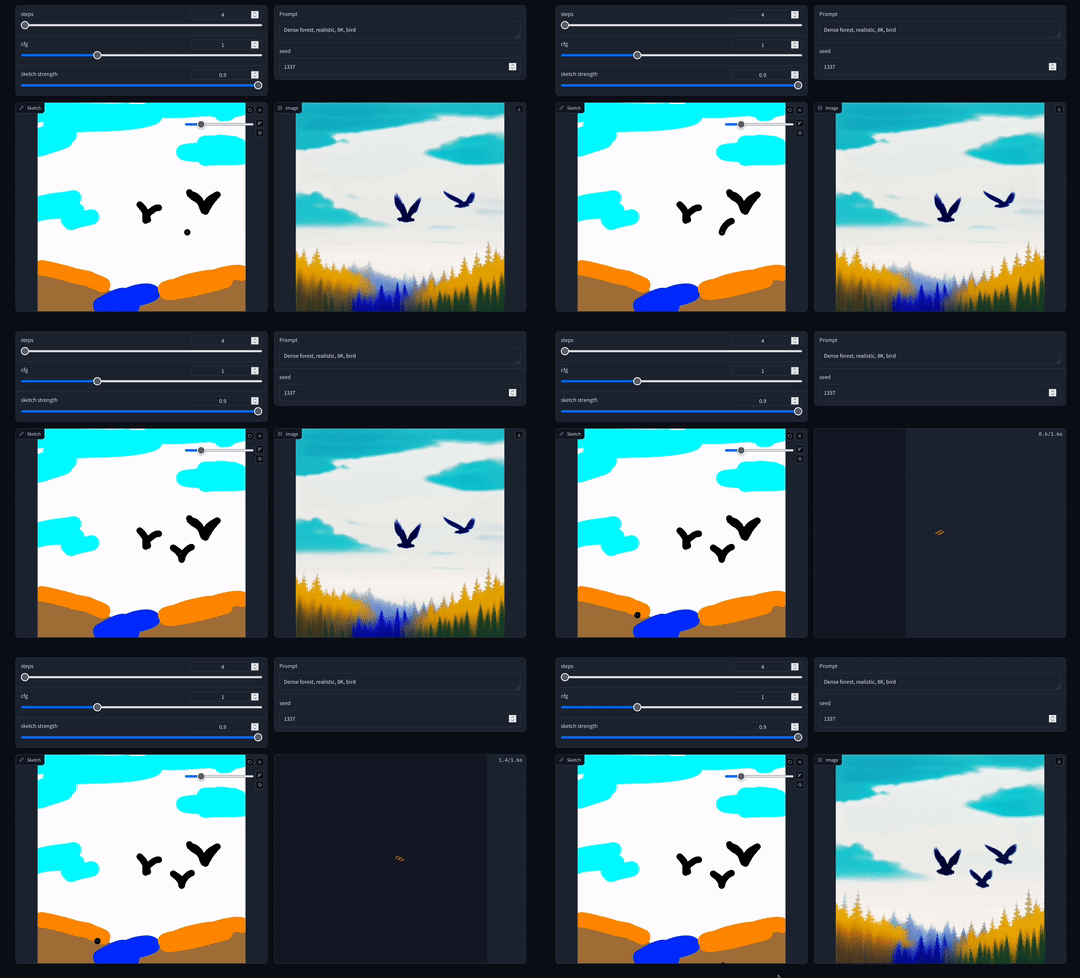
A realtime sketch to image demo using LCM and the gradio library.
Measured star growth
- in 24h
- 0
- in 7 days
- 0
- in 15 days
- Collecting history
- in 1 month
- Collecting history
Net star changes over overlapping periods, not daily totals. Missing measurements are left blank. Stars measure attention, not software quality.
README.md
Originalflowty-realtime-lcm-canvas
About
This is a real-time sketch to image demo using LCM and the gradio library. If you're not familiar with LCM, read about it here - article on Hugging Face.
Thanks to LCM LoRA, you can also use different models by altering the model id in the ui. The desired effect was for you to be able to draw on one side and see the changes at close to real-time on the other side.
Needless to say, this will perform worse on some GPUs, and better on some GPUs. 4090s usually perform best in the realtime scenario. Share your results!
This was tested on a macbook pro with M2 Max, 30 GPU - 32GB combo, python 3.10. Inference times were tolerable, about 1.2s per render. If you're getting good performance on your machine, feel free to tweak the parameters in order to get better results. You can also change the canvas size to 768 / 1024 in ui.py, depending on your model.
Setup
- Setup a venv if you'd like to isolate your project environment:
python -m venv env- activate on MacOS:
source ./env/bin/activate - activate on Windows:
env\Scripts\activate
- activate on MacOS:
- Nvidia users should install PyTorch using this command:
pip install torch --extra-index-url https://download.pytorch.org/whl/cu121 - Install the requirements:
pip install -r requirements.txt - Run ui.py:
python ui.py
After you run ui.py, models should be downloaded automatically to the models directory. It might take a few minutes depending on your network. Once the models are downloaded, gradio will print to the console the url where you can access the ui.
Use Google Colab
Google Colab users can also enjoy it by executing the following command and accessing the generated Gradio Public URL.
(I think this is currently only available in the Colab Pro.)
!git clone https://github.com/flowtyone/flowty-realtime-lcm-canvas.git
%cd flowty-realtime-lcm-canvas
!pip install -r requirements.txt
!python ui.py --share
This is a community project from flowt.ai. If you like it, check us out!

Explore related projects
codecrafters-io/build-your-own-x
Master programming by recreating your favorite technologies from scratch.
561,883 starspublic-apis/public-apis
A collective list of free APIs
498,256 starsmorluto/rea
Reverse engineer anything with agents, from app behavior down to native binaries.
452,827 starsopenclaw/openclaw
The AI that really does things. Any OS. Any Platform. The lobster way. 🦞
394,365 stars