
firstfu/Liftoff
firstfu/Liftoff has 35 GitHub stars and 1 forks. GitHot measured +1 stars in 24 hours. Last checked 2026-11-13 21:41 UTC. Last push 2026-10-24.
Measured star growth
- in 24h
- +1
- in 7 days
- Collecting history
- in 15 days
- Collecting history
- in 1 month
- Collecting history
Net star changes over overlapping periods, not daily totals. Missing measurements are left blank. Stars measure attention, not software quality.
About
The Launchpad that macOS 26 took away — back, faster, with live window previews and Smart Organize. Free & open source, 13 languages.
ProductivityREADME.md
Original
Liftoff
The Launchpad that macOS 26 took away — back, faster, and with live window previews.



Website · Download · Features · Install · Privacy · Translations
English · 繁體中文 · 简体中文 · 日本語 · 한국어 · Deutsch · Français · Español · Português · Italiano · Русский · Türkçe · Nederlands
Download Liftoff.zip
·
brew install --cask firstfu/tap/liftoff
[!NOTE] Liftoff needs macOS 26 or later. It is not notarized by Apple yet, so macOS blocks the first launch: open System Settings → Privacy & Security and click Open Anyway once (steps). All the code is here, and what each permission is used for is spelled out below.
Why Liftoff
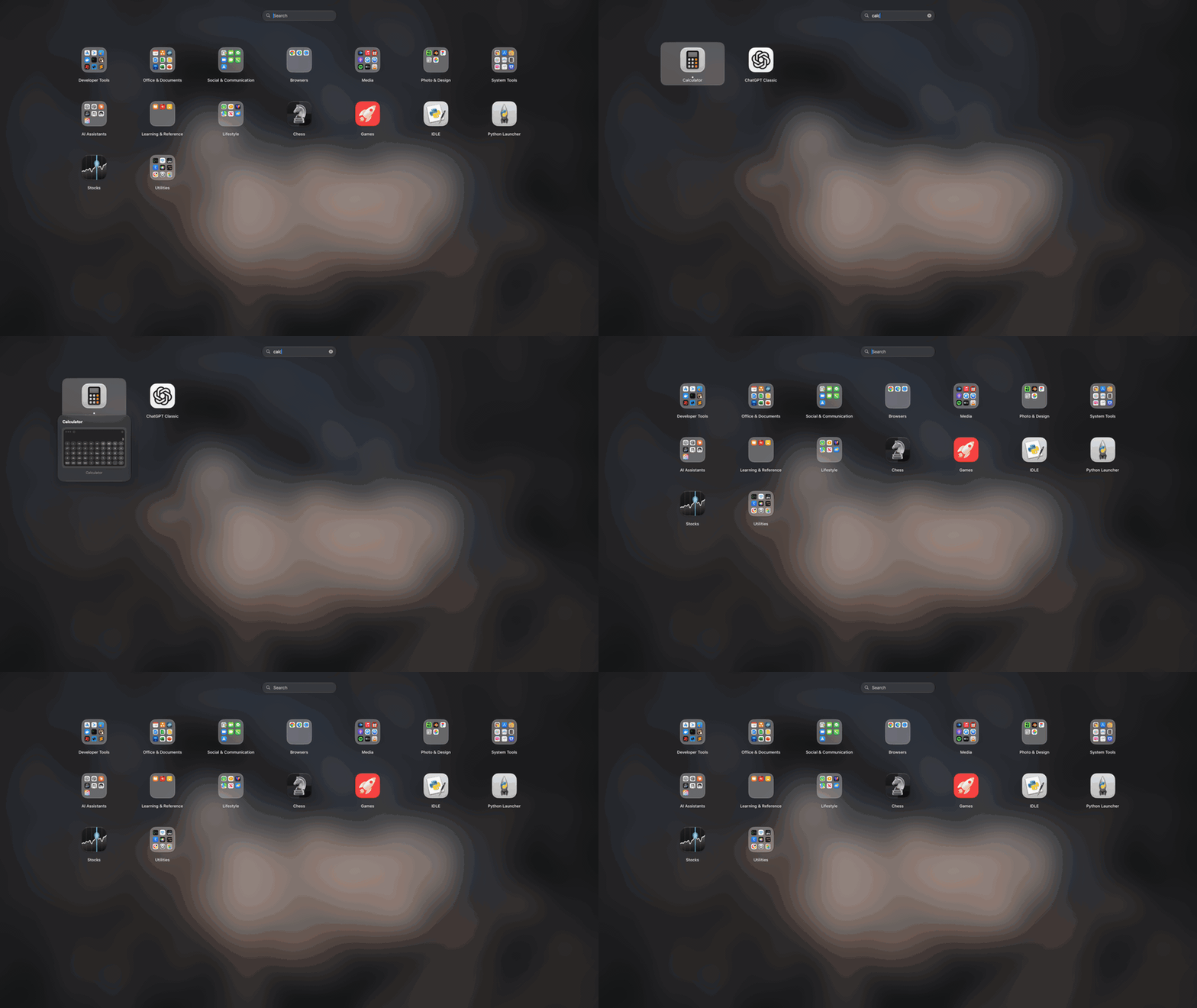
macOS 26 replaced the classic Launchpad grid with the "Apps" list. If you liked the grid — pages, folders, drag to rearrange, type to search — Liftoff gives it back, built from scratch for macOS 26 and held to hard performance limits: it opens in under 3 ms, never drops a frame while paging, and uses 0% CPU when idle.
Then it adds what the original never had.
Features
Live window previews
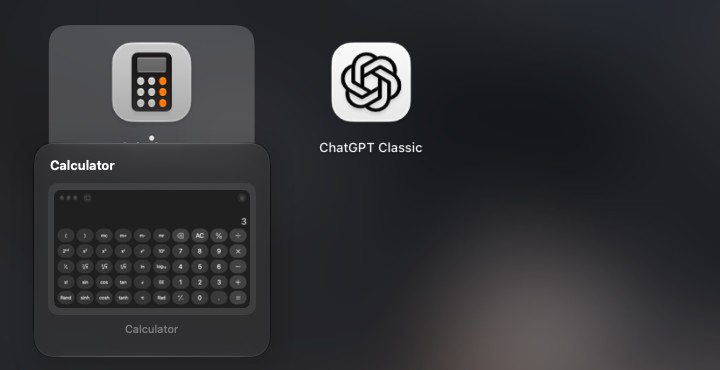
Rest the pointer on a running app (or press Space on it) and its windows appear as thumbnails. Click one to jump straight to that window — minimized windows and windows on other desktops included.
Search that finds apps and windows
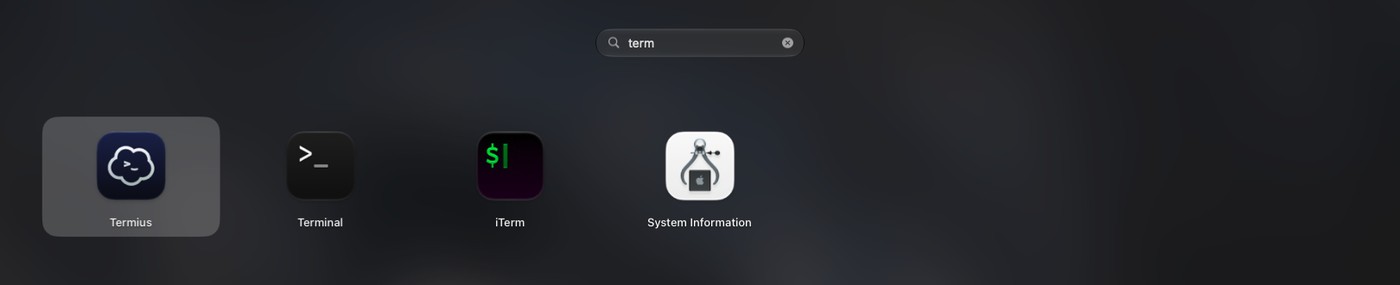
Type a few letters. Liftoff matches app names, initials (vsc → Visual Studio Code), pinyin for Chinese names, and the titles of your open windows.
Smart Organize
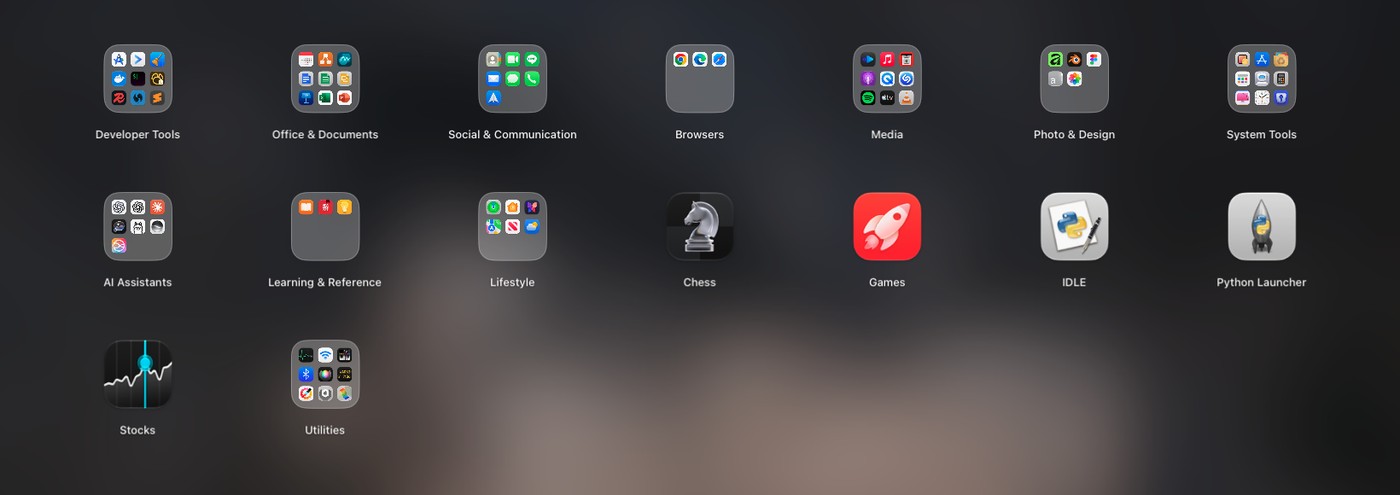
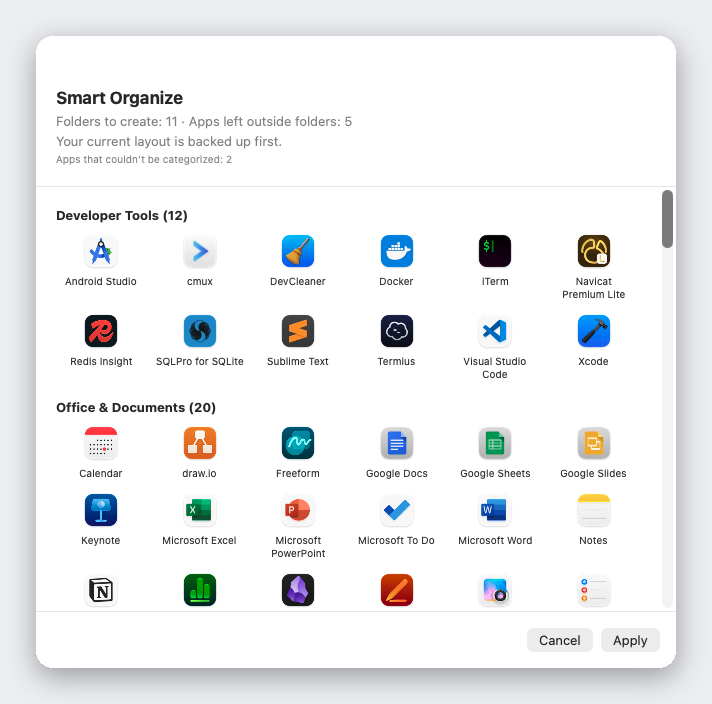
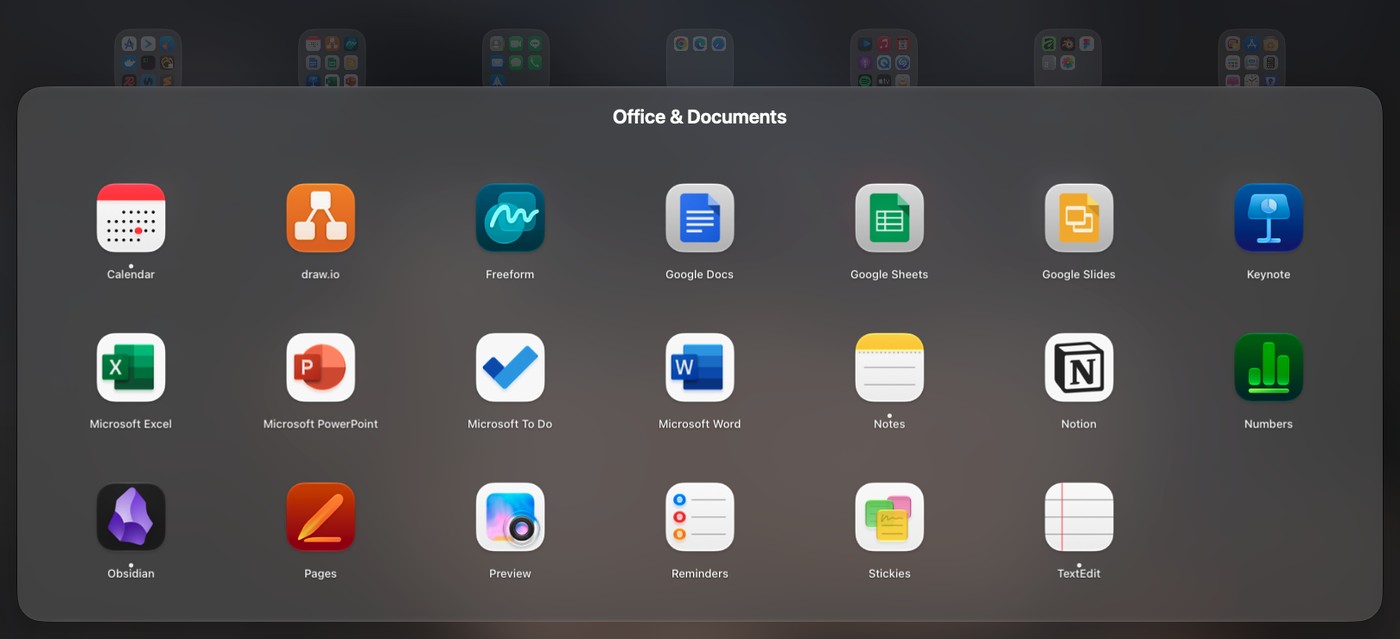
One click sorts your whole app collection into sensible folders — Developer Tools, Documents & Office, Media, Utilities… You see a full preview first, nothing changes until you press Apply, and your current layout is backed up automatically.
It works from a built-in table of 1,000+ popular Mac apps (including apps popular in China, Japan, Korea and Taiwan), not from guesses: no AI, no network, the same result every time. Missing an app? It's one line in AppCategories.json — pull requests welcome.
And more
- Drag an app to the Dock straight from the grid — the panel gets out of the way automatically
- Import your old Launchpad layout, or start fresh with Smart Organize
- Open it any way you like: hotkey (⌃⌘L by default), thumb-and-three-finger pinch, a hot corner, the Dock icon, or
open liftoff://toggle - Pages, folders (drag to merge), drag to reorder, keyboard navigation
- Blurred or sharp wallpaper (blurred uses the least power), live blur, built-in gradients and solid colors, or your own image; adjustable icon size, label size and colors
- Multi-display aware · hide apps · uninstall apps with leftovers · back up and restore your layout
- 13 languages, following your system language
Performance
Measured on a real Mac by the app itself (scripts/selftest.sh reproduces the numbers on yours):
| Open the panel | < 3 ms |
| Search, per keystroke | < 8 ms |
| Paging | 0 dropped frames |
| Idle | 0% CPU |
Privacy
Liftoff doesn't collect or send any data about you. Window thumbnails are captured and shown locally and never leave your Mac. The only network connection it makes is for updates: once a week it reads the update feed on GitHub Pages and, if there's a new version, downloads it from GitHub Releases. Turn off Check for updates weekly in Settings and Liftoff won't go online unless you click Check for Updates….
Don't take my word for it: the code that uses each permission is in Liftoff/Preview (Screen Recording: thumbnails; Accessibility: listing and switching windows) and Liftoff/Services (hotkey, hot corner, trackpad gesture, and the update check in UpdateChecker.swift). Little Snitch or LuLu will confirm it too.
A note on private APIs
Two features use undocumented macOS APIs, both loaded dynamically with a fallback — if the symbols disappear the feature turns itself off instead of crashing:
Liftoff/Preview/PrivateAPI.swift— SkyLight / HIServices, for window enumeration and switching (the same approach as AltTab and Hammerspoon)Liftoff/Services/TrackpadGesture.swift— MultitouchSupport, for the pinch gesture (the same approach as BetterTouchTool and MiddleClick)
Install
Homebrew (a personal tap): brew install --cask firstfu/tap/liftoff
Or download manually:
- Download
Liftoff.zipfrom Releases and unzip it. - Move
Liftoff.appto/Applications. - Open it. macOS will block it the first time, because it isn't notarized by Apple yet: open System Settings → Privacy & Security, scroll down, and click Open Anyway next to "Liftoff" was blocked to protect your Mac.
- Grant the permissions it asks for: Accessibility (list and switch windows) and Screen Recording (window thumbnails, local only).
Requires macOS 26 or later, Apple silicon or Intel.
Updating
Replace Liftoff.app in /Applications with the new one, or run brew upgrade --cask liftoff once the tap is updated. Since 1.2.1, releases are signed with the same certificate every time, so Screen Recording and Accessibility stay allowed after an update; you may still need to click Open Anyway once for the new version. Updating from 1.2.0 or earlier needs one last re-allow (if a switch looks on but does nothing, remove Liftoff from the list with − and add it back).
Liftoff updates itself: by default it checks weekly, downloads new versions in the background and installs them when you're away. You can turn this off in Settings or choose Check for Updates… anytime. Versions 1.3.3 and earlier need one manual update first.
Permissions at a glance
| Permission | Needed? | Why | If you skip it |
|---|---|---|---|
| Screen Recording | Only for window previews | Window thumbnails and titles (captured and shown on your Mac only) | No window previews; Liftoff is still a launcher |
| Accessibility | Optional | List minimized windows and jump to exactly the window you clicked | Minimized windows aren't listed; switching is less precise |
Nothing else is requested. The launcher itself needs no permission at all.
FAQ
macOS says "Liftoff was blocked to protect your Mac"
Liftoff isn't notarized by Apple yet. Open System Settings → Privacy & Security, scroll down and click Open Anyway next to the message. It is a one-time step per version.
Window previews don't show up, or show no thumbnails
Check that Screen & System Audio Recording (needed for the previews) and, optionally, Accessibility (minimized windows, precise switching) are switched on for Liftoff in System Settings → Privacy & Security. If a switch looks on but nothing works — common after an update — remove Liftoff from the list with − and add it back. If Liftoff isn't in the list at all (macOS doesn't always add it for you), click + below the list and choose Liftoff in Applications.
Do I lose permissions when I update?
No, not since 1.2.1: releases are signed with the same certificate, so macOS recognizes each update as the same app and keeps Screen Recording and Accessibility. Updating from 1.2.0 or earlier needs one last re-allow. If you build it yourself, sign with your own certificate to get the same behavior — see Config/Signing.xcconfig.
The hotkey, pinch gesture or hot corner doesn't open it
Another app may already own the hotkey (Settings → Triggers shows a warning); pick a different one. The pinch gesture temporarily turns off macOS's own pinch gesture for "Apps" while Liftoff runs and restores it when you turn it off or quit. open liftoff://toggle always works.
How do I uninstall it?
Quit Liftoff from the menu bar, delete Liftoff.app from /Applications, and remove it from System Settings → General → Login Items if you enabled Open at Login. To remove its settings too: defaults delete com.firstfu.Liftoff and delete ~/Library/Caches/com.firstfu.Liftoff.
How it differs from similar tools
LaunchNext is a good, active open-source project: it is notarized, imports the old Launchpad layout, and has fuzzy search and folders. If that's what you need, use it. What Liftoff adds on top: live thumbnails of a running app's windows (click to jump, minimized ones included), search that also matches window titles, one-click Smart Organize (built-in lookup table, no AI, preview first), dragging apps from the grid to the Dock, and performance numbers you can reproduce. The trade-off today: LaunchNext is notarized and Liftoff isn't yet.
Under consideration: vote with 👍
I won't build these until real people ask for them. If one matters to you, 👍 the issue and tell me how you'd use it in a comment.
Languages
Liftoff follows your system language: English, 繁體中文, 简体中文, 日本語, 한국어, Deutsch, Français, Español, Português (Brasil), Italiano, Русский, Türkçe and Nederlands. Anything else falls back to English.
Spotted an awkward translation, or want to add a language? All interface text lives in one file, Liftoff/Resources/Localizable.xcstrings — open it in Xcode, or send a pull request.
Build from source
Requires Xcode 26 and XcodeGen (brew install xcodegen).
git clone https://github.com/firstfu/Liftoff.git && cd Liftoff
xcodegen generate
xcodebuild -project Liftoff.xcodeproj -scheme Liftoff -configuration Release -derivedDataPath build build
open build/Build/Products/Release/Liftoff.app
No Apple account needed — builds are ad-hoc signed by default. To sign with your own certificate (so macOS keeps the Accessibility / Screen Recording permissions across rebuilds), see Config/Signing.xcconfig.
Tests: replace build with test in the xcodebuild command. scripts/install.sh builds Release, installs to /Applications and registers launch at login.
Contributing
Free and open source, built by one person — issues and pull requests are very welcome. The easiest ways to help: fix a translation, add a missing app to AppCategories.json, or report a bug with your macOS version. New here? Start with the good first issues, and use Discussions for questions and ideas.
Also by the same author
DockLens — hover a Dock icon to see live thumbnails of all of that app's windows. Free and open source, for macOS 26+.
License
GPLv3. You're free to use, study, modify and share it; modified versions you distribute must stay open source under the same license.
Explore related projects
n8n-io/n8n
Fair-code workflow automation platform with native AI capabilities. Combine visual building with custom code, self-host or cloud, 400+ integrations.
210,406 starslanggenius/dify
Build Agentic workflows, RAG pipelines, with rich AI model and tool support on one collaborative workspace. Deploy on cloud, VPC, or self-hosted, so teams move from prototype to production without rebuilding the stack.
161,115 starsmicrosoft/PowerToys
Microsoft PowerToys is a collection of utilities that supercharge productivity and customization on Windows
140,951 starsstablyai/orca
Orca lets you run a fleet of coding agents (e.g. Claude Code, Codex) with your own subscription. Available on desktop, mobile and remote runtime.
124,370 stars