
fabox-os/Picasso-Suite
fabox-os/Picasso-Suite has 52 GitHub stars and 5 forks. GitHot measured +3 stars in 24 hours. Last checked 2026-11-15 17:17 UTC. Last push 2026-11-13.
What you can do
- Eight pages, one window. Media, Photo, Cut, Edit, Fusion, Color, Fairlight and Deliver, in Resolve's order and proportions. The panels on every page are resized by dragging the dividers between them (a double click resets), layouts can be saved, and any command's keys can be changed in Keyboard Customization.
- Professional timeline workflow. Media pool and bins, a multi-track timeline, linked picture and sound, blade, trim, ripple, roll, slip and slide, Dynamic Trim, compound clips, multicam, speed changes and ramps, keyframes, transitions, titles, Paste Mix to Current Track, and undo/redo.
- Smooth playback and scrubbing. The viewer's picture is put together on a thread of its own, scrubbing long-GOP camera video is fast, and Optimised Media makes small copies of heavy footage for smooth playback.
- Hardware accelerated. Decoding on the graphics card (D3D11 on Windows, VideoToolbox on macOS, VA-API or CUDA on Linux) with the processor as the fallback and a switch in System Preferences. Export on NVENC, Intel Quick Sync, AMD AMF, VideoToolbox or VA-API.
Measured star growth
- in 24h
- +3
- in 7 days
- Update delayed
- in 15 days
- Update delayed
- in 1 month
- Update delayed
Net star changes over overlapping periods, not daily totals. Missing measurements are left blank. Stars measure attention, not software quality.
About
Non-linear video editor written in Rust (egui) with a DaVinci Resolve-style interface: Cut, Edit and Deliver pages, all-format support via FFmpeg, H.264/H.265 export and .drp project import. Windows, Linux and macOS.
Creative & MediaREADME.md
Original
Picasso Suite
A cross-platform video editor written in Rust, laid out like DaVinci Resolve.
Media, Photo, Cut, Edit, Fusion, Color, Fairlight and Deliver pages, on Windows, Linux and macOS, with timelines that travel to and from other editors.






Website • Discord • Download • Features • Screenshots • Build from source • Layout • Changelog • Roadmap
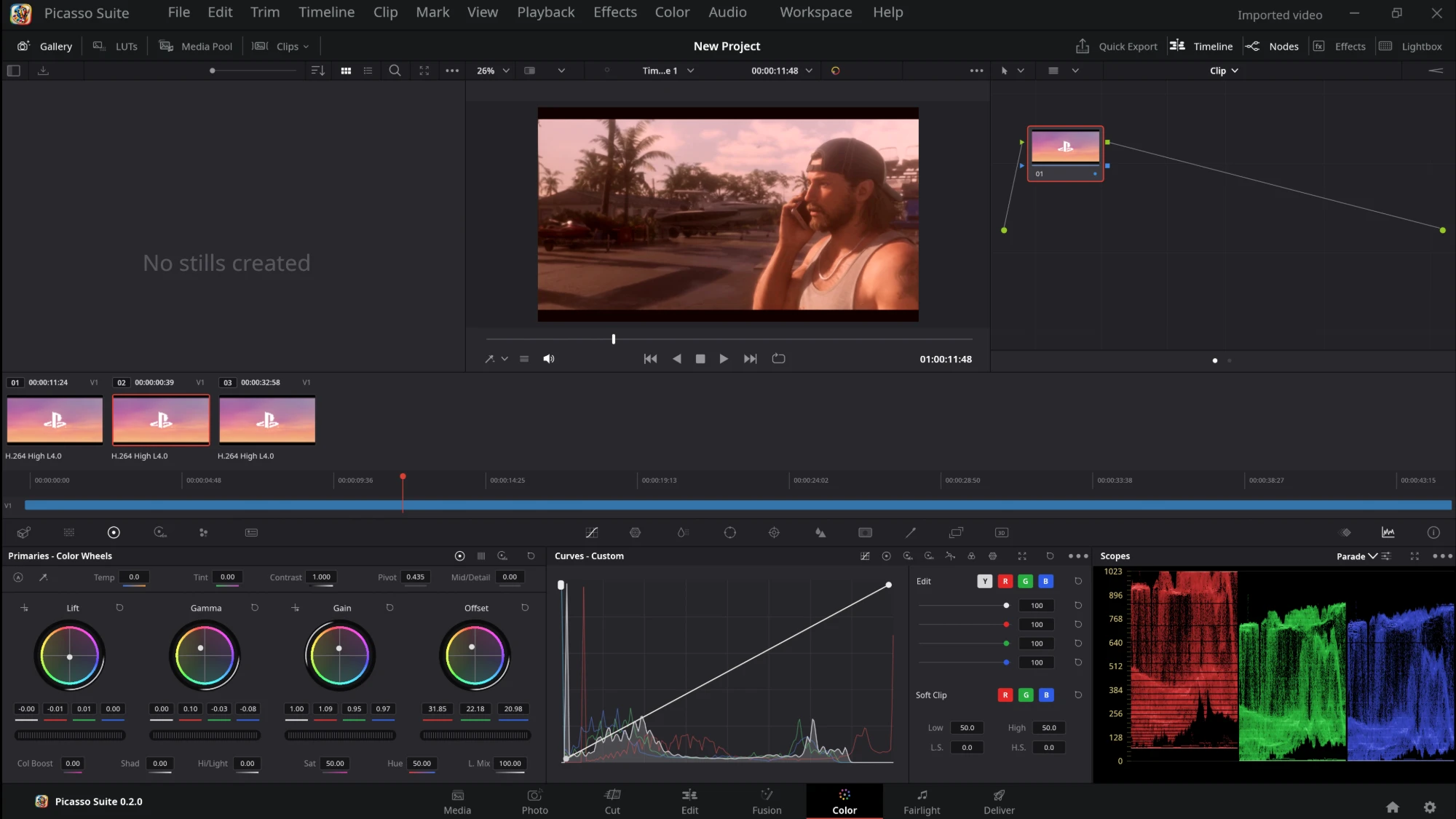
Picasso Suite is a video editor in the shape of an editing suite: bring media in, cut it, grade it, mix the sound and render it, with every step on a page of its own and the pages in the order Resolve has them. Menus follow a written spec (Menu-Spec.md), and the status of every entry is listed (Menu-Status.md).
NOTE: Picasso Suite is before 1.0. 518 of 547 menu entries work (94.70%) and the rest are shown disabled. Keep copies of projects you care about and use it at your own risk.
Features
- Eight pages, one window. Media, Photo, Cut, Edit, Fusion, Color, Fairlight and Deliver, in Resolve's order and proportions. The panels on every page are resized by dragging the dividers between them (a double click resets), layouts can be saved, and any command's keys can be changed in Keyboard Customization.
- Professional timeline workflow. Media pool and bins, a multi-track timeline, linked picture and sound, blade, trim, ripple, roll, slip and slide, Dynamic Trim, compound clips, multicam, speed changes and ramps, keyframes, transitions, titles, Paste Mix to Current Track, and undo/redo.
- Smooth playback and scrubbing. The viewer's picture is put together on a thread of its own, scrubbing long-GOP camera video is fast, and Optimised Media makes small copies of heavy footage for smooth playback.
- Hardware accelerated. Decoding on the graphics card (D3D11 on Windows, VideoToolbox on macOS, VA-API or CUDA on Linux) with the processor as the fallback and a switch in System Preferences. Export on NVENC, Intel Quick Sync, AMD AMF, VideoToolbox or VA-API.
- Color, with the scopes. Serial, parallel and layer nodes; lift, gamma, gain and offset wheels; custom curves (Y, R, G, B, intensity and soft clip); qualifier and power windows; LUTs; gallery stills; parade, waveform, vectorscope and histogram.
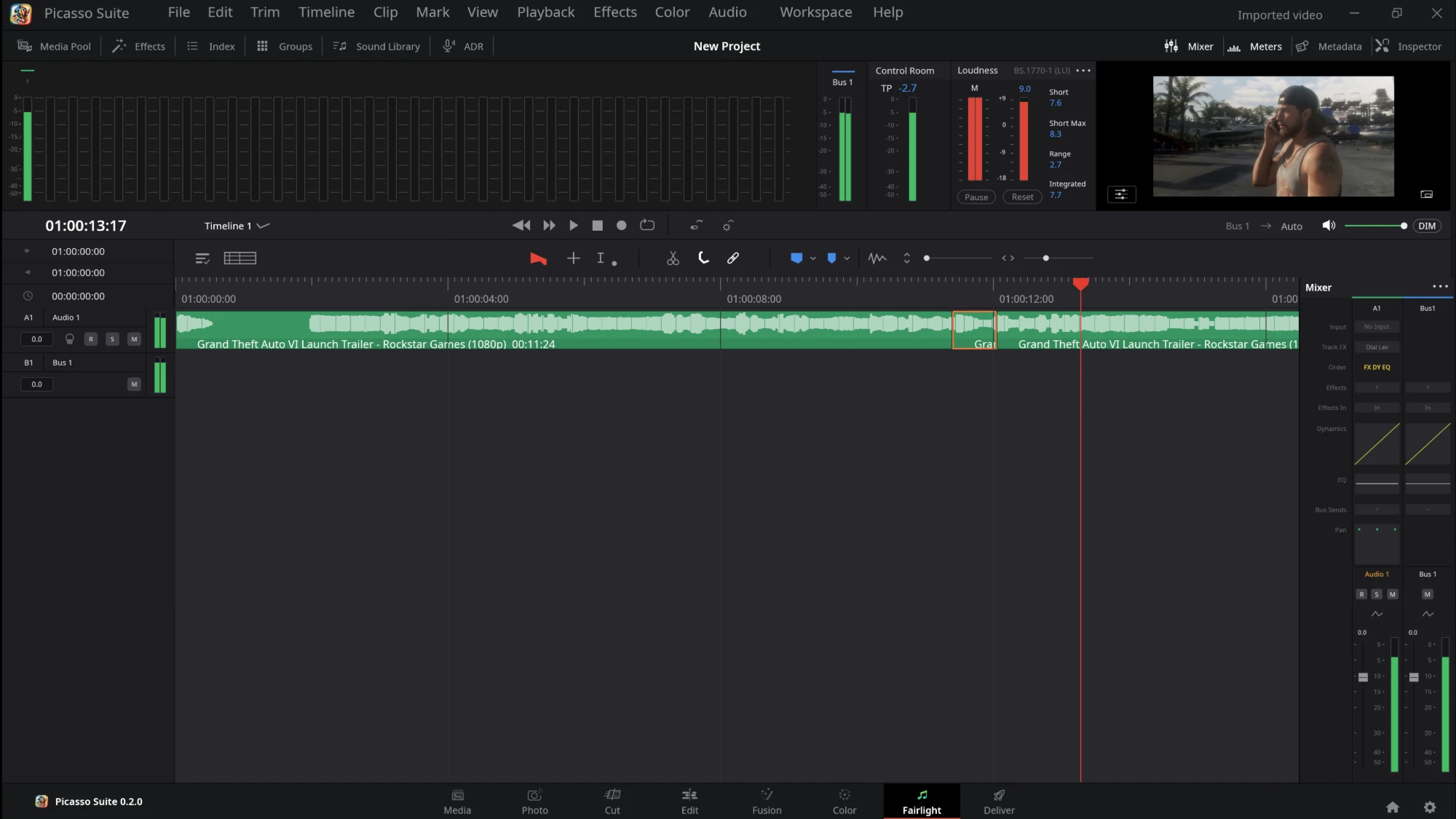
- Audio, finished in place. Fairlight has a per-track EQ and compressor, meters, loudness (BS.1770), recording from the microphone, voice-over, Bounce Mix to Track and Bounce Selected Tracks, and audio scrubbing.
- Effects, in groups. Effects > Picasso FX has 134 effects in twelve groups, added from the menu: Key (green, blue, red, magenta, cyan and yellow screens, HSL keys for six hues, 3D keyers, luma key, matte shrink, grow and soften), Color, Blur (box, radial, zoom, tilt-shift, lens, noise reduction), Light (glow, diffusion, light rays, bloom, halation, lens flare, aperture spikes, lens reflections), Distort, Warp (lens barrel and pincushion, ripple, waves, bows, square dents, corner pins), Texture (fast noise, texture pop, detail recovery, analog, film and JPEG damage), Transform (feathered crops, collages), Sharpen, Restore (despill, gamut limiter, contrast pop, fringe fixes, false colour, dehaze, deband, dead pixels, beauty), Time (echo, strobe, motion trails, smear, motion blur, deflicker, colour stabiliser, frame replacer, dirt removal) and Stylize (borders, edge detect, emboss, stroke, watercolor, relief, ink and cutout looks). A clip's whole effect stack can be saved as a preset and applied in one click.
- Transitions and generators. Effects > Video Transitions has dissolves (cross, dip, additive, non-additive, blur, smooth cut), 50 wipes, irises and shapes, 12 motion transitions (slide out, barn door, split) and 29 more (zooms, flashes, glitch, burn away, pans and more). Effects > Generators adds 21 pictures made from a formula: gradients, full-field and EBU colour bars, the three ITU-R BT.2111 HDR bar patterns, grey and YCbCr ramps, noise, a noise gradient, grid, windows, a countdown and a timecode burn-in.
- Pictures that look right. HDR video (HLG, PQ, BT.2020) is mapped to the SDR timeline, every YUV picture is read with its own colour matrix (BT.709, BT.601, BT.2020), and a clip played faster, slower or in reverse keeps its pitch.
- Any format FFmpeg reads. H.264, H.265/HEVC, ProRes, DNxHR, AV1, VP9 and more, plus images and sound. FFmpeg comes with every package.
- Deliver. H.264, H.265 and AV1 (8 or 10-bit), VP9, ProRes, DNxHR, lossless FFV1, WAV, MP3 and PNG sequences, with a render queue and Resolve's render presets.
- Interoperability. Opens DaVinci Resolve
.drpprojects,.drttimelines,.drbbins and XML exports; exports Final Cut Pro 7 / Premiere XML, AAF (Avid Media Composer, Pro Tools), OpenTimelineIO and EDL, and imports the same, matching their clips to your media. - Careful with your work. A damaged project file is refused with the newest autosave named to recover from, and the code never panics: no
unwrap,expectorpanic!, and every change to a project is a command. - Updates and bug reports. Help > Check for Updates installs the latest release. Help > Export Log File saves the session's log (kept in memory, nothing written while you work), and
picasso-suite --graphics-checkreports what the graphics card draws and whether it decodes video. - Everywhere. Windows, macOS (Apple silicon and Intel) and Linux (x86_64 and ARM64) as a zip,
.deb,.rpm, AppImage or Flatpak.
Status
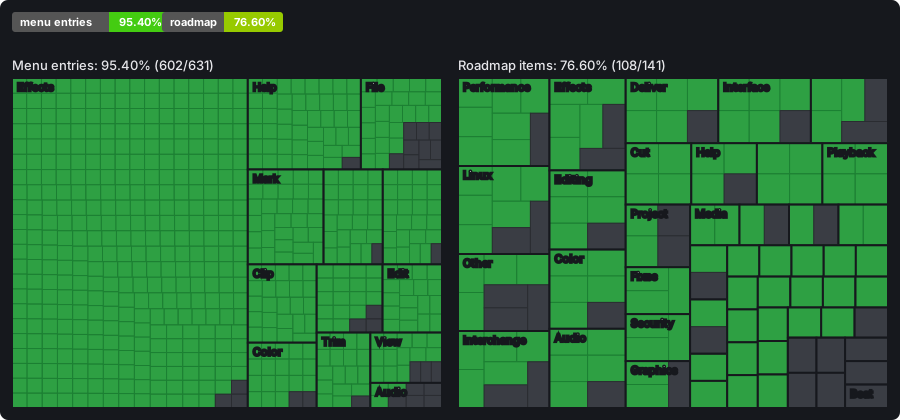
| Done | Total | ||
|---|---|---|---|
| Menu entries | 518 | 547 | 94.70% |
| Roadmap items* | 98 | 126 | 77.78% |
Green is made, grey is not. Menu entries: every entry of every menu (Menu-Status.md); the rest are shown disabled. * Roadmap items (ROADMAP.md): the to-do items are bigger than the done ones, so this share looks better than the work left. Made by python3 scripts/status.py.
Screenshots
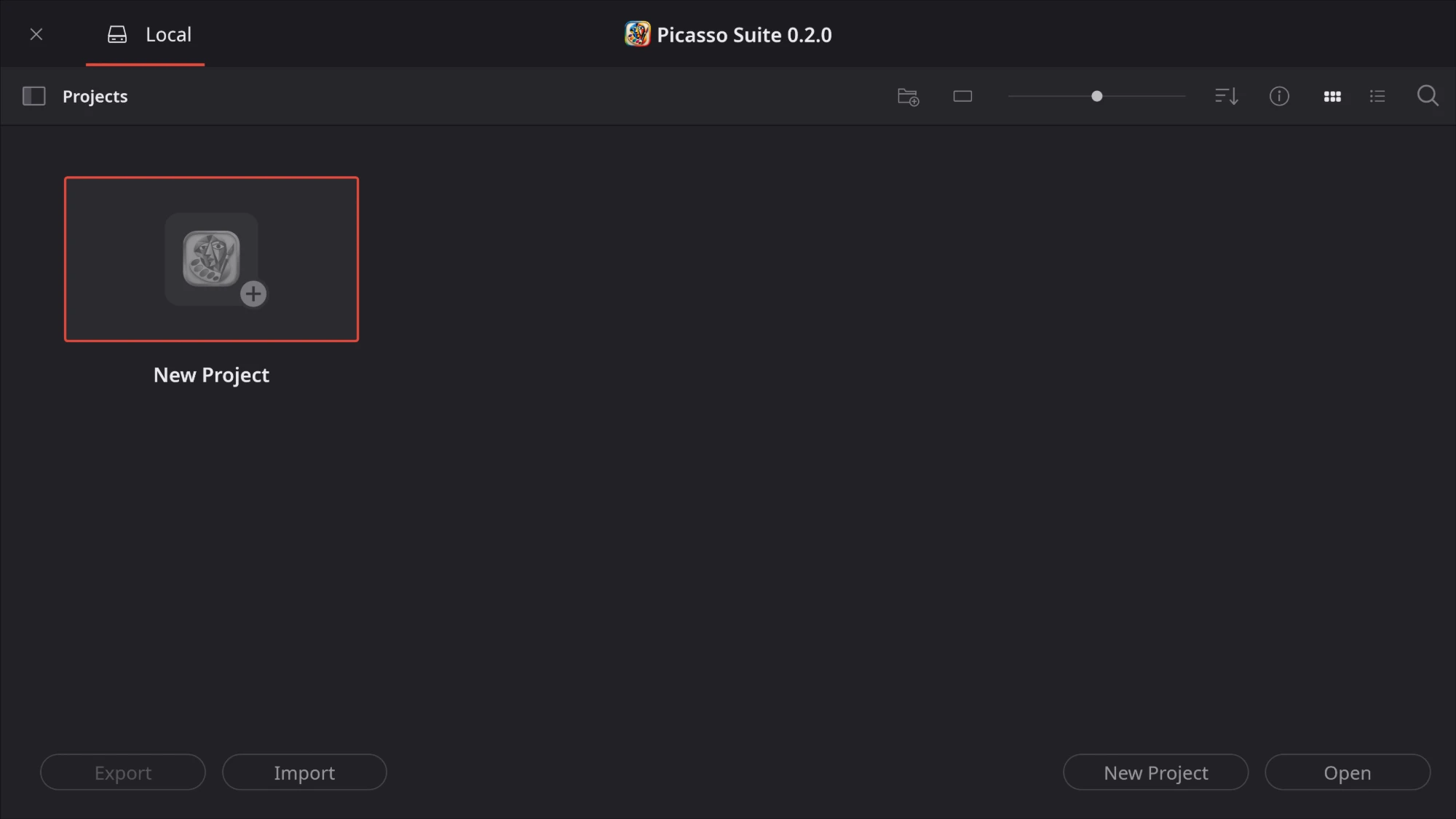
Project Manager - your local projects, with New Project, Open, Import and Export.
Media - browse your drives, preview a clip with its embedded audio meters, and read its metadata (codec, resolution, frame rate, size, path) before adding it to the media pool.
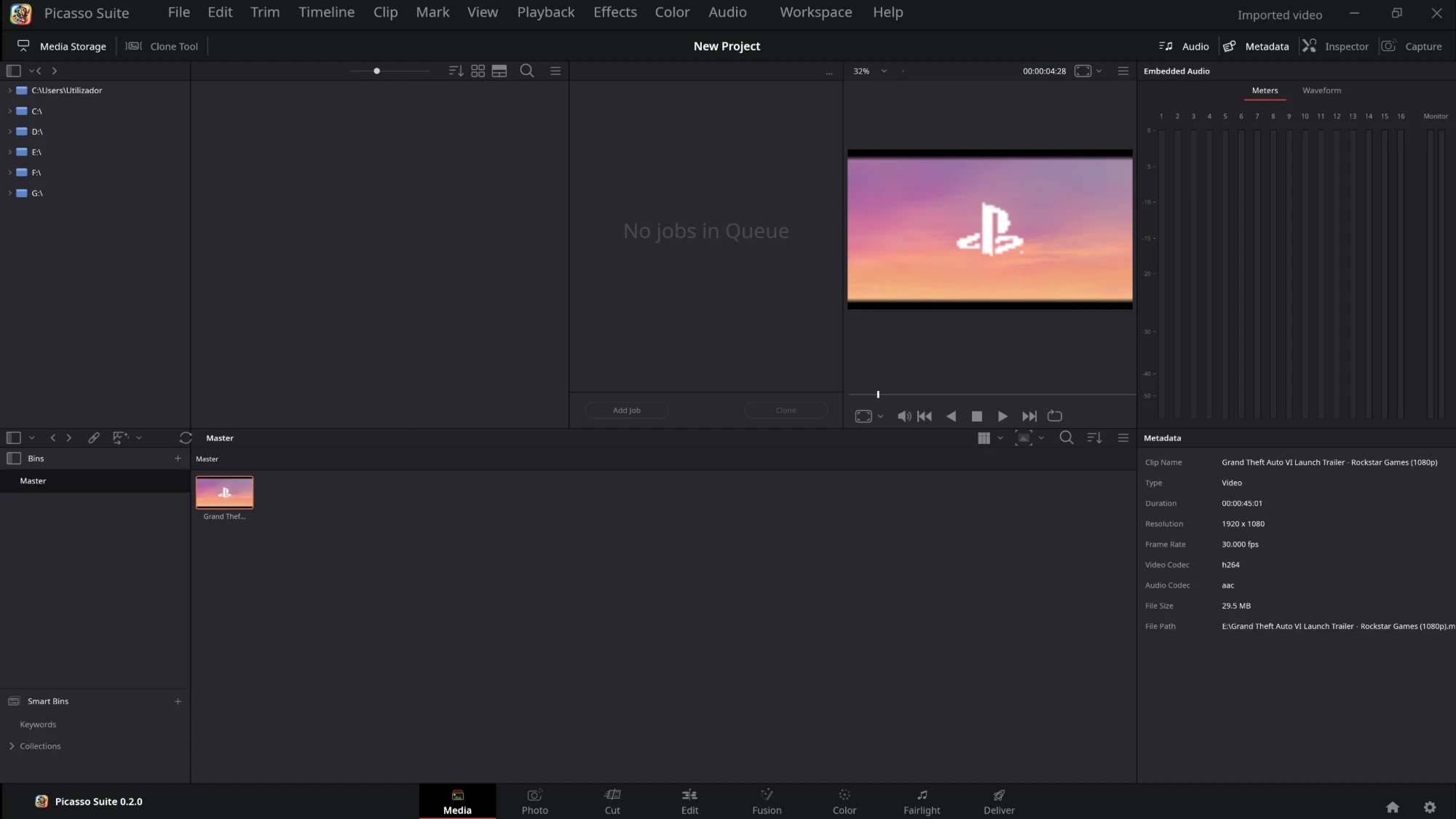
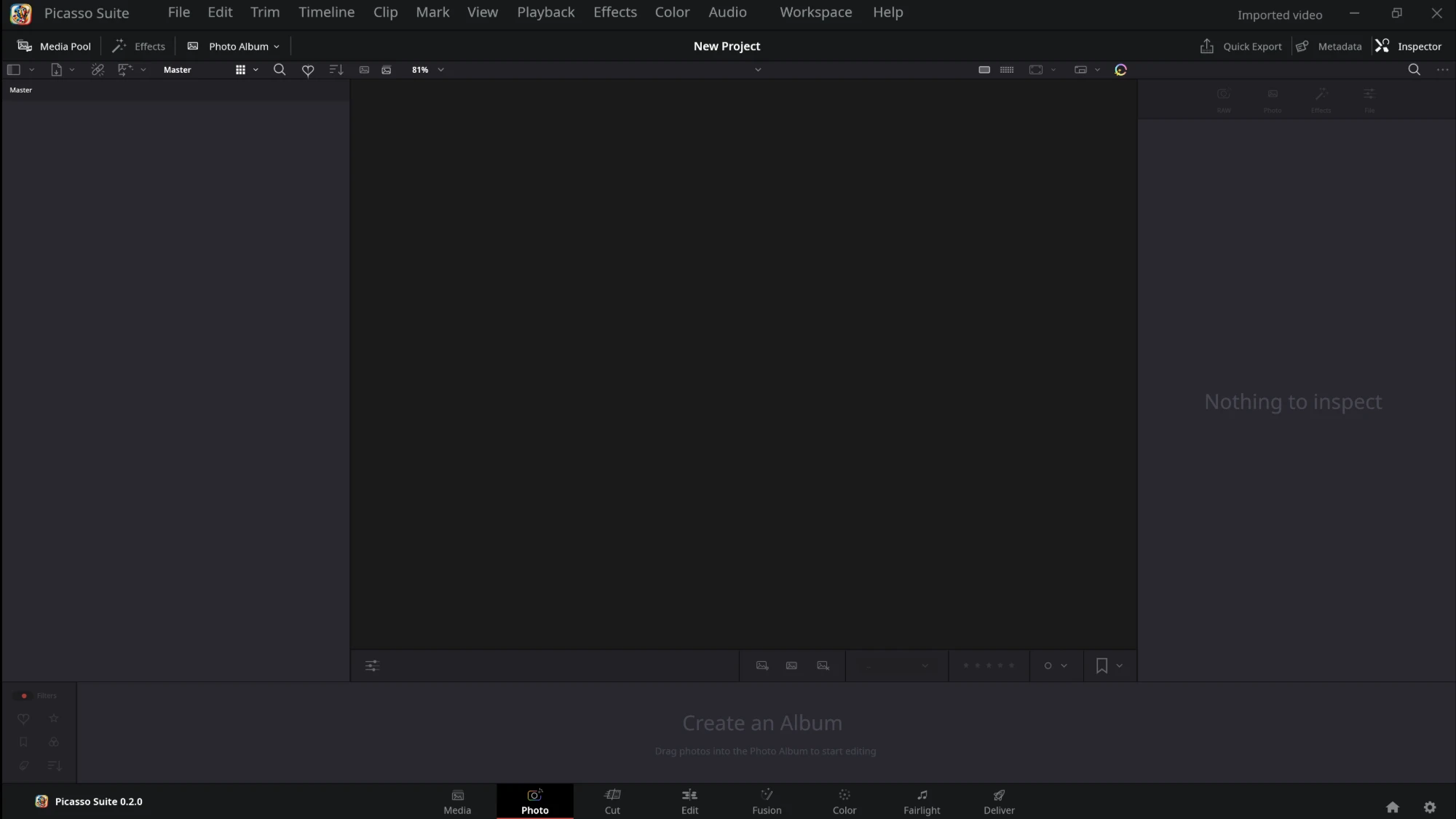
Photo - the photo album, viewer, rating bar and inspector, laid out as in Resolve.
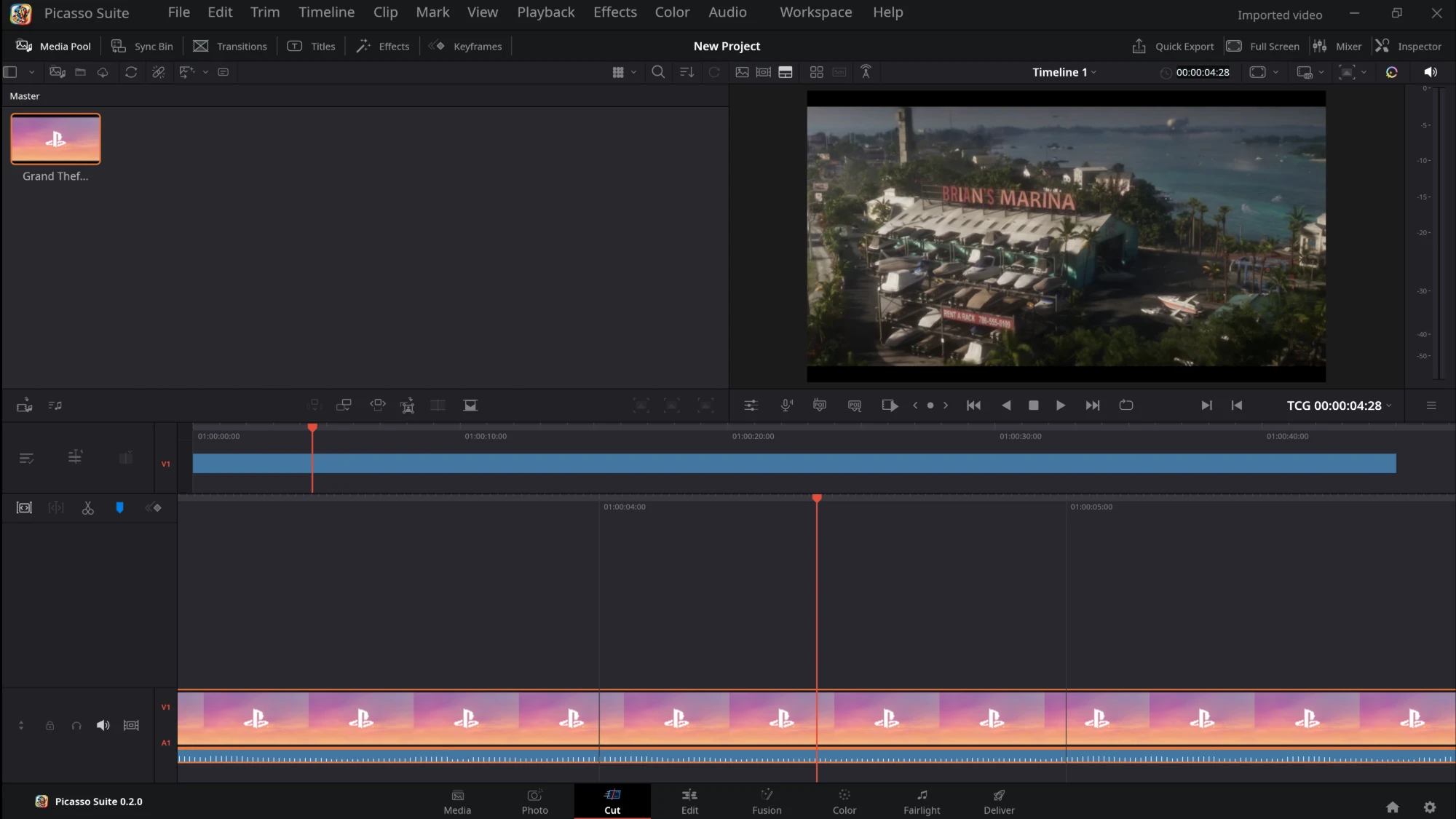
Cut - the media pool and viewer over two timelines: the whole edit on top, a close-up around the playhead below. Drag a clip from the pool onto either one.
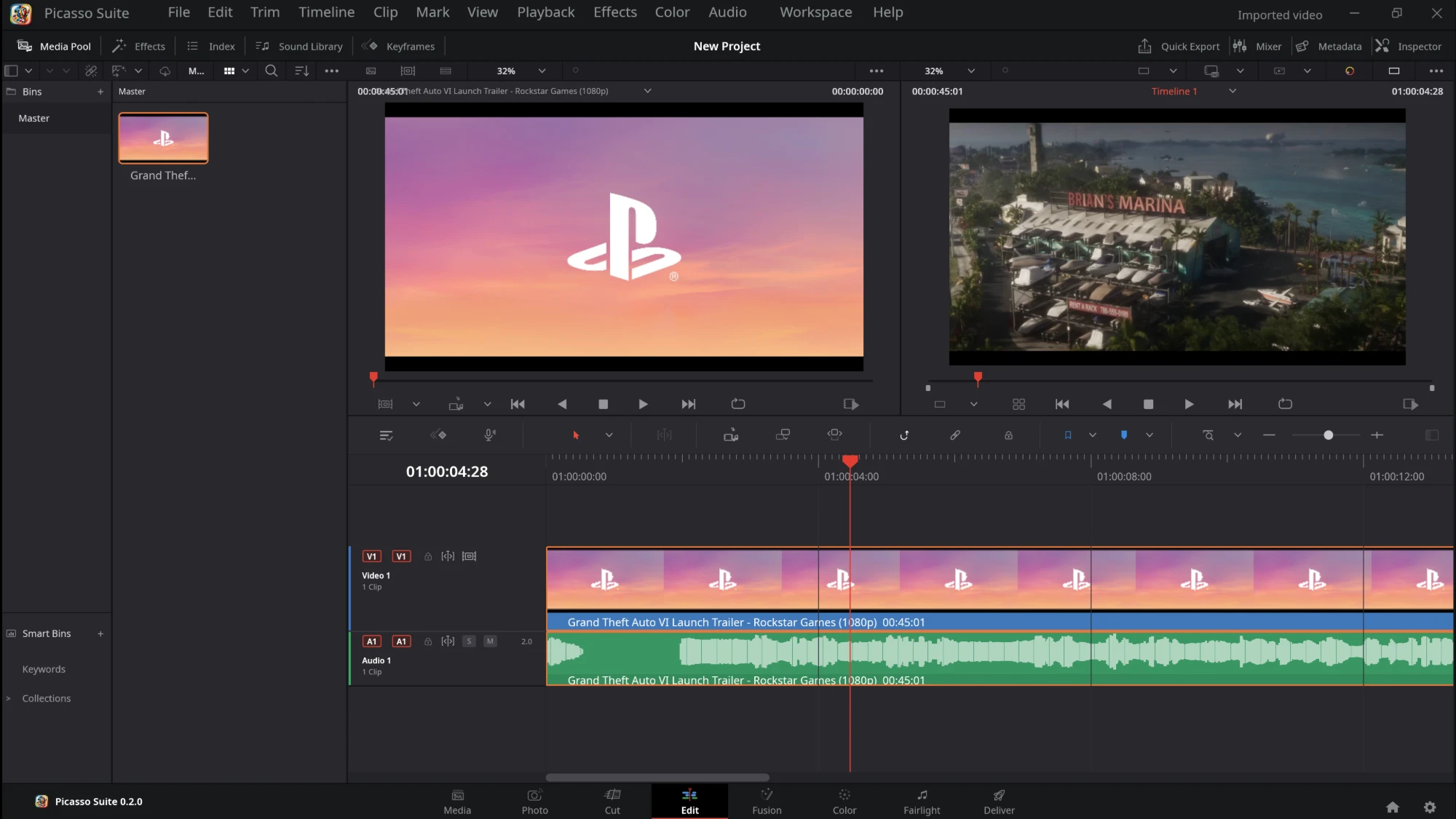
Edit - source and timeline viewers, the toolbar, and video and audio tracks with thumbnails and waveforms.
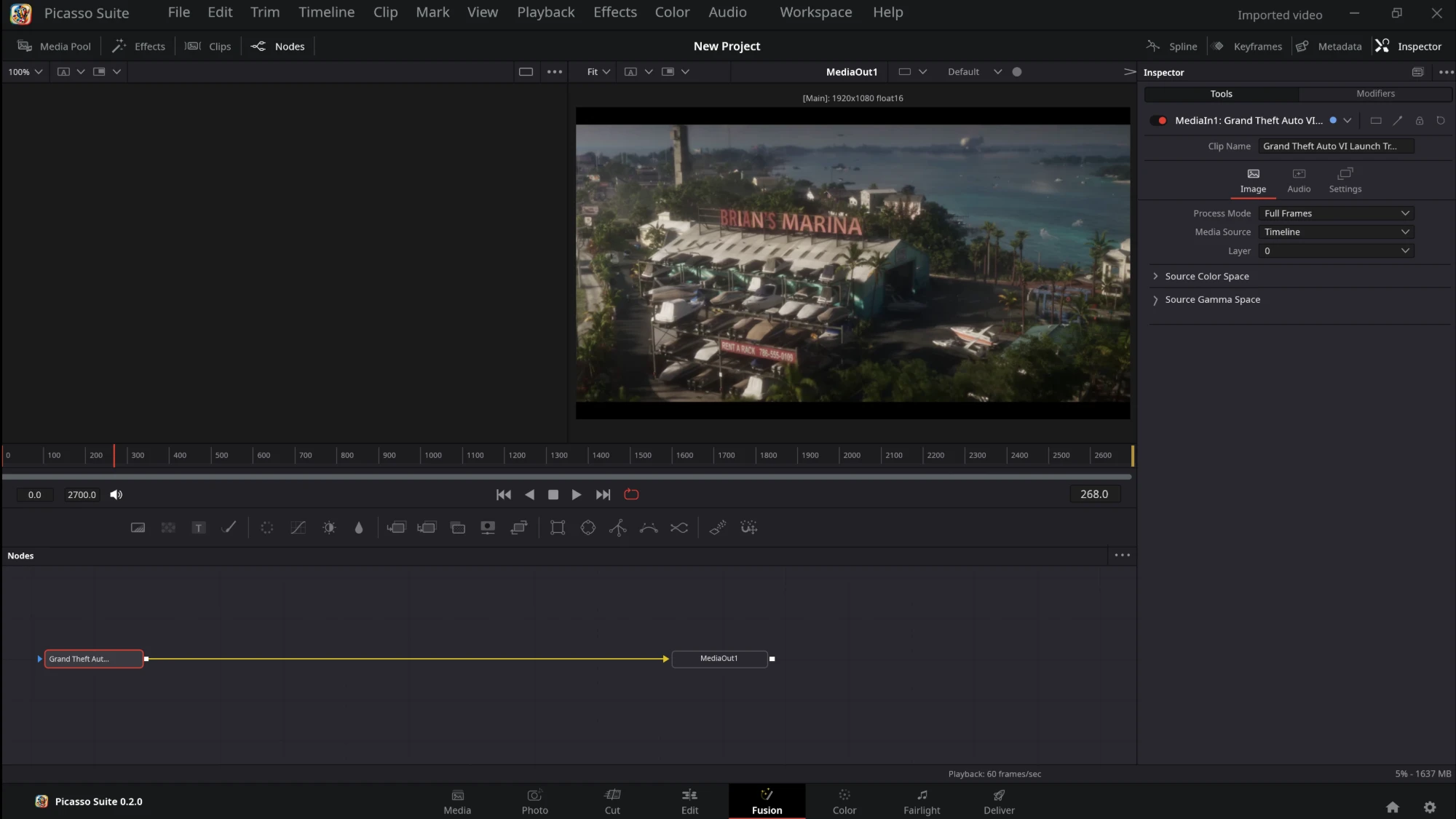
Fusion - the clip's MediaIn and MediaOut nodes, the viewer, the frame ruler and the inspector.
Color - clip thumbnails, the node graph, color wheels, Curves with a live histogram, and RGB parade scopes.
Fairlight - audio tracks with waveforms, track and bus meters, loudness, and the mixer.
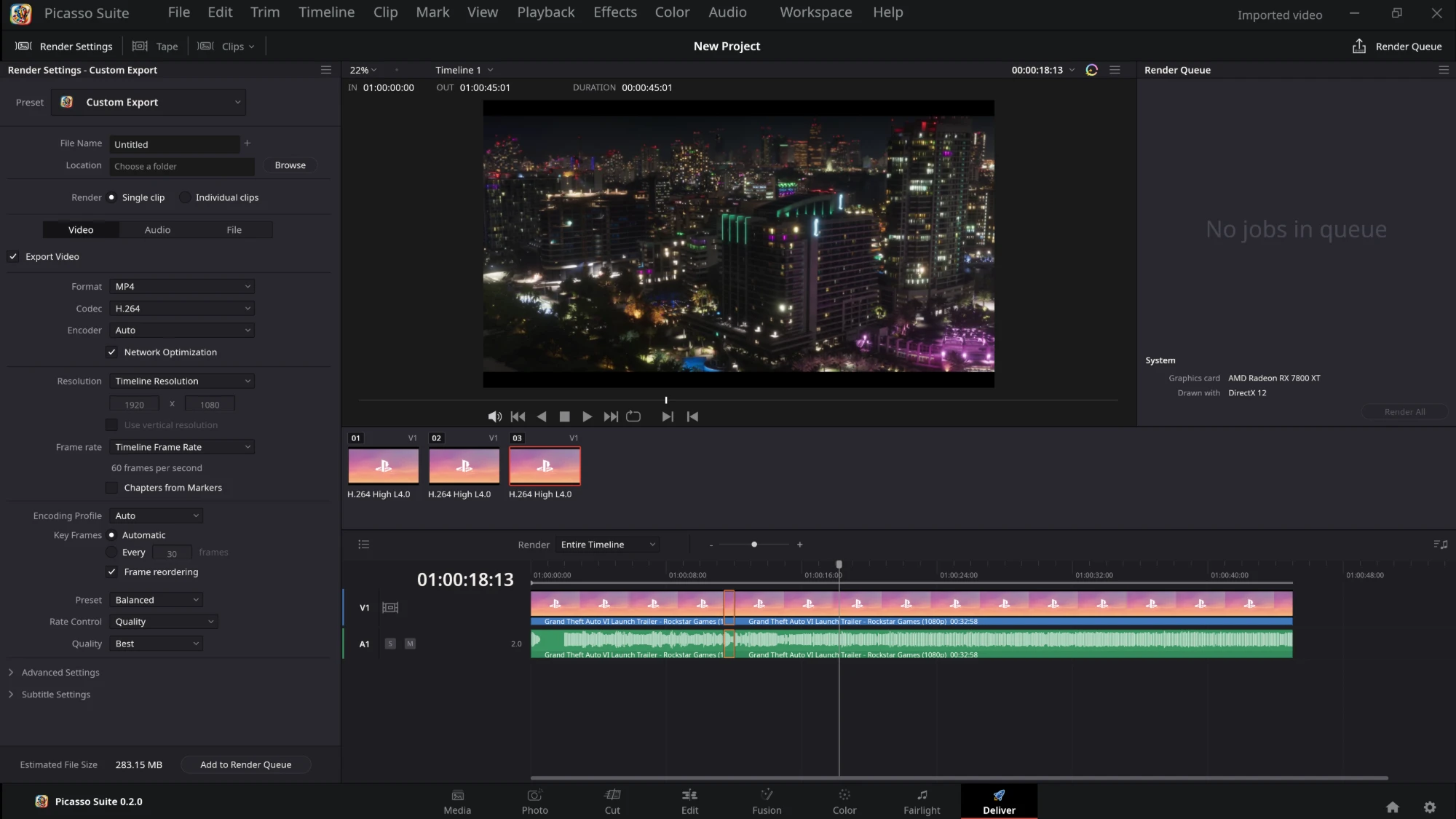
Deliver - Custom Export render settings, the render queue, clip thumbnails and the timeline.
Install
Download a package from the latest release. FFmpeg is included in all of them.
| OS | Package | Install |
|---|---|---|
| Windows | picasso-suite-0.7.0-windows.zip |
Unzip the whole folder and run picasso-suite.exe |
| macOS (Apple silicon and Intel) | picasso-suite-0.7.0-macos-universal.zip |
Unzip, move to Applications, right-click → Open (the app is not signed); needs macOS 15 or newer (0.6.4 and later; 0.6.2 and earlier ran on macOS 14 on Apple silicon) |
| macOS (Apple silicon only) | picasso-suite-0.7.0-macos-arm64.zip |
Unzip, move to Applications, right-click → Open (the app is not signed); needs macOS 15 or newer |
| Debian/Ubuntu (22.04 or newer) | picasso-suite-0.7.0-amd64.deb |
sudo apt install ./picasso-suite-0.7.0-amd64.deb |
| Fedora/openSUSE | picasso-suite-0.7.0-x86_64.rpm |
sudo dnf install ./picasso-suite-0.7.0-x86_64.rpm (openSUSE: sudo zypper install) |
| Any Linux | picasso-suite-0.7.0.flatpak |
flatpak install ./picasso-suite-0.7.0.flatpak |
| Any Linux (glibc 2.35 or newer), no install | picasso-suite-0.7.0-x86_64.AppImage |
chmod +x picasso-suite-0.7.0-x86_64.AppImage, then run it |
| Linux on ARM64 | picasso-suite-0.7.0-arm64.deb, -aarch64.rpm, -aarch64.AppImage, -aarch64.flatpak |
as above |
The ARM64 packages, the AppImage and the ARM64 Flatpak come with releases after 0.2.1; the universal macOS app with 0.3.0 and later.
On Linux the packages add Picasso Suite to the applications menu, open .picasso, .drp, .drt
and .drb files with it, and offer it under "Open With" for video files. On a Wayland desktop the
window opens through XWayland, because files dropped on a Wayland window do not reach the program
yet (a limit of winit, the window library); PICASSO_WAYLAND=1 picasso-suite opens a native
Wayland window without drag and drop. The Flatpak can read your home folder and drives mounted
under /media and /run/media.
If the window stays black, is slow or shows picture errors, run picasso-suite --graphics-check: it
lists the graphics cards and interfaces (Vulkan, DirectX 12, Metal, OpenGL) the computer offers and
whether each one draws a test picture, and saves the answer as picasso-graphics-report.txt in the
current folder (the Windows program has no console window to print to). Please
send it in,
working or not: only a few graphics cards have been tried.
Build from source
Requires Rust 1.95 or newer, FFmpeg 7.1 (the shared build, with its headers and libraries) and LLVM 19 for the FFmpeg bindings (newer LLVM produces empty structs). Point these variables at them:
FFMPEG_DIR=<folder with include/ lib/ bin/>
LIBCLANG_PATH=<LLVM bin folder>
On Windows, BtbN's FFmpeg 7.1 shared build works; run from a
Visual Studio developer prompt so the bindings find the MSVC headers. On macOS,
brew install ffmpeg@7 and set PKG_CONFIG_PATH to its lib/pkgconfig instead of FFMPEG_DIR. On
Linux, also install the window and sound headers:
| OS | Packages |
|---|---|
| Debian/Ubuntu | sudo apt install build-essential pkg-config clang libclang-dev libxkbcommon-dev libgl1-mesa-dev libwayland-dev libx11-dev libxcursor-dev libxrandr-dev libxi-dev libasound2-dev |
| Fedora | sudo dnf install gcc pkgconf clang-devel libxkbcommon-devel mesa-libGL-devel wayland-devel libX11-devel alsa-lib-devel |
cargo run --release -p picasso-suite
picasso-suite [--place] <project or media file>... opens a project, or imports media (with
--place, also onto the timeline). cargo test --workspace runs the tests.
DaVinci Resolve files
File > Open (or dropping the file on the window) opens a DaVinci Resolve project (.drp),
timeline (.drt), bin (.drb) or XML export. The new project takes its name, frame rate and
picture size, and its media pool gets every media file the Resolve file uses; files that are not on
this computer are kept as offline media. Where clips sit on Resolve's timelines is not read yet.
The same works from a terminal with picasso-bridge, which also registers the files on Linux:
picasso-bridge info project.drp              # name, rate, size and media (missing files marked ?)
picasso-bridge convert project.drp           # writes project.picasso next to it
picasso-bridge install-linux                 # .drp/.drt/.drb/.picasso open with Picasso Suite
Layout
| Folder | Role |
|---|---|
crates/picasso-core |
the project model, every edit as a command, undo history, project files |
crates/picasso-color |
grading maths (wheels, curves, qualifier, windows, LUTs) and the scopes |
crates/picasso-decode |
FFmpeg: probe, video frames, audio, waveforms |
crates/picasso-audio |
the mix, background audio decoding and the sound card output |
crates/picasso-media |
facts about imported media and the .picasso project file (SQLite) |
crates/picasso-export |
rendering to files through FFmpeg |
crates/picasso-render |
the compositor that makes a frame |
crates/picasso-drp |
reads DaVinci Resolve files |
crates/picasso-ui |
the interface: pages, timeline, wheels, scopes, menus, icons |
apps/studio |
the desktop program (and the WebAssembly entry point) |
apps/bridge |
picasso-bridge, Resolve files from the command line |
The menus follow Menu-Spec.md; Menu-Status.md lists which entries
work. The code never panics (no unwrap, expect or panic!) and every change to a project is a
command.
Licence
GPL-3.0-or-later. The bundled Noto Sans fonts (crates/picasso-ui/assets/fonts) are under the SIL
Open Font License 1.1 (OFL.txt beside them). FFmpeg, included in the packages, is under the GPL
(FFMPEG-LICENSE). Not affiliated with Blackmagic Design.