
fabiocmazzo/idetea
fabiocmazzo/idetea has 26 GitHub stars and 0 forks. GitHot measured 0 stars in 24 hours. Last checked 2026-11-14 10:19 UTC. Last push 2026-11-12.
Measured star growth
- in 24h
- 0
- in 7 days
- Collecting history
- in 15 days
- Collecting history
- in 1 month
- Collecting history
Net star changes over overlapping periods, not daily totals. Missing measurements are left blank. Stars measure attention, not software quality.
About
A fast, quiet IDE written in pure Rust with iced, built for working side by side with coding agents. Free, always: Apache 2.0.
Developer ToolsREADME.md
Original

IDE TEA
Just code. Add ice.
A fast, quiet IDE in pure Rust, where coding agents ask before they act.
Free, always: Apache 2.0. No account, no telemetry, no marketplace.
English · Português · Español ·
Français · Deutsch · Italiano ·
日本語 · 中文(简体)
Website and guides
· GitHub
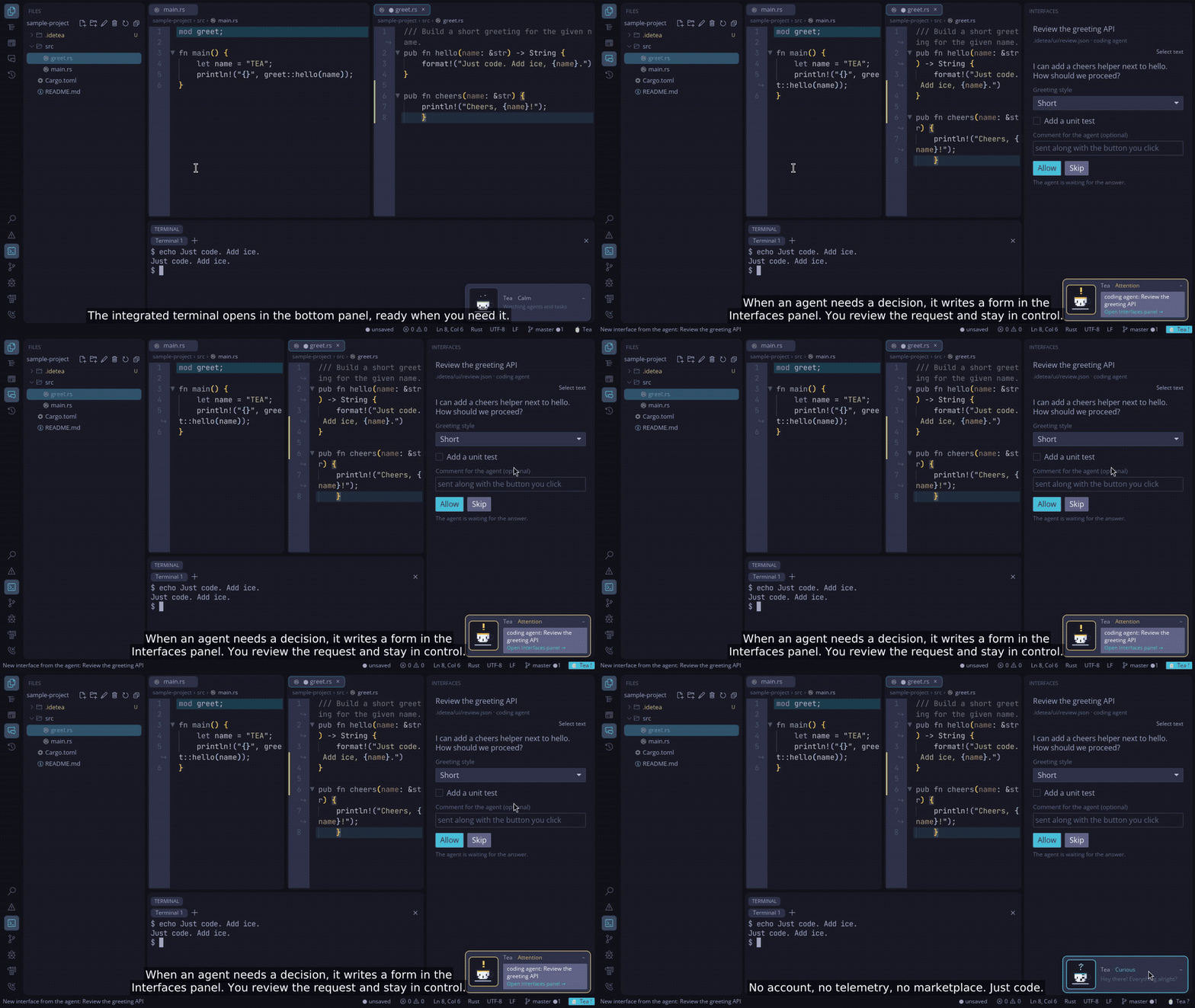
Watch the 52-second demo
· narrated in English, subtitles burned in
GitHub does not play a video file from the repository inside the README.
The clip above opens it on the website, where it plays with sound.
The file itself is assets/idetea-demo.mp4.
Status: in active development, before 1.0. Built and tested on Linux, macOS (Apple Silicon) and Windows (x86_64). Expect rough edges, and please report them.
Who it’s for
People who write code with an agent in the terminal next to the editor: Claude Code, Codex, or any agent that reads
AGENTS.md and CLAUDE.md. IDE TEA does not put a chat model inside the window. It gives that agent a small,
file-based way to ask you things, and it keeps you in charge of every command.
Why people stay
Fast. Starts in well under 200 ms. A 50 MB file opens in a tenth of a second, and a minified file with one giant line opens in a light mode instead of freezing the window.
Quiet. No account, no telemetry, no marketplace, no pop-ups you did not ask for. The network is used only when you ask (push, pull, fetch, or a skill you install). Look, keys and panels live in one plain TOML file.
You approve what runs. An agent writes a small JSON file and the IDE shows a form: options, checkboxes, text, images, sounds, step-by-step manual tests. A terminal request shows the whole command first. A helper can run in its own git worktree. A project can never grant itself permission. Your allow list lives in your config.
Complete where it counts. Multi-cursor, temporary zoom, an optional vim mode, file tree, project search, integrated terminal, git (stage, diff, commit, push and pull), LSP, debugging with gdb, and previews for Markdown, SVG, images and PDF.
Small inside. The core only edits files. The tree, the terminal, git and the debugger are extensions you can turn off. Tea, a pixel-art teacup, watches for a waiting question (one click opens the right panel) and collapses into the status bar when you want the corner back.
One command teaches the project's agents: "Interfaces: teach this project's agents" writes the protocol into
AGENTS.md and CLAUDE.md.
Install
Linux, macOS and Windows, ready to run. Download the package for your platform from
Releases: .tar.gz or .AppImage for Linux x86_64/aarch64,
.tar.gz with IDE TEA.app for macOS aarch64, or the -setup.exe installer / portable .zip for Windows x86_64.
SHA256SUMS has the checksums.
On Linux, ./install.sh puts idetea in ~/.local/bin and adds it to the app menu. The AppImage runs as is
(chmod +x first) and --install-desktop adds it to the menu. On macOS, --install-desktop creates
~/Applications/IDE TEA.app.
From source. You need Rust (stable). Then:
cargo install --locked --git https://github.com/fabiocmazzo/idetea tea-app
idetea --install-desktop   # optional: app menu entry and icon
Optional: git for the git integration, gdb 14+ (or lldb-dap on macOS) for debugging, and the language servers
you use (rust-analyzer, clangd, pyright, typescript-language-server, gopls, lua-language-server, zls, zx lsp, hare-lsp for Hare and moon lsp for MoonBit are already set up).
Code signing and privacy
Free code signing on Windows is provided by SignPath.io, certificate by the
SignPath Foundation. This program will not transfer any information to other networked systems
unless specifically requested by the user. See CODE_SIGNING_POLICY.md.
Quick start
idetea                # open the current folder as a project
idetea src/main.rs    # current folder + this file
idetea ~/project      # another folder
idetea new my-app --model rust --agent claude     # a new project, with an agent ready to start it
Inside the IDE: Ctrl+Shift+P opens the command palette, Ctrl+P opens a file by name, F1 shows every shortcut.
The guides are on the website.
Why IDE TEA, and when not
docs/comparativo-ides.md is an honest comparison with VS Code, Cursor, Zed, JetBrains
and Helix, written around 0.4.0. The part that is still the product:
- Terminal agents get a native, file-based protocol (forms, approved commands, worktrees, the Tea mascot). That is the thing the other editors in that note do not have.
Tea
The teacup in the corner has several lines for each mood. It notices a save, a long pause, the time of day, and
the debugger's build, and it can mention a real shortcut now and then. [mascot] chatty is quiet, normal or
chatty; [mascot] tips turns the hints on or off. The whole interface, including Tea, is in Portuguese, English,
Spanish, French, German, Italian, Japanese and Simplified Chinese ([ui] language, or the system language). It
does not take focus.
- There is no ghost-text autocomplete, on purpose. If you want Tab-to-complete or inline diffs, that document points at Cursor, Windsurf or Zed.
- Code actions, inlay hints and debugger coverage are behind VS Code and JetBrains.
The same note still says "Linux only". Releases since then also ship macOS (Apple Silicon) and Windows (x86_64).
Star the repository
If this is the editor you wanted, star IDE TEA. It is one person's project, and a star is how the next person finds it.
About the name
It started as a joke. The IDE is built with iced, so of course it had to be Iced Tea.
Then the other meaning showed up. In Portuguese, TEA stands for Transtorno do Espectro Autista: autism spectrum disorder. The author is autistic, and the double meaning felt right, so it stuck. Maybe it also explains a few things about the IDE: it likes predictability, plain text you can read, and as little noise as possible.
Read more in the manifesto.
Documentation
- Manifesto: what IDE TEA believes in, and what it will not do.
- Website: the demo, install, and the guides.
- Features and shortcuts: the full list.
- Languages: what the IDE does for each language, including Hare and MoonBit, with examples to try.
- Interfaces for agents and agent terminals (in Portuguese for now).
- SPEC.md and DESENVOLVIMENTO.md: specification, architecture and how to build, test and write an extension (in Portuguese for now).
License
IDE TEA is free software under the Apache License 2.0: use it, study it, change it and share it, commercially too. It is free of charge and it will stay that way.
The interface icons come from Codicons © Microsoft, under
CC BY 4.0 (see
crates/tea-core/assets/NOTICE.md).
Explore related projects
codecrafters-io/build-your-own-x
Master programming by recreating your favorite technologies from scratch.
562,439 starspublic-apis/public-apis
A collective list of free APIs
498,898 starsmorluto/rea
Reverse engineer anything with agents, from app behavior down to native binaries.
458,609 starsopenclaw/openclaw
The AI that really does things. Any OS. Any Platform. The lobster way. 🦞
394,424 stars