
eventum-generator/eventum
eventum-generator/eventum has 71 GitHub stars and 4 forks. GitHot measured 0 stars in 24 hours. Last checked 2026-11-18 10:29 UTC. Last push 2026-10-20.
What you can do
- Realistic data — Jinja2 templates with Faker and Mimesis generate believable names, IPs, timestamps, and domain-specific values
- Flexible scheduling — cron expressions, fixed intervals, or statistical time patterns that mimic real-world traffic curves
- Multiple destinations — fan-out to stdout, files, ClickHouse, OpenSearch, or any HTTP endpoint simultaneously
- Two modes — stream events in real time at their scheduled timestamps, or generate everything as fast as possible
Measured star growth
- in 24h
- 0
- in 7 days
- Collecting history
- in 15 days
- Collecting history
- in 1 month
- Collecting history
Net star changes over overlapping periods, not daily totals. Missing measurements are left blank. Stars measure attention, not software quality.
About
Realistic synthetic events for testing, demos, and pipelines — streamed live or generated in bulk
DataREADME.md
Original

Eventum
Data generation platform
Realistic synthetic events for testing, demos, and pipelines — streamed live or generated in bulk.







Documentation · Tutorials · API Reference · Changelog · Task tracker · Discuss
Eventum produces synthetic events and delivers them anywhere — in real time or in batch. Generate a continuous stream of logs for your SIEM, seed a staging database with realistic data, or stress-test a pipeline with high-throughput traffic.

▶ Launch the interactive tutorial
Highlights
- Realistic data — Jinja2 templates with Faker and Mimesis generate believable names, IPs, timestamps, and domain-specific values
- Flexible scheduling — cron expressions, fixed intervals, or statistical time patterns that mimic real-world traffic curves
- Multiple destinations — fan-out to stdout, files, ClickHouse, OpenSearch, or any HTTP endpoint simultaneously
- Two modes — stream events in real time at their scheduled timestamps, or generate everything as fast as possible
- Built-in web UI — Eventum Studio for visual editing, event preview, and monitoring
- Ready-made generators — connect a git repository that publishes generators and install one as a project; the repositories published on GitHub under the
eventum-generatorstopic are listed in Studio - REST API — start, stop, and manage generators programmatically
- MCP server — manage generators and author configurations from AI assistants via the Model Context Protocol
- Encrypted secrets — credentials stored securely via an encrypted keyring
- Docker ready — multi-stage builds, runs anywhere
Quick start

Install
pip install eventum-generator
Also available via uv (
uv tool install eventum-generator) or Docker (docker pull rnv812/eventum-generator).
Create a template — events.jinja
{{ timestamp }} INFO user={{ module.faker.locale.en.user_name() }} action=login ip={{ module.faker.locale.en.ipv4() }}
Create a config — generator.yml
input:
  - cron:
      expression: "* * * * * *"
      count: 1

event:
  template:
    mode: all
    templates:
      - my_event:
          template: events.jinja

output:
  - stdout: {}
Run
eventum generate --path generator.yml --id demo
2026-02-23 12:00:01+00:00 INFO  user=jsmith action=login ip=192.168.44.12
2026-02-23 12:00:02+00:00 INFO  user=amiller action=login ip=10.0.128.55
2026-02-23 12:00:03+00:00 INFO  user=kwilson action=login ip=172.16.0.91
Plugins
Each part of the pipeline is a plugin. Swap, combine, or extend — change the schedule without touching templates, add new outputs without modifying anything else. See the plugin reference for the full list.
Application mode
Run multiple generators with a web UI and REST API:
eventum run -c eventum.yml
Starts on port 9474 with Eventum Studio (web UI), REST API, and multi-generator orchestration — each generator runs independently with its own schedule, templates, and outputs.
Eventum Studio
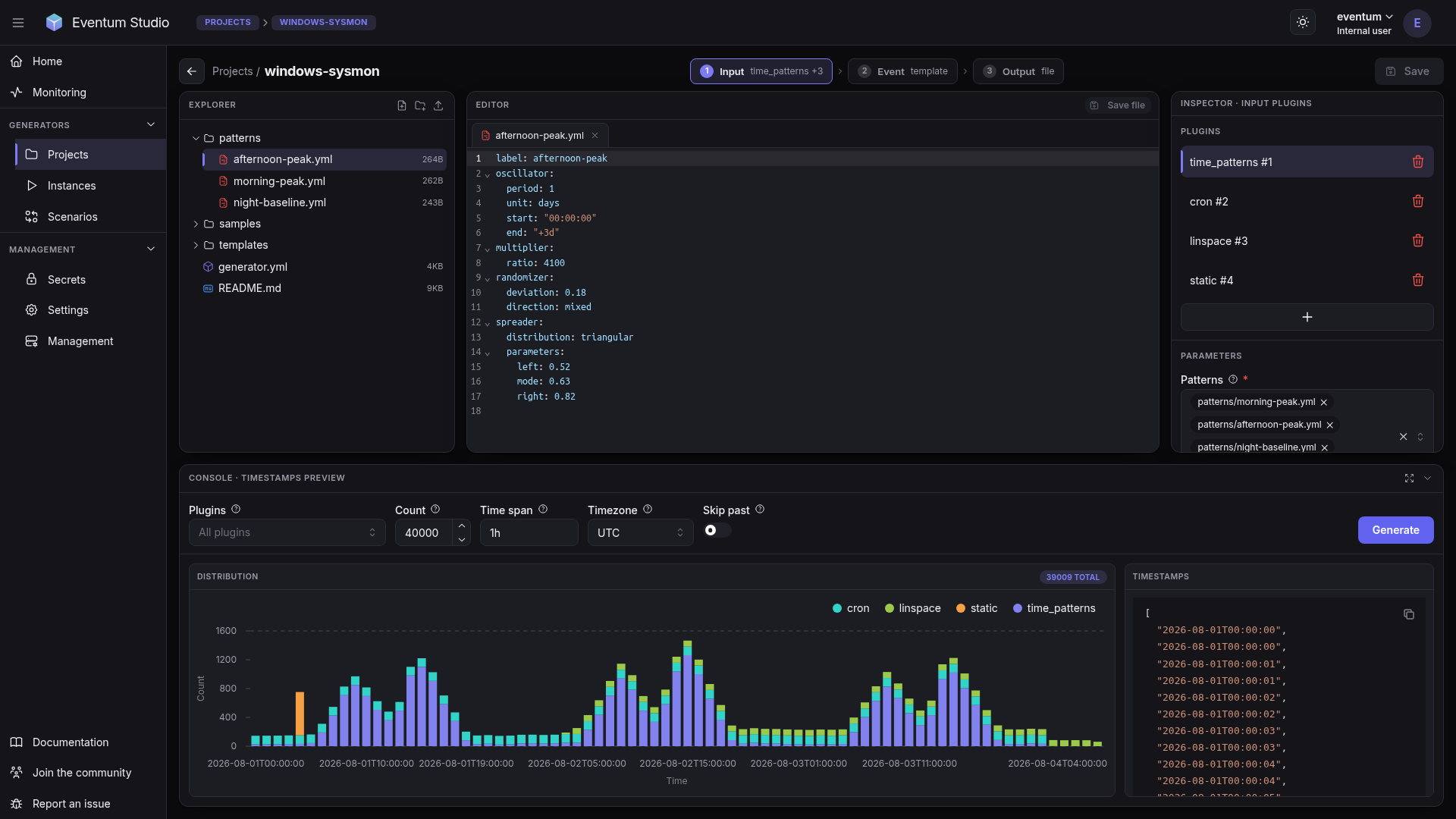
Eventum Studio is the web UI included in application mode: edit generator configurations and templates, preview rendered events, and monitor running generators.
Documentation
Full documentation at eventum.run:
- Getting started — overview and first example
- Installation — pip, Docker, or from source
- Core concepts — pipeline, plugins, scheduling
- Plugin reference — every plugin with full parameter tables
- Tutorials — end-to-end walkthroughs (SIEM, clickstream, IoT, and more)
Activity