
evanyeung/terminal-slack
evanyeung/terminal-slack has 1,028 GitHub stars and 75 forks. GitHot measured 0 stars in 24 hours. Last checked 2026-11-09 11:53 UTC. Last push 2019-01-16.
Terminal client for slack
Measured star growth
- in 24h
- 0
- in 7 days
- Update delayed
- in 15 days
- Update delayed
- in 1 month
- Update delayed
Net star changes over overlapping periods, not daily totals. Missing measurements are left blank. Stars measure attention, not software quality.
README.md
OriginalTerminal Slack
A terminal interface for Slack.
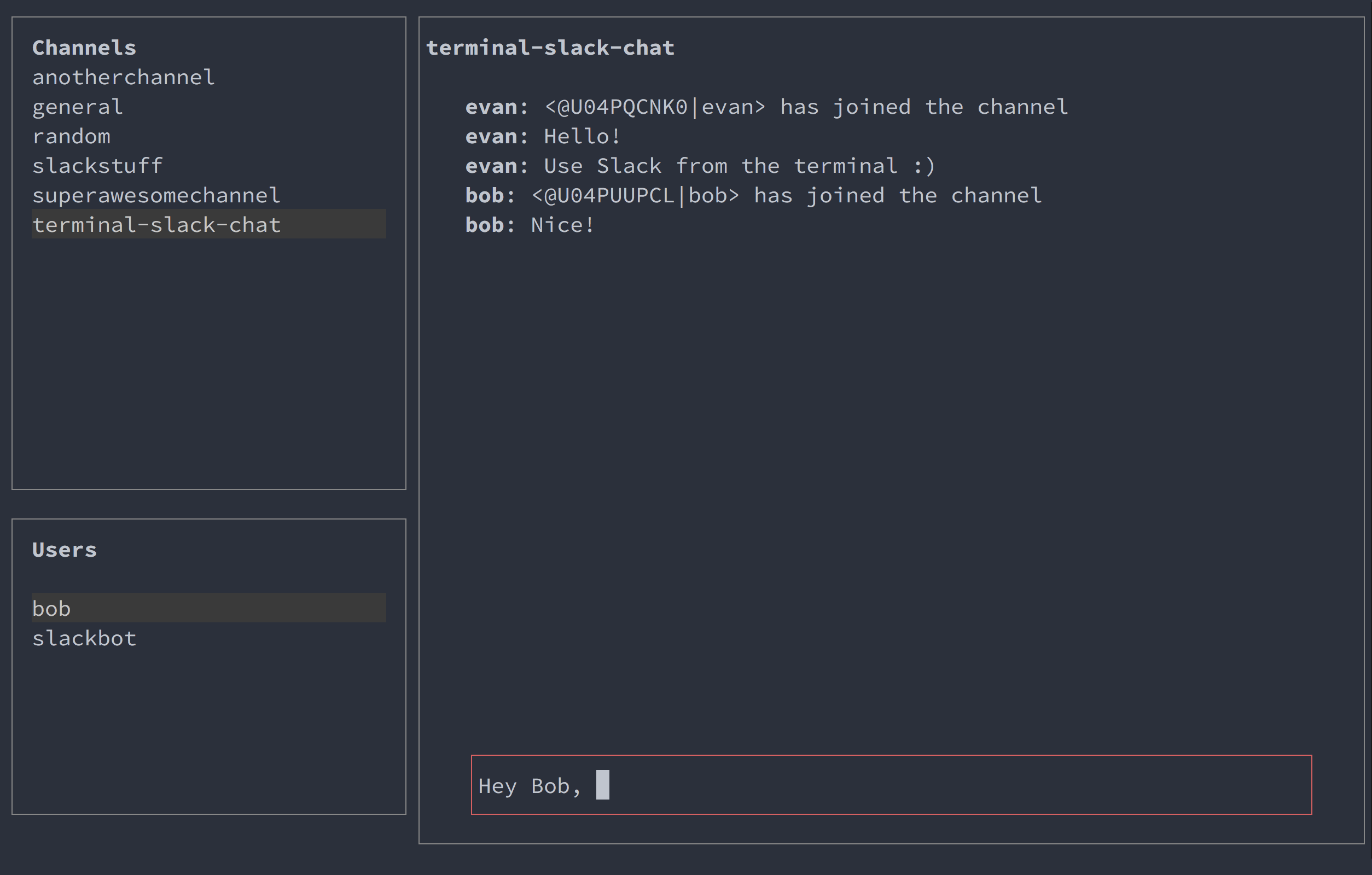
Controls
| Command | Key Combination |
|---|---|
| Move up | up arrow or k |
| Down up | down arrow or j |
| Search | / |
| Exit | esc |
| Select channels list | ctrl + c |
| Select users list | ctrl + u |
| Select writing area | ctrl + w |
| Select message list | ctrl + l |
Prerequsites
Setup
Download this repository:
git clone https://github.com/evanyeung/terminal-slack.gitEnter the directory:
cd terminal-slackInstall the package:
npm installCreate your Legacy Slack API token.
- Go to the Slack Legacy Tokens page
- Click Generate Token
Install your token on your local machine, inserting your token between the quotes:
export SLACK_TOKEN='your-slack-token-here'Run the application:
node main.jsTerminal Slack should now launch.
Troubleshooting
Terminal Slack opens for a second but then closes again
This might be due to your
SLACK_TOKENnot being recognised. Make sure the put yourSLACK_TOKENbetween the two single quotes when exporting it:export SLACK_TOKEN='xoxp-254112160503-252950188691-252375361712-6cbf56aada30951a9d310a5f23d032a0'
Explore related projects
codecrafters-io/build-your-own-x
Master programming by recreating your favorite technologies from scratch.
561,398 starspublic-apis/public-apis
A collective list of free APIs
497,679 starsmorluto/rea
Reverse engineer anything with agents, from app behavior down to native binaries.
447,495 starsopenclaw/openclaw
The AI that really does things. Any OS. Any Platform. The lobster way. 🦞
394,261 stars