
eqgis/Sceneform-EQR
eqgis/Sceneform-EQR has 149 GitHub stars and 26 forks. GitHot measured 0 stars in 24 hours. Last checked 2026-11-09 09:19 UTC. Last push 2026-08-07.
Sceneform-EQR extends Google’s Sceneform Android SDK, supporting graphics, video, AR, and VR applications. It integrates ARCore, AREngine, and ORB-SLAM, and provides AR, VR, and custom background scenes to meet diverse native 3D development needs.
What you can do
- Scene containers - Standard 3D SceneLayout, AR ARSceneLayout, mirrored display MirrorSceneLayout, camera-background, extended-background, and VR SceneView variants
- Models and geometry - GLTF/GLB, PLY point clouds/Mesh, dynamic Mesh, Line3D, and point/line/triangle primitives
- Materials and lighting - PBR parameters, custom Filament .filamat, IBL, skyboxes, shadows, external textures, point-size materials, and screen-space wide-line materials
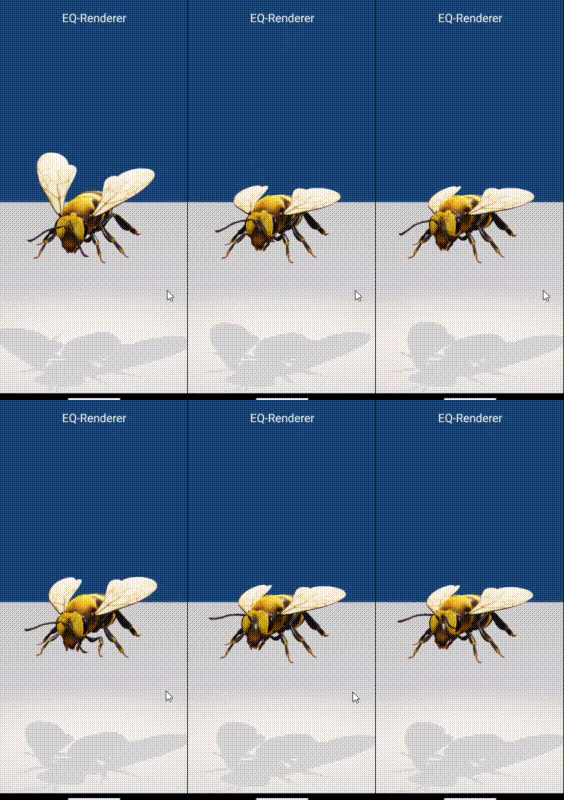
- Animation - GLTF model clips, node rotation, translation, path animation, repeat parameters, and access to the model animation source duration
Measured star growth
- in 24h
- 0
- in 7 days
- Update delayed
- in 15 days
- Update delayed
- in 1 month
- Update delayed
Net star changes over overlapping periods, not daily totals. Missing measurements are left blank. Stars measure attention, not software quality.
README.md
OriginalSceneform-EQR
Sceneform-EQR is an Android-native 3D/XR rendering library extended from Google Sceneform and powered by Filament. It provides reusable scene layouts, model and geometry rendering, animation, interaction, Android View rendering, video/external textures, ARCore/AREngine integration, VR, PLY point clouds, and 3D Gaussian Splatting support.
The Apache-2.0 main branch supports ARCore and AREngine but does not contain the GPL-licensed eq-slam implementation. ORB-SLAM3 integration code and binaries are documented in the GPLv3 branch.





Capabilities
| Area | Included capabilities |
|---|---|
| Scene containers | Standard 3D SceneLayout, AR ARSceneLayout, mirrored display MirrorSceneLayout, camera-background, extended-background, and VR SceneView variants |
| Models and geometry | GLTF/GLB, PLY point clouds/Mesh, dynamic Mesh, Line3D, and point/line/triangle primitives |
| Materials and lighting | PBR parameters, custom Filament .filamat, IBL, skyboxes, shadows, external textures, point-size materials, and screen-space wide-line materials |
| Animation | GLTF model clips, node rotation, translation, path animation, repeat parameters, and access to the model animation source duration |
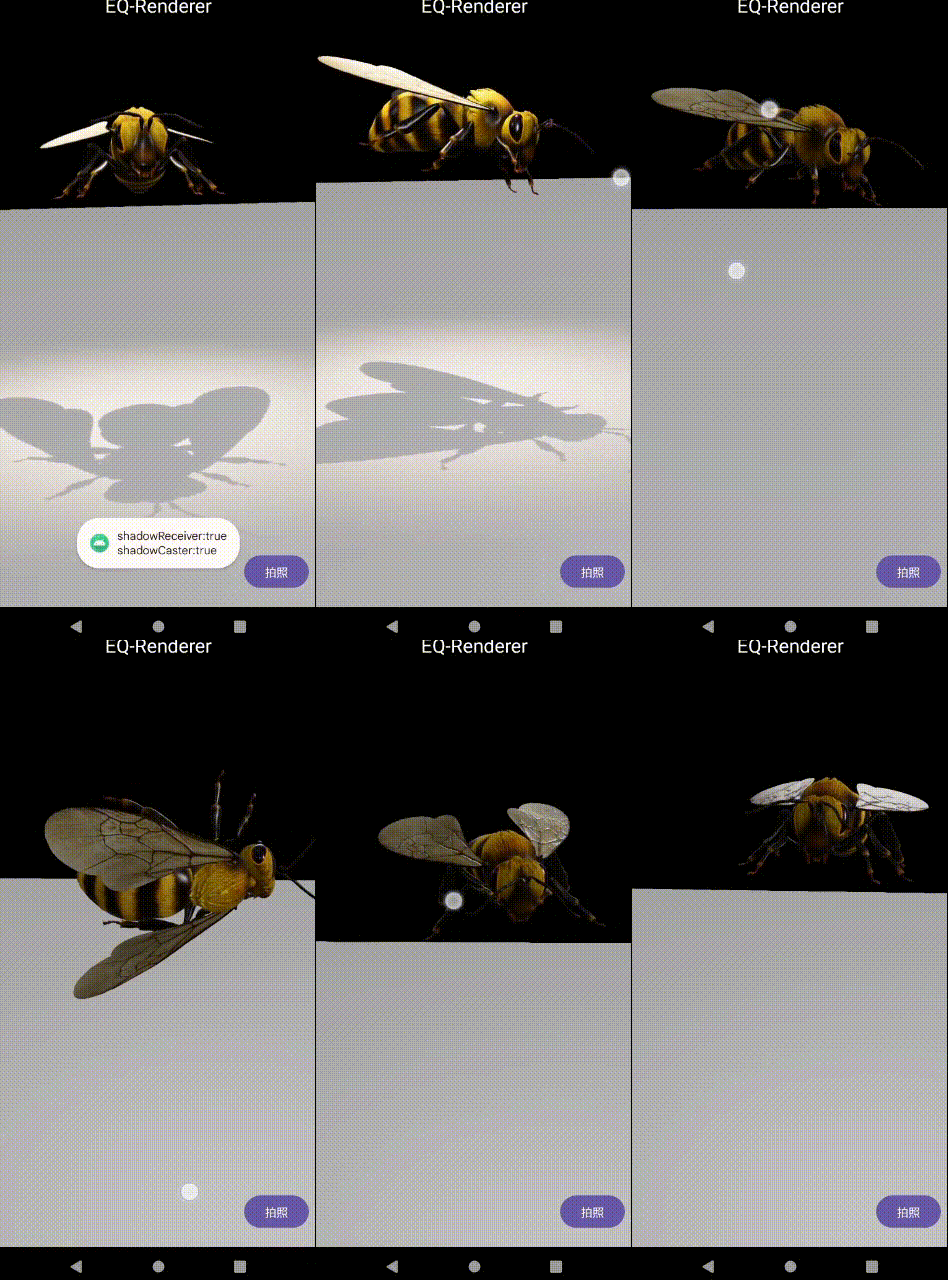
| Interaction | Node tap/touch, ray hit-test, collision coordinates, Android View picking, node gestures, and camera rotate/pan/zoom gestures |
| Android UI in 3D | ViewRenderable support for TextView, ImageView, WebView, common widgets, XML layouts, and scrollable layouts |
| Video and XR | 2D video backgrounds, video-textured Cube/Quad, 360° video, live Camera2 streams, ARCore, Huawei AREngine, AR plane detection, and 3DoF AR/VR fallbacks |
| Utilities | Screen/world coordinate conversion, camera rays, spatial measurement, scene capture/export, async resource caching, and performance diagnostics |
Repository Layout
.
├─ Eq-Renderer/
│  └─ Android/eq-renderer/   # Android rendering library and native Filament integration
├─ SampleProj/               # Runnable Android sample and tutorial application
├─ Tool/                     # Filament tools, material sources, IBL assets, and build scripts
└─ doc/
   ├─ javadoc/               # Generated API documentation
   └─ img/                   # README screenshots and animations
The library code belongs in Eq-Renderer, integration examples belong in SampleProj, and material/asset compilation inputs belong in Tool.
Requirements
| Item | Current repository setting |
|---|---|
| Android | min SDK 24; compile/target SDK 34 |
| Build toolchain | JDK 17, Gradle 8.5, Android Gradle Plugin 8.1.0 |
| Native toolchain | NDK 27.3.x and CMake 3.22.1 when building the library from source |
| Java/Kotlin bytecode | Java 8 / JVM 1.8 target |
| ABI | arm64-v8a is enabled by the current library and sample configuration |
| Optional AR services | ARCore 1.45.0 and/or Huawei AREngine 4.0.0.5 |
AR features still depend on the device, camera permission, and the installed AR service. The XR tutorial shows the detected reason and uses Camera2 3DoF where a fallback is possible.
Getting Started
Run the sample from source
- Clone the repository.
- Open the
SampleProjdirectory in Android Studio. - Allow Gradle to sync the local
:eq-renderermodule. - Connect an
arm64-v8aAndroid 7.0+ device and run theappconfiguration.
Command-line build on Windows:
cd SampleProj
.\gradlew.bat assembleDebug
Use the published AAR
The current source declares the Maven coordinates com.eqgis:eq-renderer:1.2.1. Add the EQGIS repository in settings.gradle:
dependencyResolutionManagement {
    repositories {
        google()
        mavenCentral()
        maven {
            allowInsecureProtocol = true
            url "http://repo.eqgis.cn"
        }
    }
}
Then add the dependency:
dependencies {
    implementation "com.eqgis:eq-renderer:1.2.1"

    // Add only the XR runtime used by your application.
    implementation "com.google.ar:core:1.45.0"
    // implementation "com.huawei.hms:arenginesdk:4.0.0.5"
}
Repository browser: repo.eqgis.cn/com/eqgis/eq-renderer
Create a basic 3D scene
Add SceneLayout to an XML layout:
<com.eqgis.eqr.layout.SceneLayout
    android:id="@+id/scene_layout"
    android:layout_width="match_parent"
    android:layout_height="match_parent" />
Initialize it and forward the host lifecycle:
private SceneLayout sceneLayout;

@Override
protected void onCreate(Bundle savedInstanceState) {
    super.onCreate(savedInstanceState);
    setContentView(R.layout.your_scene);
    sceneLayout = findViewById(R.id.scene_layout);
    sceneLayout.init(this)
            .addIndirectLight("enviroments/light/lightroom_ibl.ktx", 50);
}

@Override
protected void onResume() {
    super.onResume();
    sceneLayout.resume();
}

@Override
protected void onPause() {
    sceneLayout.pause();
    super.onPause();
}

@Override
protected void onDestroy() {
    sceneLayout.destroy();
    super.onDestroy();
}
See BaseSceneActivity.java for model loading, lighting, camera configuration, and node interaction.
Camera gestures
CameraGestureController cameraController =
        new CameraGestureController(sceneLayout.getCamera())
                .attachTo(sceneLayout.getSceneView());

// Detach before the host view is destroyed.
cameraController.detach();
Create Cube
MaterialFactory.makeOpaqueWithColor(requireContext(), new Color(1.0f, 0.55f, 0.1f))
    .thenAccept(material -> {
        cubeNode = new Node();
        cubeNode.setRenderable(GeometryUtils.makeCube(
            new Vector3(0.8f, 0.8f, 0.8f),
            Vector3.zero(),
            material));
        cubeNode.setWorldPosition(new Vector3(0, 0, -2.8f));
        cubeNode.setParent(sceneLayout.getRootNode());
    });
Tutorial Catalog
The sample app contains one Fragment per lesson and destroys the previous Fragment when switching tabs so scene, model, media, and AR lifecycles can complete correctly.
| Topic | Lessons |
|---|---|
| Basic Geometry and Mesh | Five primitive topologies, triangle, plane, Cube, GLTF/GLB, and PLY |
| Android View Rendering in 3D | TextView, ImageView, WebView, common widgets, XML Layout/ScrollView |
| Materials, Lighting, and Camera | PBR parameters, light types, IBL, skybox, FOV, clipping planes, shadows |
| Animation | Overview, GLTF model clips, rotation, translation, and Bézier path animation |
| Interaction | Camera gestures, node gestures, collision coordinates, ViewNode picking, Node hit-test |
| Video, Camera, and External Textures | 2D video background, Cube/Quad video texture, panorama video, Camera2 stream |
| XR | ARCore/AREngine detection, AR plane detection, AR 3DoF, VR 3DoF, ORB-SLAM3 integration guide |
| Advanced Topics | Lifecycle, async/cache, performance, custom Filament material, dynamic Mesh/Line3D, capture/export, ray measurement |
The legacy/common samples also demonstrate standard 3D scenes, PLY/3DGS, interaction, video, AR, VR, 360° VR, textured Earth rendering, and coordinate conversion.
API and Tooling
- Generated Javadoc
- Sceneform 1.16 source archive
- Sceneform 1.15 developer guide
- Filament documentation
Sceneform 1.15 and earlier used .sfa/.sfb. This repository uses Filament gltfio and GLTF 2.0 (.gltf/.glb) for model loading.
Tool contains Windows builds of matc, cmgen, gltf_viewer, and resgen, along with the source .mat files used by the renderer. Run Tool/genfilamat-mobile.bat after editing a bundled material, then update the corresponding Android raw resource.
Lifecycle Rules
- Forward
resume(),pause(), anddestroy()to everySceneLayout/ARSceneLayouthost. - Remove scene-owned nodes and stop animators before releasing renderables or materials.
- In asynchronous model/material callbacks, verify that the Fragment view and scene are still alive before attaching resources.
- For
ExternalTexture, detach the texture from every material/renderable before releasing the player, surface, or texture. - Do not destroy engine-wide shared GLTF/material resources during a tab switch.
SceneLayoutandSceneViewcoordinate global cleanup after the last active scene exits. - Release
MediaPlayer/Media3 players, camera sessions, gesture controllers, and listeners in the matching host lifecycle.
These rules are demonstrated in the lifecycle, async/cache, and video tutorial Fragments.
Preview
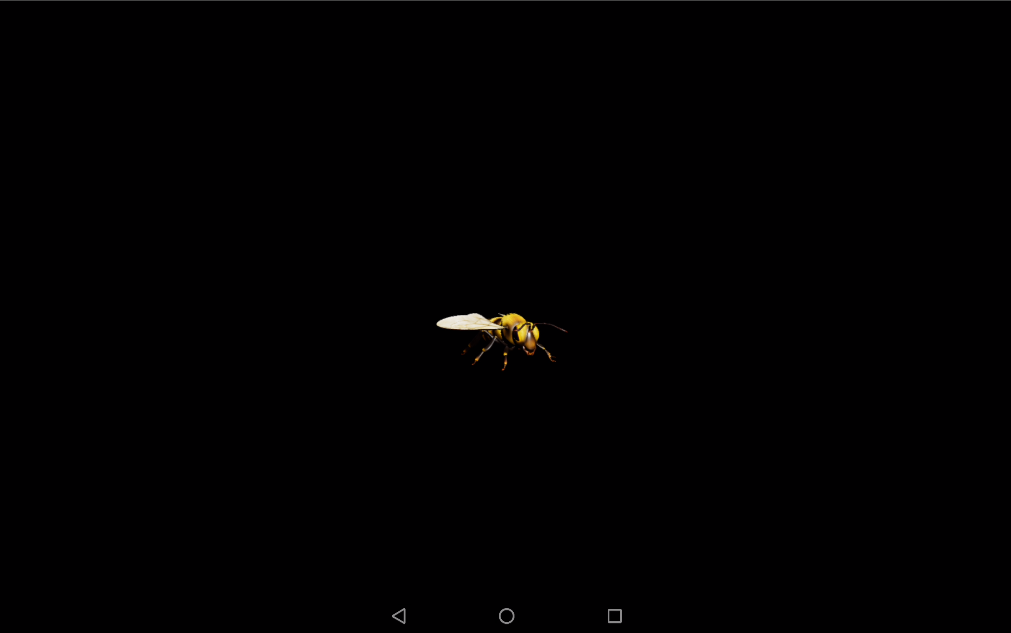
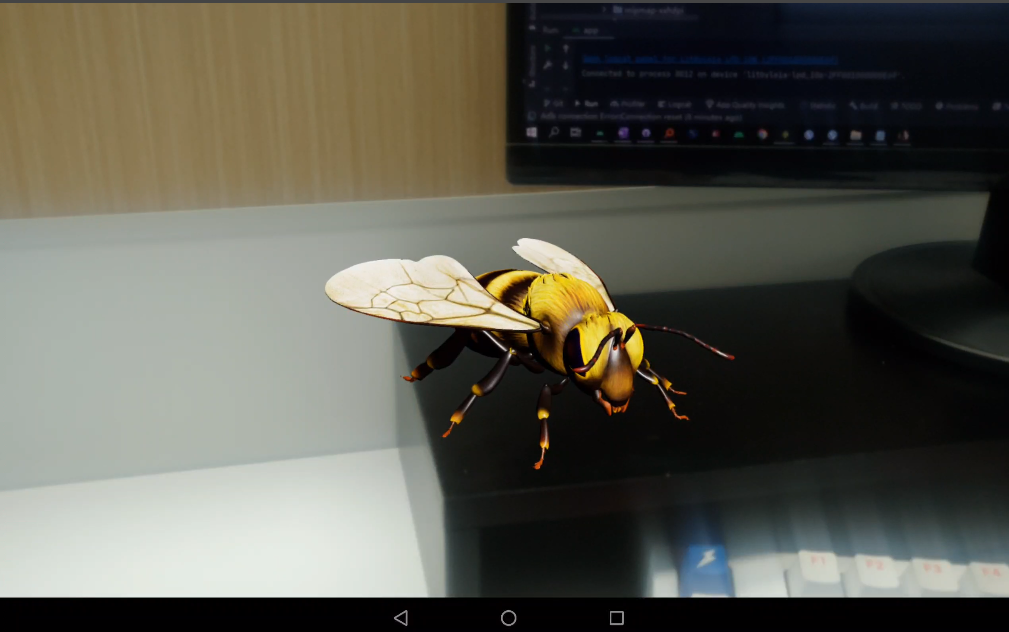
| GLTF in a 3D scene | GLTF in an AR scene |
|---|---|
 |
 |
| Model animation | Gesture interaction |
|---|---|
 |
 |
More examples include Android View rendering, textured sphere rendering, and video textures.
Blog Series
- CSDN: Sceneform-EQR: Android Native 3D Rendering Engine
- CnBlogs: Android Native AR Development
- Self-hosted archive (no longer updated since January 1, 2025): eqgis.cn/tags/EQ-R
License
The main branch is licensed under Apache License 2.0 and does not include eq-slam.
ORB-SLAM3 is GPLv3. Any branch that includes, modifies, or directly links eq-slam/ORB-SLAM3 must remain GPLv3. The GPL implementation is isolated in the main-GPLv3 branch; its related AAR and source links are listed in the sample app's ORB-SLAM3 tutorial.
Third-party components and bundled assets may retain their own licenses. Review the corresponding source directories before redistribution.
Explore related projects
ytdl-org/youtube-dl
Command-line program to download videos from YouTube.com and other video sites
141,500 starsexcalidraw/excalidraw
Virtual whiteboard for sketching hand-drawn like diagrams
135,396 starsgodotengine/godot
Godot Engine – Multi-platform 2D and 3D game engine
119,840 starsmrdoob/three.js
JavaScript 3D Library.
117,983 stars