
embetrix/meta-raspberrypi-secure
embetrix/meta-raspberrypi-secure has 73 GitHub stars and 13 forks. GitHot measured 0 stars in 24 hours, 0 in 7 days, and 0 in 15 days. Last checked 2026-11-17 02:04 UTC. Last push 2026-11-07.
What you can do
- Hardware root of trust with signed boot chain anchored in the SoC boot ROM
- Read-only encrypted/authenticated rootfs with state isolated to data partitions
- Encrypted writable data partitions (dm-crypt + trusted key bound to the SoC)
- Runtime integrity via IMA/EVM
Measured star growth
- in 24h
- 0
- in 7 days
- 0
- in 15 days
- 0
- in 1 month
- Collecting history
Net star changes over overlapping periods, not daily totals. Missing measurements are left blank. Stars measure attention, not software quality.
About
meta-raspberrypi add-on yocto layer for enhanced security/OTA update🔒
SecurityREADME.md
Originalmeta-raspberrypi-secure


A Yocto layer that provides a security-hardened baseline for Raspberry Pi images, extending meta-raspberrypi layer with secure boot, verified and encrypted storage, runtime integrity and a hardened kernel and userspace.
Disclaimer: This layer is a starting point, not a finished secure product. You are still responsible for threat modeling your product, removing unused software and services, tailoring defaults (SELinux, firewall, USBGuard, SW Updates, keys management) to your use case, performing license compliance checks, monitoring and remediating CVEs for all included software and independently testing the results. Moreover the maintainers accept no liability for bricked devices from incorrect OTP fuse programming, lost or leaked signing keys or misconfiguration. Provided as is with no warranty and no certification implied (see LICENSE).
Features
- Hardware root of trust with signed boot chain anchored in the SoC boot ROM
- Read-only encrypted/authenticated rootfs with state isolated to data partitions
- Encrypted writable data partitions (dm-crypt + trusted key bound to the SoC)
- Runtime integrity via IMA/EVM
- A/B partitioning for atomic updates of boot and root slots
- OTA Update using SWUpdate
- Hardened kernel & userspace (SELinux, sysctl, systemd, OpenSSH, busybox)
- Network & USB protection (default-drop firewall, USBGuard)
- Optional TPM 2.0 support (Infineon SLB9670)
- Compliance & auditability (Audit, persistent logs, static code analysis, CVE scanning, SBOM)
Secure Boot Flow
Quick Start
1. Generate signing keys
Generates Secure-boot, AVB-DMVerity, IMA/EVM, Kernel-Modules, SWUpdate and SSH-CA keys and writes a ready-to-use kas fragment kas-signing-keys.yml:
./tools/genkey-helper.sh
Warning: store them securely and keep an offline backup even for development.
2. Configure the build
Two variables drive the build: KAS_MACHINE selects the target hardware (see Supported Hardware) and SECURITY_PROFILE selects the hardening level:
| Profile | Use case | Behavior |
|---|---|---|
dev (default) |
Bring-up | Serial console, debug tweaks, IMA/EVM in log/fix mode, SELinux permissive |
prod |
Release | Silent console, JTAG & device key locked, kernel/userspace hardening, enforcing IMA/EVM & SELinux, SSH cert-only auth |
3. Build
Two options:
Standalone build directly from this layer using the provided kas configuration.
Integrate into your own layer by adding:
# in your local.conf
DISTRO = "rpi-secure"
or add to your distro config:
require conf/distro/include/rpi-secure-distro.inc
Images using core-image automatically receive the secure rootfs baseline
through the distro's IMAGE_CLASSES: a read-only rootfs, OpenSSH, security and
SWUpdate packages, profile/feature-dependent packages, and IMA/EVM signature
manifest defaults. External layers can use their own image recipes without
requiring rpi-secure-image-base.bb or inheriting a layer-specific image class:
# meta-myproduct/recipes-core/images/myproduct-image.bb
SUMMARY = "My product image"
LICENSE = "MIT"

inherit core-image

IMAGE_INSTALL:append = " myproduct-app"
Product images own their user accounts and passwords. The reference rpi user
and password defaults remain in rpi-secure-image-base.bb (also used by the demo).
The image selected by INITRAMFS_IMAGE and this layer's initramfs are excluded
from the rootfs baseline. Other special-purpose images can opt out in their
recipe with:
RPI_SECURE_IMAGE_POLICY = "0"
Or select the exception from distro/local configuration:
RPI_SECURE_IMAGE_POLICY:pn-my-recovery-image = "0"
This switch only controls the rootfs baseline; the distro's existing signing,
verity, and machine configuration still apply. Image recipes can customize the
baseline with the standard IMAGE_INSTALL and IMAGE_FEATURES append/remove
operations and override the signature-manifest defaults.
Standalone build
Using kas directly:
KAS_MACHINE=raspberrypi5 SECURITY_PROFILE=dev \
    kas build kas-rpi-secure.yml:kas-signing-keys.yml
Or using the kas container:
KAS_MACHINE=raspberrypi5 --runtime-args "-e SECURITY_PROFILE=dev" \
    kas-container build kas-rpi-secure.yml:kas-signing-keys.yml
4. Flash
Flash the image to an SD card or USB drive with bmap-tools:
sudo bmaptool copy \
    build/tmp/deploy/images/<MACHINE>/rpi-secure-image-base-<MACHINE>.rootfs.wic.bz2 \
    /dev/sdX
Or using bmap-writer:
sudo bmap-writer \
    build/tmp/deploy/images/<MACHINE>/rpi-secure-image-base-<MACHINE>.rootfs.wic.bz2 \
    /dev/sdX
Warning: replace with your block device: e.g.
/dev/sdaor/dev/mmcblk0
5. Enable Secure Boot
See the official Raspberry Pi Boot Security How-to (PDF) for the underlying mechanism. On a device flashed with this layer, secure boot can be activated using the rpi-secureboot utility:
# Check current secure boot status
rpi-secureboot status

# Enable secure boot (stages signed EEPROM and reboots)
rpi-secureboot enable
This flashes a signed EEPROM image with SIGNED_BOOT=1 via the recovery mechanism. Once enabled, only boot images signed with the key generated in step 1 will be accepted.
To make secure boot permanent (irreversible), the public key hash must be burned into OTP fuses this is not done automatically. While OTP fuses remain unprogrammed, secure boot can be toggled:
# Disable secure boot (only if OTP fuses are not programmed)
rpi-secureboot disable
Warning: Programming OTP fuses is irreversible. Once burned, secure boot cannot be disabled and only firmware signed with the matching key will boot.
6. Provision Device-Unique ECDSA Key
Each device can generate a unique ECDSA key pair stored in OTP and could be used for device identity and TLS certificates backed by hardware:
rpi-fw-crypto genkey --key-id 1 --alg ec
Warning: This is irreversible. The key is written once into OTP memory and can never be changed or erased.
The key is accessible via the rpifwcrypto-pkcs11 PKCS#11 module for device identity and TLS operations and via the kernel trusted key subsystem for storage encryption (dm-crypt).
7. Software Update
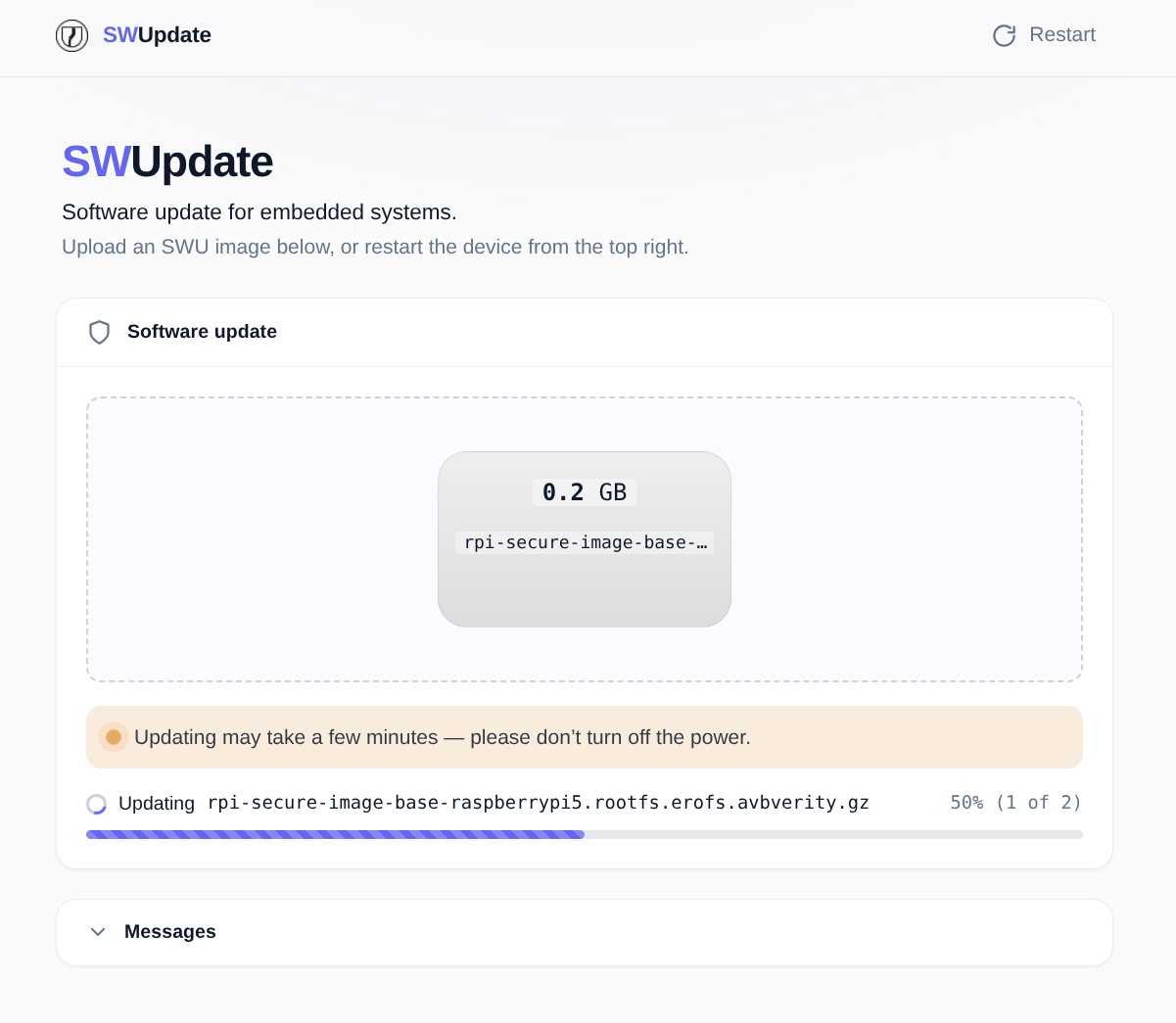
The image ships SWUpdate with its web interface, exposed over HTTPS through an nginx reverse proxy (TLS terminated with the device-unique key from step 6 and behind basic auth, default user rpi).
Open the SWUpdate web UI in a browser:
https://<device-ip>/swupdate/
Upload the .swu artifacts built alongside the image (signed with the SWUpdate key from step 1 and encrypted):
build/tmp/deploy/images/<MACHINE>/rpi-secure-image-base-update-<MACHINE>.rootfs.swu
Note: The EEPROM update are shipped as separate
.swufile and can be applied independently
Layers dependencies
- openembedded-core (core)
- meta-raspberrypi
- meta-openembedded
- meta-security
- meta-selinux
- meta-avb
- meta-sca
- meta-swupdate
Supported Hardware
| Model | MACHINE | Status |
|---|---|---|
| Raspberry Pi 5 | raspberrypi5 |
Tested |
| Raspberry Pi 4 Model B / CM4 | raspberrypi4-64 |
Tested (CM4 untested) |
| Compute Module 5 (IO Board) | raspberrypi-cm5-io-board |
Supported, not tested |
Note: Other Raspberry Pi variants (Pi 3, Pi Zero, etc.) lack the hardware security features this layer relies on (OTP-backed signed boot, hardware-bound device key) and will not be supported.
Commercial Support
This layer is maintained by Embetrix, which provides extended services and consulting around it including: custom integration, security audits, secure-boot key-management and provisioning, OTA update solutions, certificate management (PKI, device identity), long-term maintenance and CVE backports. Get in touch at [email protected].
License
This project is licensed under the MIT License see the LICENSE for details.