
ef1m03/kordon
ef1m03/kordon has 139 GitHub stars and 9 forks. GitHot measured +3 stars in 24 hours. Last checked 2026-11-16 18:54 UTC. Last push 2026-11-15.
Measured star growth
- in 24h
- +3
- in 7 days
- Collecting history
- in 15 days
- Collecting history
- in 1 month
- Collecting history
Net star changes over overlapping periods, not daily totals. Missing measurements are left blank. Stars measure attention, not software quality.
About
Kill switch для приложений: замораживает Claude, ChatGPT, Cursor, Telegram и другие программы при обрыве VPN, смене сети или IP
SecurityREADME.en.md
Original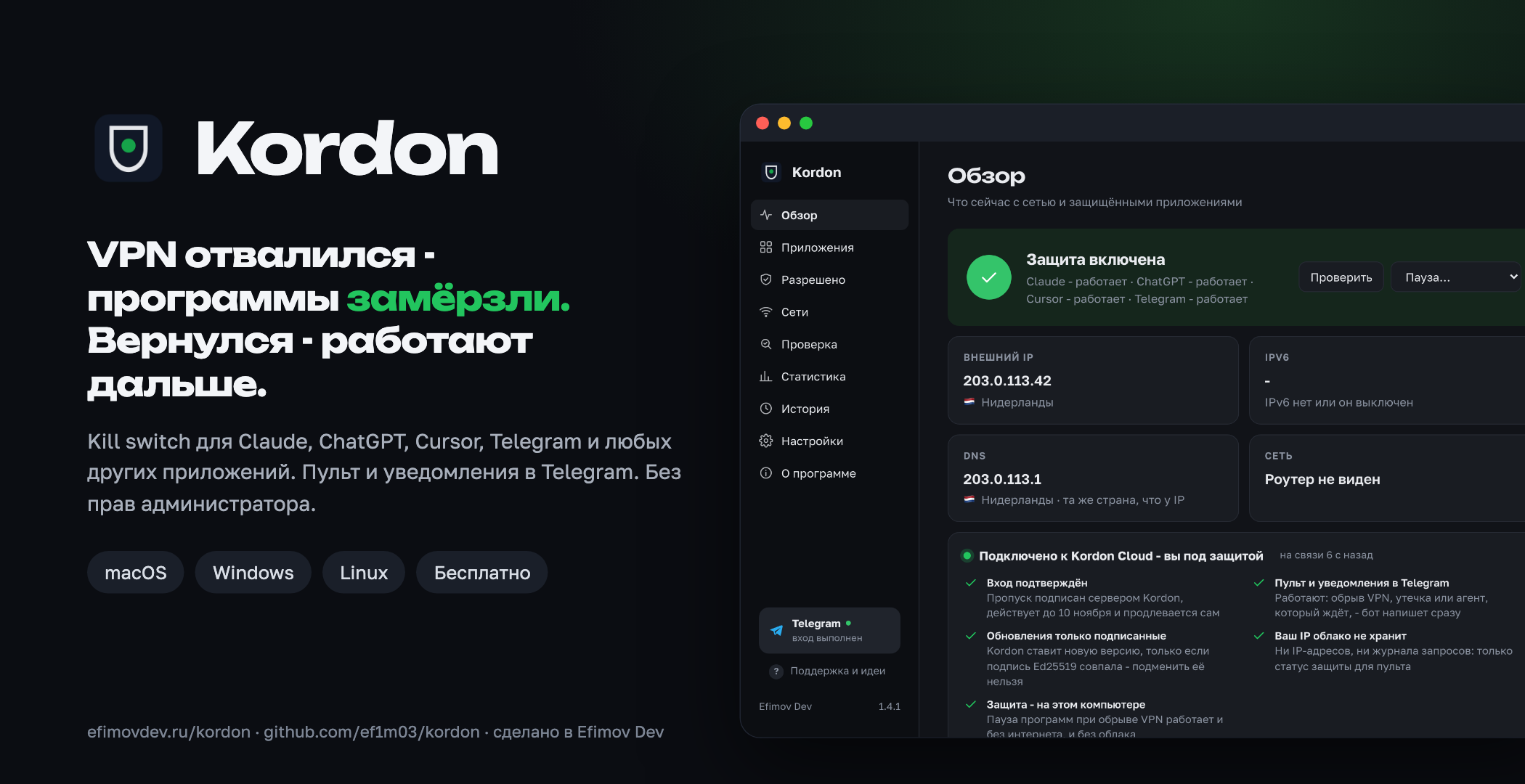
A kill switch for apps. Your VPN drops, your IP changes or the internet goes away - Kordon freezes Claude, ChatGPT, Cursor and other apps you chose within a fraction of a second. The right IP is back - they carry on as if nothing happened. And the remote is in your Telegram.
Kordon's site: kordon.tech - download, how it works, questions answered





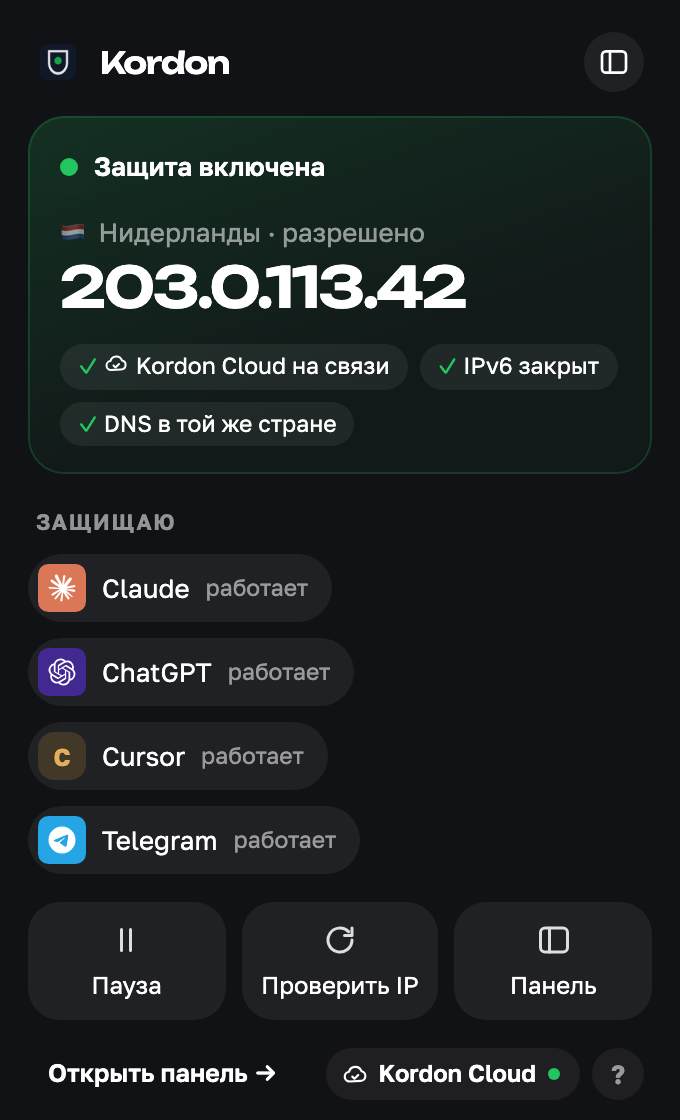 All good |
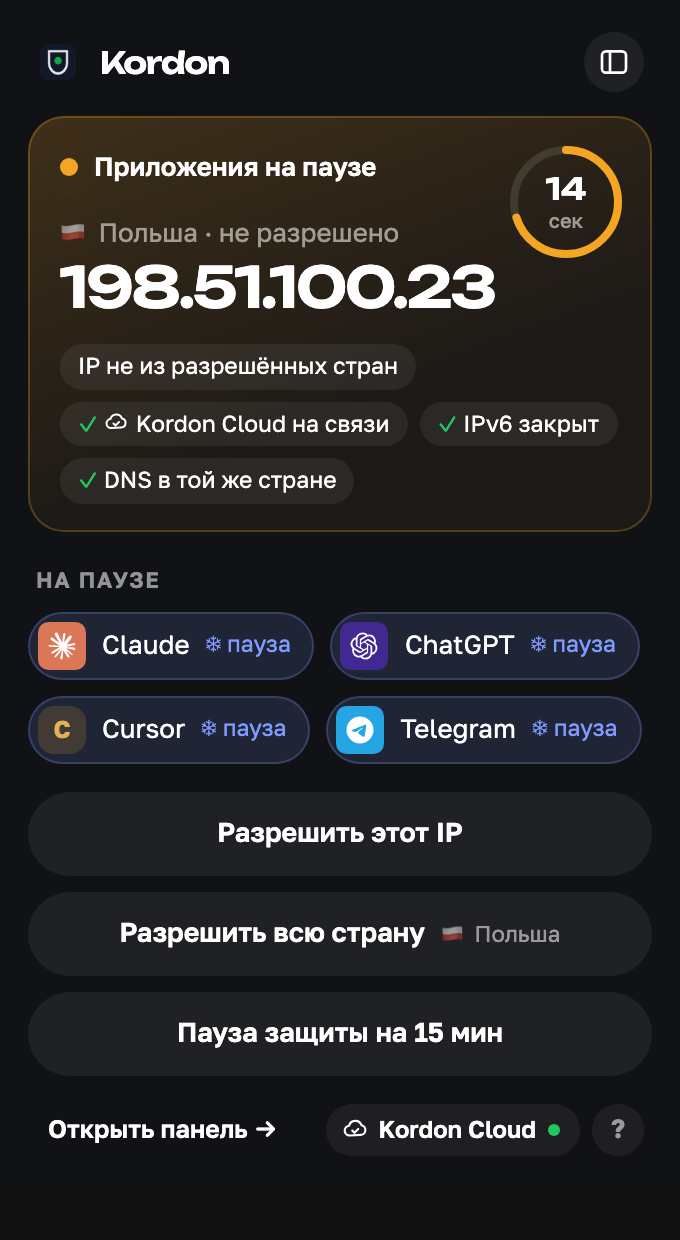 The VPN dropped |
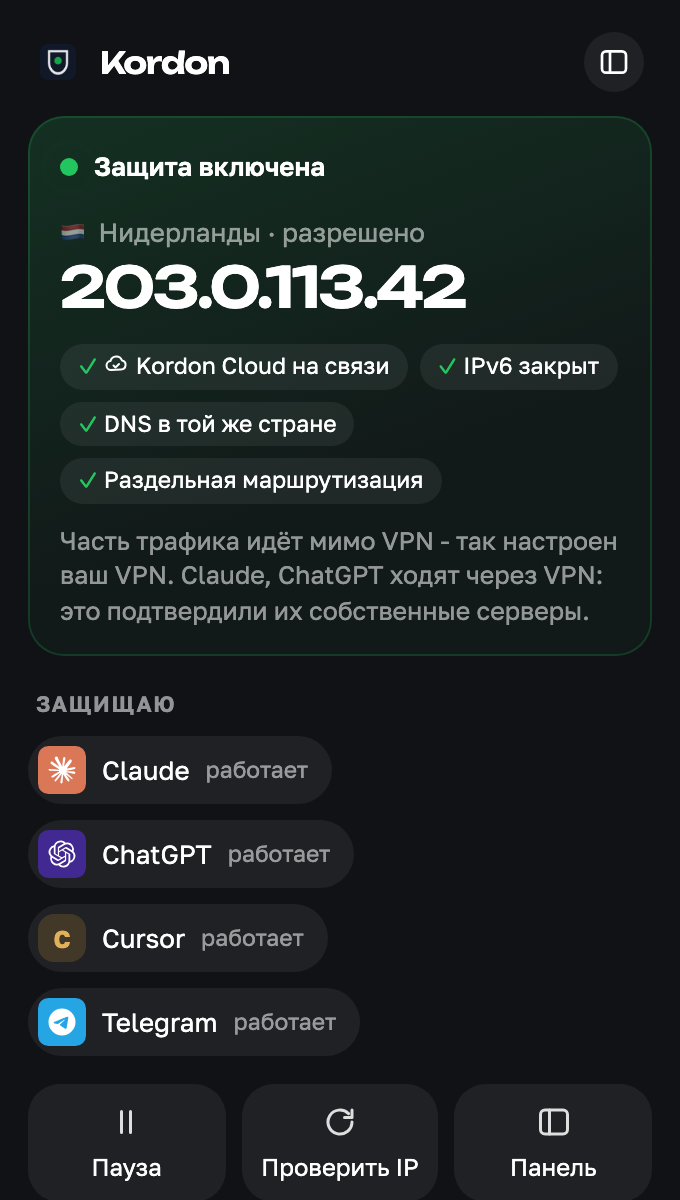 Split routing |
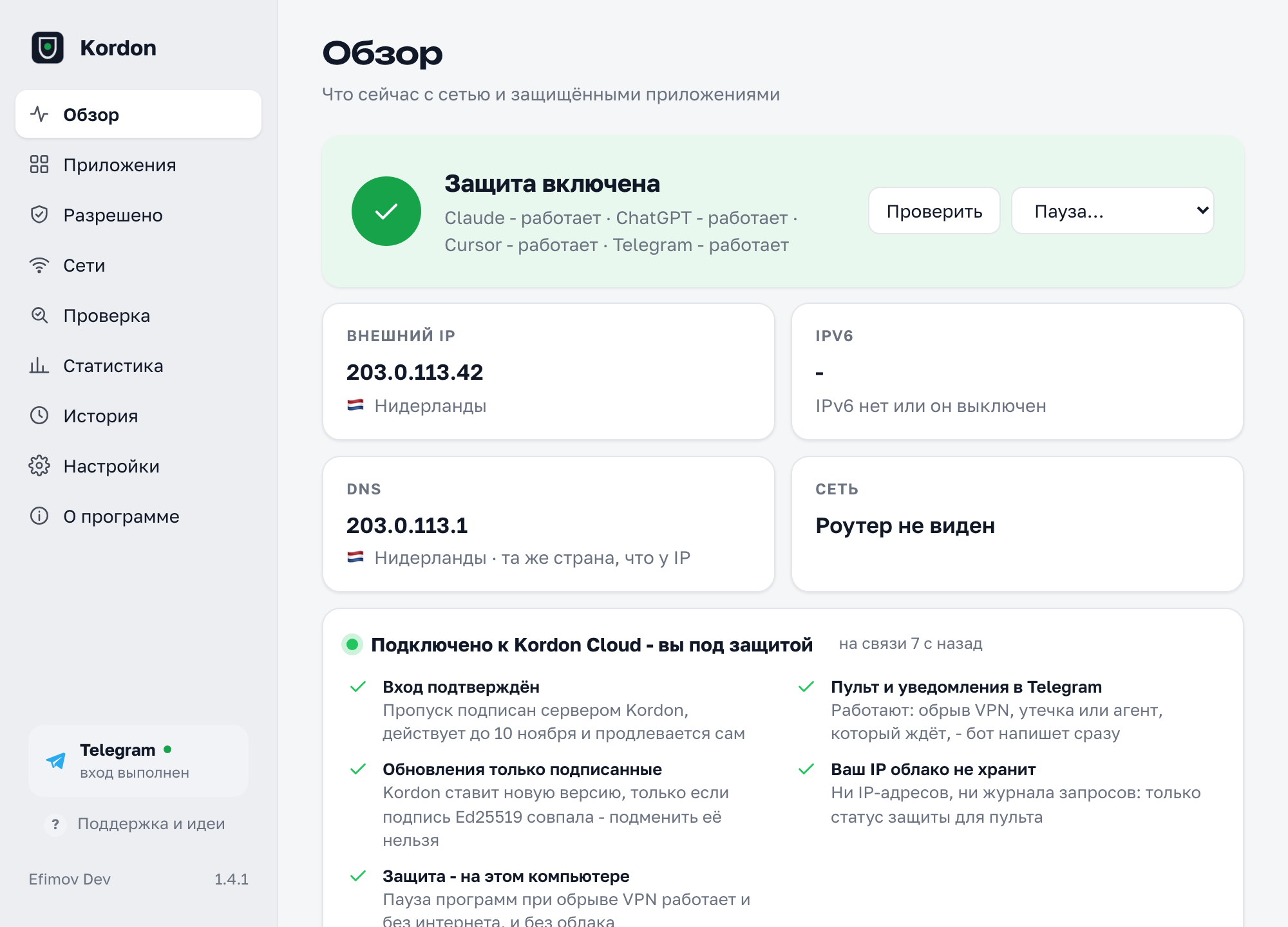
The tray window (screenshots in Russian; the app follows the system language) and the full panel.
Why Kordon
| VPN client kill switch | Firewall rules | Kordon | |
|---|---|---|---|
| Only touches the apps you chose | ❌ cuts everything | ✅ | ✅ |
| A 2-second VPN blip doesn't lose your work | ❌ | ❌ drops connections | ✅ freezes |
| Allow a whole country, not one address | ❌ | ❌ | ✅ |
| IP and country visible at a glance | ❌ | ❌ | ✅ |
| Works with proxy-mode VPN clients | depends | ❌ | ✅ |
| Catches IPv6 leaks when the VPN tunnels only IPv4 | not always | ❌ | ✅ |
| Catches DNS leaks | not always | ❌ | ✅ |
| Per-app rules | ❌ | by hand | ✅ |
| No VPN needed at home, required in a café | ❌ | ❌ | ✅ trusted networks |
| No admin rights needed | not always | ❌ | ✅ |
| Same tool on macOS, Windows and Linux | ❌ | ❌ | ✅ |
What it does
Kordon Cloud - you're connected. Once signed in, the window says "Kordon Cloud connected", and the panel shows what exactly works: sign in confirmed by a signed pass, the remote and Telegram alerts in touch, only signed updates installed, no IP addresses kept by the cloud. The protection itself lives on your computer and works offline and without the cloud.
Split routing. If your VPN sends some sites direct (roscomvpn-routing and the like), the IP checkers disagree. Kordon asks the servers of Claude, ChatGPT, Codex and Perplexity themselves which address they see - every 15 seconds and right after a network change. Their server sees the VPN - the app runs; it sees your home address - the app pauses.
Your choice of IP check services. The panel (Leak check → Service answers) shows what each service sees; tick the ones that take part in the check.
Alerts without noise. A VPN that blinks and comes back within half a minute is one quiet "the VPN blinked for 8 s", not two messages. The same leak comes at most once a day. You choose what to get:
/notifyin the bot, a button under any alert, the remote or "Choose" in Kordon.The tray window: click the icon and see what matters: protection, country, IP, which apps are protected. Pause, check the IP, allow the country or trust this network in one click. It opens instantly and follows the system's light or dark look.
The Kordon panel: a real window with status, apps, rules, networks, statistics, history and every setting. No file editing.
Per-app rules: Claude only from the Netherlands, Cursor from the EU and US. Groups work independently.
Trusted networks: work without a VPN at home or the office, protected everywhere else. Recognised by the router, no location permission needed.
DNS leaks: warns (or freezes) when lookups bypass the VPN.
Time zone check: Moscow time with a German IP gives a VPN away to any site; Kordon compares the computer's time zone with the IP's country and warns, the extension shows what sites see.
VPN health: drops this week and last, the average pause, how often it came back in time and the hours it drops most.
Statistics for the last two weeks, and Report a problem with the log pre-filled and every IP/MAC masked.
Freezes instead of killing. The network changes, the protected apps are paused (
SIGSTOP/NtSuspendProcess). Same IP - you won't notice. An allowed IP is back within 20 s - the app continues where it was.Closes them if the IP doesn't come back: politely first so they can save, then by force. While the IP isn't allowed they can't be started again.
Allow IPs, subnets or whole countries - VPNs rotate addresses within a country all the time.
Your IP and country always in sight: flag and IP in the macOS menu bar, a country-code badge in the Windows tray, coloured by state.
Presets by task: AI (Claude, ChatGPT, Codex, Cursor, Windsurf, GitHub Copilot, Gemini CLI, Perplexity), work (Figma, Notion, Slack, Zoom), freelance (Upwork), crypto and trading (Binance, TradingView), music and video (Spotify), chat (Telegram, Discord); "Protect all" turns a group on with its sites in the extension (Upwork, Fiverr, Binance, Bybit, OKX, Figma, Notion, Netflix...); browsers for AI on the web: Google Chrome, Yandex Browser, Microsoft Edge, Brave, Firefox (a browser freezes whole, with every tab, so keep a separate one for AI); and any app of your own.
IPv6 leaks: many VPNs tunnel only IPv4; Kordon checks both addresses.
Whole process trees: everything the app started (MCP servers,
curl,gitunder Claude Code) is frozen too.Two independent services must agree on the IP; any disagreement counts as a possible leak.
Instant reaction to OS network events, and a supervisor that restarts Kordon if it ever crashes.
Proxy-mode VPN clients (v2rayN, Hiddify, Clash) are handled: the IP is checked through the system proxy, the way your apps see it.
One-click updates: a new release shows up in the tray window with what's new and an "Update" button; Kordon downloads it (with progress), checks its SHA-256 and restarts, then shows once what changed. Installation is manual by default. The upcoming Mac and Linux build adds opt-in scheduled updates while protected applications and browsers are closed. Windows retains manual updates.
Pause, event history, a screen-sharing mode that hides the IP, hot-reloaded
config.yaml.First start in two clicks: the window asks whether the address is the VPN's and offers to protect AI apps that are already running.
Browser extension: pauses only Claude, ChatGPT, Gemini and other AI tabs, the rest of the browser keeps working; checks WebRTC leaks too. Needs Kordon 1.3+; install it from the Chrome Web Store (it updates by itself), or by hand:
kordon-extension.zipfrom the latest release, unpacked in developer mode.Telegram: sign in, remote and alerts. Kordon is free; the one thing we ask is to sign in once with @kordon_security_bot (a QR code for the phone is in the window; on a server -
kordon login). Protection starts after you sign in with Telegram. Without signing in, Kordon does not pause or close apps, and its windows show the sign-in screen. In return: "Claude Code is waiting for you" when a terminal agent (Claude Code, Codex, Gemini CLI, Copilot CLI) went quiet while you're away; VPN alerts with buttons (pause for an hour, allow this IP or country); a remote mini app with all your computers, their status, how the VPN held up this week, the speed to the AI services, pause buttons and alert switches; a quiet "the VPN blinked" for short drops and/notifyto choose which alerts come; a weekly report; settings that move to a new computer (never IP addresses or home networks). Sign-in is confirmed by a server-signed ticket valid for a week, so Kordon keeps working offline.The route to the AI services themselves: some VPNs send certain domains around the tunnel. Kordon asks
api.anthropic.com,chatgpt.comand others which address they see, and pauses the app if it isn't allowed - even when the "general" IP is right.Leak check in the panel: every IP service on its own, IPv6, DNS country, and the address of programs that ignore the system proxy.
No admin rights, free. Mac releases require Apple Developer ID signing and successful Apple notarization before publication; every build is scanned by VirusTotal and Kaspersky before release (results in the release notes) and the tray window is started on a real Windows before every release.
Install
macOS / Linux:
curl -fsSL https://raw.githubusercontent.com/ef1m03/kordon/main/scripts/install.sh | sh
Windows (PowerShell):
irm https://raw.githubusercontent.com/ef1m03/kordon/main/scripts/install.ps1 | iex
Homebrew: brew install --cask ef1m03/tap/kordon · winget (under Microsoft's review): winget install EfimovDev.Kordon.
Or grab the files from the latest release. The Mac app is Developer ID signed and notarized by Apple. The Windows build isn't signed yet, so SmartScreen may ask More info → Run anyway on the first manual launch; the install script avoids that.
On first start Kordon allows the current IP, so install it with your VPN on. Claude is protected by default; pick other apps in the Protected apps menu.
Settings
config.yaml lives in ~/Library/Application Support/Kordon/ (macOS), %APPDATA%\Kordon\ (Windows) or ~/.config/kordon/ (Linux). It is commented and reloaded on save.
apps: ["claude", "cursor"]
custom_apps:
  - name: "My client"
    match: ["/MyClient.app/", "myclient.exe", "args:my-tool/cli.js"]
allow:
  ips: ["203.0.113.42", "185.12.40.0/24"]
  countries: ["NL", "DE"]
grace: 20s
close_timeout: 5s
check_interval: 5s
min_agree: 2
check_ipv6: true
menubar: ip   # ip, country or icon
CLI: kordon panel, kordon status, kordon allow [IP|subnet|CC], kordon config, kordon autostart on|off, kordon update, kordon headless.
What goes over the network
Requests: the public IP (first Kordon's own ip.kordon.tech, which says back the address it was reached from and logs nothing, then api.ipify.org, ipv4.icanhazip.com, v4.ident.me, checkip.amazonaws.com, ipinfo.io/ip; IPv6: api6.ipify.org, ipv6.icanhazip.com, v6.ident.me; all configurable) and its country (ipinfo.io, falling back to ipapi.co and api.country.is, cached). The DNS resolver: a lookup of whoami.akamai.net, which answers with the address of the resolver that asked (it sees your DNS server, not your computer), then an address in Kordon's own dns.kordon.tech if it doesn't answer (answers the same way, logs nothing); once per 10 minutes or on a network change, the detailed TXT query only in the manual diagnostics (dns_check: off turns it off). Every 2 minutes, for protected apps only, /cdn-cgi/trace on api.anthropic.com, claude.ai, chatgpt.com, api.openai.com, www.perplexity.ai - the address and country the service sees (route_check: false turns it off). Signing in with Telegram is required: the server keeps the chat number, a hash of your Kordon's secret and the computer's name; while signed in, Kordon reports every 15 seconds for the remote the protection status, country, protected app names, what agents are doing and the week's numbers - no IP addresses, kept in memory only; the last settings profile (apps, countries, switches, no addresses) is kept for moving to a new computer. For the owner's statistics the server counts installs by those who signed in - by secret hash, with the version and OS, no IP addresses; what it keeps and for how long is in SECURITY.md. Also, every 15 minutes, one request to kordon.tech/api/latest (a copy of GitHub's latest-release page, no data sent, no address log; api.github.com if it doesn't answer) for the latest version number (update_check: false turns it off). No third-party analytics, no IP addresses on our server.
How safe is it
Covered: IPv6 leaks, child processes, a single lying IP service, missed network changes, Kordon crashing, tampered downloads (installers check SHA-256; every release file is scanned by VirusTotal and Kaspersky, with the results in the release notes).
Not covered, honestly: Kordon works at the app level, not the network level - there are milliseconds between a network change and the freeze, so use your VPN's own kill switch too if you need "not a single packet". Admin processes and services aren't touched. Malware on the same machine can just stop Kordon. PAC proxy scripts count only for the route to the AI services (each is asked through the proxy the script picks for it); the main public IP check uses the regular system proxy. On Windows, npm-installed Claude Code started from a terminal runs as node.exe - use the native installer.
© Efimov Dev - efimovdev.ru. Found a bug or have an idea? Contact Kordon support on Telegram.
Kordon is free, closed-source software (license; versions 1.0.0-1.2.1 were MIT, 1.2.2 GPL-3.0). The name and logo belong to Efimov Dev; official builds only from Releases.