
dunkbing/dearsql
dunkbing/dearsql has 198 GitHub stars and 34 forks. GitHot measured 0 stars in 24 hours and +1 in 7 days. Last checked 2026-11-23 11:14 UTC. Last push 2026-11-19.
What you can do
- SQLite, DuckDB, PostgreSQL, MySQL, MariaDB, SQL Server, Oracle, MongoDB, Redis, Cassandra and more, plus S3-compatible object storage
- Cross-platform: macOS (Metal), Linux (GTK4 + OpenGL), Windows (DirectX 11)
- Schema browser, editable data grid, SQL editor with completion and syntax checks, charts, JSON view
- Query plans (Explain / Analyze) with warnings for full scans, repeated scans, big sorts and bad estimates
Measured star growth
- in 24h
- 0
- in 7 days
- +1
- in 15 days
- Collecting history
- in 1 month
- Collecting history
Net star changes over overlapping periods, not daily totals. Missing measurements are left blank. Stars measure attention, not software quality.
About
A fast, minimal, cross-platform database client built with C++ and ImGui
DataREADME.md
Original

DearSQL
A simple, cross-platform database client built with Dear ImGui.

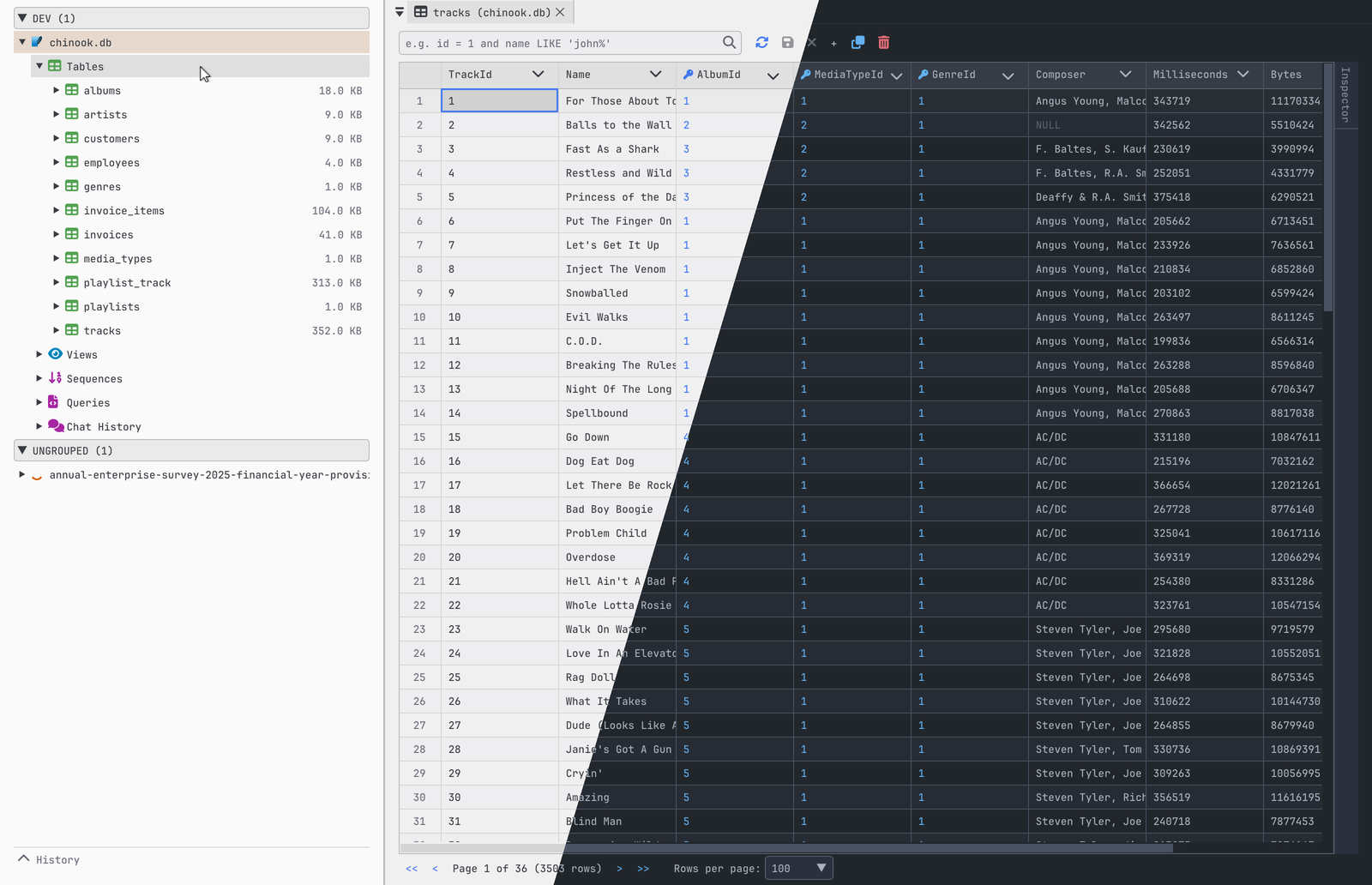
Features
- SQLite, DuckDB, PostgreSQL, MySQL, MariaDB, SQL Server, Oracle, MongoDB, Redis, Cassandra and more, plus S3-compatible object storage
- Cross-platform: macOS (Metal), Linux (GTK4 + OpenGL), Windows (DirectX 11)
- Schema browser, editable data grid, SQL editor with completion and syntax checks, charts, JSON view
- Query plans (Explain / Analyze) with warnings for full scans, repeated scans, big sorts and bad estimates
- AI agents in the app (Claude Code, Codex, Gemini CLI, Cursor) that read your schema and run queries, writing only after you approve
- Terminal client, MCP server and language server from the same binary
Command line
The same binary runs in the terminal (docs):
dearsql --tui [connection]   # browse and query in the terminal
dearsql --mcp                # database tools for coding agents (MCP)
dearsql --lsp                # SQL completion and hover for editors
dearsql query "SELECT ..."   # the same tools as commands: search, describe, query, ...
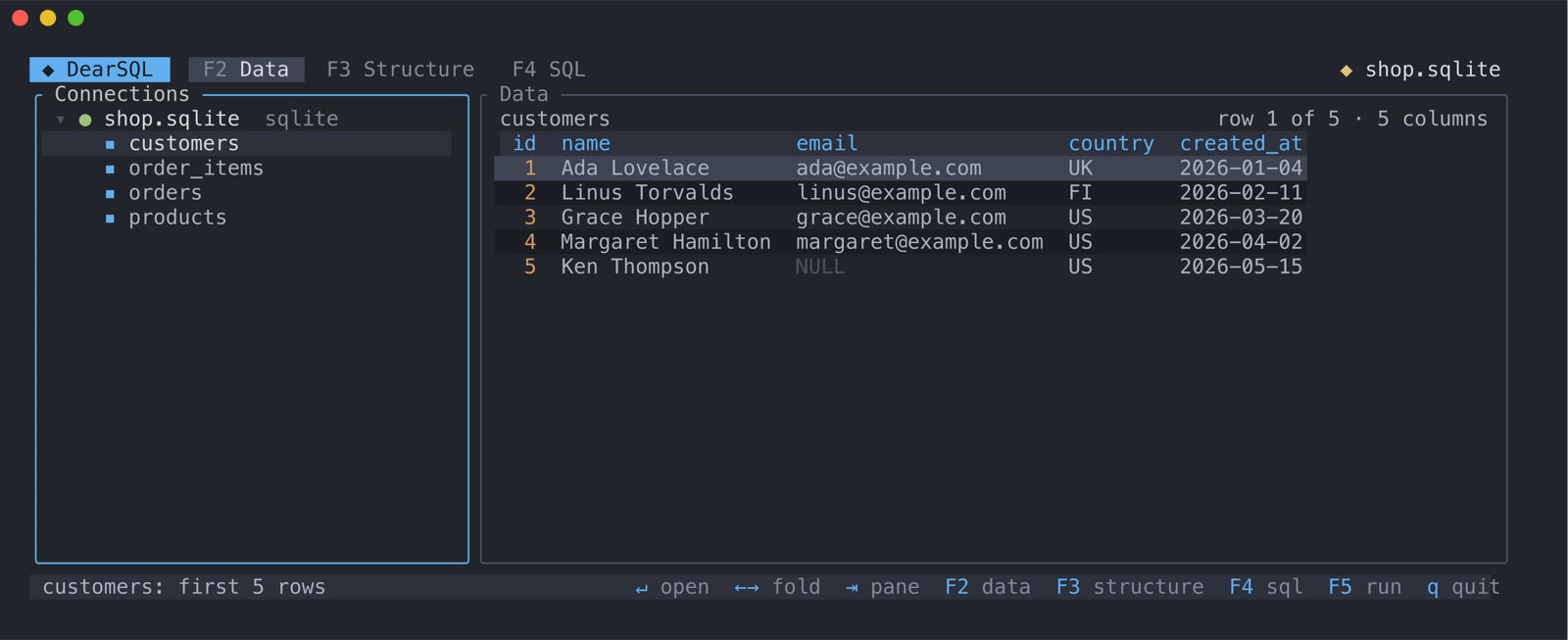
A connection is a saved name, a URL, or a SQLite/DuckDB/CSV file.
For coding agents
DearSQL gives an agent your saved connections (credentials stay encrypted in DearSQL, SSH tunnels included) as tools, with compact text results (docs):
| Tool | |
|---|---|
search_schema, describe_table, list_tables |
find tables and columns (fuzzy, typo-tolerant), then keys, indexes and foreign keys |
run_query |
one read-only statement, paged with a cursor |
explain_query |
the query plan plus warnings: full scans a filter mostly discards, scans repeated per join row, spilled sorts, bad estimates |
review_indexes |
foreign keys with no index, indexes another one covers |
explain_finding |
what a warning code means, how to confirm it, the usual fix |
profile_table |
per column: nulls, distinct values, min and max, the common values |
diff_schema |
the statements that would make one database's schema match another's |
execute_sql |
a change, approved by you first (--allow-writes over MCP) |
list_objects, read_object, ... |
S3 buckets and files |
The dearsql command has to be on your PATH: Settings → Command Line → Install 'dearsql' Command in the app, or the install script below.
Claude Code: the plugin registers the MCP server and adds a skill that teaches the workflow (search before writing SQL, explain before suggesting an index, approve every write):
/plugin install dearsql --marketplace dunkbing/dearsql
or only the MCP server: claude mcp add dearsql -- dearsql --mcp.
Codex: register the server and add the skill to ~/.agents/skills:
codex mcp add dearsql -- dearsql --mcp
mkdir -p ~/.agents/skills/dearsql && curl -fsSL https://raw.githubusercontent.com/dunkbing/dearsql/main/plugins/dearsql/skills/dearsql/SKILL.md -o ~/.agents/skills/dearsql/SKILL.md
Anything else: any MCP client can run dearsql --mcp over stdio, and an agent with a shell can use the same tools as commands (dearsql tools lists them). The skill in plugins/dearsql/skills/dearsql/SKILL.md works as a prompt for any of them.
Installation
Download the latest release for macOS, Linux, and Windows from GitHub Releases, or on macOS/Linux:
curl -fsSL https://dearsql.dev/install.sh | sh
Arch Linux (AUR)
yay -S dearsql
# or
paru -S dearsql
Build instructions
./scripts/build
# or
claude "build this project"
Built With
- Dear ImGui - Immediate mode GUI
- Native File Dialog - File pickers
- IconFontCppHeaders - Icon fonts
- vcpkg.json - Full dependency list
Explore related projects
Loading…