
dulnan/lazy-brush
dulnan/lazy-brush has 1,384 GitHub stars and 39 forks. GitHot measured 0 stars in 24 hours and 0 in 7 days. Last checked 2026-11-09 05:27 UTC. Last push 2024-09-14.
Smooth drawing with mouse, finger or other pointing device
Measured star growth
- in 24h
- 0
- in 7 days
- 0
- in 15 days
- Collecting history
- in 1 month
- Collecting history
Net star changes over overlapping periods, not daily totals. Missing measurements are left blank. Stars measure attention, not software quality.
README.md
Originallazy-brush - smooth drawing with a mouse, finger or any pointing device
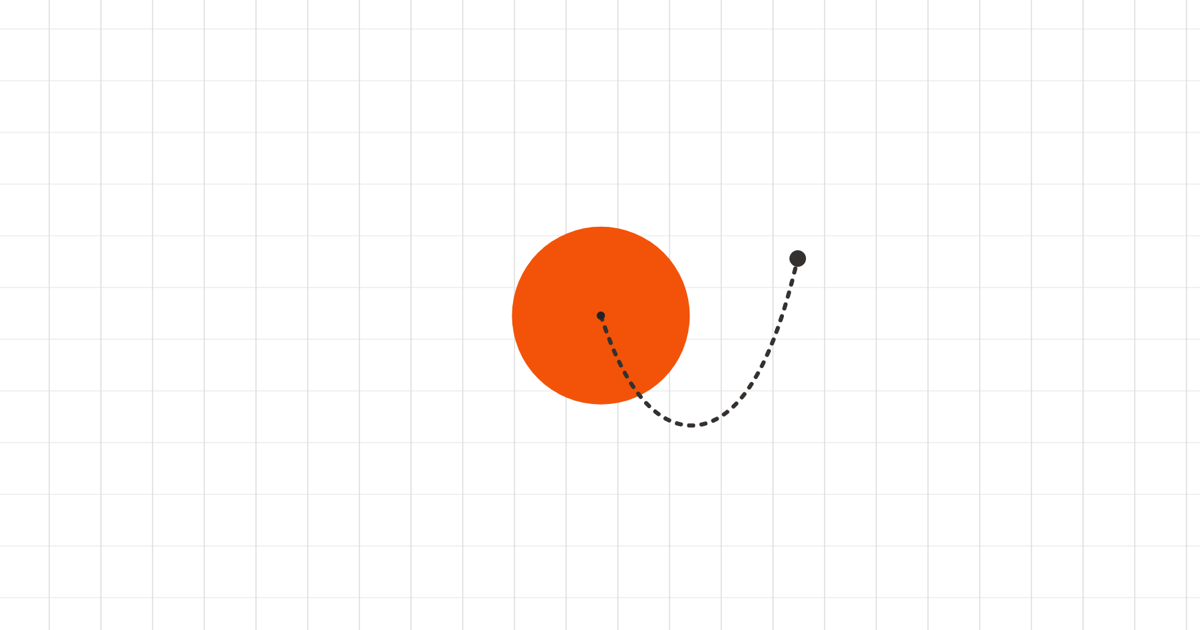
Demo - NPM - CodePen Examples
The demo app also uses catenary-curve to draw the little "rope" between mouse and brush.
This library provides the math required to implement a "lazy brush". It takes a radius and the {x,y} coordinates of a mouse/pointer and calculates the position of the brush.
The brush will only move when the pointer is outside the "lazy area" of the brush. With this technique it's possible to freely draw smooth lines and curves with just a mouse or finger.
How it works
When the position of the pointer is updated, the distance to the brush is
calculated. If this distance is larger than the defined radius, the brush will
be moved by distance - radius pixels in the direction where the pointer is.
Usage
lazy-brush is on npm so you can install it with your favorite package manager.
npm install --save lazy-brush
lazy-brush can be easily added in any canvas drawing scenario. It acts like a "proxy" between user input and drawing.
It exports a LazyBrush class. Create a single instance of the class:
const lazy = new LazyBrush({
  radius: 30,
  enabled: true,
  initialPoint: { x: 0, y: 0 }
})
You can now use the update() method whenever the position of the mouse (or
touch) changes:
// Move mouse 20 pixels to the right.
lazy.update({ x: 20, y: 0 })
// Brush is not moved, because 20 is less than the radius (30).
console.log(lazy.getBrushCoordinates()) // { x: 0, y: 0 }

// Move mouse 40 pixels to the right.
lazy.update({ x: 40, y: 0 })
// Brush is now moved by 10 pixels because 40 (mouse X) - 30 (radius) = 10.
console.log(lazy.getBrushCoordinates()) // { x: 10, y: 0 }
The function returns a boolean to indicate whether any of the values (brush or pointer) have changed. This can be used to prevent unneccessary canvas redrawing.
If you need to know if the position of the brush was changed, you can get that
boolean via LazyBrush.brushHasMoved(). Use this information to decide if you
need to redraw the brush on the canvas.
To get the current brush coordinates, use LazyBrush.getBrushCoordinates().
For the pointer coordinates use LazyBrush.getPointerCoordinates(). This will
return a Point object with x and y properties.
The functions getBrush() and getPointer() will return a LazyPoint, which
has some additional functions like getDistanceTo, getAngleTo or equalsTo.
With Friction
You can also pass a friction value (number between 0 and 1) when calling update():
lazy.update({ x: 40, y: 0 }, { friction: 0.5 })
This will reduce the speed at which the brush moves towards the pointer. A value of 0 means "no friction", which is the same as not passing a value. 1 means "inifinte friction", the brush won't move at all.
You can define a constant value or make it dynamic, for example using a pressur value from a touch event.
Updating both values
You can also update the pointer and the brush coordinates at the same time:
lazy.update({ x: 40, y: 0 }, { both: true })
This can be used when supporting touch events: On touch start you would update both the pointer and the brush so that the pointer can be "moved" away from the brush until the lazy radius is reached. This is how it's implemented in the demo page.
Examples
Check out the basic example for a simple starting point on how to use this library.
Explore related projects
ytdl-org/youtube-dl
Command-line program to download videos from YouTube.com and other video sites
141,500 starsexcalidraw/excalidraw
Virtual whiteboard for sketching hand-drawn like diagrams
135,331 starsgodotengine/godot
Godot Engine – Multi-platform 2D and 3D game engine
119,840 starsmrdoob/three.js
JavaScript 3D Library.
117,905 stars