
dudor/BookmarkHub
dudor/BookmarkHub has 2,575 GitHub stars and 235 forks. GitHot measured +1 stars in 24 hours. Last checked 2026-11-07 20:48 UTC. Last push 2026-04-06.
BookmarkHub , sync bookmarks across different browsers
What you can do
- No registration required, just use the Token and Gist of your GitHub account
- Easy to upload and download bookmarks with one click
- Clear all local bookmarks with one click
- Support cross-machine and cross-browser synchronization of bookmarks
Measured star growth
- in 24h
- +1
- in 7 days
- Collecting history
- in 15 days
- Collecting history
- in 1 month
- Collecting history
Net star changes over overlapping periods, not daily totals. Missing measurements are left blank. Stars measure attention, not software quality.
README.md
Original

BookmarkHub
BookmarkHub is a browser plug-in that can synchronize your bookmarks between different browsers.
Feedback
·
简体中文
·
English
Table of Contents
About The Project
BookmarkHub is a browser plug-in that can synchronize your bookmarks between different browsers.
For major browsers such as Chrome, Firefox, Microsoft Edge, and more.
It uses GitHub's Gist records to store browser bookmarks for safe and secure use.
Features
- No registration required, just use the Token and Gist of your GitHub account
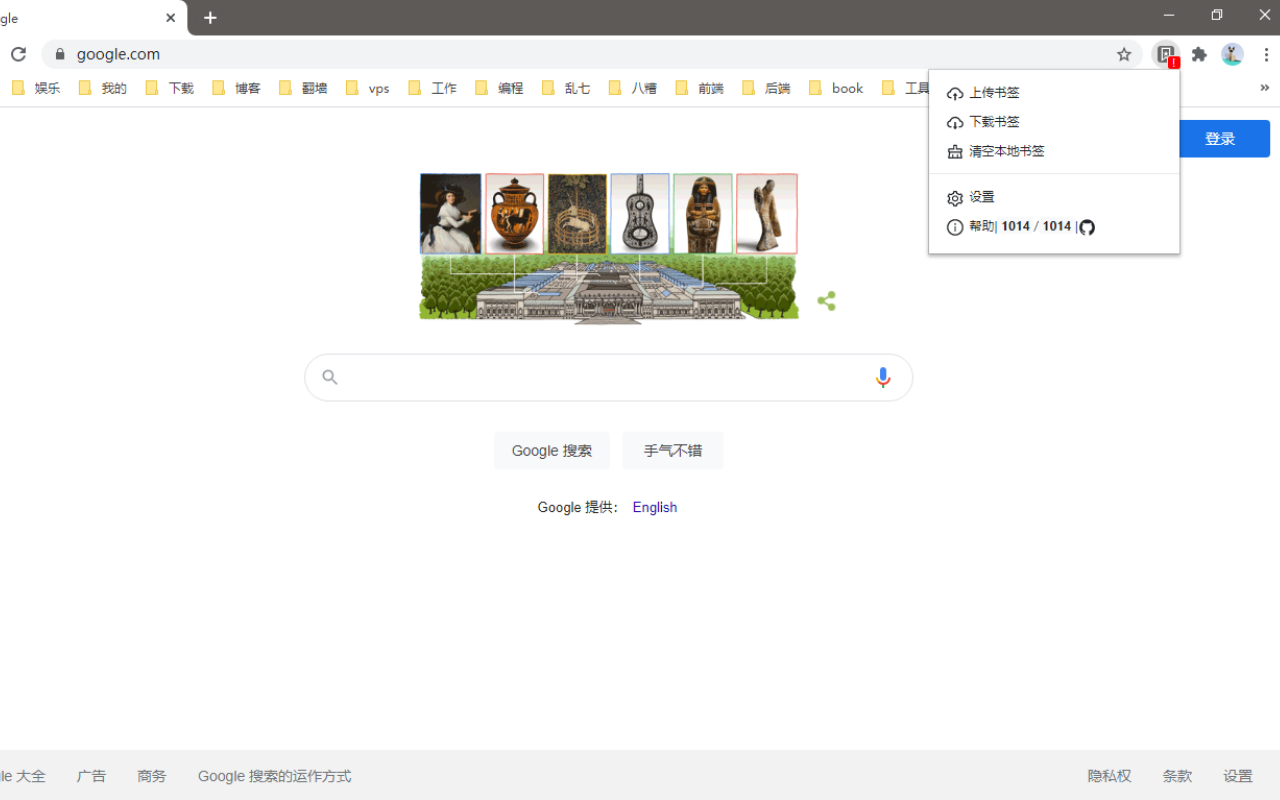
- Easy to upload and download bookmarks with one click
- Clear all local bookmarks with one click
- Support cross-machine and cross-browser synchronization of bookmarks
- Support to display the number of local and remote bookmarks
Installation
This plug-in requires bookmarks to be stored in Gist, so make sure you have a GitHub account or register your GitHub account over the network.
Usage
- Login GitHub,If you don't have an account, please click here to register。
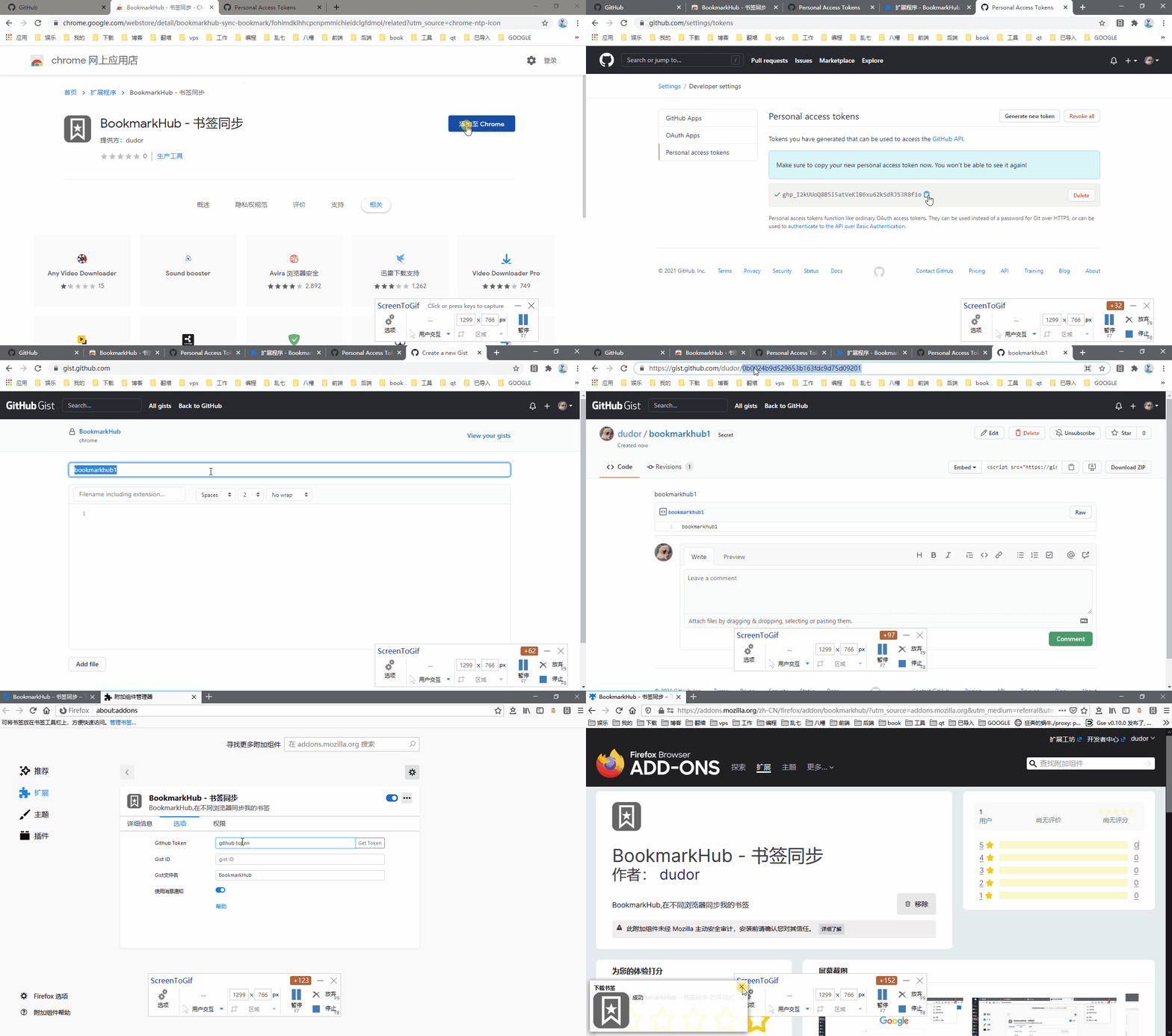
- Create a token that manages the gist。
- Create a secret gist。Note: If it's a public gist, your bookmarks can be searched by others。
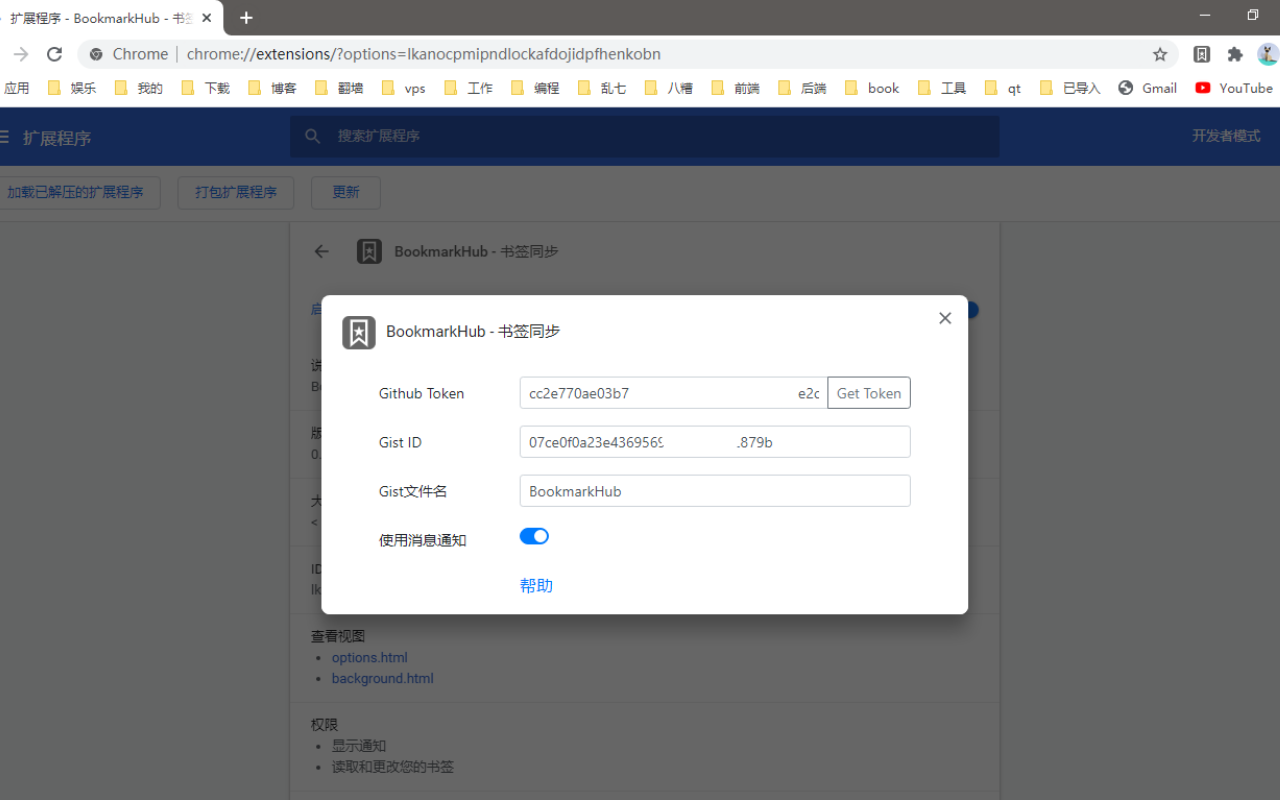
- Download BookmarkHub in the browser store, click the plug-in's settings button, fill in the token and gist ID in the pop-up settings window, and you can upload the download bookmark。
Roadmap
- Automatically sync bookmarks
- Support webdav protocol
- Mobile app
- Import and Export
- Share bookmarks
License
See LICENSE for more information.
Contact
dudor
Project Link: https://github.com/dudor/BookmarkHub
Explore related projects
codecrafters-io/build-your-own-x
Master programming by recreating your favorite technologies from scratch.
560,784 starspublic-apis/public-apis
A collective list of free APIs
497,003 starsmorluto/rea
Reverse engineer anything with agents, from app behavior down to native binaries.
440,833 starsopenclaw/openclaw
The AI that really does things. Any OS. Any Platform. The lobster way. 🦞
394,143 stars