
dromara/mayfly-go
dromara/mayfly-go has 2,373 GitHub stars and 497 forks. GitHot measured 0 stars in 24 hours. Last checked 2026-11-08 20:53 UTC. Last push 2026-11-01.
Browser-based management platform of machine, database (mysql pgsql oracle sqlserver Gauss sqlite), redis(standalone sentinel cluster), mongo, Es unified management and operation platform. (web版linux(终端 文件 脚本 进程)、数据库(mysql pgsql oracle sqlserver 高斯 达梦 sqlite)、数据同步、redis(单机 哨兵 集群)、mongo、Es统一管理操作平台)
Measured star growth
- in 24h
- 0
- in 7 days
- Collecting history
- in 15 days
- Collecting history
- in 1 month
- Collecting history
Net star changes over overlapping periods, not daily totals. Missing measurements are left blank. Stars measure attention, not software quality.
README_EN.md
Original🌈 Dromara mayfly-go
A highly integrated, web-based "Unified Resource Management & Operation Platform" — machines, databases, caches, search engines, containers, message queues and AI-driven operations, all in a single entry point.
中文介绍 | English | Documentation | Operate Video | Live Demo


📖 Introduction
mayfly-go consolidates the tools scattered across day-to-day operations and development into a single platform. Built on a unified resource tree, it mounts machines, databases, caches, search engines, vector stores, message queues and containers, and provides visual terminal / file / SQL / data / container / command operations for every resource type.
On top of that, the platform natively embeds work-order process approval, command security interception, an alert center and multi-channel notifications (incl. WeCom / DingTalk / Feishu), and introduces an AI assistant and AI-driven operations orchestration (AgentOps) — forming an all-in-one loop of "operate → approve → intercept → notify → self-heal".
🎯 Who it's for: operations engineers, DBAs, backend / full-stack developers, and teams looking to hand repetitive ops tasks to AI automation.
✨ Core Features
| 🖥️ Full-stack Machine Ops Web terminal, terminal session recording & replay, command interception, RDP remote desktop, file management, script execution, cron jobs, process monitoring, machine metrics, batch execution. |
🗄️ Multi-source Data Operations Relational / document / cache / search / vector / message queues fully covered, SQL editor, inline data-grid editing, export, masking, session management. |
| 🔁 Data Sync & Migration Cross-database schema diff, incremental / full data sync, database migration tasks, verification and rollback SQL. |
🛡️ Command Security Interception Blacklist regex rules + trigger policies (forbid / approve / warn-only), with terminal, API and AI Agent sharing one unified pre-check. |
| 🤖 AI Assistant Streaming chat, tool-call visualization, interrupt & approval; read-only commands auto-run, dangerous actions require human confirmation (fail-closed). |
🧠 AI Ops Orchestration (AgentOps) Ops task orchestration, event triggers, change-proposal approval loop, run history & offline evaluation, governance kill switch. |
| 📋 Work-order Process Approval Visual process definition, condition groups, my tasks / my processes, approve-before-execute with full audit trail. |
🚨 Alert Center Alert rules, event acknowledgment, silences, inhibitions, escalation policies, notification policies and an overview dashboard. |
| 💌 Multi-channel Notifications Site messages, WebSocket, email, WeCom, DingTalk and Feishu bots; signing secrets safely hosted, reusable message templates. |
🔐 Resource & Permission Foundation Unified resource tree, ciphertext credential hosting, labels / teams, RBAC menu permissions, operation-log auditing. |
🧩 Feature Overview
🖥️ Machine (Linux) Operations
| Feature | Description |
|---|---|
| Machine Management | Machine list, connection test, enable/disable, SSH tunnel, resource-tree-based access scoping |
| Web Terminal | Interactive SSH in the browser, TUI apps like Vim supported, per-command parsing |
| Terminal Recording & Replay | Full session recording (asciinema), with replay and executed-command log |
| Command Interception / Security Config | Blacklist regex rules + trigger-policy handling levels (forbid / needs-approval / warn-only); terminal, API and AI share one pre-check |
| RDP Remote Desktop | Windows remote desktop via Apache Guacamole |
| File Management | Directory browsing, create, upload, download, inline edit & content view, file configs |
| Script Management | Save scripts and run with one click, execution records |
| Cron Jobs | Cron expression config, task start/stop, execution history |
| Process Monitoring | Real-time process list, kill process |
| Machine Metrics | CPU / memory / disk / network metric collection & stats, disk analysis |
| Host Keys | known_hosts management, MITM protection |
| Batch Commands | Multi-machine batch command execution (batch-run-cmd) |
🗄️ Databases (DBMS)
| Feature | Description |
|---|---|
| Multi-dialect Support | MySQL, PostgreSQL, Oracle, SQL Server, Dameng, Gauss, SQLite, ClickHouse |
| SQL Editor | Multi-dialect completion, multiple result tabs, execution plans, SQL classification & security guards |
| Data Operations | Select-table-to-query, inline data-grid add/edit/delete, result export |
| Table Structure Editing | DDL create/alter table, index management |
| Schema Diff | Cross-database / cross-instance schema comparison |
| Data Sync | Incremental / full sync tasks, start/stop control, sync logs |
| Database Migration | Migration tasks, verification, migration file run / download / delete, run logs |
| Data Masking | Masking rule config, sensitive-column display & export masking |
| Session Management | View active sessions, cancel sessions |
| Execution Audit | SQL execution logs, rollback SQL generation |
🧱 Cache / Search / Vector / Document Stores
| Module | Features |
|---|---|
| Redis | Instance management, key browsing, JSON / text viewers, data add/edit/delete, console commands, server INFO |
| MongoDB | Command execution, aggregate queries, batch operations, document view, collection / index DDL, data import/export, account & role management |
| Elasticsearch | Instance management, DSL queries, index data operations |
| Milvus | Vector DB connection, collection & vector data operations |
📨 Message Queue Kafka & 🐳 Container Docker
| Module | Features |
|---|---|
| Kafka | Instance management, topic create/delete/config, partition scale-up, broker & config viewing, consumer groups (members / delete), produce & consume messages |
| Docker | Container list & stats, start / stop / restart / remove / create, in-container terminal, live logs, image management (remove / export / import) |
🤖 AI Assistant & 🧠 AI Ops Orchestration (AgentOps)
AI Assistant (embedded in the platform sidebar)
- Streaming chat, tool-call process visualization, execution interrupts and manual approval.
- Built-in tools:
machine command exec,SQL exec,query data,query tables / table DDL,monitor metrics,resource list,skill read,propose remediation. - Security baseline: whitelisted read-only commands auto-run, chained commands validated segment-by-segment, and command substitution / redirection / shell-escape commands always require approval (fail-closed).
- AI settings, integrations, plugin management and session memory.
AI Ops Orchestration (AgentOps, automated orchestration)
- Ops Tasks: task orchestration & manual triggering; Event Triggers: alert source / webhook source auto-invocation.
- Run History: run detail with step trace, cancel run, start orchestration, offline evaluation, run feedback.
- Change Proposals: AI-generated remediation proposal → approval → execution closed loop.
- Governance: governance dashboard, stalled detection, kill switch, run-as-another-identity.
🚨 Alert Center & 💌 Notifications
| Feature | Description |
|---|---|
| Alert Overview | Alert posture dashboard and distribution stats |
| Alert Rules | Metric evaluation rule config (extensible evaluators) |
| Alert Events | Event list, acknowledgment, status transitions |
| Silence / Inhibition | Alert silence rules, alert inhibition rules |
| Escalation / Notification Policy | Alert escalation policies, notification policy orchestration |
| Message Channels | Site messages, WebSocket, email, WeCom bot, DingTalk bot, Feishu bot (signing secrets safely hosted, never leaked via list endpoints) |
| Templates / Send | Reusable message templates, manual message sending |
📋 Process Approval & 🔐 System Management
| Feature | Description |
|---|---|
| Process Definition | Visual approval-flow orchestration, enable/disable |
| Rule Segment | Rule condition-group (Rule Segment) configuration |
| My Tasks / My Processes | Pending approvals, start & track process instances |
| Resource Tree / Auth Certs | Unified resource hierarchy tree, SSH / DB credential ciphertext hosting (ciphertext view permission separated) |
| Labels / Teams | Label management, teams and member management |
| Account / Role / Menu Permissions | RBAC permission model, role allocation, menu-permission allocation |
| System Config / Operation Log | Global configuration, operation audit logs |
| Personal Center | Personal info, my resources & base permissions |
🗄️ Supported Databases & Middleware
Relational Databases
| Database | Status | Database | Status | Database | Status |
|---|---|---|---|---|---|
| MySQL | ✅ | PostgreSQL | ✅ | Oracle | ✅ |
| SQL Server | ✅ | Dameng | ✅ | Gauss | ✅ |
| SQLite | ✅ | ClickHouse | ✅ |
NoSQL Databases / Middleware
| Database | Status | Database | Status |
|---|---|---|---|
| MongoDB | ✅ | Redis | ✅ |
| Elasticsearch | ✅ | Milvus | ✅ |
| Kafka | ✅ | Docker | ✅ |
🛠️ Tech Stack
| Layer | Technology |
|---|---|
| Frontend | TypeScript, Vue 3 (Composition API), Vite, Element Plus, Tailwind CSS, Pinia |
| Backend | Go 1.26+, Gin, GORM, Clean Architecture layering |
| Remote Desktop | Apache Guacamole (RDP) |
| Terminal Recording | Asciinema replay |
| Deployment | Single binary with embedded frontend static assets, Docker / Docker Compose |
🚀 Quick Start
Option 1: Docker (recommended)
# Pull and run (default port 18888, open http://ip:18888 in a browser)
docker run -d -p 18888:18888 --name mayfly-go docker.io/mayflygo/mayfly-go:latest
Option 2: Docker Compose
git clone https://github.com/dromara/mayfly-go.git
cd mayfly-go
docker-compose up -d
Option 3: Run from source
# Backend (reads server/config.yml by default, port 18888)
cd server && go run main.go

# Frontend (development)
cd frontend && pnpm install && pnpm dev
📚 For detailed deployment steps — database initialization, config items, reverse proxy, etc. — see the Documentation.
🎮 Live Demo
| URL | Account / Password |
|---|---|
| http://go.mayfly.run | test / test123. |
🖼️ Screenshots
Screenshots are archived by feature module under
docs/images/<module>/, all captured in light mode.
🏠 Home Dashboard · home/
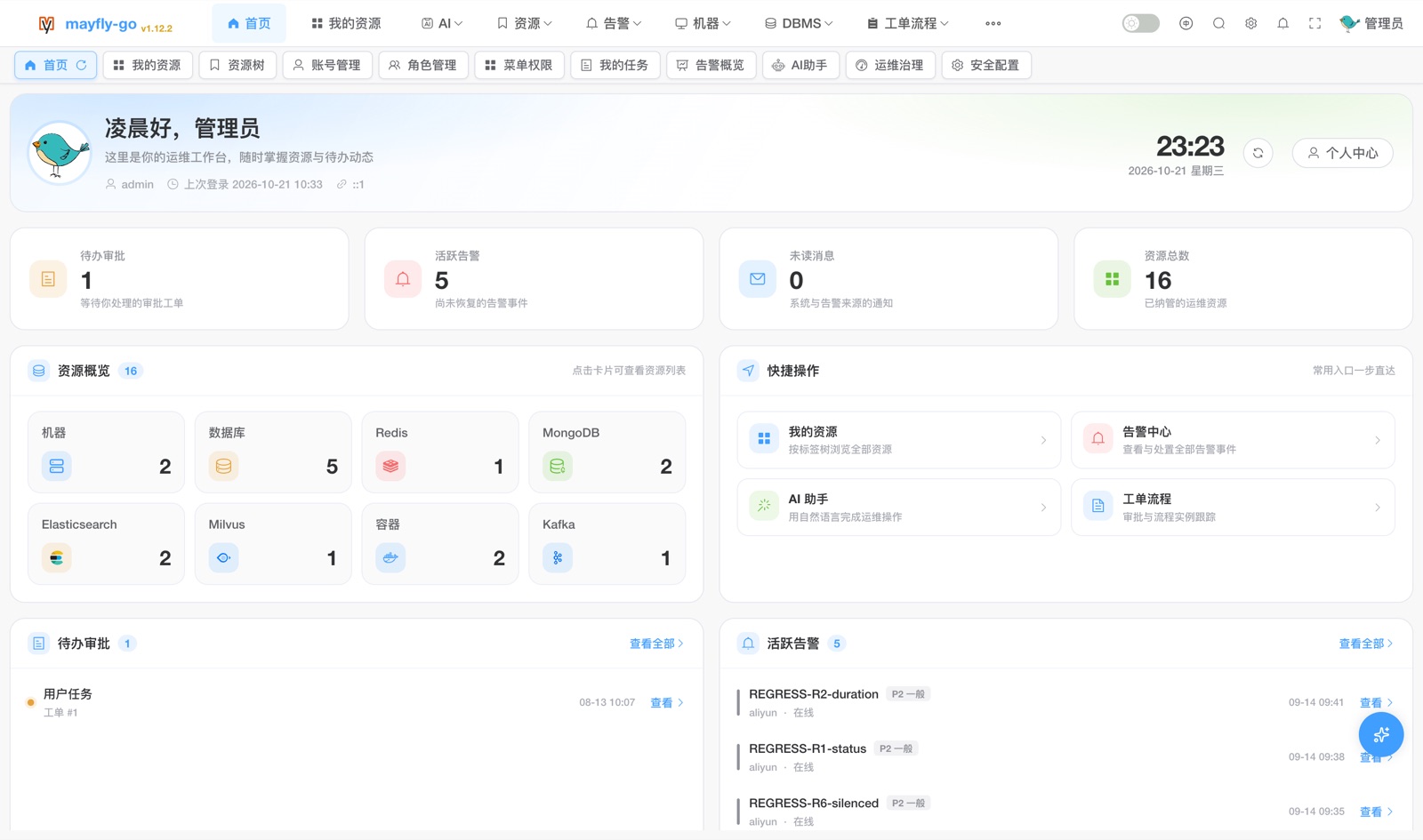
🌳 Resource & Permission · resource/
Unified Resource Tree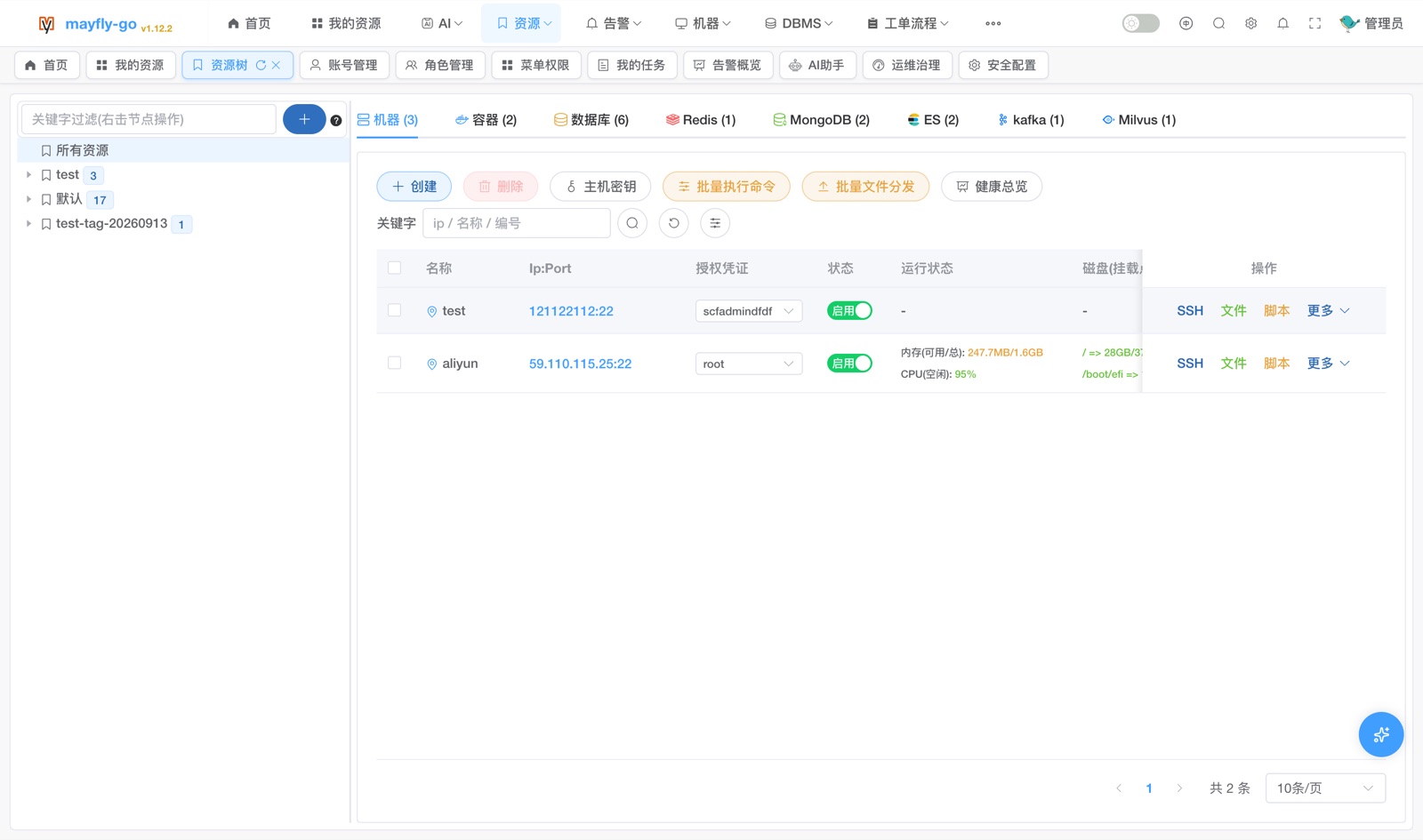 |
My Resources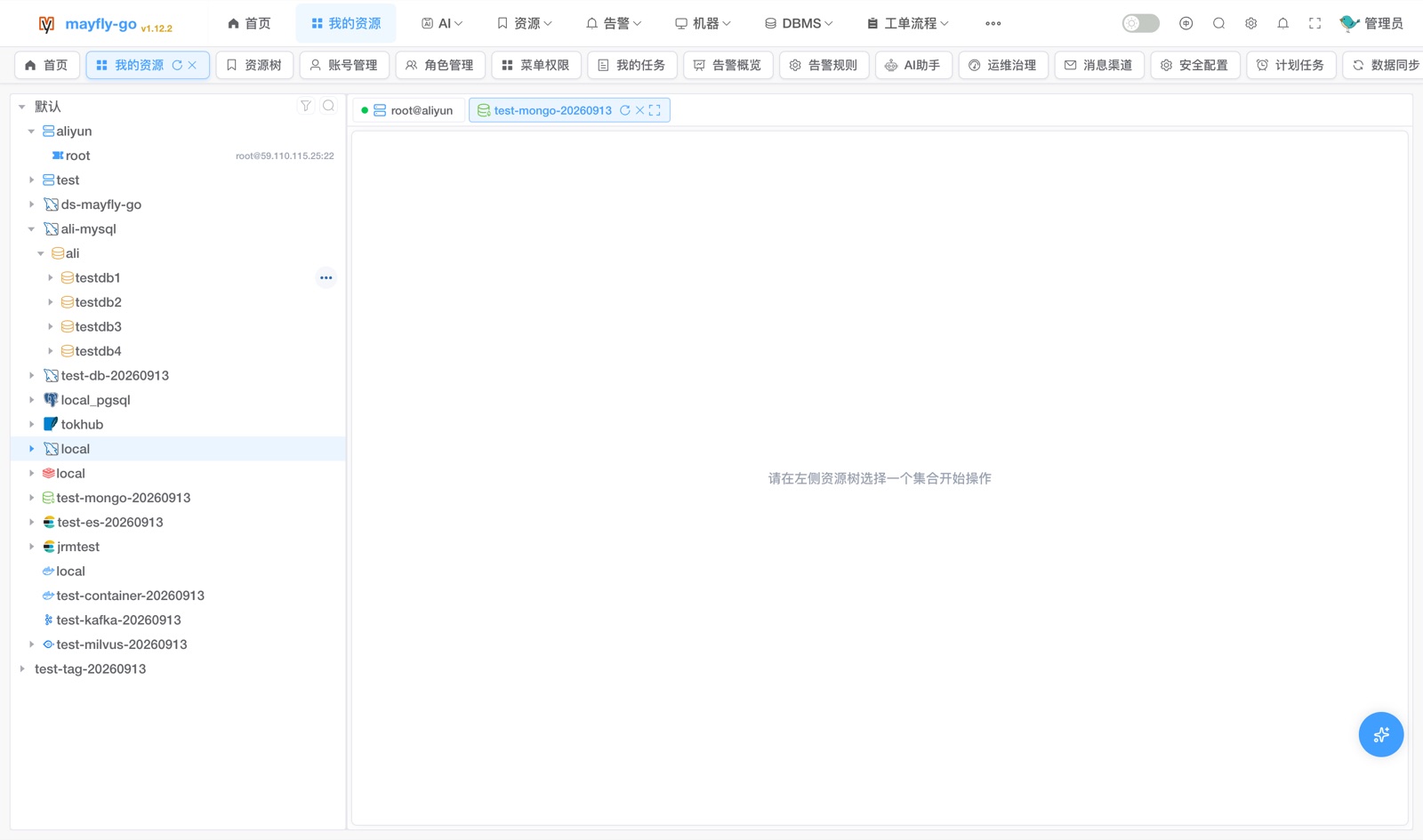 |
🖥️ Machine Ops · machine/
Web Terminal (live SSH)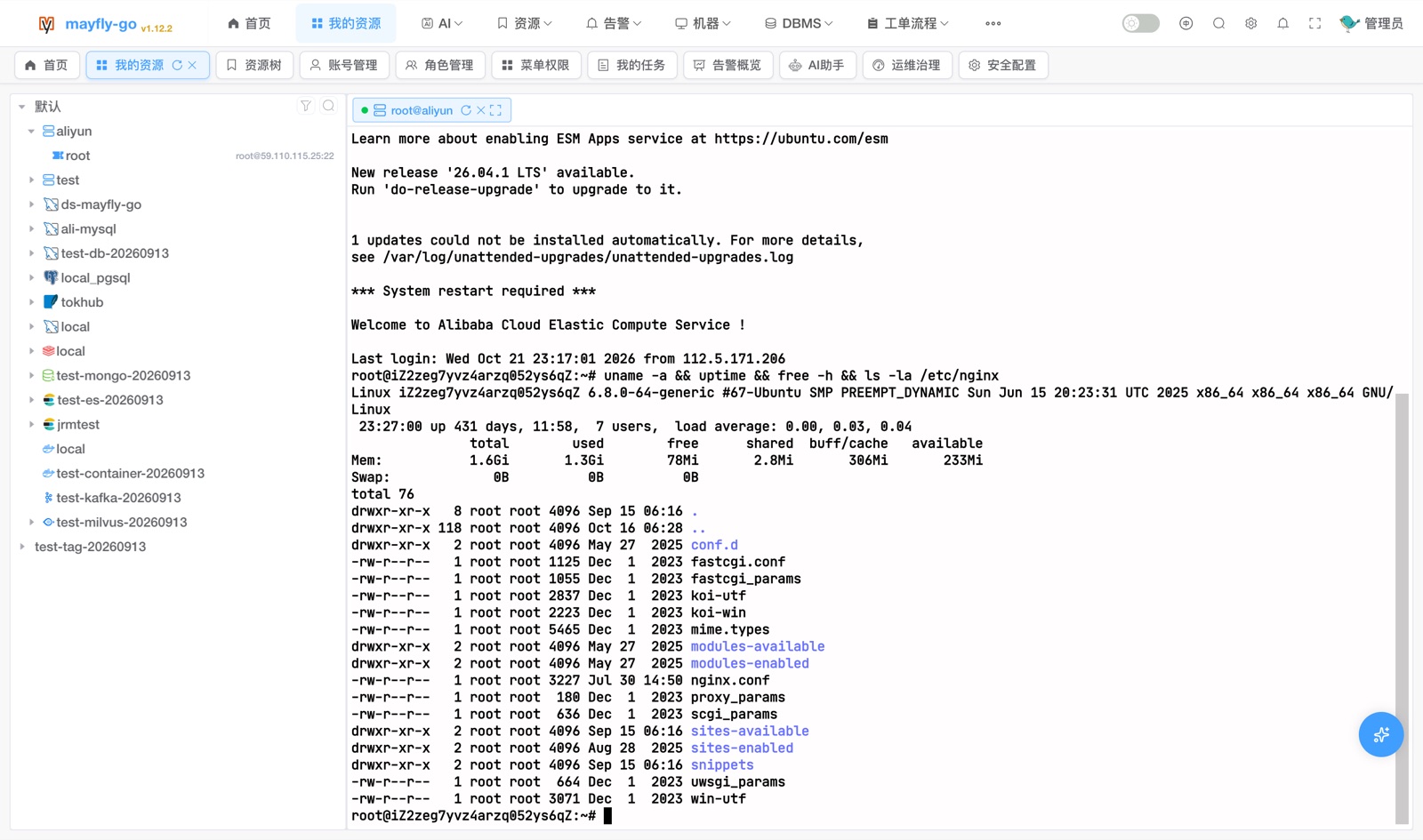 |
File Manager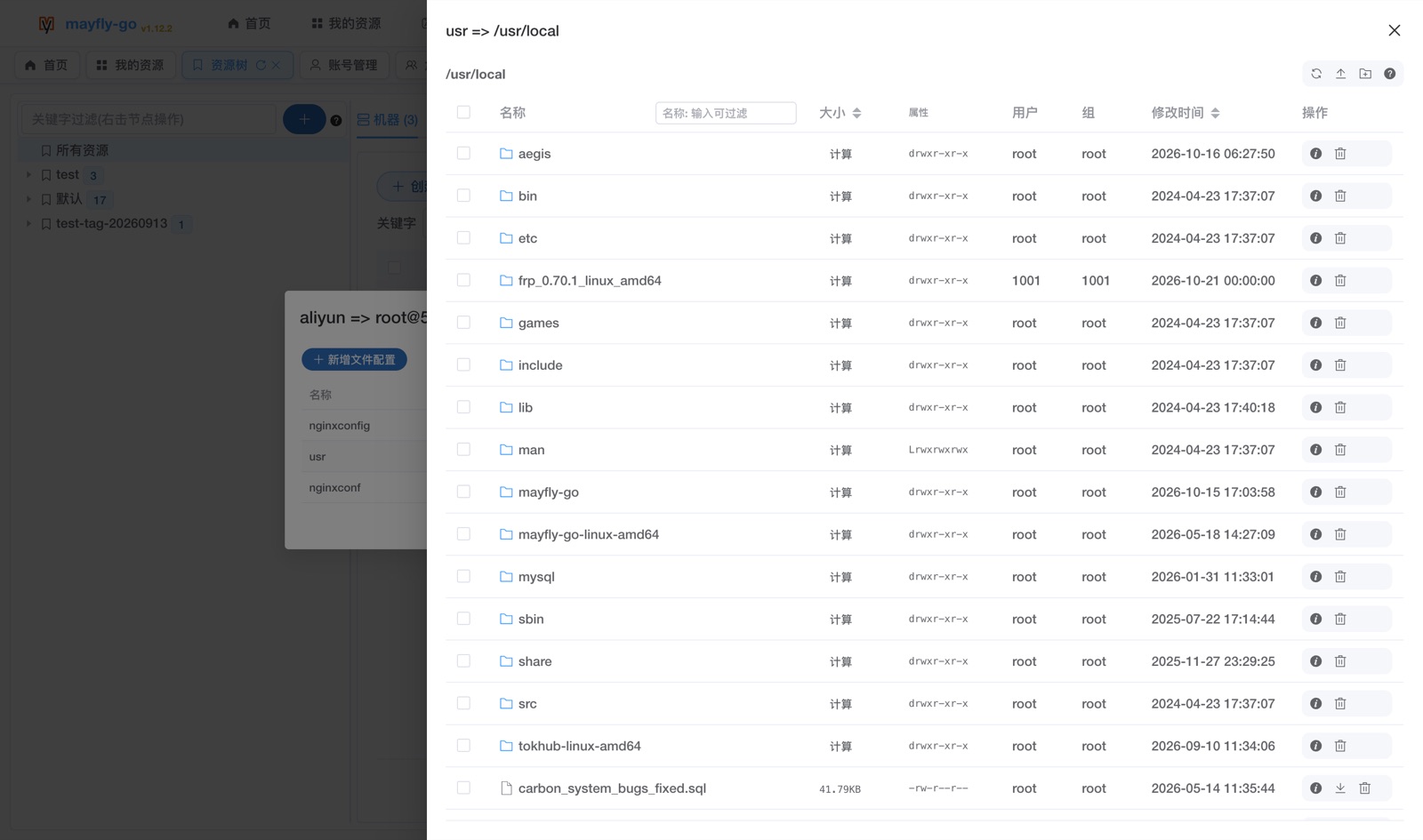 |
Command Security Interception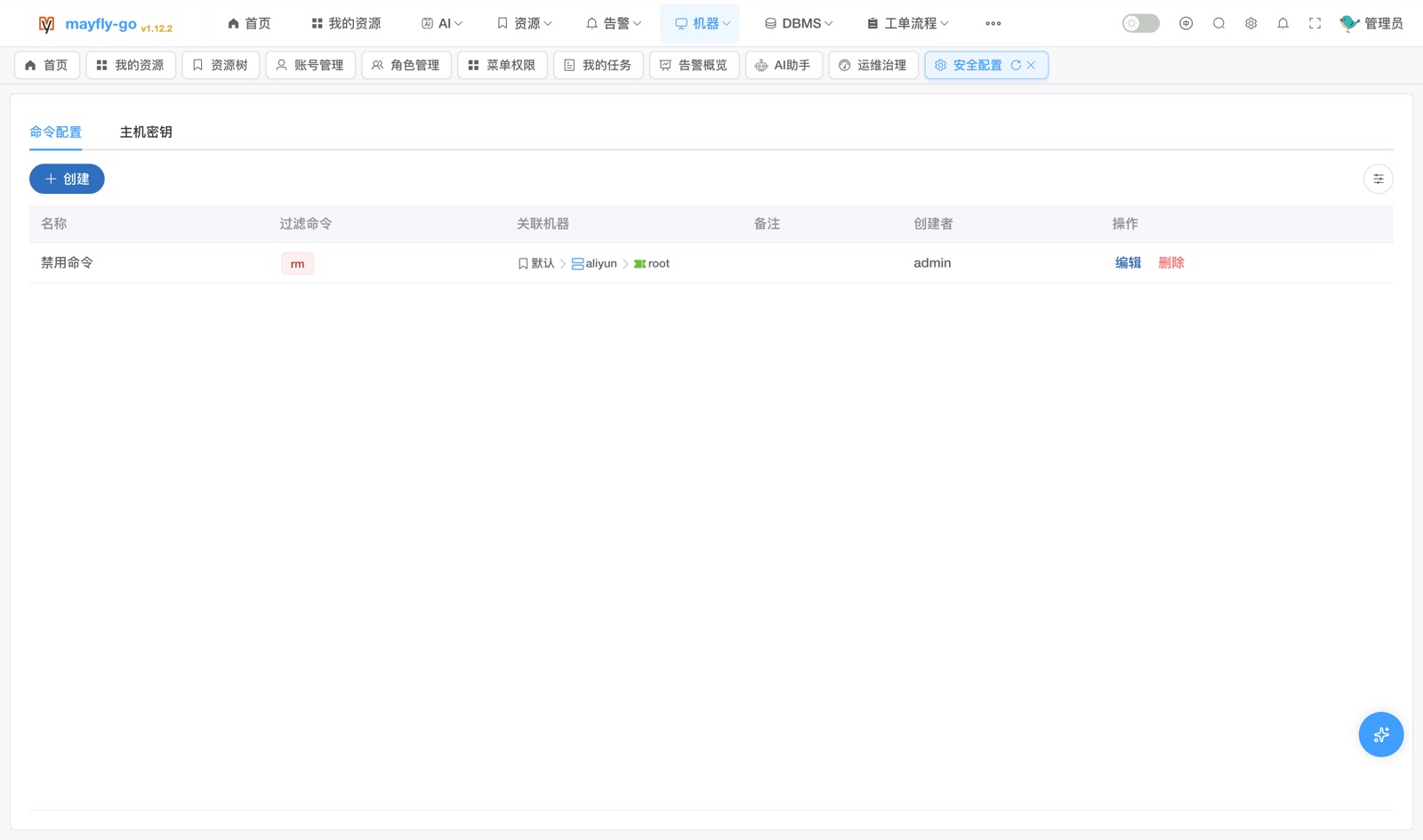 |
🗄️ Database / Cache / Document / Container · db/ redis/ mongo/ docker/
SQL Editor (Monaco)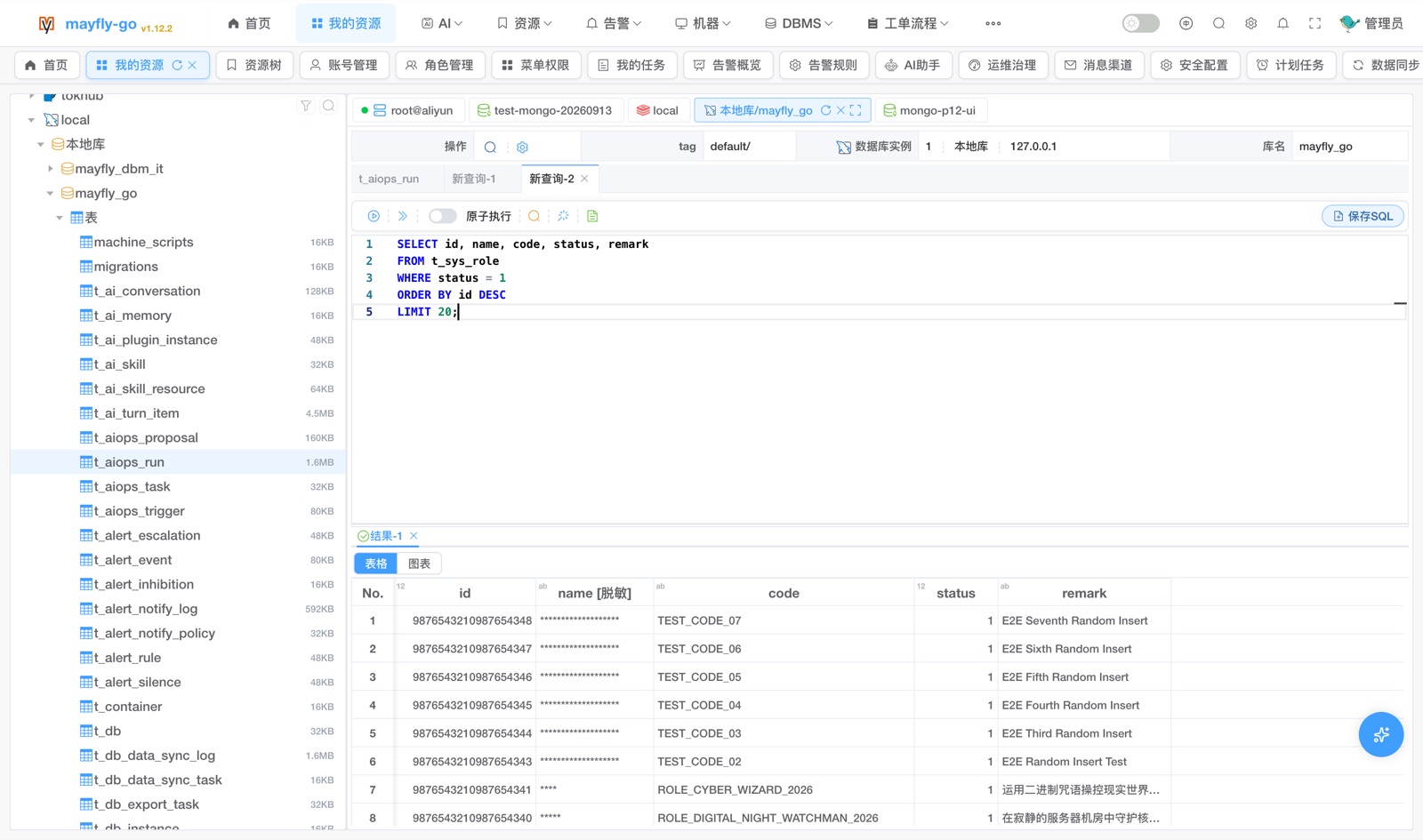 |
Table Data · Visual Edit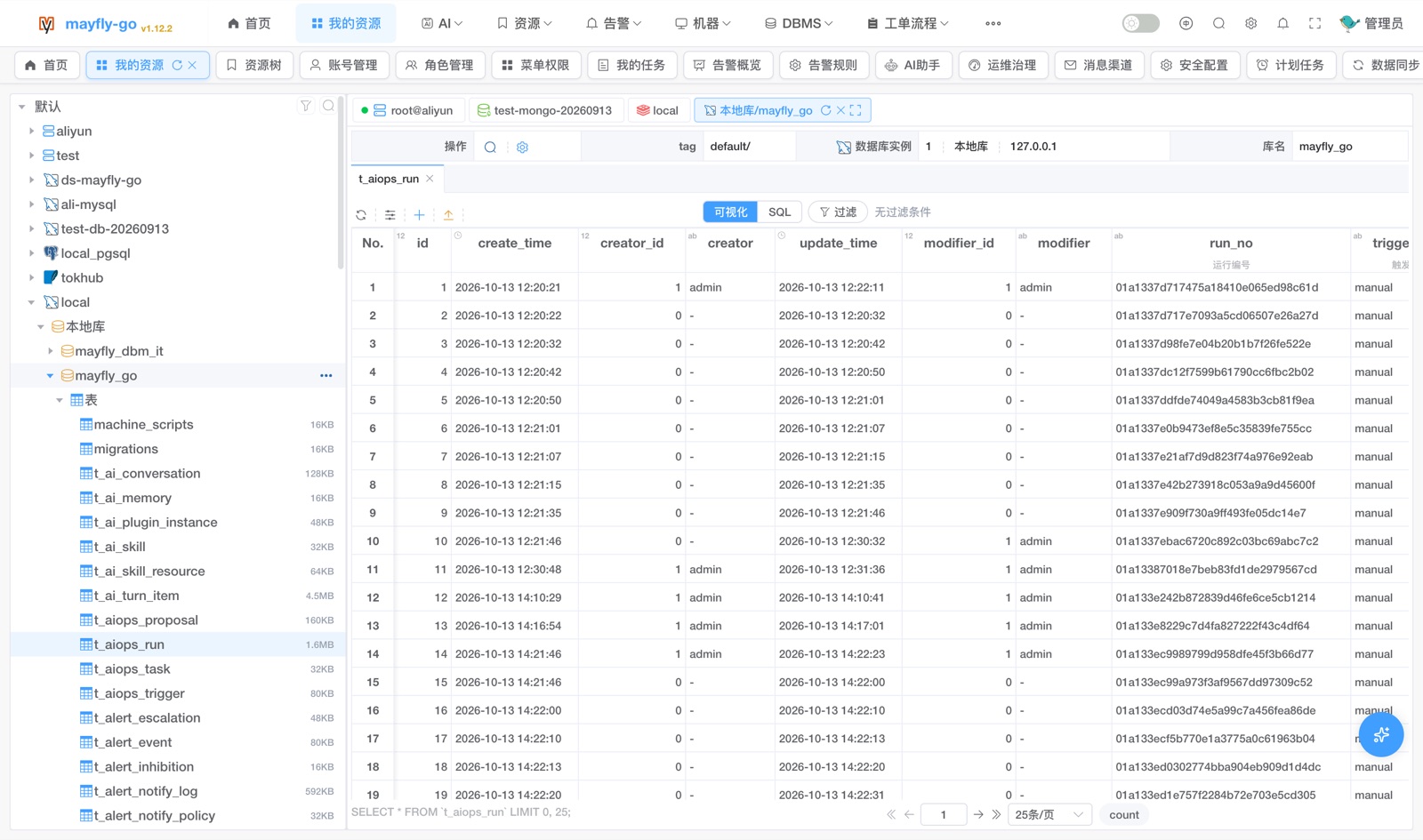 |
Data Sync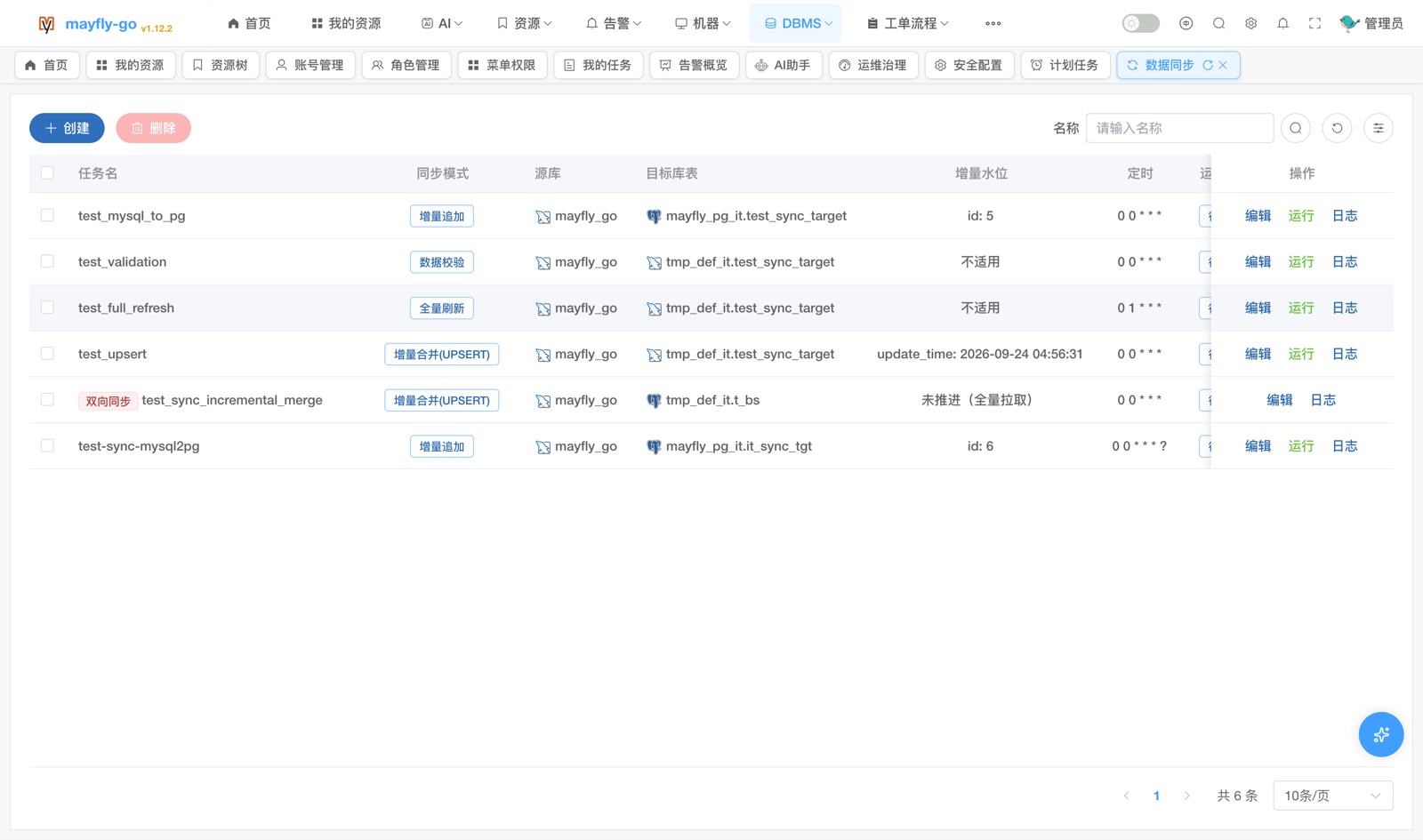 |
Data Migration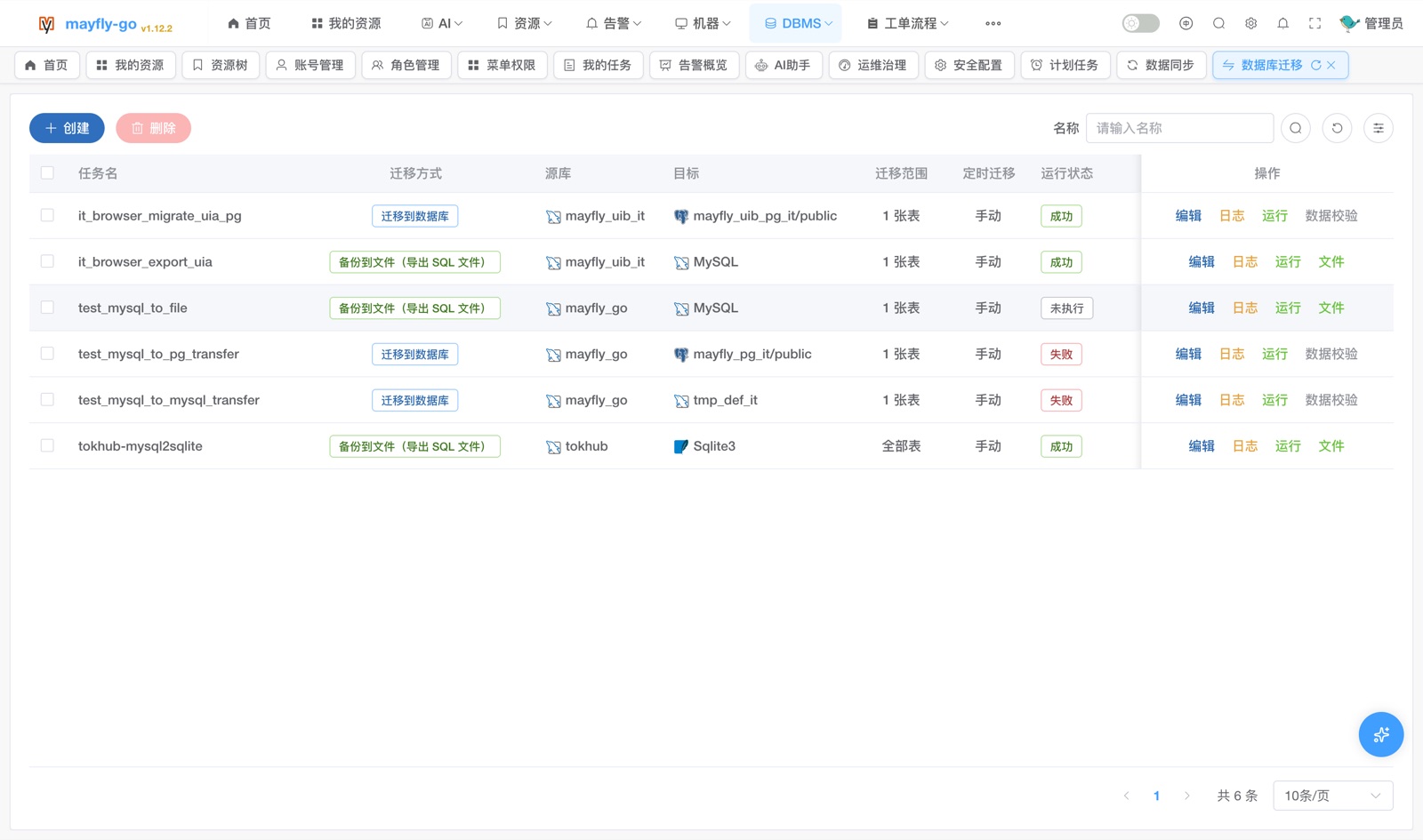 |
Data Masking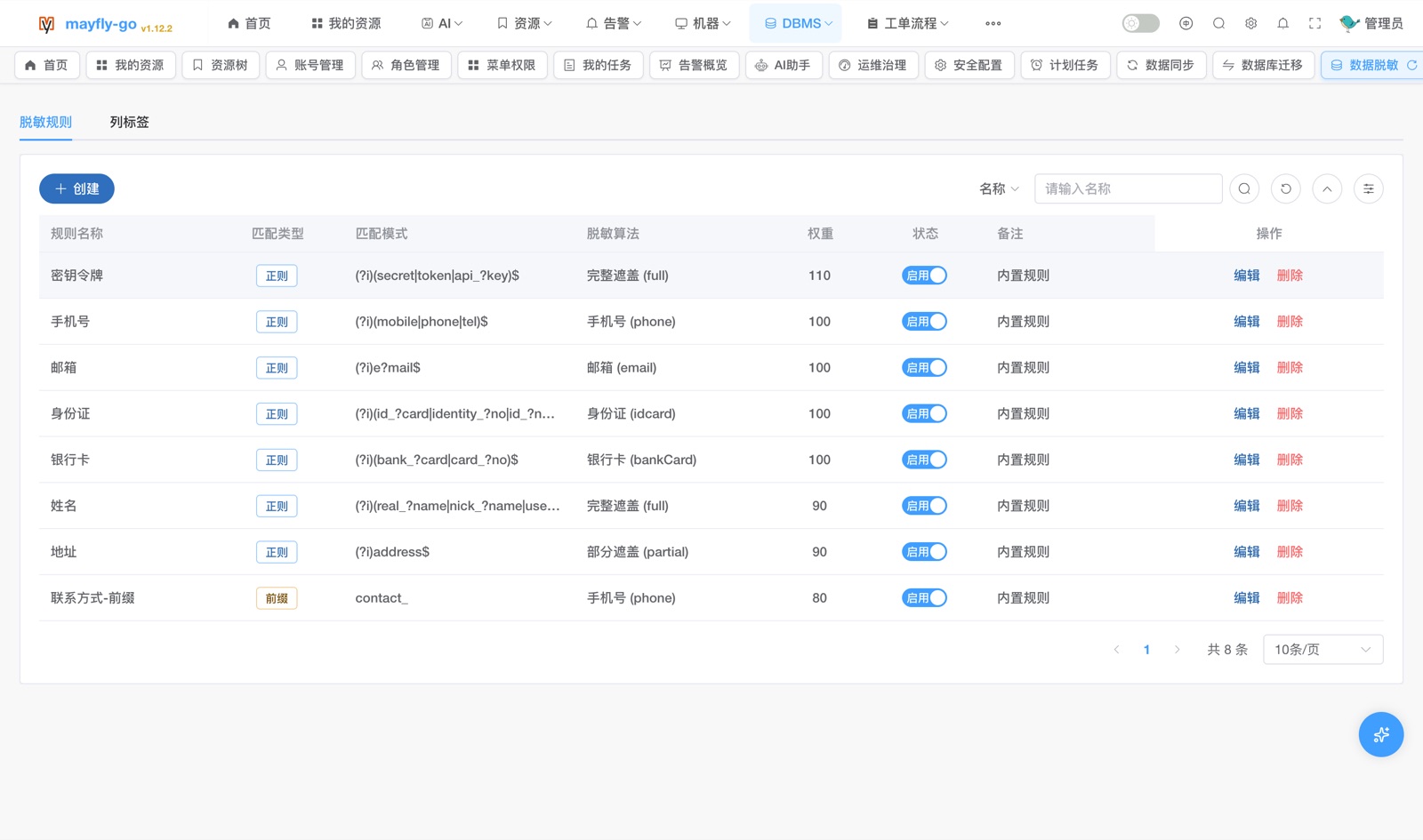 |
Redis Key Ops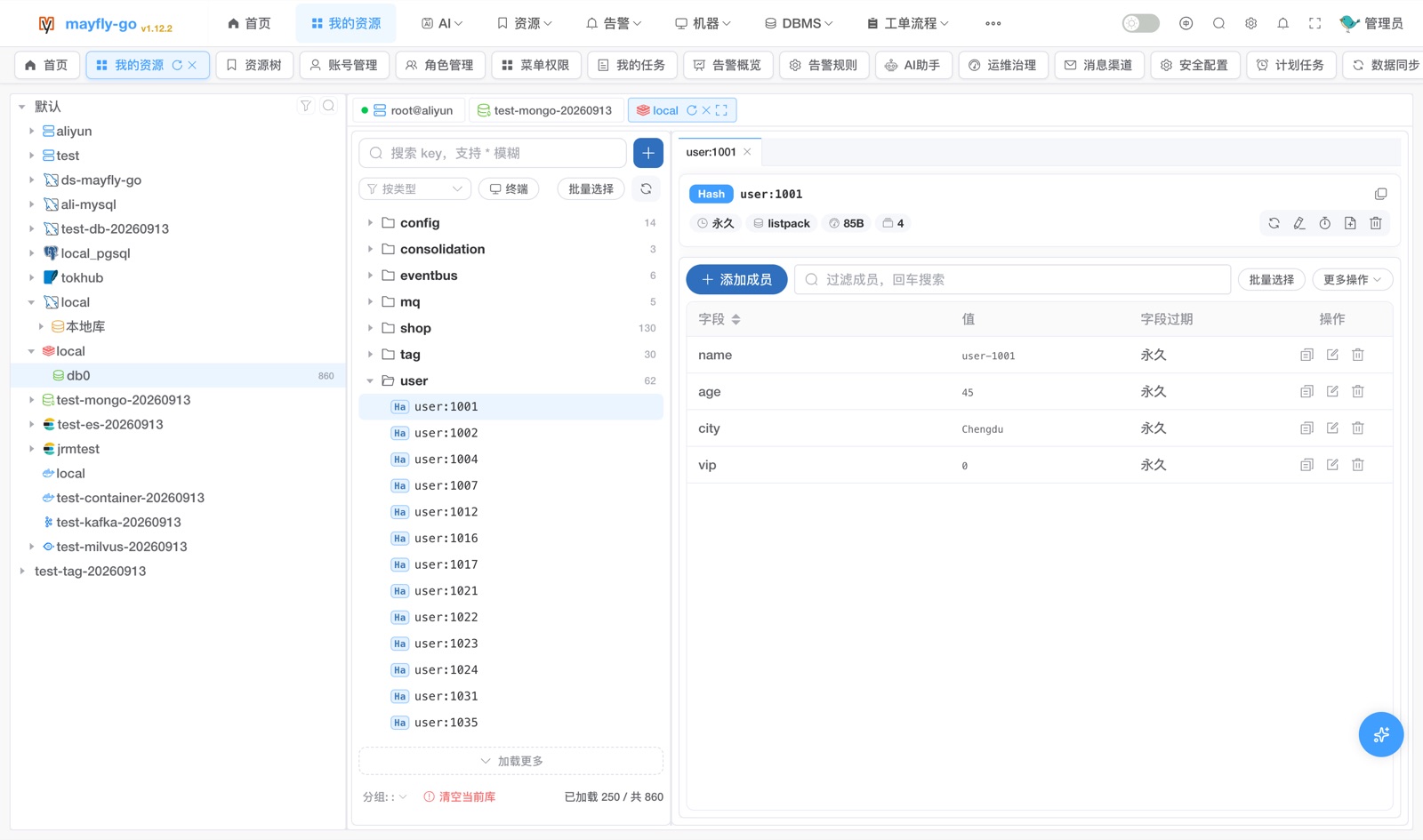 |
MongoDB Collection Documents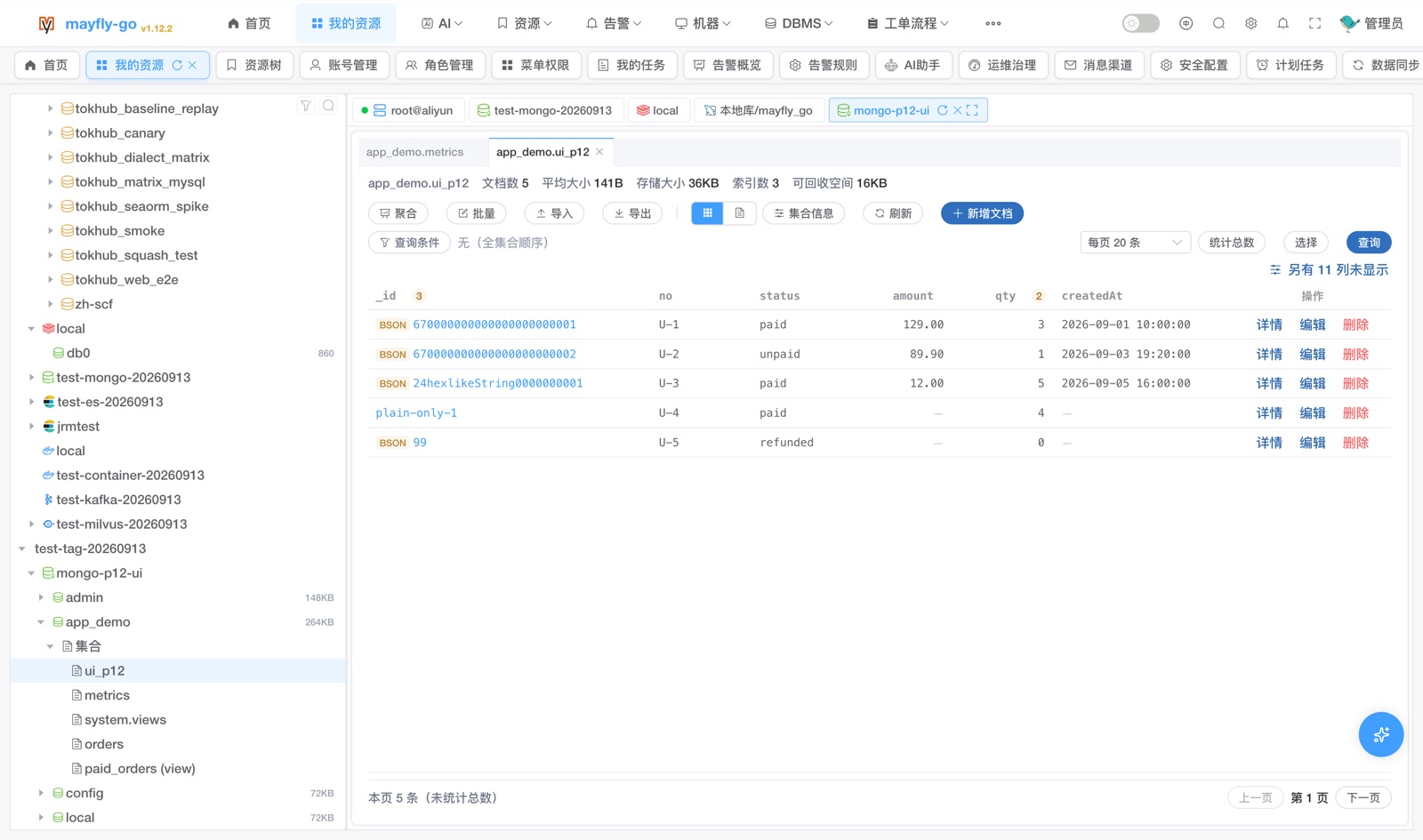 |
|
Container Management (status / resources / ports / logs)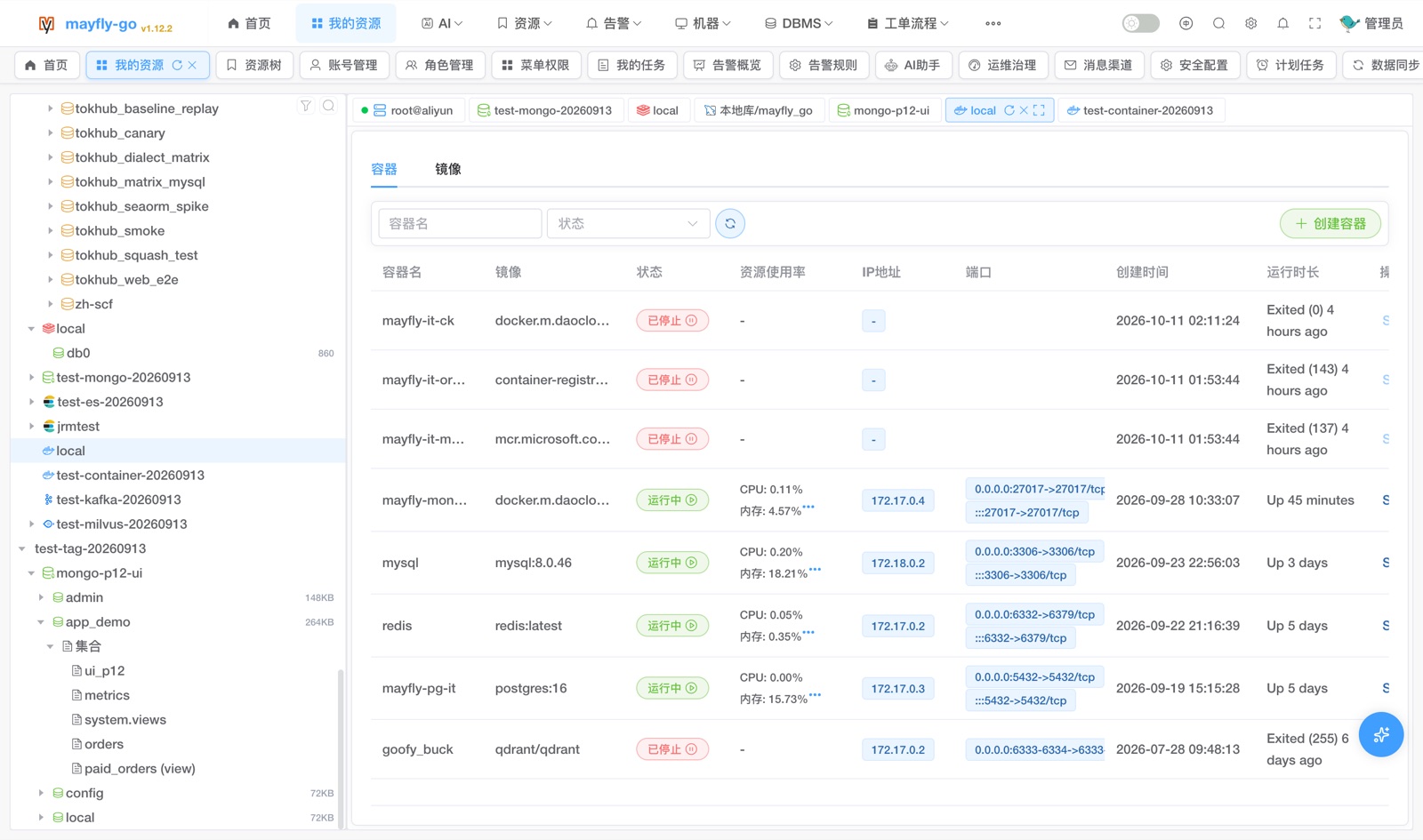 |
🚨 Alert Center · alert/ 📋 Work-order Flow · flow/
Alert Overview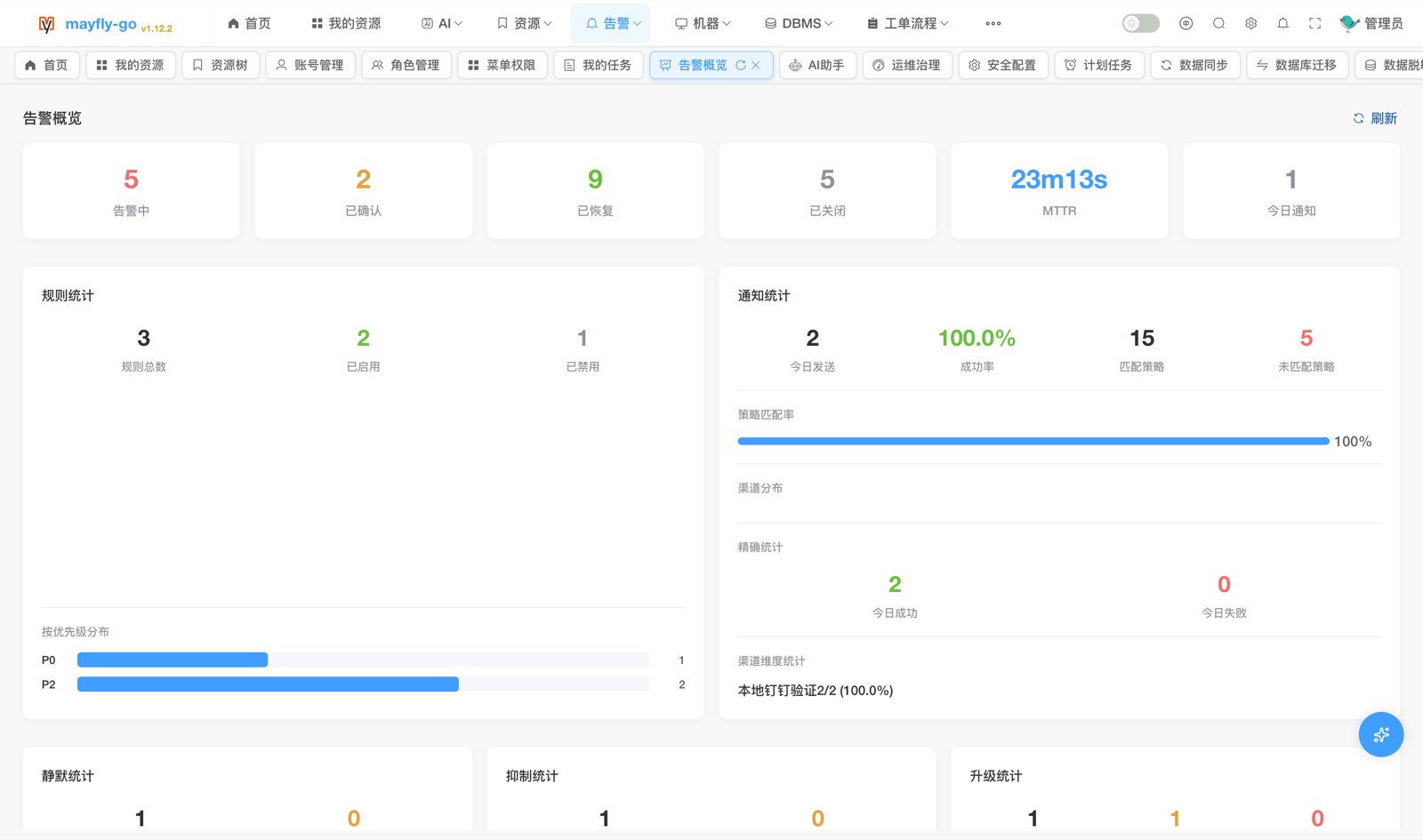 |
Alert Rules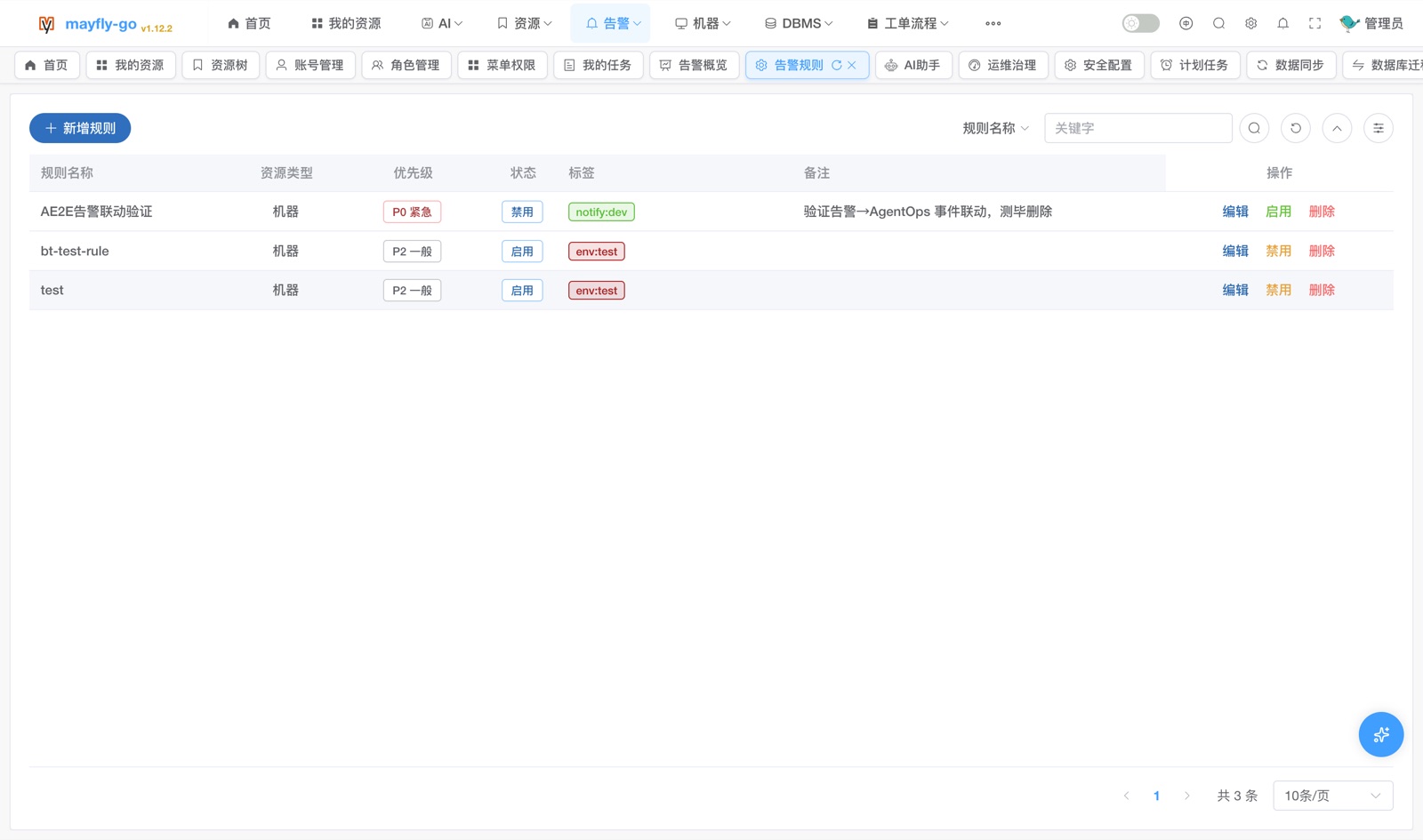 |
My Pending Tasks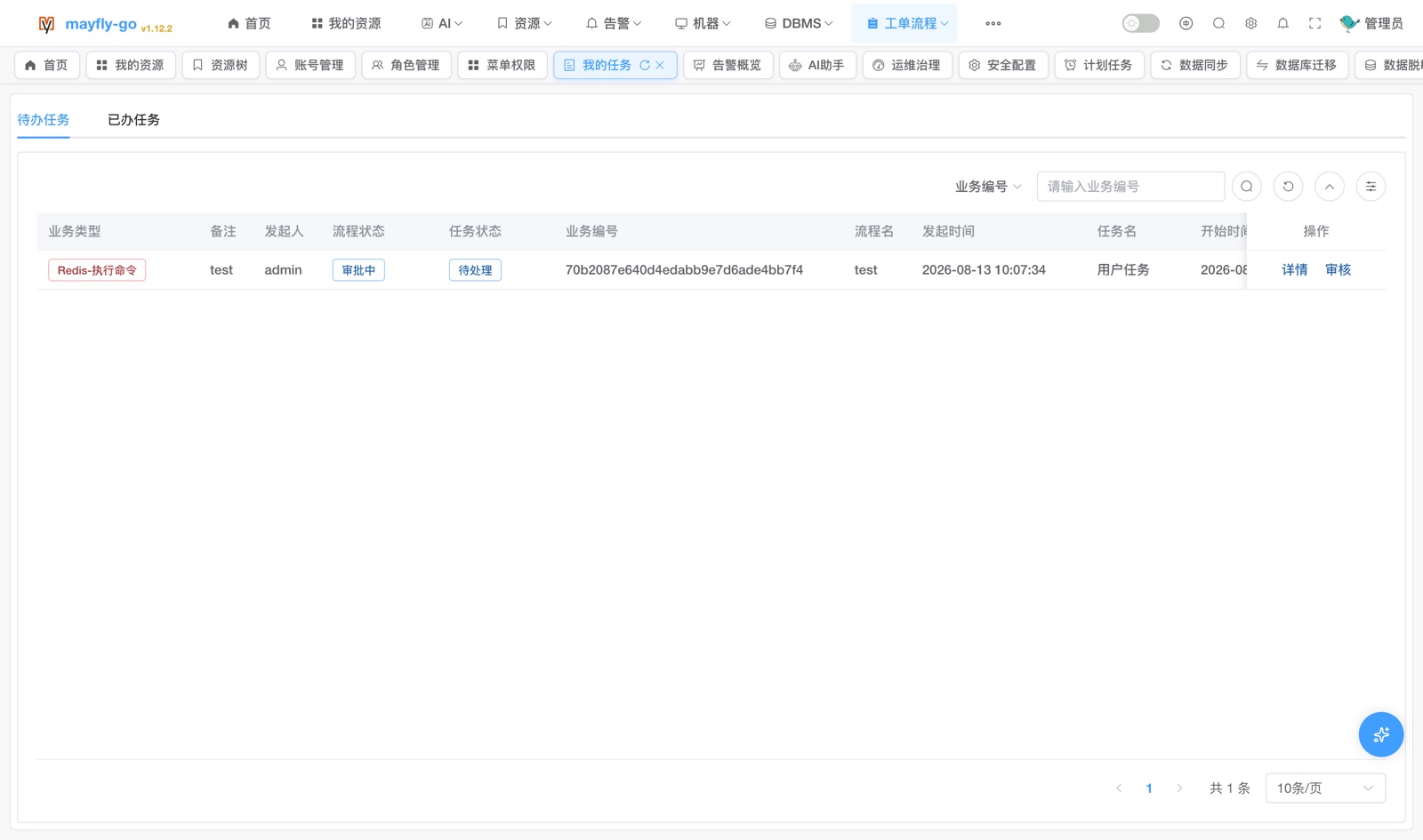 |
Process Definition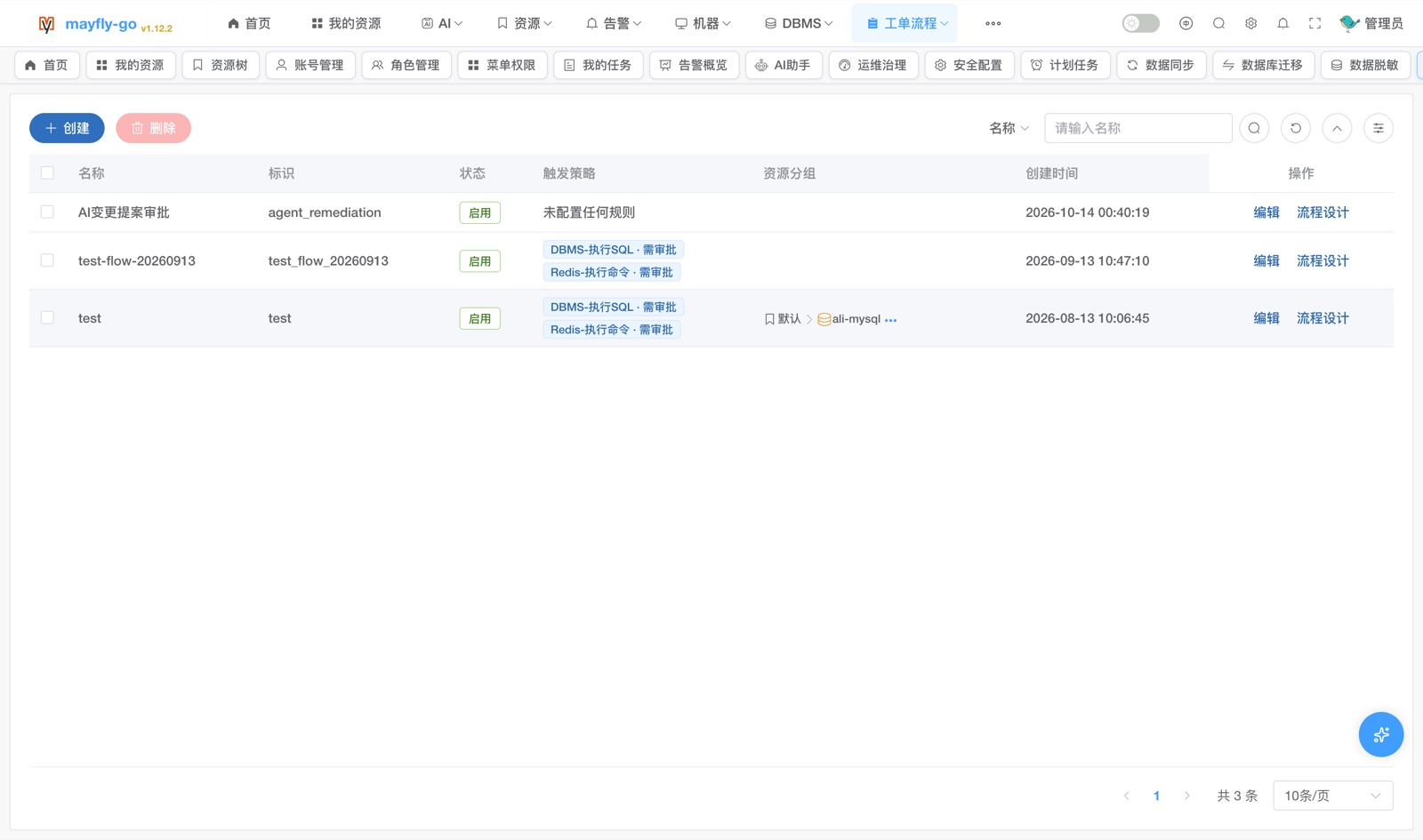 |
🤖 AI Assistant & 🧠 AgentOps · ai/ agentops/ 📬 Notifications · msg/
AI Assistant (tool calls / report)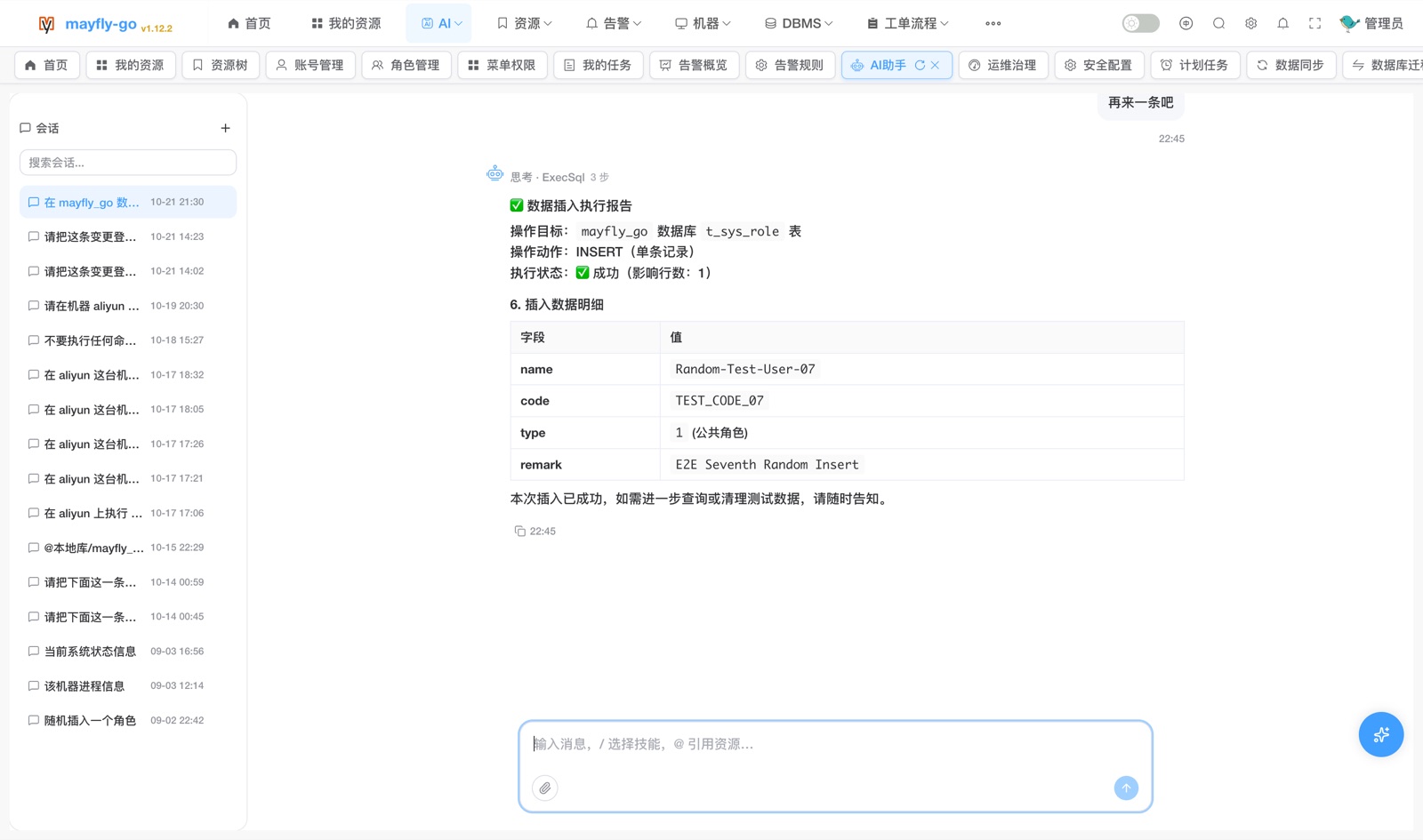 |
Governance (kill switch / KPI / runs)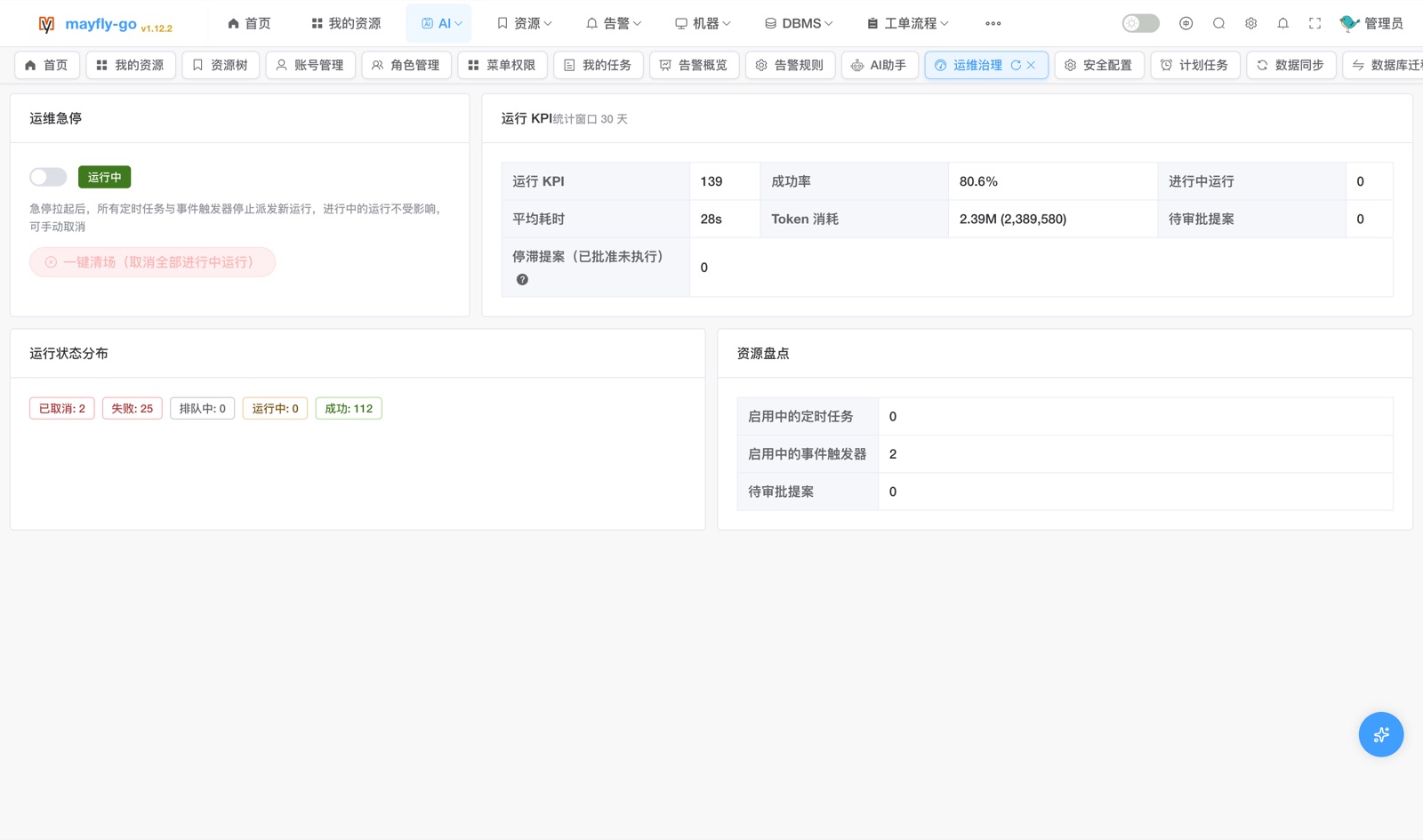 |
Channels (WeCom / DingTalk / Feishu / Email)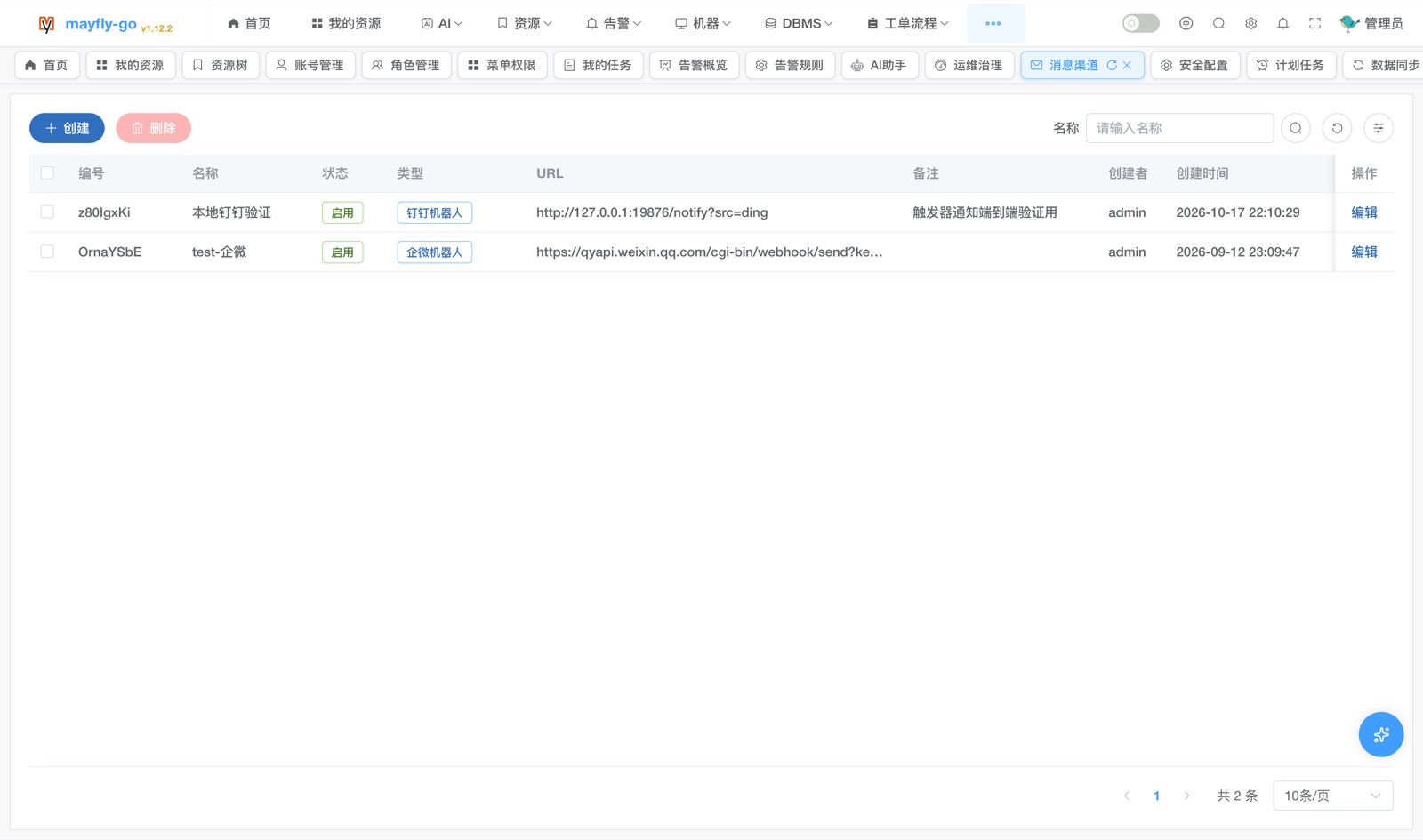 |
⚙️ System Management · system/
Accounts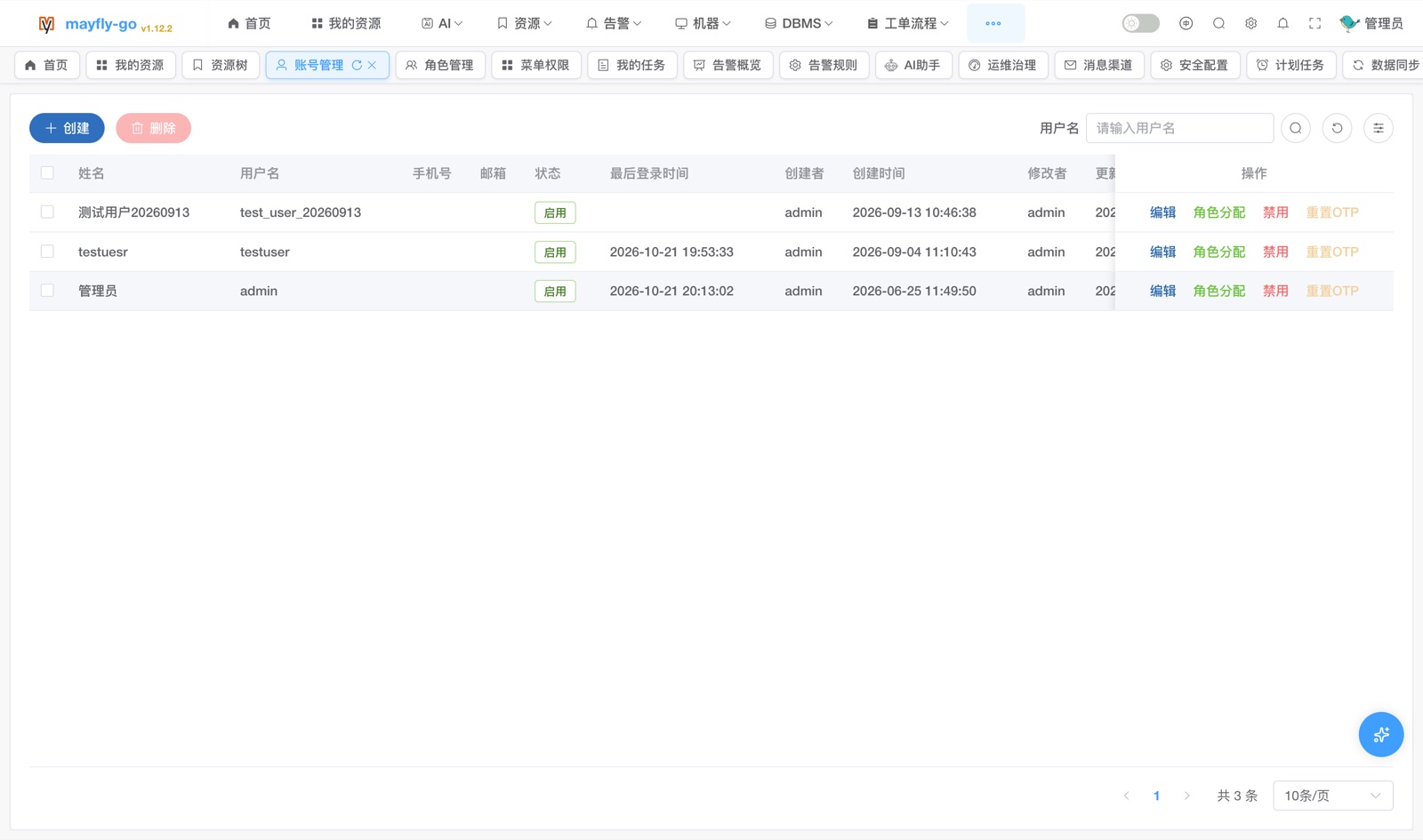 |
Roles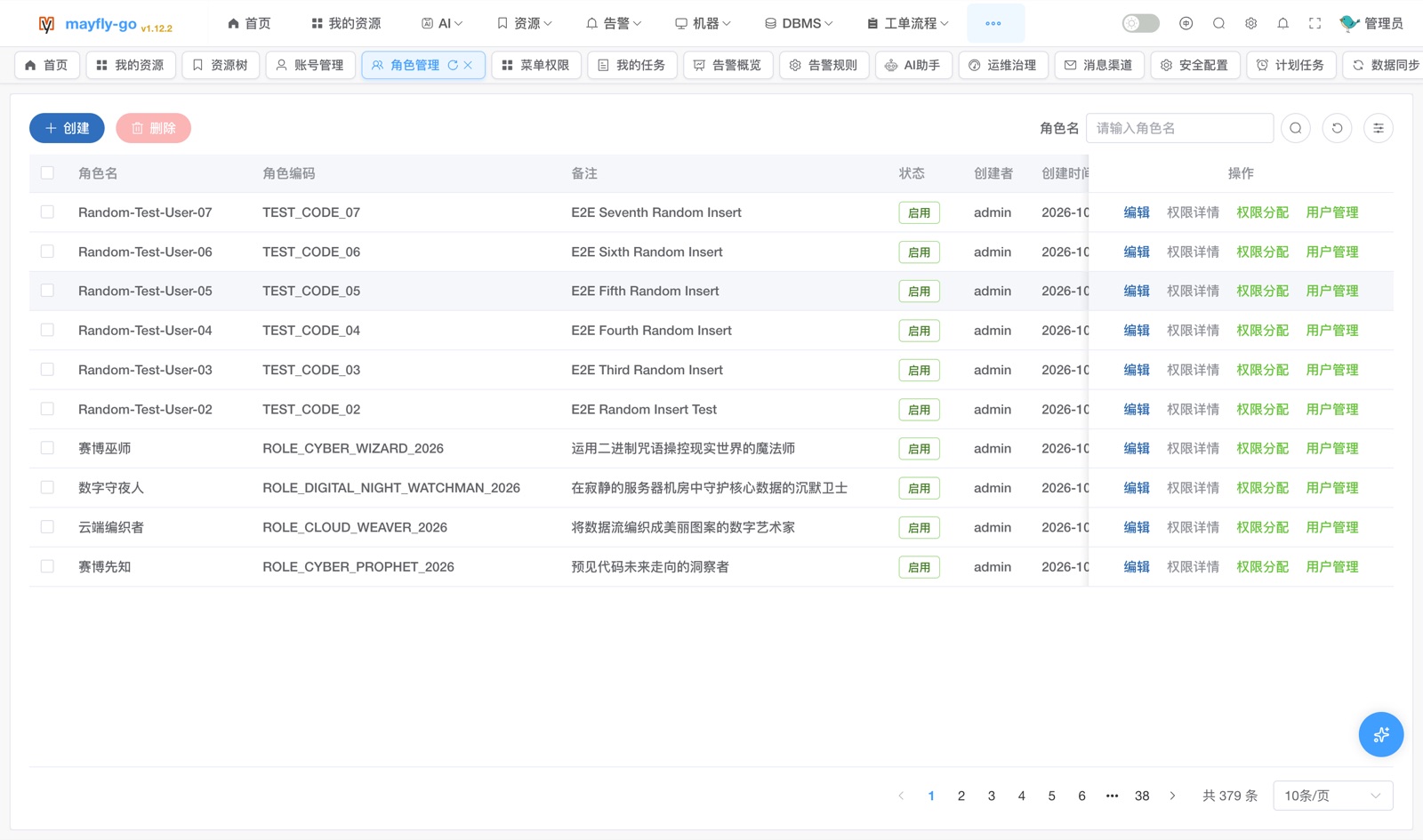 |
Menu Permissions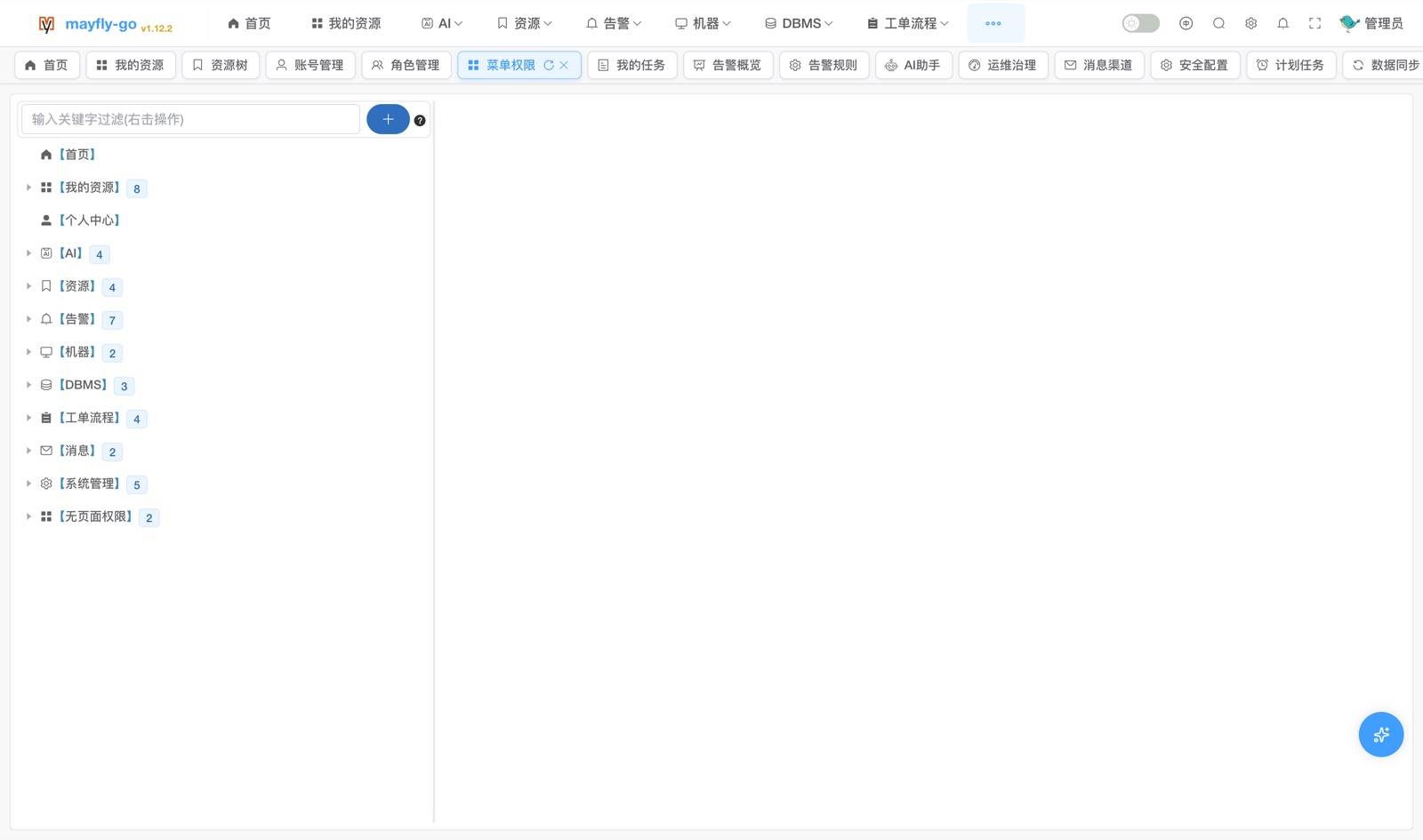 |
MongoDB / Elasticsearch / container / Kafka operation views are also entered from the unified resource tree; more features & guides are available in the project documentation.
💬 Community & Feedback
Join the QQ group: 119699946
🌟 Star History
If the project has been helpful to you, please consider giving it a ⭐ Star on Github, Gitee or Gitcode — it's the greatest encouragement and support!
Buy the author a coffee ☕️ or a bubble tea 🧋 to keep the code flowing!

Special thanks: Sponsorships of ¥199 or more can add the author's WeChat (wx-error) to join the paid community for faster, priority technical support.
Explore related projects
Asabeneh/30-Days-Of-Python
The 30 Days of Python programming challenge is a step-by-step guide to learn the Python programming language in 30 days. This challenge may take more than 100 days. Follow your own pace. These videos may help too: https://www.youtube.com/channel/UC7PNRuno1rzYPb1xLa4yktw
78,370 starsgrafana/grafana
The open and composable observability and data visualization platform. Visualize metrics, logs, and traces from multiple sources like Prometheus, Loki, Elasticsearch, InfluxDB, Postgres and many more.
77,763 starsredis/redis
For developers, who are building real-time data-driven applications, Redis is the preferred, fastest, and most feature-rich cache, data structure server, and document and vector query engine.
77,288 starsapache/superset
Apache Superset is a Data Visualization and Data Exploration Platform
75,453 stars