
dorlugasigal/TermBeam
dorlugasigal/TermBeam has 45 GitHub stars and 3 forks. GitHot measured 0 stars in 24 hours. Last checked 2026-11-15 01:29 UTC. Last push 2026-11-09.
What you can do
- --password <pw> - Set access password - Auto-generated
- --no-password - Disable password protection - —
- --tunnel - Create an ephemeral devtunnel URL - On
- --no-tunnel - Disable tunnel (LAN-only) - —
Measured star growth
- in 24h
- 0
- in 7 days
- Collecting history
- in 15 days
- Collecting history
- in 1 month
- Collecting history
Net star changes over overlapping periods, not daily totals. Missing measurements are left blank. Stars measure attention, not software quality.
About
Beam your terminal to any device — mobile-optimized web terminal with multi-session support
Developer ToolsREADME.md
OriginalTermBeam
Beam your terminal to any device.





TermBeam lets you access your terminal from a phone, tablet, or any browser — no SSH, no port forwarding, no configuration needed. Run one command and scan the QR code.
https://github.com/user-attachments/assets/9dd4f3d7-f017-4314-9b3a-f6a5688e3671
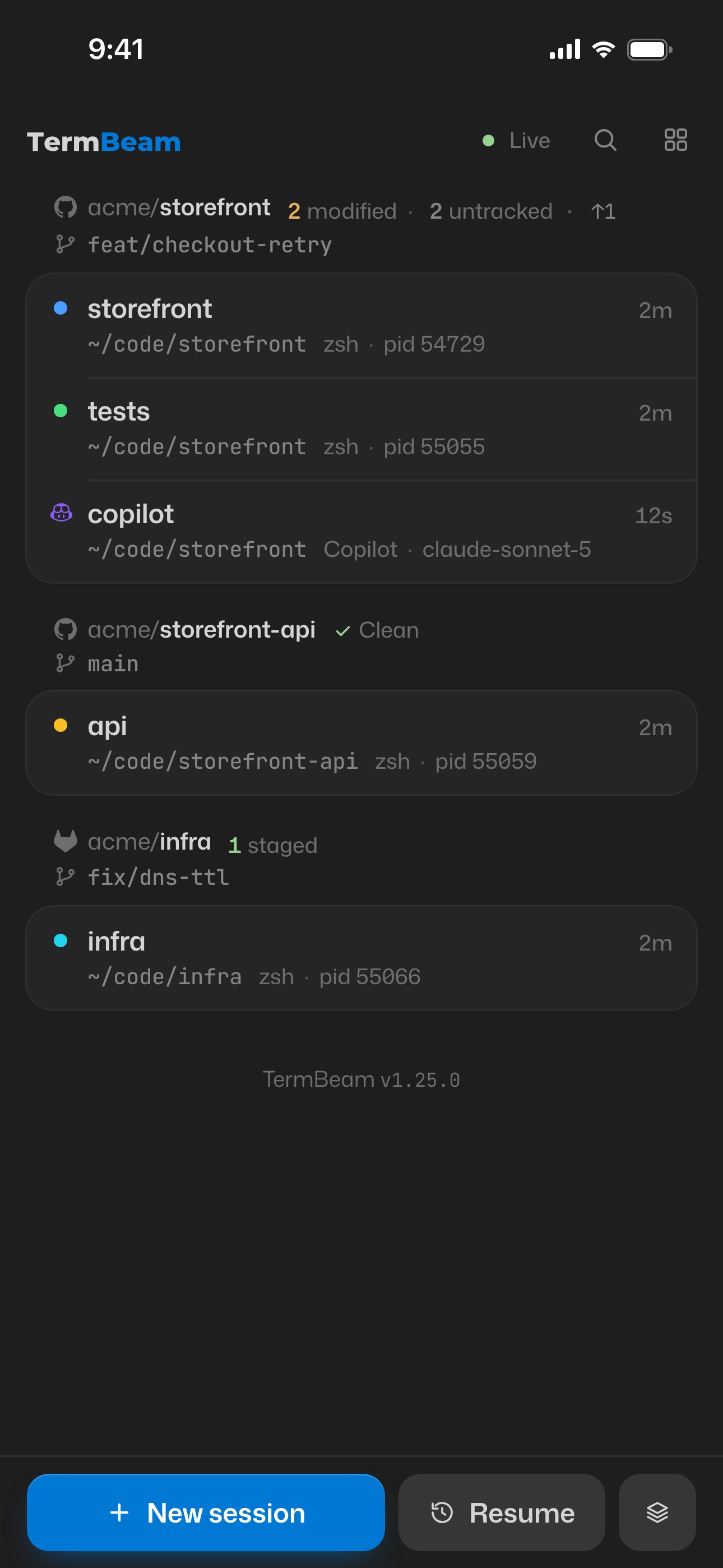
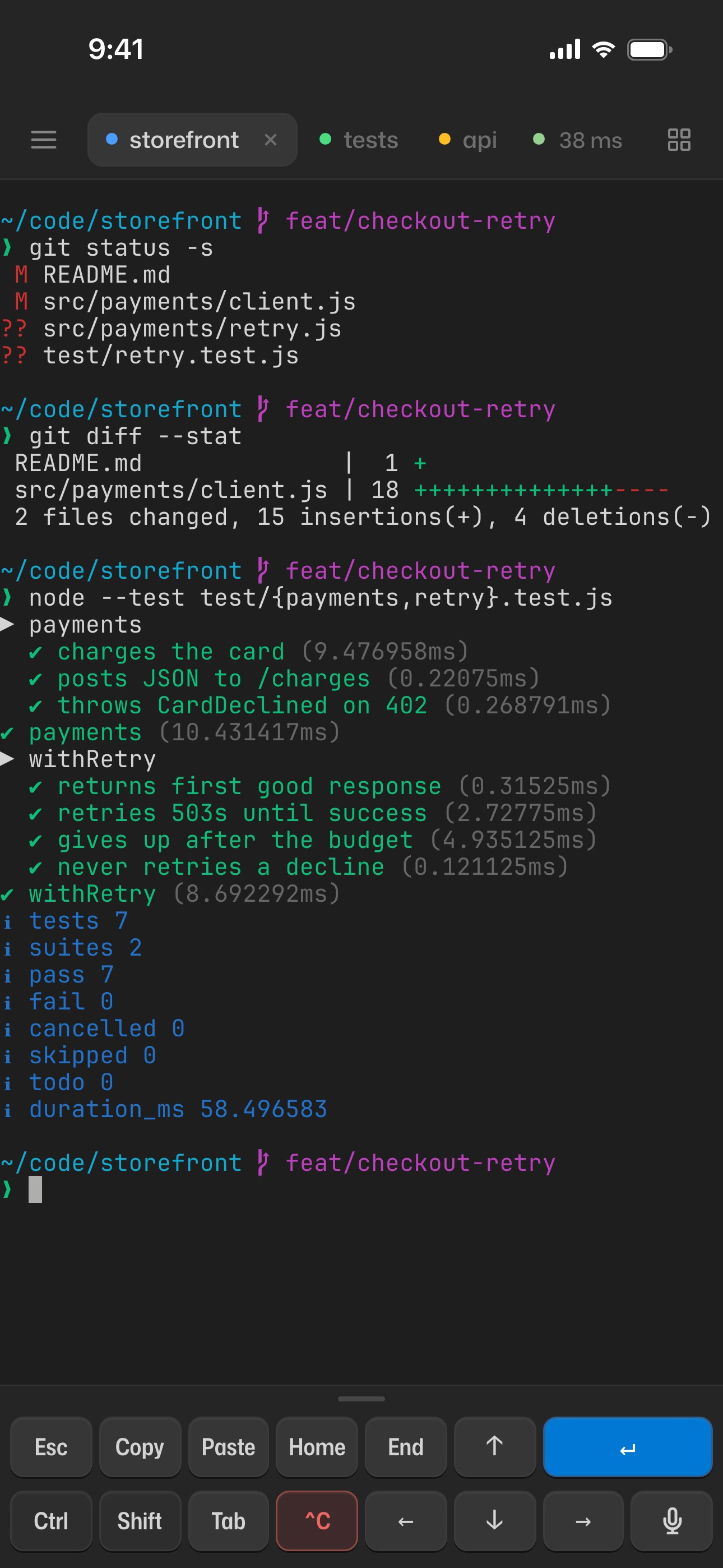
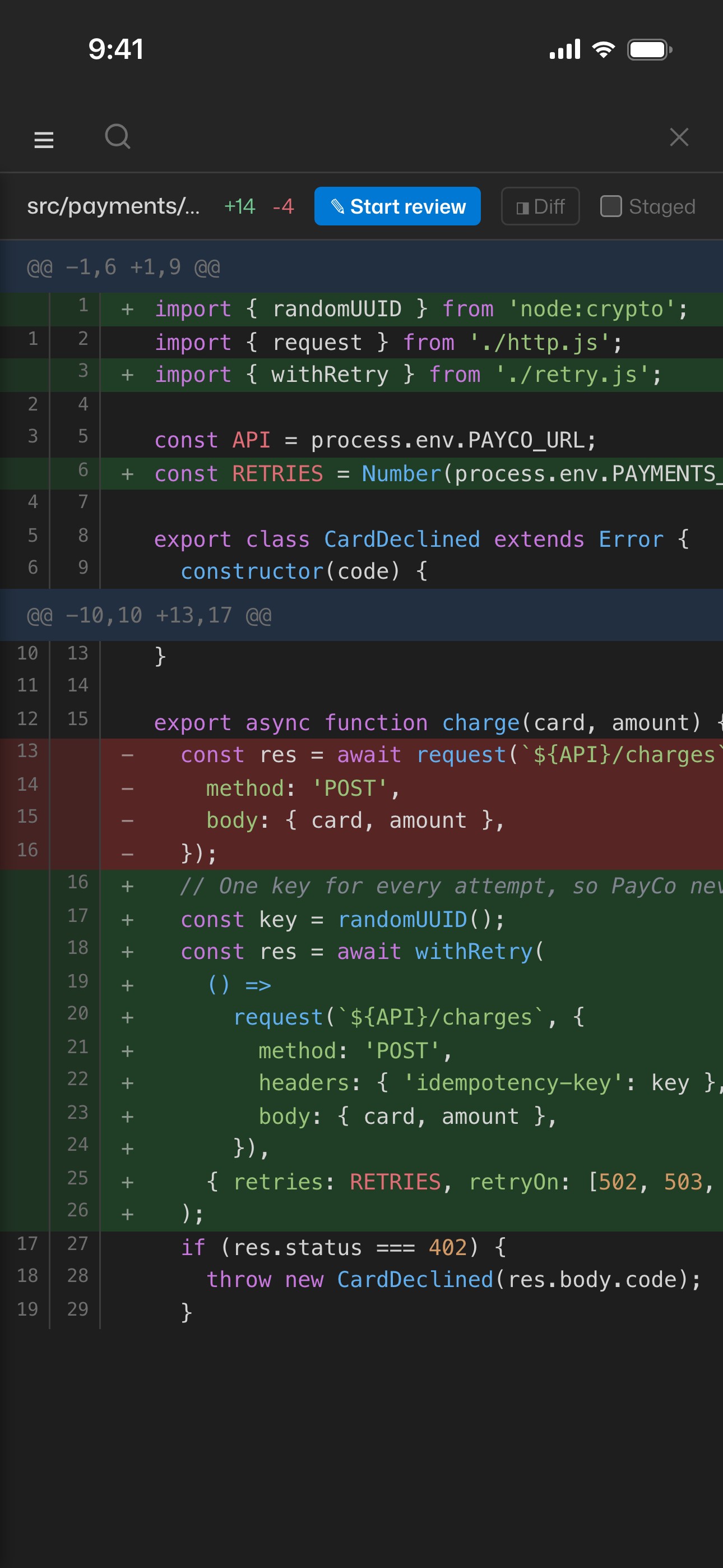
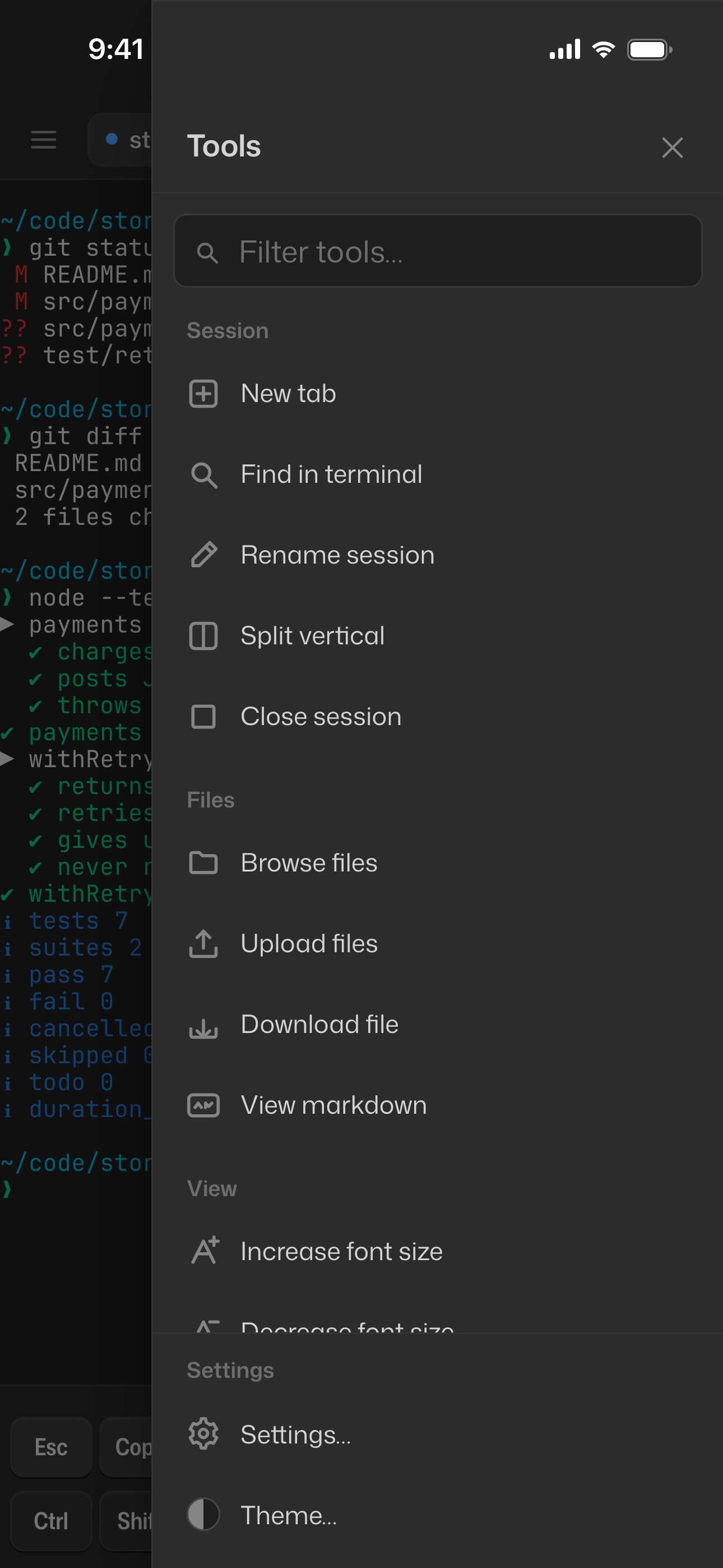
Mobile UI
 |
 |
 |
 |
Quick Start
npx termbeam
Or install globally:
npm install -g termbeam
termbeam
Scan the QR code printed in your terminal, or open the URL on any device.
termbeam                        # tunnel + auto-password (default)
termbeam --password mysecret    # custom password
termbeam --no-tunnel            # LAN only
termbeam -i                     # interactive setup wizard
Features
Mobile-First
- No SSH client needed — just open a browser on any device
- Touch-optimized key bar with arrows, Tab, Ctrl, Esc, copy, paste, and more
- Swipe scrolling, pinch zoom, and text selection overlay for copy-paste — full-screen apps like Copilot CLI keep mouse-wheel scrolling after reconnects
- iPhone PWA safe-area support for a native-app feel
- Honest connection status — one live pill with round-trip latency that explains why when something's wrong (offline, computer asleep, tunnel sign-in expired, session locked) and fixes it in place
Multi-Session
- Tabbed terminals with drag-to-reorder and live tab previews on hover/long-press
- Split view — two sessions side-by-side (auto-rotates horizontal/vertical)
- Session colors and activity indicators for at-a-glance status
- Folder browser for picking working directory, optional initial command per session
Productivity
- Terminal search with regex, match count, and prev/next navigation
- Tools panel (Ctrl+K / Cmd+K) — right-hand slide-in with a filter box and every action, organized into Session · Files · View · Share · Agents · Settings · System. Settings… (Cmd/Ctrl+,) opens the Settings panel — theme, fonts, touch bar, workspaces, signed-in devices and passkeys — as a top sheet on phones and a right-hand drawer on desktop.
- Customizable Touch Bar — 8-column, multi-row (up to 3) key grid with drag-to-reorder, collapsible drawer, and a dedicated key editor (label, send payload, action, modifier).
- Workspaces — save named bundles of sessions (each with its own name, cwd, shell, color and initial command). Mark one as
defaultand the server auto-spawns it on startup, so connecting any client lands on a ready terminal. Preferences (theme, fonts, defaults, custom keys, workspaces) are persisted server-side in~/.termbeam/prefs.jsonand sync across devices. - File upload — send files from your phone to the session's working directory
- File browser & download — browse files in a session's working directory from the side panel and download them to your device
- Markdown viewer — preview
.mdfiles rendered with GitHub Flavored Markdown directly in the browser - Git changes view — view git status, diffs, blame, and commit history in the code viewer. Toggle between Files and Changes tabs, view staged/unstaged diffs with syntax highlighting, and see per-line blame annotations
- Push notifications — get native push notifications on your phone when commands complete, even when the app is in the background. Uses Web Push API with VAPID authentication
- In-app updates — auto-update from the UI for npm/yarn/pnpm global installs and git checkouts running under PM2, with a copy-command fallback for other methods
- Completion notifications — browser alerts when background commands finish
- 38 color themes (dark, light and neon) with adjustable font size
- Port preview — reverse-proxy a local web server through TermBeam
- Image paste from clipboard
Secure by Default
- Auto-generated password with rate limiting and httpOnly cookies
- Passkeys — after the first login, unlock with Face ID / Touch ID / fingerprint instead of typing the password
- Remembered devices — sliding sessions that survive restarts (when the password is unchanged), listed and revocable in Settings → Security
- QR code auto-login with single-use share tokens (5-min expiry)
- DevTunnel integration for secure remote access — ephemeral or persisted URLs, with a watchdog that survives sleep/wake and re-creates expired tunnels
- Cross-site protection for the API and WebSocket, security headers (X-Frame-Options, CSP, nosniff) on app responses; only detected shells allowed
How It Works
TermBeam starts a lightweight web server that spawns a PTY (pseudo-terminal) with your shell, serves a mobile-optimized xterm.js UI via Express, and bridges the two over WebSocket. Multiple clients can view the same session simultaneously, and sessions persist when all clients disconnect.
flowchart LR
  A["Phone / Browser"] <-->|WebSocket| B["TermBeam Server"]
  B <-->|PTY| C["Shell (zsh/bash)"]
  B -->|Express| D["Web UI (xterm.js)"]
  B -.->|Optional| E["DevTunnel"]
CLI Highlights
| Flag | Description | Default |
|---|---|---|
--password <pw> |
Set access password | Auto-generated |
--no-password |
Disable password protection | — |
--tunnel |
Create an ephemeral devtunnel URL | On |
--no-tunnel |
Disable tunnel (LAN-only) | — |
--persisted-tunnel |
Reusable devtunnel URL (stable across restarts) | Off |
--port <port> |
Server port | 3456 |
--host <addr> |
Bind address | 127.0.0.1 |
--lan |
Bind to all interfaces (LAN access) | Off |
--public-url <url> |
Your address when behind your own reverse proxy | — |
--public |
Allow public tunnel access (no Microsoft login) | Off |
-i, --interactive |
Interactive setup wizard | Off |
--reset-auth |
Sign out all devices and remove all passkeys | Off |
--log-level <level> |
Log verbosity (error/warn/info/debug) | info |
For all flags, subcommands, and environment variables, see the Configuration docs.
Background Service
Run TermBeam as an always-on background service using the built-in PM2 integration:
termbeam service install     # interactive wizard — configures PM2, password, tunnel, boot auto-start
termbeam service status      # check process info, uptime, memory
termbeam service logs        # tail live logs
termbeam service restart     # restart after config changes
termbeam service uninstall   # stop and remove the service
The installer checks for PM2 (and offers to install it), then walks you through password, port, access mode, and boot auto-start options. Config is saved to ~/.termbeam/ecosystem.config.js.
For systemd, launchd, and Windows Task Scheduler setup, see the Running in Background docs.
💡 Keep the host awake so the service stays reachable while you're away. macOS: pair with Amphetamine (process trigger on
node) or wrap withcaffeinate -dims. Windows: enable PowerToys Awake and disable network adapter power saving. Linux: usesystemd-inhibitin your unit file. See Keeping the Host Awake for the full setup.
Security
TermBeam auto-generates a password and creates a secure tunnel by default, binding to 127.0.0.1 (localhost only). Each sign-in is a revocable device session in an HttpOnly, SameSite=Strict cookie (remembered devices: 7 days without use, 30 days max, stored only as hashes; without “Remember this device”: 2 hours idle, 12 hours max, never written to disk), passkeys give phishing-resistant one-tap unlock, login is rate-limited to 5 attempts per minute, QR codes contain single-use share tokens (5-min expiry), cross-site API and WebSocket requests are rejected, and security headers (X-Frame-Options, CSP, nosniff) are set on app responses (the /preview proxy passes the previewed app's own headers through). termbeam --reset-auth signs out every device and removes every passkey.
For the full threat model and safety checklist, see SECURITY.md. For detailed security documentation, see the Security Guide.
Contributing
Contributions welcome — see CONTRIBUTING.md.
Changelog
See CHANGELOG.md for version history.
License
Acknowledgments
Special thanks to @tamirdresher for the blog post that inspired the solution idea for this project, and for his cli-tunnel implementation.