
domechn/track3
domechn/track3 has 88 GitHub stars and 10 forks. GitHot measured 0 stars in 24 hours, +1 in 7 days, and +1 in 15 days. Last checked 2026-11-15 16:29 UTC. Last push 2026-11-04.
What you can do
- Local-first desktop app. Portfolio assets and transactions are stored in a local SQLite database by default; no Track3 account is required.
- Connect Binance, OKX, Bitget, Kraken, Gate.io, Coinbase, Bybit, HTX, MEXC and Backpack. Read-only access is enough. Track3 shows your public IP in the exchange form to help with IP allowlists. API key guides: Track3 docs, Binance, OKX, Gate.io, MEXC.
- Track BTC, ETH, BNB, SOL, DOGE, TON and SUI wallets without Pro.
- Support stock broker positions from Interactive Brokers (IBKR) through Flex Web Service imports with Query ID and Token.
Measured star growth
- in 24h
- 0
- in 7 days
- +1
- in 15 days
- +1
- in 1 month
- Update delayed
Net star changes over overlapping periods, not daily totals. Missing measurements are left blank. Stars measure attention, not software quality.
About
Privacy-first crypto & stock portfolio tracker for macOS, Windows, Linux and iOS. Local-first and read-only: exchanges, wallets & Interactive Brokers, PnL, cost basis, AI assistant. Built with Tauri + React.
Web & AppsREADME.md
Original

Track3
Track crypto and stock assets across exchanges, brokers and wallets



Features
- Local-first desktop app. Portfolio assets and transactions are stored in a local SQLite database by default; no Track3 account is required.
- Connect Binance, OKX, Bitget, Kraken, Gate.io, Coinbase, Bybit, HTX, MEXC and Backpack. Read-only access is enough. Track3 shows your public IP in the exchange form to help with IP allowlists. API key guides: Track3 docs, Binance, OKX, Gate.io, MEXC.
- Track BTC, ETH, BNB, SOL, DOGE, TON and SUI wallets without Pro.
- Support stock broker positions from Interactive Brokers (IBKR) through Flex Web Service imports with Query ID and Token.
- Charts show asset allocation, wallet proportion, position changes, and profit and loss.
- Support data backup and restore. Users can export data to local files and import them to other devices, or share them between multiple devices by cloud drive ( e.g. iCloud ).
- A five-step first-run guide introduces local storage, sources, history, planning tools, and backups on desktop, iPhone, and iPad. Replay it from Settings.
- Optional end-to-end encrypted multi-device sync needs an S3-compatible bucket you own (for example, Cloudflare R2, MinIO, or AWS S3) and a sync passphrase. Goals and alerts stay on each device.
- Goals and alerts, rebalance trade suggestions, cost basis and realized P&L, P&L attribution, and a Pro AI assistant using a model endpoint you configure.
Automatic backup format
Automatic backups use <autoBackupDir>/track3-backup/<clientID>/. Each client has its own metadata.json and a data/ directory with one JSON part per UTC month (YYYY-MM.<hash8>.json). Metadata lists each part's record count, UTF-8 byte length, and SHA-256 hash of the exact part text. Its metaHash is SHA-256 of the JSON without metaHash, with object keys sorted. Track3 writes changed parts first and replaces metadata last; imports verify hashes before loading each part.
Manual exports remain single JSON files. Upgraded installations still import the older track3-auto-backup.json when its client has no valid v2 backup. This sharing is one-way: older installations must upgrade to receive new automatic backups.
Supported Sources
- Centralized exchanges: Binance, OKX, Bitget, Kraken, Gate.io, Coinbase, Bybit, HTX, MEXC, Backpack
- Wallets: BTC, ETH, BNB, SOL, DOGE, TON, SUI; TRON/TRC20 with Pro
- Stock brokers: Interactive Brokers (IBKR)
Pro Users
Pro includes:
- 300 ERC20 wallet refreshes per month
- 300 TRON wallet refreshes per month
- Asset refreshes on supported EVM networks and for ERC20 tokens
- TRON wallet and TRC20 asset support
- Per-exchange and per-wallet Quick Look
- Real-time portfolio value in the top bar (desktop)
- Pro price source during refresh
One wallet refresh counts as one use; the app shows the reset date returned by the Pro service when available. On desktop, open Settings → System. The single Pro card contains plan and renewal or expiry details, monthly refresh usage when available, and Manage Subscription for existing subscriptions. Subscribe in the system browser or restore a purchase with the license key from the Track3 success page. On iOS, open Settings → Pro and license to manage an existing subscription or restore Pro with a license key. There is no purchase button in the app.
iOS app (iPhone and iPad)
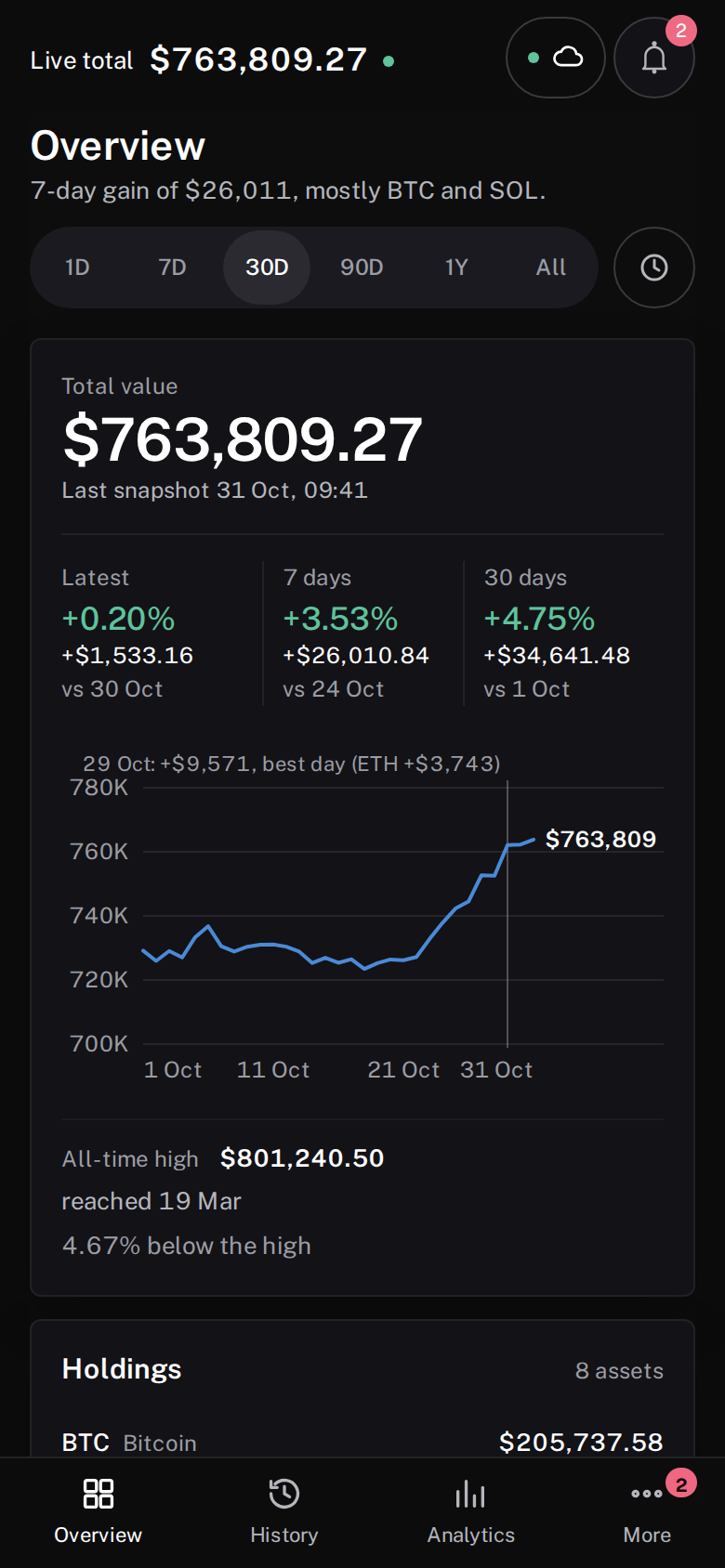
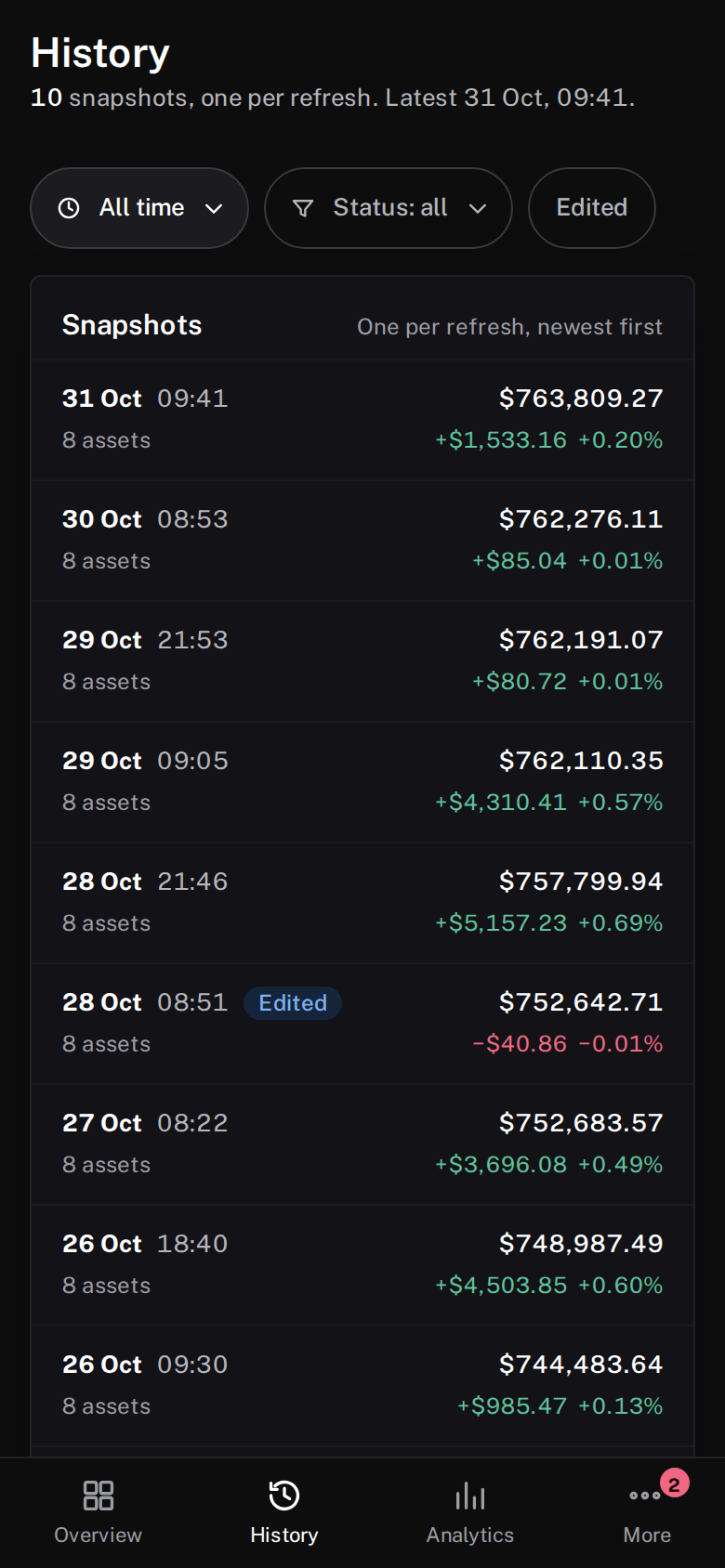
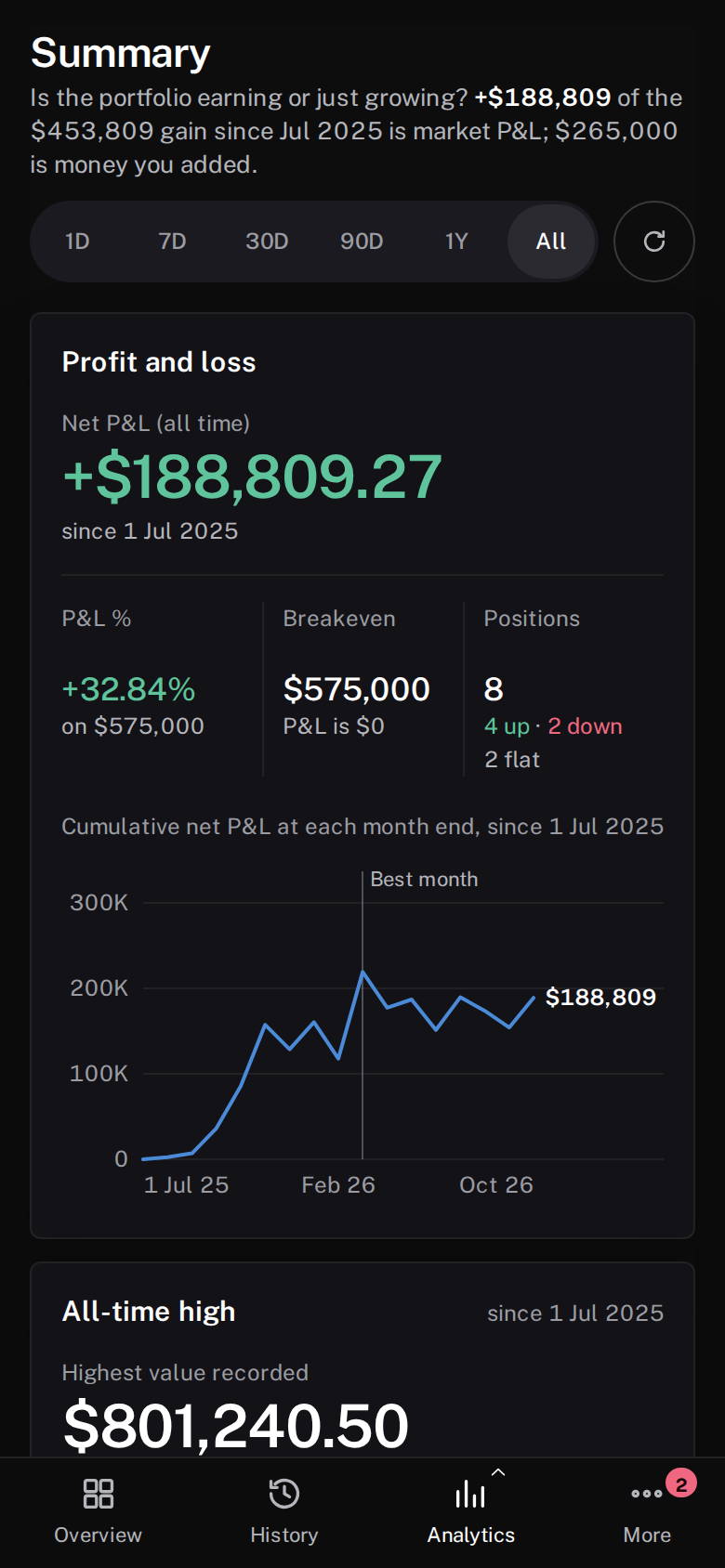
Track3 for iPhone and iPad is not on the App Store yet; build it from source. It uses the same portfolio, sync, assistant, and encrypted configuration logic as the desktop app. Its interface uses Overview, History, Analytics, and More tabs on narrow windows and a collapsible sidebar on iPad and other wide windows. Touch charts and iOS Files support import and export. Desktop releases keep their existing interface.
See the iOS feature inventory, build instructions, and platform split.
| Overview | History | Analytics |
|---|---|---|
 |
 |
 |
Installation
Screenshots


Notice
Privacy and storage: Track3 stores portfolio assets and transactions locally in a standard SQLite database; these records are not encrypted by the application. Sensitive configuration values, including exchange credentials and wallet addresses, and chat message content are encrypted by the application before storage. Track3 does not automatically sync configuration data to a Track3 cloud service. Backups, exports, and requests to user-configured services leave the device only when you choose or configure those features.
Sponsor
- Use this referral link to register on Binance, both you and i will get 20% discount on trading fees or reward.
- Use this referral link to register on OKX, both you and i will get mystery boxes.
- Use this referral link to register on Gate.io, you will get 10% discount on trading fees or reward.
Thanks
Thanks for these platform who provide powerful APIs without API Key. Fuck API Key.
- https://blockchain.info
- https://blockcypher.com
- https://ankr.com
- https://helius-rpc.com
- https://coingecko.com
- https://solana.com
- https://jup.ag
Note
- The macOS build is ad-hoc signed but not notarized by Apple (no paid developer account yet), so macOS Gatekeeper asks you to confirm the first launch:
- Open
track3.apponce (double-click). If macOS says it cannot verify the developer, open System Settings → Privacy & Security, scroll to the message abouttrack3and click Open Anyway. You can also right-click the app and choose Open. - If the following error occurs instead, run
xattr -cr /Applications/track3.app/once to clear the download quarantine flag and open the app again.
- Open
“track3” is damaged and can’t be opened. You should move it to the Trash.