
dderevjanik/github-vscode-icons
dderevjanik/github-vscode-icons has 371 GitHub stars and 28 forks. GitHot measured 0 stars in 24 hours. Last checked 2026-11-17 16:12 UTC. Last push 2024-06-26.
Measured star growth
- in 24h
- 0
- in 7 days
- Collecting history
- in 15 days
- Collecting history
- in 1 month
- Collecting history
Net star changes over overlapping periods, not daily totals. Missing measurements are left blank. Stars measure attention, not software quality.
About
📦 vscode-icons for github, nearly 1000 file/folder icons
Developer ToolsREADME.md
OriginalGithub-vscode-icons



Chrome webstore:

Download:


Supported websites:
Github (also Gist),
Gitlab,
Pastebin,
SourceForge
About
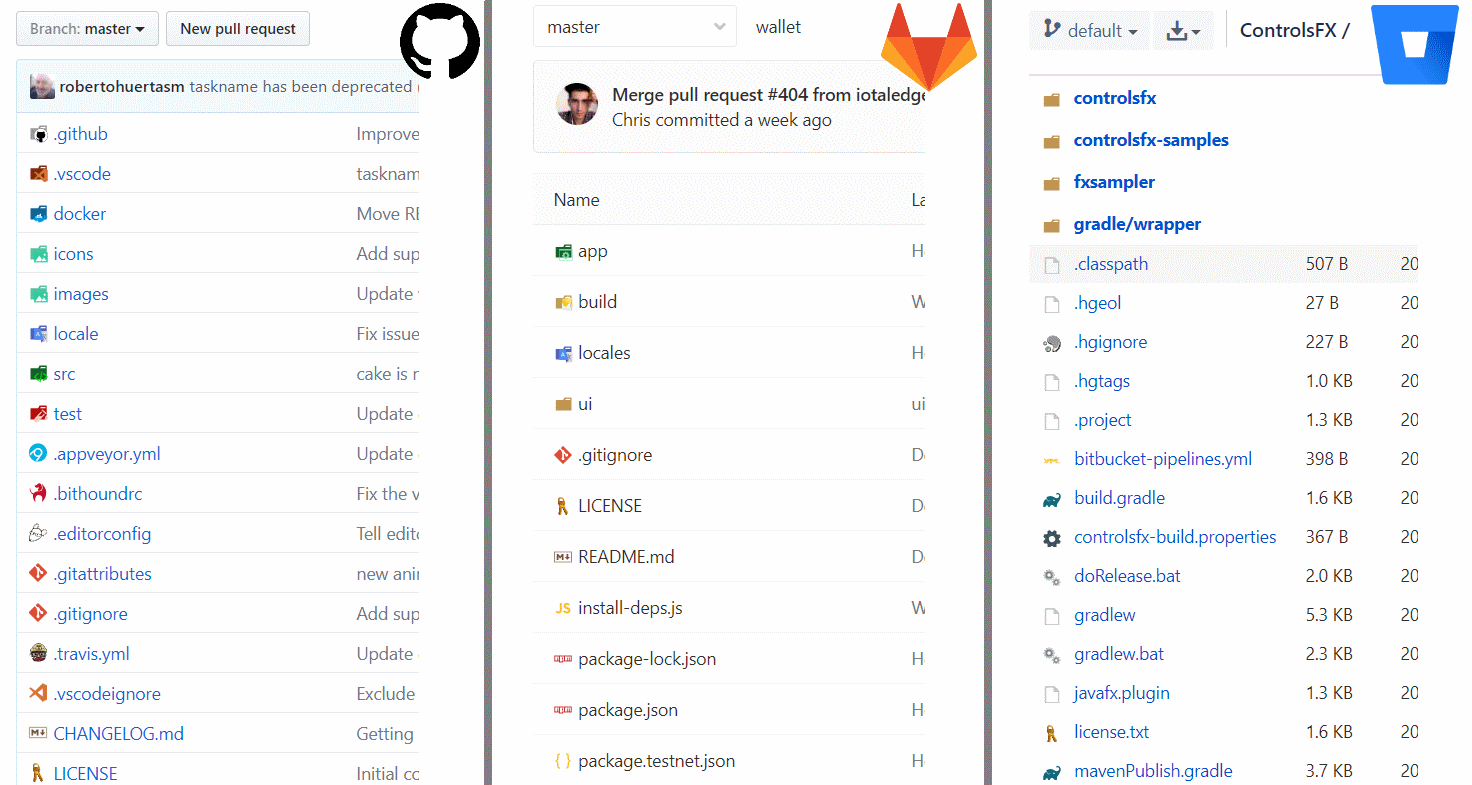
Extension for browser, which displays vscode-icons in Github (including Gist), Gitlab and Bitbucket repositories. It also displays vscode-icons in user's Pastebin list and in Sourceforge projects.
If you're familiar with beautiful extension for vscode called vscode-icons, then you know that you need also one for Web. Brain will recognize different icons much faster and when you're spending several hours per day on websites like github, gitlab or bitbucket, this extension is for you.
If you look at github repository with displayed vscode-icons, you'll get instant overview of used technologies by their specific icons (look at screenshots below).
Go to changelog to see latest changes
Screenshots
Development
To stay updated with vscode-icons, you need to extract compiled icons.json from vscode-icons everytime when it updates.
After that, you need run script called npm run preprocess, which will generate definition chunks (categorized icons) from icons.json for easier and faster work with them.
Related
- vscode-icons extension for vscode
- vscode-icons-js File specific icons from vscode vscode-icons extension inspired by file-icons-js