
darylhjd/mangadesk
darylhjd/mangadesk has 815 GitHub stars and 32 forks. GitHot measured 0 stars in 24 hours. Last checked 2026-11-10 04:44 UTC. Last push 2024-05-24.
Terminal client for MangaDex 📖
What you can do
- Download chapters straight to your computer.
- Login to keep track of your followed manga.
- Download multiple chapters together.
- (Yes, you can use this to scrape manga).
Measured star growth
- in 24h
- 0
- in 7 days
- Collecting history
- in 15 days
- Collecting history
- in 1 month
- Collecting history
Net star changes over overlapping periods, not daily totals. Missing measurements are left blank. Stars measure attention, not software quality.
README.md
Originalmangadesk 📖



Note: Maintenance mode. Only severe bugs may be fixed.
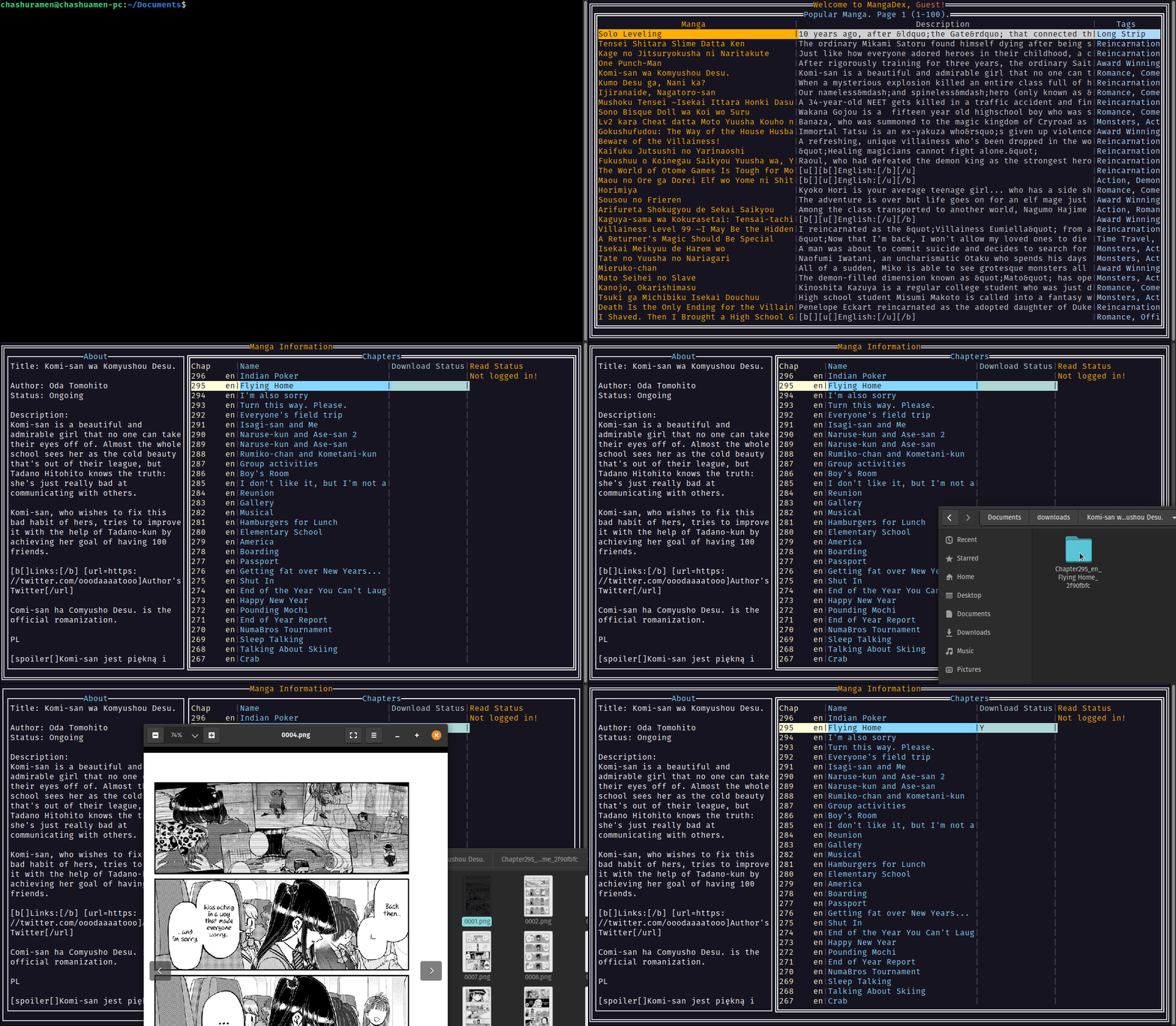
The ultimate MangaDex terminal client!
Features ✨
- Download chapters straight to your computer.
- Login to keep track of your followed manga.
- Download multiple chapters together.
- Searching!
- (Yes, you can use this to scrape manga).
- Written in Golang :)
Works for Windows/Linux/macOS.
Installation 🔧
This application runs as a standalone executable, and does not need to be installed.
Check out the Releases Page for new releases. To update, just download the latest release.
For bleeding edge 🗡 updates, you may also compile from source:
$ git clone https://github.com/darylhjd/mangadesk.git
$ cd mangadesk
$ go get -d ./...
$ go build
Arch Linux
Mangadesk is available through the AUR and may be installed as such (thanks @AmaanHUB!). It may be installed manually or with your preferred AUR helper:
$ paru -S mangadesk
Ubuntu
Mangadesk is available through the MPR and can be installed manually or with your preferred MPR helper:
$ una install mangadesk
Void Linux
Mangadesk is available through the official Void repositories and can be installed via XBPS:
$ xbps-install -S mangadesk
Uninstall ❌
To uninstall, simply delete the executable and its related folders and files.
Your downloads will not be removed by deleting the executable.
Arch Linux
Uninstall with an AUR helper or with pacman:
$ pacman -R mangadesk
Ubuntu
Uninstall with a MPR helper or with APT:
$ una remove mangadesk
Void Linux
Uninstall with XBPS:
$ xbps-remove -R mangadesk
Usage ✍
To run the application, navigate to the directory where you stored the executable, and run the following command:
$ ./mangadesk
Steps may differ for different OSes. For example, in Windows, use a backslash \ instead.
Keybindings ⌨
| Operation | Binding |
|---|---|
| Login/Logout | Ctrl + L |
| Keybindings/Help | Ctrl + K |
| Search | Ctrl + S |
| Next/Prev Page | Ctrl + F/B |
| Escape | Esc |
| Select a chapter | Ctrl + E |
| Toggle select all chapters | Ctrl + A |
| Toggle chapter(s) read status *Note: You can select multiple chapters to toggle! |
Ctrl + R |
| Toggle manga following | Ctrl + Q |
Settings ⚙
Refer to this document for configurable settings.
Issues ☠
Check out the Issues page for current issues/feature requests.
Contributing 🤝
Always welcome and appreciated :)
Please take some time to familiarise yourself with the contributing guidelines.
Learning Points 🧠
- Creating TUIs with tview/tcell.
- Working with the filesystem in Golang.
- Goroutines & Context.
- Go project structure.
Explore related projects
codecrafters-io/build-your-own-x
Master programming by recreating your favorite technologies from scratch.
561,398 starspublic-apis/public-apis
A collective list of free APIs
497,679 starsmorluto/rea
Reverse engineer anything with agents, from app behavior down to native binaries.
447,495 starsopenclaw/openclaw
The AI that really does things. Any OS. Any Platform. The lobster way. 🦞
394,261 stars