
daintreehq/daintree
daintreehq/daintree has 86 GitHub stars and 11 forks. GitHot measured -1 stars in 24 hours, -1 in 7 days, and +1 in 15 days. Last checked 2026-11-17 17:19 UTC. Last push 2026-11-03.
Measured star growth
- in 24h
- -1
- in 7 days
- -1
- in 15 days
- +1
- in 1 month
- Collecting history
Net star changes over overlapping periods, not daily totals. Missing measurements are left blank. Stars measure attention, not software quality.
About
A review-first desktop habitat for running AI coding agents in parallel.
Developer ToolsREADME.md
Original

Run coding agents side by side, each in its own Git worktree.
See where you're needed, and review the diff before you merge.






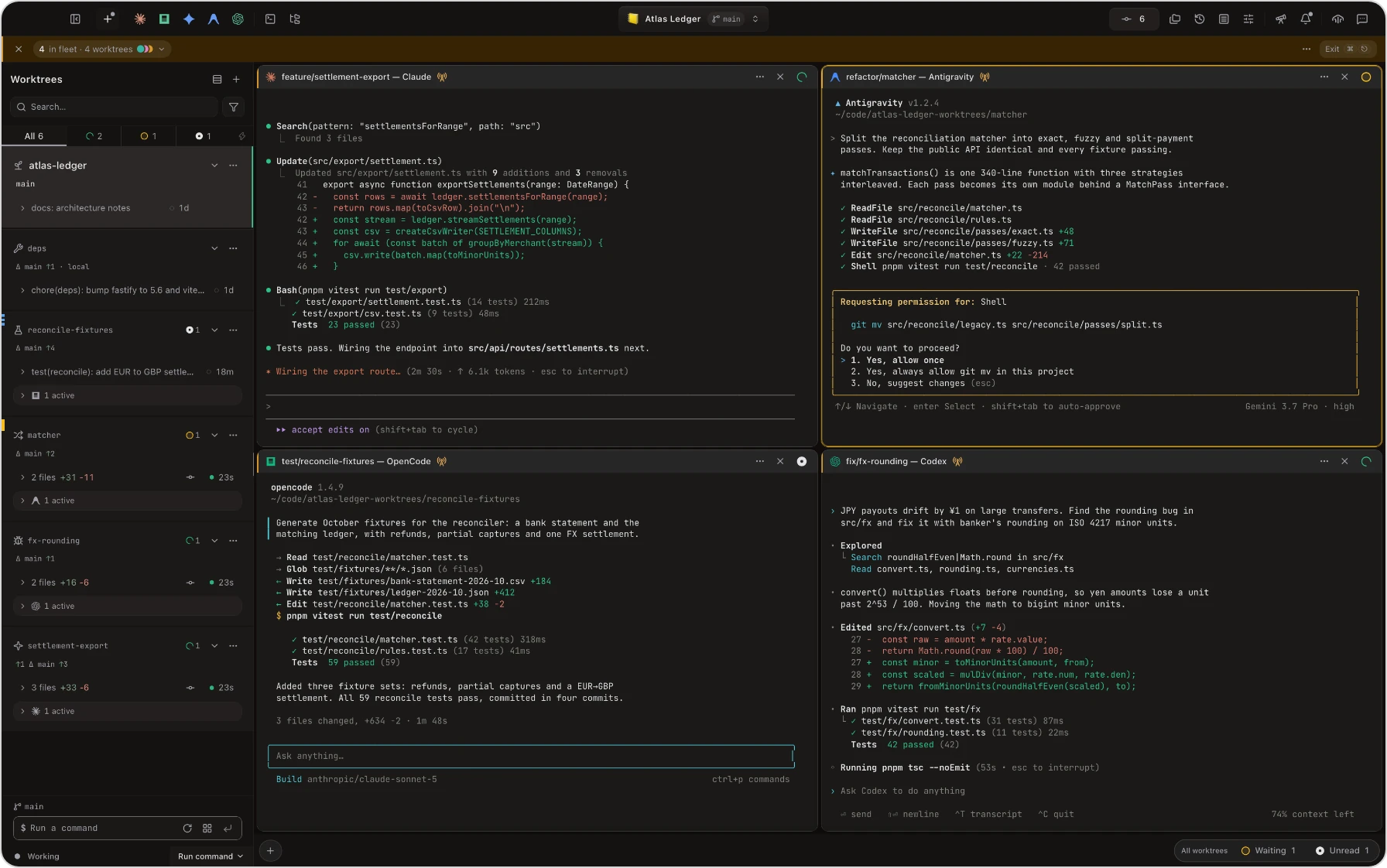
Works with Claude Code, Codex, Antigravity, OpenCode and 13 more · Free and open source · No account · Telemetry off by default
Generation is cheap. Review is the bottleneck.
Five terminals, three agents, and no idea which one is stuck. Daintree shows you which runs need you, and what each one changed before you merge it.
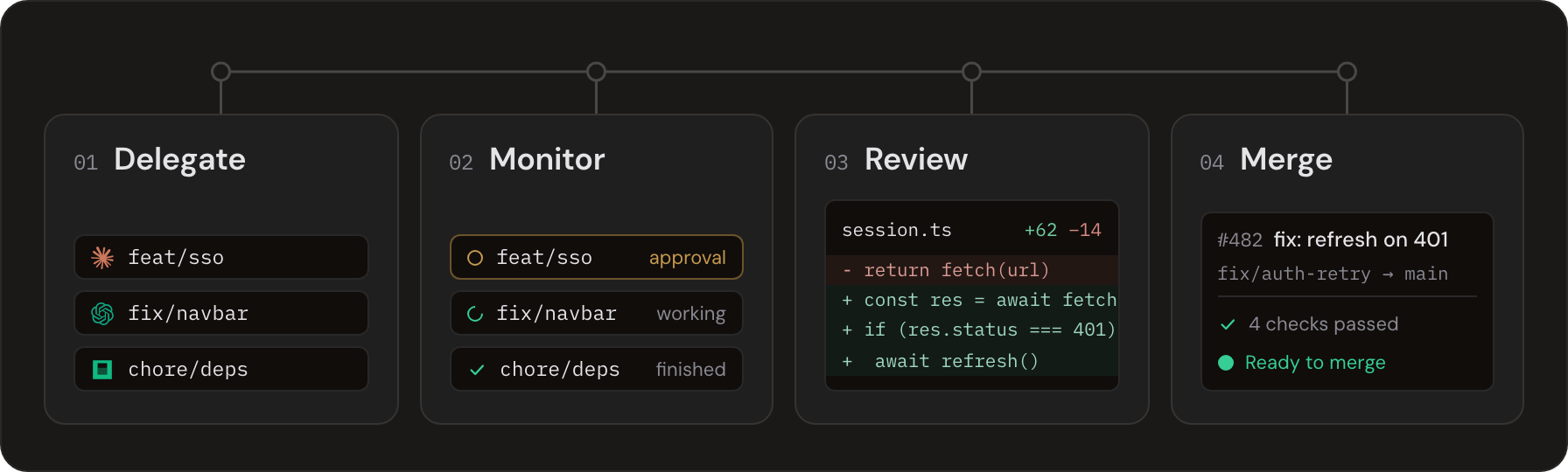
Delegate · Monitor · Review · Merge
Every task in its own worktree
Create a worktree per task, by hand or straight from a GitHub issue, and launch any agent CLI into it. Each one gets its own branch and checkout, so parallel agents never write over each other. Read about worktrees →
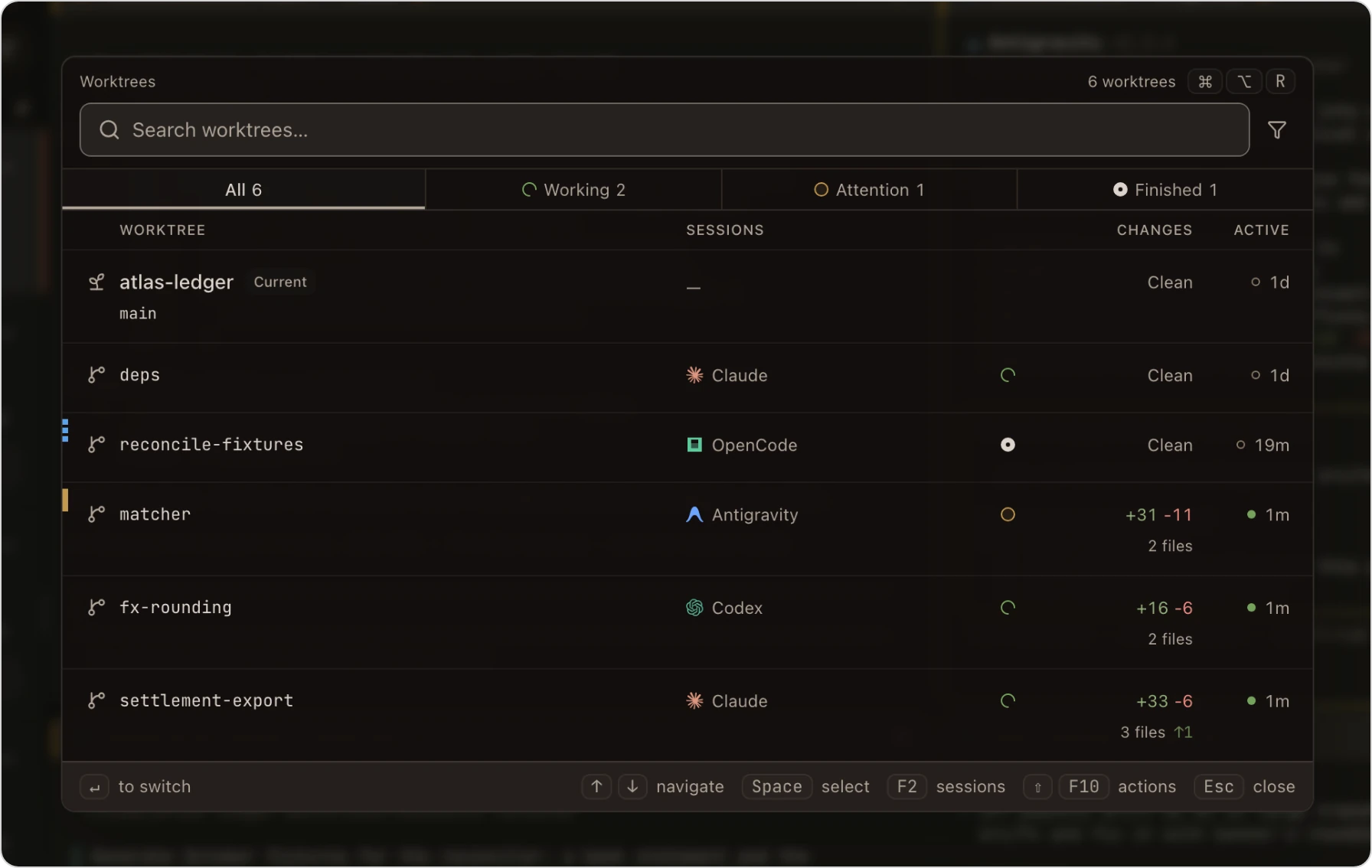
Worktree overview, in the Arashiyama theme
See which runs need you
Pilot gathers every run across every project and sorts them by what is blocked, waiting and ready. Park what can wait; the list opens on what needs you now. Read about Pilot →
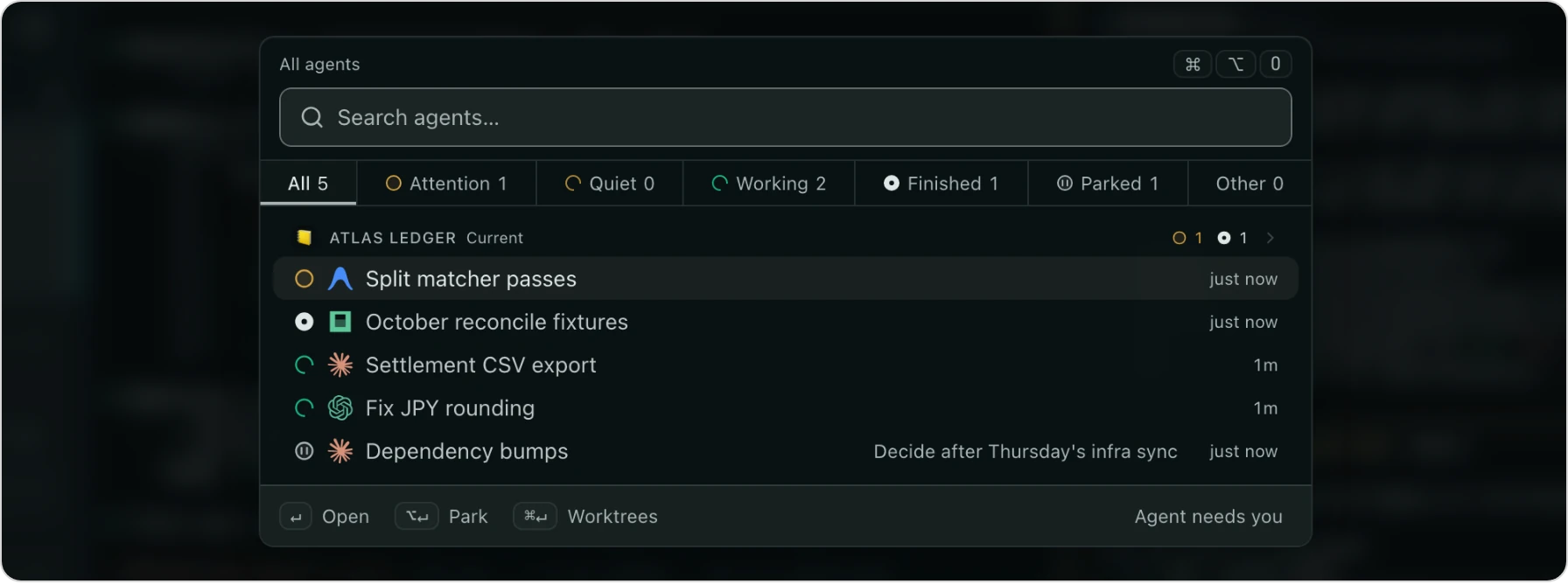
Pilot, in the Fiordland theme
Review before you merge
An agent reporting done is a claim. Review Hub shows each worktree's diff, tracks the files you've viewed, and commits and pushes from the same view. Once there's a pull request, it shows merge readiness and your forge's CI checks too. Read about Review Hub →
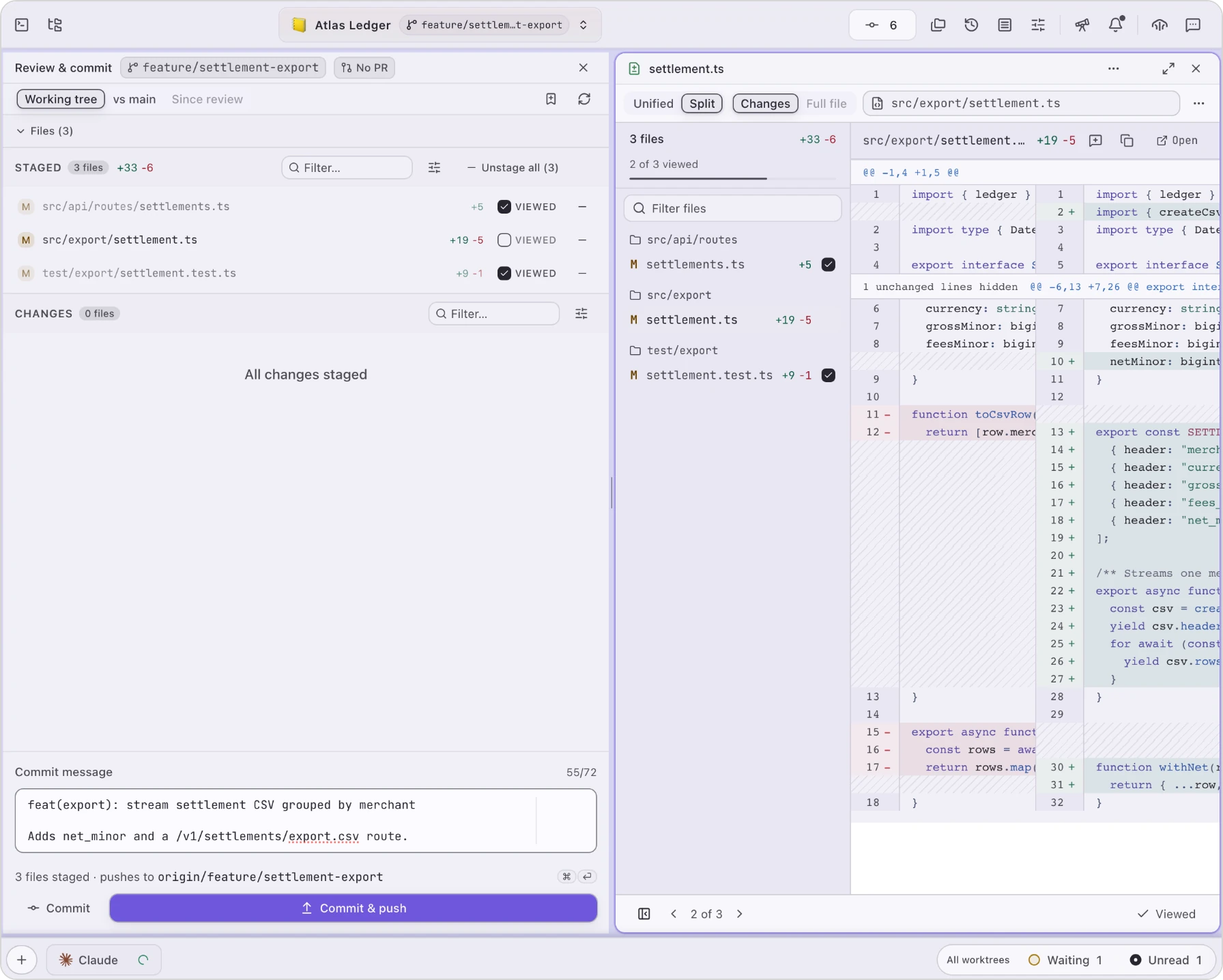
Review Hub, in the Hokkaido theme
Works with the CLI you already run
Daintree launches the real agent binaries with your existing config and subscription, so nothing about how you sign in or what you pay changes. Seventeen agents are built in, each with live state detection, and a plugin can add another.
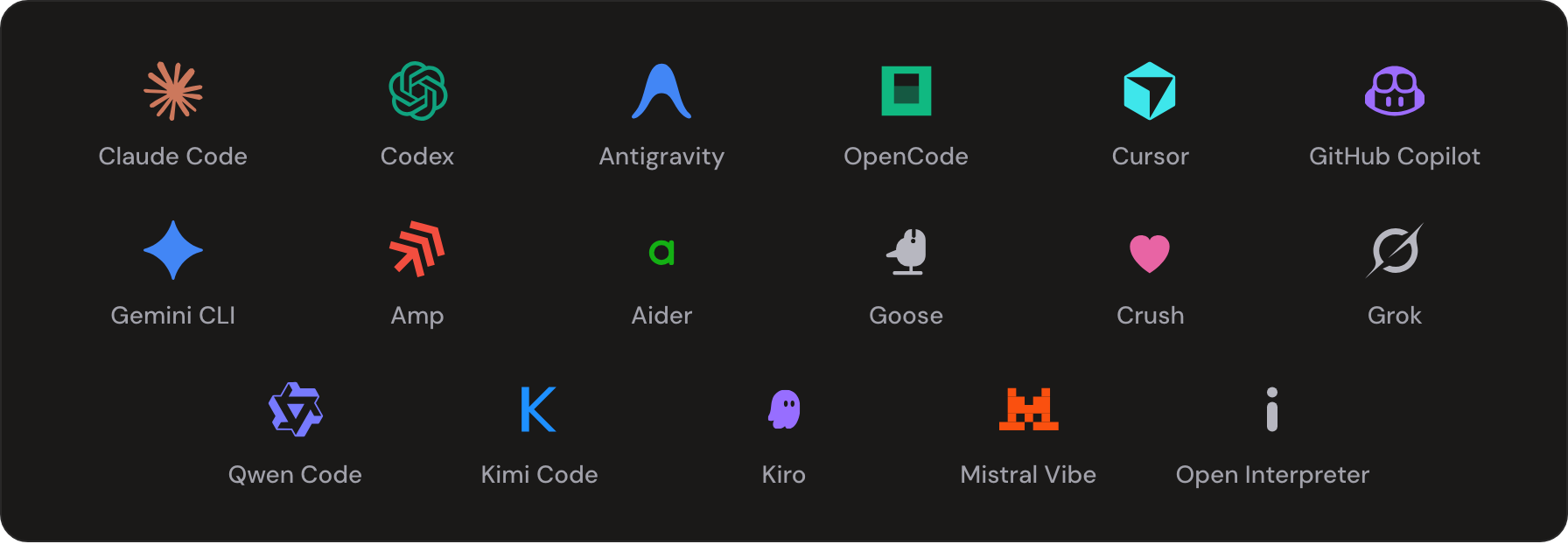
Claude Code · Codex · Antigravity · OpenCode · Cursor · GitHub Copilot · Gemini CLI · Amp · Aider · Goose · Crush · Grok · Qwen Code · Kimi Code · Kiro · Mistral Vibe · Open Interpreter
Install an agent CLI
Settings → Agents has a one-click installer for each, or follow the agent's own instructions. The most-used ten:
| Agent | Install |
|---|---|
| Claude Code | code.claude.com/docs/en/setup |
| Codex | github.com/openai/codex |
| Antigravity | antigravity.google/docs/getting-started |
| OpenCode | opencode.ai/install |
| Cursor | cursor.com/cli |
| GitHub Copilot | docs.github.com/…/install-copilot-cli |
| Amp | ampcode.com/manual |
| Aider | aider.chat/docs/install.html |
| Goose | goose-docs.ai/docs/getting-started/installation |
| Crush | github.com/charmbracelet/crush |
The full list, with what Daintree detects for each, is in the agent docs.
Daintree Assistant
An agent that runs your agents. It plans the work, opens worktrees, launches agents into them and watches their terminals, then brings back the ones that need you.
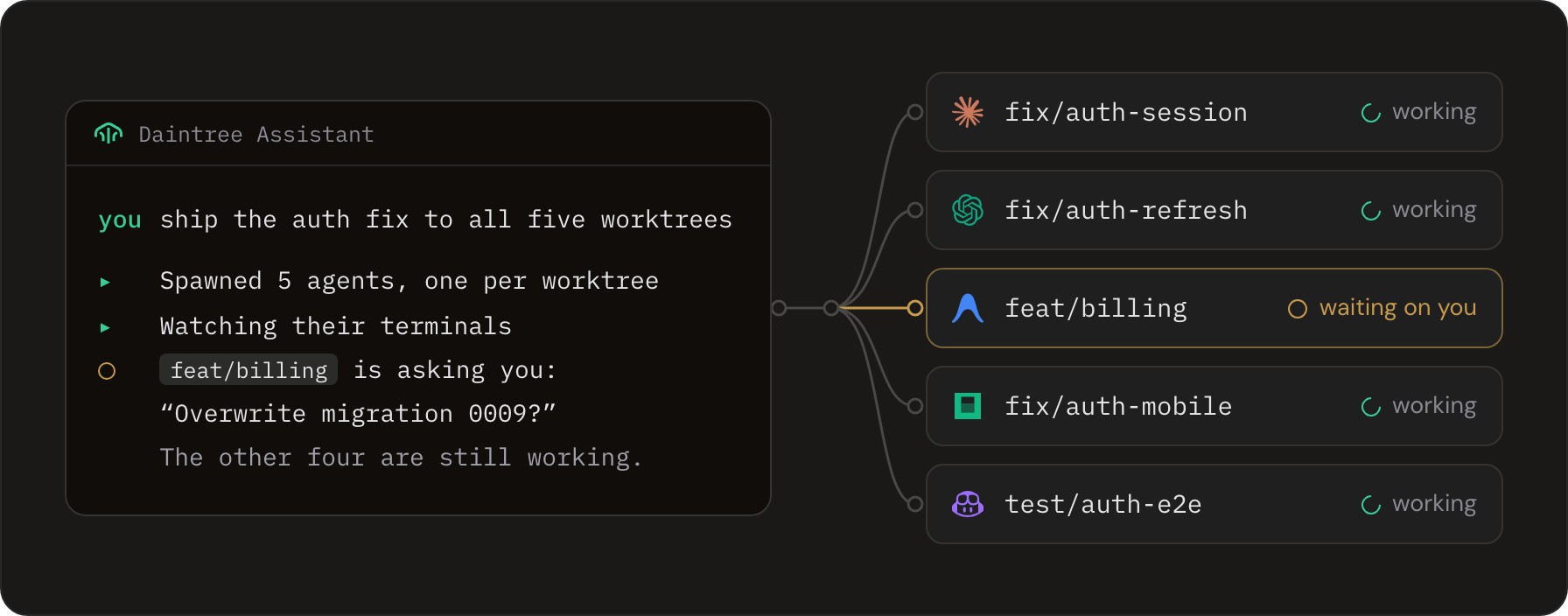
It runs on Claude Code or Codex, signed in the way you already are, so there's no extra subscription. Everything it does goes through Daintree's own permissioned actions, with every call in a local audit log. Meet the Assistant →
Fifteen habitats
Every theme is named for a real place and drawn from it: eight dark, seven light, each tuned for contrast across the whole app.
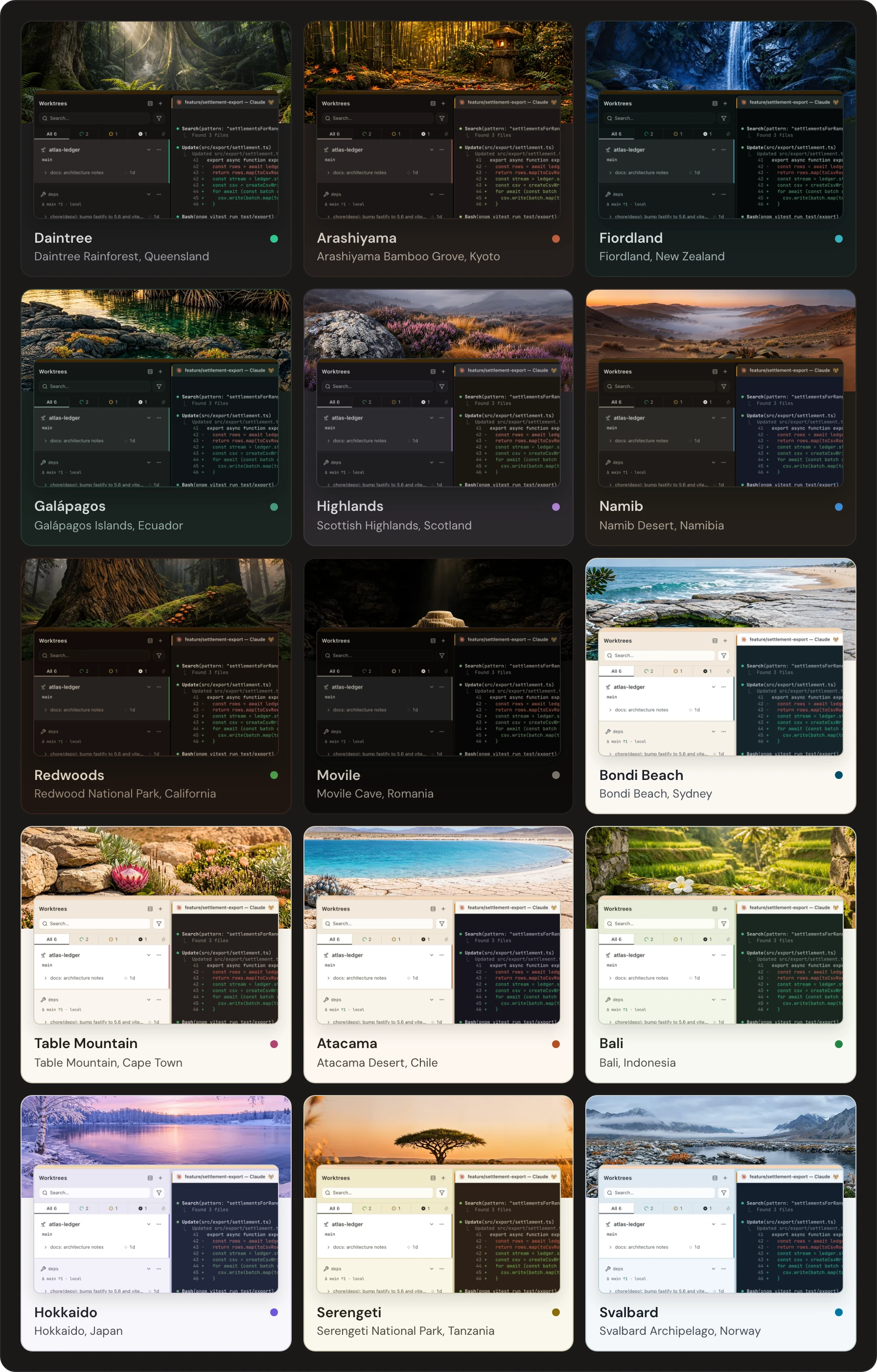
Dark: Daintree · Arashiyama · Fiordland · Galápagos · Highlands · Namib · Redwoods · Movile
Light: Bondi Beach · Table Mountain · Atacama · Bali · Hokkaido · Serengeti · Svalbard
Also inside: fleet broadcast, remote hosts, an MCP server and more
- Fleet broadcast. One prompt to many agents, with a live preview and per-agent edits before it sends.
- Remote hosts. From macOS or Linux, point a window at another Mac or Linux machine over your own SSH. The agents keep running while the laptop sleeps.
- MCP server. Agents call Daintree actions directly, with per-tier authorization. Off until you turn it on.
- Context injection. Pick files and send structured context into any agent's terminal, built on CopyTree.
- Action palette. Over 300 keyboard-first actions, and the same manifest is the MCP server's tool list.
- Voice input. Dictate prompts, with optional AI cleanup. Bring your own key.
Download
Get the latest build at daintree.org/download. The app is free, needs no account, and telemetry is off by default.
| Platform | What you get |
|---|---|
| macOS 12+ | A signed and notarized .dmg for Apple Silicon, Intel or Universal |
| Windows 10+ | A per-user installer for x64 or arm64: no admin rights, and it updates in place |
| Linux | .AppImage and .deb for x64 or arm64, on glibc 2.34+ (Ubuntu 22.04, Debian 12, Fedora 35, RHEL 9 or later), under X11 or Wayland |
An x64 .appx is also built for the Microsoft Store.
Build from source
You'll need Node 22 (see .nvmrc).
git clone https://github.com/daintreehq/daintree.git
cd daintree
npm install
npm run dev
The postinstall step rebuilds node-pty for Electron. If you see PTY errors, run npm run rebuild.
Package installers
Builds land in release/. Pass -c.directories.output=<path> to electron-builder to put them somewhere else.
| Platform | Command | Output |
|---|---|---|
| macOS | npm run package:mac |
.dmg and .zip for arm64, x64 and universal |
| Windows | npm run package:win |
NSIS -setup.exe and .appx |
| Linux | npm run package:linux |
.AppImage and .deb |
On Windows, package:win:nsis and package:win:appx build just one of the two.
Contributions are welcome: start with CONTRIBUTING.md and the development guide.
Documentation
User docs live at daintree.org/docs. docs/ in this repo is the development reference: architecture, not usage.
- Documentation index: the full map, with a suggested reading order
- Development guide: setup, IPC pattern, debugging, compiler tooling
- Architecture: process model, state, actions, MCP server, terminal lifecycle
- Plugins: manifest, contribution points, host API, dev loop
- Theme system: theme pipeline, tokens, component contract
- E2E testing: Playwright buckets, helpers, CI workflows
- Release process: per-OS workflows, signing, notarization
License
Apache 2.0. See LICENSE, and TRADEMARKS.md for the brand and marks policy.
Website · Docs · Changelog · Discussions · Issues