
corvus-gateway/corvus
corvus-gateway/corvus has 6 GitHub stars and 2 forks. GitHot measured 0 stars in 24 hours. Last checked 2026-11-09 15:54 UTC. Last push 2026-11-08.
Corvus AWPG — self-hosted Active Web Protection Gateway: reverse proxy, free SSL, attack blocking, live monitoring and an access queue
What you can do
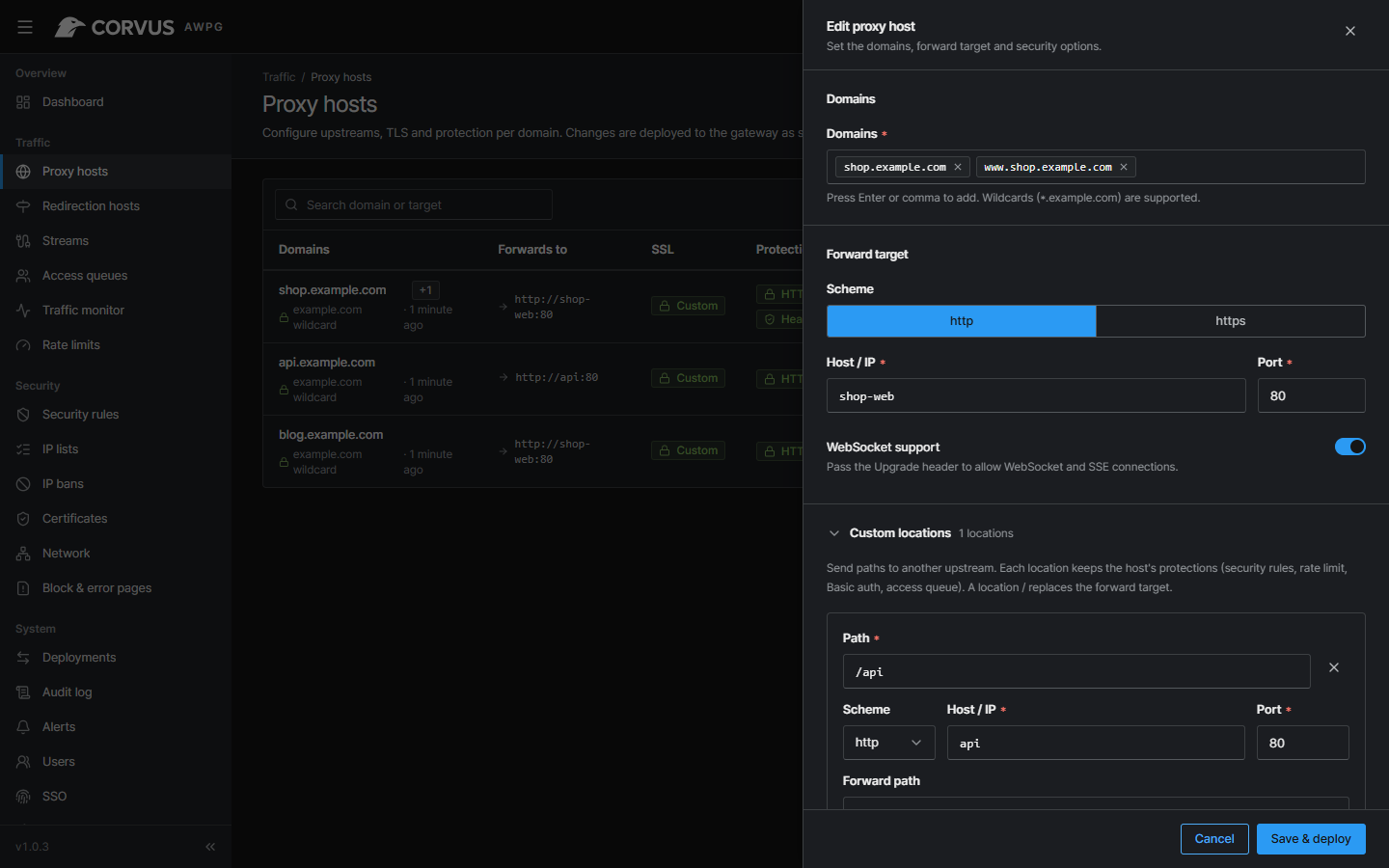
- Proxy hosts with wildcards, WebSocket, HTTP/2, forced HTTPS and custom Nginx snippets
- Notes on hosts and streams, to remember what each one is for (searchable)
- Custom locations: route paths (e.g. /api) to their own upstream, with the host's protections
- Redirection hosts: send domains to another domain (301/302/303/307/308, optionally keeping the path), with the same TLS and protection
Measured star growth
- in 24h
- 0
- in 7 days
- Update delayed
- in 15 days
- Update delayed
- in 1 month
- Update delayed
Net star changes over overlapping periods, not daily totals. Missing measurements are left blank. Stars measure attention, not software quality.
README.md
Original









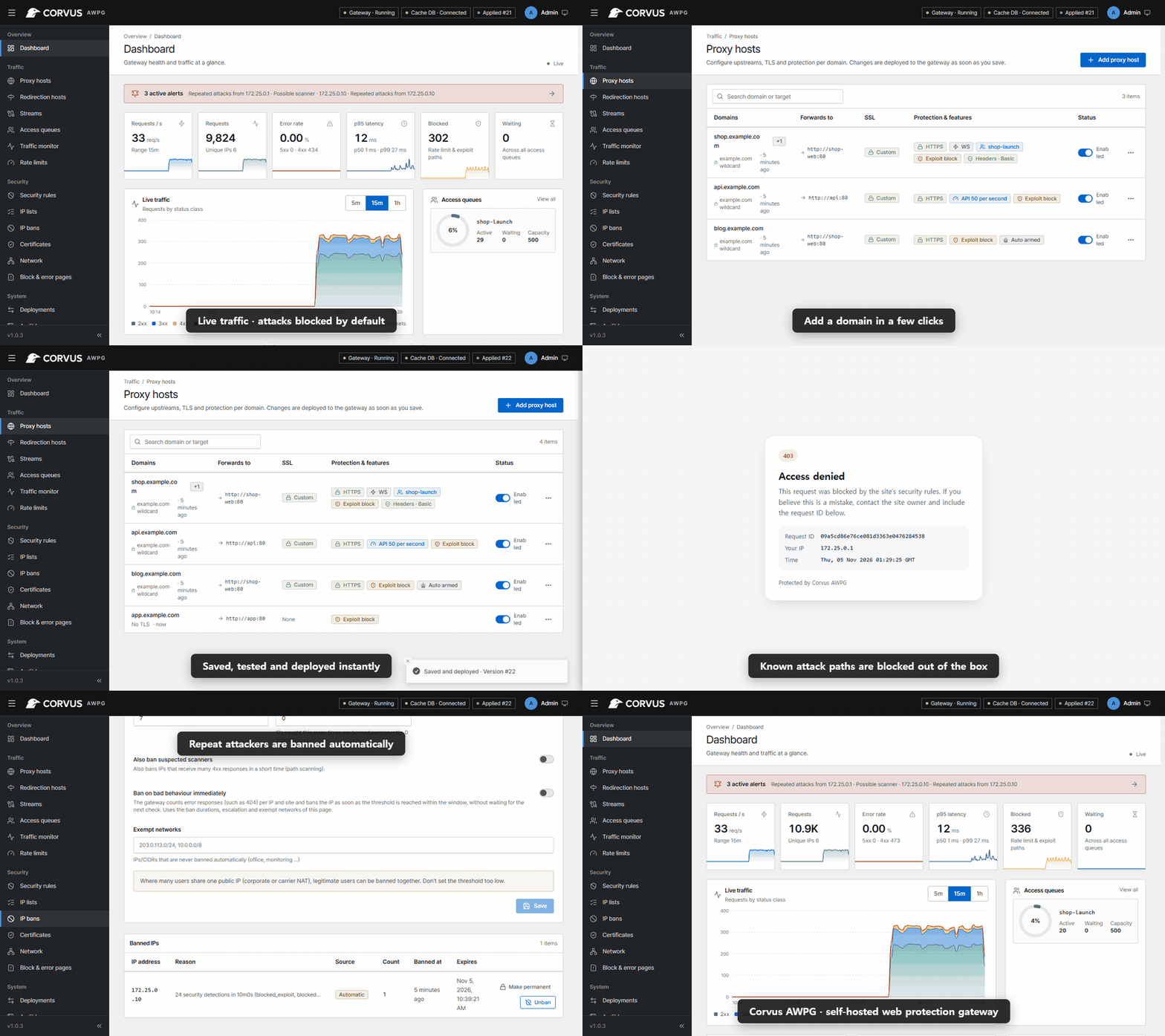
Corvus is a self-hosted gateway that sits in front of your web services. It is as easy to run as Nginx Proxy Manager — domains, forwarding and free SSL in a few clicks — and it also watches, protects and controls the traffic that passes through it: live monitoring, attack blocking, rate limiting and an access queue for traffic spikes. Everything runs on your own server; no traffic is sent to a third-party cloud.
Project Goal
Small teams usually end up with a reverse proxy for TLS, a separate WAF they never tune, and no idea what is happening when a launch or an attack hits. Corvus puts these in one box with safe defaults: basic attack detection works the moment a host is added, without writing a single rule, and every advanced option stays optional. The goal is a gateway you can install in five minutes and still trust on the day your traffic goes ten times higher.
Corvus is not a fork of Nginx Proxy Manager. It is a new implementation (OpenResty data plane, Go control plane, React console) that can import an existing NPM setup.
Features
Proxy & TLS
- Proxy hosts with wildcards, WebSocket, HTTP/2, forced HTTPS and custom Nginx snippets
- Notes on hosts and streams, to remember what each one is for (searchable)
- Custom locations: route paths (e.g.
/api) to their own upstream, with the host's protections - Redirection hosts: send domains to another domain (301/302/303/307/308, optionally keeping the path), with the same TLS and protection
- Free Let's Encrypt certificates (HTTP-01, or DNS-01 via Cloudflare, DigitalOcean, DuckDNS, Gandi, GoDaddy, Hetzner, Namecheap, with saved, reusable provider credentials) with automatic renewal, or upload your own (and replace it in place when it is renewed)
- Streams: forward TCP/UDP ports (databases, SSH, MQTT, game servers) to another host, with optional TLS termination for TCP
- Unknown host names get a 404 page, a closed connection or a redirect: your choice
- Real client IP behind Cloudflare or trusted proxies; optional password protection per host
- Security header presets per host (basic / strict: nosniff, frame and referrer policy, report-only CSP, HttpOnly/SameSite/Secure cookie flags), never overriding what the app already sends
- Gzip compression of text responses (on by default), and per-host upload size limit and upstream timeout
- Every change is validated with
openresty -t, applied atomically and can be rolled back - The console shows when a new Corvus release is out, with a link to its release notes (can be turned off)
Corvus Sentinel — security engine
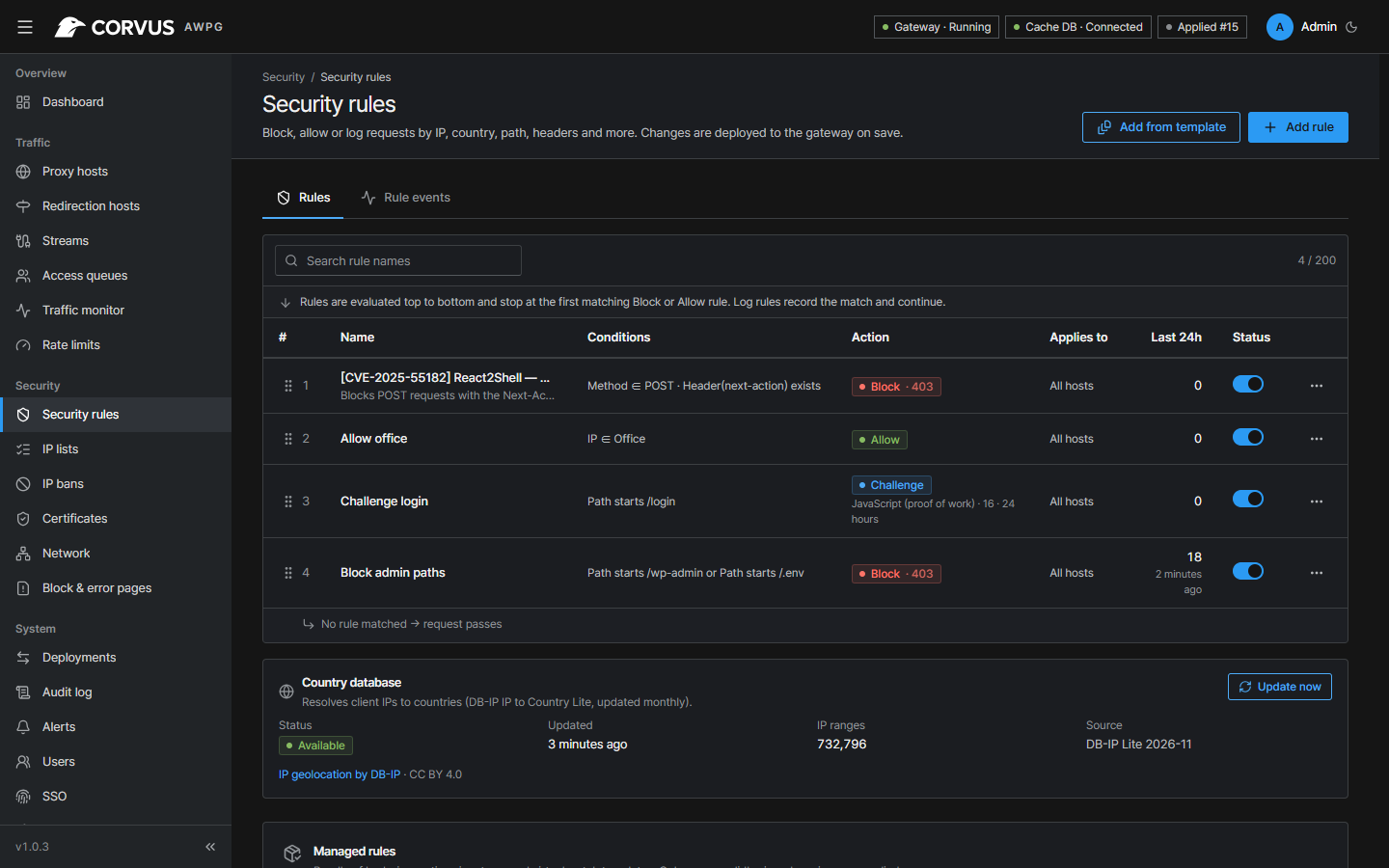
- Security rules: match IP, IP list, country, path, query, method, header or User-Agent list → block, allow, log or challenge, globally or per host
- IP and User-Agent lists kept up to date from a URL (e.g. Tor exit nodes, bad-bot lists; presets included), refreshed in the background and redeployed only when they change
- Browser challenge without third-party services: a JavaScript proof of work (adjustable difficulty) or a lightweight cookie check, with a signed, IP-bound pass cookie
- "Under attack" mode per host: challenge every visitor — switched on by hand, or automatically while requests per second or the share of blocked requests exceed a threshold (with alerts when it turns on and off)
- Request body inspection for JSON, form and multipart bodies (log or block)
- One-click virtual patches for recent CVEs (React2Shell, wp2shell, PHP-CGI, Vite, n8n …)
- Managed signature updates, accepted only when signed and newer (no tampering, no downgrade)
- Automatic IP bans for repeat offenders, with escalation and exemptions; optional immediate bans on bad behaviour (too many 4xx responses per IP and site)
- Rate limits with a dry-run mode; exploit-path blocking out of the box
Access Queue
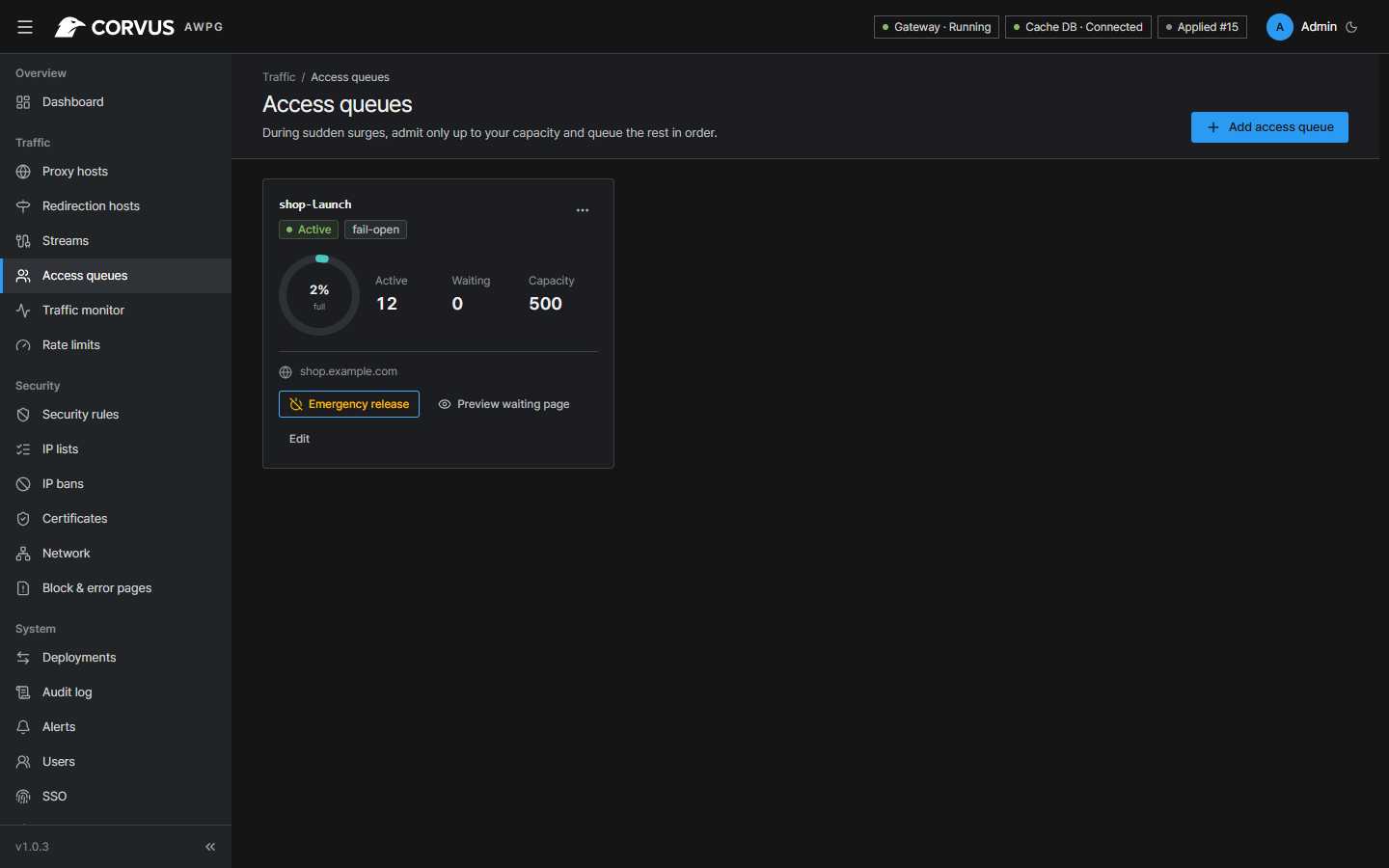
- Admit visitors up to a capacity and queue the rest fairly during spikes
- Admission rate, fail-open / fail-closed policy, live active/waiting counts, emergency release
- Waiting page localized in 8 languages
Monitoring & alerts
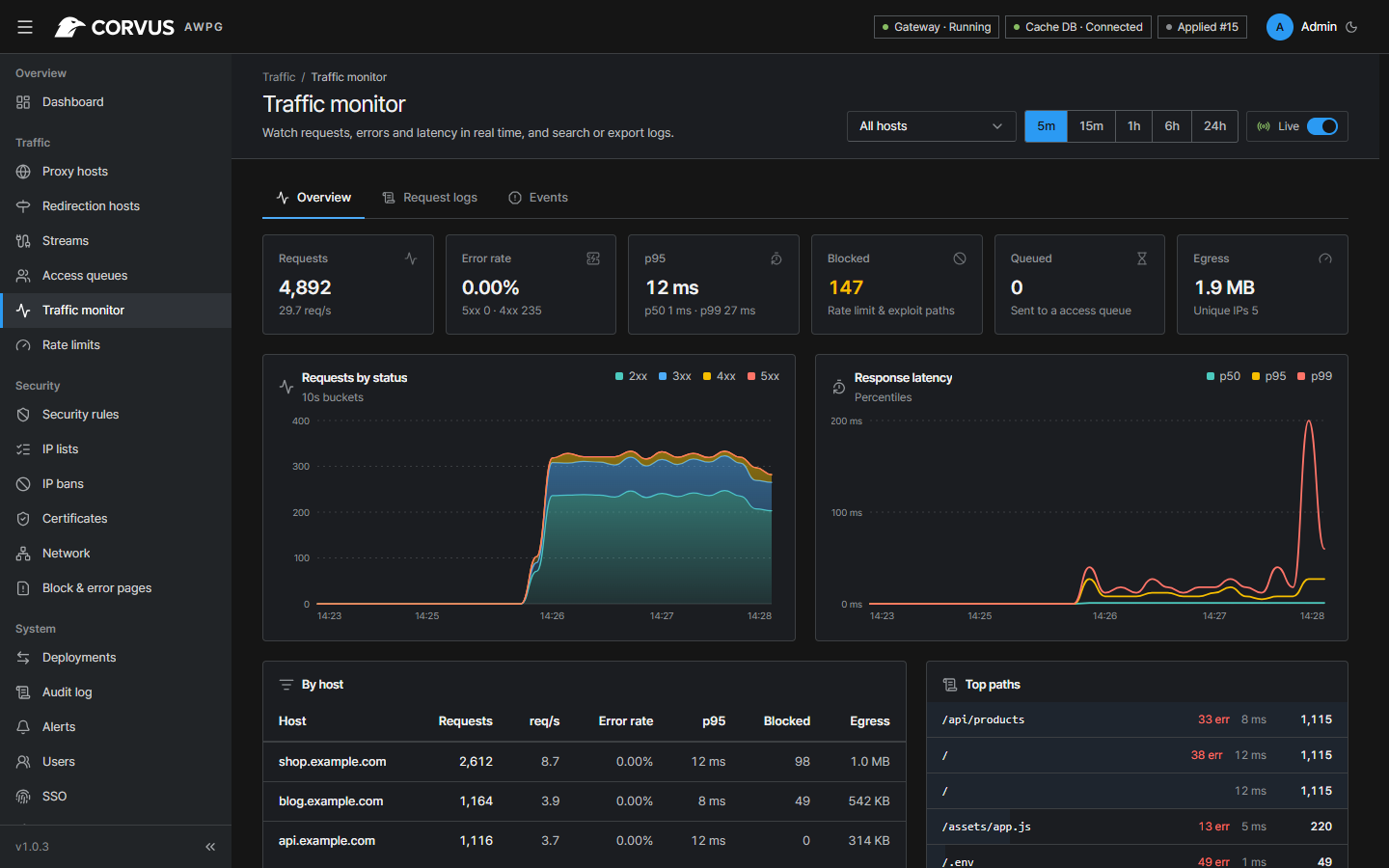
- Live requests/s, status codes, p50/p95/p99 latency, per-host and per-path breakdown
- Request log search and CSV/JSON export, security events, persistent history with retention and log rotation
- Alerts to Slack, Mattermost, Discord, Teams, Telegram or signed webhooks
- Prometheus
/metrics
Administration
- Roles, MFA (TOTP + recovery codes), OIDC single sign-on, API tokens
- Admin-console IP allowlist, audit log, deployment history
- SQLite by default or PostgreSQL; admin console in 8 languages with light and dark themes
Hardened by default
- Non-root containers with a read-only root filesystem and no Linux capabilities
- Redis protected by a generated password and a minimal ACL
- OpenResty built from signature-verified sources
Screenshots
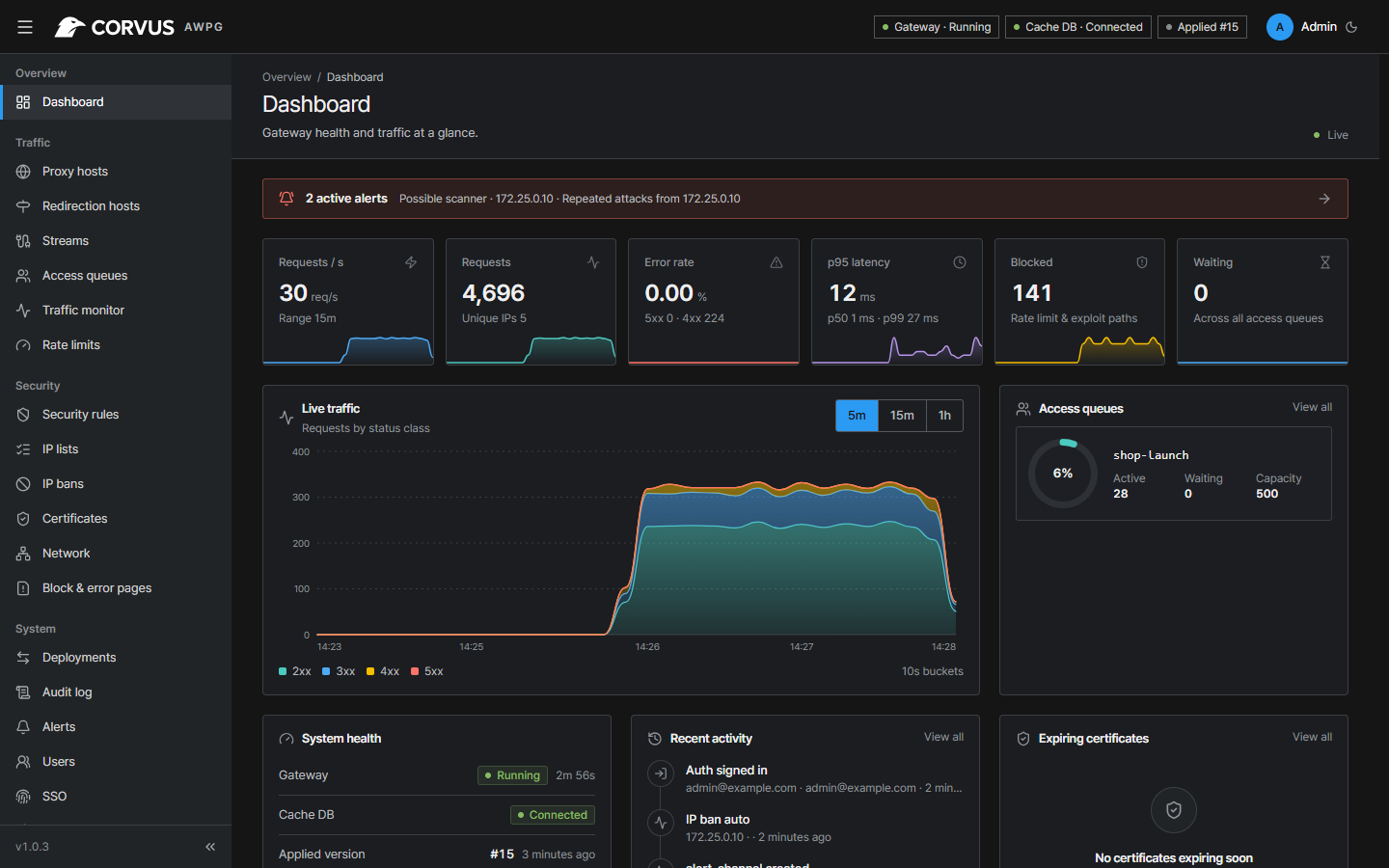
| Traffic monitor | Security rules |
|---|---|
 |
 |
| Proxy host | Access queues |
 |
 |
Quick Setup
- Install Docker with the Compose plugin.
- Create a
docker-compose.ymlfile like this:
services:
  corvus:
    image: 'ghcr.io/corvus-gateway/gateway:latest'
    restart: unless-stopped
    ports:
      - '80:80'
      - '443:443'
      - '9443:9443'
    volumes:
      - ./data:/data
This is the whole installation: gateway, admin console and access-queue store run in this one container. See the documentation for options.
- Bring up your stack by running
docker compose up -d
- Read the one-time setup token
docker compose logs corvus | grep setup_token
- Log in to the admin console at
https://<your-server>:9443, enter the token and create the first administrator. The console uses a self-signed certificate until you configure your own.
[!TIP] Point your domain's DNS at the server, add a proxy host, and request a Let's Encrypt certificate in the same form.
Upgrading
docker compose pull
docker compose up -d
Settings, certificates and history in ./data are kept; database changes are applied
automatically on start.
Documentation
Configuration, the hardened install, forward hosts, streams, backups, migrating from Nginx Proxy Manager, security rules, the access queue and troubleshooting are covered in the documentation (English · 한국어).
Performance
Measured with the benchmark workflow on a GitHub-hosted ubuntu-24.04
runner (4 vCPU AMD EPYC 9V45): Corvus pinned to 2 vCPU, wrk and the backend on the other two,
64 keep-alive connections, GET / with a 3-byte response.
| Scenario | req/s | p50 | p99 | Memory |
|---|---|---|---|---|
| nginx 1.28 reverse proxy (baseline) | 97,227 | 0.63 ms | 1.16 ms | 17 MB |
| Corvus, default host | 75,473 | 0.79 ms | 1.83 ms | 72 MB |
| Corvus, 30 rules + 1,000-CIDR list + exploit blocking + headers + rate limit | 54,585 | 1.12 ms | 2.29 ms | 77 MB |
| Corvus, HTTPS (ECDSA P-256), keep-alive | 59,697 | 1.00 ms | 2.18 ms | 80 MB |
| Corvus, HTTPS, new TLS handshake per request | 4,348 handshakes/s | 5.88 ms | 11.62 ms | 88 MB |
| Corvus, access queue (admitted visitors) | 57,954 | 1.05 ms | 2.22 ms | 84 MB |
| Corvus, challenge rule (visitors with a pass) | 62,901 | 0.96 ms | 1.94 ms | 88 MB |
On the base request path Corvus reaches about three quarters of plain nginx's throughput (keep-alive upstream pools, access log batched per worker); the full protection set — 30 rules with a 1,000-CIDR list, exploit blocking, security headers and a rate limit — costs about 28 % on top of that. Caveat: a shared CI runner with the load generator on the same machine and tiny responses — the numbers are conservative and meant for comparing scenarios and versions, not as capacity guarantees. Memory includes the control plane and embedded Valkey.
Development
npm --prefix web ci && npm --prefix web run build      # admin UI → embedded into the Go binary
go test ./control/...                                   # unit tests
go build -o bin/corvus-control ./control/cmd/corvus-control
CORVUS_GATEWAY=0 CORVUS_ADMIN_TLS=0 CORVUS_DATA_DIR=./tmp bin/corvus-control   # console only, no OpenResty
| Path | Contents |
|---|---|
gateway/ |
Data plane: OpenResty + Lua (rules, body inspection, access queue) |
control/ |
Control plane (Go): settings DB, config generation, deploy/rollback, API |
web/ |
Admin console (React + Vite + TypeScript) |
deploy/ |
Dockerfile, verified OpenResty build, Compose files, integration tests |
tools/ |
Load-test and rule-bundle signing tools |
Security
Please report vulnerabilities privately — see SECURITY.md.
License
Apache License 2.0 © 2026 Jikwang Moon. IP-to-country data by DB-IP (CC BY 4.0). See NOTICE.
Explore related projects
awesome-selfhosted/awesome-selfhosted
A list of Free Software network services and web applications which can be hosted on your own servers
335,549 starsimmich-app/immich
High performance self-hosted photo and video management solution.
118,645 starsStirling-Tools/Stirling-PDF
#1 PDF Application on GitHub that lets you edit PDFs on any device anywhere
96,149 starslouislam/uptime-kuma
A fancy self-hosted monitoring tool
93,425 stars