
coolcode/tomato-clock
coolcode/tomato-clock has 526 GitHub stars and 110 forks. GitHot measured 0 stars in 24 hours and -2 in 7 days. Last checked 2026-11-21 05:15 UTC. Last push 2024-09-23.
Measured star growth
- in 24h
- 0
- in 7 days
- -2
- in 15 days
- Collecting history
- in 1 month
- Collecting history
Net star changes over overlapping periods, not daily totals. Missing measurements are left blank. Stars measure attention, not software quality.
About
Tomato Clock is a straightforward command-line Pomodoro application. https://en.wikipedia.org/wiki/Pomodoro_Technique
Developer ToolsREADME.md
Original🍅 Tomato Clock (Python)


Tomato Clock is a straightforward command-line Pomodoro application.
Installation
- Install via pip:
pip install tomato-clock
- Install via source code:
git clone https://github.com/coolcode/tomato-clock.git
cd tomato-clock
chmod +x tomato.py
How to use
- if you install via pip
tomato         # start a 25 minutes tomato clock + 5 minutes break
tomato -t      # start a 25 minutes tomato clock
tomato -t <n>  # start a <n> minutes tomato clock
tomato -b      # take a 5 minutes break
tomato -b <n>  # take a <n> minutes break
tomato -h      # help
- if you install via source code
./tomato.py         # start a 25 minutes tomato clock + 5 minutes break
./tomato.py -t      # start a 25 minutes tomato clock
./tomato.py -t <n>  # start a <n> minutes tomato clock
./tomato.py -b      # take a 5 minutes break
./tomato.py -b <n>  # take a <n> minutes break
./tomato.py -h      # help
Terminal Output
🍅 tomato 25 minutes. Ctrl+C to exit
 🍅🍅---------------------------------------------- [8%] 23:04 ⏰
Desktop Notification
- MacOS
brew install terminal-notifier
terminal-notifier actually is a cross-platform desktop notifier, please refer to ➜ terminal-notifier
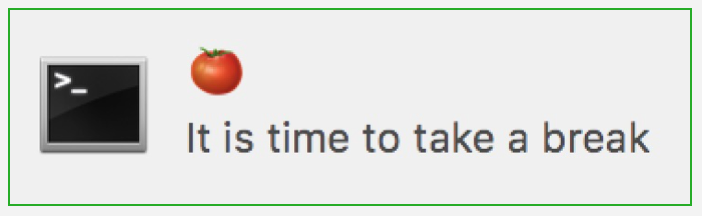
- Ubuntu
notify-send

Voice Notifications
Tomato Clock uses say(text-to-speech) for voice notifications.
- MacOS
MacOS already has say. see here or more detail
- Ubuntu
See this link: say
sudo apt-get install gnustep-gui-runtime
- Windows
Check this one: https://github.com/SeanBracksDev/tomato-clock