
colinin/abp-next-admin
colinin/abp-next-admin has 1,026 GitHub stars and 322 forks. GitHot measured +1 in 7 days. Last checked 2026-11-11 02:23 UTC. Last push 2026-10-30.
这是基于vue-vben-admin 模板适用于abp vNext的前端管理项目
Measured star growth
- in 24h
- Update delayed
- in 7 days
- +1
- in 15 days
- Collecting history
- in 1 month
- Collecting history
Net star changes over overlapping periods, not daily totals. Missing measurements are left blank. Stars measure attention, not software quality.
README.en.md
OriginalEnglish | 简体中文
RELEASE RELEASE
Overview
This is a vue-vben-admin -based Abp framework background management interface
Build


Deployment Options
Monolithic Service Deployment
If you don't need a microservices architecture, you can choose the monolithic service deployment option. Monolithic services are characterized by simple deployment and easy maintenance.
Microservices Deployment
If you need higher scalability and a more flexible service architecture, you can choose the microservices deployment option.
Quick Start of a Microservice Project
0. Configure the hosts file
On Windows, modify C:\Windows\System32\drivers\etc\hosts ; on Linux, modify /etc/hosts ; add the following entry:
127.0.0.1 host.docker.internal
On Linux, restart the network after changing the hosts file:
/etc/init.d/network restart
1. Install the dotnet tool
dotnet tool install --global LINGYUN.Abp.Cli
2. Install the .NET template
dotnet new --install LINGYUN.Abp.MicroService.Templates
3. Create a project with the CLI
  # Initialize a project with a sqlserver connection string
  # MyCompanyName company name
  # MyProjectName project name
  # MyPackageName package name
  # -o  output to the specified directory, see abp cli
  # --dbms  specify the database provider, see abp cli
  # --cs    specify the database connection string, see abp cli
  # --no-random-port do not use random ports (app port 5000, dapr listening port 3500 by default)
  labp create MyCompanyName.MyProjectName -pk MyPackageName -o "D:\Project" --dbms sqlserver --cs "Server=127.0.0.1;Database=MyProject;User Id=sa;Password=123456" --no-random-port

  cd D:\Project\host\MyPackageName.MyCompanyName.MyProjectName.HttpApi.Host

  dotnet restore

  dotnet run

  start http://127.0.0.1:5000/
Feedback
- The author is not a freelancer and does not have much time to maintain the project. If you have any problems, you can contact [email protected] by email
Screenshots
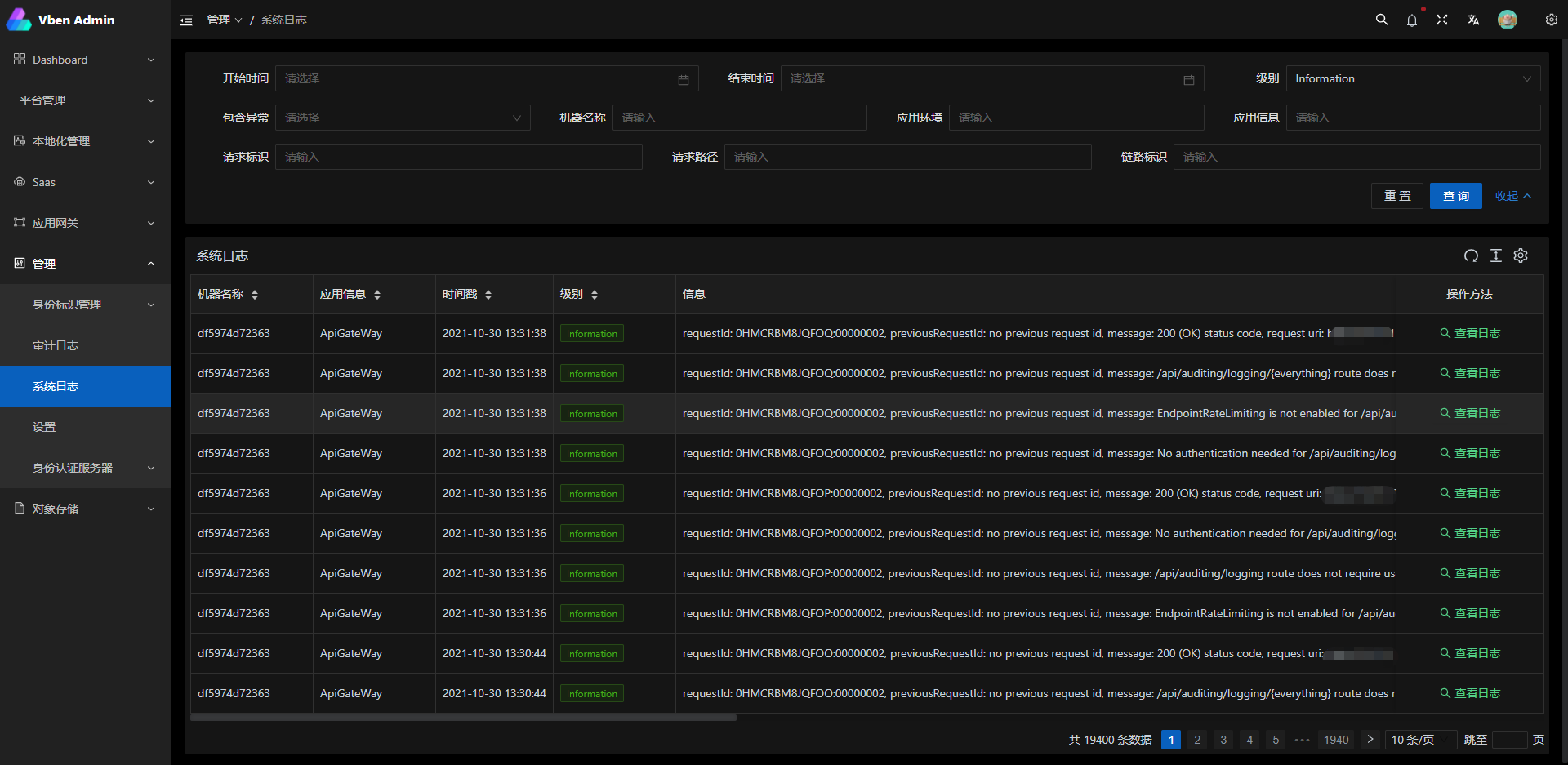
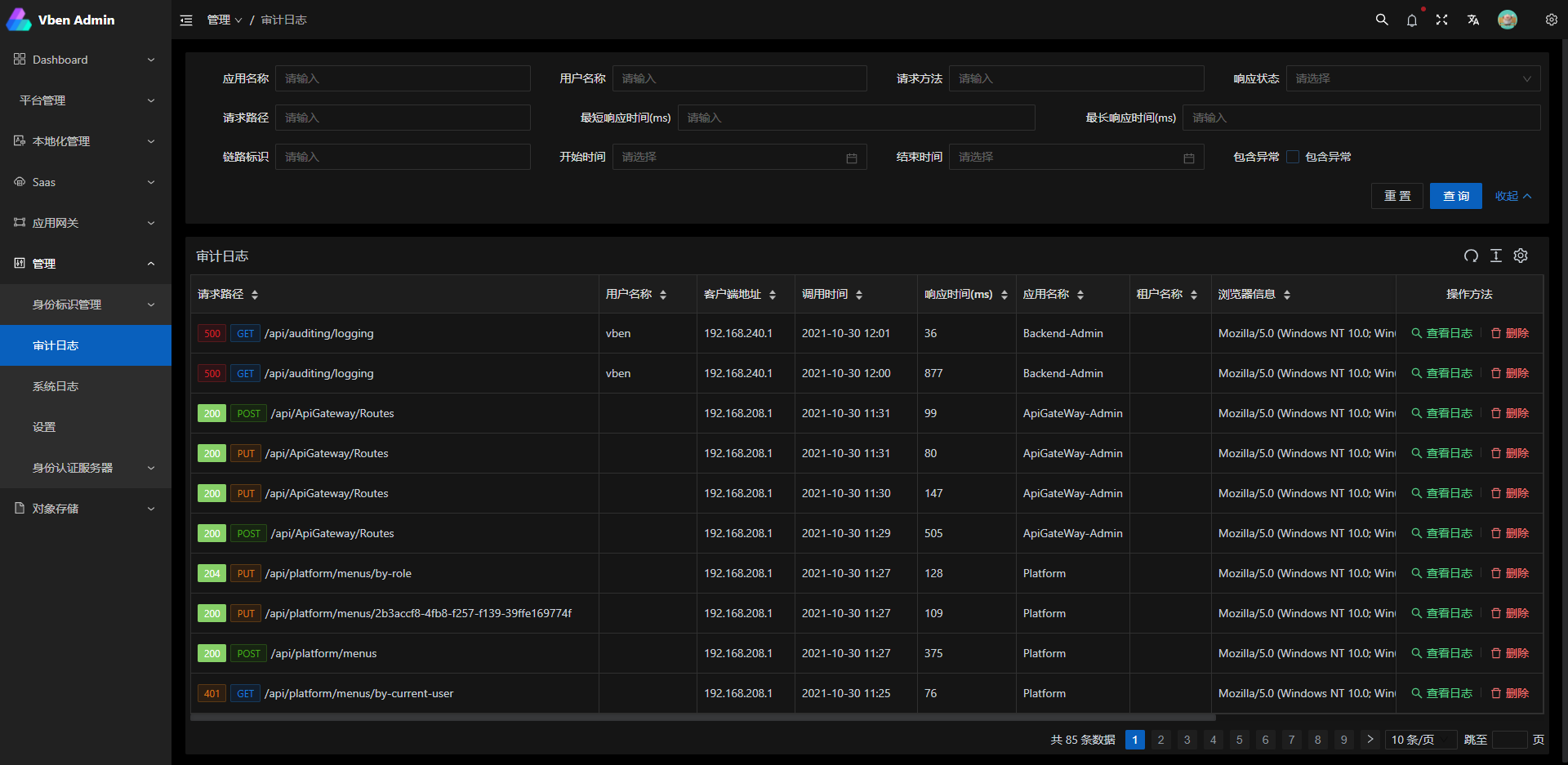
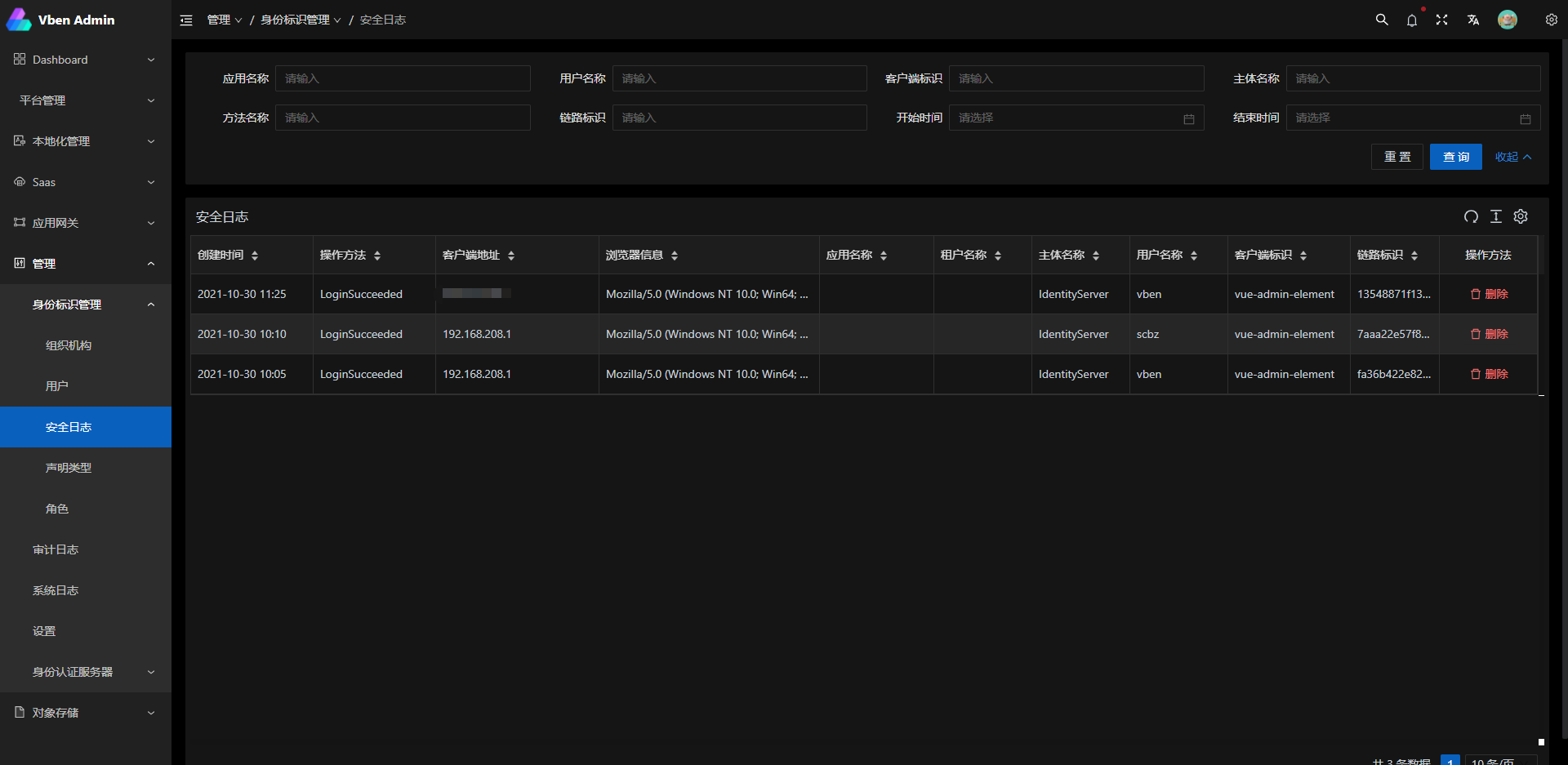
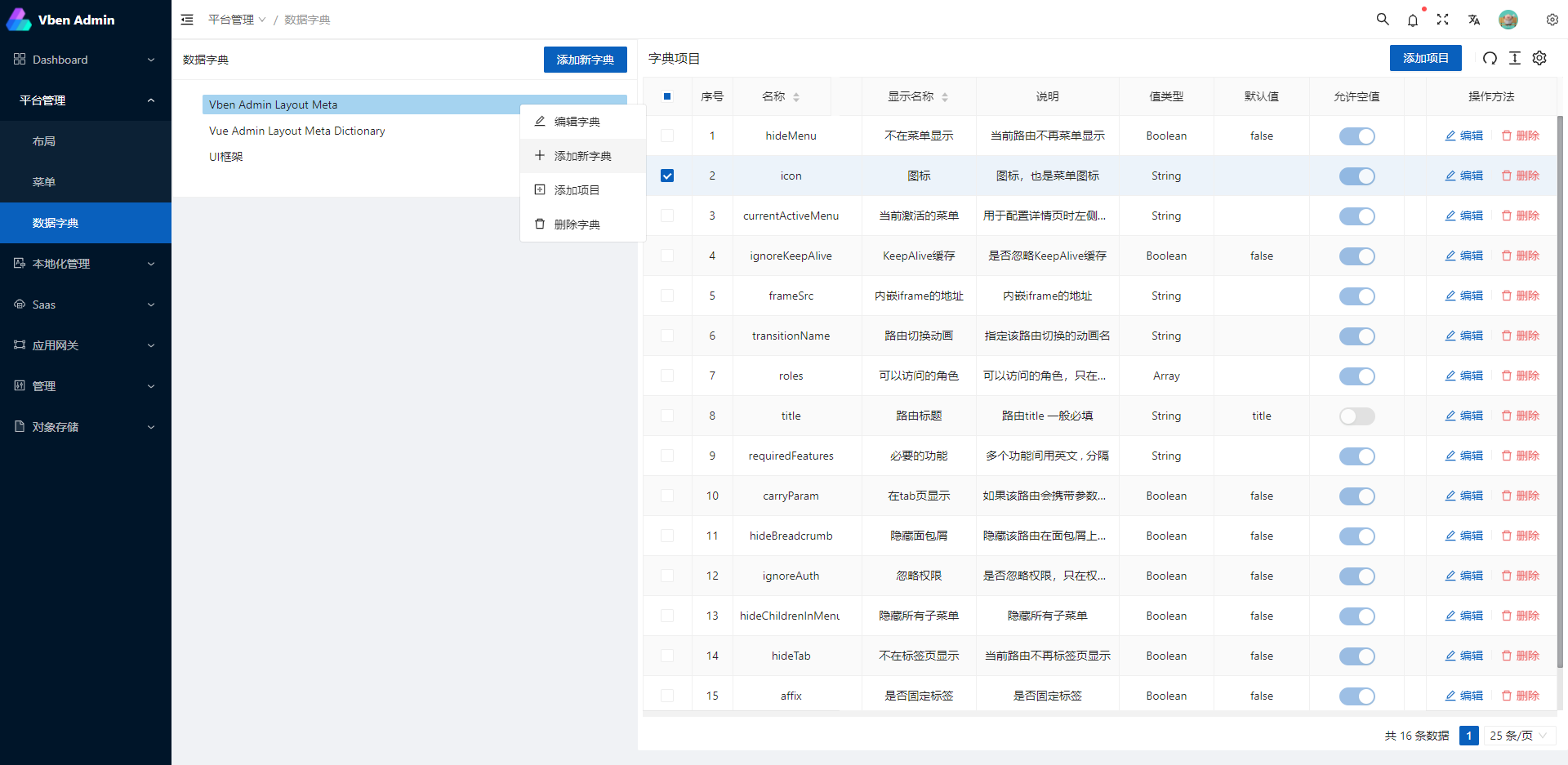
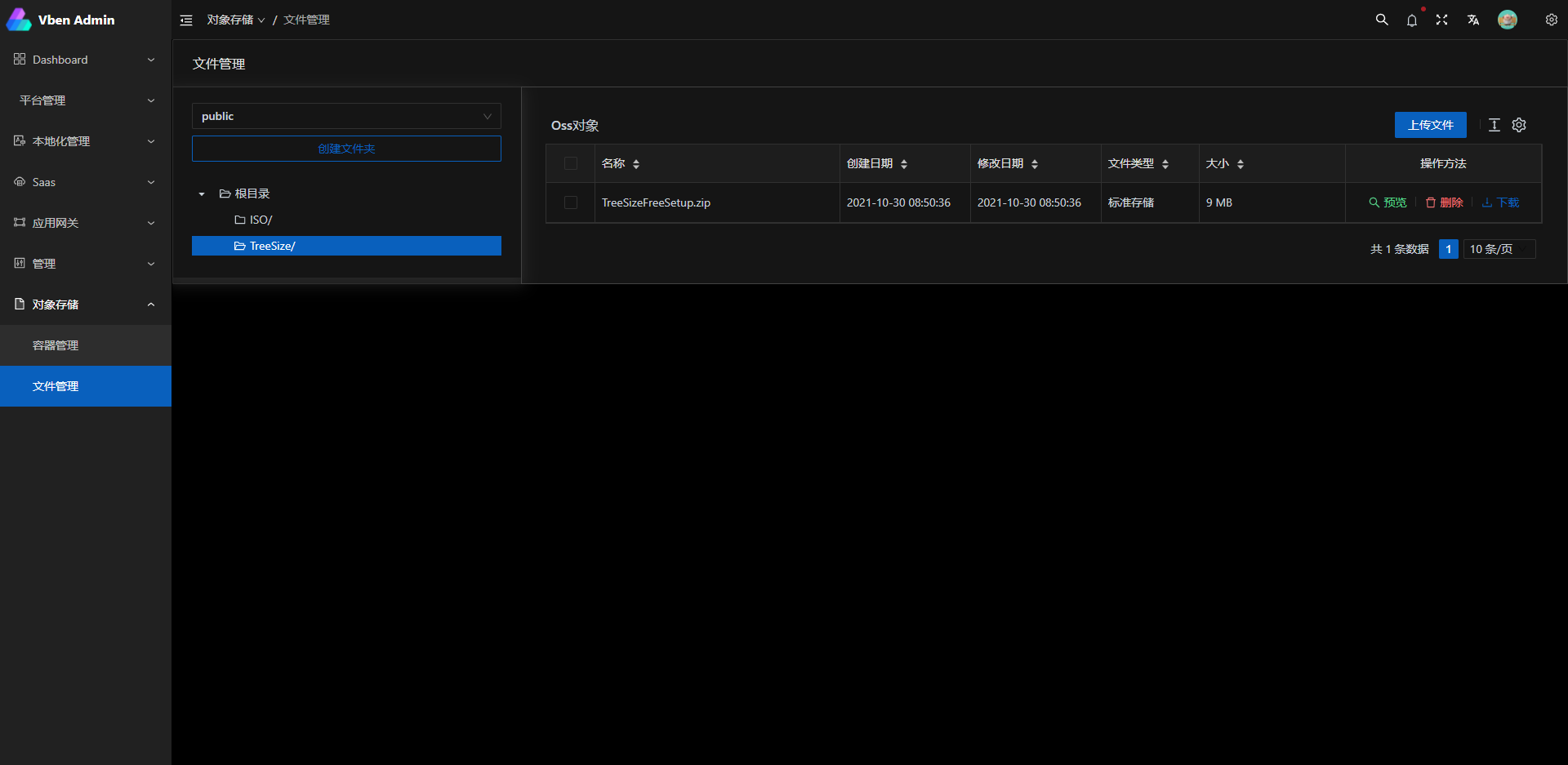
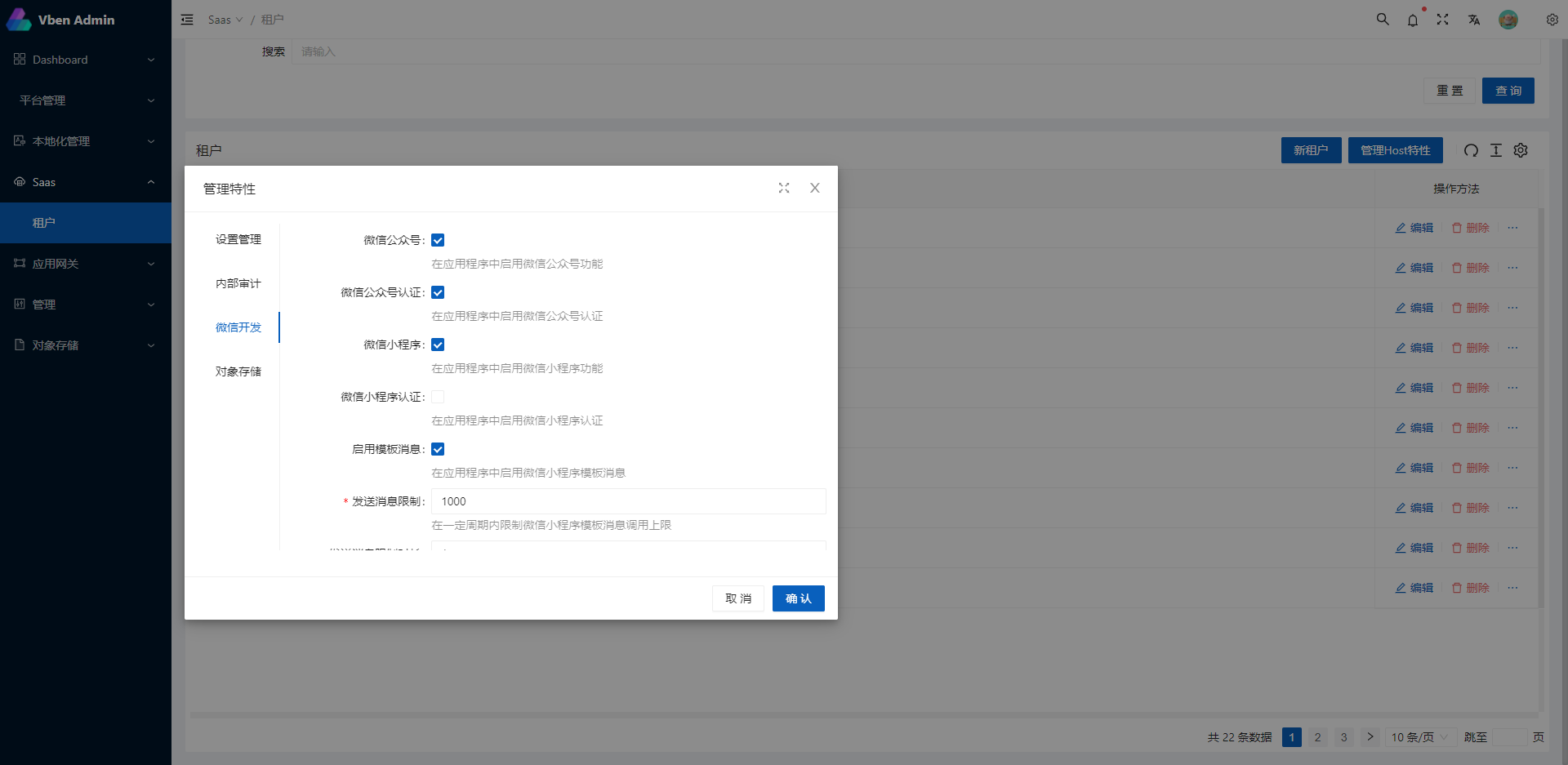
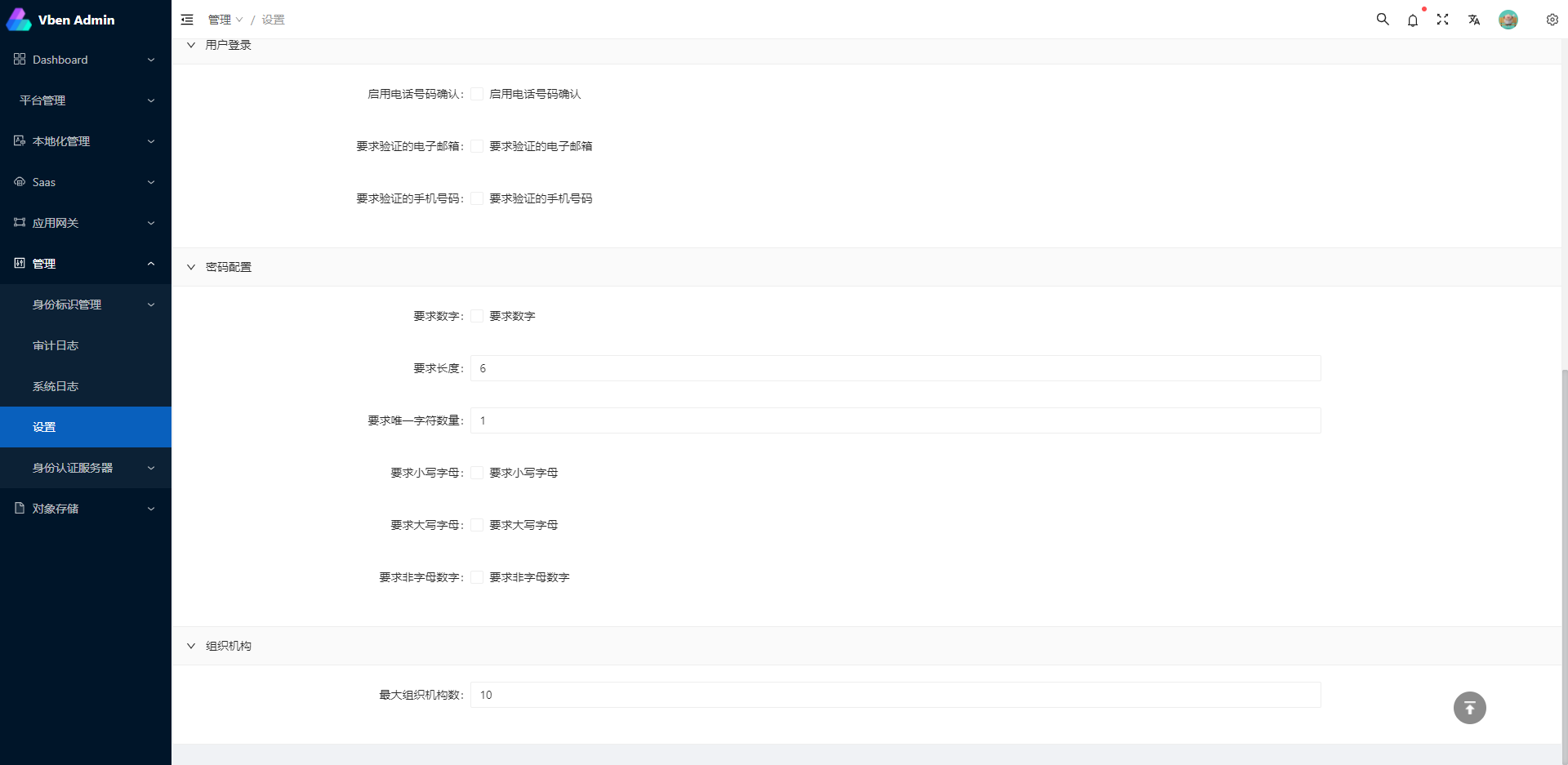
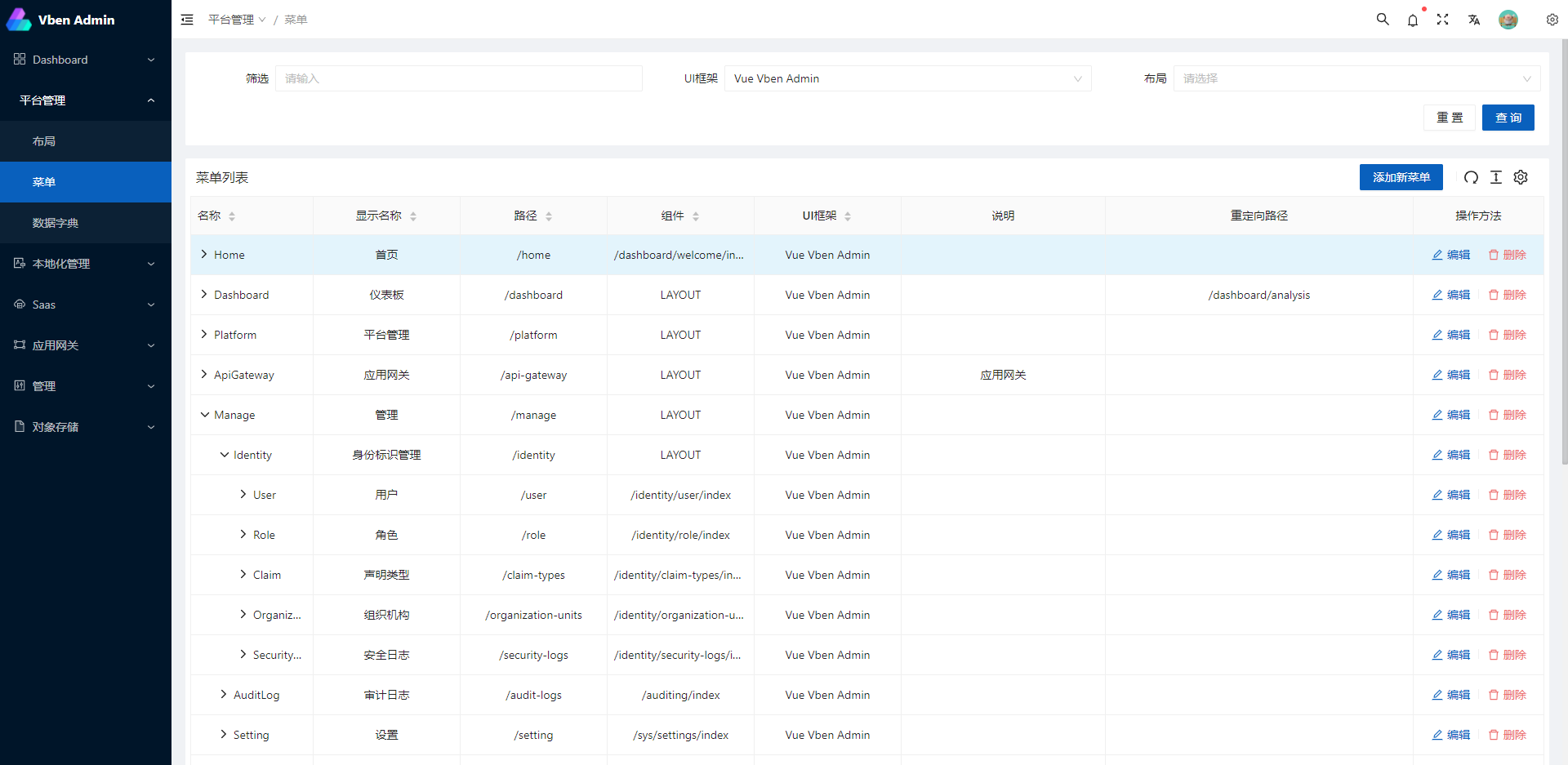
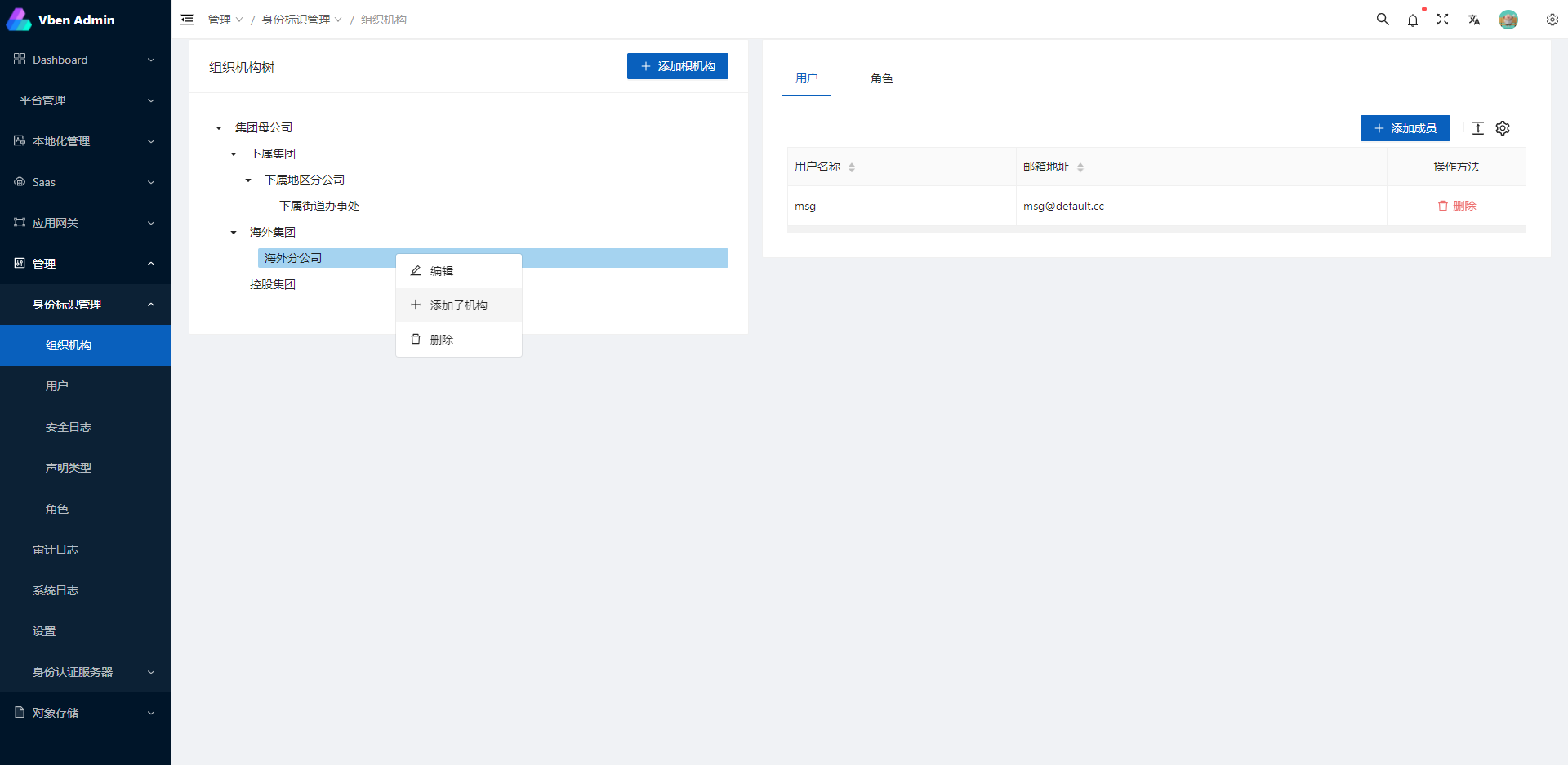
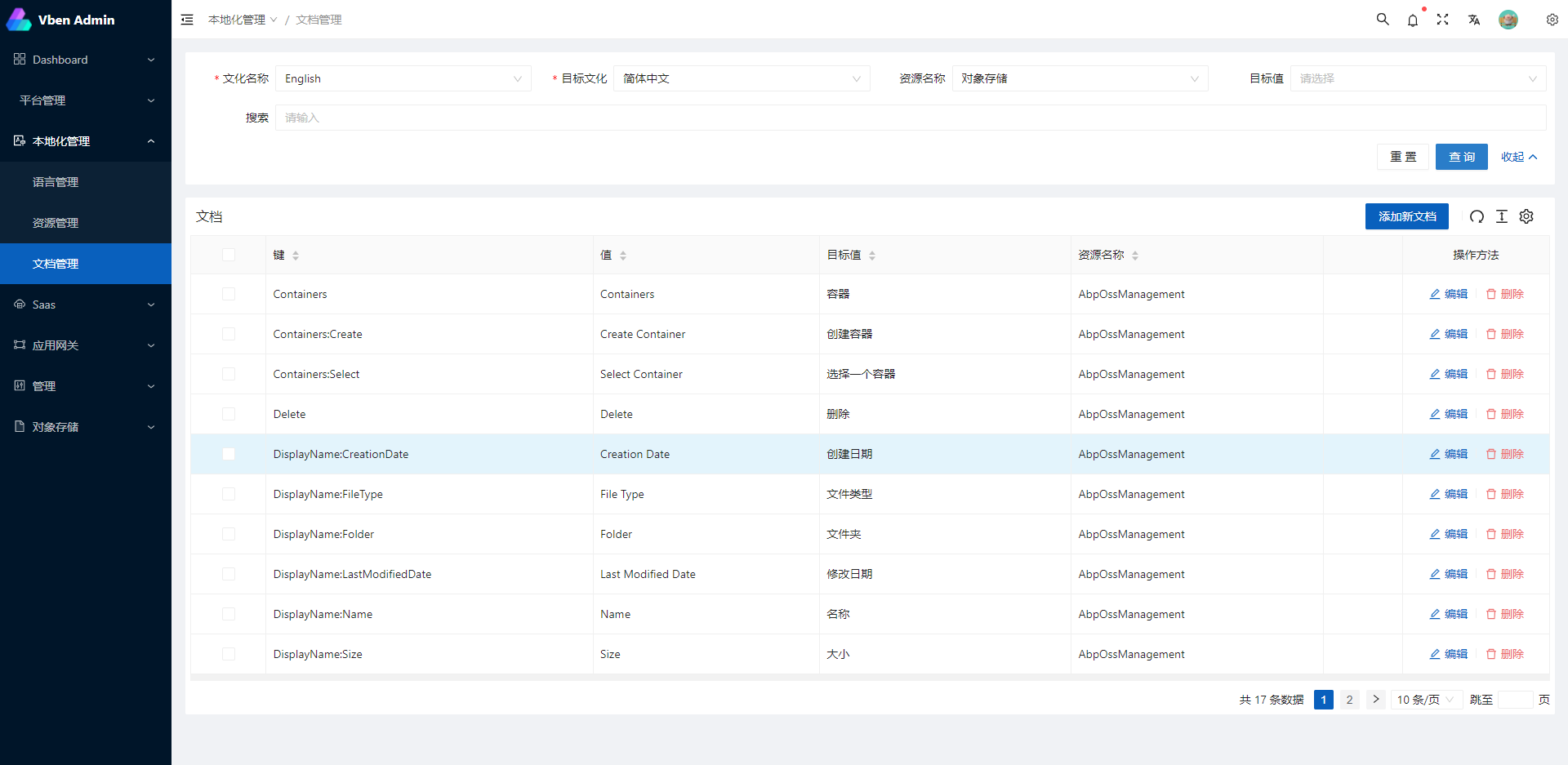
Related Projects
Backend projects
abpframework/abp (abp vNext)
EasyAbp/Cap (EasyAbp)
DotNetCore/CAP (CAP)
Frontend projects
vue-vben-admin (vue-vben-admin)
Preparation
- node and git - Project development environment
- Vite - Familiar with vite features
- Vue3 - Familiar with Vue basic syntax
- TypeScript - Familiar with the basic syntax of
TypeScript - Es6+ - Familiar with es6 basic syntax
- Vue-Router-Next - Familiar with the basic use of vue-router
- Ant-Design-Vue - ui basic use
- Mock.js - mockjs basic syntax
Project Structure
Frontend: apps/vben5 (a pnpm workspace + turbo monorepo)
apps/vben5/
├── apps/                        # Independently runnable UI applications
│   ├── app-antd/                # ABP business frontend (the one in use: pnpm dev:app / pnpm build:app)
│   ├── web-antd/                # Official vben antd demo application
│   ├── web-antdv-next/          # antdv-next demo application
│   ├── web-ele/                 # Element Plus demo application
│   ├── web-naive/               # Naive UI demo application
│   └── web-tdesign/             # TDesign demo application
├── packages/
│   ├── @abp/                    # ABP business module packages (27 in total)
│   │   ├── account/             # Account, external logins (third-party account binding)
│   │   ├── ai-management/       # AI management (workspaces, tools, agents)
│   │   ├── auditing/            # Audit logs and security logs
│   │   ├── blob-management/     # Object storage (containers, files)
│   │   ├── cache-management/    # Cache management
│   │   ├── components/          # Shared ABP business components
│   │   ├── core/                # ABP frontend core (request, permissions, menus, etc.)
│   │   ├── data-protection/     # Data protection (entity/field level access control)
│   │   ├── demo/                # Demo module
│   │   ├── features/            # Feature management
│   │   ├── gdpr/                # GDPR data export and deletion
│   │   ├── identity/            # Users, roles, organization units, sessions, login logs
│   │   ├── localization/        # Localization (languages, resources, texts)
│   │   ├── notifications/       # Notifications (definitions, my notifications, send records)
│   │   ├── openiddict/          # OpenIddict (applications, scopes, authorizations, tokens)
│   │   ├── oss/                 # OSS/Blob file list
│   │   ├── permissions/         # Permission definitions and grants
│   │   ├── platform/            # Platform (layouts, menus, data dictionaries, email/SMS)
│   │   ├── request/             # HTTP request wrapper (token, error handling, tenant header)
│   │   ├── saas/                # Tenants and editions
│   │   ├── settings/            # Setting definitions and values
│   │   ├── signalr/             # SignalR real-time communication
│   │   ├── tasks/               # Background tasks (job management)
│   │   ├── text-templating/     # Text templates
│   │   ├── ui/                  # ABP frontend UI component library
│   │   ├── webhooks/            # Webhook definitions, subscriptions and send attempts
│   │   └── wechat/              # WeChat (official account, WeCom, etc.)
│   ├── @core/                   # Core: base / ui-kit / forward
│   ├── effects/                 # Shared capabilities: plugins / hooks / common-ui, etc.
│   ├── icons/  types/           # Icons and type definitions
│   └── ...                      # The remaining shared packages (see pnpm-workspace.yaml)
├── internal/                    # Engineering configuration: vite-config / lint-configs / tailwind-config / tsconfig / node-utils
├── docs/                        # VitePress documentation
├── playground/                  # Component and example playground
├── scripts/                     # Cleanup, build and deployment scripts
├── package.json                 # Root scripts: dev / dev:app / build:app / lint / format / test:unit / check:type
├── pnpm-workspace.yaml          # Workspace layout and dependency catalog
├── turbo.json                   # turbo pipeline configuration
└── vitest.config.ts             # Unit test (vitest) configuration
Backend: aspnet-core and the surrounding directories
.
├── aspnet-core/
│   ├── services/                # Service hosts (each with its own Dockerfile)
│   │   ├── LINGYUN.Abp.MicroService.AuthServer/        # Auth server (STS, 44385)
│   │   ├── LINGYUN.Abp.MicroService.IdentityService/   # Identity service (30015)
│   │   ├── LINGYUN.Abp.MicroService.AdminService/      # Admin service (30010)
│   │   ├── LINGYUN.Abp.MicroService.LocalizationService/# Localization service (30030)
│   │   ├── LINGYUN.Abp.MicroService.PlatformService/   # Platform service (30025)
│   │   ├── LINGYUN.Abp.MicroService.MessageService/    # Message service (30020)
│   │   ├── LINGYUN.Abp.MicroService.TaskService/       # Task service (30040)
│   │   ├── LINGYUN.Abp.MicroService.WebhookService/    # Webhook service (30045)
│   │   ├── LINGYUN.Abp.MicroService.WorkflowService/   # Workflow service (30050)
│   │   ├── LINGYUN.Abp.MicroService.WeChatService/     # WeChat service (30060)
│   │   ├── LINGYUN.Abp.MicroService.AIService/         # AI service (30070)
│   │   ├── LINGYUN.Abp.MicroService.AllInOne/        # Monolith (30000, gateway and all modules merged)
│   │   ├── LY.MicroService.IdentityServer/             # IdentityServer based services and hosts
│   │   ├── LINGYUN.Abp.Applications/  LY.AIO.Applications.Single/  # Other hosts
│   │   └── Publish/             # Publish output directory (used by the container image builds)
│   ├── modules/                 # Business modules, each layered by DDD (Domain / Application / EntityFrameworkCore / HttpApi ...)
│   │   ├── account/             # Account and sign-in (OpenIddict/IdentityServer web integration, captcha)
│   │   ├── identity/            # Users, roles, organization units, sessions, login logs
│   │   ├── identityServer/      # IdentityServer4 based implementation
│   │   ├── openIddict/          # OpenIddict server (applications, scopes, tokens, Portal, QR code, SMS, WeChat)
│   │   ├── permissions-management/  # Permission management and grants
│   │   ├── saas/                # Multi-tenancy and editions
│   │   ├── settings/  feature-management/  # Settings and features
│   │   ├── localization-management/  text-templating/  # Localization and text templates
│   │   ├── auditing/  data-protection/  gdpr/  captcha/  # Auditing, data protection, GDPR, captcha
│   │   ├── blob-management/  caching-management/  # Object storage and cache management
│   │   ├── platform/  project/  system-info/  demo/  # Platform, project, system info, demo
│   │   ├── realtime-message/  realtime-notifications/  # Instant messaging and real-time notifications
│   │   ├── task-management/  rules-management/  webhooks/  # Background tasks, rules engine, webhooks
│   │   ├── operation-rate-limiting/                     # Operation rate limiting (fixed/sliding window, token bucket, concurrency, Redis Lua atomic store)│   │   ├── ai/  elsa/           # AI capabilities and workflow (Elsa)
│   ├── framework/               # Base framework packages (34 groups), the most used ones:
│   │   ├── common/  core packages (LINGYUN.Abp.Core, CAP, Hangfire, BlobStoring, SignalR ...)
│   │   ├── security/  authentication/  authorization/   # Security, sign-in methods, authorization
│   │   ├── auditing/  logging/  telemetry/              # Auditing, logging, tracing (OpenTelemetry/SkyWalking)
│   │   ├── multi-tenancy: tenants/                      # Multi-tenancy and editions
│   │   ├── wechat/  wx-pusher/  pushplus/  tui-juhe/    # WeChat and message push
│   │   ├── cloud-aliyun/  cloud-tencent/                # Aliyun and Tencent Cloud integration
│   │   ├── dapr/  elasticsearch/  efcore/  data-protection/  # Dapr, Elasticsearch, EF Core, data protection
│   │   ├── dynamic-queryable/  dynamic-definition/  exporter/  # Dynamic query, dynamic definitions, import/export
│   │   ├── operation-rate-limiting/                     # Operation rate limiting (fixed/sliding window, token bucket, concurrency, Redis Lua atomic store)
│   │   ├── localization/  settings/  features/  mvc/  open-api/  cli/  ...  # Other base packages
│   ├── migrations/              # DbMigrator and EntityFrameworkCore migration projects of each service (run by deploy.ps1)
│   ├── aspire/                  # .NET Aspire: LINGYUN.Abp.MicroService.AppHost and the Aspire hosts of each service
│   ├── templates/               # dotnet new project templates (micro / aio)
│   ├── tests/                   # Unit test projects
│   ├── LINGYUN.MicroService.All.slnx            # Full solution
│   ├── LINGYUN.MicroService.Aspire.slnx         # Aspire solution
│   └── LINGYUN.MicroService.AllInOne.slnx  # Monolith solution
├── gateways/
│   ├── internal/                # Internal gateway (YARP): Internal.Gateway / OpenApi.Gateway + yarp*.json routes
│   └── web/                     # Web gateway: LY.MicroService.ApiGateway
├── apps/                        # Frontend: vben5 (current) / vue (legacy)
├── build/                       # Build and migration scripts: build-aspnetcore-ef-update.ps1, build-aspnetcore-docker-build.ps1 ...
├── deploy/                      # One-click deployment script (deploy.ps1), middleware data and service log directories
├── docs/                        # Documentation (monolith startup guide, etc.)
├── docker-compose.yml                        # Backend service orchestration
├── docker-compose.override.yml               # Image tags, volumes and startup order
├── docker-compose.override.configuration.yml # Environment variables of each service (connection strings, CAP, Redis, Elasticsearch, ...)
├── docker-compose.middleware.yml             # Middleware: MySQL/Redis/RabbitMQ/Elasticsearch/Kibana/Logstash/OpenObserve
├── docker-compose.override.agile.yml         # AgileConfig configuration center (optional)
├── Directory.Build.props  Directory.Packages.props  NuGet.Config  common.props  # Shared build and package version management
└── README.md  README.en.md  RELEASE.md  LICENSE  # Documentation and license
Starting the Project
Three startup options are provided; choose the one that fits your needs:
| Option | Description | Middleware | Frontend |
|---|---|---|---|
| Option 1: Microservices | Full microservices architecture, all backends run as containers | Must start first: docker-compose.middleware.yml |
Start vben5 separately |
| Option 2: Aspire | AppHost orchestrates a local microservices development environment | AppHost creates the containers automatically (PostgreSQL/Redis/RabbitMQ/Elasticsearch/Kibana) | Started automatically by AppHost |
| Option 3: Monolith | Gateway, authentication and business modules merged into a single process | Must start first: docker-compose.middleware.yml |
Start vben5 separately |
Prerequisites
- .NET SDK 10 (
dotnet --version) - Docker / Docker Compose (middleware for options 1 and 3; option 2 also relies on Docker for its middleware containers)
- Node.js 20+ and pnpm (the frontend lives in
apps/vben5, a pnpm monorepo;preinstallrunsonly-allow pnpm) - hosts: on Windows edit
C:\Windows\System32\drivers\etc\hosts, on Linux edit/etc/hosts, and add the following entry
(containers reach the middleware on the host through127.0.0.1 host.docker.internalextra_hosts: host.docker.internal:host-gateway)
Option 1: Microservices
1) One-click startup: deploy/deploy.ps1
cd ./deploy
powershell -ExecutionPolicy Bypass -File .\deploy.ps1
The script performs the following steps (see deploy/deploy.ps1):
- Starts the middleware:
docker-compose -f .\docker-compose.middleware.yml -p labp up -d --build(MySQL, Redis, RabbitMQ, Elasticsearch, Kibana, Logstash, OpenObserve) - Waits 30 seconds for MySQL initialization to complete
- Runs the 8 database migration projects one by one (
dotnet run --no-build, so the backend must have been built before running the script) - Builds the 12 backend images (
labp-*-service:10.6.0) - Starts the backend:
docker-compose -f .\docker-compose.yml -f .\docker-compose.override.yml -f .\docker-compose.override.configuration.yml -p labp up -d - Runs
pnpm dev:appunderapps/vben5to start the frontend
Notes:
- The script must be executed in the deploy directory (it uses relative paths internally).
- The script calls
docker-compose(Compose V1 command); if only the Compose V2 plugin is installed on your machine, replacedocker-composewithdocker composein the script. - The script does not include AgileConfig (
docker-compose.override.agile.yml); all configuration comes fromdocker-compose.override.configuration.yml.
2) Manual startup (equivalent to the script; make sure the middleware is started first)
# 1) Start the middleware (must be first)
docker-compose -f .\docker-compose.middleware.yml -p labp up -d
# On the first run, wait at least 30 seconds so that MySQL can execute the init scripts under deploy/mysql/docker-entrypoint-initdb.d

# 2) Database migration: use the migration script (it runs dotnet run for each of the 8 *.DbMigrator projects under aspnet-core/migrations, and builds automatically)
cd .\build
.\build-aspnetcore-ef-update.ps1

# 3) Build the backend images: produces the 12 labp-*-service:10.6.0 images (the tags must match the image values in docker-compose.override.yml)
.\build-aspnetcore-docker-build.ps1

# 4) Start the backend (all three compose files are required)
docker-compose -f .\docker-compose.yml -f .\docker-compose.override.yml -f .\docker-compose.override.configuration.yml -p labp up -d

# 5) Start the frontend
cd .\apps\vben5
pnpm install
pnpm dev:app
Notes on the manual steps:
Both scripts in steps 2 and 3 must be executed in the build directory (they reference
./build-aspnetcore-common.ps1relatively).build-aspnetcore-ef-update.ps1usesdotnet runinternally (it builds first, then runs), so the manual flow does not require a pre-built backend; the one-clickdeploy.ps1usesdotnet run --no-build, so the backend must be built before running it.To migrate only a single service, run it from its own directory, for example:
cd .\aspnet-core\migrations\LINGYUN.Abp.MicroService.AuthServer.DbMigrator
dotnet run
3) Endpoints
| Component | Address |
|---|---|
Frontend (vben5, @abp/app-antd) |
http://localhost:5666 |
| API Gateway | http://localhost:30000 |
| Auth Server (STS) | http://localhost:44385 |
| Identity / Admin / Platform / Message / Localization | 30015 / 30010 / 30025 / 30020 / 30030 |
| Task / Webhook / Workflow / WeChat / AI | 30040 / 30045 / 30050 / 30060 / 30070 |
| Kibana | http://localhost:5601 |
| RabbitMQ management | http://localhost:15672 (admin / 123456) |
| MySQL | localhost:3306 (root / 123456, database abp) |
| Redis | localhost:6379 |
| OpenObserve console | http://localhost:5080 ([email protected] / ww1Z5L%6) |
Option 2: Aspire
The AppHost brings up its own middleware containers (PostgreSQL, Redis, RabbitMQ, Elasticsearch, Kibana), automatically runs the database migration projects of each service in the Development environment, and automatically starts the vben5 frontend with pnpm dev:app, so there is no need to start docker-compose.middleware.yml as well.
cd ./aspnet-core/aspire/LINGYUN.Abp.MicroService.AppHost
aspire run
- The Aspire CLI must be installed (the version must match the AppHost's
Aspire.AppHost.Sdk13.x):dotnet tool install --global Aspire.Cli; if you prefer not to install the CLI, you can simply rundotnet run --project .\LINGYUN.Abp.MicroService.AppHost.csproj. - Docker must be running, and
apps/vben5must already have runpnpm install(the AppHost runspnpm dev:app, and the frontend port is fixed at 5666). - After startup the terminal prints the Aspire Dashboard address, where you can inspect resource status, logs and traces.
- The host ports used by the AppHost fully overlap with the middleware of option 1 (6379/9200/5601/5672/15672/5432, etc.) — do not run it at the same time as the option 1 middleware.
Option 3: Monolith
The monolith merges the gateway, authentication and all business modules into a single process, but it still depends on the middleware, so the middleware must be started first:
# 1) Start the middleware
docker-compose -f .\docker-compose.middleware.yml -p labp up -d
# On the first run, wait at least 30 seconds

# 2) Start the monolith
cd .\aspnet-core\services\LINGYUN.Abp.MicroService.AllInOne
dotnet run --launch-profile Single.MySql.Dev

# 3) Start the frontend
cd .\apps\vben5
pnpm install
pnpm dev:app
- Default address http://localhost:30000: both
App:SelfUrlandAuthServer:Authoritypoint to it, so the token endpoint and the API share the same port. - Specify the profile explicitly: without
--launch-profile,dotnet runuses the first profile inlaunchSettings.json(currentlySingle.PostgreSql.Dev). With the default database (MySQL) useSingle.MySql.Dev; the other options areSingle.PostgreSql.DevandSingle.SqlServer.Dev. - The connection strings of each database can be found in
appsettings.Development.MySql.json/appsettings.Development.PostgreSql.json/appsettings.Development.SqlServer.json.
Troubleshooting
docker-composecommand not found: the scripts use the Compose V1 command; if only Compose V2 is installed, usedocker composeinstead.- Image
labp-*-service:10.6.0not found:docker-compose.override.ymlreferences pre-built images throughimage:, so runbuild/build-aspnetcore-docker-build.ps1first (option 1, manual startup, step 3). - One-click migration fails (
dotnet run --no-build):deploy.ps1uses--no-buildinternally, so the backend must be built before running the script (dotnet build .\aspnet-core\LINGYUN.MicroService.All.slnx); for manual migration use build/build-aspnetcore-ef-update.ps1 instead (it usesdotnet runand builds automatically). - Frontend dependency installation fails:
apps/vben5enforces pnpm (preinstallrunsonly-allow pnpm), so usepnpm install/pnpm dev:app. - Containers cannot reach the middleware on the host: make sure the hosts file contains
127.0.0.1 host.docker.internal.
Lints and fixes files
Run the following in apps/vben5 (vben5 enforces pnpm):
cd apps/vben5

# lint
pnpm lint

# auto-fix
pnpm format

# type check
pnpm check:type
Run your unit tests
cd apps/vben5

pnpm test:unit
How to contribute
You are very welcome to join! Raise an issue or submit a Pull Request.
Pull Request:
- Fork the code!
- Create your own branch:
git checkout -b feat/xxxx - Submit your changes:
git commit -am 'feat(function): add xxxxx' - Push your branch:
git push origin feat/xxxx - Submit a
pull request
Git Contribution submission specification
Reference the vue specification (Angular)
featAdd new featuresfixFix the problem/BUGstyleThe code style is related and does not affect the running resultperfOptimization/performance improvementrefactorRefactorrevertUndo edittestTest relateddocsDocumentation/noteschoreDependency update/scaffolding configuration modification etc.workflowWorkflow improvementsciContinuous integrationtypesType definition file changeswipIn development
Browser support
The Chrome 80+ browser is recommended for local development
Support modern browsers, not IE
 IE |
Edge |
 Firefox |
 Chrome |
 Safari |
|---|---|---|---|---|
| not support | last 2 versions | last 2 versions | last 2 versions | last 2 versions |
License
Thanks

Explore related projects
codecrafters-io/build-your-own-x
Master programming by recreating your favorite technologies from scratch.
561,655 starspublic-apis/public-apis
A collective list of free APIs
498,047 starsmorluto/rea
Reverse engineer anything with agents, from app behavior down to native binaries.
450,720 starsopenclaw/openclaw
The AI that really does things. Any OS. Any Platform. The lobster way. 🦞
394,314 stars