
coding/WebIDE
coding/WebIDE has 1,723 GitHub stars and 398 forks. GitHot measured 0 stars in 24 hours. Last checked 2026-11-08 02:18 UTC. Last push 2020-10-01.
Coding WebIDE Community Edition
What you can do
- Built-In Terminal
- Syntax Highlighting
Measured star growth
- in 24h
- 0
- in 7 days
- Collecting history
- in 15 days
- Collecting history
- in 1 month
- Collecting history
Net star changes over overlapping periods, not daily totals. Missing measurements are left blank. Stars measure attention, not software quality.
README.md
OriginalCoding WebIDE


WebIDE is now upgraded to Cloud Studio,welcome to our new homepage https://studio.coding.net/
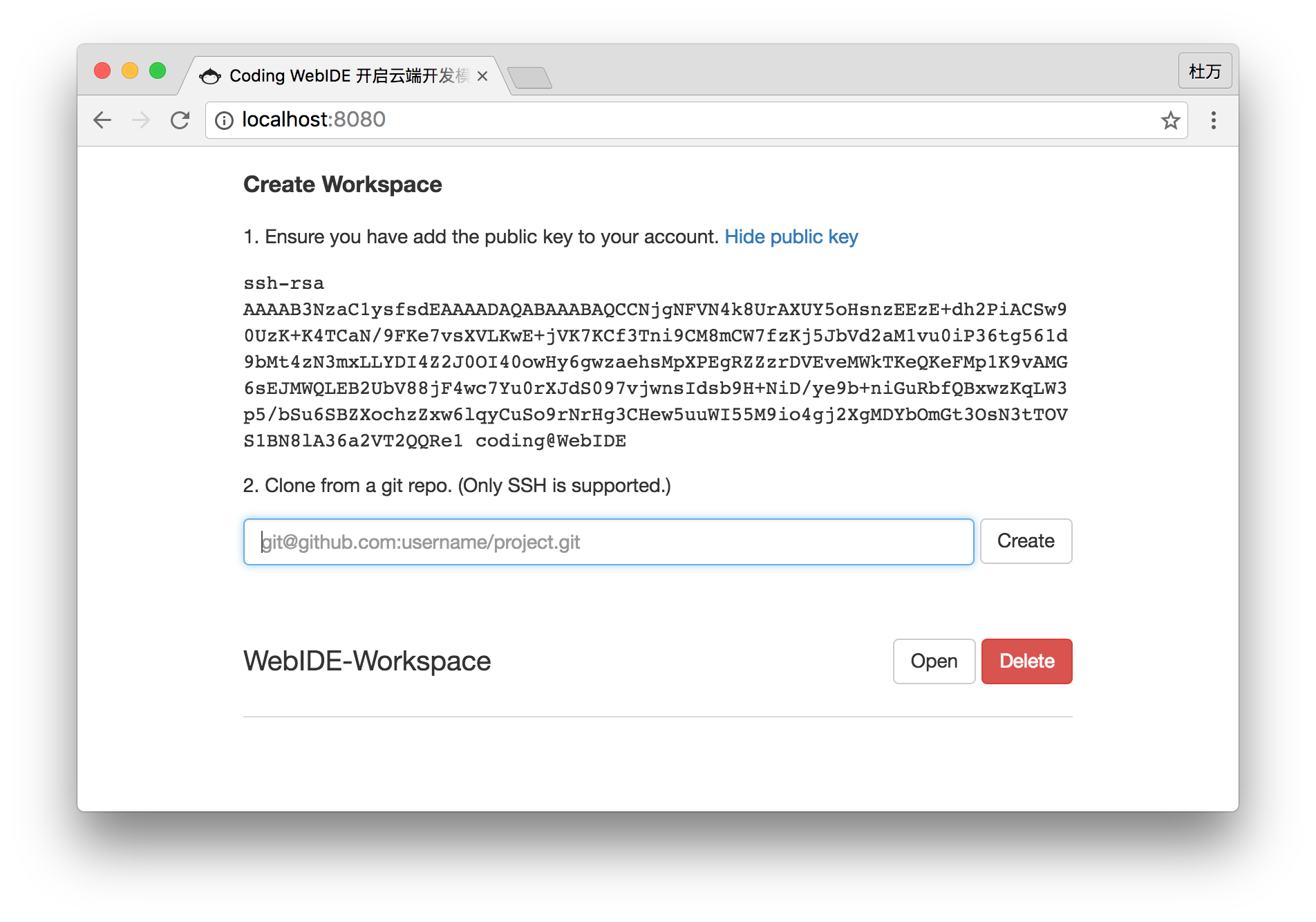
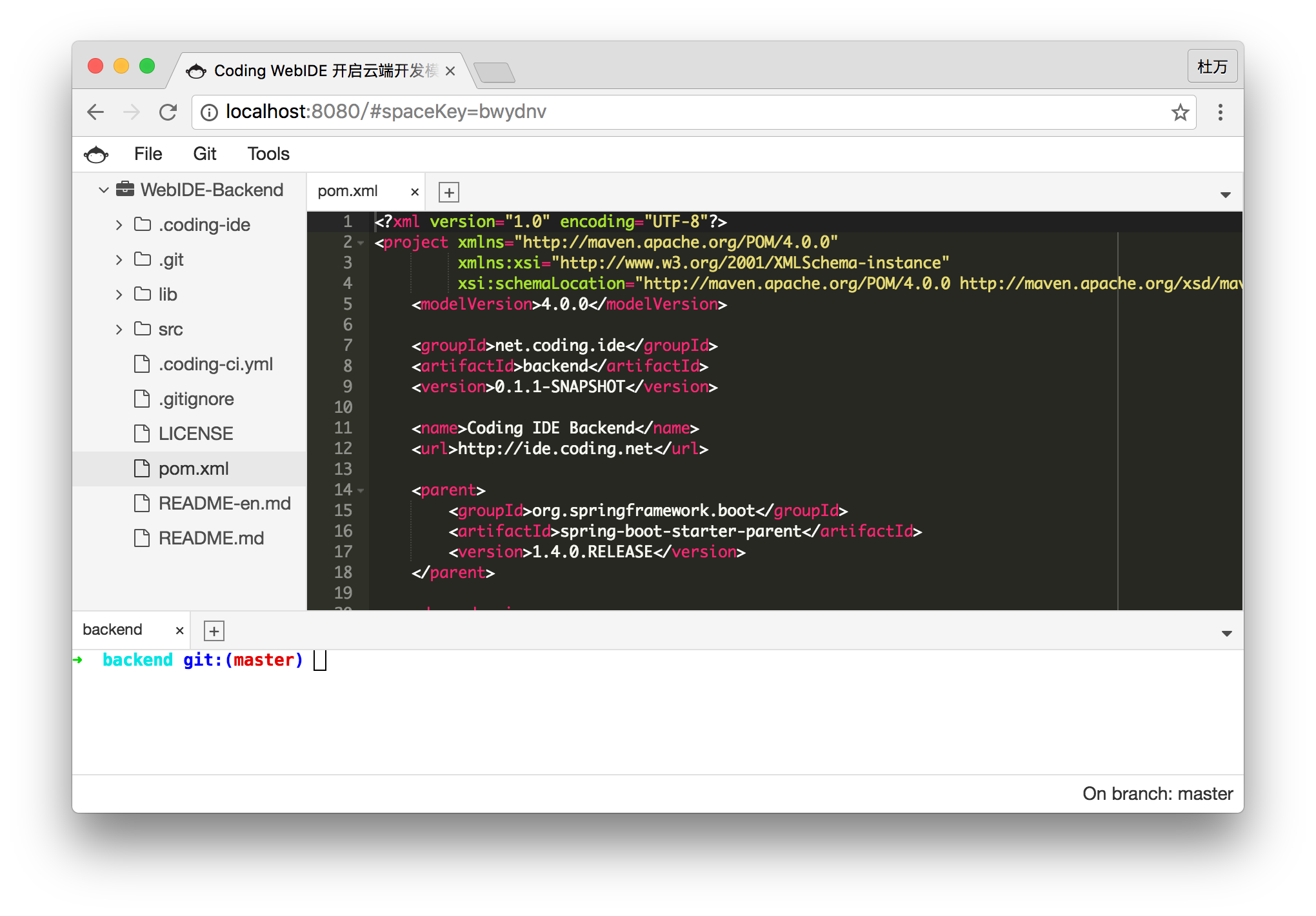
Coding WebIDE(https://ide.coding.net) is a cloud-based IDE developed by Coding Team.You can create your own workspace and develop projects here.WebIDE works fine with Git. You can use Coding、GitHub、BitBucket、GitLab as your Git repository. Workspaces are powered by Docker Ubuntu containers.The development environment can be saved and shared to your team member.
Please submit issues to corresponding projects, that'll help us make issues tracking easier so that we can provide timely help to you. Submit frontend issues at WebIDE-Frontend and backend issues at WebIDE-Backend.
Features
- Built-In Terminal
- Syntax Highlighting
- Language Tools
- Themes
- Split View
- VIM/Emacs Mode
- Previews
This is the entry point to setup and run the WebIDE Community Edition project. It includes other 3 repos as git submodules.
Modules
- WebIDE-Frontend contains frontend code.
- WebIDE-Frontend-Webjars packs frontend to webjar.
- WebIDE-Backend contains backend code.
Environment
WebIDE Frontend require node v6.x as build environment (this will save you from alot of weird errors). We recommend yarn for package management, webpack and babel is used for building.
Frontend Webjars & WebIDE Backend use maven3 and java8.
The project requires at minimum 512MB memory to run. Please ensure you have corresponding tools installed in your environment before build and run the project.
Native Server
Clone from coding.net:
git clone [email protected]:coding/WebIDE.git
Clone from github.com:
git clone [email protected]:Coding/WebIDE.git
Init and pull submodules:
git submodule init
git submodule update
This will also clone the other 3 repos via git submodule mechanism.
We provide a shell script ide.sh to ease the process for you.
./ide.sh build   # transpile and pack the frontend to webjars
./ide.sh run     # start the backend server
Server runs on port 8080 by default, visit localhost:8080 to check it out.
Configurations
backend/src/main/resources/application.properties contains configurations of user, project, database, etc., you can change these parameters to meet your need:
- SPACE_HOME: path to your workspace directory, default to
~/.coding-ide/workspace - server.port: backend server port
- USERNAME: username, used by git as its
user.nameconfig when commit, defaults to "coding" - EMAIL: email, used by git as its
user.emailconfig when commit, defaults to "[email protected]" - AVATAR: user's avatar
- CODING_IDE_HOME: path to store WebIDE application's data, default to
~/.coding-ide
If changed, restart the application to let your configurations take effect. Note that changes on USERNAME, EMAIL WILL NOT apply to workspaces that are already created.
Docker Server
docker run -p 8080:8080 -v coding-ide-home:/root/.coding-ide webide/webide
To learn more about docker commands,please refer to wiki English 中文
Explore related projects
codecrafters-io/build-your-own-x
Master programming by recreating your favorite technologies from scratch.
560,855 starspublic-apis/public-apis
A collective list of free APIs
497,100 starsmorluto/rea
Reverse engineer anything with agents, from app behavior down to native binaries.
441,724 starsopenclaw/openclaw
The AI that really does things. Any OS. Any Platform. The lobster way. 🦞
394,163 stars