
cloudera/hue has 1,410 GitHub stars and 414 forks. GitHot measured 0 stars in 24 hours and +3 in 7 days. Last checked 2026-11-06 05:59 UTC. Last push 2026-10-30.
Open source SQL Query Assistant service for Databases/Warehouses
What you can do
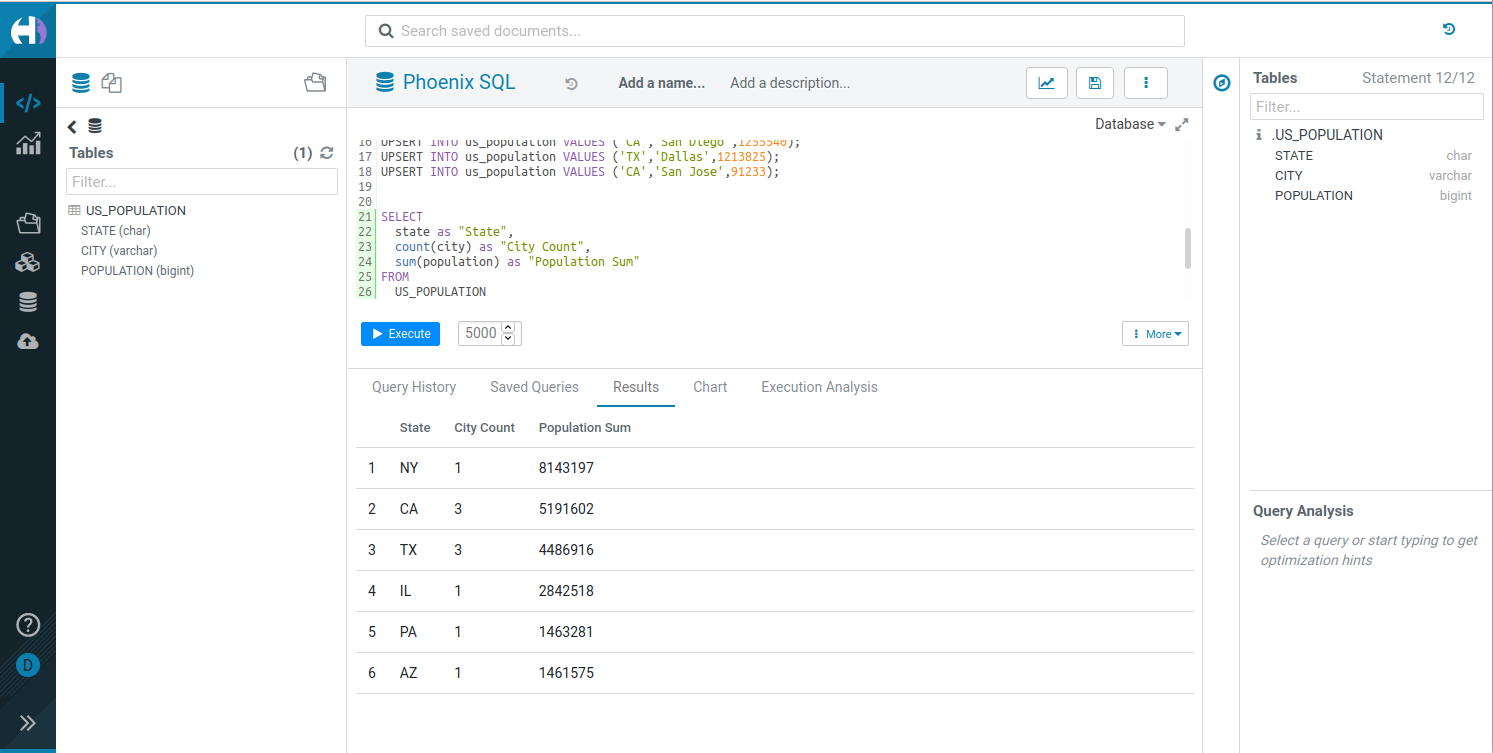
- Interactive SQL editor with syntax highlighting and autocomplete.
- File Browser to navigate and operate on HDFS, S3, ABFS, Ozone, and Google Storage (GS) files.
- Job Browser to monitor and manage Hive queries, Impala queries, YARN applications, and Livy Spark jobs.
- Table Browser to explore and manage database tables, schemas, and metadata.
Measured star growth
- in 24h
- 0
- in 7 days
- +3
- in 15 days
- Collecting history
- in 1 month
- Collecting history
Net star changes over overlapping periods, not daily totals. Missing measurements are left blank. Stars measure attention, not software quality.
README.md
OriginalHue - SQL Assistant for Databases and Data Warehouses



Query. Explore. Share.
Overview
Hue is an open-source SQL Assistant for querying databases and data warehouses. Use it to explore your data, write SQL with autocomplete, and share the results.
Key features
- Interactive SQL editor with syntax highlighting and autocomplete.
- File Browser to navigate and operate on HDFS, S3, ABFS, Ozone, and Google Storage (GS) files.
- Job Browser to monitor and manage Hive queries, Impala queries, YARN applications, and Livy Spark jobs.
- Table Browser to explore and manage database tables, schemas, and metadata.
- Table Importer to create Hive and Impala tables from CSV and Excel files, uploaded from your computer or imported from a remote file system (HDFS, S3, ABFS, Ozone, GS).
- Multiple database connectors, including Hive, Impala, MySQL, and PostgreSQL.
Useful links
- Website: gethue.com
- Documentation: docs.gethue.com
- Connect to a database: Connectors
- Build your own editor: SQL Scratchpad
- Query service: Kubernetes setup and API
Get started
- Live demo: demo.gethue.com
- Quick integrations:
Choose a deployment option to start the server. Then configure the databases you want to query.
Docker
Start Hue:
docker run -it -p 8888:8888 gethue/hue:latest
Open http://localhost:8888. The first user to log in becomes the superuser.
Note: The image uses an embedded SQLite database by default. Connect Hue to MySQL or PostgreSQL before real use. See the Docker guide.
Kubernetes
helm repo add gethue https://helm.gethue.com
helm repo update
helm install hue gethue/hue
See the Kubernetes guide and the Hue Helm chart for the configuration options.
Build from source
Hue requires Python 3.11 and Node.js 22.13 or later.
Install the dependencies for your operating system.
Clone the repository and build Hue:
git clone https://github.com/cloudera/hue.git
cd hue
export PYTHON_VER=python3.11
make apps
Start the development server:
build/env/bin/hue runserver
Open http://localhost:8000.
For a development environment in Docker, see Dev Docker. For more details, see the development documentation.
Components
- SQL Editor: interactive query interface.
- SQL Parsers: syntax handling for multiple dialects.
- REST and Python APIs: programmatic access to Hue.
Learn more about the components and the APIs.
Contributing
Contributions are welcome. Read CONTRIBUTING.md to get started.
License
Explore related projects
Asabeneh/30-Days-Of-Python
The 30 Days of Python programming challenge is a step-by-step guide to learn the Python programming language in 30 days. This challenge may take more than 100 days. Follow your own pace. These videos may help too: https://www.youtube.com/channel/UC7PNRuno1rzYPb1xLa4yktw
78,236 starsgrafana/grafana
The open and composable observability and data visualization platform. Visualize metrics, logs, and traces from multiple sources like Prometheus, Loki, Elasticsearch, InfluxDB, Postgres and many more.
77,724 starsredis/redis
For developers, who are building real-time data-driven applications, Redis is the preferred, fastest, and most feature-rich cache, data structure server, and document and vector query engine.
77,201 starsapache/superset
Apache Superset is a Data Visualization and Data Exploration Platform
75,420 stars