
circleci-tools/circleci-cli
circleci-tools/circleci-cli has 93 GitHub stars and 8 forks. GitHot measured 0 in 7 days. Last checked 2026-11-15 20:00 UTC. Last push 2026-11-03.
Measured star growth
- in 24h
- Update delayed
- in 7 days
- 0
- in 15 days
- Update delayed
- in 1 month
- Update delayed
Net star changes over overlapping periods, not daily totals. Missing measurements are left blank. Stars measure attention, not software quality.
About
:cyclone: CLI client / command line tool for CircleCI
Developer ToolsREADME.md
Originalcircleci-cli


circleci-cli is a CLI tool for Circle CI.
Installation
$ gem install circleci-cli
set the CIRCLE_CI_TOKEN environment variable. (optional)
export CIRCLE_CI_TOKEN=your-circle-ci-token
Usage
Commands:
  circleci-cli browse               # Open CircleCI website
  circleci-cli build                # Show the build result
  circleci-cli builds               # List builds
  circleci-cli cancel               # Cancel a build
  circleci-cli help [COMMAND]       # Describe available commands or one specific command
  circleci-cli projects             # List projects
  circleci-cli retry                # Retry a build
  circleci-cli version              # Show gem version
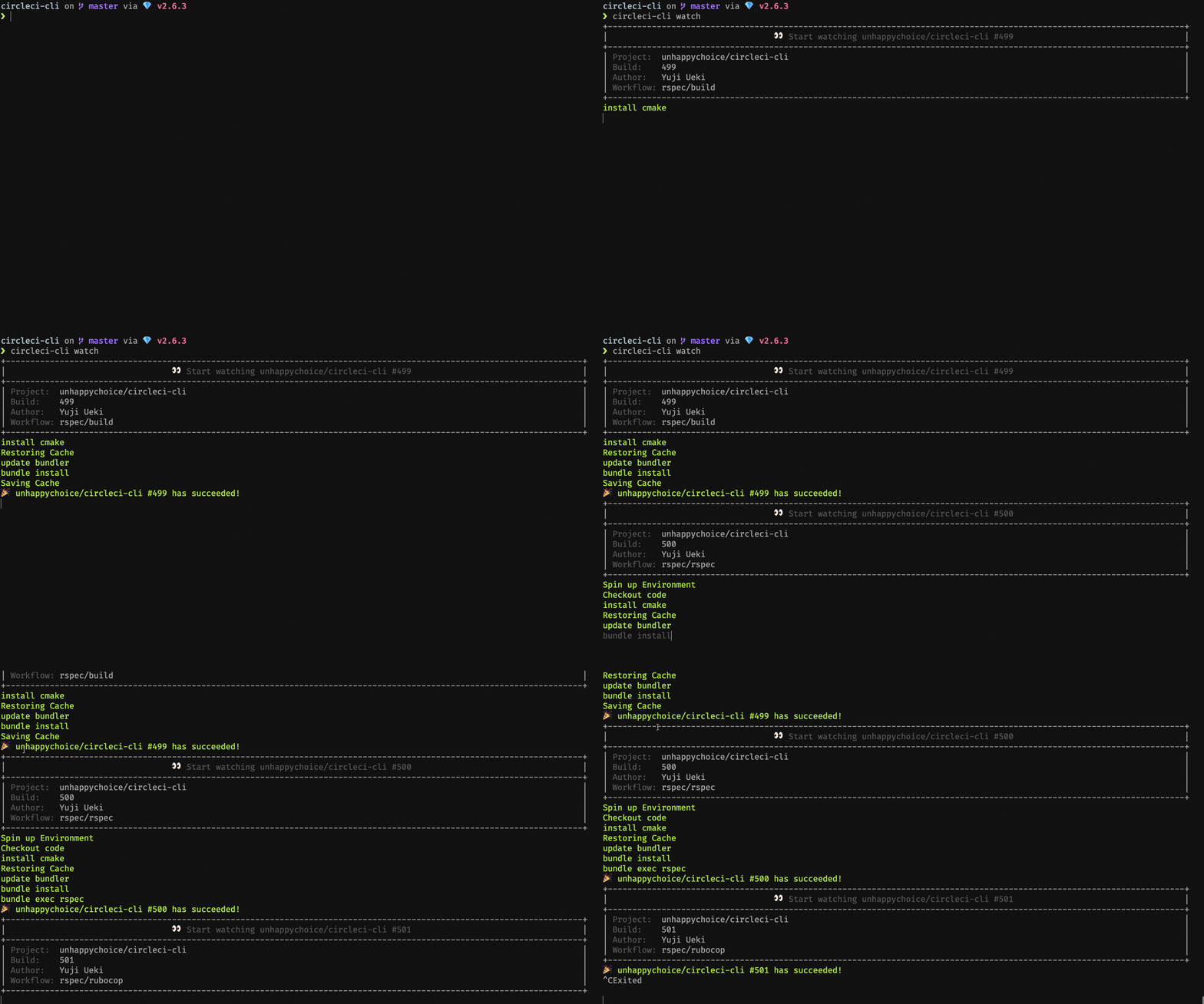
  circleci-cli watch                # Watch builds in real time

Options:
  -p user_name/project              # Specify repository
                                    # Default to the Git remote of current directory

  -b branch                         # Specify branch name
                                    # Default to the current Git branch

  -a, --all, --no-all               # Ignore the branch option and stop being filtered by the branch
                                    # Default to false

  -n build_number                   # Specify build number.
  -l last                           # Get or retry last failed build.
  -v verbose                        # Show all the logs if applied to watch command.

  --pretty=true/false, --no-pretty  # Make outputs pretty or not
                                    # Default to true
Examples
Watch your project
$ circleci-cli watch
Watch your project and show all of the build log
$ circleci-cli watch -v
Show last failed build
$ circleci-cli build --last
Retry last failed build
$ circleci-cli retry --last
Open CircleCI webpage for current project
$ circleci-cli browse
Contributing
Bug reports and pull requests are welcome on GitHub at https://github.com/circleci-tools/circleci-cli.
License
The gem is available as open source under the terms of the MIT License.
Contributors ✨
Thanks goes to these wonderful people (emoji key):
 Yuji Ueki 💻 |
 Matt Brictson 💻 ⚠️ |
 Fletcher Fowler 🐛 🤔 💻 |
 Marco Costa 🤔 💻 |
This project follows the all-contributors specification. Contributions of any kind welcome!