
cijiugechu/gpui-video-player
About
Video player for gpui
Creative & MediaMeasured star growth
- in 24h
- 0
- in 7 days
- +1
- in 15 days
- +1
- in 1 month
- Collecting history
Net star changes over overlapping periods, not daily totals. Missing measurements are left blank. Stars measure attention, not software quality.
README.md
Originalgpui-video-player
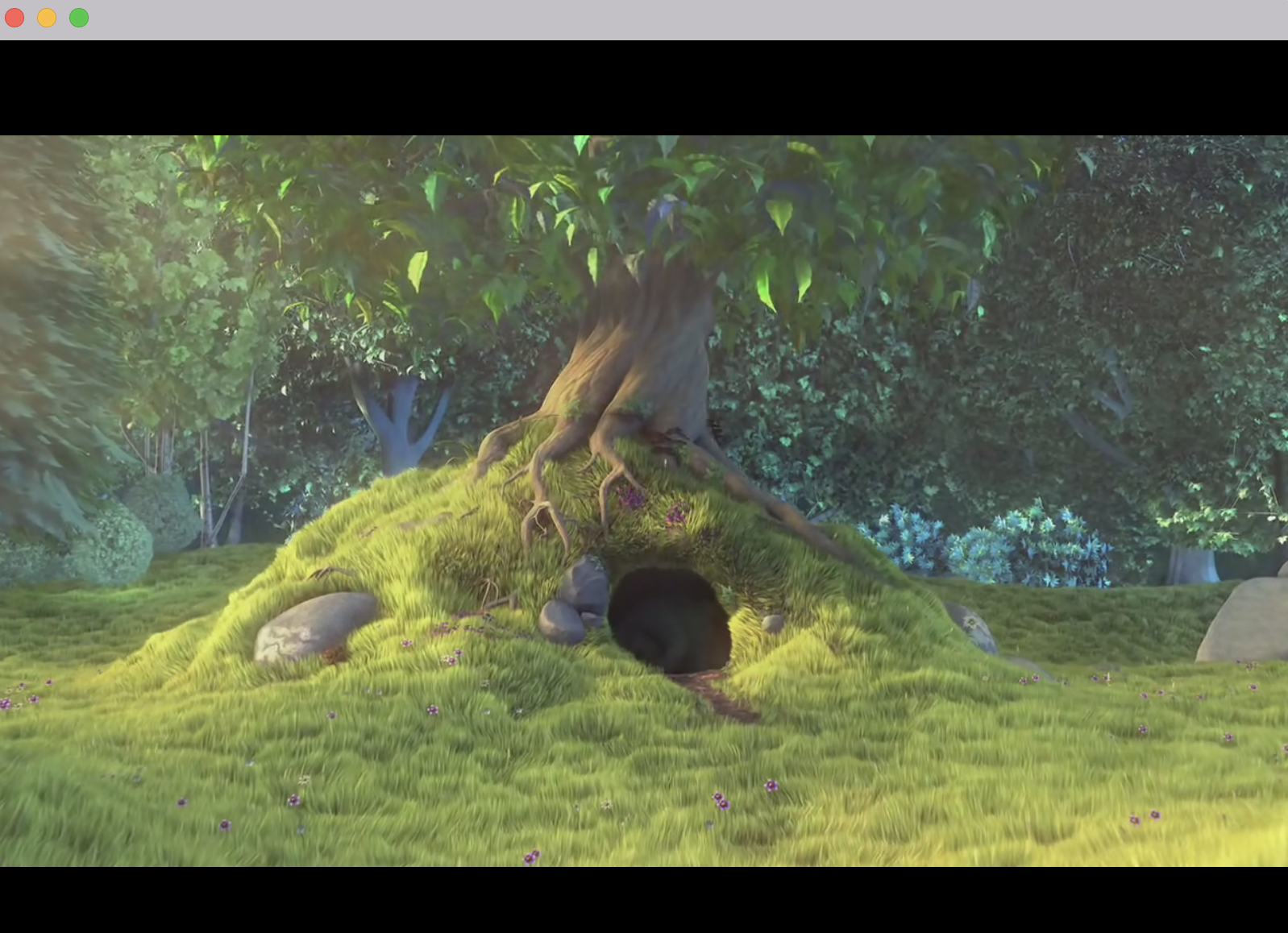
A video player library for gpui applications, built on top of GStreamer. This library provides efficient video playback with hardware-accelerated rendering on supported platforms.
Installation
GStreamer Dependencies
This library requires GStreamer and its plugins to be installed on your system. Please refer to the GStreamer Rust bindings installation guide for detailed instructions.
Minimum Requirements:
- GStreamer 1.14+
- gst-plugins-base 1.14+
- gst-plugins-good (recommended)
- gst-plugins-bad (recommended for additional codec support)
Adding to Your Project
Add this to your Cargo.toml:
[dependencies]
gpui = "0.2"
gpui-video-player = "0.1.3"
The default gpui feature uses GPUI 0.2. To use gpui-pre instead:
[dependencies]
gpui = { package = "gpui-pre", version = "=0.3.9", default-features = false }
gpui_platform = { package = "gpui-pre-platform", version = "=0.3.9", features = ["font-kit"] }
gpui-video-player = { version = "0.1.3", default-features = false, features = ["gpui-pre"] }
If both features are enabled, gpui-pre takes precedence. Only the selected backend's
types are supported by VideoElement; use the same GPUI package in your application.
The selected backend is also re-exported as gpui_video_player::gpui.
Keep gpui-pre and gpui-pre-platform pinned to the same exact version (=0.3.9)
to avoid API/type mismatches during dependency updates. The platform dependency's
font-kit feature enables the macOS text backend; consumers must enable it too
(the library's dev-dependencies do not enable features in downstream applications).
Usage
Basic Video Playback
This example uses the gpui-pre dependencies above. With the default GPUI 0.2
backend, replace gpui_platform::application() with gpui::Application::new().
Add env_logger = "0.11" and url = "2" to your application dependencies.
use gpui::{App, Context, Render, Window, WindowOptions, div, prelude::*};
use gpui_video_player::{Video, video};
use url::Url;

struct VideoPlayer {
    video: Video,
}

impl Render for VideoPlayer {
    fn render(&mut self, _window: &mut Window, _cx: &mut Context<Self>) -> impl IntoElement {
        div()
            .size_full()
            .flex()
            .items_center()
            .justify_center()
            .child(
                video(self.video.clone())
                    .id("main-video")
                    .buffer_capacity(30), // Buffer up to 30 frames
            )
    }
}

fn main() -> Result<(), Box<dyn std::error::Error>> {
    env_logger::init();
    let path = std::env::current_dir()?.join("path/to/your/video.mp4");
    let uri = Url::from_file_path(path).map_err(|_| {
        std::io::Error::new(std::io::ErrorKind::InvalidInput, "invalid video path")
    })?;
    let video = Video::new(&uri)?;
    let application = gpui_platform::application();
    application.run(move |cx: &mut App| {
        if let Err(error) = cx.open_window(
            WindowOptions {
                focus: true,
                ..Default::default()
            },
            |_, cx| cx.new(|_| VideoPlayer { video }),
        ) {
            eprintln!("failed to open window: {error}");
            cx.quit();
            return;
        }
        cx.activate(true);
    });
    Ok(())
}
Video Controls
use gpui_video_player::Video;
use std::time::Duration;

// Playback control
video.set_paused(true);  // Pause
video.set_paused(false); // Resume

// Seeking
video.seek(Duration::from_secs(30), false)?; // Seek to 30 seconds

// Volume control
video.set_volume(0.5); // 50% volume
video.set_muted(true); // Mute

// Speed control
video.set_speed(2.0)?; // 2x speed

// Display size
video.set_display_width(Some(800)); // Override width
video.set_display_height(Some(600)); // Override height
Advanced Configuration
use gpui_video_player::{Video, VideoOptions, video};

let options = VideoOptions {
    frame_buffer_capacity: Some(10), // Buffer 10 frames
    looping: Some(true),            // Enable looping
    speed: Some(1.5),               // 1.5x speed
};

let video = Video::new_with_options(&uri, options)?;
Looping Playback Example
use gpui_video_player::{Video, VideoOptions};

let looped_video = Video::new_with_options(
    &uri,
    VideoOptions {
        looping: Some(true),
        ..VideoOptions::default()
    },
)?;

looped_video.set_looping(true);
Call set_looping(true) at runtime whenever you want to ensure the current stream loops.
Custom Video Element
use gpui_video_player::{VideoElement, video};

let video_element = video(my_video)
    .id("custom-video")
    .size(px(640.0), px(480.0))  // Set display size
    .buffer_capacity(5);         // Buffer 5 frames
API Reference
Video
The main video player struct with methods for:
- Playback Control:
set_paused(),paused() - Seeking:
seek(),position(),duration() - Audio:
set_volume(),volume(),set_muted(),muted() - Speed:
set_speed(),speed() - Display:
display_size(),set_display_size() - Frame Access:
current_frame_data(),take_frame_ready()
VideoElement
GPUI element for rendering video with:
- Sizing:
size(),width(),height() - Buffering:
buffer_capacity() - Identification:
id()
Position
Time or frame-based positioning:
use gpui_video_player::Position;
use std::time::Duration;

let time_pos = Position::Time(Duration::from_secs(10));
let frame_pos = Position::Frame(300);
Examples
Run the included examples to see the library in action:
# Basic video player
cargo run --example video_player

# Video player with controls
cargo run --example with_controls

# Looping playback
cargo run --example looping

# Any example with gpui-pre
cargo run --no-default-features --features gpui-pre --example video_player
The with_controls example uses GPUI div controls so it can compile against
both backends without introducing gpui-component's separate GPUI types. Controls
support Tab/Shift-Tab navigation, Enter/Space activation, visible focus, and text
labels. They are demonstration controls, not full Button replacements: native
accessibility button roles and screen-reader actions are not implemented. For a
production UI, use accessible components compatible with your selected backend.
Platform Notes
macOS
For the gpui-pre backend, the Core Video bridge retains a separate reference for GPUI's scene. The source wrapper and scene each release their own reference; frame replacement and window teardown must release the scene's ownership.
Run the ownership regression and real-window stress checks on a macOS desktop:
cargo test --no-default-features --features gpui-pre --lib retained_pixel_buffer
RUST_LOG=gpui_video_player::element=trace,video_player=info cargo run --no-default-features --features gpui-pre --example video_player -- --stress
The stress mode plays the bundled clip in 20 successive windows, closing each after one second. Check for native-surface trace messages and completion of all 20 cycles. Use Instruments Allocations/Leaks for longer memory investigations; a passing smoke test alone does not prove absence of lifetime bugs or leaks.
- Uses
CVPixelBufferfor hardware-accelerated rendering when possible - Falls back to software rendering via GPUI sprite atlas
Linux/Windows
- Uses optimized software rendering via GPUI sprite atlas
- Supports various GStreamer backends
Contributing
Contributions are welcome! Please feel free to submit issues and pull requests.
License
This project is licensed under the MIT License - see the LICENSE file for details.
Credits
This project is inspired by and has referenced code from iced_video_player by @jazzfool.
Explore related projects
Loading…