
chaiyujin/glow-pytorch
chaiyujin/glow-pytorch has 514 GitHub stars and 81 forks. GitHot measured 0 stars in 24 hours. Last checked 2026-11-19 06:07 UTC. Last push 2019-04-25.
Measured star growth
- in 24h
- 0
- in 7 days
- Collecting history
- in 15 days
- Collecting history
- in 1 month
- Collecting history
Net star changes over overlapping periods, not daily totals. Missing measurements are left blank. Stars measure attention, not software quality.
About
pytorch implementation of openai paper "Glow: Generative Flow with Invertible 1×1 Convolutions"
Machine LearningREADME.md
OriginalGlow
This is pytorch implementation of paper "Glow: Generative Flow with Invertible 1x1 Convolutions". Most modules are adapted from the offical TensorFlow version openai/glow.
TODO
- Glow model. The model is coded as described in original paper, some functions are adapted from offical TF version. Most modules are tested.
- Trainer, builder and hparams loaded from json.
- Infer after training
- Test LU_decomposed 1x1 conv2d
Scripts
- Train a model with
train.py <hparams> <dataset> <dataset_root> - Generate
z_deltaand manipulate attributes withinfer_celeba.py <hparams> <dataset_root> <z_dir>
Training result
Currently, I trained model for 45,000 batches with hparams/celeba.json using CelebA dataset. In short, I trained with follwing parameters
| HParam | Value |
|---|---|
| image_shape | (64, 64, 3) |
| hidden_channels | 512 |
| K | 32 |
| L | 3 |
| flow_permutation | invertible 1x1 conv |
| flow_coupling | affine |
| batch_size | 12 on each GPU, with 4 GPUs |
| learn_top | false |
| y_condition | false |
- Download pre-trained model from Dropbox
Reconstruction
Following are some samples at training phase. Row 1: reconstructed, Row 2: original.


Manipulate attribute
Use the method decribed in paper to calculate z_pos and z_neg for a given attribute.
And z_delta = z_pos - z_neg is the direction to manipulate the original image.
manipulate
Smiling(from negative to positive):


manipulate
Young(from negative to positive):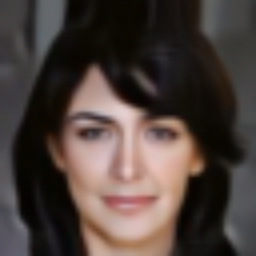


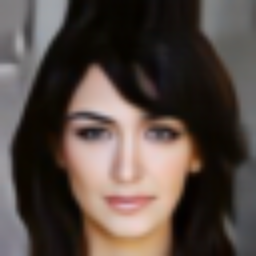

manipulate
Pale_Skin(from negative to positive):



manipulate
Male(from negative to positive):


Issues
There might be some errors in my codes. Please help me to figure out.