
cfinke/EpsteOut
cfinke/EpsteOut has 638 GitHub stars and 42 forks. GitHot measured 0 stars in 24 hours. Last checked 2026-11-16 04:37 UTC. Last push 2026-10-17.
Measured star growth
- in 24h
- 0
- in 7 days
- Collecting history
- in 15 days
- Collecting history
- in 1 month
- Collecting history
Net star changes over overlapping periods, not daily totals. Missing measurements are left blank. Stars measure attention, not software quality.
About
See which of your LinkedIn connections appear in the Epstein files.
Developer ToolsREADME.md
Original
Search the publicly released Epstein court documents for mentions of your LinkedIn connections. This project is not authorized, endorsed, or otherwise affiliated with LinkedIn Corporation.
Requirements
- Python 3.6+
requestslibrary
Setup
git clone [email protected]:cfinke/EpsteOut.git
cd EpsteOut/
python3 -m venv project_venv
source project_venv/bin/activate
pip install -r requirements.txt
Getting Your LinkedIn Contacts
- Go to linkedin.com and log in.
- Click your profile icon in the top right.
- Select Settings & Privacy.
- Click Data privacy in the left sidebar.
- Under "How LinkedIn uses your data", click Get a copy of your data.
- Select Connections (or click "Want something in particular?" and check Connections). If Connections isn't listed as an option, choose the Download larger data archive option.
- Click Request archive.
- Wait for LinkedIn's email; it may take up to 24 hours.
- Download and extract the ZIP file.
- Locate the
Connections.csvfile.
Usage
python EpsteOut.py --connections /path/to/Connections.csv
The API that EpsteOut connects to has recently required an API key to access it. Keys are available for free at https://epstein.dugganusa.com/register.html
Options
| Flag | Description |
|---|---|
--connections, -c |
Path to LinkedIn Connections.csv export (required) |
--output, -o |
Output HTML file path (default: EpsteOut.html) |
Examples
Basic usage:
python EpsteOut.py --connections ~/Downloads/Connections.csv
Custom output file:
python EpsteOut.py --connections ~/Downloads/Connections.csv --output my_report.html
Reading the Output
The script generates an HTML report (EpsteOut.html by default) that you can open in any web browser.
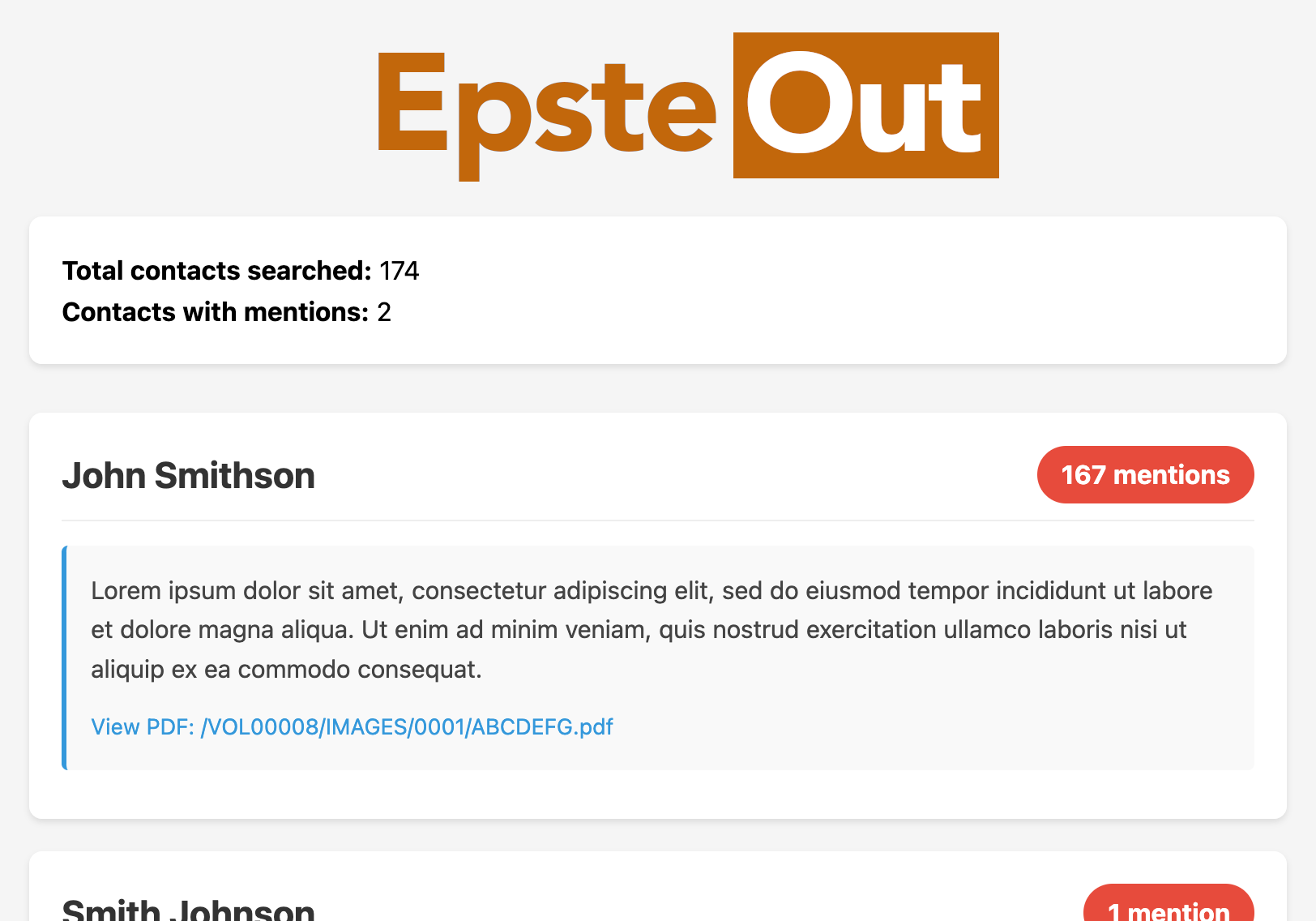
The report contains:
- Summary: Total contacts searched and how many had mentions
- Contact cards: Each contact with mentions is displayed as a card showing:
- Name, position, and company
- Total number of mentions across all documents
- Excerpts from each matching document
- Links to the source PDFs on justice.gov
Contacts are sorted by number of mentions (highest first).
Notes
- The search uses exact phrase matching on full names, so "John Smith" won't match documents that only contain "John" or "Smith" separately.
- Common names may produce false positives; review the context excerpts to verify relevance.
- Epstein files indexed by DugganUSA.com