
cccyd2003-qwq/pinkbin
cccyd2003-qwq/pinkbin has 1,417 GitHub stars and 59 forks. GitHot measured +1 stars in 24 hours and +10 in 7 days. Last checked 2026-11-09 05:13 UTC. Last push 2026-07-14.
扫盘 · 看懂 · 删除。磁盘扫描+清理Agent(Tauri 2 + React + Rust)
Measured star growth
- in 24h
- +1
- in 7 days
- +10
- in 15 days
- Collecting history
- in 1 month
- Collecting history
Net star changes over overlapping periods, not daily totals. Missing measurements are left blank. Stars measure attention, not software quality.
README_EN.md
Original
Pinkbin
Scan. Understand. Clean — one folder at a time.
Open-source disk cleaner. Scan a whole drive in seconds to see where the bytes went, drag any unfamiliar folder into the AI to learn what it is and whether it's safe to delete, then clean by scope — defaults to the Recycle Bin, never reads your file contents.


Download · Demo · Three things · Usage · Architecture · Roadmap · Contributing · Acknowledgments
简体中文 | English
Download

| Platform | File | Notes |
|---|---|---|
| Windows 10 / 11 (x64) | Pinkbin_x.x.x_x64-setup.exe (NSIS)Pinkbin_x.x.x_x64_en-US.msi (MSI) |
First launch: SmartScreen will block — click "More info" → "Run anyway". NTFS MFT direct read needs admin; the installer ships a manifest that auto-elevates via UAC. |
No prebuilt macOS / Linux binaries yet (no signing cert for macOS, and we haven't validated the Linux build on real hardware). You can build them yourself with
pnpm tauri build. The release matrix will be expanded once we have signing + real-hardware validation — PRs welcome.
Demo
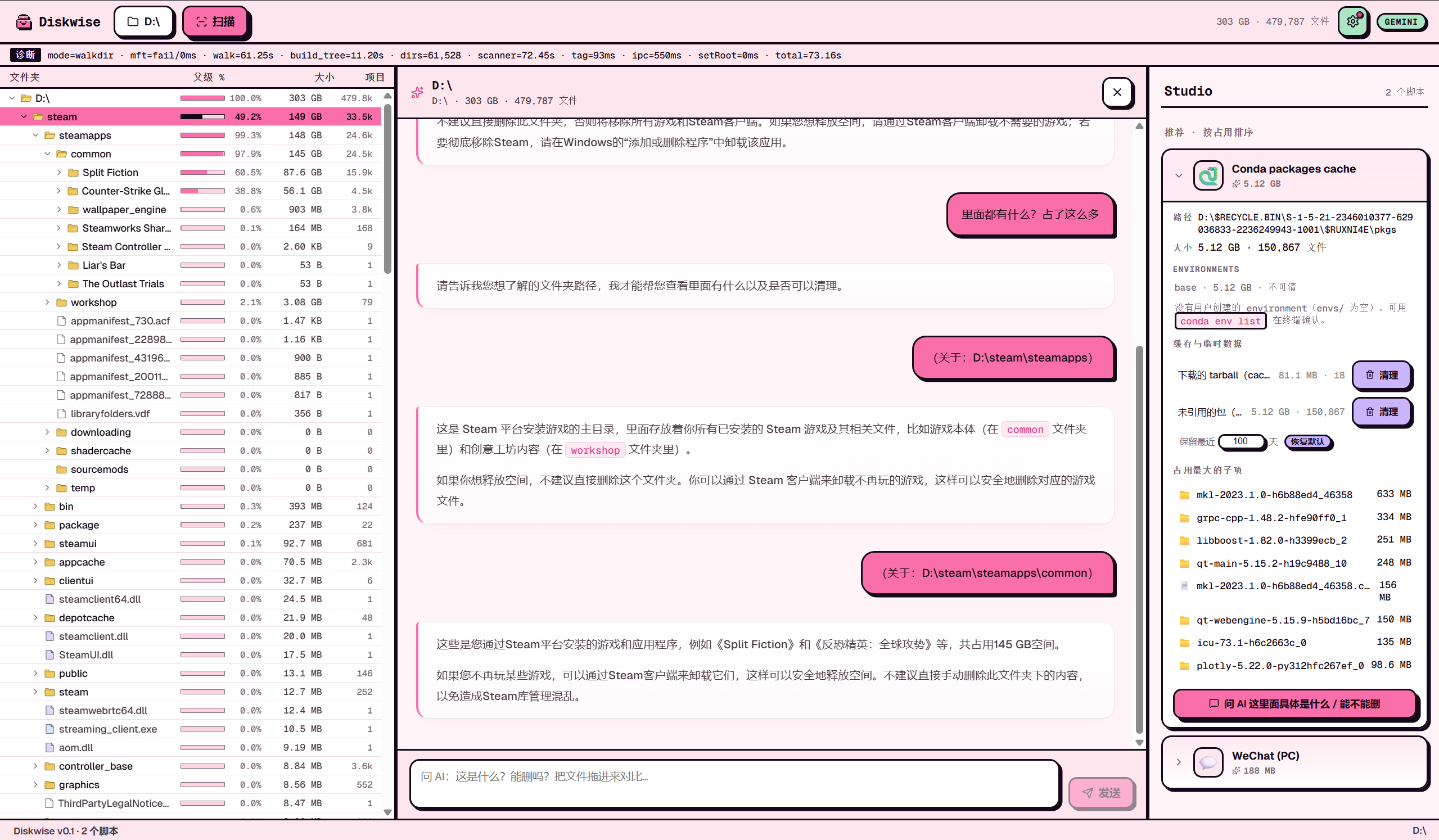
In use · Left: D:\ tree view (each row shows a usage % bar) · Center: drag D:\steam\steamapps into the AI, it answers in markdown — what this is and whether it's safe to delete · Right: Studio card expanded for Conda packages cache (5.12 GB · 150,867 files)
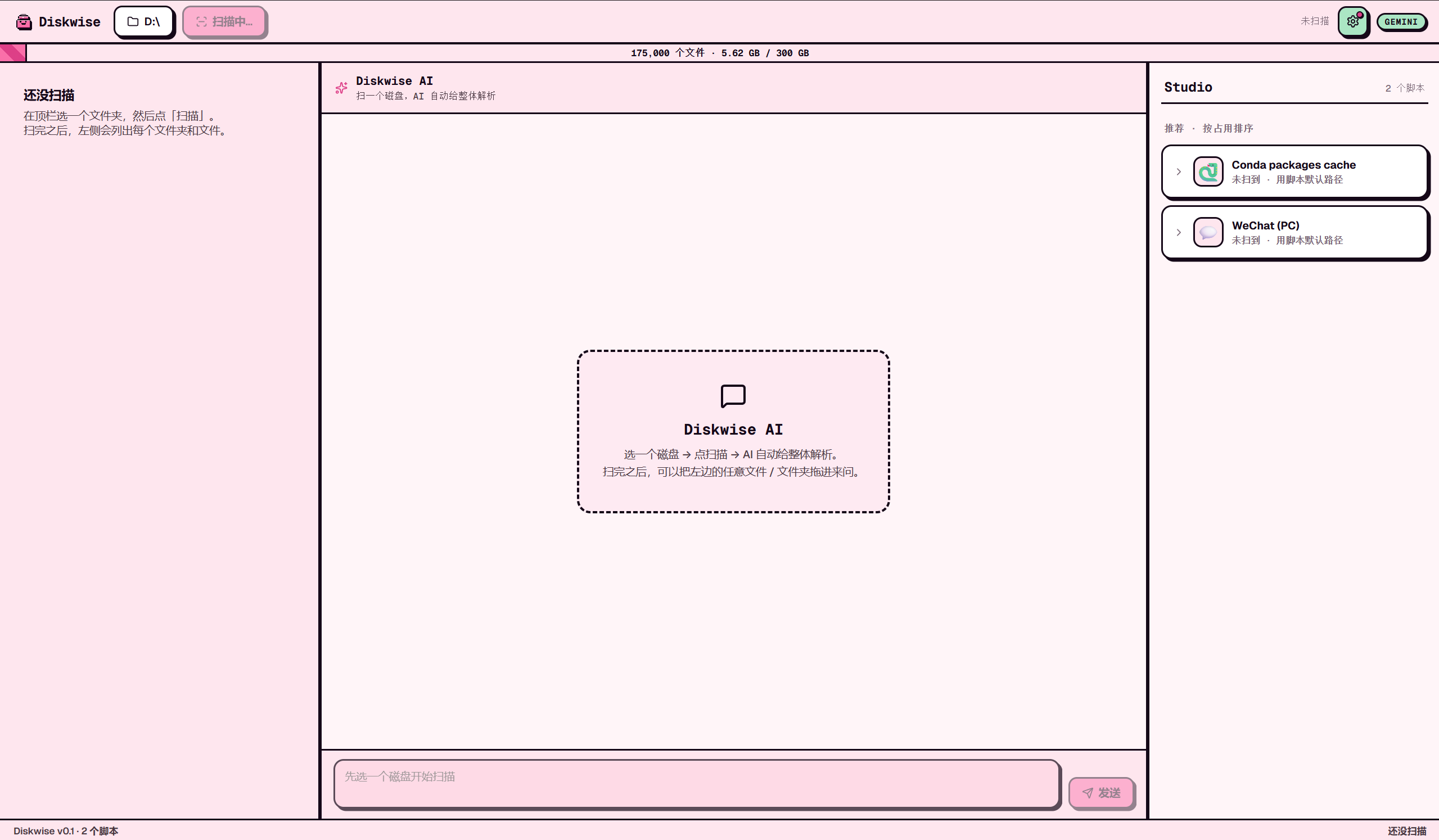
Empty state · Top "Pick a disk or folder" → click Scan to populate; the right-hand Studio already recognizes WeChat / Conda (showing "not detected" because the scaffold's default paths haven't been scanned yet)
Three things
Pinkbin only does three things:
1. Show how the disk is allocated
Direct read of the Windows NTFS Master File Table (jwalk fallback on other platforms). Full C: drive in 2–5 seconds. Renders a colored treemap and a single-line 22px-row tree view — at a glance you can see D:\xwechat_files taking 80GB, C:\Users\<you>\AppData\Local\Docker taking 50GB.
2. Drag any folder into the AI to ask "what is this"
See an unfamiliar folder? Drag it from the left tree (or the path on the right) into the central chat panel, and the AI explains what it is, whether it's safe to delete, and what you'd lose. BYOK — bring your own Anthropic / OpenAI / Gemini key, or run Ollama locally for free.
Pinkbin only sends directory metadata to the AI (path names, size, file count, extension distribution, up to 20 sample paths). It never reads file contents.
3. Known apps get a dedicated cleanup scaffold
Some apps are mainstream, eat real disk, and have a clear cleanup boundary — for those we ship a cleanup scaffold (one TOML + one Rust integration test). Users can clean each scope individually right from the Studio card. Currently shipping two:
- WeChat for PC (3.x + 4.x dual support) — 22 scopes covering caches, received media, chat backups. Never touches chat DBs, favorites, Moments, or
CustomEmotion. - Conda environments — recycles stale envs as a single directory (when
conda-meta/historymtime is older than 90 days). Base env is permanently grayed out.
What's coming: Steam shadercache · Chrome cache · Docker buildx · HuggingFace models · npm/pnpm/pip cache · OBS recordings · IDE indices — mainstream apps with significant disk usage and clear cleanup boundaries, added one by one through the 14-phase workflow with red-line integration tests guarding every glob. Why we cut the previous 36 legacy scaffolds: nobody had verified their glob boundaries, creating a real risk of deleting user data (e.g. the old node-modules scaffold matched Cursor / VSCode / game-bundled node_modules directories).
All deletes go to the system Recycle Bin by default — recoverable. Every action writes ~/.pinkbin/undo.jsonl; optional 7-day quarantine.
Usage
- Download the installer (above), install, the Pinkbin icon shows up on your desktop
- Open → top-right ⚙ to configure AI — paste your API key
- Top "Pick a disk or folder" → click Scan — 2–5 seconds later you see the treemap + tree view
- Hit an unfamiliar large folder? Drag it into the chat panel and ask the AI; or look at the right-side Studio for any already-detected scaffolds (WeChat, conda)
- Before deleting: defaults to Recycle Bin; high-risk operations (chat-backups etc.) require two-step confirmation; tick dry-run to preview what would be deleted
Architecture
Want a plain-language walkthrough (no jargon, written for non-technical readers — Chinese for now): 📖 docs/ARCHITECTURE.md
┌────────────────────┐     ┌─────────────────────┐
│   React + Tauri    │────>│  Rust workspace     │
│   (frontend UI)    │<────│  (4 crates)         │
└────────────────────┘     └──────────┬──────────┘
                                      │
        ┌─────────────────┬───────────┼──────────────┬──────────────┐
        │                 │           │              │              │
   ┌────▼────┐    ┌──────▼─────┐  ┌──▼──────┐  ┌────▼────┐  ┌──────▼──────┐
   │ scanner │    │  scaffold  │  │executor │  │advisor  │  │scaffold-lint│
   │ NTFS MFT│    │ TOML +     │  │Recycle/ │  │AI 4     │  │ CI checker  │
   │ + jwalk │    │ globset    │  │Quarant. │  │protocols│  │              │
   └─────────┘    └────────────┘  └─────────┘  └─────────┘  └─────────────┘
| Layer | Stack |
|---|---|
| Frontend | React 18 + TypeScript + Tauri 2 + react-markdown |
| Backend | Rust workspace (4 crates) + Tauri IPC |
| Scanner | Windows: NTFS MFT direct read (ntfs crate) / Cross-platform: jwalk |
| AI | BYOK · Anthropic · OpenAI · Gemini · Ollama (4 protocols) |
| Data | Local ~/.pinkbin/ (undo.jsonl + quarantine/) · never uploaded |
Roadmap
- Whole-disk scan in seconds — see how much every folder takes
- Drag any folder into the AI to ask "what is this, can I delete it?"
- One-click cleanup for WeChat and Conda
- An "undo" button so you can recover anything you deleted by mistake
- Support more common apps: Steam, Chrome, Docker, npm/pip, HuggingFace, OBS, IDE caches…
- Ship prebuilt macOS / Linux binaries (need signing cert + real-hardware validation first)
- Let users write and share their own cleanup scripts
Contributing
The most valuable contribution is writing a new cleanup scaffold. Each app is one PR:
- Write the requirements doc under
docs/scaffold-requirements/(red lines: chat DBs? account keys? user favorites?) - Actually run the app on your machine, use
Globto enumerate the real directory tree, find the cache-vs-user-data boundary - Copy
scaffolds/_templates/scaffold.tomland write the TOML - Copy
crates/scaffold/tests/_templates/scaffold_safety.rsand write the safety test (positive + red-line assertions, CI runs this — no test, no merge) pnpm tauri devto verify the card renders- Open the PR — the template walks you through 14 checklist items
Claude Code users: just type /add-scaffold <id> from the repo root and the 14-phase workflow kicks in.
Full workflow: .claude/commands/add-scaffold.md.
Development
git clone https://github.com/cccyd2003-qwq/pinkbin.git && cd pinkbin
pnpm install
pnpm tauri dev            # desktop app (first build compiles Rust deps, 5-15 min)
pnpm -C apps/desktop dev  # frontend only, browser-based debugging, mock backend
cargo test --workspace    # workspace tests
Requires Node 20+ · pnpm 9+ · Rust stable · Tauri prerequisites (on Windows: VS Build Tools 2022 + WebView2).
Acknowledgments
- Inspiration
- WizTree — NTFS MFT direct-read approach and the speed bar
- SpaceSniffer — treemap visualization pioneer
- CleanMyWechat — the WeChat cleanup script lineage; the messaging requirements doc draws on it
- SquirrelDisk — Tauri + Rust reference implementation
- Standing on giants' shoulders: Tauri ·
d3-hierarchy·jwalk·ntfs·globset·trash-rs· react-markdown - Collaboration: Claude Code · @jtlyu (perf optimization + WeChat 4.x rewrite + scaffold harness workflow plumbing)
License
MIT · fork it, sell it, fork it closed-source — go ahead. If you modify a scaffold, please keep its safety test in sync — the red-line assertions are the last line of defense against accidentally deleting user data.
Explore related projects
freeCodeCamp/freeCodeCamp
freeCodeCamp.org's open-source codebase and curriculum. Learn math, programming, and computer science for free.
458,792 starsdonnemartin/system-design-primer
Learn how to design large-scale systems. Prep for the system design interview. Includes Anki flashcards.
377,400 starsreact/react
The library for web and native user interfaces.
252,436 starsvuejs/vue
This is the repo for Vue 2. For Vue 3, go to https://github.com/vuejs/core
212,626 stars