
captableinc/captable
captableinc/captable has 829 GitHub stars and 179 forks. GitHot measured 0 stars in 24 hours and 0 in 7 days. Last checked 2026-11-09 16:48 UTC. Last push 2025-06-04.
#1 Open-Source Captable, an alternative to Carta, Pully, Angelist and others.
Measured star growth
- in 24h
- 0
- in 7 days
- 0
- in 15 days
- Update delayed
- in 1 month
- Update delayed
Net star changes over overlapping periods, not daily totals. Missing measurements are left blank. Stars measure attention, not software quality.
README.md
Original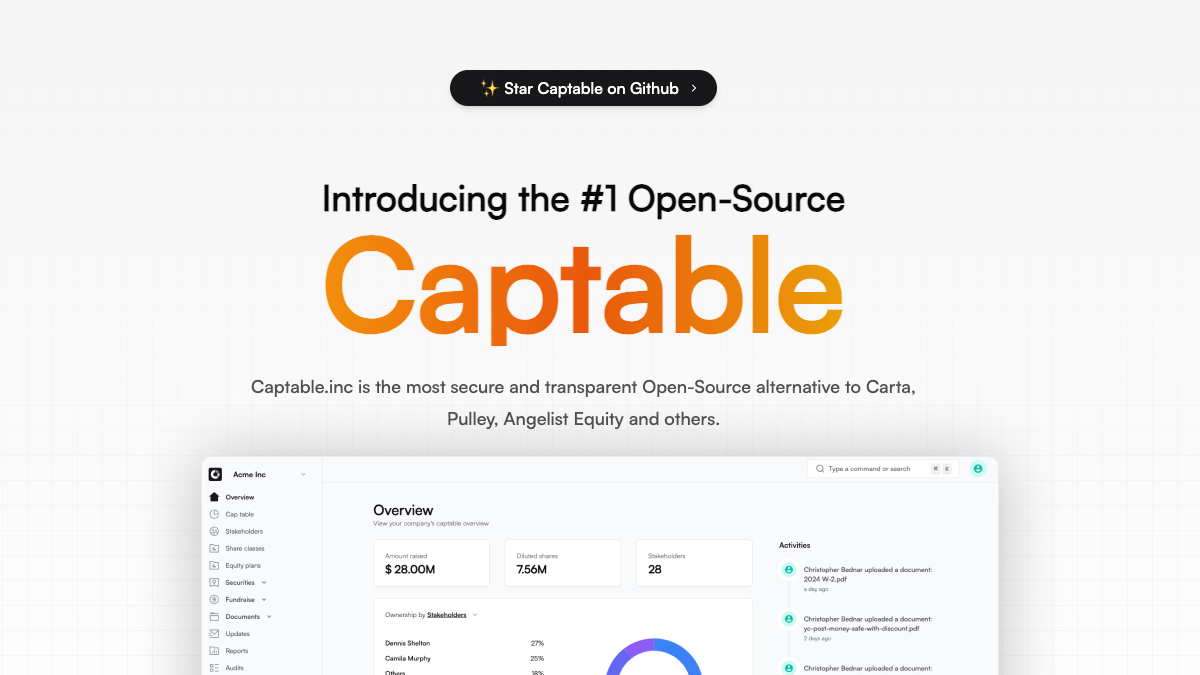
Captable, Inc.
#1 Open-source Cap table management platform, an alternative to Carta, Pulley, Angelist and others.




Table of contents
✨ Key features
[!IMPORTANT]
We envision a world where cap table management is accessible, secure, and empowering for all. Captable, Inc. aims to democratize the handling of cap tables, securities, and stakeholder interactions. Through cutting-edge technology and a commitment to openness, we strive to be the catalyst for positive change in financial ecosystems.
👷 Incorporation (wip) - Captable, Inc. helps you incorporate your company in minutes, with all the necessary legal documents and filings taken care of.
👷 Cap table management (wip) - Captable, Inc. helps you keep track of your company’s ownership structure, including who owns what percentage of the company, how much stock/options has been issued, and more.
✅ Fundraise - Captable, Inc. can help you raise capital, whether its signing standard or custom SAFE or creating and managing fundraising rounds, tracking investor commitments, and more.
✅ Investor updates - Delight your investors and team members by sending them regular updates on your company’s progress.
✅ eSign Documents - Sign SAFE, NDA, contracts, offere letters or any type of documents with Captable Sign.
✅ Data rooms - Captable, Inc. provides a secure virtual data room where you can store important documents and share them with investors, employees, and other stakeholders.
🤝 Community
We have a community of developers, designers, and entrepreneurs who are passionate about building the future of finance. Join us on Discord to connect with like-minded individuals, share your ideas, and collaborate on projects.🫡 Contributing
- Please show us some support by giving it a ⭐️
- We are looking for contributors to help us build the future of cap table management.
- Let's collaborate on Discord community channel.
- Any contributions you make are truly appreciated.
Stack
Getting started
When contributing to Captable, Inc., whether on GitHub or in other community spaces:- Be respectful, civil, and open-minded.
- Before opening a new pull request, try searching through the issue tracker for known issues or fixes.
Setup development environment
- Development environment on Gitpod
- Development environment with Docker
- Development environment without Docker
Development environment on Gitpod
- Click the button below to open this project in Gitpod.

Development environment with Docker
Fork & clone the forked repository
Install node and pnpm. (optional)
Copy
.env.exampleto.envcp .env.example .envRun the following command to start the development environment
# With pnpm installed
pnpm dx

# Without pnpm installed
docker compose up
Run the following command to migrate and seed the database
docker compose exec app pnpm db:migrate
docker compose exec app pnpm db:seed
Note Everytime you make changes to Dockerfile or compose.yml, you need to rebuild the docker image by running
docker compose up --buildRunning
docker compose upwill start all the services on their respective ports.- App will be running on http://localhost:3000
- Emails will be intercepted: http://localhost:8025
- SMTP will be on PORT
http://localhost:1025 - Postgres will be on PORT
http://localhost:5432 - Prisma studio will be on PORT
http://localhost:5555
Frequently used commands
docker compose up- Start the development environmentdocker compose down- Stop the development environmentdocker compose logs -f- View logs of the running servicesdocker compose up --build- Rebuild the docker imagedocker compose run app pnpm db:migrate- Run database migrationsdocker compose run app pnpm db:seed- Seed the database
Development environment without Docker
This has been tested on Mac OS and works really well. If you are using Linux/Windows/WSL, you might need to install some additional dependencies.
Clone the repository
git clone https://github.com/<your-github-name>/captable.gitCopy
.env.exampleto.envcp .env.example .envInstall latest version of node and pnpm
Install latest version of postgres database
Install mailpit for SMTP and email interception
Create database
captablein postgres databaseUpdate
.envfile'sDATABASE_URLwith database credentialsFor a quick start, you can use Supabase database or Neon as well.
To simulate file storage locally, install
miniovia homebrew or any other package manager.brew install minioOnce minio is installed run
minio server start --console-address ":9002"This will start minio server
minio api will be available onhttp://127.0.0.1:9000and
minio web gui will be available onhttp://127.0.0.1:9002.once you see these endpoint in terminal, update the following
.env:UPLOAD_ENDPOINT="http://127.0.0.1:9000" # should match minio api server's endpoint NEXT_PUBLIC_UPLOAD_DOMAIN="http://127.0.0.1:9000" # should match minio api server's endpoint UPLOAD_REGION="us-east-1" # don't change it UPLOAD_ACCESS_KEY_ID="minioadmin" # by default minio username is "minioadmin" UPLOAD_SECRET_ACCESS_KEY="minioadmin" # by default minio password is "minioadmin" UPLOAD_BUCKET_PUBLIC="captable-public-bucket" UPLOAD_BUCKET_PRIVATE="captable-private-bucket"after this, go to minio web gui(
http://127.0.0.1:9002) and login:
username:minioadmin
password:minioadminand create two buckets with the name:
captable-public-bucketandcaptable-private-bucket,
this should matchUPLOAD_BUCKET_PUBLICandUPLOAD_BUCKET_PRIVATEenv's values.and you should be done with minio setup.
Run the following command to install dependencies
pnpm installRun the following command to migrate and seed the database
pnpm db:migrate
pnpm db:seed
Run the following command to start the development server
pnpm dev # On a different terminal, run the following command to start the mail server pnpm email:dev- App will be running on http://localhost:3000
- Emails will be intercepted: http://localhost:8025
- SMTP will be on PORT
http://localhost:1025 - Postgres will be on PORT
http://localhost:5432
Frequently used commands
pnpm dev- Start the development serverpnpm email:dev- Start the mail serverpnpm db:migrate- Run database migrationspnpm db:seed- Seed the database
Implement your changes
When making commits, make sure to follow the conventional commit guidelines, i.e. prepending the message with feat:, fix:, chore:, docs:, etc...
git add <file> && git commit -m "feat/fix/chore/docs: commit message"
Open a pull request
When you're done
Make a commit and push your code to your github fork and make a pull-request.
Thanks for your contributions. Much ❤️
💌 Contributors
Explore related projects
freeCodeCamp/freeCodeCamp
freeCodeCamp.org's open-source codebase and curriculum. Learn math, programming, and computer science for free.
458,939 starsdonnemartin/system-design-primer
Learn how to design large-scale systems. Prep for the system design interview. Includes Anki flashcards.
377,569 starsreact/react
The library for web and native user interfaces.
252,480 starsvuejs/vue
This is the repo for Vue 2. For Vue 3, go to https://github.com/vuejs/core
212,624 stars