
calbergs/spotify-api
calbergs/spotify-api has 50 GitHub stars and 1 forks. GitHot measured 0 stars in 24 hours. Last checked 2026-11-15 02:03 UTC. Last push 2026-09-08.
Measured star growth
- in 24h
- 0
- in 7 days
- Collecting history
- in 15 days
- Collecting history
- in 1 month
- Collecting history
Net star changes over overlapping periods, not daily totals. Missing measurements are left blank. Stars measure attention, not software quality.
About
Pipeline that extracts data from the Spotify API to build a more detailed version of Spotify Wrapped
DataREADME.md
OriginalSpotify Data Pipeline
Data pipeline that extracts a user's song listening history from the Spotify API using Python, PostgreSQL, dbt, Metabase, Airflow, and Docker
Objective
Deep dive into a user's song listening history to retrieve information about top artists, top tracks, top genres, and more. This is a personal side project for fun to recreate Spotify Wrapped but at a more frequent cadence to get quicker and more detailed insights. This pipeline calls the Spotify API every hour from hours 0-6 and 14-23 UTC (basically whenever I'm awake) to extract a user's song listening history, load the responses into a database, apply transformations and visualize the metrics in a dashboard. Since the dataset is small and this doesn't need to be running 24/7 this is all built using open source tools and hosted locally to avoid any cost.
Tools & Technologies
- Containerization - Docker, Docker Compose
- Orchestration - Airflow
- Database - PostgreSQL
- Transformation - dbt
- Data Visualization - Metabase
- Language - Python
Architecture

Data Flow
- main.py script is triggered every hour (from hours 0-6 and 14-23 UTC) via Airflow to refresh the access token, make a connection to the Postgres database to check for the latest listened time, and call the Spotify API to retrieve the most recently played songs and corresponding genres.
- Responses are saved as CSV files in 'YYYY-MM-DD.csv' format. These are saved on the local file system and act as our replayable source since the Spotify API only allows requesting the 50 most recently played songs and not any historical data. These files will keep getting appended with the most recently played songs for the respective date.
- Data is copied into the Postgres Database into the respective tables, spotify_songs and spotify_genres.
- dbt run task is triggered to run transformations on top of the staging data to produce analytical and reporting tables/views.
- dbt test will run after successful completion of dbt run to ensure all tests pass.
- Tables/views are fed into Metabase and the metrics are visualized through a dashboard.
- Slack subscription is set up in Metabase to send a weekly summary every Monday.
Throughout this entire process if any Airflow task fails an automatic Slack alert will be sent to a custom Slack channel that was created.
DAG

Sample Slack Alert

Dashboard
Metabase


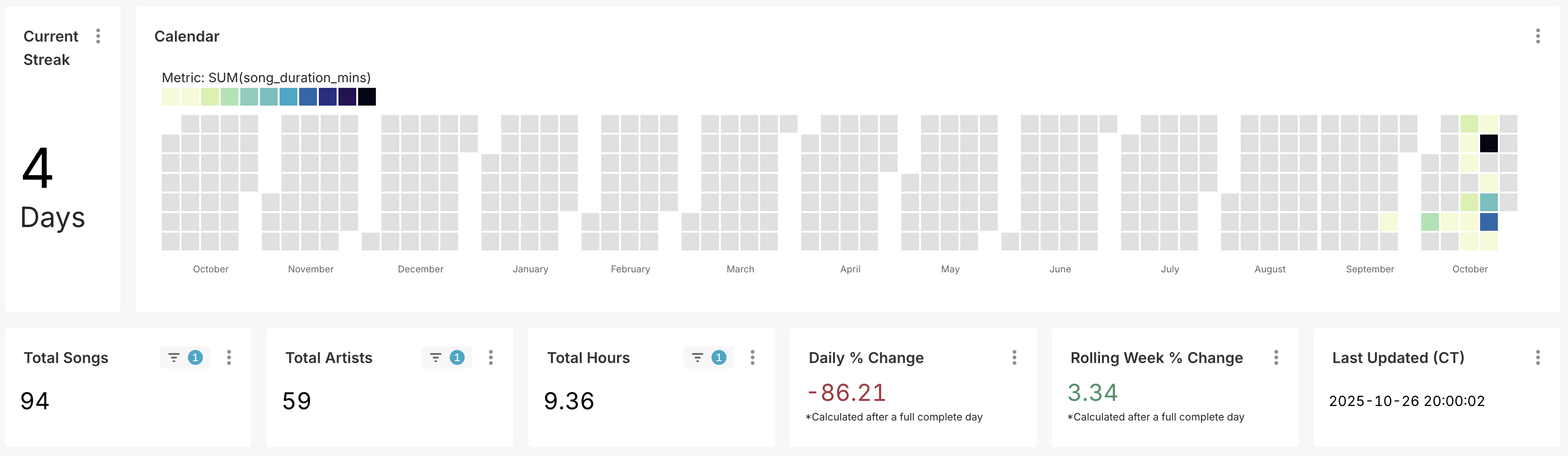
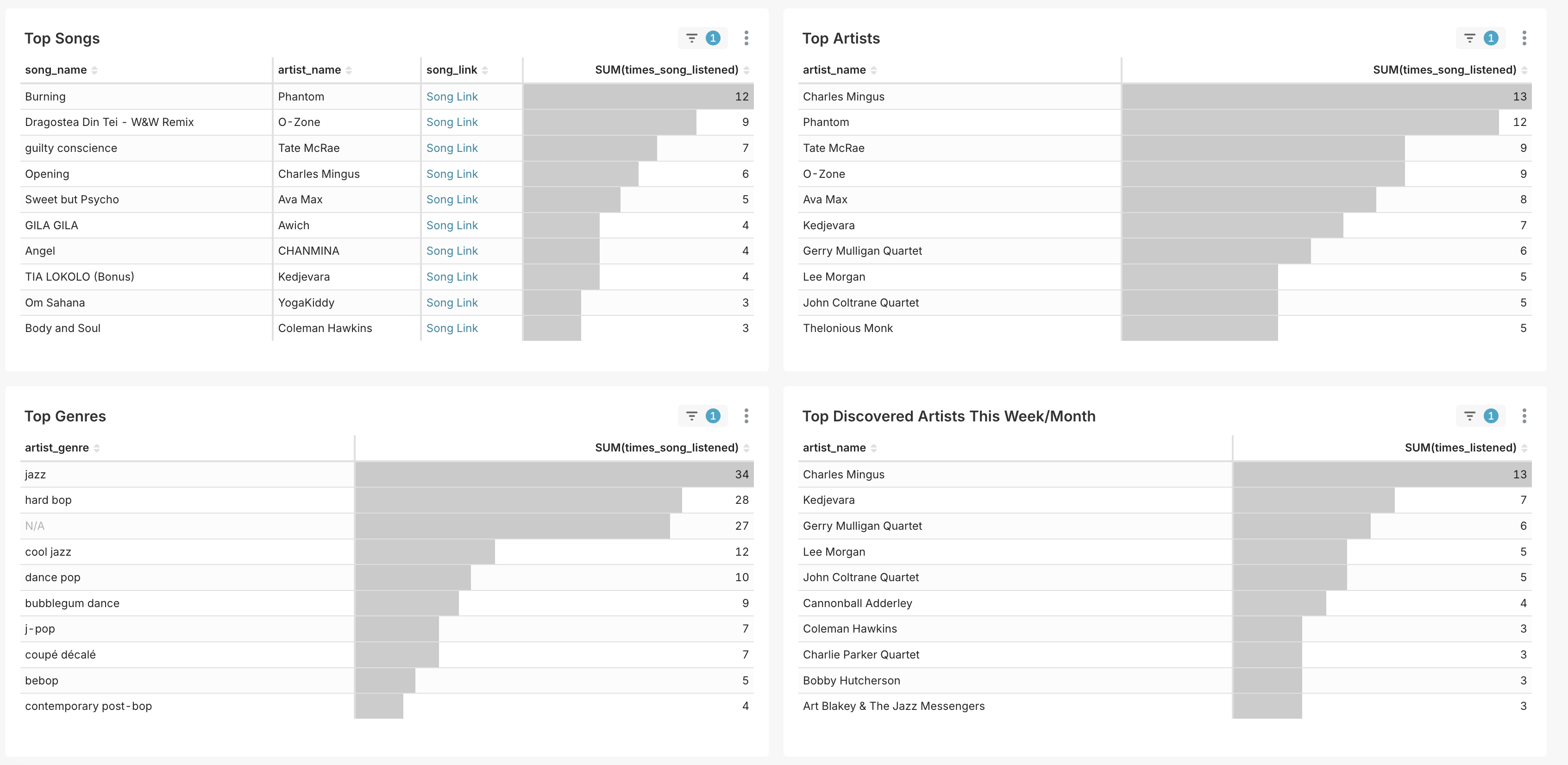
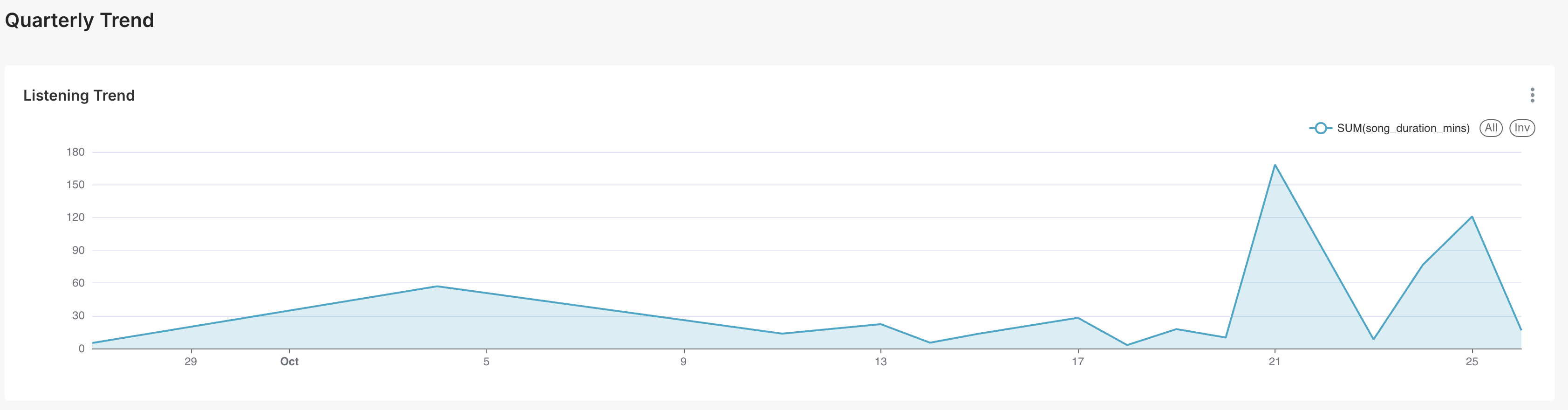
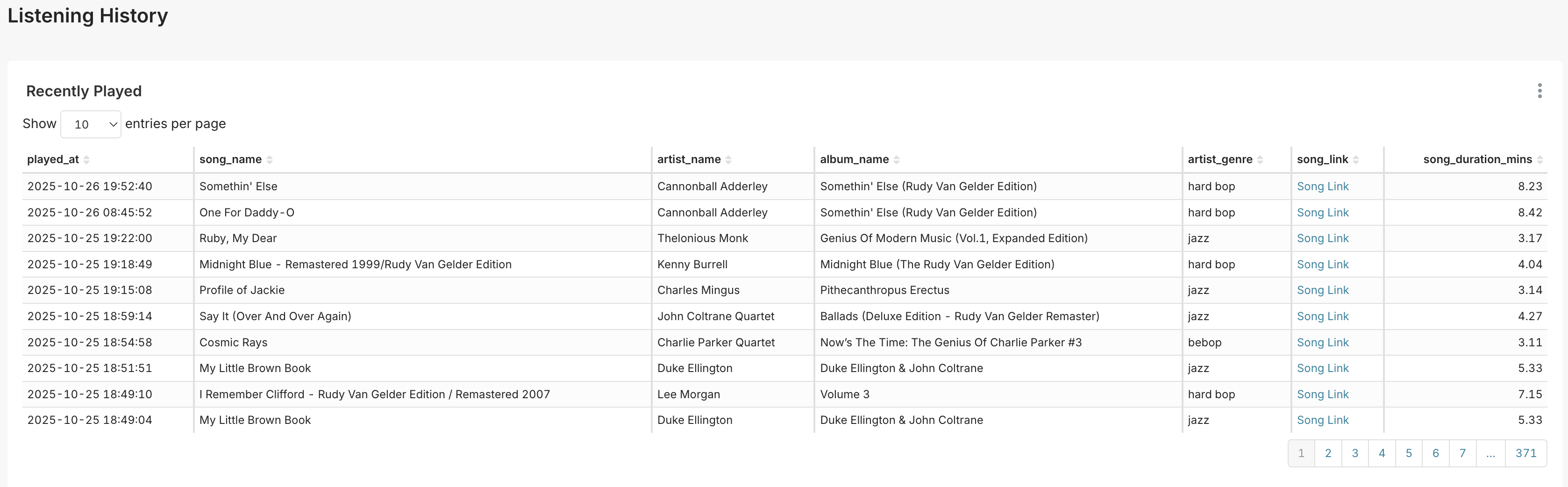
As of October 2025 I've migrated to using Apache Superset for visualization
Superset
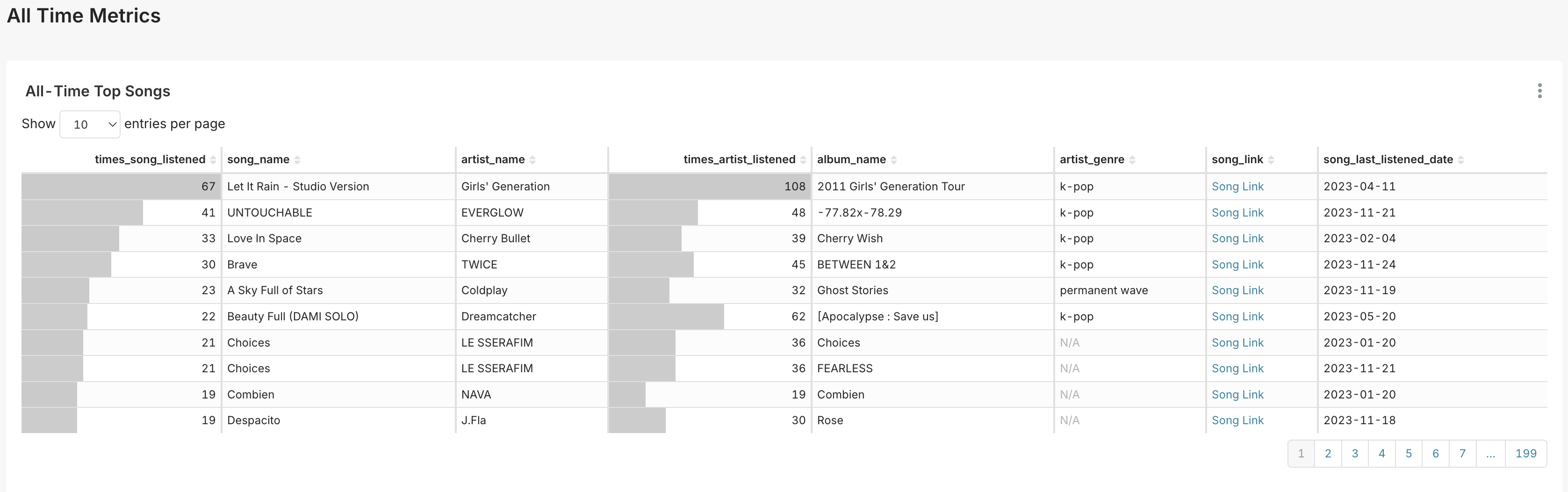
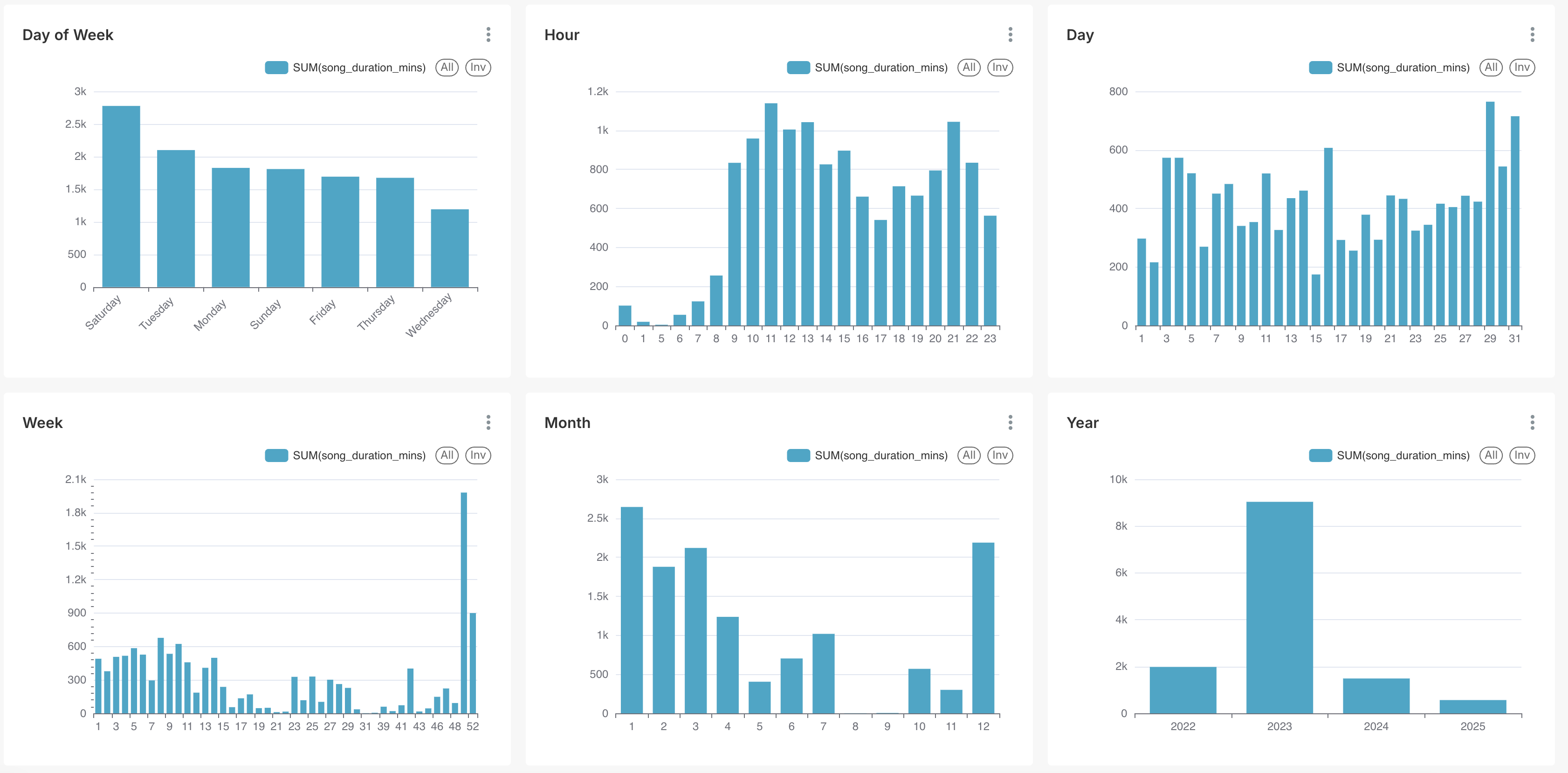
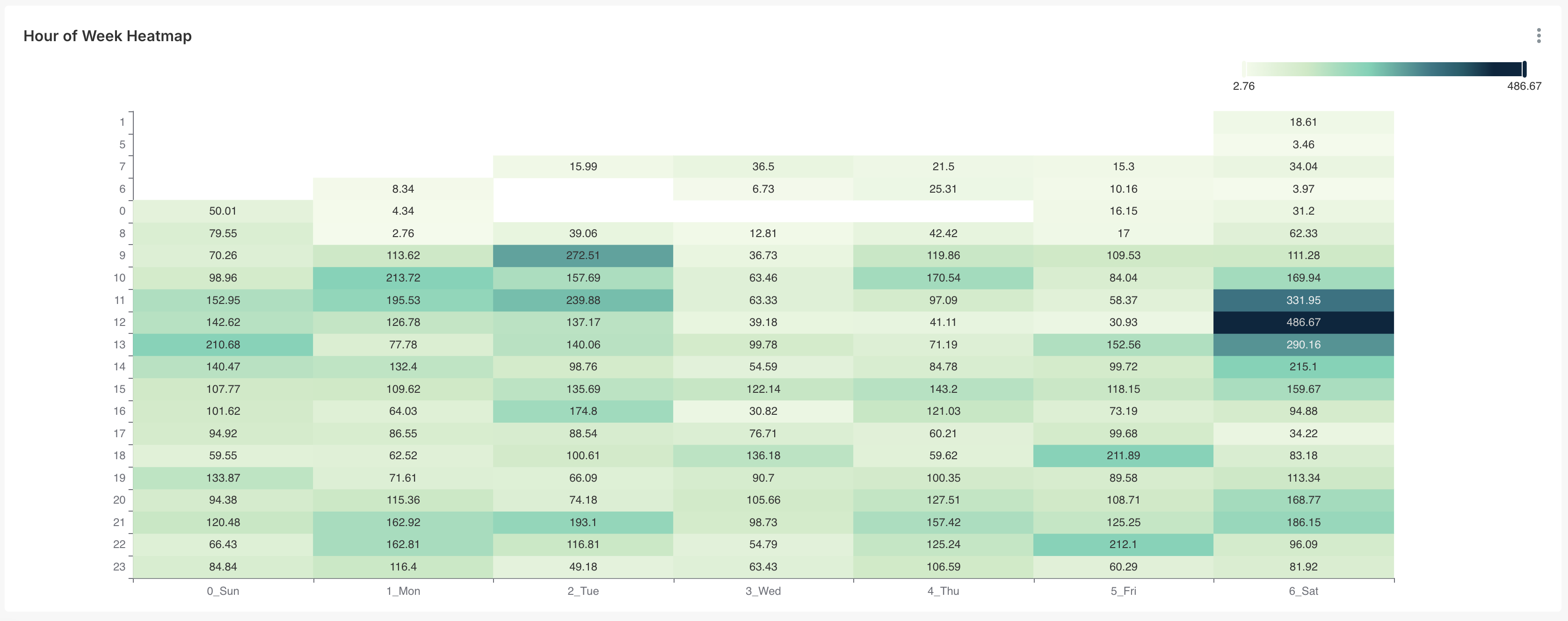
Slack Bot
Beyond the scheduled weekly summary, there's an on-demand /spotify Slack slash command that lets you ask Claude questions about your listening history in plain English — it queries the spotify_songs/spotify_genres Postgres tables via Claude tool-calling and answers directly in Slack:
/spotify Who are my top artists this month?
/spotify What genres did I listen to last week?
/spotify Recent listens
You'll see an immediate "Thinking…" reply, then the real answer once Claude and the DB respond. You can also DM the bot or @mention it in a channel for multi-turn follow-up questions (e.g. ask a question, then "what about last year?") — it keeps the last 20 messages of context per conversation.
Full setup (Slack app, Slash Command, ngrok/ngrok-proxy wiring, optional DM/@mention support) is in slack_bot/README.md.
Setup
Current setup (everything runs inside the shared data-platform Airflow/Postgres stack):
- Get Spotify API Access — includes what to do when your refresh token expires (Spotify tokens now expire after 6 months of inactivity; see
operators/reauth.py). - Use the shared Airflow stack in the
data-platformrepo (see itsREADME.mdfordocker composeinstructions). This provisions Postgres, runs the DAG (which handlesdbt buildinternally — no standalone dbt install needed), and starts Superset. - Enable Airflow Slack Notifications for task-failure alerts.
- (Optional)
/spotifySlack bot — ask questions about your listening history on demand, separate from the scheduled weekly summary.
Dashboarding is via Apache Superset, shared with the ynab-api Superset instance (both read from the same airflow Postgres database — see ynab-api/README.md's Superset section). Metabase is no longer used.
setup/postgres.md, setup/dbt.md, and setup/metabase.md describe an older, standalone setup (before this moved into the shared data-platform stack) and are kept only for historical reference — don't follow them for a fresh setup.
Testing
Unit tests cover the pure logic behind the DAG's retry/branching behavior
(operators/main.py's request_with_retry, operators/dag_helpers.py's
payload-emptiness check and weekly-summary-window check) -- split into a
plain module specifically so they're runnable without an Airflow install,
unlike the DAG file itself.
pip install -r requirements.txt
pytest
Data quality (beyond the primary-key unique/not_null tests every dbt
model already has) is checked by dbt test: not_null on song_name/
artist_name/song_duration_mins, plus two singular tests
(operators/dbt/tests/) asserting no non-positive song durations and no
listens timestamped in the future.