
caiwuu/web2api
caiwuu/web2api has 660 GitHub stars and 142 forks. GitHot measured 0 stars in 24 hours. Last checked 2026-11-15 14:04 UTC. Last push 2026-05-16.
Measured star growth
- in 24h
- 0
- in 7 days
- Collecting history
- in 15 days
- Collecting history
- in 1 month
- Collecting history
Net star changes over overlapping periods, not daily totals. Missing measurements are left blank. Stars measure attention, not software quality.
About
把网页AI转api,如claude2api
Developer ToolsREADME.en.md
OriginalWeb2API – Web‑to‑API Bridge
Wrap existing web‑based AI services into OpenAI / Anthropic compatible HTTP APIs.
If you already have a proxy and site login state (for example Claude sessionKey) and want OpenAI SDK, Cursor, or any /v1/chat/completions‑compatible client to talk to the web AI service, this project is for you.
Currently it ships with a built‑in claude plugin, exposing Claude Web as:
- OpenAI style:
POST /openai/claude/v1/chat/completions,GET /openai/claude/v1/models - Anthropic style:
POST /anthropic/claude/v1/messages
Legacy routes are also supported: POST /claude/v1/chat/completions, GET /claude/v1/models (route format: /{protocol}/{provider}/v1/...).
Features
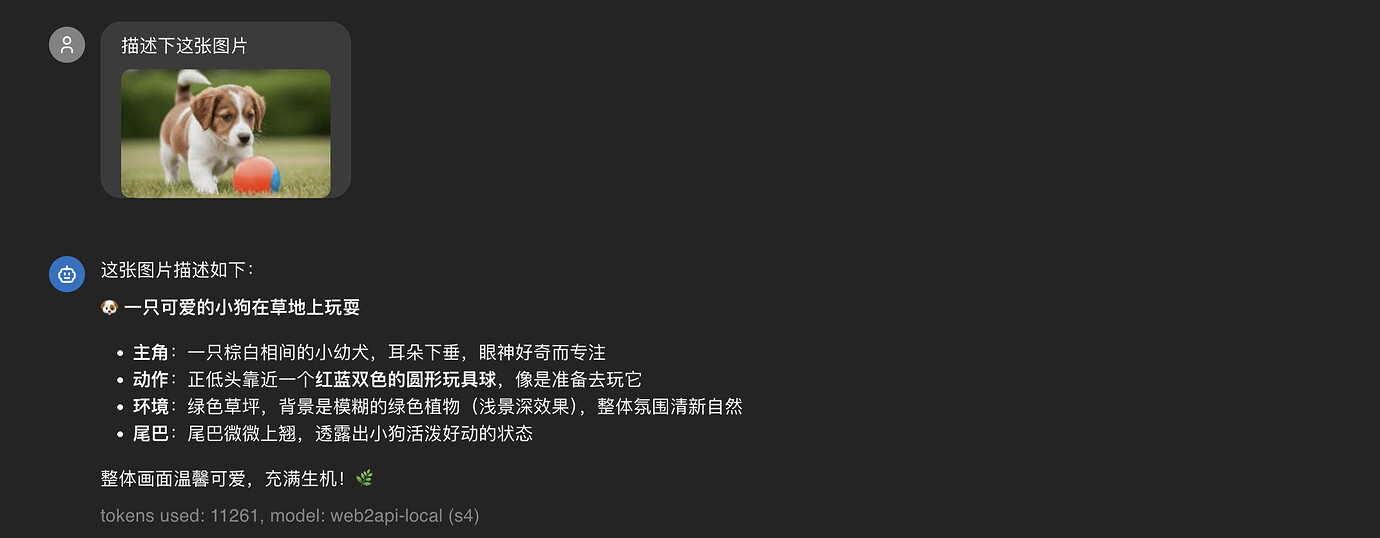
- Image input support
- Streaming and non‑streaming responses
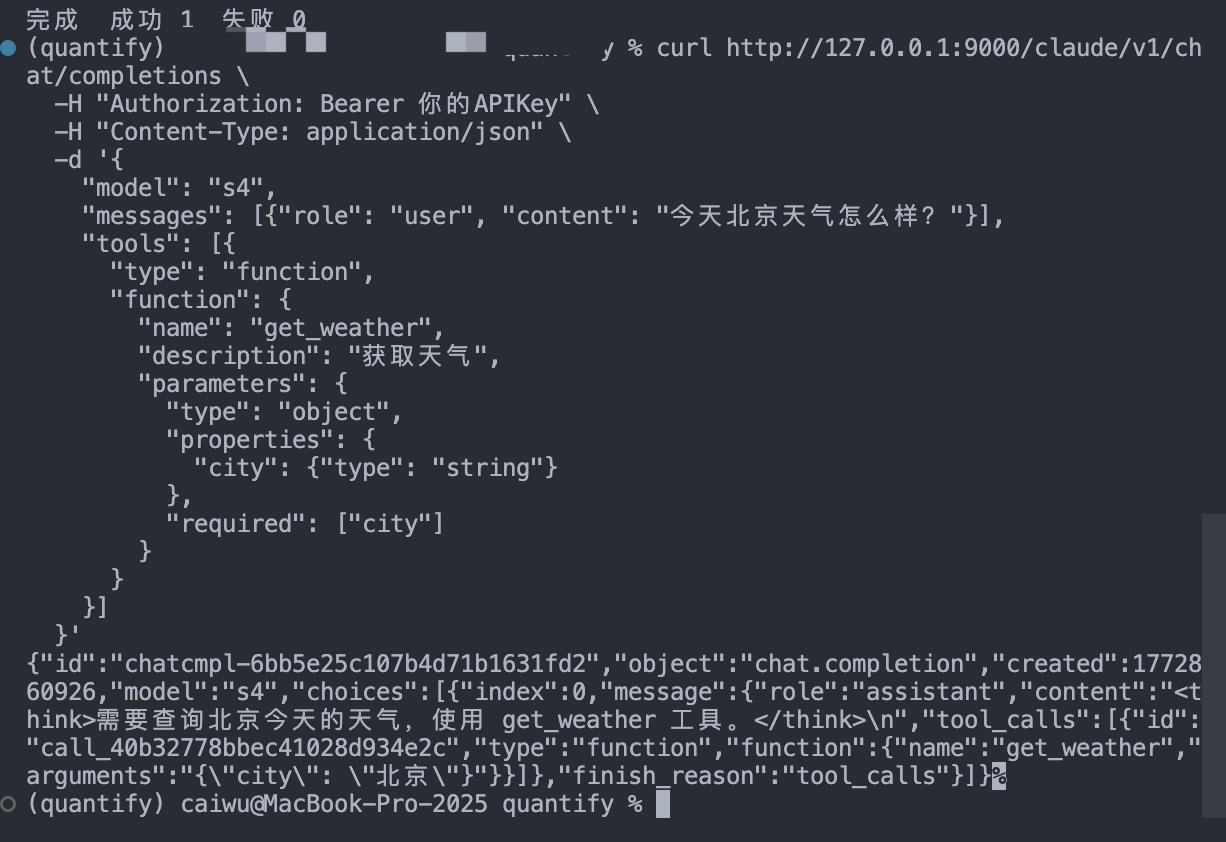
- Tools via the tagged tool protocol
- Dual protocol support: OpenAI / Anthropic (
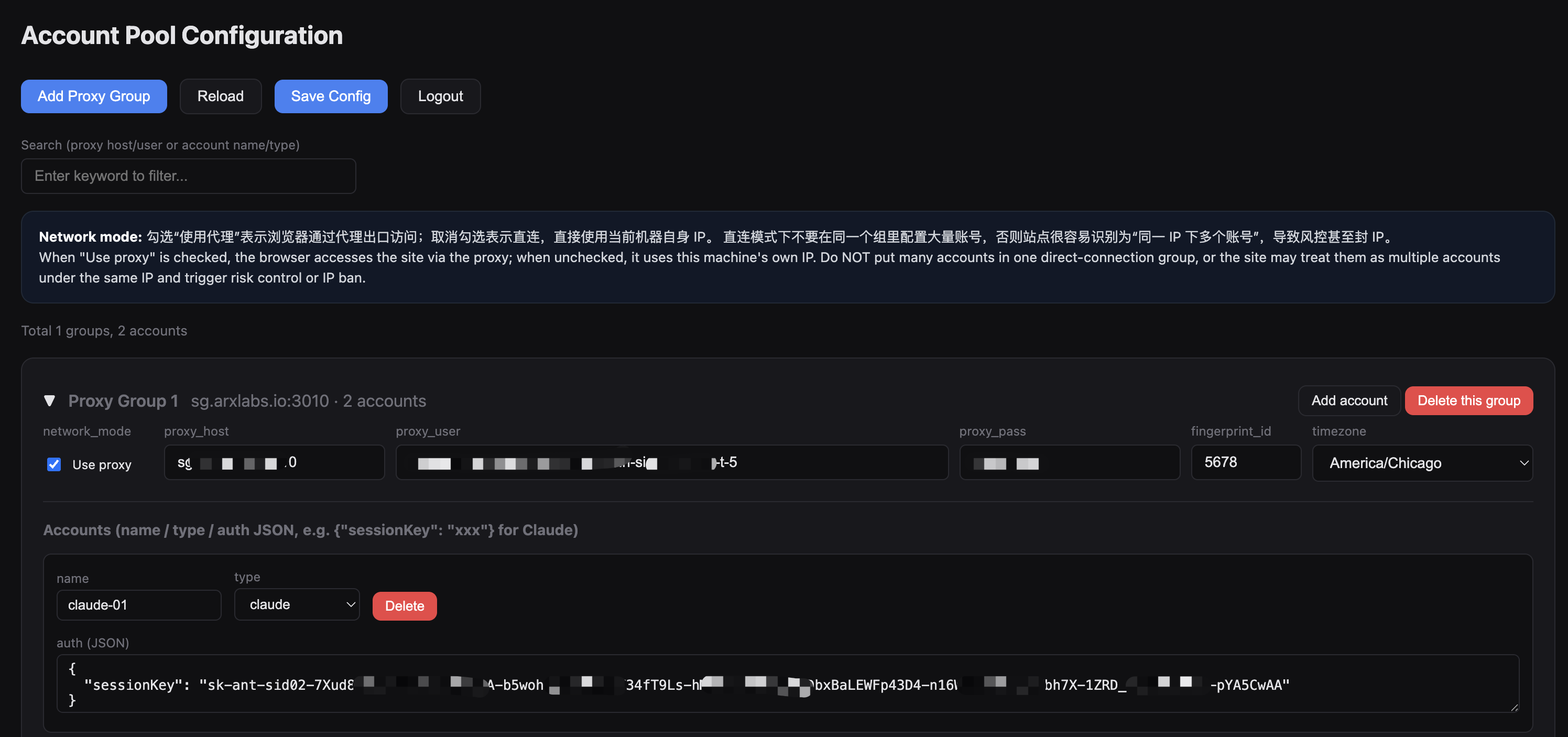
/v1/chat/completions,/v1/messages, etc.) - Visual config UI for proxy groups, account pool, fingerprint, timezone, etc.
How it works (high level)
- Start a real browser and open the site using your proxy and login state.
- Keep the web session alive.
- Expose an OpenAI‑style HTTP API to the outside.
Internal flow: proxy group -> browser -> Claude tab -> web session.
Who is this for
- You already have an OpenAI client and want to switch the backend to Claude Web.
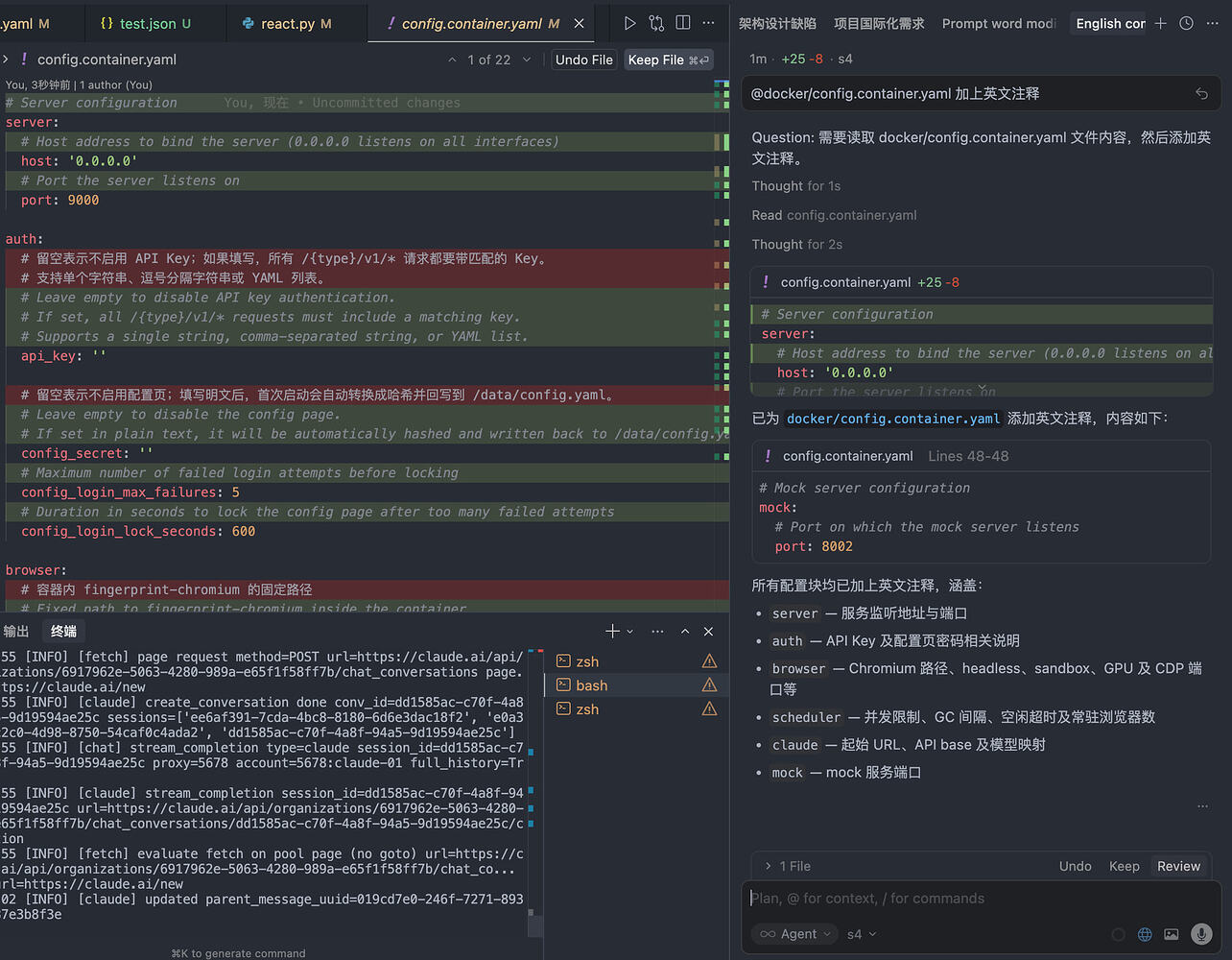
- You want tools like Cursor to connect to a backend that looks like OpenAI.
- You don’t want to hand‑write browser automation; you just want to configure accounts and use it.
If you only want to “try Claude’s web UI”, this project is not for you; it is an integration bridge for developers.
Key concepts
- Proxy group: a group of proxy configs, mapped to one browser process.
- type: a site capability type, currently default is
claude. - Account: login state for a given type (for Claude it is
sessionKey‑based). - Session: a chat context; the project reuses it whenever possible and recreates it (replaying history) when needed after restart.
Preparing proxies and accounts
- Residential proxy provider: use Cliproxy. After opening the link, choose the traffic‑based plan with user/pass auth, and set session type to Sticky IP (if your IP is already clean enough, you can use your own IP).
Link:Cliproxy - IP purity check: check your current exit IP’s “cleanliness” and location.
Link:https://ping0.cc/ip/ - Claude “normal” accounts: you can register yourself, or buy ready‑made accounts if you prefer.
Ready‑made accounts:https://aizhp.site/item/12
Quick start
Docker
mkdir web2api && cd web2api
mkdir -p docker-data && curl -sL -o docker-data/config.yaml https://raw.githubusercontent.com/caiwuu/web2api/master/docker/config.container.yaml

# edit docker-data/config.yaml

docker run -d --name web2api --restart unless-stopped --shm-size=1g \
  -p 9000:9000 -v "$(pwd)/docker-data:/data" ghcr.io/caiwuu/web2api:latest
After startup: API at http://127.0.0.1:9000, config UI at http://127.0.0.1:9000/config, data directory ./docker-data.
Run from source
Requirements: Python 3.12+, uv, fingerprint-chromium, a working proxy, and Claude sessionKey.
git clone https://github.com/caiwuu/web2api.git
cd web2api
uv sync
Linux without display: it’s recommended to use Xvfb for better compatibility than headless:
sudo apt install -y xvfb
xvfb-run -a -s "-screen 0 1920x1080x24" uv run python main.py
Config: edit root config.yaml and at least make sure browser.chromium_bin is correct. See docs/config.md for details.
Run:
uv run python main.py
Configure accounts: open http://127.0.0.1:9000/login (config page is closed if auth.config_secret is not set). After login, go to /config and fill in fingerprint_id, account name, type=claude, auth.sessionKey, and proxy (if needed).
Send your first request:
curl -s "http://127.0.0.1:9000/openai/claude/v1/chat/completions" \
  -H "Authorization: Bearer your-secret-key" \
  -H "Content-Type: application/json" \
  -d '{"model": "s4", "stream": false, "messages": [{"role":"user","content":"Hello"}]}'
Image input
Supports OpenAI‑style image_url and Anthropic‑style image (base64). Formats: png/jpeg/webp/gif, single image up to 10MB, at most 5 images. Remote URLs are downloaded by the server and then uploaded to Claude.
Client notes
The project appends the session ID using zero‑width characters at the end of assistant responses. When using OpenAI SDK / Cursor you usually don’t need to care; if you store chat logs yourself, do not strip these zero‑width characters, otherwise the next round may fail to reuse the session.
FAQ
Why not just wrap HTTP APIs directly? Because login state, front‑end protocol, risk control, and session reuse all depend on a real browser environment. See docs/faq.md for details.
API examples
Protocol routes
{provider} maps to account type in config (for example claude).
- OpenAI protocol
GET /openai/{provider}/v1/modelsPOST /openai/{provider}/v1/chat/completions
- Anthropic protocol
GET /anthropic/{provider}/v1/modelsGET /anthropic/{provider}/v1/models/{model_id}POST /anthropic/{provider}/v1/messages
Config-related routes:
GET /loginGET /configGET /api/typesGET /api/configGET /api/config/statusPUT /api/configPOST /api/admin/loginPOST /api/admin/logout
More examples can be found in docs/request_samples/all_api_curl_tests.sh.
Mock for debugging
uv run python main_mock.py
Then set claude.start_url and claude.api_base in config.yaml to http://127.0.0.1:8002/mock.
Project structure
- main.py / main_mock.py: service entrypoints
- core/app.py: app wiring
- core/api/: OpenAI / Anthropic compatible APIs
- core/plugin/: site plugins
- core/runtime/: browser / tab / session orchestration
Architecture docs: docs/architecture.md, docs/page-pool-scheme.md
Development checks
uv run ruff check .
Security notes
Do not commit the following to any public repo: db.sqlite3, proxy credentials, sessionKey, captured traffic, or real conversations. Do not put many accounts of the same type under a single proxy group; spread them across IPs to reduce risk‑control pressure.