
buzhangsan/skills-manager-client
buzhangsan/skills-manager-client has 501 GitHub stars and 46 forks. GitHot measured 0 stars in 24 hours and -2 in 7 days. Last checked 2026-11-24 22:36 UTC. Last push 2026-02-15.
Measured star growth
- in 24h
- 0
- in 7 days
- -2
- in 15 days
- Collecting history
- in 1 month
- Collecting history
Net star changes over overlapping periods, not daily totals. Missing measurements are left blank. Stars measure attention, not software quality.
About
A desktop application for managing Claude Code Skills, supporting browsing, installation, import, and security scanning for system-level and project-level Skills.
Developer ToolsREADME.md
OriginalSkill Manager
A desktop application for managing Claude Code Skills, supporting browsing, installation, import, and security scanning for system-level and project-level Skills.
Quick Start
Download the latest version directly from Releases.
For a smarter way to find skills, use this CLI tool: https://github.com/buzhangsan/skill-manager
If you have any issues, please report them in Issues.
Features
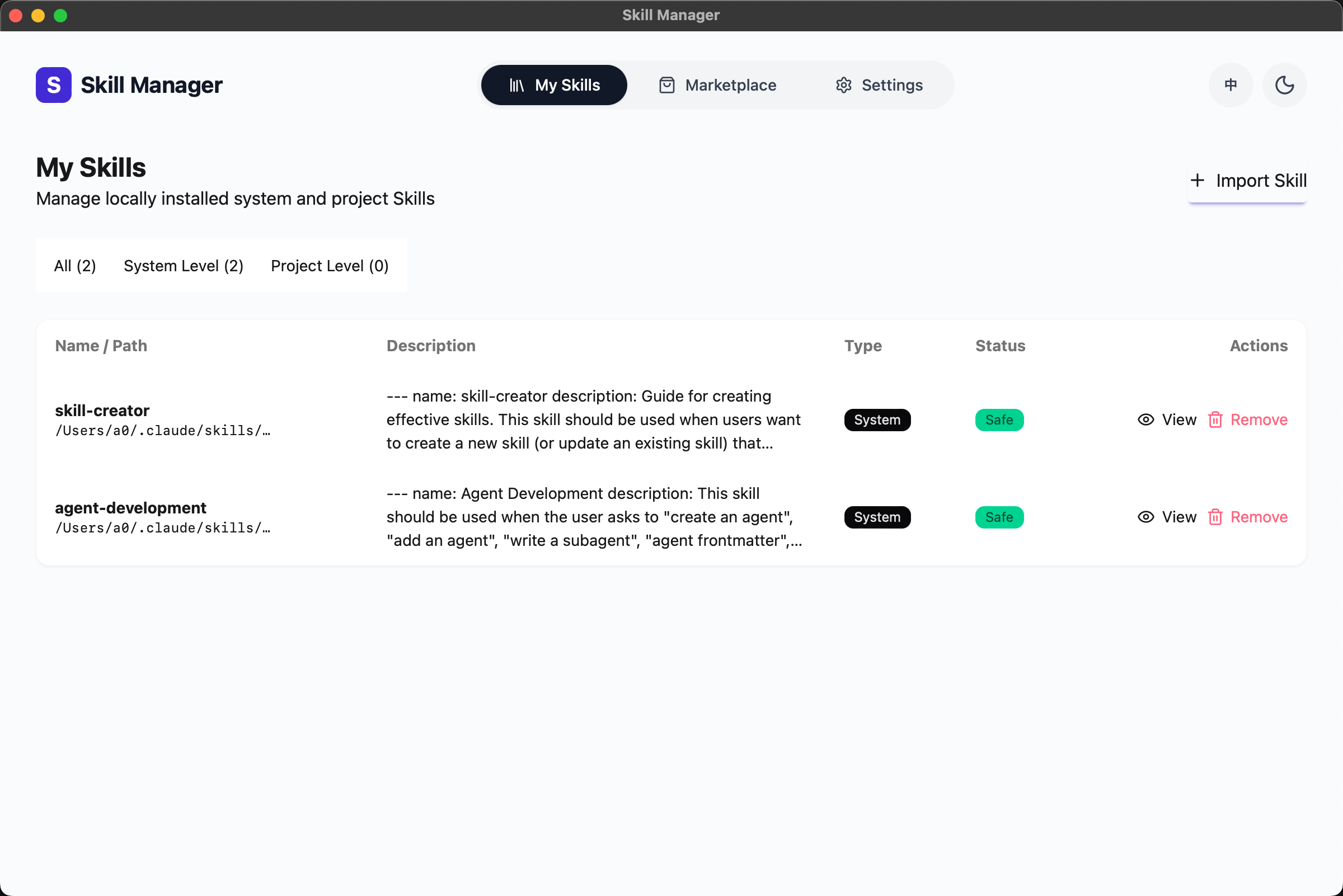
1. My Skills
- Automatically scans installed Skills at system and project levels
- View detailed Skill information
- One-click uninstall unwanted Skills
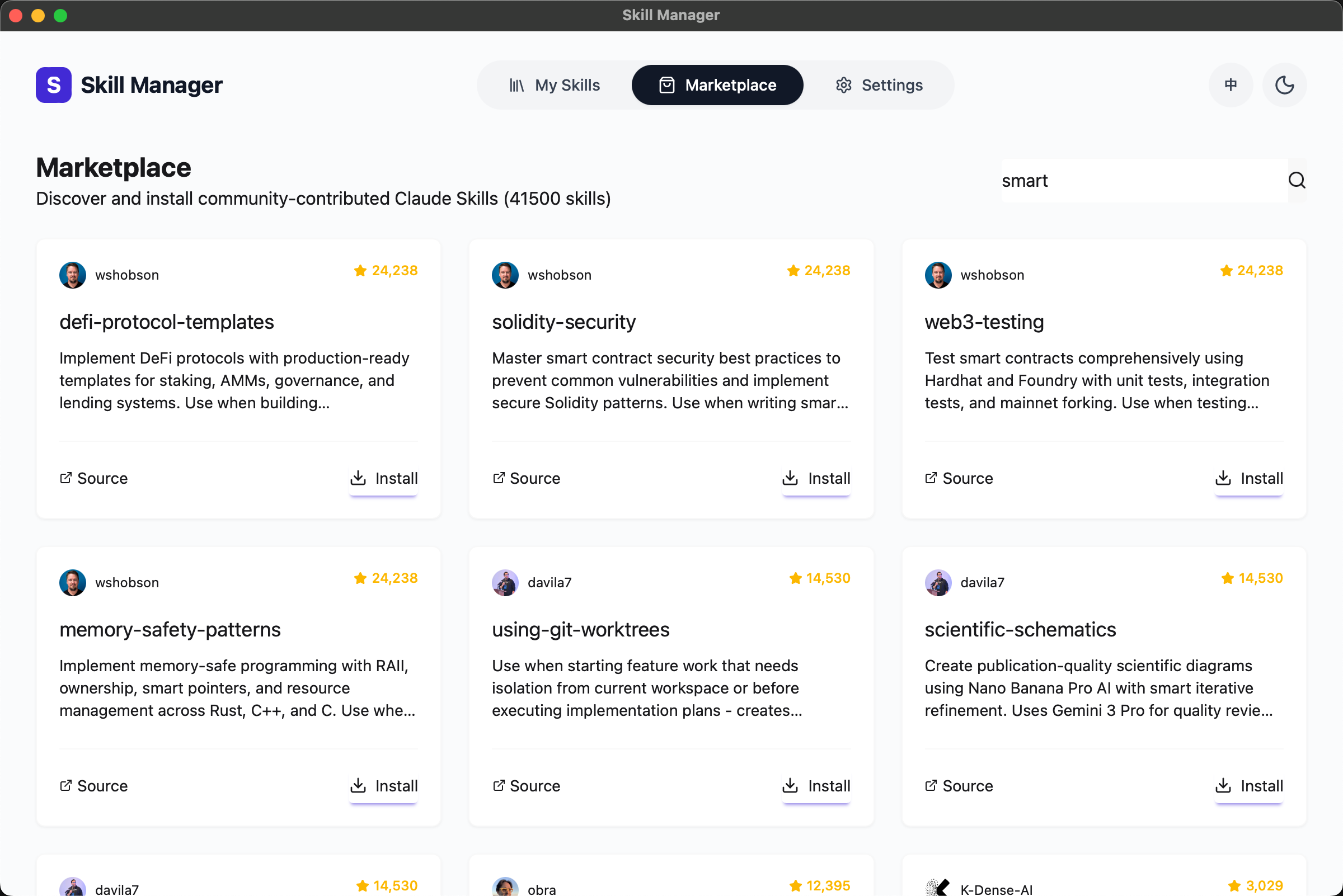
2. Skill Marketplace
- Browse 75691+ open-source Skills
- Search and filter functionality
- One-click installation to local
3. Skill Import
Supports two import methods:
- GitHub Import: Enter a GitHub repository URL to automatically clone to local
- Local Folder: Import existing Skills from a local folder
4. Security Scanning
- Scan installed Skills for security risks
- Flag suspicious code patterns
- Security scoring and recommendations
5. Project Path Configuration
- Customize multiple project paths
- Automatically scan
.claude/skillsfolders under projects - Cross-platform support (Windows, macOS)
Tech Stack
- Frontend: React 19, TypeScript, Vite 7
- UI Library: Tailwind CSS 3.4, DaisyUI 5.5
- State Management: Zustand 5.0 (with persist)
- Routing: React Router v7
- Icons: Lucide React
- Charts: Recharts
- Desktop: Tauri v2 (Rust backend)
Development
Requirements
- Node.js 20+
- Rust (latest stable)
- npm
1. Install Dependencies
npm install
2. Run in Development Mode
npm run tauri dev
This will start both the Vite development server and the Tauri application.
3. Build for Production
npm run tauri build
Build artifacts will be in the src-tauri/target/release/bundle/ directory.
Skill Directory Structure
System-level Skills
- Windows:
C:\Users\[username]\.claude\skills - macOS/Linux:
~/.claude/skills
Project-level Skills
Configure the project root directory in the settings page, and the system will automatically scan:
[project_root]/.claude/skills/
Skill Format Requirements
Each Skill folder must contain a SKILL.md file in the following format:
---
name: skill-name
description: Skill description
author: Your Name
version: 1.0.0
---

# Skill Instructions

Your skill content here...
Downloads
| Platform | File |
|---|---|
| macOS (Apple Silicon) | Skill.Manager_x.x.x_arm64.dmg |
| macOS (Intel) | Skill.Manager_x.x.x_x64.dmg |
| Windows (Installer) | Skill.Manager_x.x.x_x64-setup.exe |
| Windows (MSI) | Skill.Manager_x.x.x_x64_en-US.msi |
Contributing
Issues and Pull Requests are welcome!
License
MIT License
Explore related projects
Loading…