
bruhxax/Link-Bot
bruhxax/Link-Bot has 33 GitHub stars and 2 forks. Star changes are not measured yet. Last checked 2026-11-09 18:08 UTC. Last push 2026-11-03.
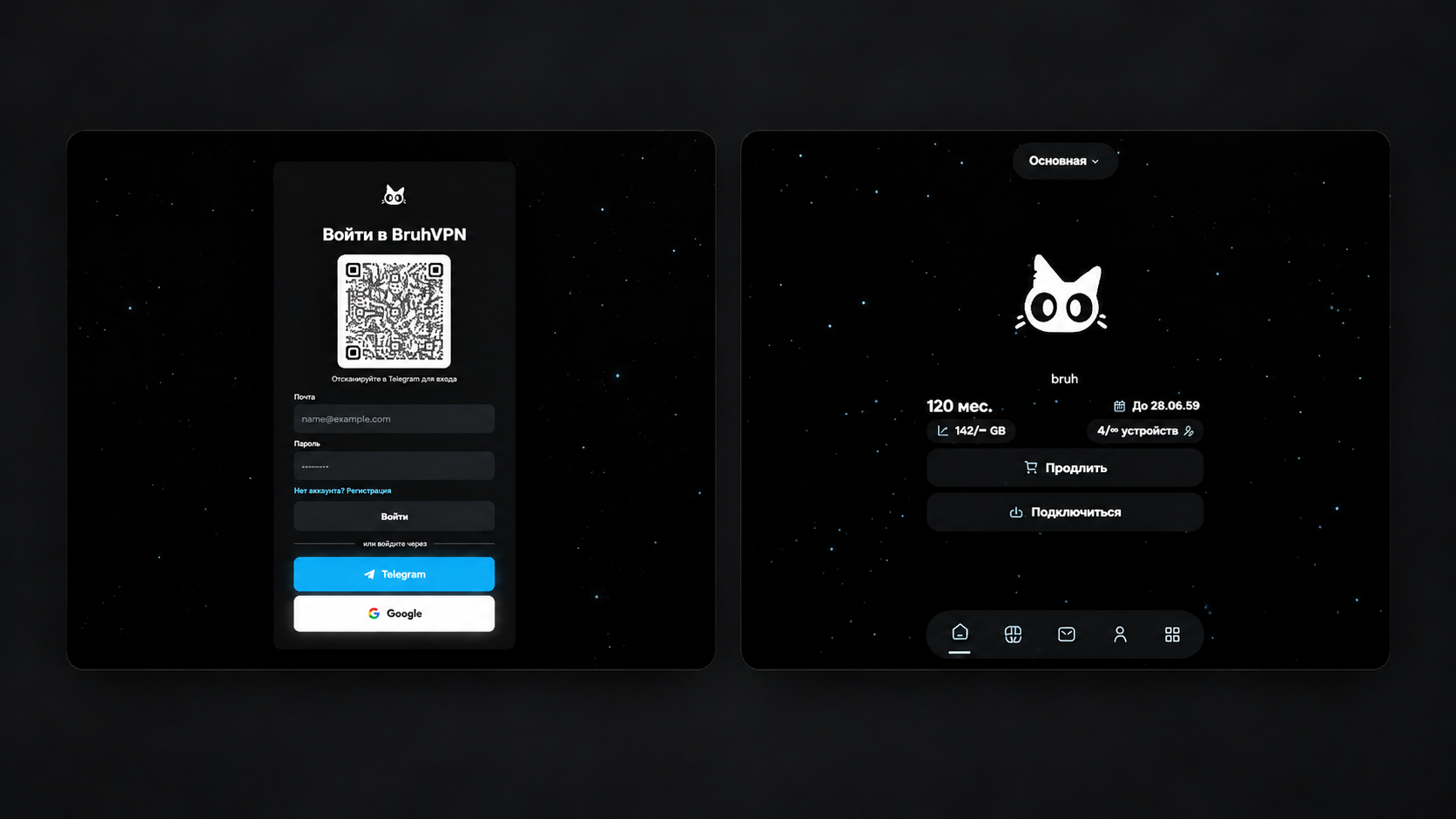
Open-source Telegram bot and Mini App for selling and managing Remnawave VPN subscriptions.
Measured star growth
- in 24h
- Update delayed
- in 7 days
- Update delayed
- in 15 days
- Update delayed
- in 1 month
- Update delayed
Net star changes over overlapping periods, not daily totals. Missing measurements are left blank. Stars measure attention, not software quality.
README_EN.md
Original



Features
| Cabinet | Sales | Administration |
|---|---|---|
| Telegram and browser | Plans, trials, devices and traffic | Integrations, appearance and content |
| Subscriptions, balance and history | Payment providers and Telegram Stars | Finances, GA4 and Yandex Metrika |
| Tickets, FAQ and AI support | Promo codes, referrals and review rewards | Broadcasts and languages: RU / EN / FA |
Installation
You need a VPS with Ubuntu 22.04/24.04 or Debian 12, Docker Compose, an accessible Remnawave panel and a bot from @BotFather. Point the domain's A record to your server and open ports 80 and 443.
Install Docker and Git
Run on the server as root:
apt update && apt install -y git curl
curl -fsSL https://get.docker.com | sh
systemctl enable --now docker
1. Download the project
cd /opt
git clone https://github.com/bruhxax/Link-Bot.git
cd Link-Bot
cp .env.example .env
nano .env
2. Set the main values in .env
TELEGRAM_TOKEN=your_bot_token
ADMIN_TELEGRAM_ID=your_telegram_id
REMNAWAVE_URL=https://panel.example.com
REMNAWAVE_TOKEN=your_panel_token
POSTGRES_PASSWORD=replace_with_a_random_password
PUBLIC_HOST=bot.example.com
PUBLIC_BASE_URL=https://bot.example.com
Generate a database password with openssl rand -hex 24. Other settings are in .env.example.
3. Start
docker compose --profile standalone up -d --build
docker compose ps
curl https://bot.example.com/healthcheck
Replace bot.example.com with your domain. Caddy sets up HTTPS automatically. If you already have an HTTPS proxy configured, use docker compose up -d --build bot and route it to the bot:8080 service.
Send /start to your bot, open the Mini App as the administrator, then configure plans and payments in Admin. Login and additional settings → (Russian)
Migration from Bedolaga
Imports users, balances, referrals and active/trial subscriptions. Both bots must use the same Remnawave panel, and the Bedolaga PostgreSQL database must be reachable from the Link-Bot container.
First install and start Link-Bot, stop the Bedolaga bot and back up both databases. Run from /opt/Link-Bot, replacing the URL placeholders with your Bedolaga database connection details:
export BEDOLAGA_DATABASE_URL='postgres://USER:PASSWORD@BEDOLAGA_HOST:5432/DBNAME'

# Preview without changing data
docker compose --profile tools run --rm migrate-bedolaga

# Review the report, then apply the migration
docker compose --profile tools run --rm migrate-bedolaga --apply
unset BEDOLAGA_DATABASE_URL
Repeating the import does not credit balances twice. Payment history, settings and inactive subscriptions are not imported. Details and backup command → (Russian)
Commands
Run from /opt/Link-Bot.
| Action | Command |
|---|---|
| Status | docker compose ps |
| Logs | docker compose logs -f --tail=200 bot |
| Restart bot | docker compose restart bot |
| Preview rollback | bash ./rollback.sh --dry-run |
Update
cd /opt/Link-Bot
bash ./update.sh
The script pulls updates and applies .env, preserving the database and admin settings.
Documentation
Detailed guides are in Russian; the Telegram banner guide is in English.
| Guide | Contents |
|---|---|
| Configuration | Login, domains, email, AI and analytics |
| Payment providers | Keys, webhooks and provider APIs |
| Maintenance | Backups, rollback and Bedolaga migration |
| Telegram banners | Directories and image paths |
Explore related projects
awesome-selfhosted/awesome-selfhosted
A list of Free Software network services and web applications which can be hosted on your own servers
335,864 starsimmich-app/immich
High performance self-hosted photo and video management solution.
118,645 starsStirling-Tools/Stirling-PDF
#1 PDF Application on GitHub that lets you edit PDFs on any device anywhere
96,149 starslouislam/uptime-kuma
A fancy self-hosted monitoring tool
93,425 stars