
bruhnn/BD2ModManager
bruhnn/BD2ModManager has 409 GitHub stars and 25 forks. GitHot measured 0 stars in 24 hours. Last checked 2026-11-22 09:02 UTC. Last push 2026-11-20.
Measured star growth
- in 24h
- 0
- in 7 days
- Collecting history
- in 15 days
- Collecting history
- in 1 month
- Collecting history
Net star changes over overlapping periods, not daily totals. Missing measurements are left blank. Stars measure attention, not software quality.
About
Brown Dust 2 Mod Manager to help you manage mods.
Developer ToolsREADME.md
OriginalBrown Dust 2 Mod Manager


🛠 Easily manage, preview, and sync mods for Brown Dust 2.
🎉 Download the latest version: GitHub Releases
If you have suggestions or run into any problems with the app, feel free to open an issue or contact me.
[!WARNING] Before Uninstalling Brown Dust II !!!
If you use the Symlink sync method, unsync all mods before uninstalling the game. Otherwise, the game uninstaller may delete your mods from the staging folder.
🛠️ How to Use
- Download the app from GitHub Releases.
- Select your Brown Dust 2 directory (where
BrownDust II.exeis located)- Example: F:\Neowiz\Browndust2\Browndust2_10000001
- Install BepInEx and BrownDustX
Download both from the BrownDustX Discord: discord.gg/B3Aqz6tDG2
Manual Steps:
Install BepInEx
Extract the contents of the BepInEx archive into the game folder (you can open the game folder from the mod manager) (NOT the launcher folder).
Your folder should look like this:
   Browndust2_10000001/
   ├─ BepInEx/
   ├─ winhttp.dll
   └─ BrownDust II.exe
The BepInEx archive from the BrownDustX Discord already includes ConfigurationManager.
Install BrownDustX
Extract the
BepInExfolder fromBrownDustX-[VERSION].zipinto the same game folder.Your folder should look like this:
   Browndust2_10000001/
   ├─ BepInEx/
   │  └─ plugins/
   │     └─ BrownDustX/
   └─ BrownDust II.exe
- Verify the installation
- Launch the game.
- On the loading screen, the game version and BrownDustX version should appear in red at the top-right corner.
- Add your mods by:
- Moving them into the
mods/folder
⚠️ Note: This is not the BrownDustXmodsdirectory. It's a separate folder used by this manager
- Moving them into the
- Enable or disable mods.
- Sync your mods to apply changes:
- This will create a folder named
BD2MMinside theBrownDustXmods folder with all your enabled mods.
- This will create a folder named
⚠️ After making any changes (enable, disable, delete, rename), you must sync your mods to update the game folder.
Sync Method: Copy vs Symlink
Choose how mods are synced to your BrownDust X mods folder:
📁 Copy
Copies all enabled mods into the folder.
- ✅ No admin rights needed
- ❌ Slower
- ❌ Uses more disk space
🔗 Symlink
Creates shortcuts instead of copying files.
- ✅ Much faster
- ✅ Saves disk space
- ❌ Requires admin rights
Example Comparison (383 mods)
| Copy | Symlink |
|---|---|
 |
 |
📸 Screenshots
Mods Page (v4.0.1)

Characters Page (v4.0.1)

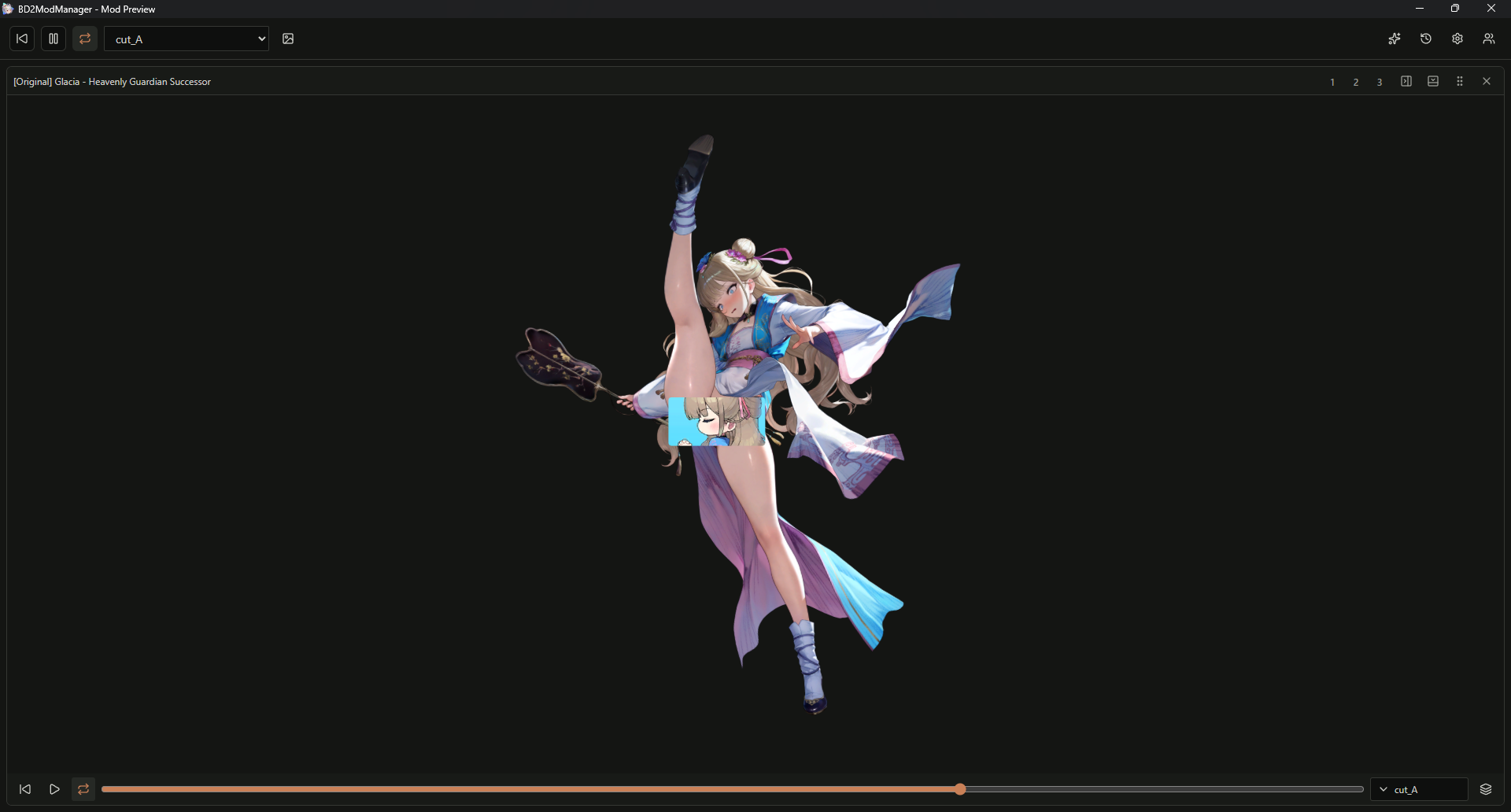
Mod Preview (BD2ModPreview v1.0.0)
❤️ Support the Project
If you enjoy the mod manager and want to support development, you can support me here:
- Ko-Fi: https://ko-fi.com/bruhnn
- Afdian (🇨🇳): https://afdian.com/a/bruhnn
❓ FAQ
Where can I get mods?
You can find mods on the BrownDustX Discord server: https://discord.gg/B3Aqz6tDG2
🤝 Credits & Thanks
- Character assets by myssal/Brown-Dust-2-Asset
- Thanks to Synae for BrownDustX
- Thanks to everyone who contributed by reporting bugs and suggesting features.
✨ Star History
Explore related projects
Loading…