
brandon-rhodes/pycon-pandas-tutorial
brandon-rhodes/pycon-pandas-tutorial has 1,074 GitHub stars and 701 forks. GitHot measured 0 stars in 24 hours. Last checked 2026-11-09 10:38 UTC. Last push 2025-01-28.
PyCon 2015 Pandas tutorial materials
Measured star growth
- in 24h
- 0
- in 7 days
- Update delayed
- in 15 days
- Update delayed
- in 1 month
- Update delayed
Net star changes over overlapping periods, not daily totals. Missing measurements are left blank. Stars measure attention, not software quality.
README.md
OriginalWelcome to Brandon’s Pandas Tutorial
The first instance of this tutorial was delivered at PyCon 2015 in Montréal, but I hope that many other people will be able to benefit from it over the next few years — both on occasions on which I myself get to deliver it, and also when other instructors are able to do so.
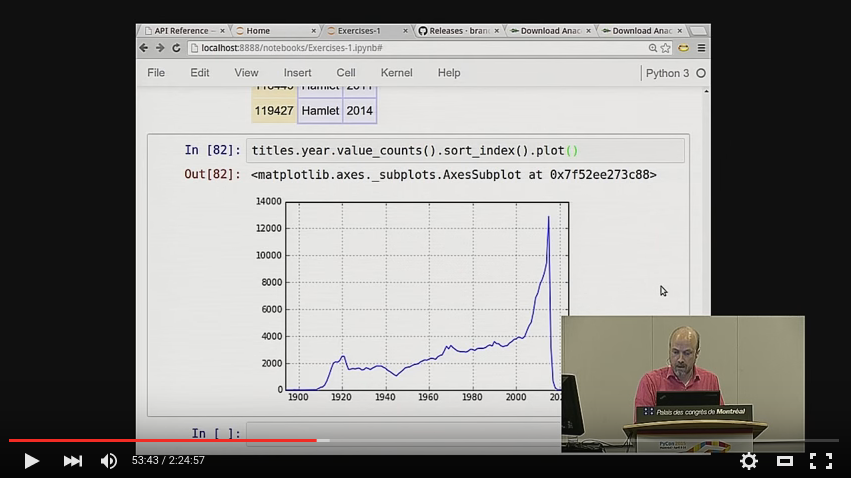
If you want to follow along with the tutorial at home, here is the YouTube recording of the 3-hour tutorial at PyCon itself:
https://www.youtube.com/watch?v=5JnMutdy6Fw
To make it useful to as many people as possible, I hereby release it
under the MIT license (see the accompanying LICENSE.txt file) and I
have tried to make sure that this repository contains all of the scripts
needed to download and set up the data set that we used.
Quick Start
If you have both conda and git on your system (otherwise, read the
next section for more detailed instructions):
$ conda install --yes jupyter matplotlib pandas
$ git clone https://github.com/brandon-rhodes/pycon-pandas-tutorial.git
$ cd pycon-pandas-tutorial
$ build/BUILD.sh
$ jupyter notebook
Detailed Instructions
You will need Pandas, the IPython Notebook, and Matplotlib installed
before you can successfully run the tutorial notebooks. The Anaconda
Distribution is a great way to get up
and running quickly without having to install them each separately —
running the conda command shown above will install all three.
Note that having git is not necessary for getting the materials.
Simply click the “Download ZIP” button over on the right-hand side of
this repository’s front page at the following link, and its files will
be delivered to you as a ZIP archive:
https://github.com/brandon-rhodes/pycon-pandas-tutorial
Once you have unpacked the ZIP file, download the following four
IMDB data files and place them in the
tutorial’s build directory:
- ftp://ftp.fu-berlin.de/misc/movies/database/frozendata/actors.list.gz
- ftp://ftp.fu-berlin.de/misc/movies/database/frozendata/actresses.list.gz
- ftp://ftp.fu-berlin.de/misc/movies/database/frozendata/genres.list.gz
- ftp://ftp.fu-berlin.de/misc/movies/database/frozendata/release-dates.list.gz
If the above links don’t work for you, try these alternate sources of the same files:
- ftp://ftp.funet.fi/pub/mirrors/ftp.imdb.com/pub/frozendata/actors.list.gz
- ftp://ftp.funet.fi/pub/mirrors/ftp.imdb.com/pub/frozendata/actresses.list.gz
- ftp://ftp.funet.fi/pub/mirrors/ftp.imdb.com/pub/frozendata/genres.list.gz
- ftp://ftp.funet.fi/pub/mirrors/ftp.imdb.com/pub/frozendata/release-dates.list.gz
To convert these into the CSV files that the tutorial needs, run the
BUILD.py script with either Python 2 or Python 3. It will create the
three CSV files in the data directory that you need to run all of the
tutorial examples. It should take about 5 minutes to run on a fast
modern machine:
$ python build/BUILD.py
You can then start up the IPython Notebook and start looking at the notebooks:
$ ipython notebook
I hope that the recording and the exercises in this repository prove useful if you are interested in learning more about Python and its data analysis capabilities!
Explore related projects
sindresorhus/awesome
😎 Awesome lists about all kinds of interesting topics [NOTE: Pull requests are temporarily disabled until I have a chance to catch up with the existing ones]
534,376 starsEbookFoundation/free-programming-books
:books: Freely available programming books
401,397 starsnilbuild/developer-roadmap
Interactive roadmaps, guides and other educational content to help developers grow in their careers.
371,688 starsvinta/awesome-python
The definitive list that answers "I want to do X in Python, which tool should I use?"
333,651 stars