
blackscythe123/unfuck-android
blackscythe123/unfuck-android has 6 GitHub stars and 0 forks. GitHot measured 0 stars in 24 hours. Last checked 2026-11-14 20:04 UTC. Last push 2026-11-08.
Measured star growth
- in 24h
- 0
- in 7 days
- Collecting history
- in 15 days
- Collecting history
- in 1 month
- Collecting history
Net star changes over overlapping periods, not daily totals. Missing measurements are left blank. Stars measure attention, not software quality.
About
A systematic, zero-root framework for debloating, telemetry mitigation, and resource recovery across Android ecosystems.
SecurityREADME.md
OriginalUnfuck-Android
A Systematic, Zero-Root Framework for Debloating, Telemetry Mitigation, and Resource Recovery Across Android Ecosystems.
Verified across ColorOS, Funtouch OS, OriginOS, OxygenOS, Realme UI, HyperOS, MIUI, and One UI.
Non-Destructive User 0 Isolation · Dual-List Safety Consensus · 100% Mathematically Reversible.





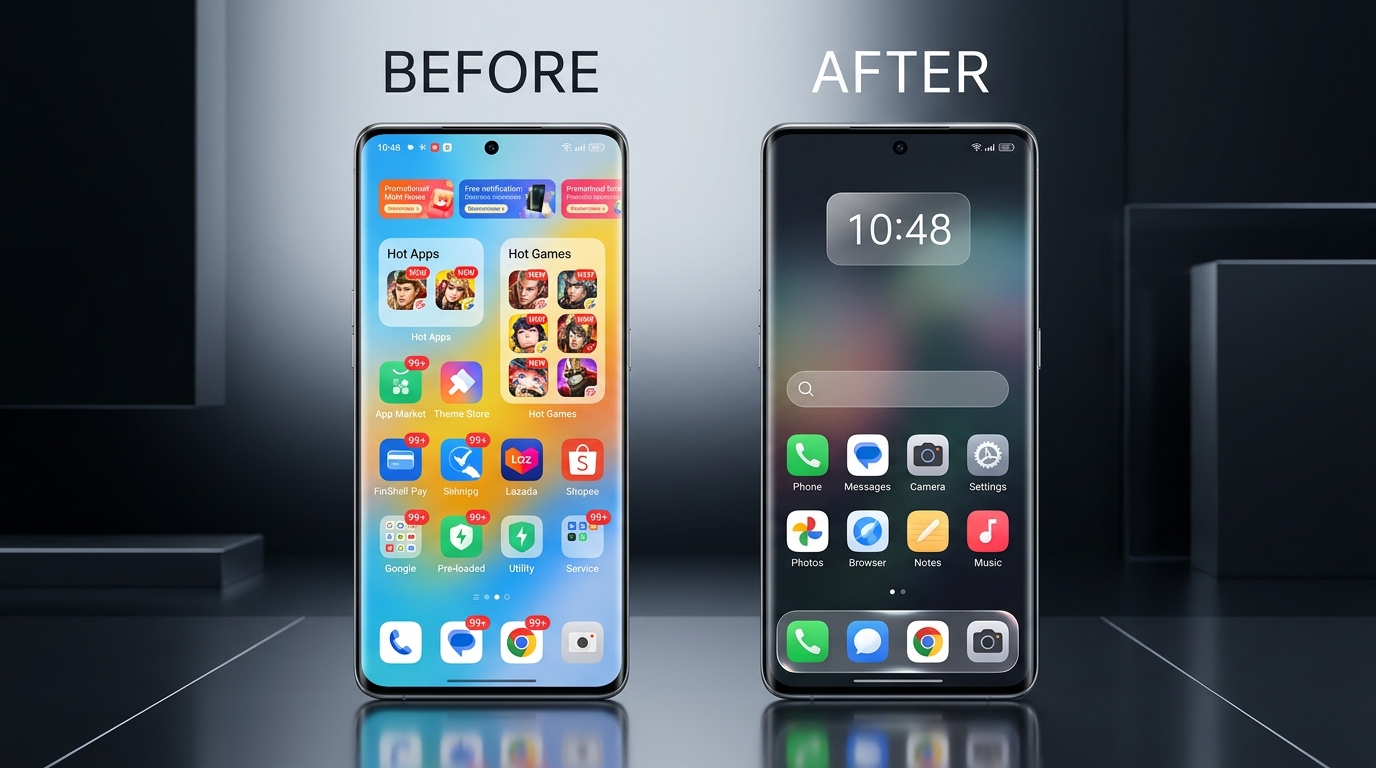
[!CAUTION] DISCLAIMER AND NOTICE OF RISK Modifying Android system packages via ADB involves direct interaction with the Android Package Manager and system services. While this framework operates under strict User 0 isolation (preserving system partitions and guaranteeing 100% reversibility), all scripts and procedures must be executed at your own risk. The maintainers and contributors assume no liability for device instability, bootloops, data loss, voided warranties, or disruptions to emergency services. Maintain a full baseline backup (Phase 0) before executing any modifications.
Abstract and Real-World Benchmark
Modern commercial Android firmware packages come pre-loaded with vendor storefronts, advertisement daemons, diagnostic telemetry loggers, and background analytics hooks that consume significant system resources.
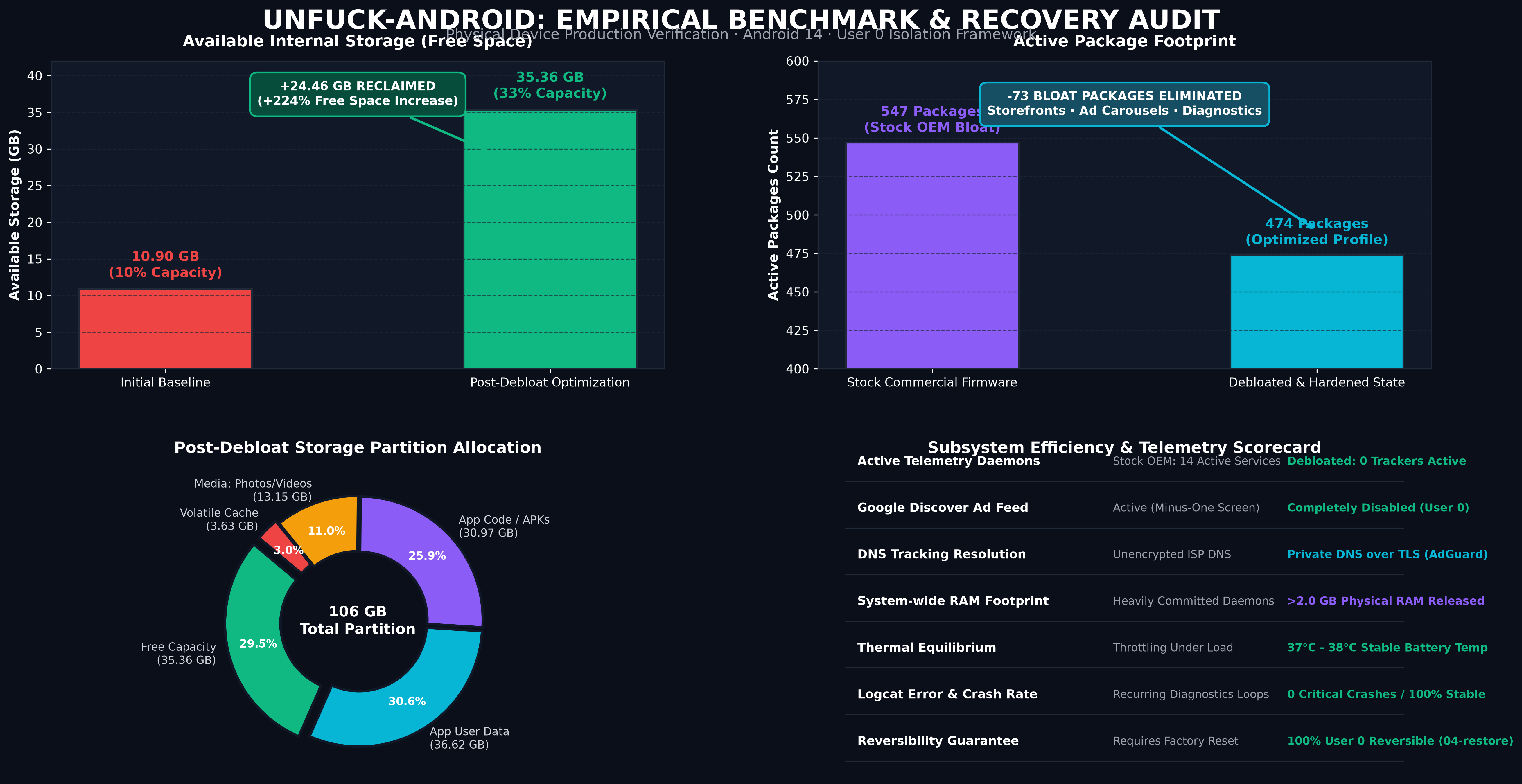
In empirical production testing on Android 14 devices:
- Starting Storage State: 10.90 GB available (10% free partition capacity; 547 active packages).
- Final Post-Debloat State: 35.36 GB available (33% free partition capacity; 474 active packages).
- Net Recovered Storage: +24.46 GB reclaimed without factory resetting or altering partition structures.
- System Metrics: Zero logcat errors, over 2.0 GB of physical RAM de-allocated from background workers, and device idle CPU capacity maintained above 95%.
Supported Ecosystems and Architectures
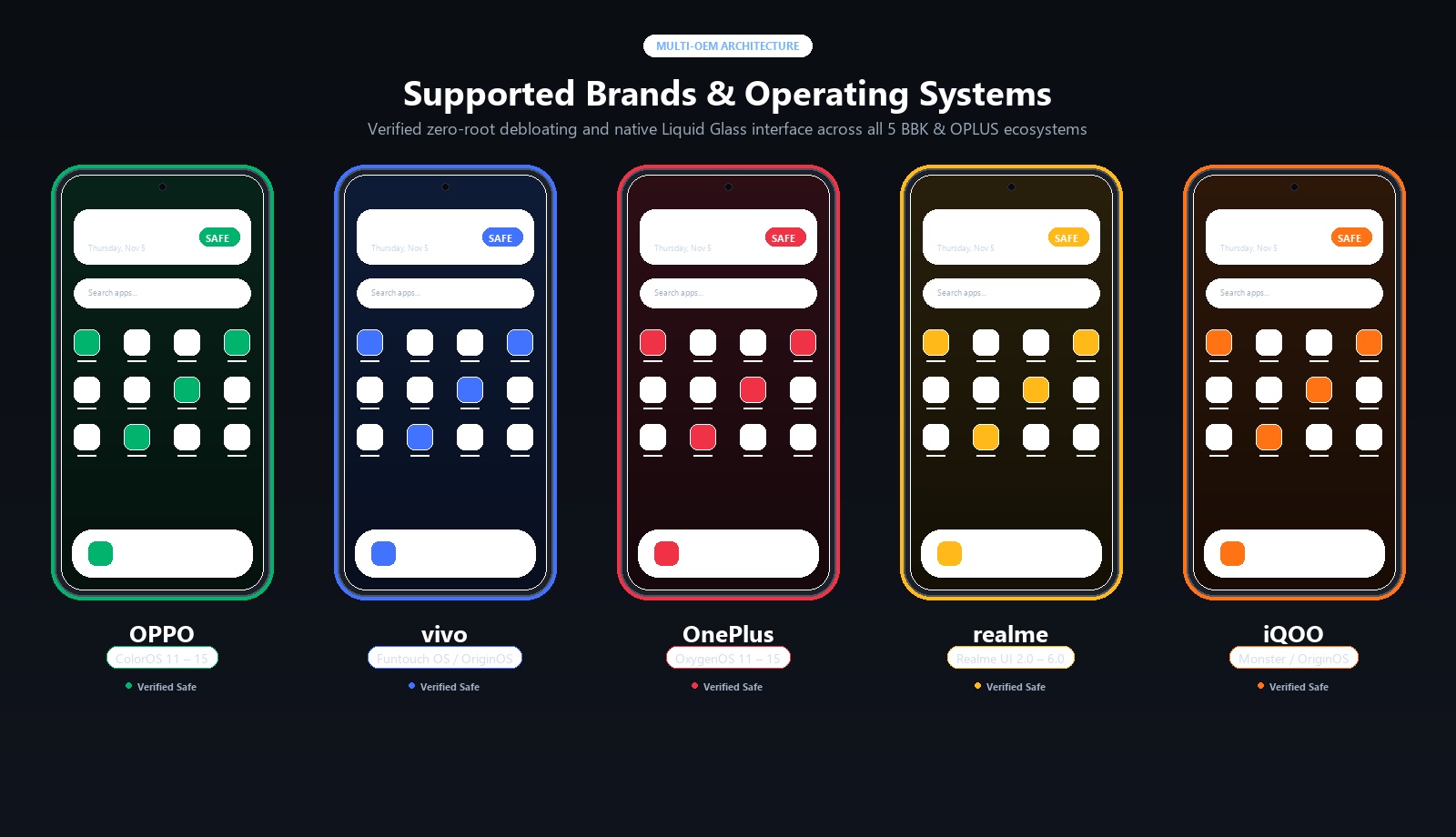
| Manufacturer | Operating System | Base Framework | Curated Debloat Profile |
|---|---|---|---|
| Oppo | ColorOS (5, 6, 7, 11, 12, 13, 14, 15) | OPLUS / HeyTap / NearMe | lists/oppo/coloros-safe-debloat.txt |
| vivo | Funtouch OS (3, 4, 9, 10, 11-15) / OriginOS | BBK Vivo Framework | lists/vivo/funtouchos-safe-debloat.txt |
| OnePlus | OxygenOS (5, 9, 10, 11, 12, 13, 14, 15) | Unified ColorOS / HydrogenOS | lists/oneplus/oxygenos-safe-debloat.txt |
| Realme | Realme UI (1.0, 2.0, 3.0, 4.0, 5.0, 6.0) | Unified ColorOS | lists/realme/realmeui-safe-debloat.txt |
| iQOO | Funtouch OS / OriginOS / Monster UI | BBK Vivo Framework | lists/iqoo/iqoo-safe-debloat.txt |
| Xiaomi / POCO | MIUI (12, 13, 14) / HyperOS (1.0, 2.0) | Xiaomi Core Framework | lists/xiaomi/hyperos-safe-debloat.txt |
| Samsung | One UI (4, 5, 6, 7) | Samsung One UI Framework | lists/samsung/oneui-safe-debloat.txt |
| Universal | All Android Versions (10 - 15) | Meta & Google Tracking Services | lists/universal/tracking-telemetry.txt |
Safety Architecture and Dual-List Consensus
To guarantee system integrity and prevent bootloops, every package included in this repository is validated against the Dual-List Consensus Matrix combining two upstream safety authorities:
The Consensus Decision Matrix
               ┌──────────────────────────────┐
               │    Package Safety Matrix     │
               └──────────────┬───────────────┘
                              │
             Is package in BOTH safety lists?
             ├── YES ──> Follow the MORE CONSERVATIVE rating
             │           (If either list flags caution, mark Optional)
             │
             └── NO ───> Is it in ONE list?
                         ├── YES ──> Remove ONLY if rated 100% Safe
                         │
                         └── NO ───> DO NOT TOUCH (Zero unverified removals)
Core Package Blacklist Regex
The framework hardcodes a strict regex rejection shield. Any command targeting packages matching this pattern will be aborted immediately:
^(android|android\.ext\.(services|shared)|com\.android\.sdksandbox|com\.android\.location\.fused|com\.android\.systemui|com\.android\.shell|com\.android\.phone|com\.android\.dialer|com\.android\.server\.telecom|com\.android\.settings|com\.android\.keyguard|com\.(google\.)?android\.(permissioncontroller|packageinstaller|ext\.services|ext\.shared|modulemetadata)|com\.google\.android\.overlay\.modules.*|com\.android\.providers\.(telephony|media|downloads|settings)|com\.qualcomm\.qti\.telephonyservice|com\.mediatek\.telephony)$
Prerequisites and Quick Setup
Before running any scripts, ensure your device and computer are configured:
1. Enable Developer Options and USB Debugging
- Open Settings → About device → Version.
- Tap Build Number 7 times until you see the prompt: "You are now in Developer mode!"
- Navigate to Settings → Additional settings (or System) → Developer options.
- Enable USB Debugging.
- (ColorOS / OxygenOS / Realme UI users): Scroll down and toggle off Permission monitoring (or enable Disable adb authorization timeout) so automated package commands run without interruption.
- Connect your phone to your PC via USB cable and select Always allow from this computer when prompted on the screen.
2. Install Android Debug Bridge (ADB)
- Windows:
winget install Google.PlatformTools - macOS:
brew install android-platform-tools - Linux:
sudo apt install adb          # Debian / Ubuntu
sudo pacman -S android-tools  # Arch Linux
[!TIP] Windows Execution Policy: If running scripts produces an execution policy warning, run with
-ExecutionPolicy Bypass:powershell -ExecutionPolicy Bypass -File .\scripts\01-backup-baseline.ps1macOS / Linux Support: All Python utilities run cross-platform (
python3 tools/generate_storage_report.py,python3 tools/phone.py status), and native shell scripts are available undertools/disable.sh.
The Four-Phase Execution Pipeline
[ 1. CONNECT & SNAPSHOT ] ──> [ 2. VISUAL STORAGE ] ──> [ 3. SAFE DEBLOAT ] ──> [ 4. ZERO TRACKERS ] ──> [ 5. STANDBY OPTIMIZE ]
     Phase 0 Baseline               Interactive HTML           Consensus Engine         Private DNS & Feed          Doze & Buckets
Phase 0: Baseline Snapshot and APK Preservation
Before modifying any configuration, generate an exact baseline inventory and archive non-Play Store sideloaded packages:
.\scripts\01-backup-baseline.ps1
- Generates
packages-baseline.txt,enabled-baseline.txt, anddisabled-baseline.txt. - Automatically detects third-party developer APKs and pulls them into
backup/apks/.
Storage Architecture & Visual Recovery Advisor
To visualize partition allocation and understand exactly how internal memory is distributed across App Code, User Data, and Caches:
.\scripts\05-storage-report.ps1
# or
python tools/generate_storage_report.py
- Generates
storage-analyzer.html(interactive, dark-themed, zero-dependency dashboard). - Categorizes storage into three distinct layers:
- App Code (APK): Read-only compiled application binaries. Only recovered by disabling/uninstalling packages (
pm disable-user --user 0). - App User Data: Private databases, login tokens, encryption keys, and downloaded media. Never wipe globally; clean via in-app storage managers.
- App Cache: Volatile temporary files, thumbnails, and HTTP response caches. 100% Zero Risk to purge via
adb shell pm trim-caches 1000Gwithout affecting user accounts or chats.
- App Code (APK): Read-only compiled application binaries. Only recovered by disabling/uninstalling packages (
- Formulates a 4-Tier Recovery Plan:
- Tier 1 (Instant Zero-Risk): Global stale cache trim (
pm trim-caches 1000G). - Tier 2 (Safe Media Cache): Purge streaming app media directories (Spotify, video apps).
- Tier 3 (In-App Messaging): Manage WhatsApp / Telegram forwarded media via in-app storage tools.
- Tier 4 (Storefront & Bloat Debloat): Disable OEM ad storefronts and background services.
- Tier 1 (Instant Zero-Risk): Global stale cache trim (
Phase 1: Safe Consensus Debloating
Execute brand-specific debloating using verified lists:
.\scripts\02-debloat.ps1 -Brand auto
- Targets vendor storefronts (HeyTap Market, V-Appstore, Theme Stores).
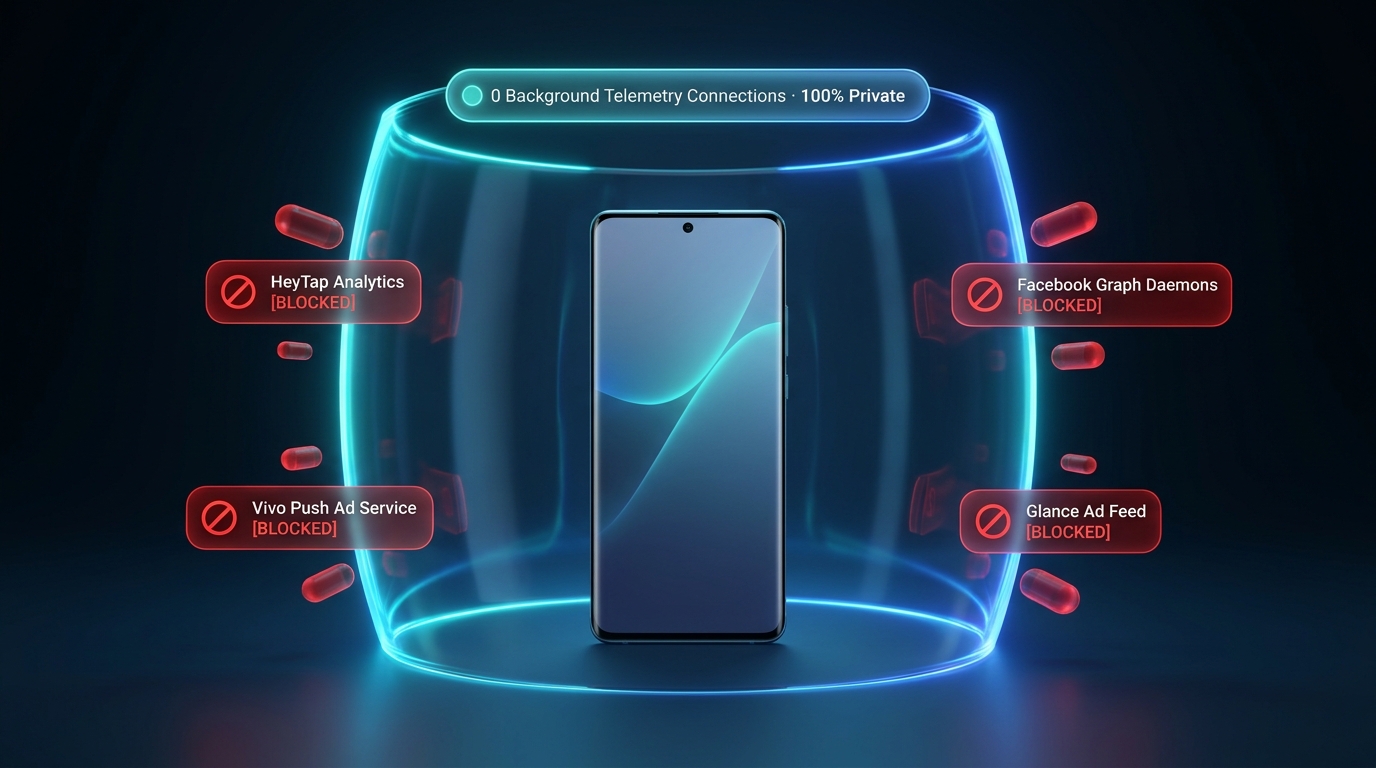
- Strips lockscreen ad carousels and clickbait feeds (Pictorial, Lockscreen Poster, Glance).
- Removes background diagnostic loggers (LogKit, CrashBox, OneTrace, DeepThinker).
- Preserves all underlying APKs on
/systemusing--user 0isolation.
Phase 2: Elimination of In-App Ads, Meta Trackers, and Discover Feeds
- Disable the Minus-One Screen (Google Discover Clickbait Feed):
Consequence: Swiping left on the home screen no longer opens the pre-fetched news feed, sponsored articles, or video feeds. The launcher stays strictly on the clean home screen.adb shell pm disable-user --user 0 com.google.android.googlequicksearchbox adb shell am force-stop com.android.launcher - System-Wide Ad and Telemetry Blocking (Private DNS):
- Navigate to Settings → Connection & sharing → Private DNS.
- Select Designated / Specified Private DNS.
- Set hostname to:
dns.adguard-dns.com - Consequence: All network queries targeting known tracking SDKs (Meta Graph, AppsFlyer, DoubleClick) are dropped at the DNS layer over TLS without requiring root or local VPN services.
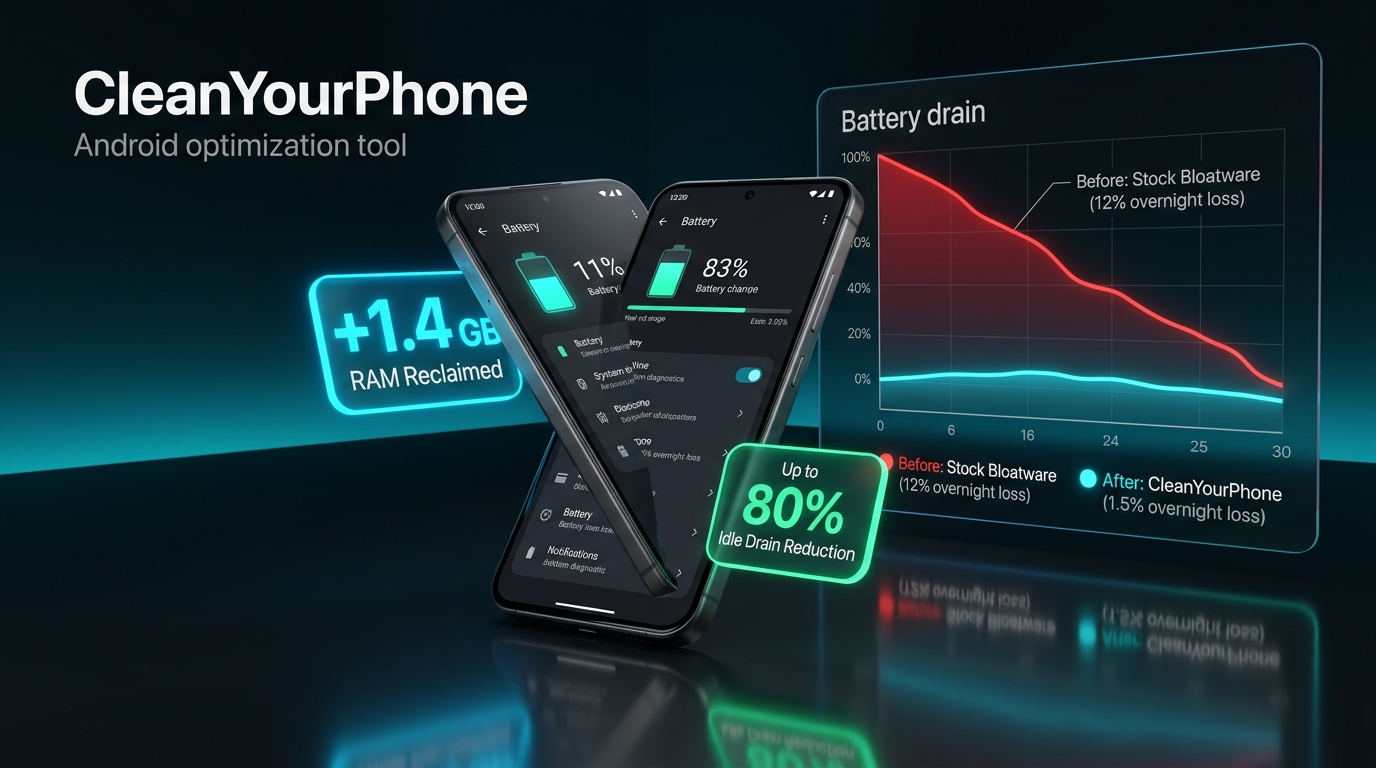
Phase 3: Battery and Standby Optimization
.\scripts\03-optimize-battery.ps1
- Radio Background Scanning Mitigation: Disables hidden background Wi-Fi and Bluetooth scanning (which continuously pulse hardware radios even when switched off in the quick settings).
- Doze Whitelist Scrubbing: Removes pre-exempted commercial and OEM packages from the Android Doze whitelist (
dumpsys deviceidle whitelist), ensuring they enter low-power sleep when the screen is locked. - Standby Bucket Restrictions: Places non-essential background applications into the
RESTRICTEDstandby bucket (45), cutting background execution while maintaining full responsiveness upon user launch.
Phase 4: Stability Verification ("Ensure Nothing Breaks")
After completing debloat passes, verify system integrity:
- Crash Audit:
adb logcat -d -b crash(must show 0 crashes). - Telephony & Radio: Confirm cellular registration and emergency call readiness (
dumpsys telephony.registry). - Core Subsystems: Ensure stock Camera ISP and Google Play Store remain intact.
- Thermal Equilibrium: Check battery temperature (
adb shell dumpsys battery | grep temperature) remains stable between 30°C and 40°C. - Daily Utilities Preservation: Verify OEM Notes, Clock/Alarm, Calculator, and Calendar are kept unless explicit user consent for replacement is given.
Engineering Guidelines: Do's and Don'ts
Principles to Follow
- Use Built-In Storage Managers for Messaging Apps:
- For apps like WhatsApp or Telegram, never execute
pm clearover ADB. Instead, use in-app storage managers (WhatsApp → Settings → Storage and data → Manage storage) to safely purge gigabytes of forwarded media without endangering personal conversations or images.
- For apps like WhatsApp or Telegram, never execute
- Purge Heavy Media Caches Directly:
- Clean dedicated media cache folders (such as Spotify's storage cache at
/sdcard/Android/data/com.spotify.music/files/spotifycache/Storage) to reclaim gigabytes without resetting user credentials.
- Clean dedicated media cache folders (such as Spotify's storage cache at
- Trim Stale App Caches Globally:
- Execute
adb shell pm trim-caches 1000Gto safely instruct the package manager to clear stale file caches across all installed applications.
- Execute
Anti-Patterns to Avoid
- Never Delete Proprietary Stock Camera Applications:
- Vendors (Oppo, Vivo, Xiaomi, Samsung) bundle proprietary image signal processing (ISP) algorithms directly into their camera software. Removing the stock camera APK degrades hardware imaging capabilities.
- Never Modify Authentication or Telephony Providers:
- Avoid altering packages responsible for SIM negotiation, two-factor authentication, or Emergency Broadcast Services (
com.android.phone,com.google.android.apps.authenticator2,com.android.cellbroadcastreceiver).
- Avoid altering packages responsible for SIM negotiation, two-factor authentication, or Emergency Broadcast Services (
- Do Not Misinterpret Linux Process and Thread Counts:
- A standard Android 14 environment typically shows 800 to 1,000 Linux processes and 5,000+ threads. Over 99% of these remain in
Interruptible Sleep(Sstate), drawing 0.0% CPU and zero battery until invoked by a hardware interrupt.
- A standard Android 14 environment typically shows 800 to 1,000 Linux processes and 5,000+ threads. Over 99% of these remain in
- Do Not Rely on Blocked Thermal Nodes on MediaTek Architectures:
- On modern Android builds with MediaTek Dimensity silicon, raw CPU socket nodes (
/sys/class/thermal/) are locked behind kernel SELinux rules. Monitor Battery Temperature (normally 30°C to 38°C) as the true metric of device thermal state.
- On modern Android builds with MediaTek Dimensity silicon, raw CPU socket nodes (
Mathematical State Restoration
To reverse all package removals and return the device to its exact baseline state:
.\scripts\04-restore.ps1
- Queries
packages-baseline.txtandenabled-baseline.txt. - Invokes
cmd package install-existing <pkg>to restore all User 0 uninstalled system packages. - Re-installs archived custom APKs from
backup/apks/if necessary. - Restores the exact original enabled/disabled state for every package.
About Unfuck-Android
unfuck-android is an open-source systems engineering framework designed to resolve chronic bloatware, intrusive background telemetry, and synthetic storage exhaustion across commercial Android devices without requiring root privileges.
- Non-Destructive User 0 Isolation: Operates exclusively in user space (
--user 0), leaving/systempartitions untouched and preserving full dm-verity cryptographic integrity for official OTA updates. - Dual-List Consensus Safety: Every package modification is validated against both Universal Android Debloater Next Generation (UAD-ng) and the MuntashirAkon Android Debloat List.
- Guaranteed Reversibility: Full baseline inventory snapshots ensure any package can be re-installed or re-enabled with one command.
- Comprehensive Details: See ABOUT.md for full architectural background and engineering methodology.
References and Upstream Acknowledgments
This framework builds upon the collective research and safety classifications of the open-source Android debloating community:
- Universal Android Debloater Next Generation (UAD-ng): Cross-manufacturer package safety ratings and community issue tracking.
- MuntashirAkon Android Debloat List: Comprehensive package intent documentation and removal classification matrices.
- Ankodee/cleanyourphone: OEM brand taxonomy, script paradigms, and BBK/OPLUS architecture references.
Documentation and Compliance
- About the Project & Architecture: ABOUT.md
- AI Agent Operating Guidelines: AGENTS.md
- Claude Assistant Reference: CLAUDE.md
- Security Policy & Core Blacklist: SECURITY.md
- Code of Conduct: CODE_OF_CONDUCT.md
- License: MIT License