
bjarneo/velo has 69 GitHub stars and 1 forks. GitHot measured 0 stars in 24 hours. Last checked 2026-11-16 20:54 UTC. Last push 2026-10-27.
Measured star growth
- in 24h
- 0
- in 7 days
- Collecting history
- in 15 days
- Collecting history
- in 1 month
- Collecting history
Net star changes over overlapping periods, not daily totals. Missing measurements are left blank. Stars measure attention, not software quality.
About
A speed test for the terminal with a cockpit dashboard: latency, download, upload, and bufferbloat.
Developer ToolsREADME.md
Original

velo is a speed test for the terminal.
It measures latency, download, upload, and bufferbloat, and shows each phase live on a cockpit dashboard.
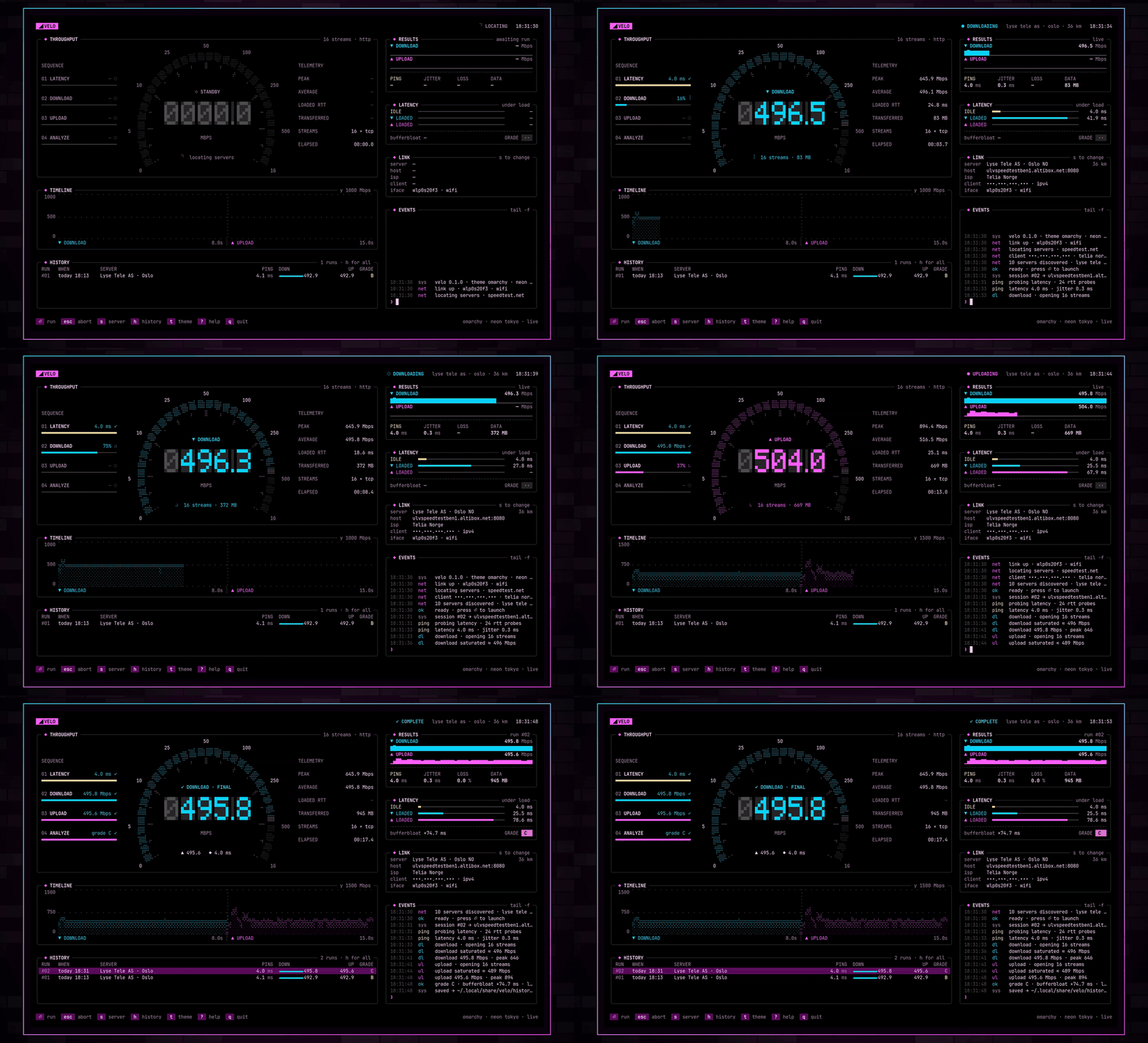
Website · Download · Watch the video · How velo measures · Architecture · Agent guide
Install
Omarchy and other Linux
Run the install script:
curl -fsSL https://raw.githubusercontent.com/bjarneo/velo/main/install.sh | sh
The script downloads the latest release for your CPU, verifies the SHA-256 checksum, and installs velo to ~/.local/bin. Release builds are for amd64 and arm64.
To add velo to the Omarchy app launcher, run:
omarchy-tui-install velo velo tile https://raw.githubusercontent.com/bjarneo/velo/main/assets/icon.png
Then press Super + Space and type velo.
With Go
velo needs Go 1.26 or later.
go install github.com/bjarneo/velo@latest
From source
git clone https://github.com/bjarneo/velo.git
cd velo
go build -o velo .
./velo
Run a test
velo
velo finds the 10 nearest speedtest.net servers, measures the latency to each server, and selects the fastest one. Then it starts the test. A test takes about 18 seconds.
When you quit, velo prints the result of the last run:
velo: session closed · last run ↓ 495.8 ↑ 495.6 Mbps · 4.0 ms · C
Flags
| Flag | Result |
|---|---|
--no-autostart |
velo waits for ⏎ before it starts a test. |
--server 64051 |
velo uses the server with this ID. The server list shows the IDs. |
--theme nord |
velo starts with a built-in theme. |
--private |
velo masks your IP address. Use it for screenshots and recordings. |
--demo |
velo simulates the network. No data leaves the machine. |
--version |
velo prints its version. |
Theme names for --theme: omarchy, tokyo-night, catppuccin, gruvbox, nord, everforest, kanagawa, rosé-pine, matte-black.
Keys
| Key | Action |
|---|---|
⏎ or space |
Run or rerun the test |
esc |
Abort the test or close a panel |
s |
Choose a server. Use j and k or the arrow keys, then ⏎. |
h |
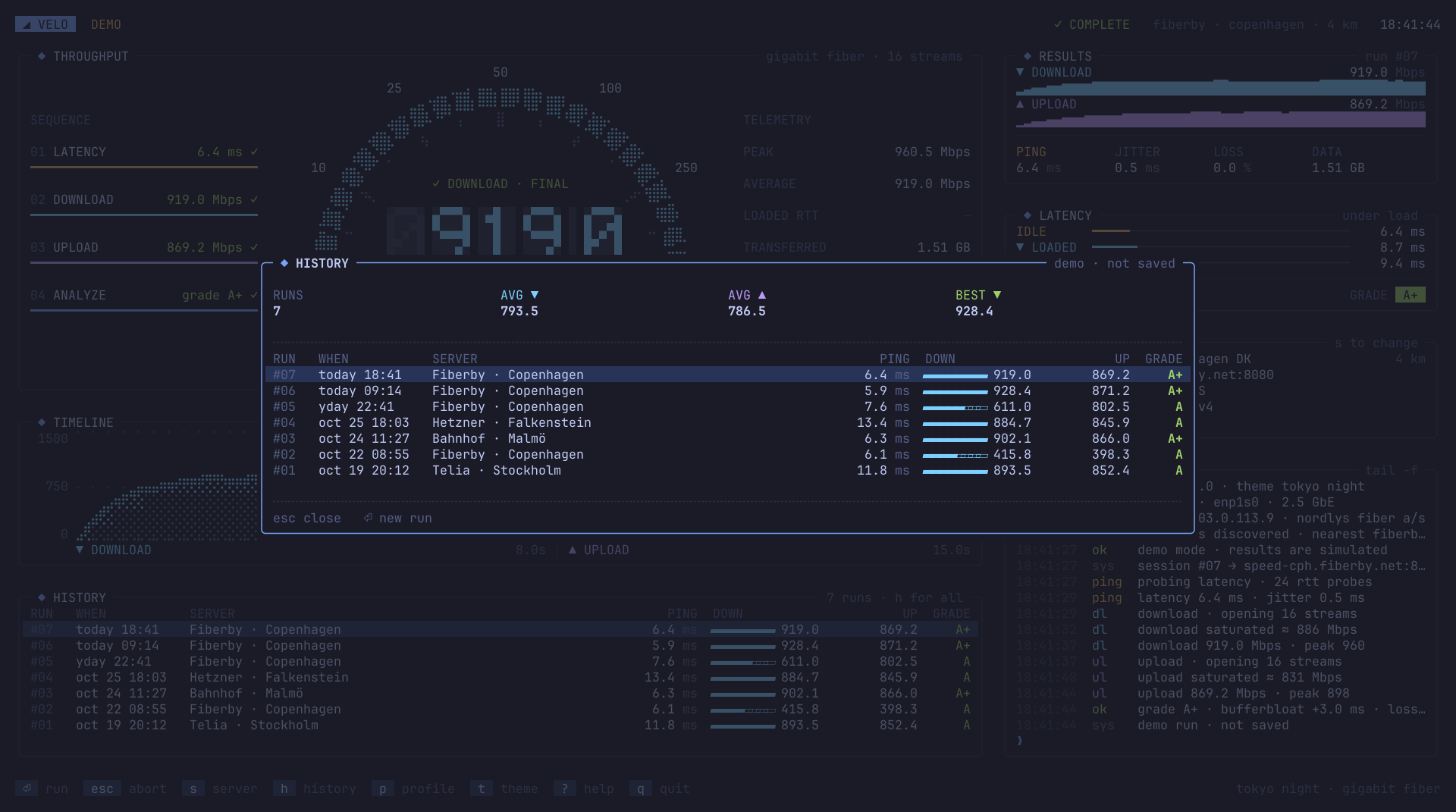
Show the run history |
t |
Cycle the theme |
? |
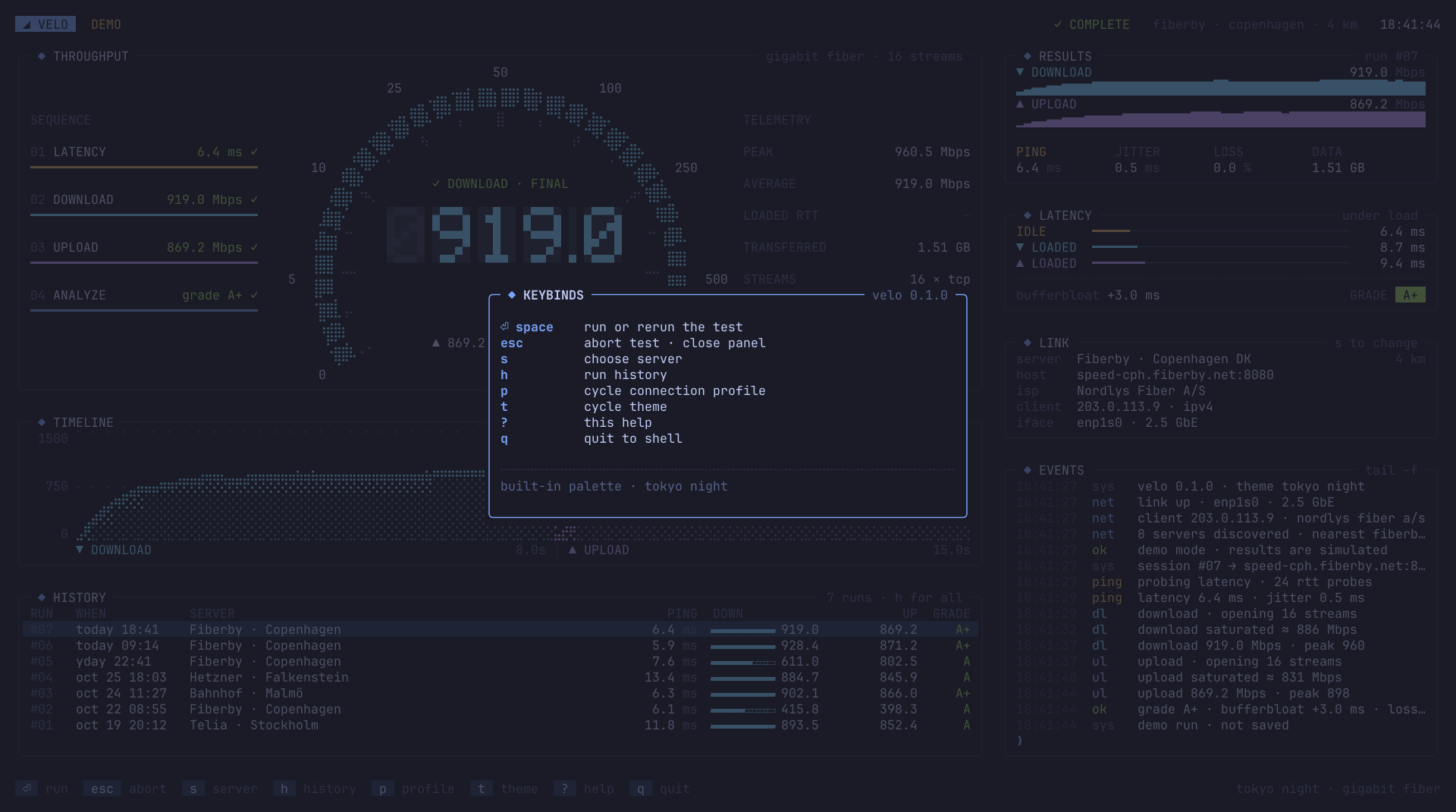
Show the keys |
q |
Quit |
You can also click the keys in the footer and the rows in the server list.
The dashboard
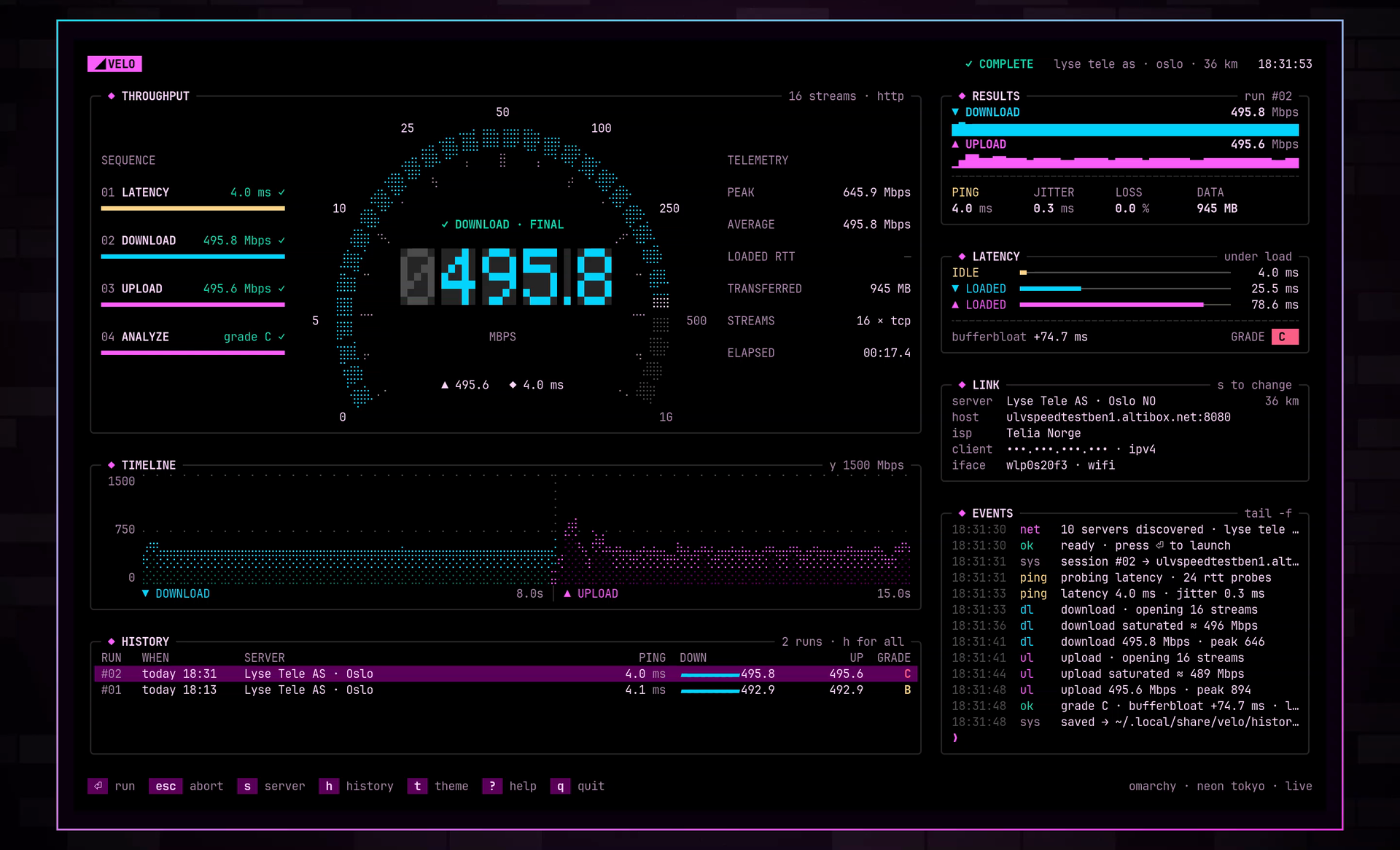
| Panel | Content |
|---|---|
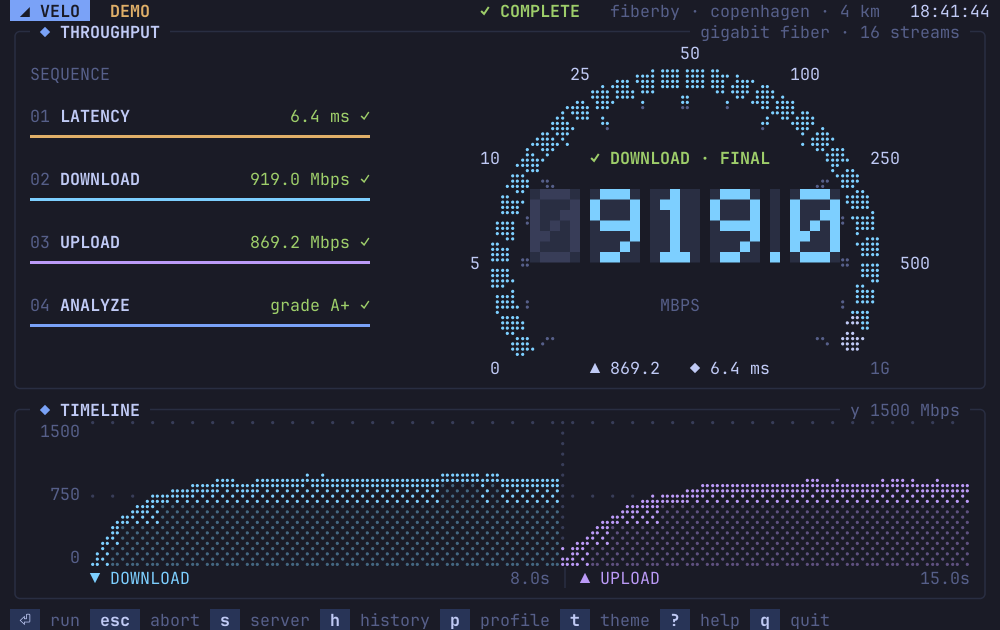
| Throughput | The gauge, the live readout, the test sequence, and live telemetry. |
| Timeline | Download and upload throughput over the 15 seconds of transfer. |
| History | The last runs from the history file. |
| Results | Download and upload with sparklines, ping, jitter, loss, and data used. |
| Latency | Idle and loaded latency, bufferbloat, and the grade. |
| Link | The server, the server host, your ISP, your IP address, and your network interface. |
| Events | A log of each step of the test. |
The screenshots above and below use the Omarchy theme Neon Tokyo. The IP address is masked with --private.
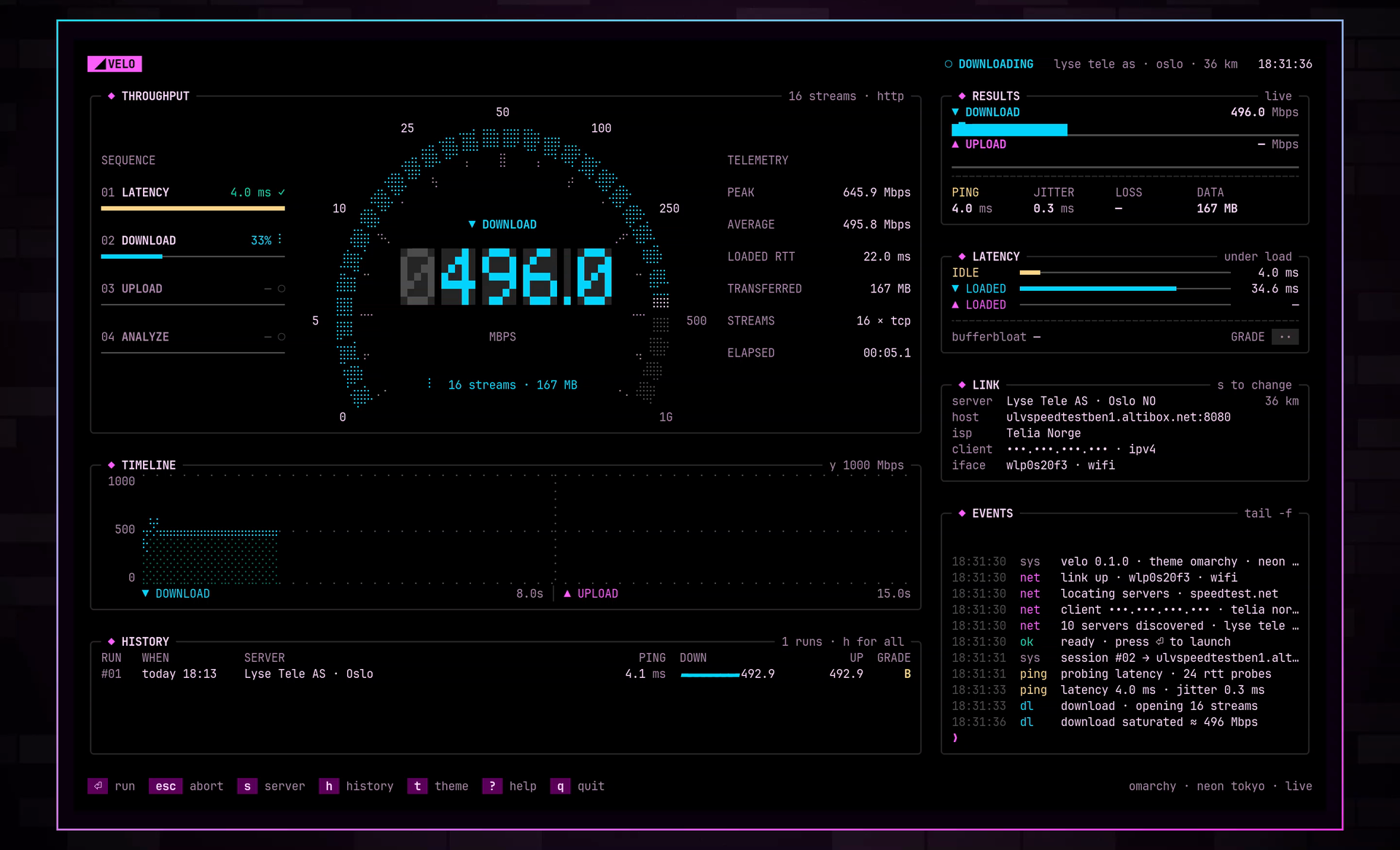
Server list, history, and keys
The screenshots in this section use --demo and the Tokyo Night theme.
Themes
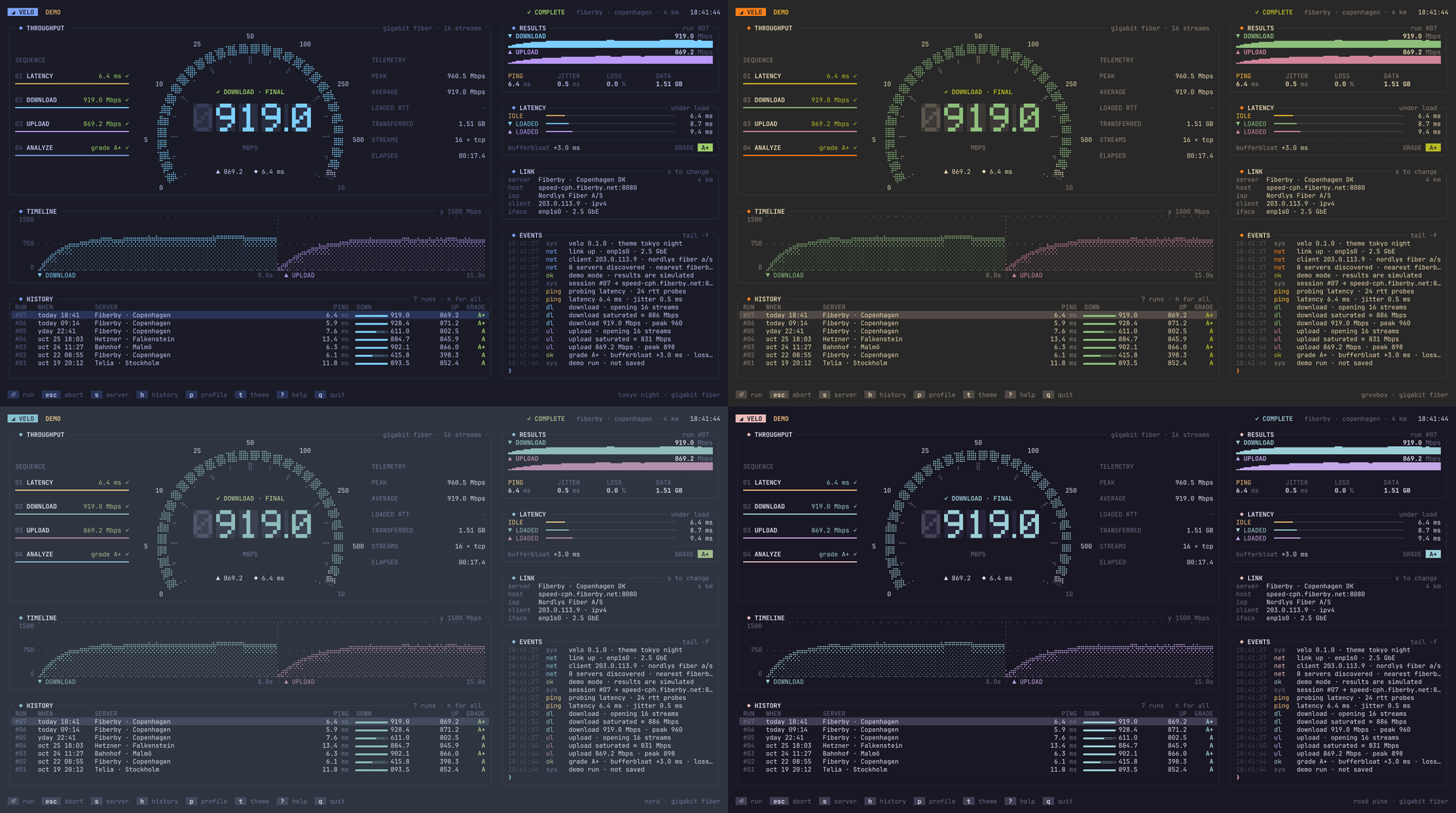
On Omarchy, velo uses the colors of the active theme. When you change the Omarchy theme, velo changes its colors in 2 seconds or less. velo also has 8 built-in themes. Press t to cycle them.
Small terminals
The full dashboard needs about 180×46 cells. In a narrower terminal, velo hides the telemetry column, then the right column. In a shorter terminal, velo hides the history panel and makes the gauge smaller. The minimum size is 64×22.
How velo measures
A test has 3 phases.
- Latency. velo sends 24 HTTP requests for
latency.txton one warm connection. Ping is the mean round-trip time. Jitter is the mean difference between two probes in sequence. - Download. velo opens 16 HTTP streams for 8 seconds and counts the bytes that it reads.
- Upload. velo opens 16 HTTP streams for 7 seconds. On Linux, it counts the bytes that the server acknowledged. On other systems, it counts the bytes that it writes.
During download and upload, velo sends a latency probe every 250 ms. Bufferbloat is the higher loaded latency minus the idle latency.
| Bufferbloat | Grade |
|---|---|
| less than 5 ms | A+ |
| less than 30 ms | A |
| less than 60 ms | B |
| less than 200 ms | C |
| 200 ms or more | D |
A test moves about 1 GB of data on a 500 Mbps link. For the sampling method, the endpoints, and the limits of each value, read docs/measurement.md.
Read the results from a script
velo appends each finished run to $XDG_DATA_HOME/velo/history.jsonl. The default path is ~/.local/share/velo/history.jsonl. Each line is one JSON object:
{"id":2,"time":"2026-10-27T18:31:48+01:00","server":"Lyse Tele AS · Oslo","host":"ulvspeedtestben1.altibox.net:8080","ping_ms":3.96,"jitter_ms":0.32,"down_mbps":495.84,"up_mbps":495.56,"bloat_ms":74.69,"loss_pct":0,"grade":"C","data_mb":945.34}
To show the download speed of the last run, run:
tail -n 1 ~/.local/share/velo/history.jsonl | jq .down_mbps
--demo does not write to the file.
Privacy
velo sends these requests:
- A request to speedtest.net for the server list.
- A request to speedtest.net for your IP address and ISP.
- The test traffic to the server that you select.
velo does not send your results to any service. The results stay in the history file.
Development
go test -race ./...
go vet ./...
go run . --demo
--demo runs the full interface with a simulated network. The tests include a render test that draws every phase and every panel at many terminal sizes.
For the code structure, read docs/architecture.md. For instructions to coding agents, read AGENTS.md.
Limits
- LOSS counts latency probes that failed or took longer than the timeout. velo uses TCP, so this value is not the packet loss of the link.
- velo depends on the speedtest.net server list. When the list is not available, velo shows an error. Press
⏎to try again. - velo draws with one-column glyphs. Some fonts in East Asian locales draw these glyphs two columns wide. Then the layout breaks.
License
velo is released under the MIT license. Read LICENSE for the full text.