
batnoter/batnoter
batnoter/batnoter has 2,419 GitHub stars and 153 forks. GitHot measured 0 stars in 24 hours and 0 in 7 days. Last checked 2026-11-08 08:54 UTC. Last push 2022-10-01.
An open source, markdown-based, self-hosted note taking webapp.
What you can do
- Login with GitHub.
- Create, edit, delete, organize & explore notes easily with a nice & clean user interface.
- Markdown format supported allowing users to add hyperlink, table, headings, code blocks, blockquote... etc inside notes.
- Editor allows preview of markdown.
Measured star growth
- in 24h
- 0
- in 7 days
- 0
- in 15 days
- Update delayed
- in 1 month
- Update delayed
Net star changes over overlapping periods, not daily totals. Missing measurements are left blank. Stars measure attention, not software quality.
README.md
Original

Create and store notes to your git repository!
https://batnoter.com
BatNoter


BatNoter is a web application that allows users to store notes in their git repository. This is a frontend project built using mainly react (typescript), redux-toolkit & mui components. BatNoter API is the backend implementation of REST APIs which are used by this react app.
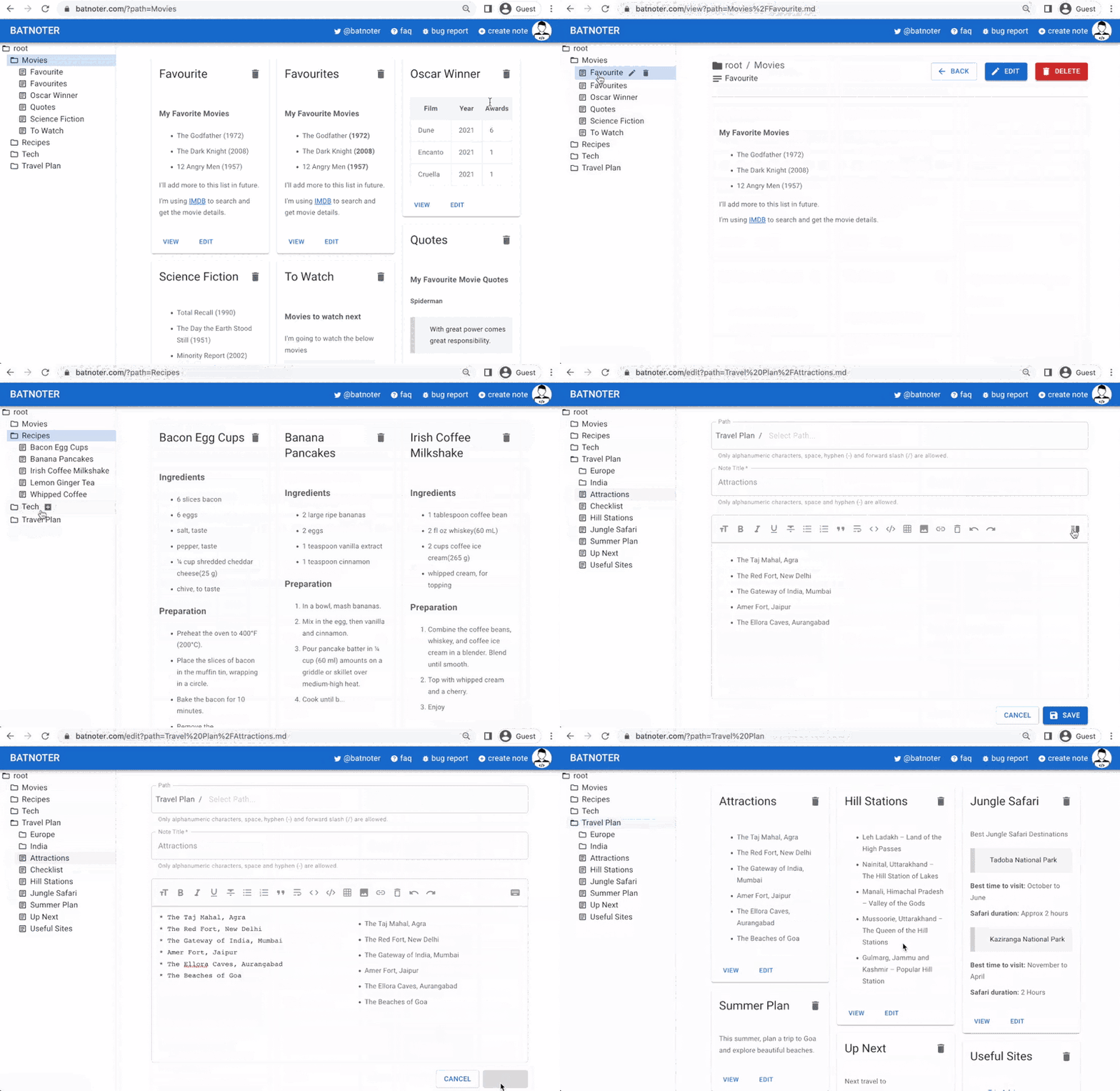
Features
- Login with GitHub.
- Create, edit, delete, organize & explore notes easily with a nice & clean user interface.
- Markdown format supported allowing users to add hyperlink, table, headings, code blocks, blockquote... etc inside notes.
- Editor allows preview of markdown.
- Quickly copy code from the code section using copy to clipboard button.
- Store notes directly at the root or use folders to organize them (nesting supported).
- Explore all the notes from a specific directory with single click.
- All the notes are stored inside user's github repository.
- Notes are cached to avoid additional API calls.
- URLs can be bookmarked.
- Dark/Light mode supported.
Local Development Setup
Prerequisites
- Node.js version
18or above
Start the server
npm install
npm start
This will start the react app in the development mode. Open http://localhost:3000 to view it in the browser.
Run tests
npm test
This will execute all the tests and also prints the code coverage percentage.
Contribution Guidelines
Every Contribution Makes a Difference
Read the Contribution Guidelines before you contribute.
Contributors
Thanks goes to these wonderful people 🎉

Explore related projects
n8n-io/n8n
Fair-code workflow automation platform with native AI capabilities. Combine visual building with custom code, self-host or cloud, 400+ integrations.
209,860 starslanggenius/dify
Build Agentic workflows, RAG pipelines, with rich AI model and tool support on one collaborative workspace. Deploy on cloud, VPC, or self-hosted, so teams move from prototype to production without rebuilding the stack.
160,680 starsmicrosoft/PowerToys
Microsoft PowerToys is a collection of utilities that supercharge productivity and customization on Windows
140,710 starsstablyai/orca
Orca is the place for working with a fleet of agents (e.g. Grok Bot, Claude Code). Run any coding agent with your own subscription. Available on desktop, mobile and remote runtime.
119,397 stars