
azuwis/pianotrans
azuwis/pianotrans has 1,540 GitHub stars and 148 forks. GitHot measured 0 stars in 24 hours and +3 in 7 days. Last checked 2026-11-10 03:09 UTC. Last push 2026-09-14.
Simple GUI for ByteDance's Piano Transcription with Pedals
Measured star growth
- in 24h
- 0
- in 7 days
- +3
- in 15 days
- Update delayed
- in 1 month
- Update delayed
Net star changes over overlapping periods, not daily totals. Missing measurements are left blank. Stars measure attention, not software quality.
README.md
OriginalSimple GUI for ByteDance's Piano Transcription with Pedals

ByteDance's Piano Transcription is the PyTorch implementation of the
piano transcription system, "High-resolution Piano Transcription with Pedals
by Regressing Onsets and Offsets Times [1]".
Using this, we can transcribe piano recordings into MIDI files with pedals.
This is a simple GUI and packaging for Windows and Nix on Linux/macOS.
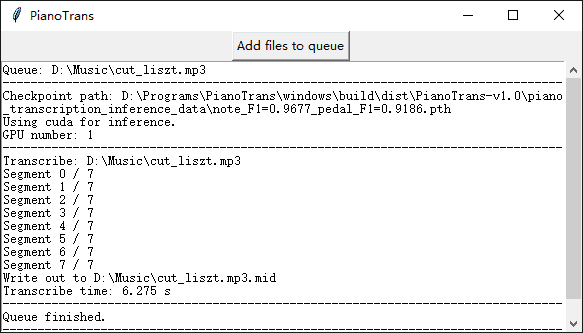
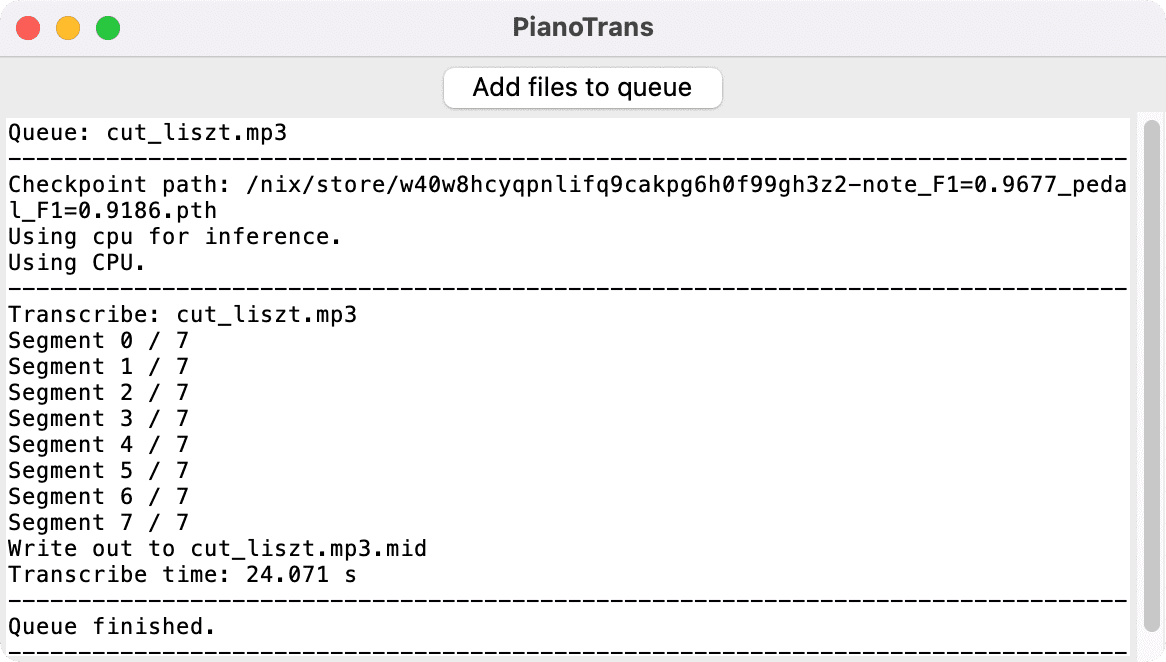
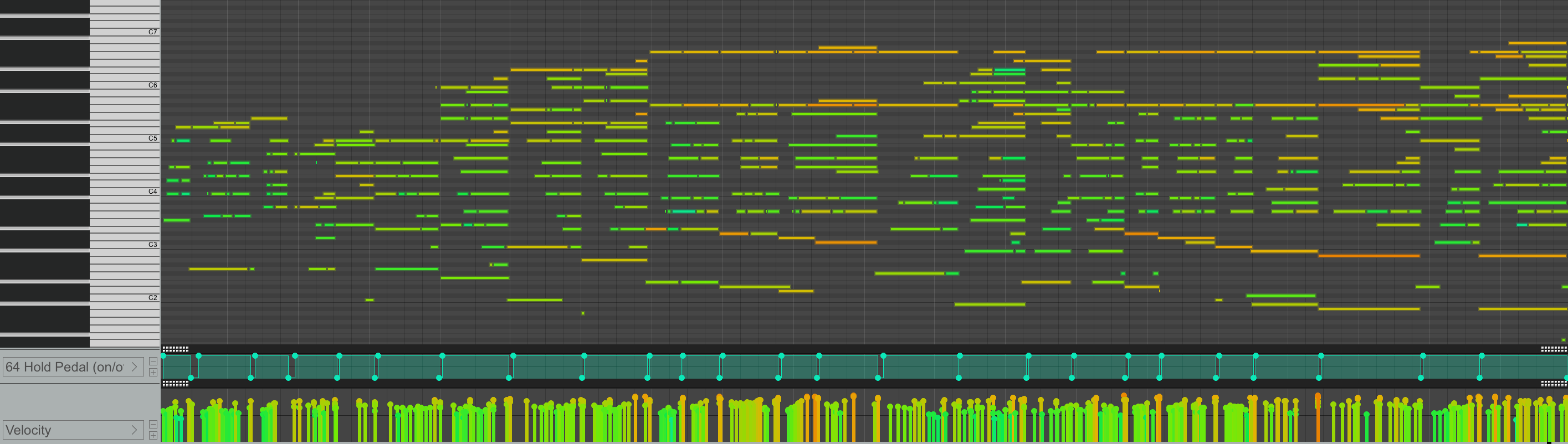
Requirement
- OS: Windows 7 or later (64-bit), Linux, macOS (Intel/M1)
- Memory: at least 4G
Only Windows 10, Debian Linux 10, and macOS 12.1 M1 are tested.
How to use on Windows
- Download Microsoft Visual C++ Redistributable for Visual Studio 2015, 2017 and 2019
vc_redist_x64.exeand install - Download and unpack PianoTrans-v1.0.7z (1.5GB download, unpack using 7zip)
- Close other apps to free memory, need at least 2G free memory
- Run
PianoTrans.exeinPianoTransdirectory - Choose audio/video files, hold
CTRLto select multiple files - Result MIDI files are in the same directory as the input files
If you want right click menu, run RightClickMenuRegister.bat, then you can
select multiple audio/video files, right click and choose Piano Transcribe.
PianoTrans automatically uses GPU for inference, if you encounter any problem,
you can try PianoTrans-CPU.bat to force using CPU.
How to use on Linux/macOS using Nix
Note: This howto is for Nix on Linux/macOS, if you don't use Nix, you can also follow the upstream install and usage guide for Python pip instead.
- Open the terminal
- Install and setup Nix:
See https://nixos.org/download.html for more detailssh <(curl -L https://nixos.org/nix/install) --daemon mkdir -p ~/.config/nix echo 'experimental-features = nix-command flakes' > ~/.config/nix/nix.conf - Use Nix to install pianotrans:
nix profile install github:azuwis/pianotrans - Run
pianotransto open the GUI, choose audio/video files, holdCTRL(⌘for macOS) to select multiple files
For CLI usage, run pianotrans file1 file2 ....
To upgrade pianotrans, run:
$ nix profile list
0 github:azuwis/pianotrans#defaultPackage.aarch64-linux github:azuwis/pianotrans/e19d5fd12f4295816fad49f6398e2e53ed2d2b7a#defaultPackage.aarch64-linux /nix/store/zdalndvcralish8d43drzslv0p4pm97v-python3.9-pianotrans-0.2.1
# list nix profiles, `0` is pianotrans
$ nix --option tarball-ttl 1 profile upgrade 0
$ nix profile list
0 github:azuwis/pianotrans#defaultPackage.aarch64-linux github:azuwis/pianotrans/e944720dd0dfcc2b87dcc39c1fdaab086eba4ca6#defaultPackage.aarch64-linux /nix/store/rv5iikrdvc7jrc7mqs8mkc21qh2gklhx-python3.9-pianotrans-1.0
# pianotrans upgraded to v1.0
FAQ
Q: Can you improve transcription result?
A: This project is about packaging for https://github.com/bytedance/piano_transcription, as long as it gives you MIDI files, all other issues are out of scope of this project.
You should report to the upstream project here https://github.com/bytedance/piano_transcription/issues
Changelog
[1.0.1] - 2023-02-09
- Add
--clioption to force disable GUI - Remove filetypes arg from askopenfilenames to avoid crash
- Update Nix flake, and remove mido/soundfile/torchlibrosa/piano-transcription-inference overlay, all patches accepted in nixpkgs, this means more dependances can be fetched directly from Nix binary cache, less local builds
- Add github test workflow
[1.0] - 2022-02-21
- Support Linux/macOS using Nix
- All platforms:
- Add real GUI alongside CLI
- GUI allow adding files to transcribe queue
- Windows:
- Right-click menu supports multiple files (need to re-run
RightClickMenuRegister.bat) - Update pytorch to 1.10.2
- Right-click menu supports multiple files (need to re-run
[0.2.1] - 2021-12-23
- Update pytorch to 1.10.1.
- Update piano-transcription-inference to 0.0.5
[0.2] - 2021-09-27
- Update pytorch to 1.9.1.
- Add PianoTrans-CPU.bat to force using CPU for inference.
[0.1] - 2021-02-02
- Initial release.
Cite
[1] Qiuqiang Kong, Bochen Li, Xuchen Song, Yuan Wan, and Yuxuan Wang. "High-resolution Piano Transcription with Pedals by Regressing Onsets and Offsets Times." arXiv preprint arXiv:2010.01815 (2020). [pdf]
Explore related projects
codecrafters-io/build-your-own-x
Master programming by recreating your favorite technologies from scratch.
561,674 starspublic-apis/public-apis
A collective list of free APIs
498,067 starsmorluto/rea
Reverse engineer anything with agents, from app behavior down to native binaries.
450,864 starsopenclaw/openclaw
The AI that really does things. Any OS. Any Platform. The lobster way. 🦞
394,313 stars