
ayushsharma82/ElegantOTA
ayushsharma82/ElegantOTA has 1,027 GitHub stars and 166 forks. GitHot measured 0 stars in 24 hours and +1 in 7 days. Last checked 2026-11-12 08:33 UTC. Last push 2026-09-05.
The original over-the-air update library for wireless microcontrollers (since 2019).
What you can do
- 🔥 Quick & simple OTA procedure - firmware and filesystem images
- 📊 Live progress, transfer rate, and byte counts as the flash is written
- 🛟 Capacity check up front, so an oversized build is rejected before it half-writes
- 🔒 MD5 integrity verification and optional HTTP Basic auth
Measured star growth
- in 24h
- 0
- in 7 days
- +1
- in 15 days
- Collecting history
- in 1 month
- Collecting history
Net star changes over overlapping periods, not daily totals. Missing measurements are left blank. Stars measure attention, not software quality.
README.md
Original
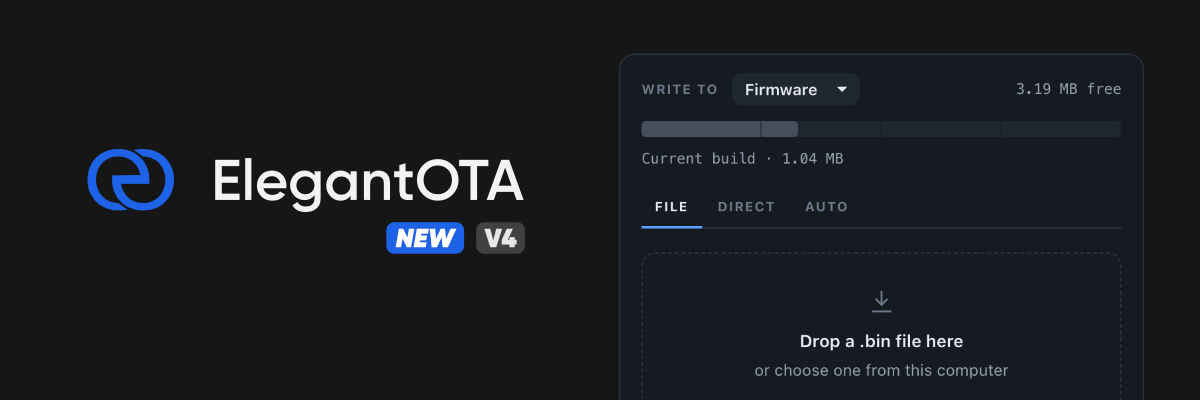



The original over-the-air update library for wireless microcontrollers (since 2019).
ElegantOTA gives your microcontroller a polished web portal for over-the-air firmware and filesystem updates. Point a browser at /update, drop in a .bin, and watch it land - with live progress, transfer rate, and a capacity check that catches an oversized image before a single byte is written.
No HTML, no CSS, no JavaScript. Three lines of code.
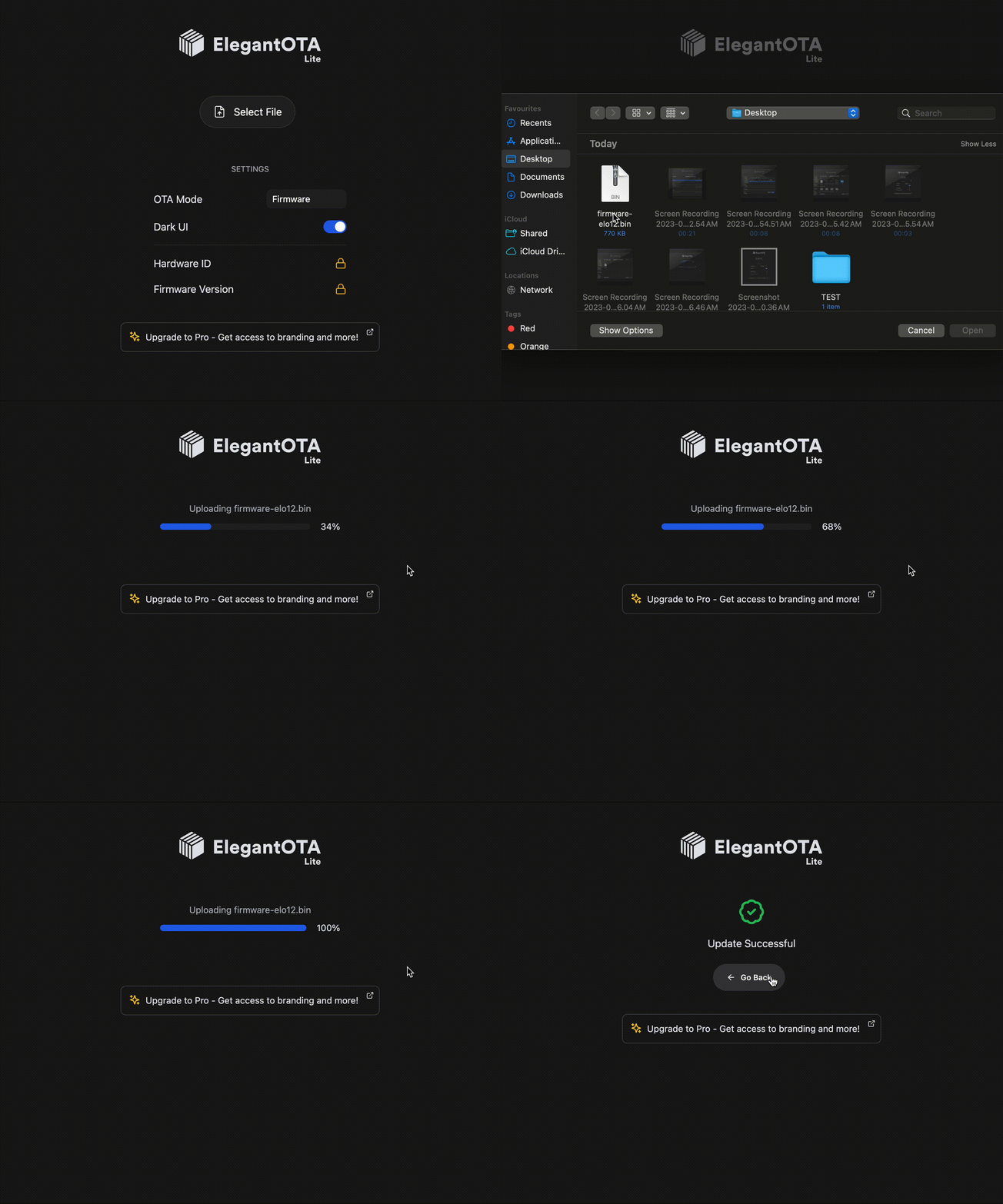
Features
- 🔥 Quick & simple OTA procedure - firmware and filesystem images
- 📊 Live progress, transfer rate, and byte counts as the flash is written
- 🛟 Capacity check up front, so an oversized build is rejected before it half-writes
- 🔒 MD5 integrity verification and optional HTTP Basic auth
- 🌗 Light & dark portal themes, keyboard reachable, readable down to 320px
- 🎷 No need to learn HTML/CSS/JS
- 🛫 Ready to use within 3 lines of code
Supported MCUs
| Platform | Notes |
|---|---|
| ESP32 | Including S2, S3, C3 and C6 variants |
| RP2040 (+WiFi) | e.g. Raspberry Pi Pico W - requires a LittleFS partition |
| RP2350 (+WiFi) | e.g. Raspberry Pi Pico 2 W - requires a LittleFS partition |
| ESP8266 | Legacy - maintained, but new projects should prefer ESP32 or RP2350 |
[!IMPORTANT] RP2040 / RP2350 users: these boards stage the incoming image inside the filesystem region, so a LittleFS partition is mandatory. In the Arduino IDE, pick
Tools > Flash Size > 2MB (Sketch 1MB, FS 1MB)or similar. A bare RP2040/RP2350 without a WiFi chip cannot run ElegantOTA.
Installation
Arduino IDE
Sketch > Include Library > Manage Libraries… → search for ElegantOTA → Install.
PlatformIO
lib_deps =
  ayushsharma82/ElegantOTA@^4.0.0

; ElegantOTA supports several architectures, and PlatformIO will otherwise try
; to resolve dependencies for all of them. Without this you will hit build errors.
lib_compat_mode = strict
If you already have a .pio/libdeps folder, delete it before rebuilding.
Quick start
The whole integration is three lines - an include, a begin(), and a loop():
#include <WiFi.h>
#include <WebServer.h>
#include <ElegantOTA.h>          // 1

WebServer server(80);

void setup() {
  WiFi.mode(WIFI_STA);
  WiFi.begin("ssid", "password");
  while (WiFi.status() != WL_CONNECTED) delay(500);

  server.on("/", []() {
    server.send(200, "text/plain", "Hi! This is ElegantOTA Demo.");
  });

  ElegantOTA.begin(&server);     // 2
  server.begin();
}

void loop() {
  server.handleClient();
  ElegantOTA.loop();             // 3
}
Open http://<device-ip>/update in a browser and you have the portal.
Full sketches live in examples/ - Demo for the synchronous webserver, AsyncDemo for ESPAsyncWebServer.
Async mode
ElegantOTA can serve its routes through ESPAsyncWebServer instead of the built-in synchronous server. Enable it with a build flag:
build_flags = -D ELEGANTOTA_USE_ASYNC_WEBSERVER=1
The Arduino IDE has no way to set build flags, so there you edit ELEGANTOTA_USE_ASYNC_WEBSERVER in src/ElegantOTA.h directly. You cannot run the synchronous WebServer and ESPAsyncWebServer in the same firmware - pick one. See the async mode guide for the per-platform TCP dependencies.
Documentation
Installation, integration, security and feature guides: docs.elegantota.pro
Looking for more? Upgrade to Pro.
ElegantOTA Lite covers a solid project end to end. ElegantOTA Pro adds the pieces a shipped product tends to need:
- Two extra OTA modes - Direct Download (the device fetches firmware from a URL itself) and Auto Update (update channels)
- Toggle OTA modes at runtime
- Hardware ID & firmware version on the UI
- Whitelabel / branding
- Commercial license
It is also a fantastic way to support the time that goes into building and maintaining the library.
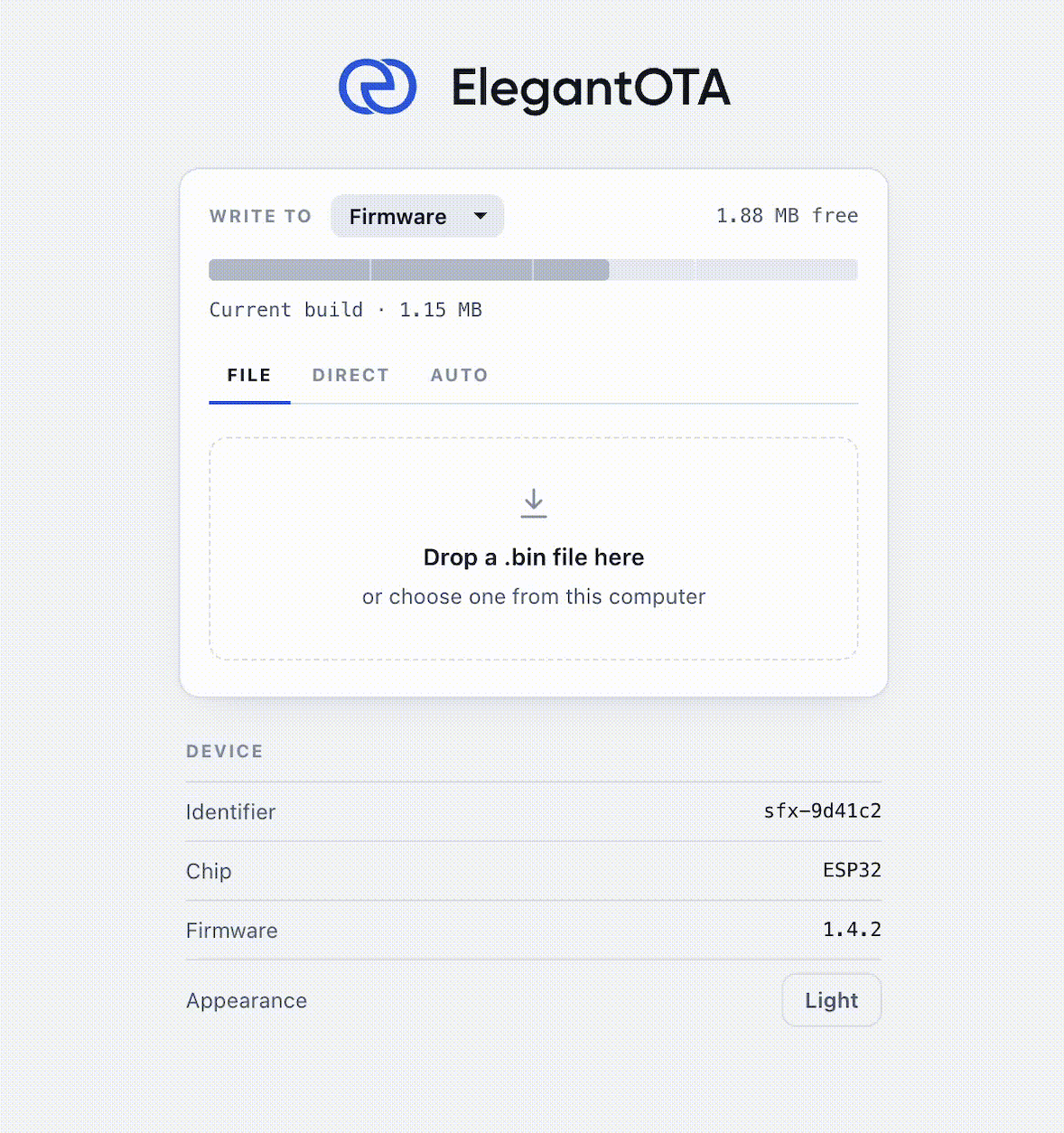
Available at the official store (store.softt.io).
Building a product with ElegantOTA?
ElegantOTA is built and maintained by SOFTT, an IoT product studio. When the library is one piece of something bigger, the same engineers can design the rest of it, from the electronics and firmware to the cloud dashboard and mobile app, and take it from first brief to pilot run at a fixed price. Start with a free 30-minute engineering review, see products we've shipped, or write to [email protected].
Contributing
Every contribution is highly appreciated. Spotted a bug? Open an issue or a pull request so it can be fixed for everyone.
Feature requests: open an issue and I'll look at adding it in a future release.
Contributors are asked to sign the CLA, and participation is governed by the Code of Conduct.
License
ElegantOTA open-source edition is licensed under the GNU Affero General Public License v3.0 (AGPL-3.0).
If you are planning to use ElegantOTA in a commercial project, please consider purchasing ElegantOTA Pro, which comes with the less restrictive SOFTT Commercial License 1.3.
Explore related projects
codecrafters-io/build-your-own-x
Master programming by recreating your favorite technologies from scratch.
562,008 starspublic-apis/public-apis
A collective list of free APIs
498,401 starsmorluto/rea
Reverse engineer anything with agents, from app behavior down to native binaries.
454,046 starsopenclaw/openclaw
The AI that really does things. Any OS. Any Platform. The lobster way. 🦞
394,400 stars