
axonel/sentinel
axonel/sentinel has 30 GitHub stars and 2 forks. GitHot measured 0 stars in 24 hours and +3 in 7 days. Last checked 2026-11-14 20:52 UTC. Last push 2026-09-30.
Measured star growth
- in 24h
- 0
- in 7 days
- +3
- in 15 days
- Collecting history
- in 1 month
- Collecting history
Net star changes over overlapping periods, not daily totals. Missing measurements are left blank. Stars measure attention, not software quality.
About
Run coding agents autonomously with isolated Git worktrees, independent verification, and human-controlled integration.
Developer ToolsREADME.md
Original

Sentinel
The control plane for coding agents.
Run coding agents in isolated Git worktrees, independently verify their changes, and require human approval before integration.


Quickstart • Why Sentinel? • The Workflow • Features • Architecture • Contributing
What is Sentinel?
Coding agents are useful, but giving an agent direct control of your working tree creates a simple problem: the agent is both making the change and deciding whether the change is finished.
Sentinel separates those responsibilities.
It is a local supervisor and execution control plane for coding agents:
- Isolate execution in a dedicated Git worktree so the active branch and working files stay untouched.
- Verify independently by running tests and inspecting the resulting workspace on disk instead of trusting the agent's success message.
- Stop for human review at
READY FOR REVIEWbefore candidate changes can be integrated. - Integrate deliberately with target-freshness checks and transactional merge handling.
Sentinel does not replace your coding agent. It supervises it.
The Workflow
                    SENTINEL CONTROL LOOP

Task Goal
    │
    ▼
┌───────────────────┐
│ Isolated Worktree │
└─────────┬─────────┘
          │
          ▼
┌───────────────────┐
│   Coding Agent    │
└─────────┬─────────┘
          │
          ▼
┌───────────────────┐
│ Verify on Disk    │ ◄──── fix & retry
│ tests + workspace │
└─────────┬─────────┘
          │
          ▼
┌───────────────────┐
│ READY FOR REVIEW  │
└─────────┬─────────┘
          │
          ▼
┌───────────────────┐
│   Human Review    │
│      + Diff       │
└─────────┬─────────┘
          │
          ▼
┌───────────────────┐
│   Safe Integrate  │
└───────────────────┘
The central rule is simple:
An agent can propose a change. Sentinel verifies it. A human decides whether it gets integrated.
Quickstart
Platform: Sentinel is currently certified for Linux x86_64. See Operational Limitations.
1. Build Sentinel
Requirements: Rust 1.88+, Node.js 20+, npm, and Git with worktree support.
git clone https://github.com/axonel/sentinel.git
cd sentinel

npm --prefix web ci
npm --prefix web run build
cargo build --release -p plexis-server --bin sentinel
Start the local supervisor:
./target/release/sentinel serve
The dashboard is available at:
http://127.0.0.1:3000
2. Dispatch a Mission
Initialize a workspace for an existing repository:
sentinel init /path/to/repo --name "my-project"
Then dispatch a task:
sentinel mission create /path/to/repo \
  -o "Fix failing unit tests in parser.rs. Run cargo test and commit your fix." \
  -t "Fix parser tests"
3. Review and Integrate
When the stopping conditions pass, the mission halts at:
READY FOR REVIEW
Inspect the candidate diff:
sentinel mission diff <MISSION_ID>
Then integrate only after review:
sentinel mission accept <MISSION_ID> --integrate
For a complete walkthrough, including a disposable repository and an offline deterministic agent, see the Getting Started Guide.
Why Sentinel?
Agents should not share your working directory
An autonomous agent can create, delete, or rewrite files while it works. Sentinel runs mission execution inside an isolated Git worktree under .plexis/worktrees/.
Your active branch remains separate from the mission workspace.
“Tests passed” should be independently verifiable
Sentinel does not treat an agent's own report as the verification boundary. It independently executes configured stopping conditions such as:
cargo test
npm test
pytest
and inspects exit status and workspace state on disk.
Integration should be an explicit decision
A successful mission does not automatically mean code lands on your target branch.
Sentinel creates a review boundary where you can inspect:
- changed files
- unified diffs
- verification results
- Git provenance
- mission audit history
Only an explicit acceptance action proceeds to integration.
Automation needs recovery semantics
Long-running agent processes can fail, time out, or leave partial state behind. Sentinel tracks durable mission state in SQLite, supervises process groups, and reconciles Git/worktree state during recovery.
See Crash Recovery for the detailed state-reconciliation model.
Feature Tour
1. Isolated Worktree Execution
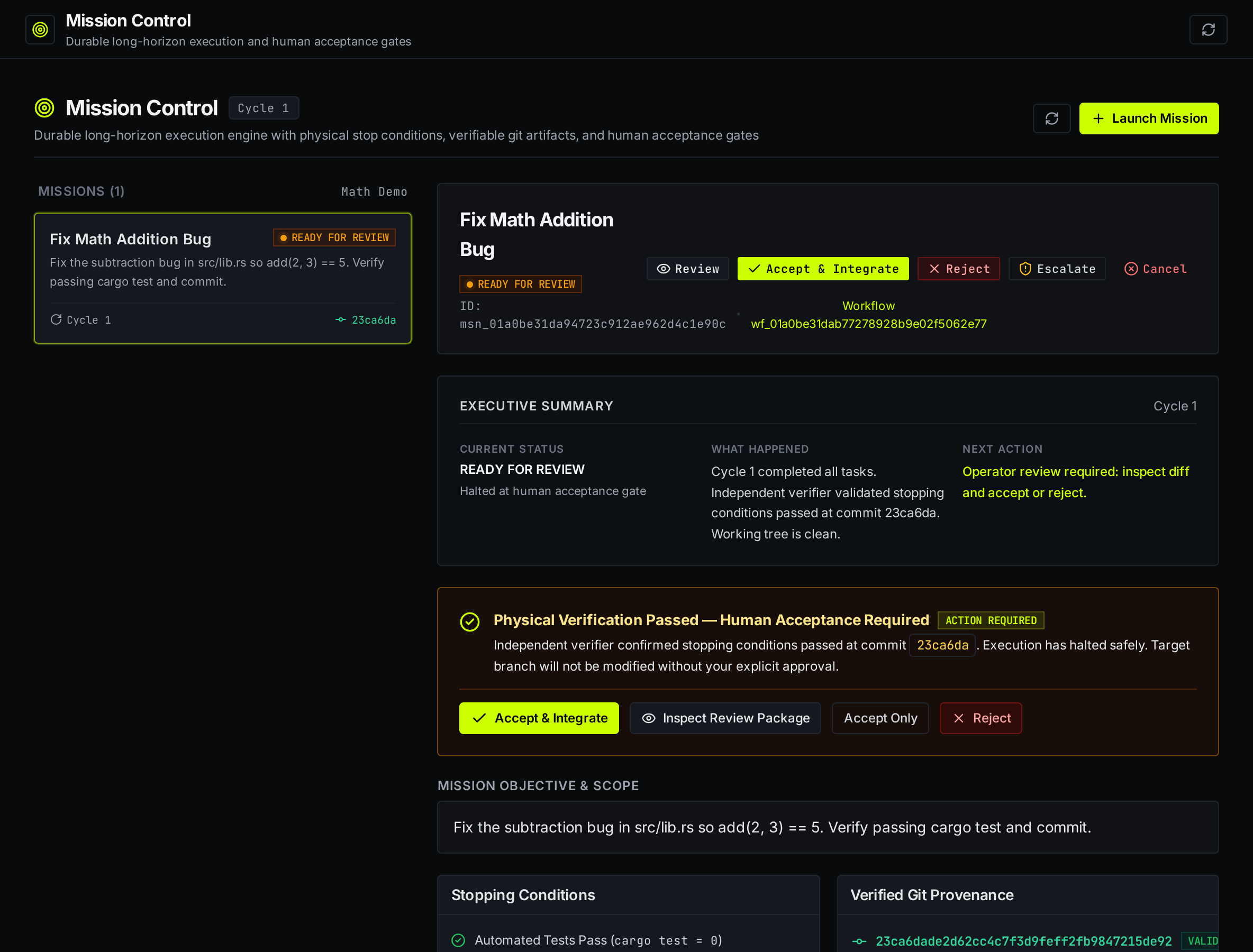
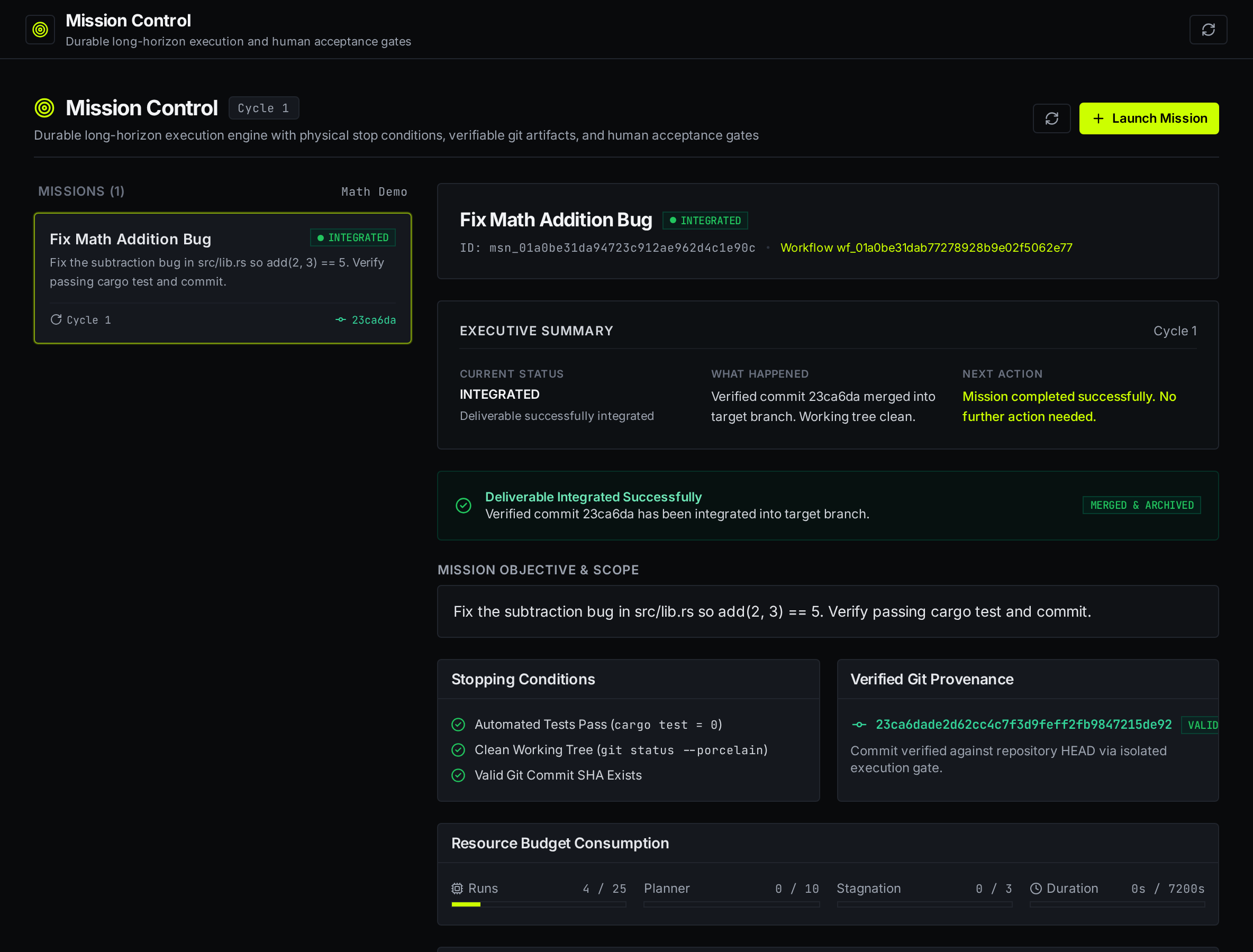
Agents execute inside isolated Git worktrees. The dashboard's Executive Summary shows mission status, recent events, and verified Git provenance.
2. Independent Physical Verification
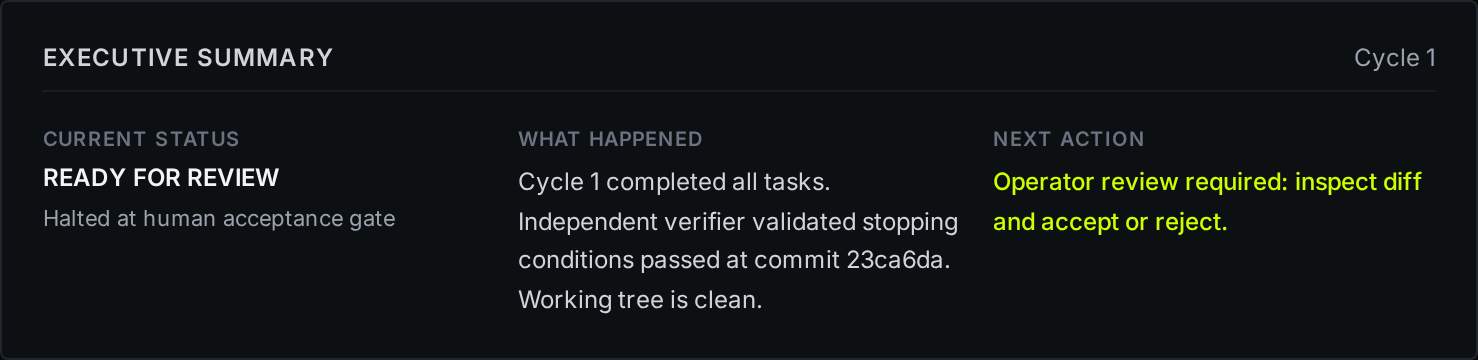
Sentinel runs verification out-of-band and checks the resulting workspace rather than relying on the agent's claim that the task succeeded.
3. Review Package and Unified Diff
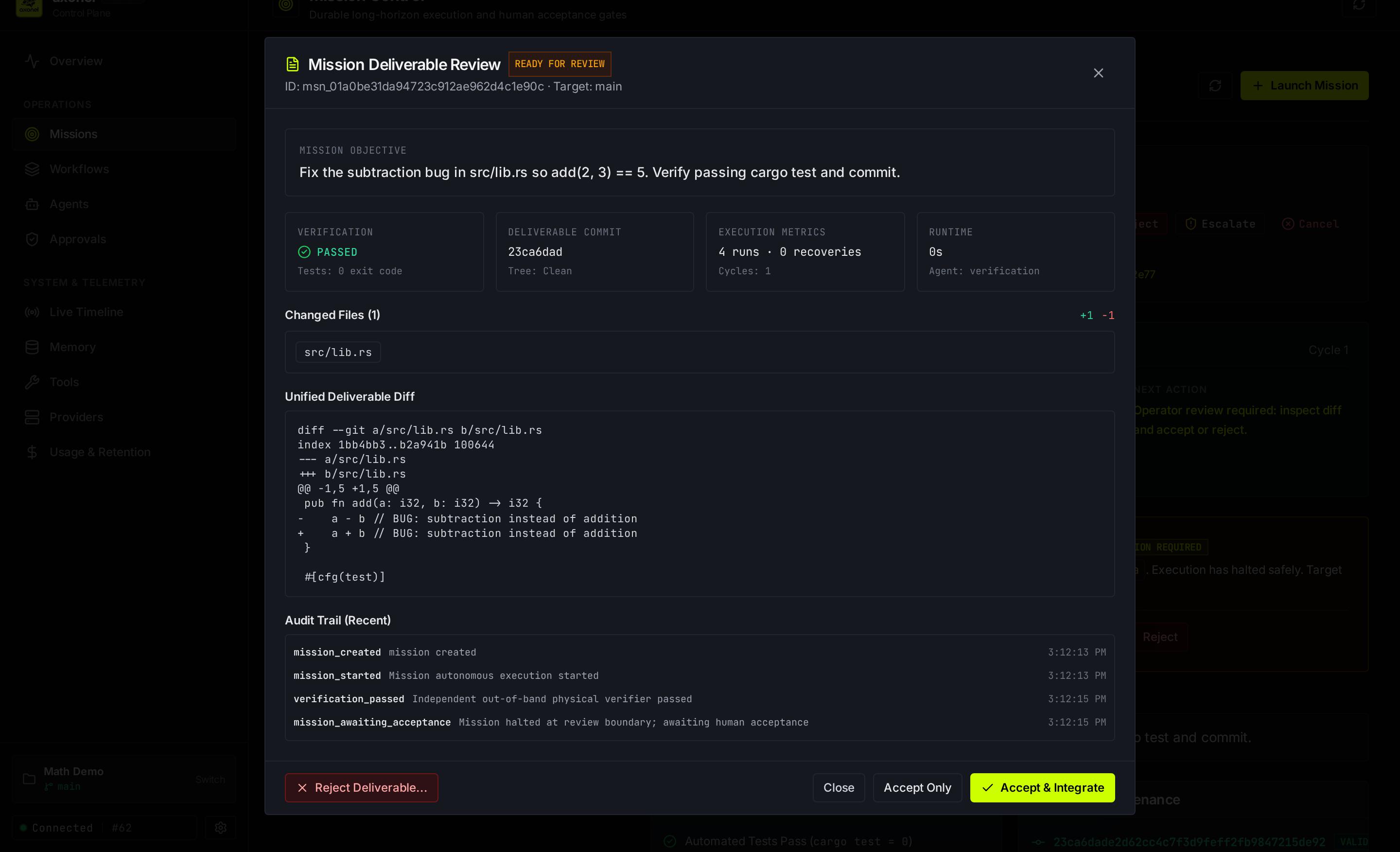
Verified candidate commits stop at an explicit review gate. Inspect file statistics, unified diffs, verification metrics, and audit events before integration.
4. Human Acceptance Gate
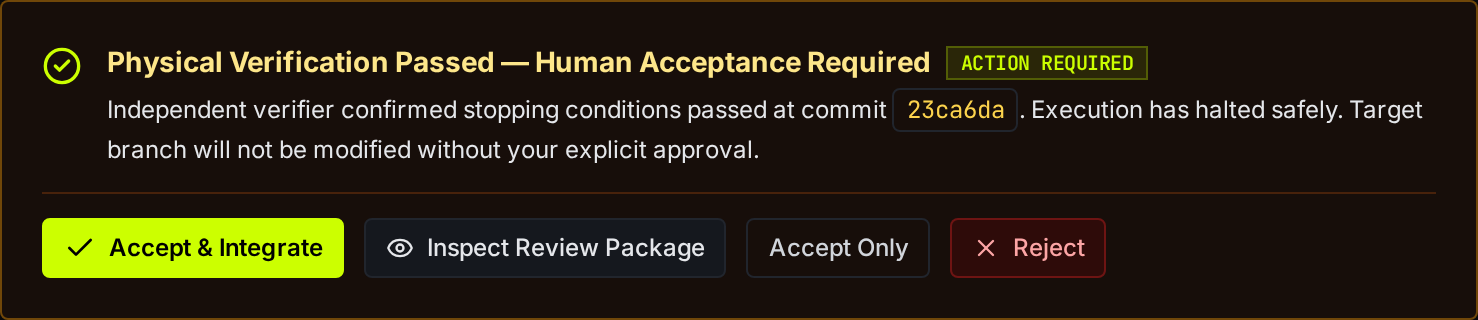
The dashboard provides explicit actions for accepting and integrating, accepting without integrating, or rejecting a deliverable. Rejection feedback can feed into autonomous replanning.
5. Transactional Git Integration
Candidate commits are integrated through a stateful merge flow with target-freshness validation and rollback handling for merge conflicts.
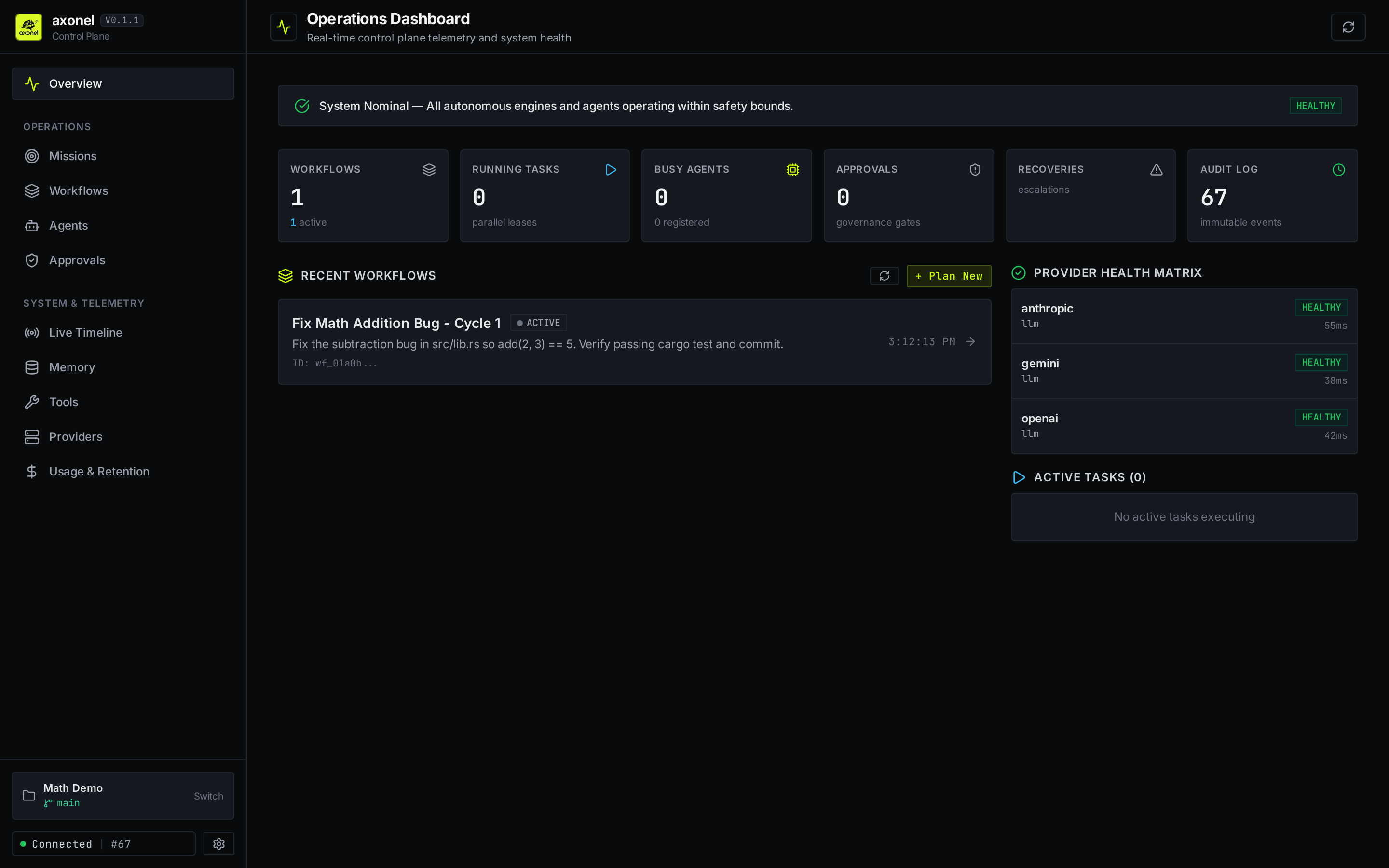
6. Operations Dashboard
Monitor control-plane health, parallel task leases, agent activity, governance gates, and provider latency across registered workspaces.
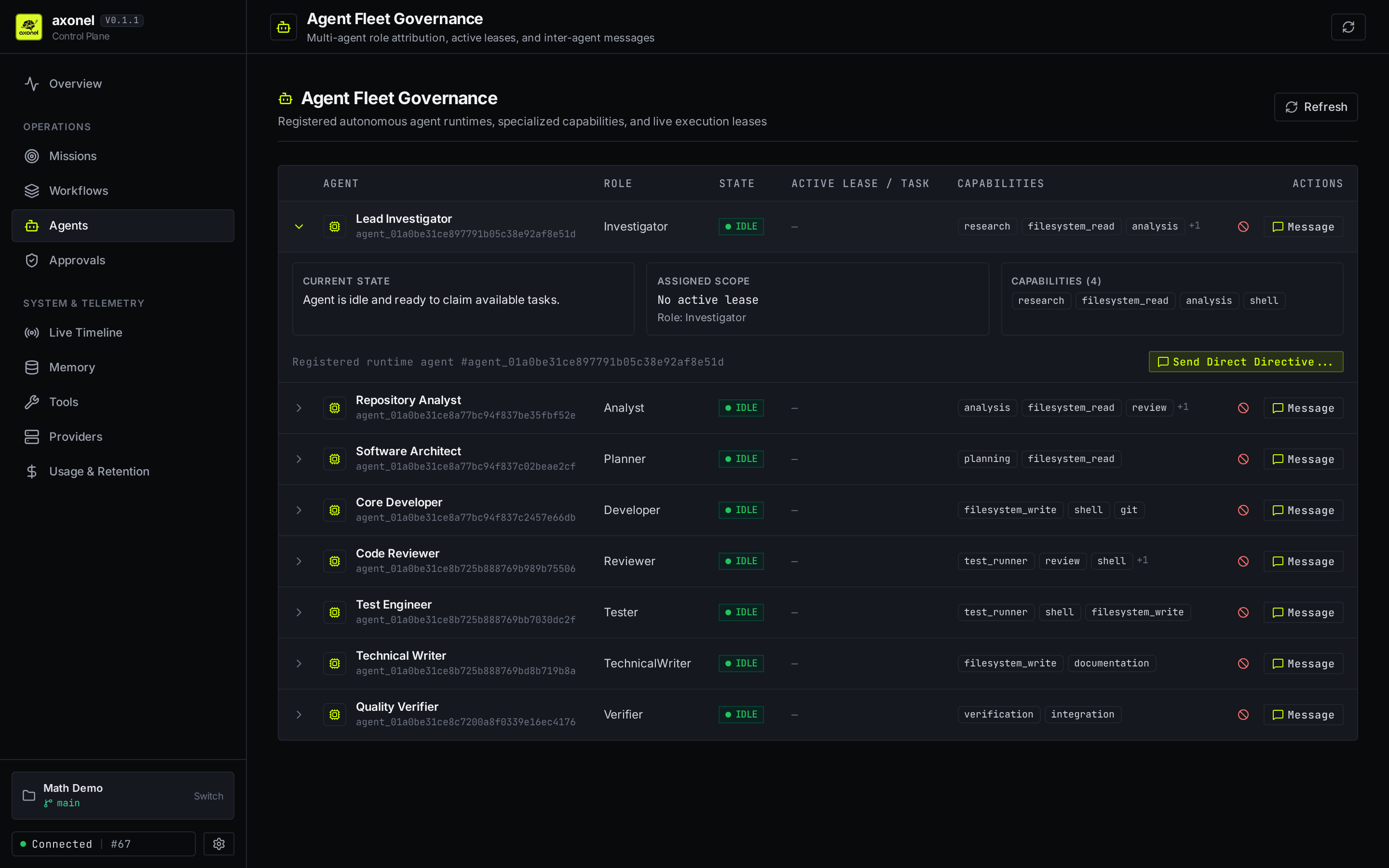
7. Agent Fleet Governance
Inspect registered runtimes, roles, capabilities, active leases, execution state, assigned scope, and operator directives.
Providers
Sentinel supervises multiple agent execution paths:
| Provider / Adapter | Execution Mode | Requirements | Primary Use Case |
|---|---|---|---|
Gemini CLI (gemini) |
Subprocess (LocalAgentHost) |
gemini CLI + GEMINI_API_KEY |
Real-world autonomous coding tasks |
Fake Agent (fake) |
Subprocess (plexis-fake-agent) |
Built-in Cargo binary | Offline testing and reproducible CI |
Gemini API (gemini-api) |
HTTP API client | GEMINI_API_KEY |
Direct API-driven planning and synthesis |
OpenAI API (openai) |
HTTP API client | OPENAI_API_KEY |
API-driven agent execution |
Ollama (ollama) |
HTTP API client | Local Ollama daemon | Local / air-gapped execution |
See Provider Configuration for setup details and custom adapter development.
Architecture
Sentinel is an API-first local supervisor daemon backed by SQLite (WAL mode) and POSIX process supervision.
| Layer / Crate | Purpose |
|---|---|
sentinel / plexis-server |
Axum HTTP daemon, REST API, SSE streaming, and CLI entrypoint. |
plexis-runtime |
Worktree lifecycle, POSIX process supervision, and timeout enforcement. |
plexis-storage |
Persistent SQLite store for missions, checkpoints, and leases. |
plexis-providers |
Adapters for external coding agents. |
plexis-tools |
Filesystem tools with path canonicalization and workspace containment. |
plexis-planner |
Task breakdown and planning logic. |
plexis-memory |
Session context and history. |
plexis-fake-agent |
Deterministic mock agent for offline regression testing and CI. |
web/ |
Embedded React + Vite Mission Control dashboard. |
See System Architecture for the subsystem and state-machine details.
Security Boundaries
Sentinel is designed to constrain agent execution at the process and Git-worktree level, but it is not a hardware sandbox.
- Loopback by default: the daemon binds to
127.0.0.1. Binding externally requires an authentication token. - Process-group isolation: mission subprocesses run in dedicated POSIX process groups so cancellation and timeout handling can reap child processes.
- Workspace containment: filesystem operations are canonicalized and checked against the workspace boundary.
- No microVM boundary: Sentinel does not provide Firecracker/gVisor-style hardware virtualization. Agent commands run with the permissions of the invoking OS user.
- Current platform scope: Linux x86_64 is the certified target.
See Security Policy, Threat Model, and Operational Limitations.
Documentation
| Guide | What it covers |
|---|---|
| Getting Started | Hands-on first mission with Gemini CLI or the offline fake agent |
| CLI Reference | Complete sentinel command reference |
| REST API | HTTP endpoints, request/response payloads, and SSE events |
| Architecture | Crate boundaries, state machines, and supervisor internals |
| Product Overview | Core thesis, target users, and non-goals |
| Provider Configuration | Provider setup and custom adapter development |
| Crash Recovery | Durable state, reconciliation, and Git ancestry |
| Validation & Receipts | Automated validation evidence and benchmark telemetry |
| Troubleshooting | Port conflicts, authentication, and worktree errors |
| Security | Trust boundaries, process confinement, and secret redaction |
| Limitations | Supported platforms, backends, and known non-goals |
| Release Engineering | Release checklist, packaging, and checksums |
| Development History | Milestone archive and project history |
Contributing
Sentinel is intended to be built with contributors, not just around them.
Start with CONTRIBUTING.md for development prerequisites, repository structure, testing commands, coding invariants, and the pull-request process.
Before opening a PR, run:
cargo test --workspace
cargo fmt --all -- --check
cargo clippy --workspace --all-targets -- -D warnings
For changes that affect mission state, worktree isolation, process supervision, or integration semantics, read the relevant architecture and security documentation first.
License
Sentinel is dual-licensed under the MIT License and Apache License, Version 2.0, at your option.