
avdept/JellyBoxPlayer
avdept/JellyBoxPlayer has 813 GitHub stars and 34 forks. GitHot measured +11 stars in 24 hours and +30 in 7 days. Last checked 2026-11-09 22:04 UTC. Last push 2026-11-01.
A native desktop and mobile music player for Jellyfin and Emby with spotify-like playlists, playback handoff between devices, Carplay and Android Auto
What you can do
- Connect to Jellyfin, Emby or Navidrome (Subsonic API) servers, and switch between them without signing out
- Jellyfin Quick Connect - sign in from your phone or desktop without typing a password
- Browse albums, artists, genres, playlists and songs across multiple music libraries
- Search everything at once, or filter to playlists, albums, artists or songs
Measured star growth
- in 24h
- +11
- in 7 days
- +30
- in 15 days
- Collecting history
- in 1 month
- Collecting history
Net star changes over overlapping periods, not daily totals. Missing measurements are left blank. Stars measure attention, not software quality.
README.md
Original
JellyBox
A native crossplatform music player for your Jellyfin, Emby or Navidrome server - on macOS, Windows, Linux, iOS and Android, with Apple CarPlay and Android Auto.





Download · Screenshots · Features · Development
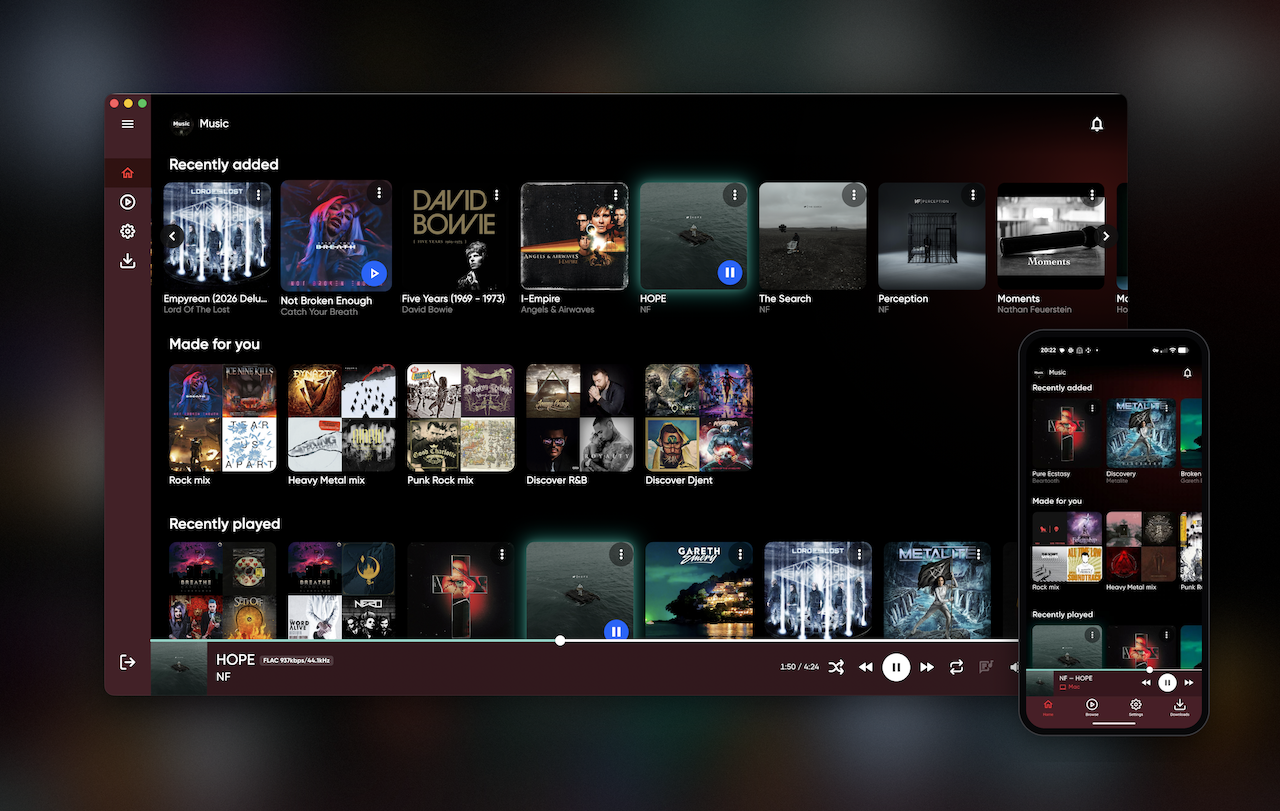
JellyBox is a music client for Jellyfin, Emby and Navidrome (any OpenSubsonic-compatible server can be tried, but only Navidrome is tested). It focuses on doing one thing well: making your own music library feel like a modern streaming app - fast browsing, offline downloads and progressive caching, lyrics, spotify-like everyday playlists along with a UI built for each platform rather than a single stretched layout.
[!IMPORTANT] JellyBox is a client, not a server. You need access to a running Jellyfin, Emby or Navidrome server with a music library on it.
Download
| Platform | Format | |
|---|---|---|
| iOS / iPadOS / macOS | App Store |  |
| macOS | .dmg (signed & notarized) |
Latest release |
| Windows | Installer .exe or portable .zip |
Latest release |
| Linux | .flatpak, .AppImage, .deb, .rpm or .tar.gz bundle (x64 & arm64) |
Latest release |
| Android | Google Play |  |
| Android | .apk (sideload) |
Latest release |
Screenshots
Desktop
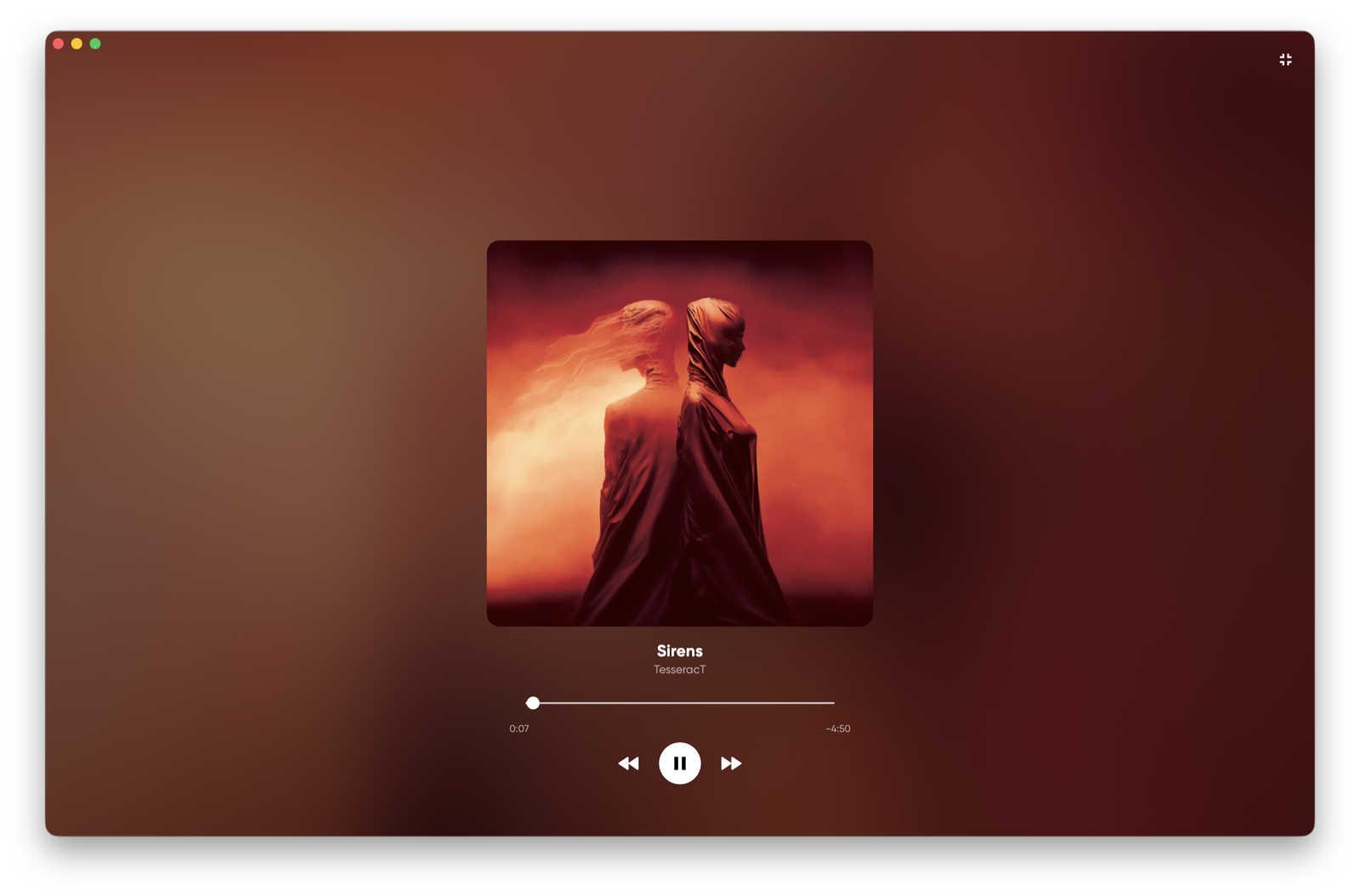
Studio Mode - full-screen animated mode made for aesthetic
 |
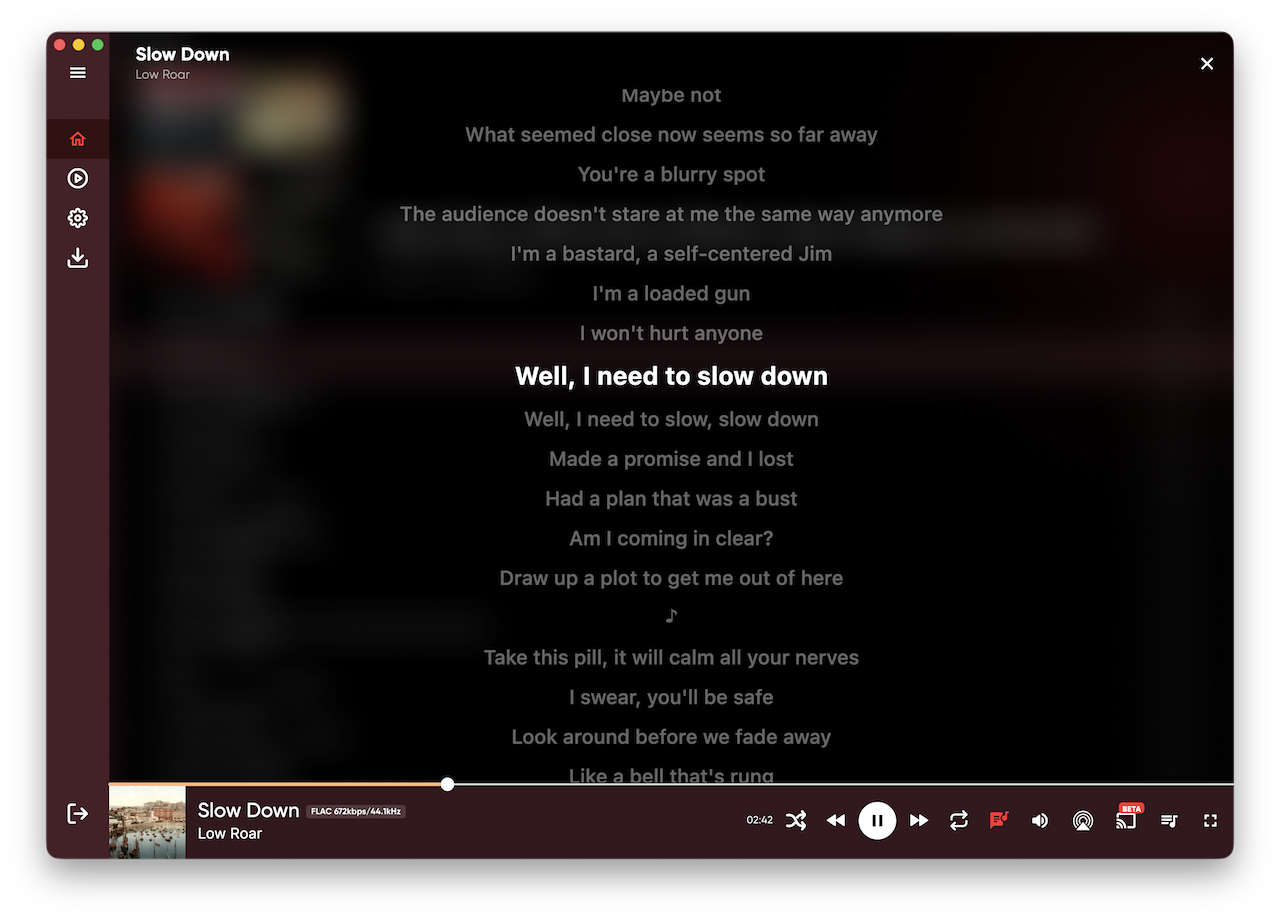 |
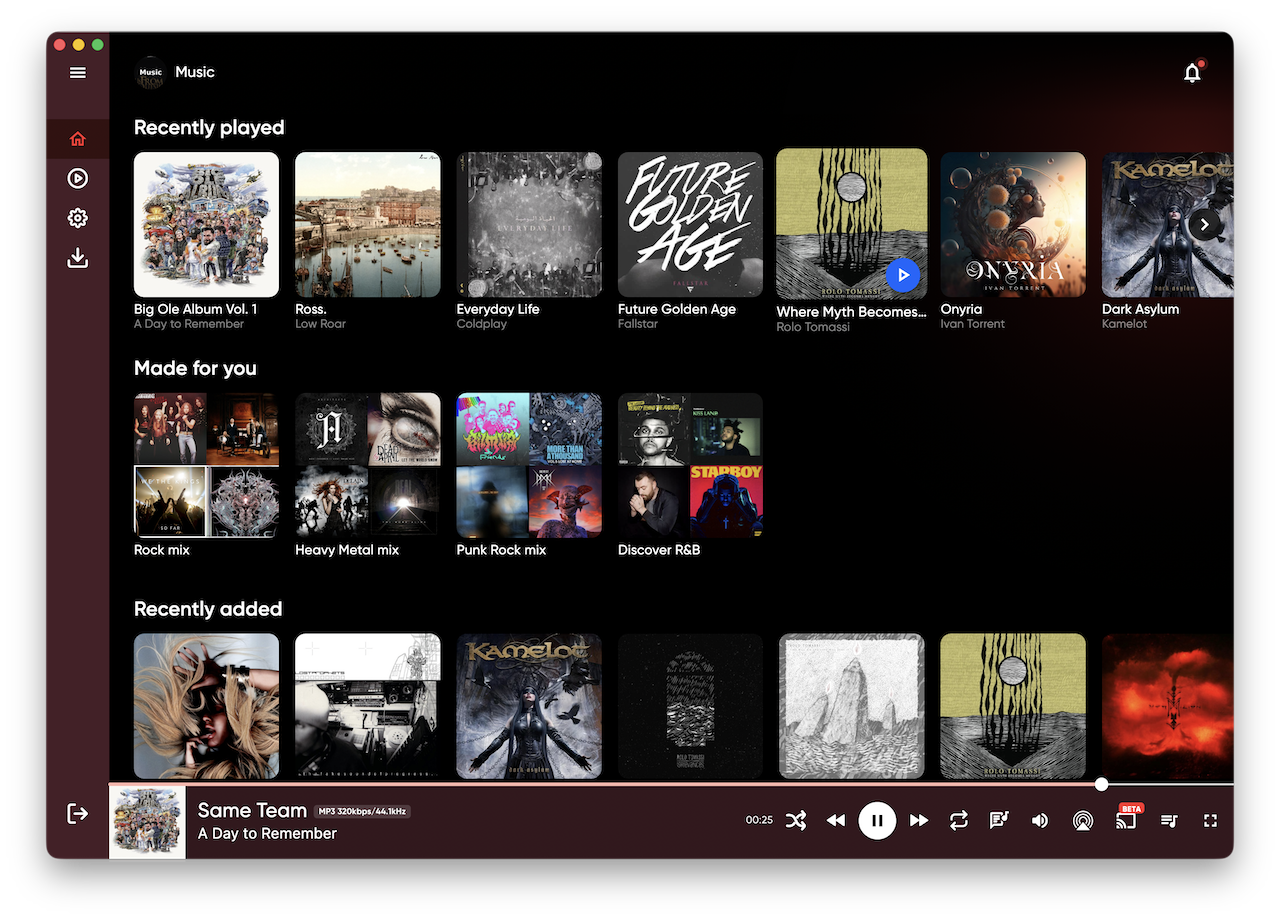
| Home | Time-synced lyrics |
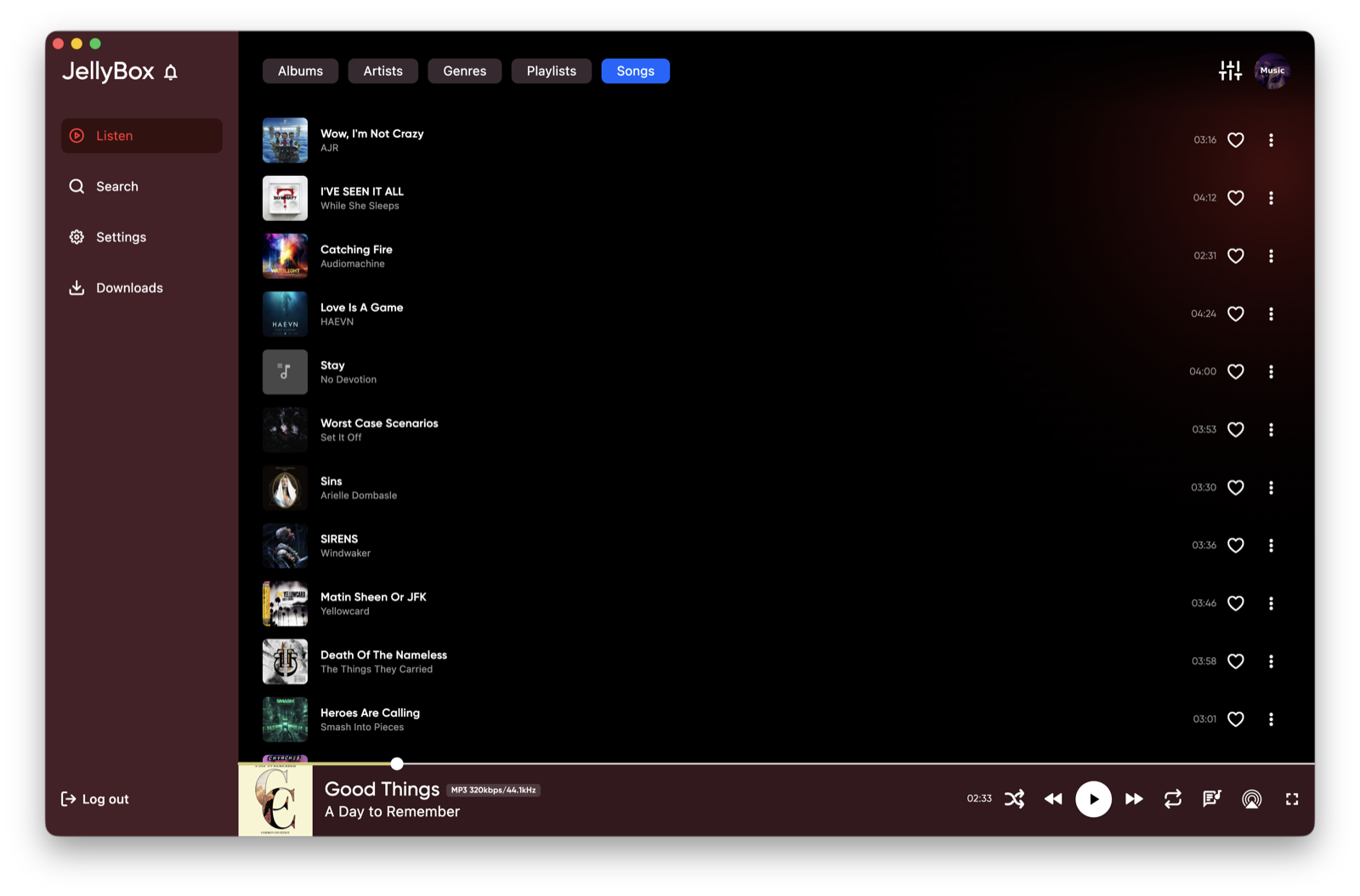
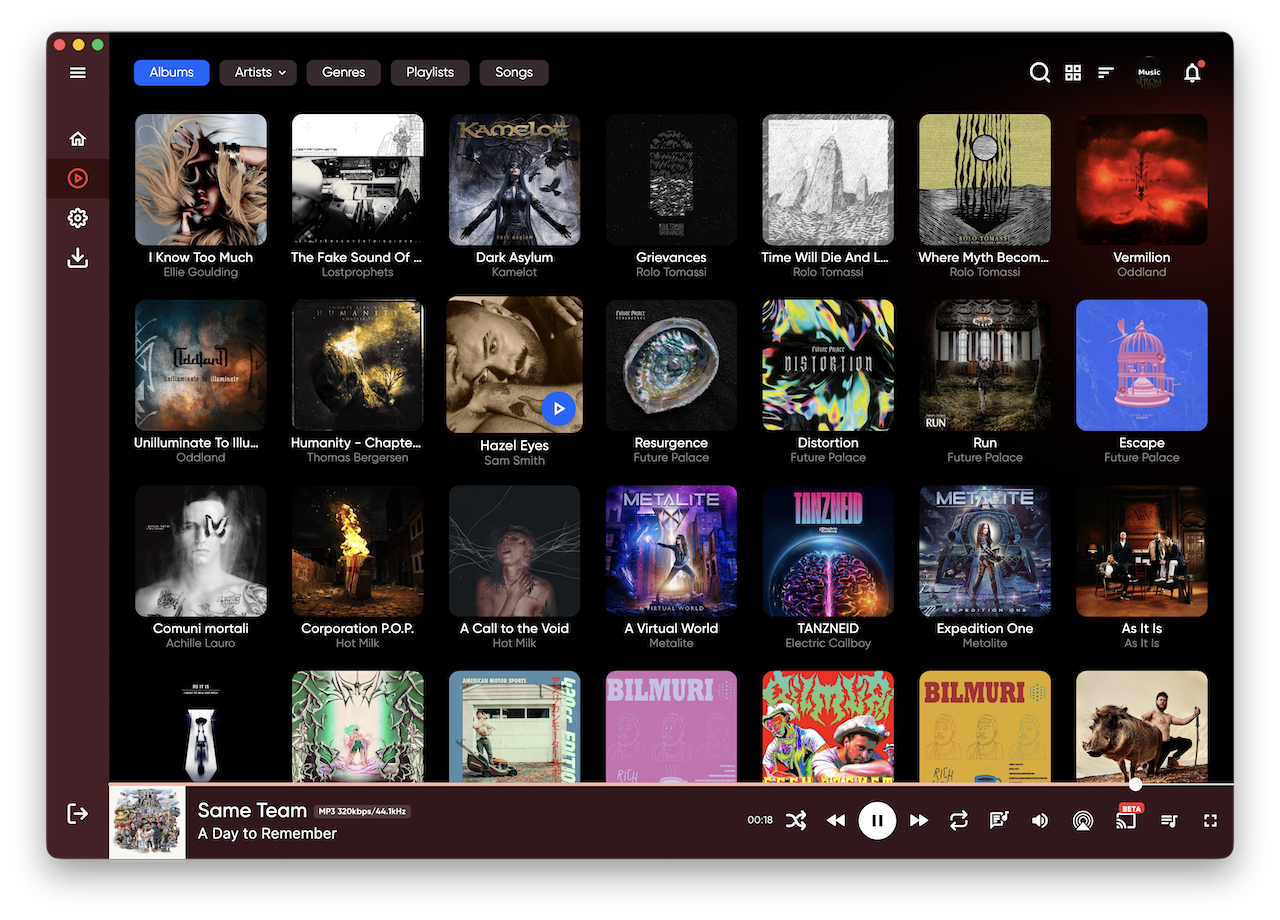
More screenshots - songs, search, albums, artists, downloads
 |
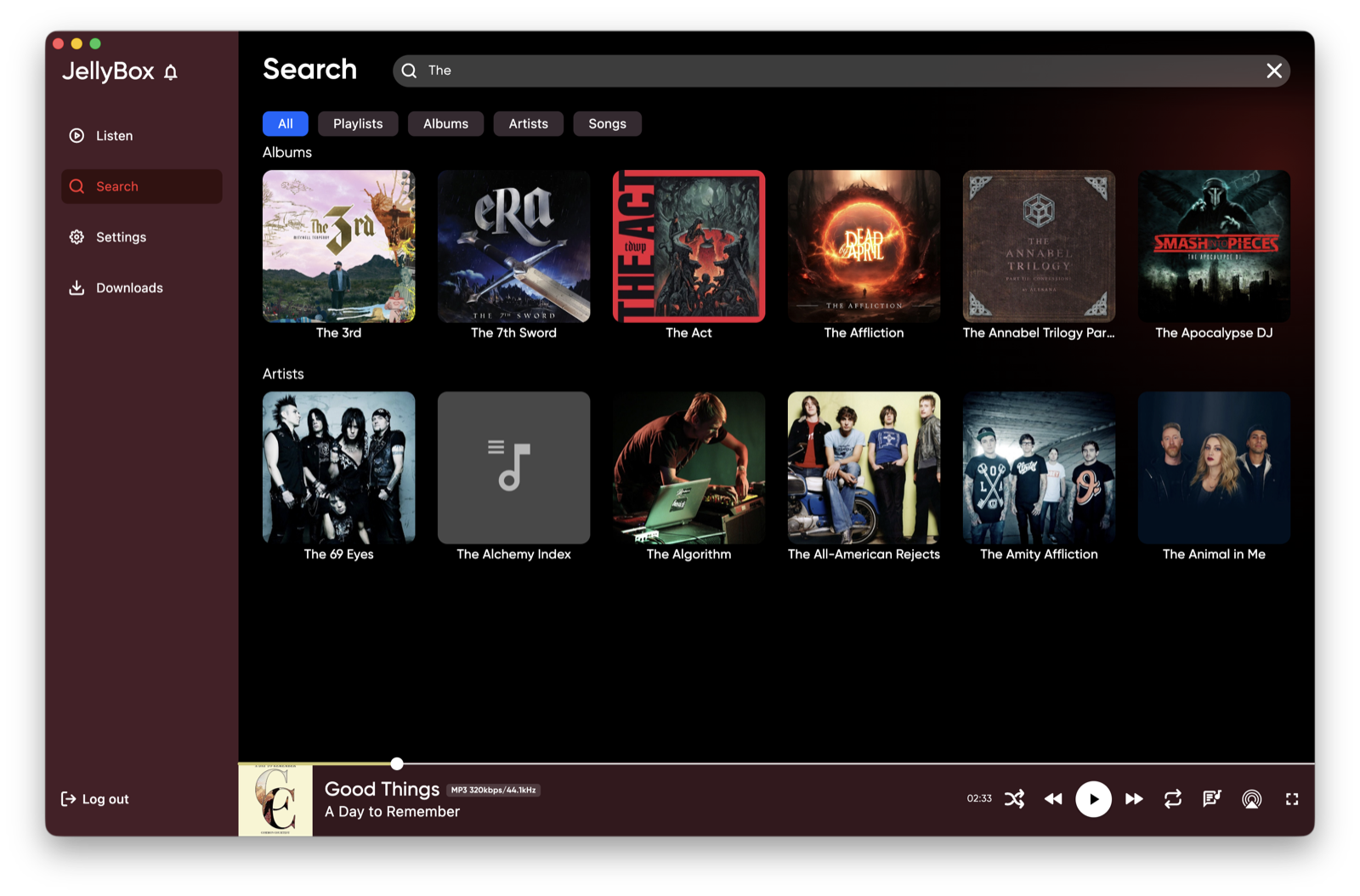 |
| Songs | Search |
 |
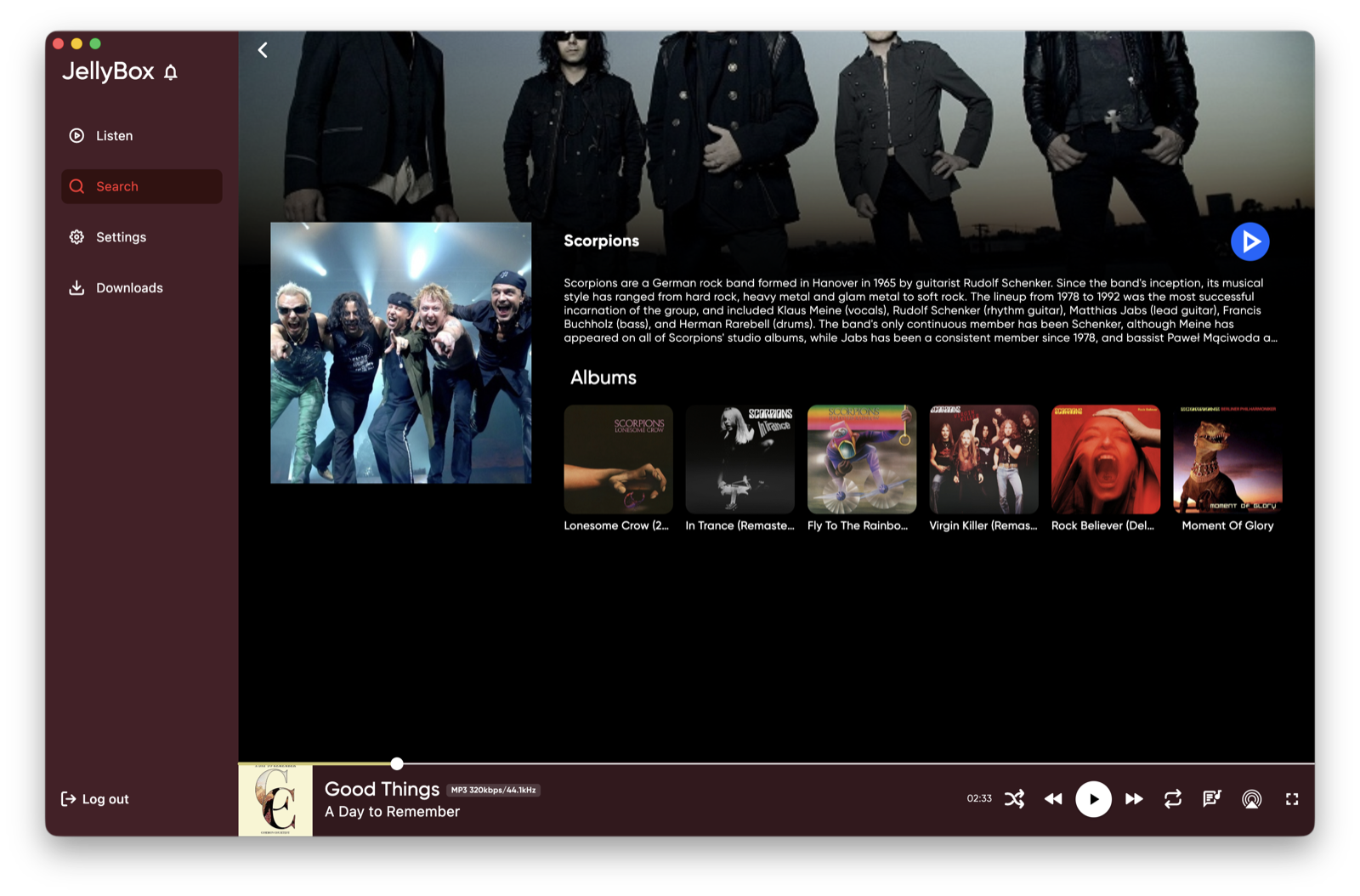 |
| Albums | Artist |
 |
|
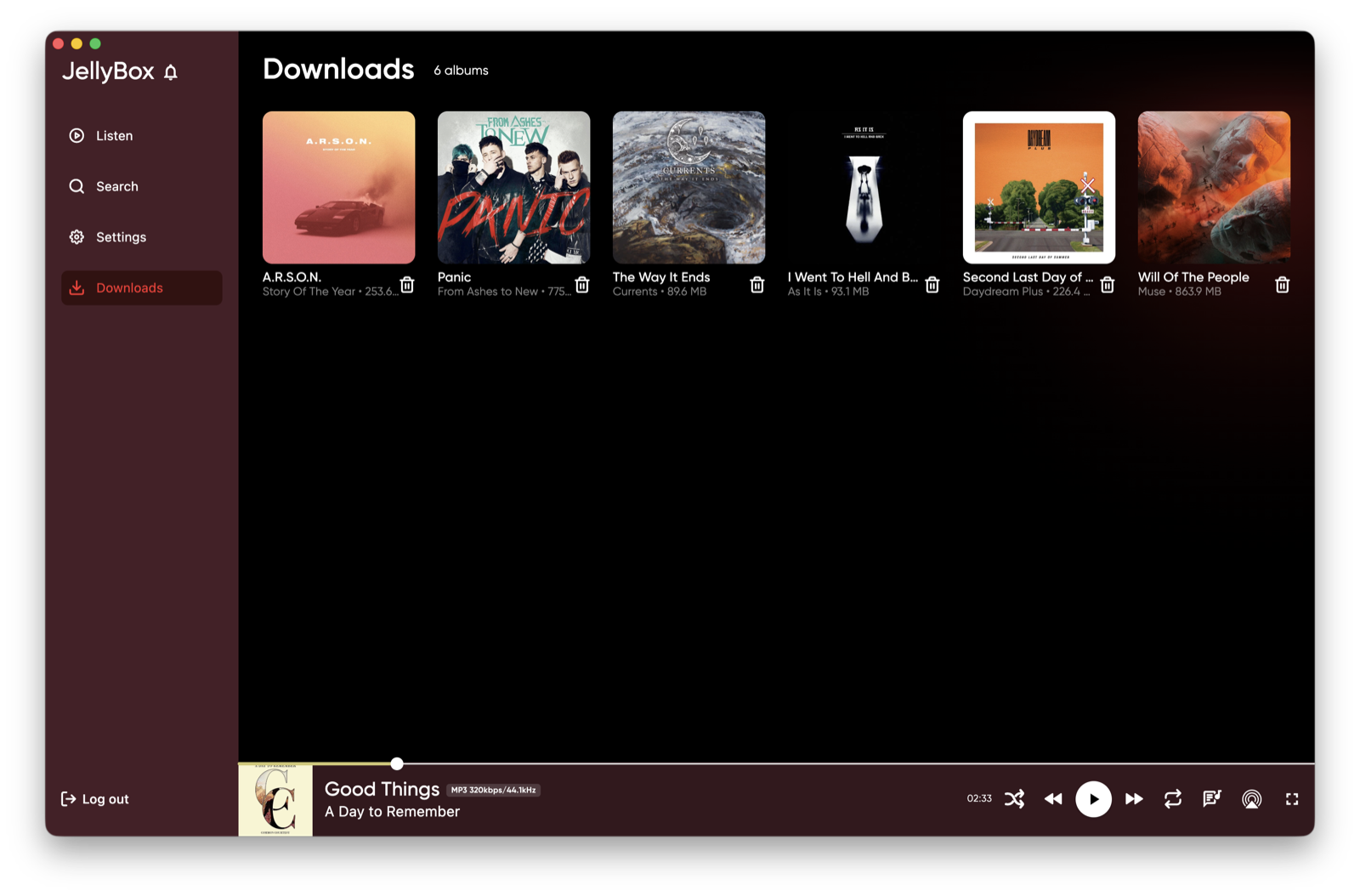
| Downloads |
Mobile
 |
 |
 |
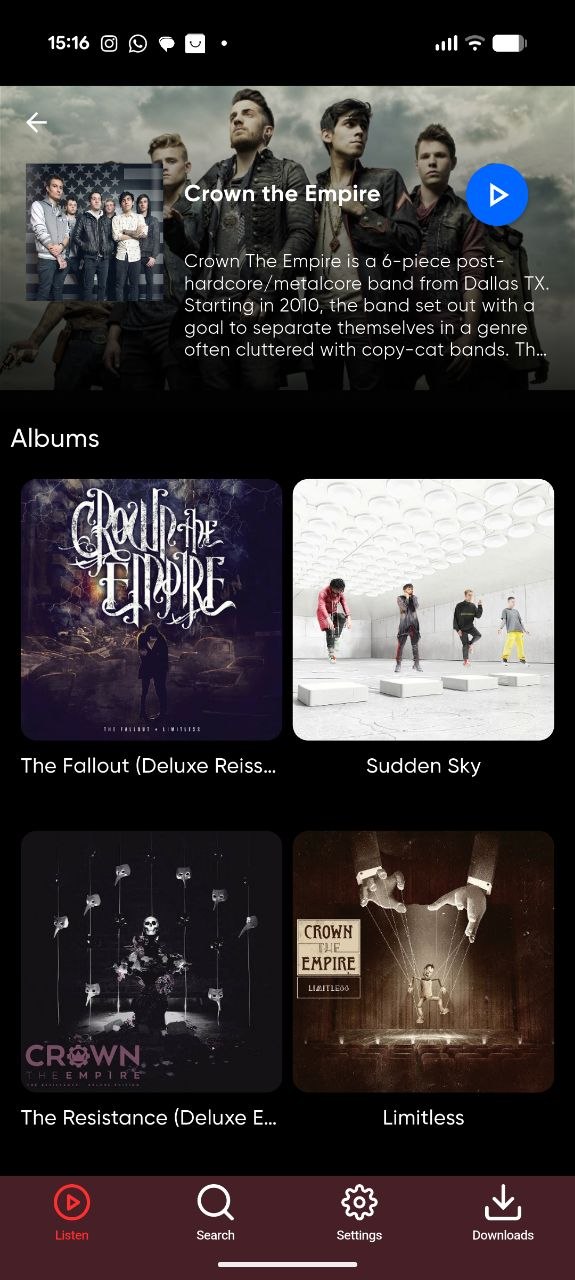 |
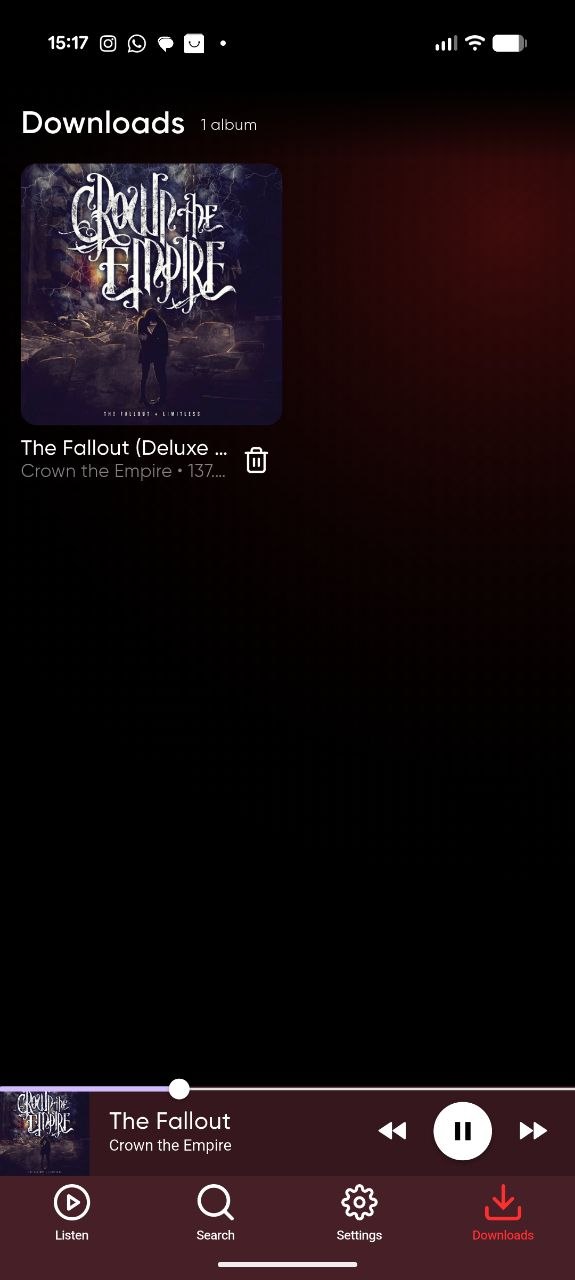 |
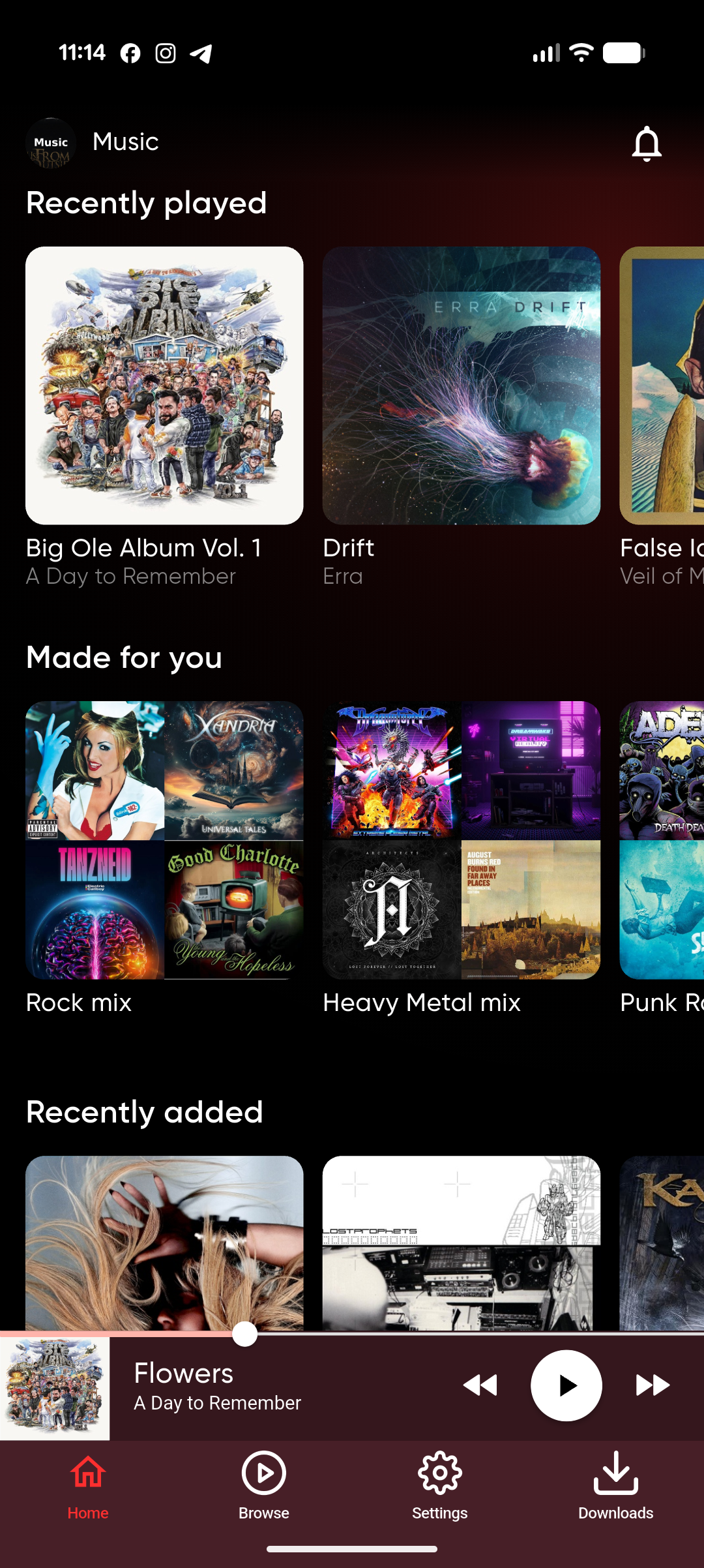
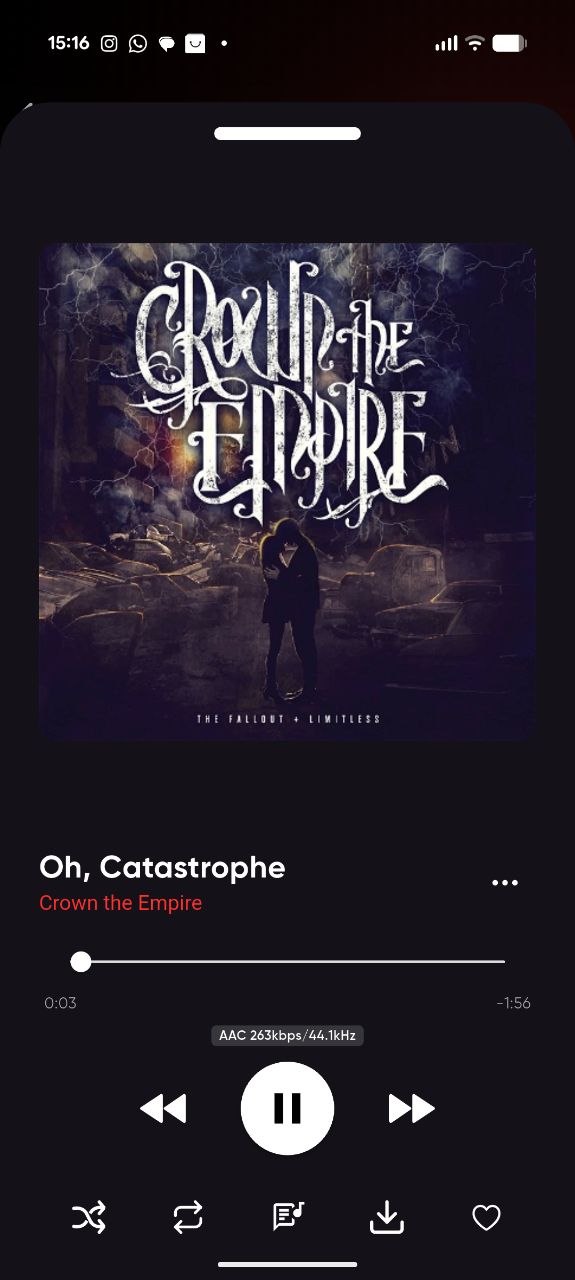
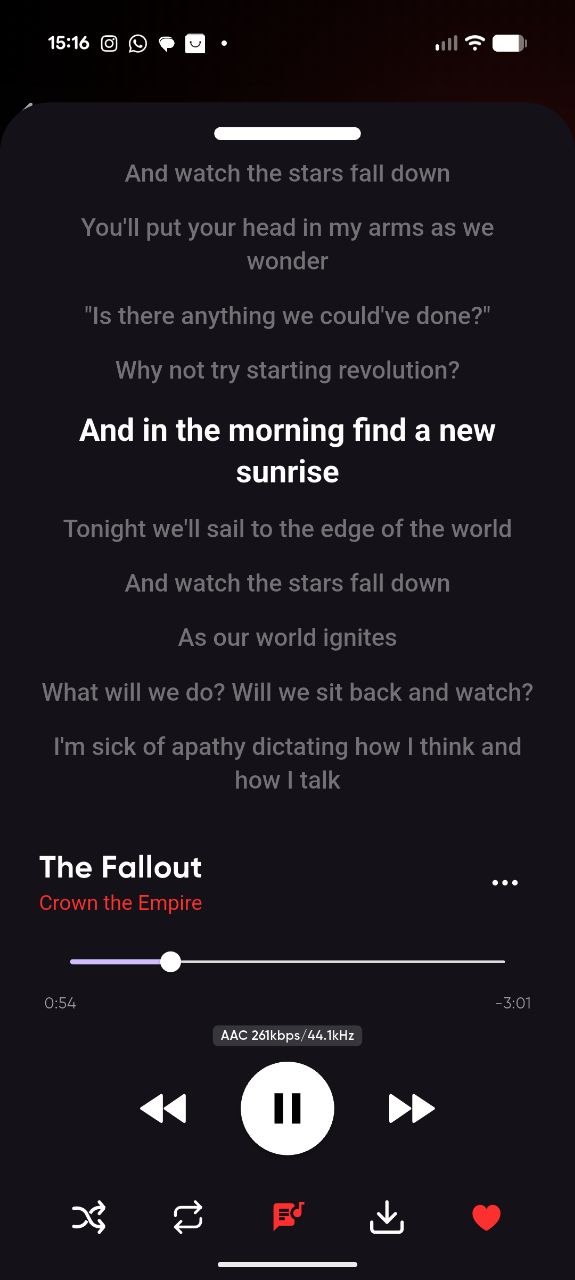
| Home | Now playing | Lyrics | Artist | Downloads |

Landscape now playing - rotate your phone for a wide player layout
Features
Library & browsing
- Connect to Jellyfin, Emby or Navidrome (Subsonic API) servers, and switch between them without signing out
- Jellyfin Quick Connect - sign in from your phone or desktop without typing a password
- Browse albums, artists, genres, playlists and songs across multiple music libraries
- Search everything at once, or filter to playlists, albums, artists or songs
- Artist pages with biography and full discography
- Favourite tracks, synced back to your server
- Create playlists and add tracks to them from anywhere in the app
- Genre mixes on the home page, built from the genres you actually play - see Normalizing your music genres if your genre tags are messy
- Home page with recently played, recently added and personalised mixes
Playback
- Playback memory - app remembers your queue and playback position between restarts
- Time-synced lyrics overlay
- Queue management with shuffle, repeat and a randomised "surprise me" queue
- Per-connection streaming profiles with automatic transcoding when a codec isn't supported natively
- Audio quality badge, so you always know whether you're getting the original file
- Landscape now-playing layout on phones
- ListenBrainz scrobbling - listens and now-playing go to your ListenBrainz account - see ListenBrainz
Offline
- Download albums and tracks for offline listening
- Full offline mode - access to your downloaded tracks even if you're on plane.
Look & feel
- Colour scheme generated from the current album artwork
- Studio Mode - a full screen animated mode for aesthetic feel(see screenshots)
Desktop & system integration
- Media keys and global keyboard shortcuts
- MPRIS support on Linux (works with GNOME/KDE media widgets and
playerctl) - Windows media overlay - now playing with artwork and transport controls in the system media popup, plus media key support
- AirPlay and system output routing on macOS and iOS
- Cast to DLNA / UPnP renderers (smart TVs, network speakers and receivers)
- Lock screen and notification controls on iOS and Android
- In-app changelog, so you can see what landed in each release
- Apple CarPlay - currently in beta stage.
- Android Auto - currently in beta stage.
Platform notes
macOS - media keys
macOS does not let an app read media keys without permission. On first use JellyBox will point you at System Settings → Privacy & Security → Accessibility; enable JellyBox there. If it isn't in the list, add it with the + button.
Windows
The installer is unsigned, so SmartScreen will warn on first run - choose More info → Run anyway. The portable zip has no installer and can be run from anywhere.
Android
Install from Google Play, or sideload the APK from the releases page. For the APK you'll need to allow installs from your browser or file manager.
Linux
Flatpak - the .flatpak bundle brings its own libraries and only needs the freedesktop runtime, which it pulls from Flathub on install:
flatpak install ./jellybox-linux-x86_64.flatpak
Other packages - the release bundle expects a few shared libraries. On Debian/Ubuntu:
sudo apt-get install libmpv-dev mpv libasound2-dev libsecret-1-dev libsqlite3-dev libjsoncpp-dev libcurl4-openssl-dev libdbus-1-dev
Note: Recently I bundled libs with app, but I need more folks to actually test it on different distros.
Development
Prerequisites - Flutter with Dart SDK 3.8 or newer, plus the toolchain for whichever platform you're targeting (Xcode, Android Studio, or the Linux packages above).
git clone https://github.com/avdept/JellyBoxPlayer.git
cd JellyBoxPlayer

flutter pub get
dart run build_runner build --delete-conflicting-outputs   # freezed, json_serializable, retrofit
flutter run                                                # then pick a target device
Run the tests with flutter test, and the analyzer with flutter analyze - CI runs both on every push.
Codegen is needed whenever you touch a model, DTO or API client; those *.g.dart and *.freezed.dart files are generated, not hand-edited.
Contributing
Bug reports, feature requests and pull requests are all welcome - see CONTRIBUTING.md for the workflow.
License
GNU AGPL-3.0 © ProdigyTech Inc.
Explore related projects
awesome-selfhosted/awesome-selfhosted
A list of Free Software network services and web applications which can be hosted on your own servers
335,478 starsimmich-app/immich
High performance self-hosted photo and video management solution.
118,568 starsStirling-Tools/Stirling-PDF
#1 PDF Application on GitHub that lets you edit PDFs on any device anywhere
96,149 starslouislam/uptime-kuma
A fancy self-hosted monitoring tool
93,389 stars