
atriumchat/atrium
atriumchat/atrium has 27 GitHub stars and 2 forks. GitHot measured 0 stars in 24 hours. Last checked 2026-11-15 01:40 UTC. Last push 2026-10-25.
What you can do
- Text channels, direct messages and group chats; replies, mentions, reactions, files by drag and drop.
- Voice rooms, camera and screen share. A room shows who is in it; joining takes one click.
- Push-to-talk on any key or mouse button, also while the window is minimized.
- Noise suppression with three levels: off, the browser's own, and strong (RNNoise, a small neural network that runs in the client).
Measured star growth
- in 24h
- 0
- in 7 days
- Collecting history
- in 15 days
- Collecting history
- in 1 month
- Collecting history
Net star changes over overlapping periods, not daily totals. Missing measurements are left blank. Stars measure attention, not software quality.
About
Self-hosted Discord-style chat and voice for friends. Voice rooms, screen share, push-to-talk. FastAPI + SQLite + LiveKit, ~120 MB RAM, one-command install.
Self-hostedREADME.md
OriginalAtrium
Private chat and calls for friends, on your own server.
Voice rooms, screen share, push-to-talk. One cheap VPS, one command, about 120 MB of memory.


English · Русский · Download the app · Install guide
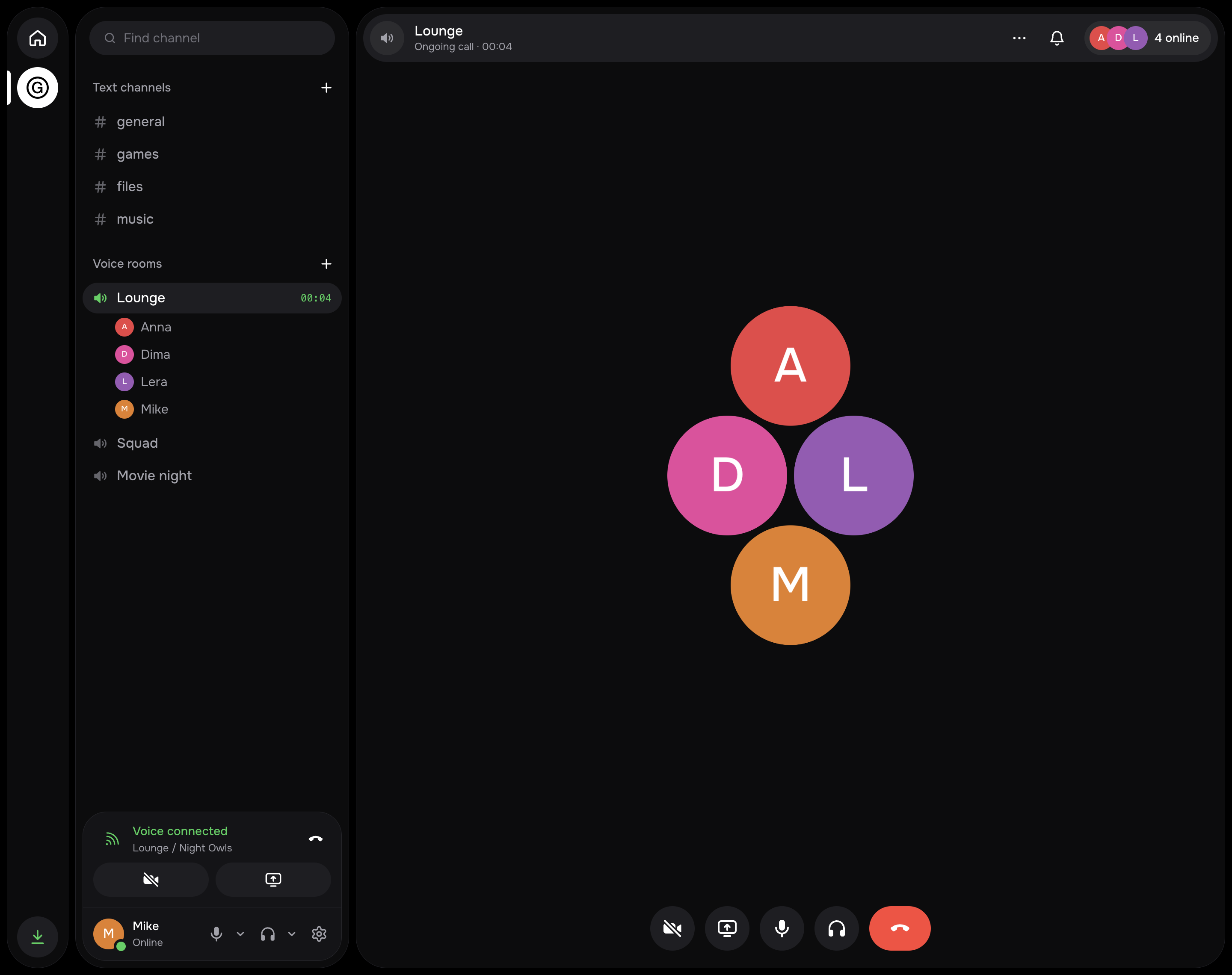
Atrium is a private Discord for a small group: text and voice channels, DMs and group chats, video, screen share, files, reactions, mentions. One server, one group, invite-only sign-up. Calls hold up on poor networks: when a direct connection fails, LiveKit falls back to TURN on port 443 (TLS over TCP, or UDP). The whole stack takes about 120 MB of memory: one Python app with SQLite, LiveKit and Caddy. The interface is in English and Russian.
Quick start
One command on a fresh Ubuntu or Debian VPS (root access, 1 GB of memory is enough):
curl -fsSL https://github.com/atriumchat/atrium/releases/latest/download/install.sh | sh
The wizard asks for a domain, sets everything up and prints a link to create the administrator. Friends join by personal invite link.
No terminal, no domain of your own? Use the desktop app: it needs only the server's
IP and root password. The password isn't stored; after the install, the app's key can only check status, update,
back up and read logs (deploy/atrium-agent). It can't do anything else as root.
Features
- Text channels, direct messages and group chats; replies, mentions, reactions, files by drag and drop.
- Voice rooms, camera and screen share. A room shows who is in it; joining takes one click.
- Push-to-talk on any key or mouse button, also while the window is minimized.
- Noise suppression with three levels: off, the browser's own, and strong (RNNoise, a small neural network that runs in the client).
- Calls fall back to TURN on port 443 when UDP is blocked; Anti-lag mode routes calls through the server on weak connections.
- Invite-only sign-up with personal links; a newcomer becomes a friend of the person who invited them.
- Nightly backups kept for 14 days, one-command restore.
- Desktop apps for Mac and Windows with a tray icon and signed auto-updates; the web client works on phones and can be added to the home screen.
- Interface in English and Russian.
Screenshots
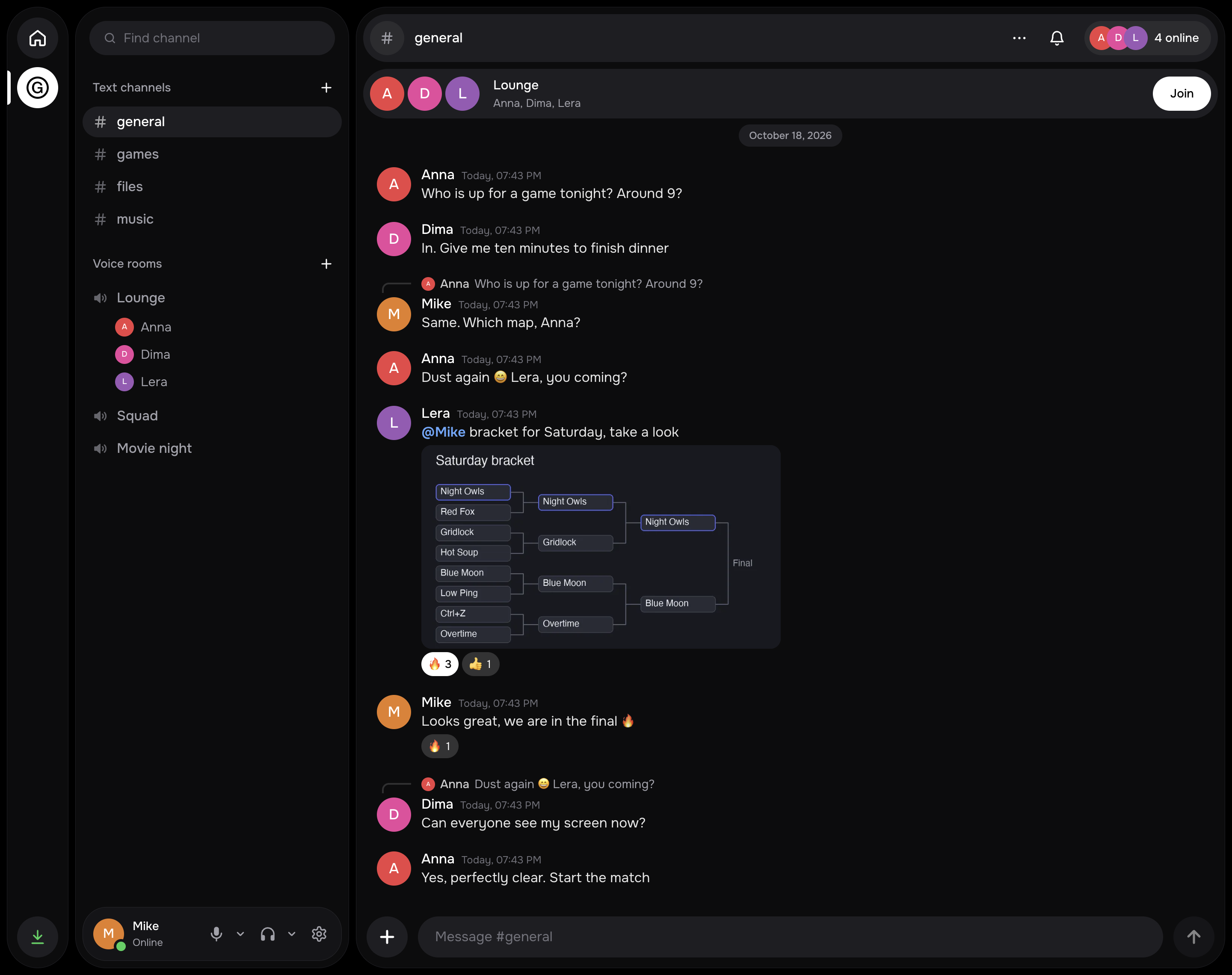
Text channels: replies, mentions, reactions, files
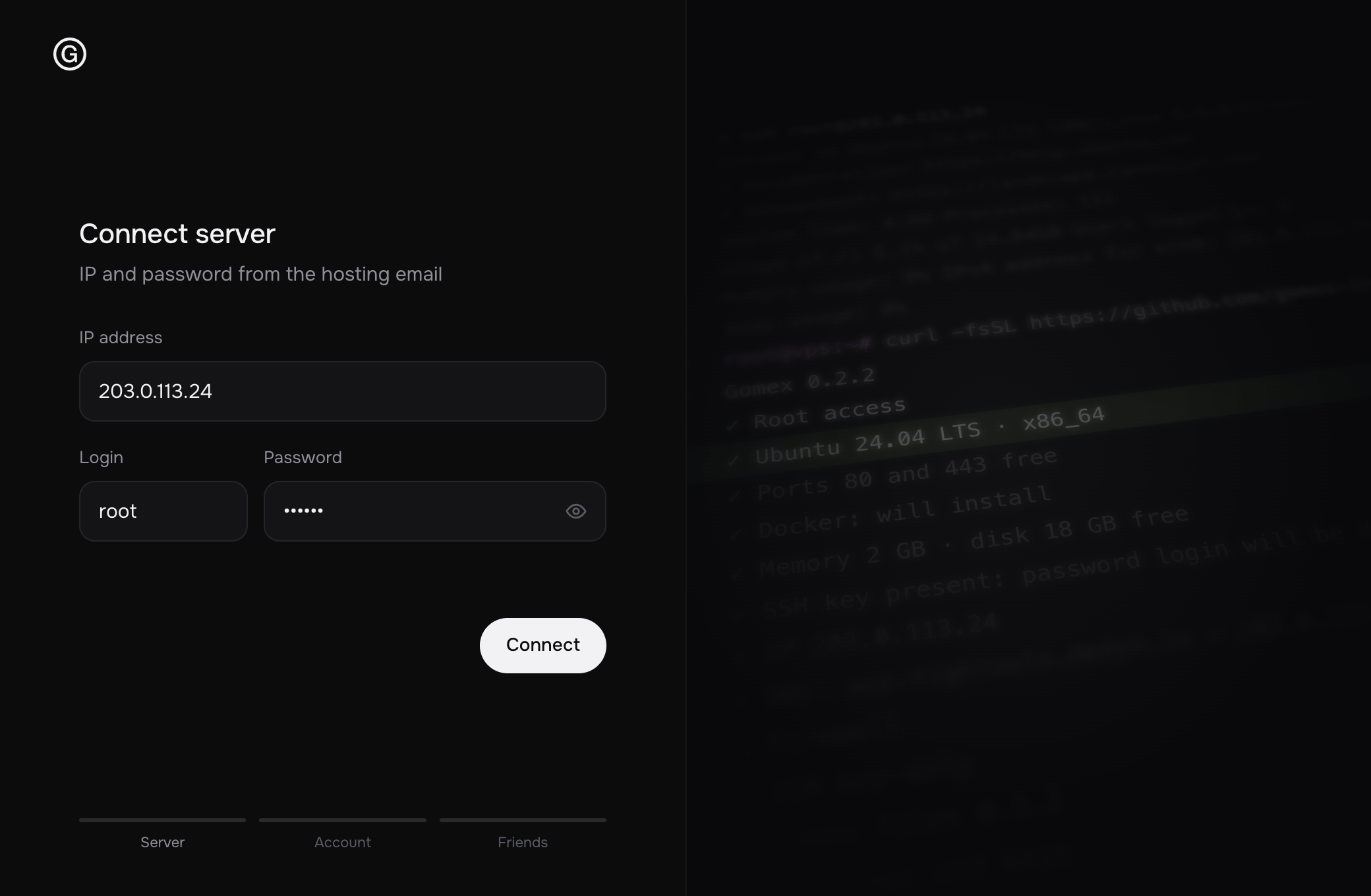 The desktop app: “Your own server” |
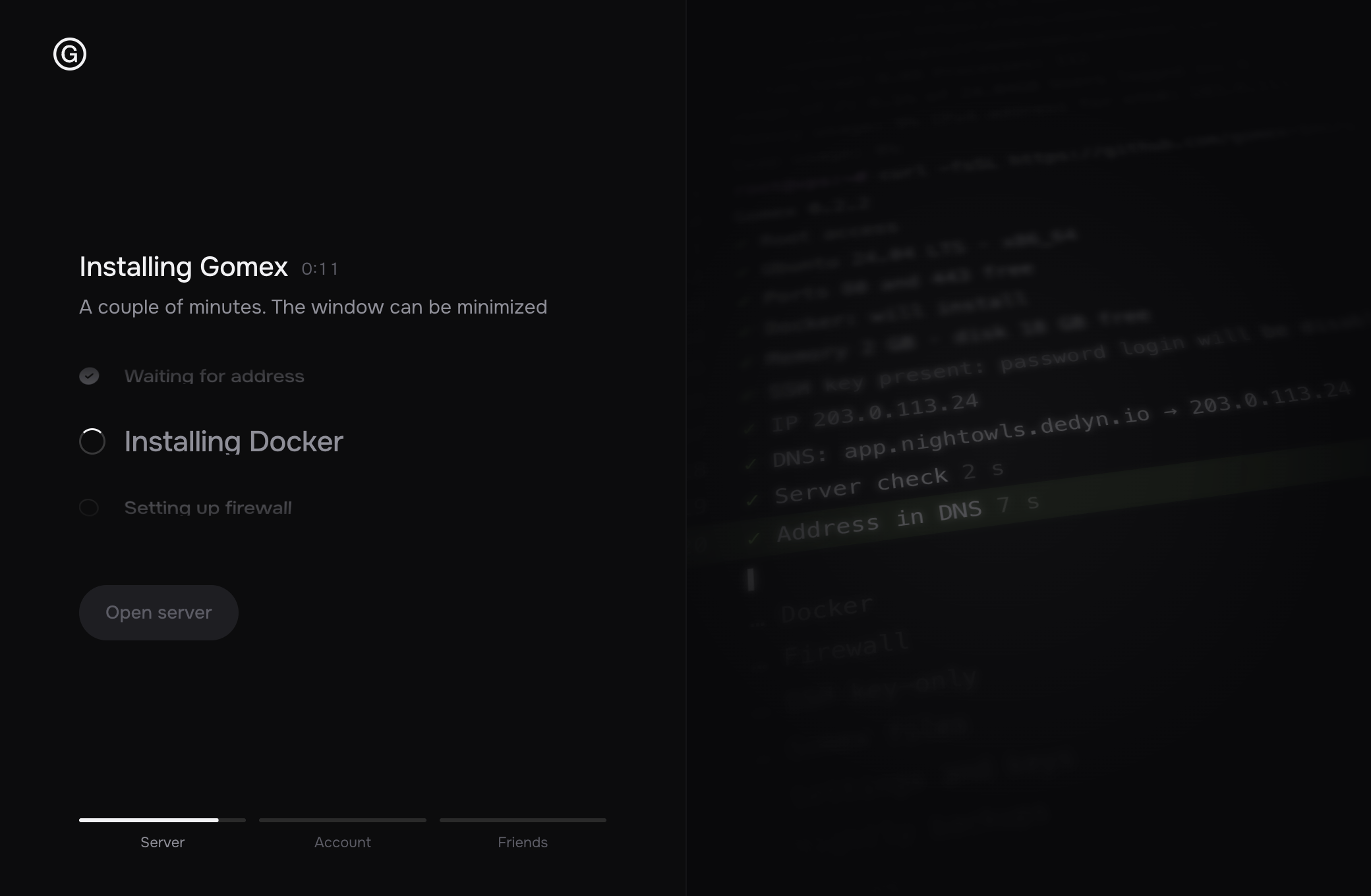 Installation, step by step |
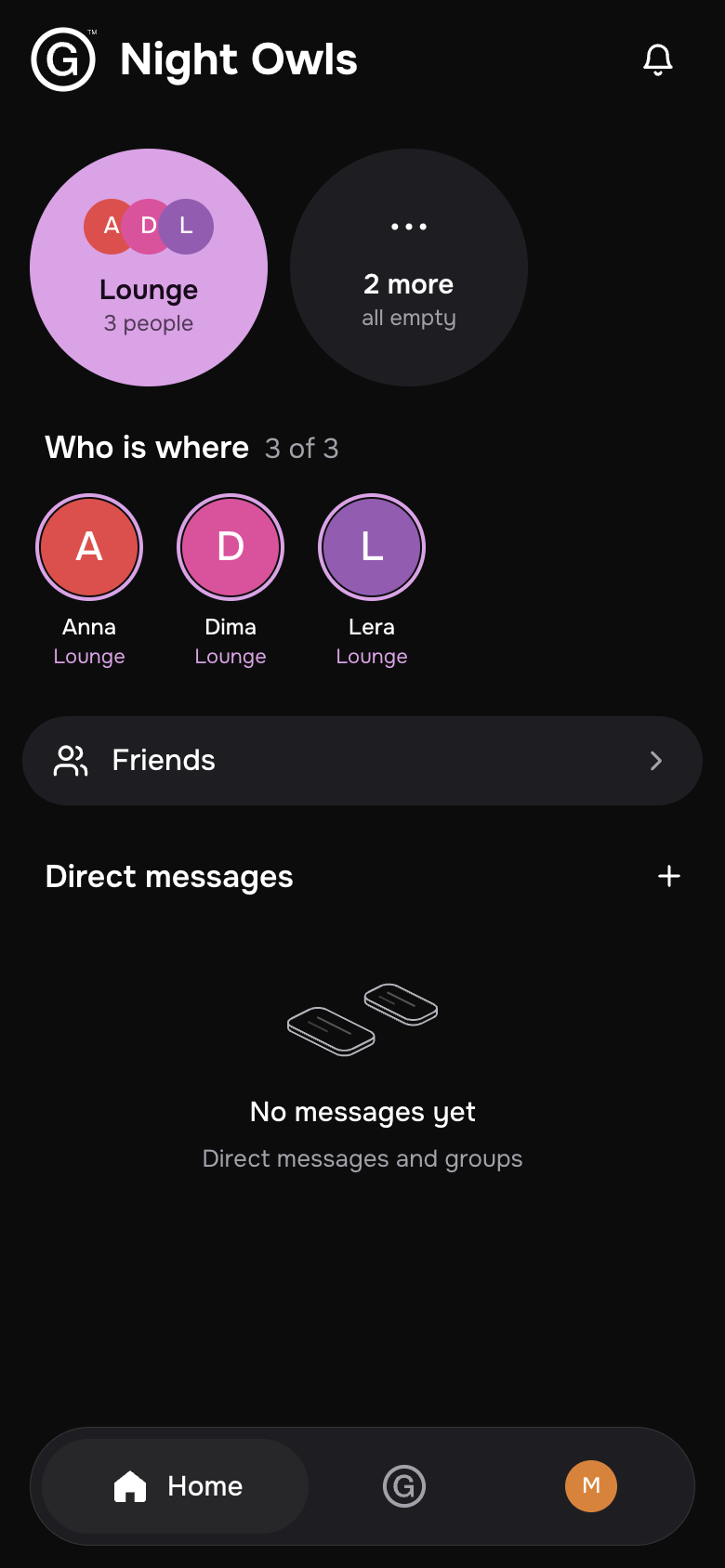
The phone layout in a browser
Architecture
flowchart LR
  client["Browser / desktop"]
  subgraph vps["VPS, host network"]
    l4["Caddy :443<br/>layer4, SNI routing"]
    site["Caddy :8443<br/>sites, TLS"]
    cover["Caddy :8081<br/>cover page, 127.0.0.1 only"]
    app["App :8000<br/>FastAPI + Socket.IO"]
    lk["LiveKit :7880<br/>SFU + TURN"]
    db[("SQLite, files<br/>deploy/data")]
  end
  client -- "TCP 443" --> l4
  l4 -- "SNI = TURN host, call → TCP :5349" --> lk
  l4 -- "SNI = TURN host, web request" --> cover
  l4 -- "everything else, PROXY protocol" --> site
  site -- "/rtc" --> lk
  site -- "/api, /socket.io, web" --> app
  app --> db
  app -- "tokens, rooms" --> lk
  client -- "UDP 443, UDP 50000–60000, TCP 7881" --> lk
DOMAINis the cover page,app.DOMAINthe app,<turn>.DOMAINthe call relay with a neutral name (media,cdn,static…) that the installer picks at random.- Deliberate limits: SQLite, one Python process, no extra services. Files live on disk.
| Path | What's there |
|---|---|
server/ |
Backend. app.py assembles the app, code in the atrium/ package: a module per domain (users, channels, dms, uploads, realtime), settings in config.py, schema in db.py |
web/ |
Client: React 19, Vite, HeroUI v3, Tailwind 4, LiveKit. src/ is split by domain: account, chat, voice, people, shell, ui, store |
desktop/ |
Electron shell: lives in the tray so calls arrive with the window closed, global push-to-talk, signed updates |
deploy/ |
Compose, Caddyfile, installer, release and backup scripts |
.github/workflows/images.yml |
Builds the atrium-app and atrium-caddy images (amd64 and arm64) on a v* tag |
Security
- Invite-only sign-up. The
INVITE_CODEworks once, for the first account on an empty server. After that everyone has a personal invite link with a limited number of sign-ups. - Secrets are generated on the server and kept in
deploy/.envwith mode 600. They are not in the repository. The production image refuses to start with the dev values ofAPP_SECRET,LIVEKIT_API_SECRET,INVITE_CODE. - The app container runs as uid 10001 with a read-only filesystem (except
/dataand/tmp), no Linux capabilities, and a 1 GB memory limit. - The server: ufw allows only the required ports (see Network and ports), SSH is
rate-limited. The installer switches password login off only when
authorized_keysalready holds a key, so the owner can't be locked out. - Supply chain: the installer verifies the SHA-256 of the release archive and of the gum binary, and pulls images by digest. Desktop updates are signed with Ed25519 and come from the project's GitHub Releases, whichever server the app is connected to.
Please report vulnerabilities to the maintainer privately, not in public issues.
Documentation
- Installation: from the app or by command, update, restore, remove, installer options.
- Operation: first run and invites, settings, ports, maintenance and backups.
- Development: local setup, checks, releases.
- Client architecture and design: the packages, Atrium Flow and the reasoning behind them.
Maintainer
Contributing
External pull requests aren't accepted yet; when they are, a contributor agreement (CLA) will be needed so the rights to all the code stay with the maintainer. Questions go to the maintainer directly.
House rules:
- No new services: SQLite, one Python process, LiveKit, Caddy. A new feature builds on what's there.
- Code comments are short, in English, and explain why. Interface text is short, in English and Russian (the desktop's
strings are in
desktop/i18n.js), with no explanations. - The model for behavior is Fluxer: we study what it does, but don't copy or paraphrase its code (AGPL).
- Before a commit:
npm run buildinweb/anddeploy/release.sh lint.
License
GNU AGPL-3.0, this version only (AGPL-3.0-only). You can install, modify and distribute Atrium, including
for money. If you let people use a modified Atrium over a network, you must offer them its source under the same
license.