Projects View on GitHub
atomiks/moonlight-vscode-theme
About
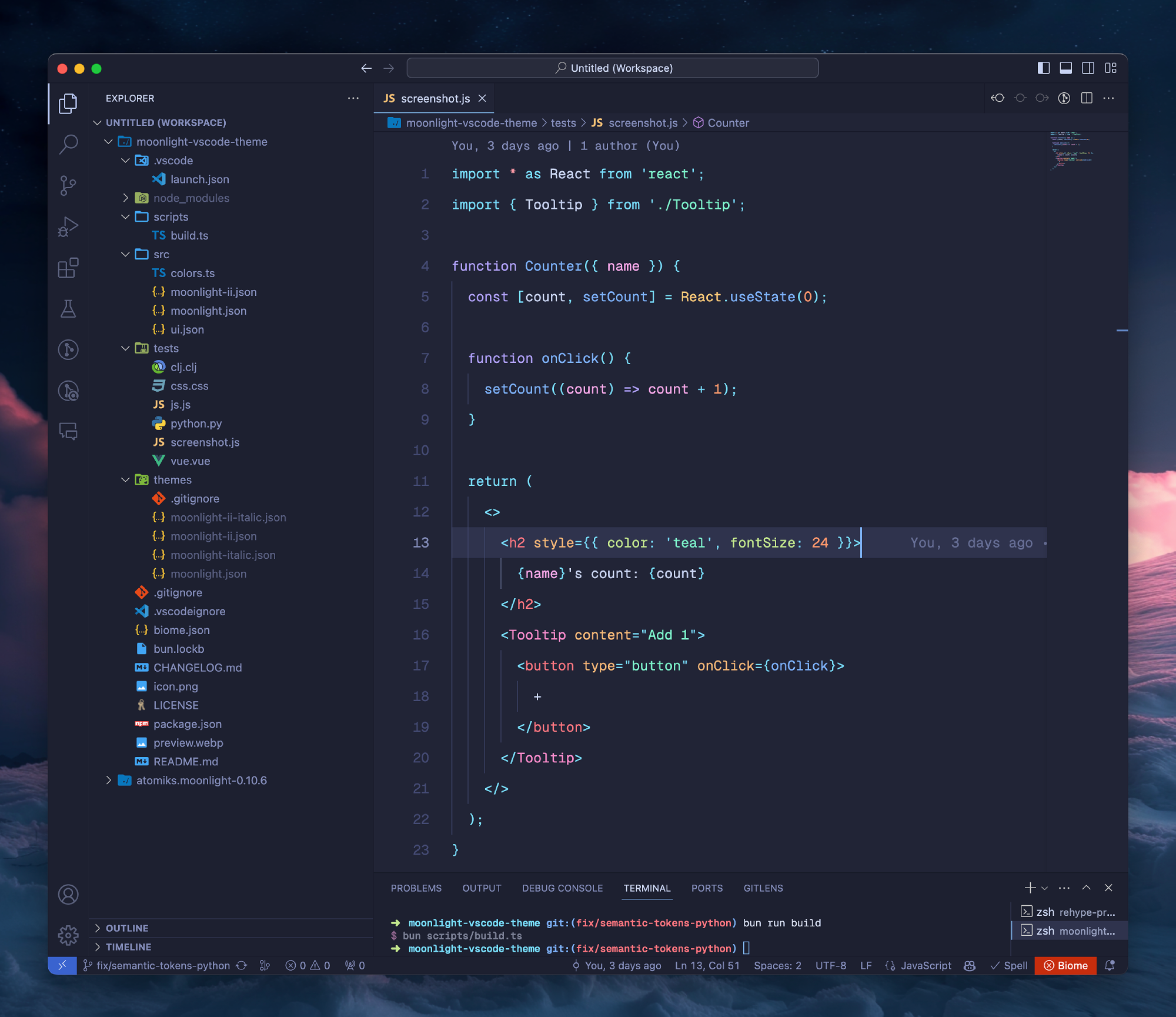
A VS Code theme with bubblegum colors on a moonlit background
Developer ToolsMeasured star growth
- in 24h
- 0
- in 7 days
- -1
- in 15 days
- -1
- in 1 month
- Collecting history
Net star changes over overlapping periods, not daily totals. Missing measurements are left blank. Stars measure attention, not software quality.
README.md
OriginalMoonlight 🌌
Variants
- Moonlight (regular and italics)
- Moonlight II (regular and italics)
Installation
- Install Visual Studio Code
- Launch Visual Studio Code
- Choose Extensions from menu
- Search for
atomiks.moonlight - Click Install to install it
- Click Reload to reload the Code
- From the menu bar click: Code > Preferences > Color Theme > Pick your Moonlight variant
Semantic highlighting
Semantic highlighting is enabled by default for Moonlight, but not Moonlight II.
To change the setting, add the following to your settings.json:
"editor.semanticHighlighting.enabled": true
Explore related projects
Loading…