
astronaut808/AWG-Forge
astronaut808/AWG-Forge has 34 GitHub stars and 2 forks. GitHot measured 0 stars in 24 hours. Last checked 2026-11-14 19:29 UTC. Last push 2026-11-12.
Measured star growth
- in 24h
- 0
- in 7 days
- Collecting history
- in 15 days
- Collecting history
- in 1 month
- Collecting history
Net star changes over overlapping periods, not daily totals. Missing measurements are left blank. Stars measure attention, not software quality.
About
Self-hosted AmneziaWG manager for AWG 1.0, 1.5, 2.0, and 3.1, with Web UI, Docker, WARP, backups, and diagnostics.
Self-hostedREADME.en.md
OriginalAWG-Forge
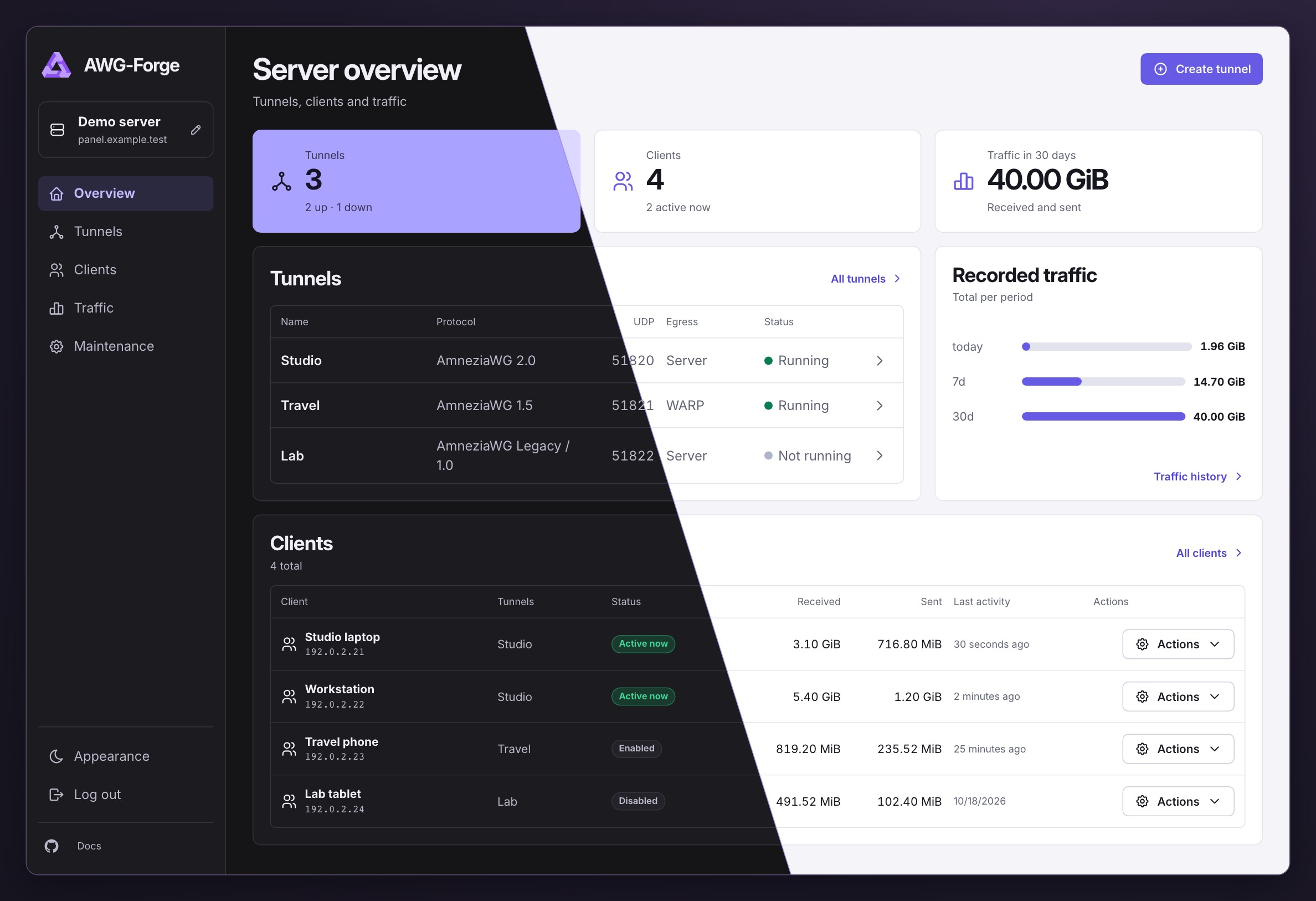
Manage AmneziaWG on your own server. One Docker image includes the web interface, CLI, and tools to run tunnels.
Features
- Multiple tunnels on one VPS. Each tunnel has its own AmneziaWG profile, UDP port, subnet, and connection settings.
- IPv4 routing. Choose direct server egress or Cloudflare WARP for each tunnel.
- Client management. Enable or disable clients, set expiration dates, and configure traffic limits. Export
.conffiles, AmneziaWG or AmneziaVPN QR codes, andvpn://links. - Monitoring. View last handshakes, counters, and traffic history. History and limits require SQLite.
- Panel access. Use an SSH tunnel or HTTPS with your own certificate, an automatic certificate for a domain or public IP, or a reverse proxy.
- Maintenance. Run Doctor, repair managed firewall rules, review the audit log, and export a support bundle without secrets.
- Encrypted backups. Create and verify backups in the panel and restore them through the CLI.
Supported profiles include Legacy / 1.0, 1.5, and 2.0. New installations use AmneziaWG 2.0 by default. AWG 3.x is experimental. Compatibility matrix
Quick install
Installation requires an x86_64 Linux server or VPS with /dev/net/tun available.
curl -fsSL https://raw.githubusercontent.com/astronaut808/awg-forge/master/install.sh -o install.sh
chmod +x install.sh
sudo ./install.sh
The installer offers to prepare missing dependencies, creates the first tunnel, and prints the password and the command to access the panel. Requirements and post-install steps
The panel listens on 127.0.0.1:51821 by default. Open an SSH tunnel from your computer. Replace user@server with your username and server address.
ssh -L 51821:127.0.0.1:51821 user@server
Then open the panel in your browser and enter the password printed by the installer.
The panel supports a separate server display name. It is saved in state.json and does not change client connection endpoints.
Documentation
- Manual installation and startup
- Upgrade · Uninstall
- Configuration, Web UI, CLI, and diagnostics
- Development · Contributing
- Changelog · Security policy
Support the project
- USDT (TRC20):
TBQcgJ9UoGEBXBwPMcf97t3uJiTCRnVmji - GRAM (ex TON):
UQCrUmIsUBgIJJJNKpvOO5dxpUH5r7xCz9-AJ2IHUTIckJhS
Project independence
AWG-Forge is an independent open-source project. It is not affiliated with Amnezia.org and is not developed or supported by the Amnezia team. The AmneziaWG name describes compatibility with the protocol and tools.