
arthurrogado/opencode-file-browser
arthurrogado/opencode-file-browser has 7 GitHub stars and 0 forks. GitHot measured +1 stars in 24 hours. Last checked 2026-11-14 20:01 UTC. Last push 2026-11-13.
Measured star growth
- in 24h
- +1
- in 7 days
- Collecting history
- in 15 days
- Collecting history
- in 1 month
- Collecting history
Net star changes over overlapping periods, not daily totals. Missing measurements are left blank. Stars measure attention, not software quality.
About
OpenCode Mini IDE: file browser, editor and git panel for the OpenCode TUI. Tabs, syntax colours, diffs and commits.
Developer ToolsREADME.md
OriginalOpenCode File Browser
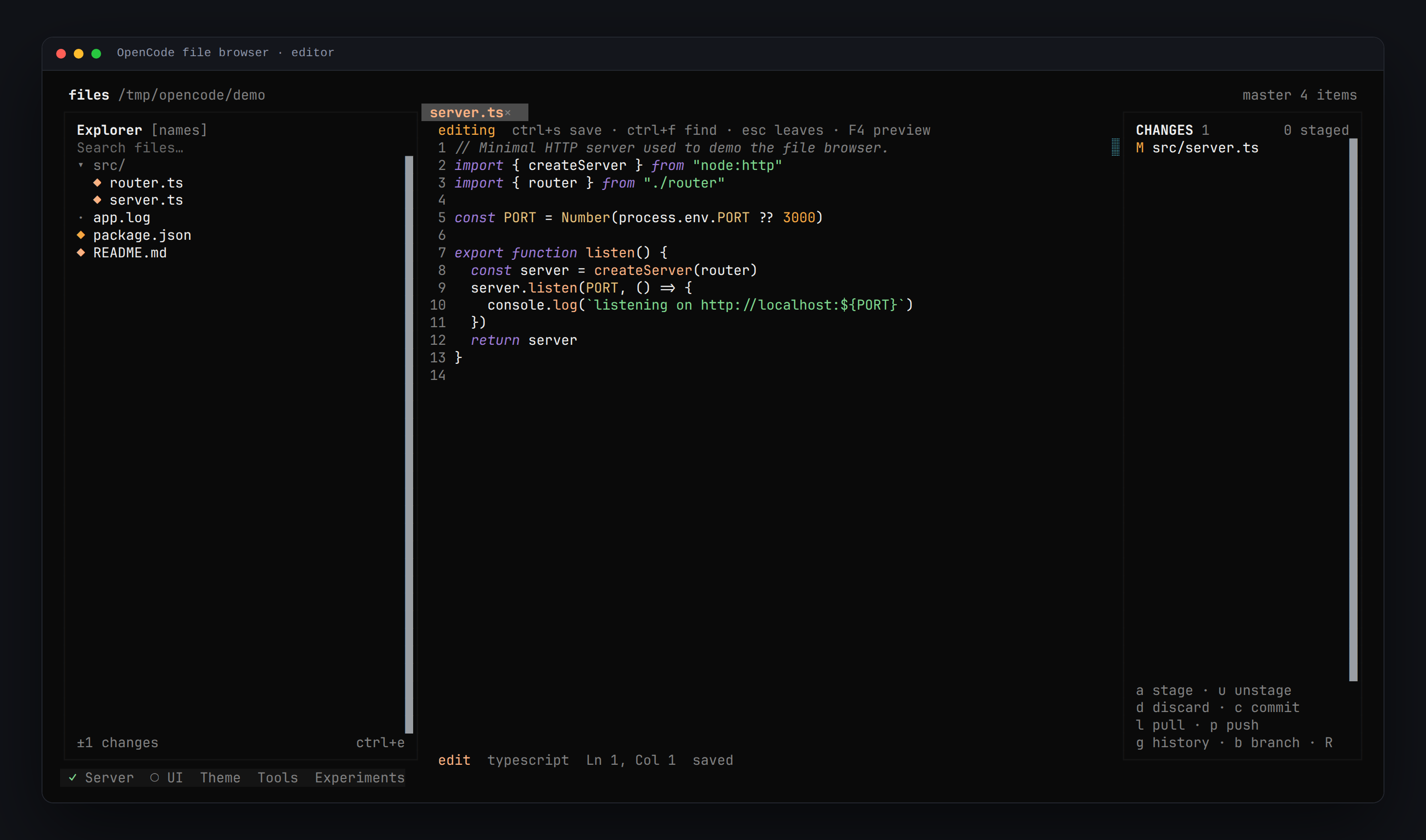
OpenCode Mini IDE — a file browser, editor and git panel for the OpenCode TUI. One plugin, no extra terminal: browse the project, edit with syntax colours, review a diff and commit without leaving the session.


Install
opencode plugin add opencode-file-browser@latest
Restart OpenCode (or run /reload). The plugin is registered in
~/.config/opencode/cli.json.
For local development point that entry at a checkout instead:
{ "plugins": ["/absolute/path/to/opencode-file-browser"] }
What it does
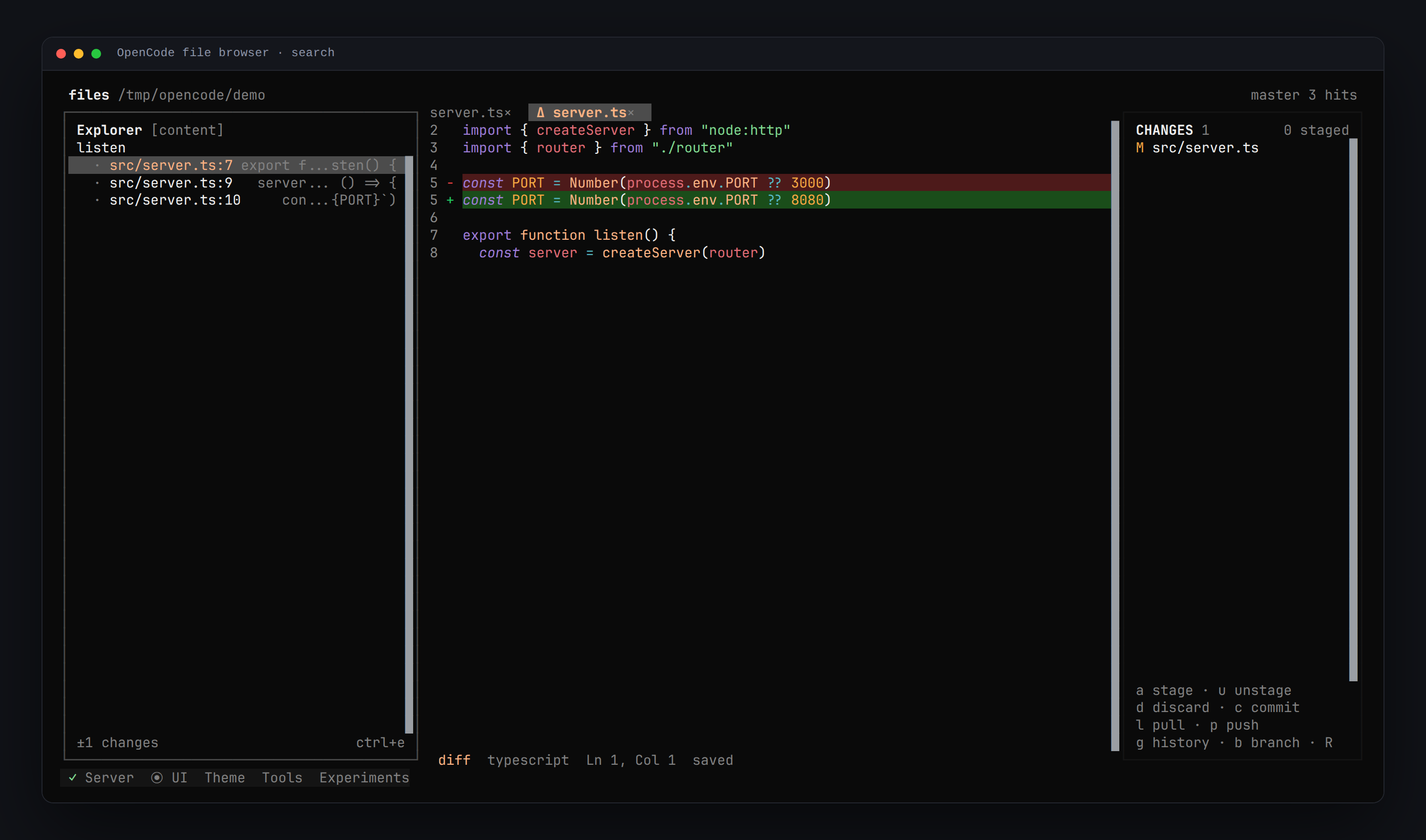
- Explorer — expand folders in place or navigate into them (file-manager style), search by name or content, hidden files, branch and change count.
- Editor — tabs, line numbers, syntax colours while editing,
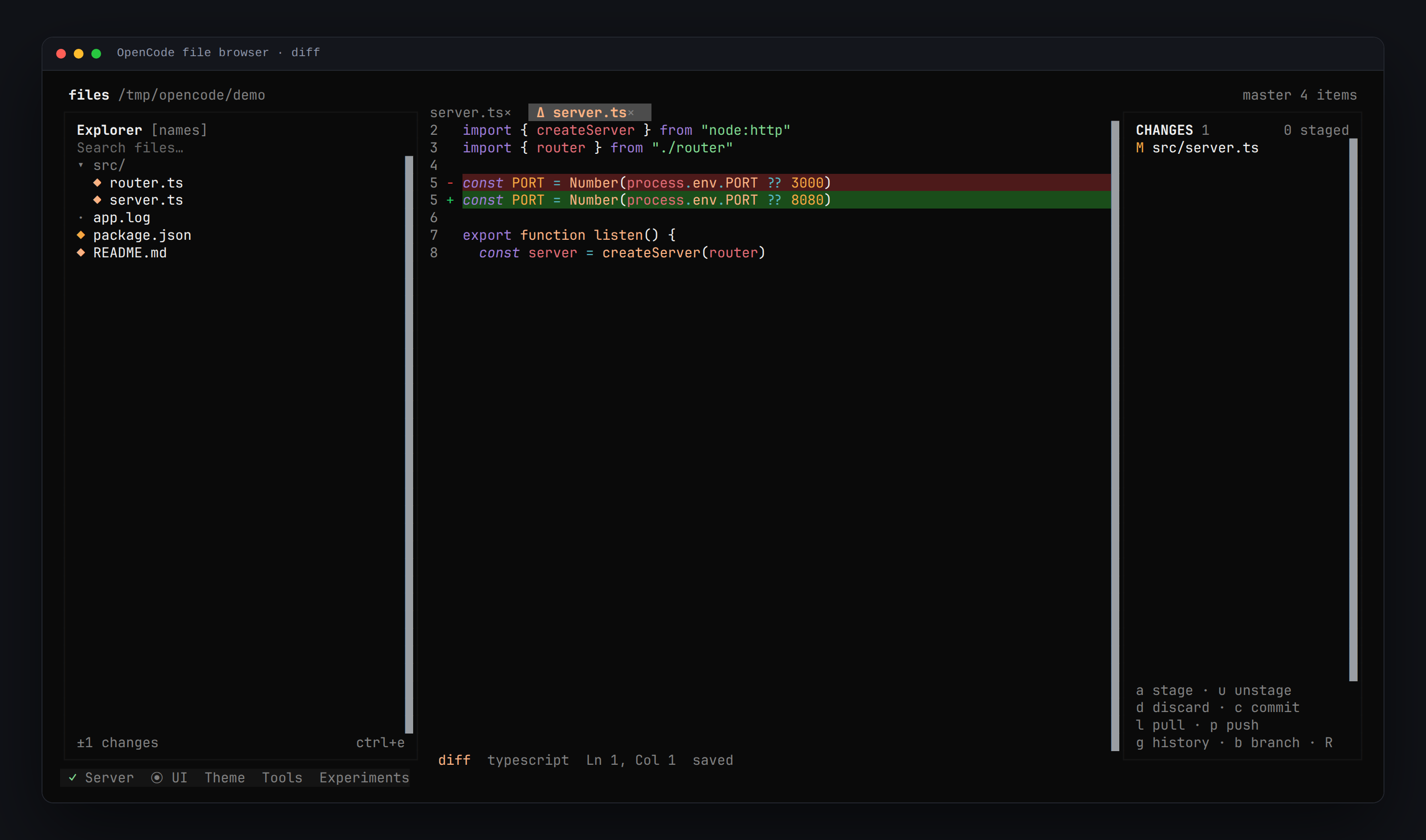
Enterfor a new line,Ctrl+Fto find inside the file,Ctrl+Sto save, scrollbar and mouse cursor placement. - Changes — stage, unstage, discard, commit, pull, push, branches and
history.
Enteropens a unified diff;F4jumps to the real file. - Context menu — right click a file to copy, move (with a folder picker that
can go up), rename or delete; right click empty space to create a file or
folder, or paste a copy. Right click an open tab (or press
F10with the editor focused) for Reveal in the file tree, which expands the folders and selects the file — or enters its folder in navigate mode.F10in the explorer opens the item menu from the keyboard. - Preferences —
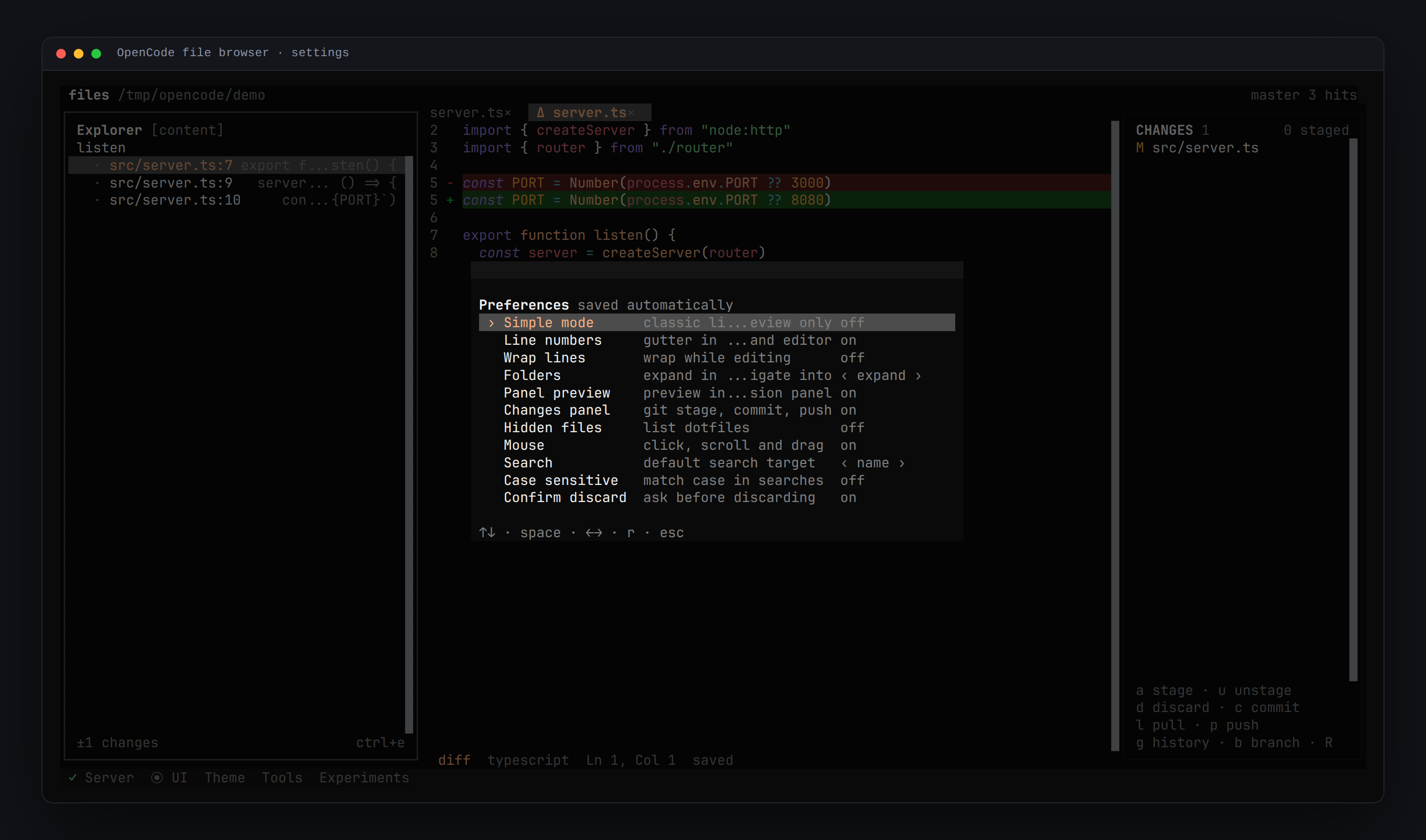
F2: simple mode, line numbers, wrap, folder behaviour, panel preview, changes panel, hidden files, mouse, search target, case-sensitive search and confirmation prompts. - Safe with big files — up to 2 000 lines are rendered; huge logs show a metadata placeholder instead of freezing the TUI.
Screenshots
| Diff per change | Content search | Preferences |
|---|---|---|
 |
 |
 |
Keys
| Key | Action |
|---|---|
Ctrl+X F / /files |
open or close the browser |
Ctrl+X O |
open a file by path (~, absolute or relative) |
↑ ↓ j k |
move in the list |
→ / Enter |
open a file or expand a folder |
← |
collapse a folder |
Shift+Enter |
collapse the tree |
Tab / Shift+Tab |
cycle panes / return to the explorer |
Ctrl+F / / |
focus search (while editing: find in file) |
Ctrl+E |
name ↔ content search |
Ctrl+S / Ctrl+W |
save / close tab |
Ctrl+← Ctrl+→ |
previous / next tab |
e / F4 |
preview ↔ editor |
m |
Markdown rendered ↔ source |
F1 / F2 |
all shortcuts / preferences |
F3 / Ctrl+G |
focus the changes panel |
F5 |
reload tree, file and git status |
F10 |
item actions (file menu) · tab menu with the editor focused |
| right click (empty space) | new file / new folder / paste |
| right click (tab) | reveal in the file tree · close tabs |
r / h / f |
reload / hidden files / fullscreen |
Esc |
leave editor → clear search → close |
While the changes panel is focused: a stage, u unstage, d discard,
c commit (Ctrl+Enter confirms), l pull, p push, g history,
b branches, R refresh.
Mouse: click to open, click tabs to switch, middle click to close, wheel to scroll, drag the divider to resize, right click for actions.
Limits
| Viewer | first 2 000 lines; metadata placeholder above 20 000 lines or 2 MiB |
| Editor | read-only above 5 000 lines or 512 KiB |
| Content search | 12 hits per file, 300 total |
| Binary files | reported with their size, never rendered |
Development
npm install
npm run typecheck
npm run bundle        # src/**/*.tsx -> dist/**/*.js
npm run test:unit     # navigation rules (fast, no TUI)
./test/e2e.sh         # 32 assertions in a real TUI (tmux + git fixture)
./test/e2e-extra.sh   # 13 more: colours, help, hidden files, paths, menus, navigate
dist/ is committed: OpenCode loads the pre-compiled entrypoint.
Links
MIT.