
arsaboo/homeassistant-config
arsaboo/homeassistant-config has 1,962 GitHub stars and 429 forks. GitHot measured 0 stars in 24 hours. Last checked 2026-11-08 00:08 UTC. Last push 2026-08-31.
🏡 My Home Assistant Configs. Be sure to :star2: my repo to follow the updates!
Measured star growth
- in 24h
- 0
- in 7 days
- Update delayed
- in 15 days
- Update delayed
- in 1 month
- Update delayed
Net star changes over overlapping periods, not daily totals. Missing measurements are left blank. Stars measure attention, not software quality.
README.md
OriginalHome Assistant Configuration
Here's my Home Assistant configuration. I have installed HA on an Intel NUC SkullCanyon with 32GB RAM and 500GB NVMe SSD. I am currently running Ubuntu 16.04 LTS on the NUC and used the virtual environment approach to install HA.
I regularly update my configuration files. You can check my current HA version here. If you like anything here, Be sure to :star2: my repo!
Other things that I run on my NUC
- Home Assistant
- Homebridge
- Plex media server in a Docker container using the command
docker create \
--name plex --net=host --restart=always \
-e TZ="America/New York" \
-e PUID=1000 -e PGID=1000 \
-e PLEX_CLAIM="<CLAIM>" \
-p 32400:32400 \
-v /docker/containers/plex/config:/config \
-v /docker/containers/plex/transcode:/transcode \
-v /mnt/music:/data/music:shared \
-v "/mnt/media/TV Shows":/data/tvshows:shared \
-v /mnt/bollywood:/data/bollywood:shared \
-v /mnt/hollywood:/data/movies:shared \
 plexinc/pms-docker:plexpass
- Machinebox image tagging service in a Docker container using the following command. First obtain your API key and assign it to
MB_KEYand then run the container using (you can access the Tagbox interface at http://ip.ad.dr.es:8081):
$ sudo docker run --name=machinebox -p 8081:8080 -e "MB_KEY=$MB_KEY" -d machinebox/tagbox
Some of the devices and services that I use with HA
- Aeotec Z-Stick Gen5 for Z-Wave control
- I use a z-wave dry contact relay along with a tilt sensor for automating my garage door.
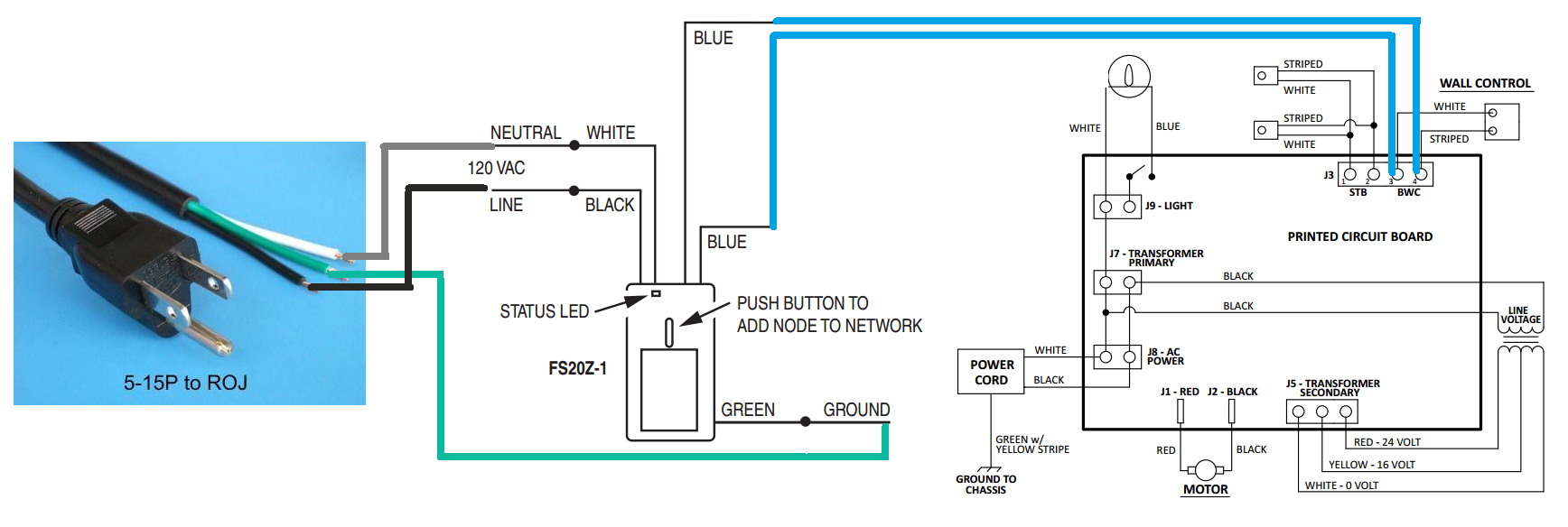
- I use a z-wave dry contact relay along with a tilt sensor for automating my garage door.
- Xiaomi Aqara for Zigbee sensors
- Currently using water, temperature/humidity, door/window, and human body sensors
- Also, using Mi Magic Cube for volume and brightness automation.
- Presence detection is the cornerstone for my setup and I use an elaborate approach as explained here. Currently, I combine the information from the following device trackers using a
python_scriptand a Bayesian binary sensor. Here are the components that I use for presence:- Unifi WAP for network-based device tracking
- OwnTracks, Geofency, and Life360 custom_component for tracking our iOS devices
- iOS app
- Security
- Abode home security that is almost entirely automated using presence
- Four Hikvision DS-2CD2042WD-I cameras across the house integrated using Synology Camera component
- Three Arlo cameras for indoor monitoring
- Ring doorbell
- Networking
- Lights and Switches
- LIFX wifi lights
- Wemo switches for porch and driveway
- Wemo plugs for miscellaneous automation including smart charging (to prevent overcharging), humidifier, Christmas lights, etc.
- GE Z-wave dimmer 12724 for kitchen lights
- Voice Interaction
- Google Home, with the Google Assistant and Dialogflow components
- Amazon Echo Dot with HA Cloud
- Media
- Sonos speakers and component
- Plex for media consumption along with Plex component
- Plex activity monitor to track my PMS.
- Google Cast on my Nvidia Shield TV
- Notifications:
- iOS and Pushbullet for basic notifications
- Telegram and iOS for actionable notifications
- TTS with the Sonos
- Notification for Android TV to send visual notifications to Shield
- Weather and Climate related
- Ecobee thermostats in the main floor and kids rooms
- Wunderground to integrate my weather station
- Bloomsky weather station DarkSky for weather data and forecasts
- Pollen sensor for allergy related information
My Home Assistant dashboard
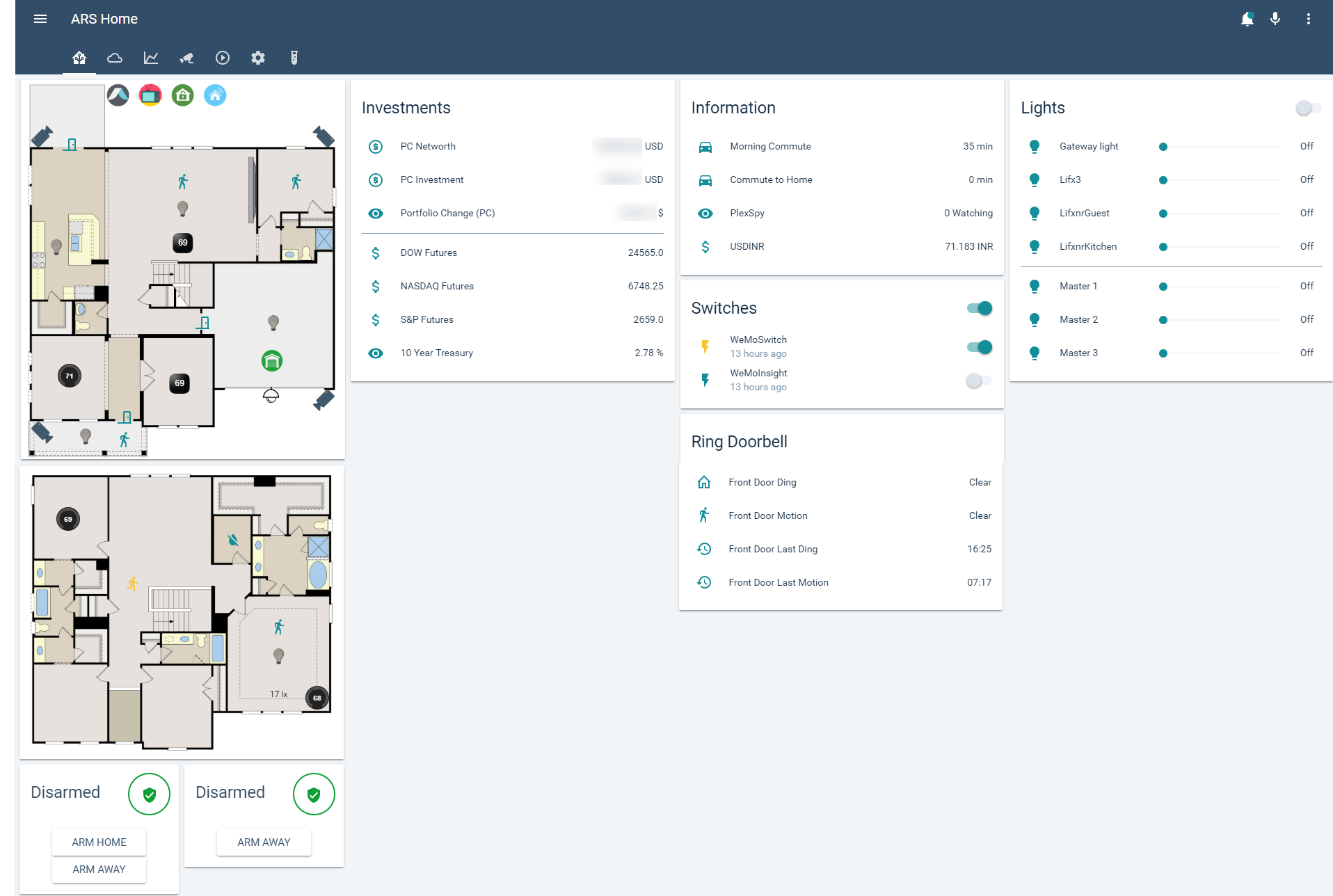
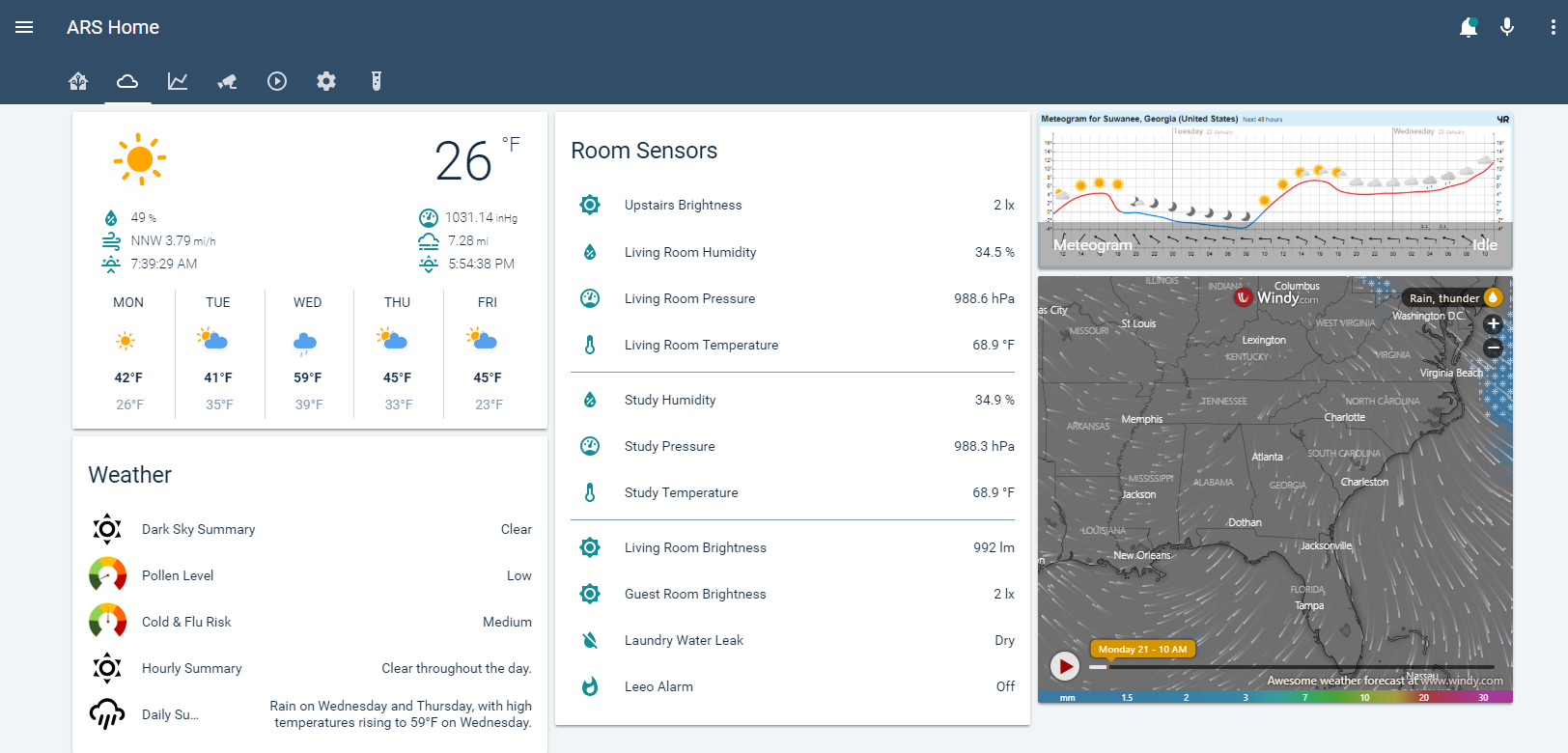
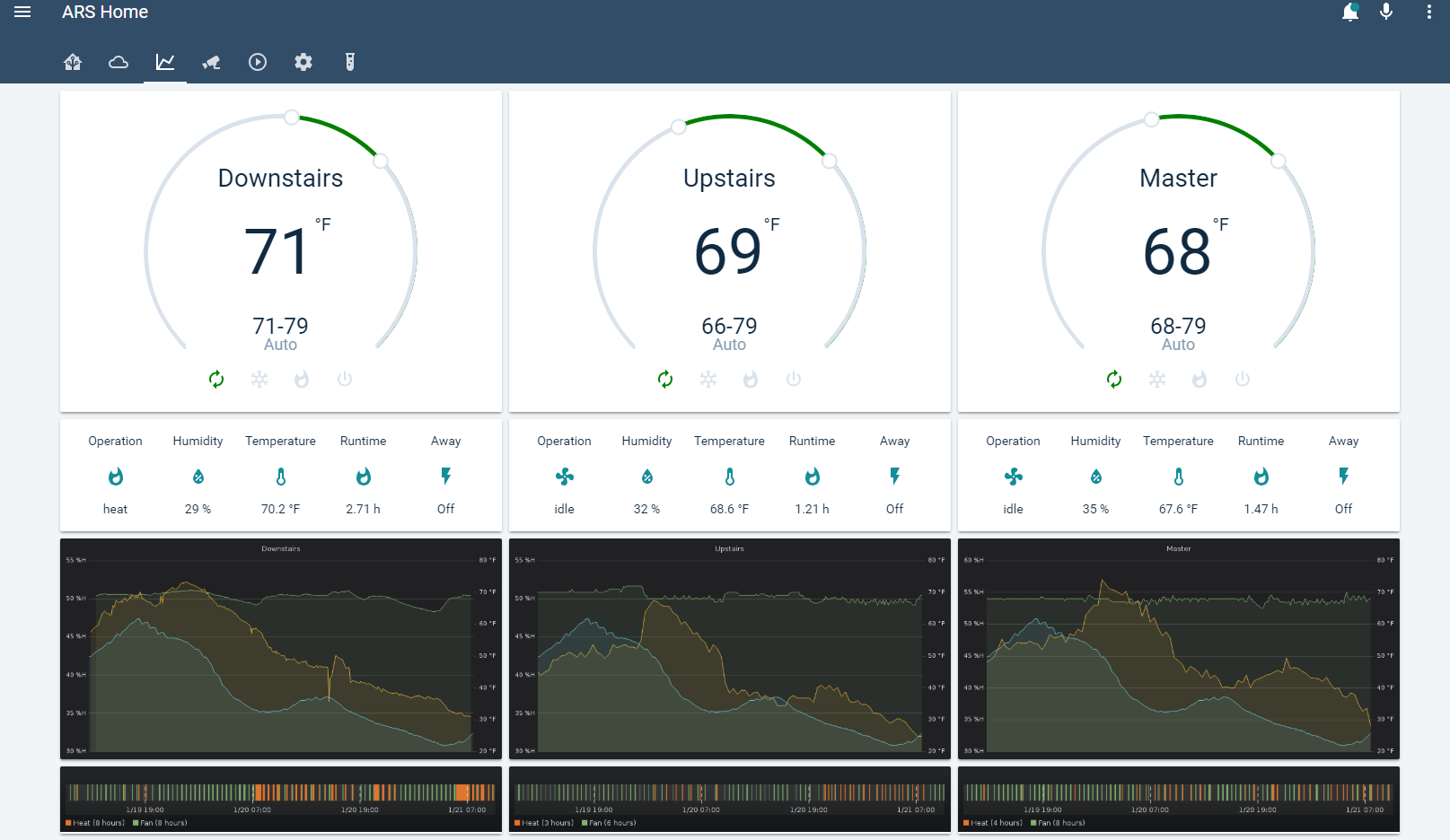
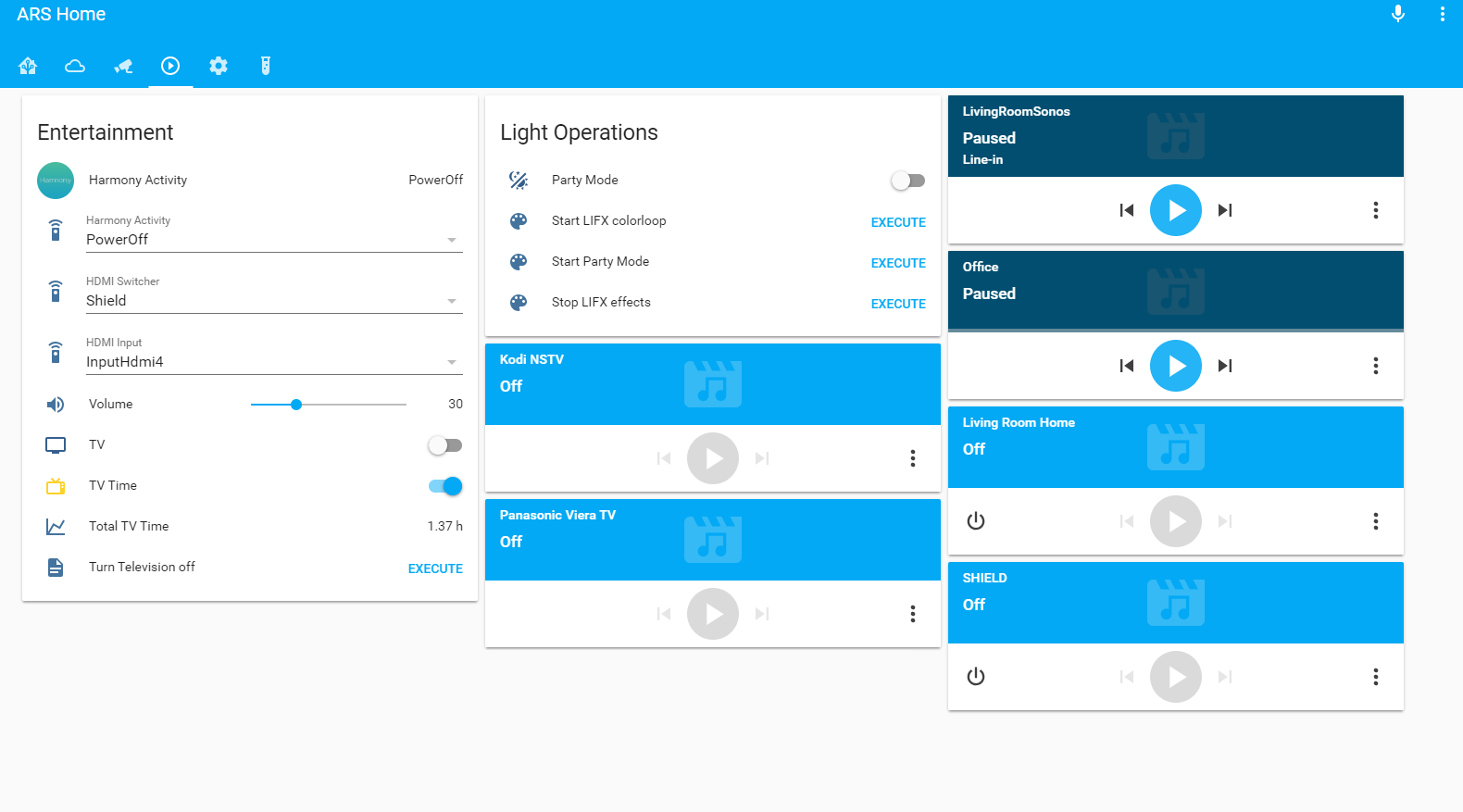
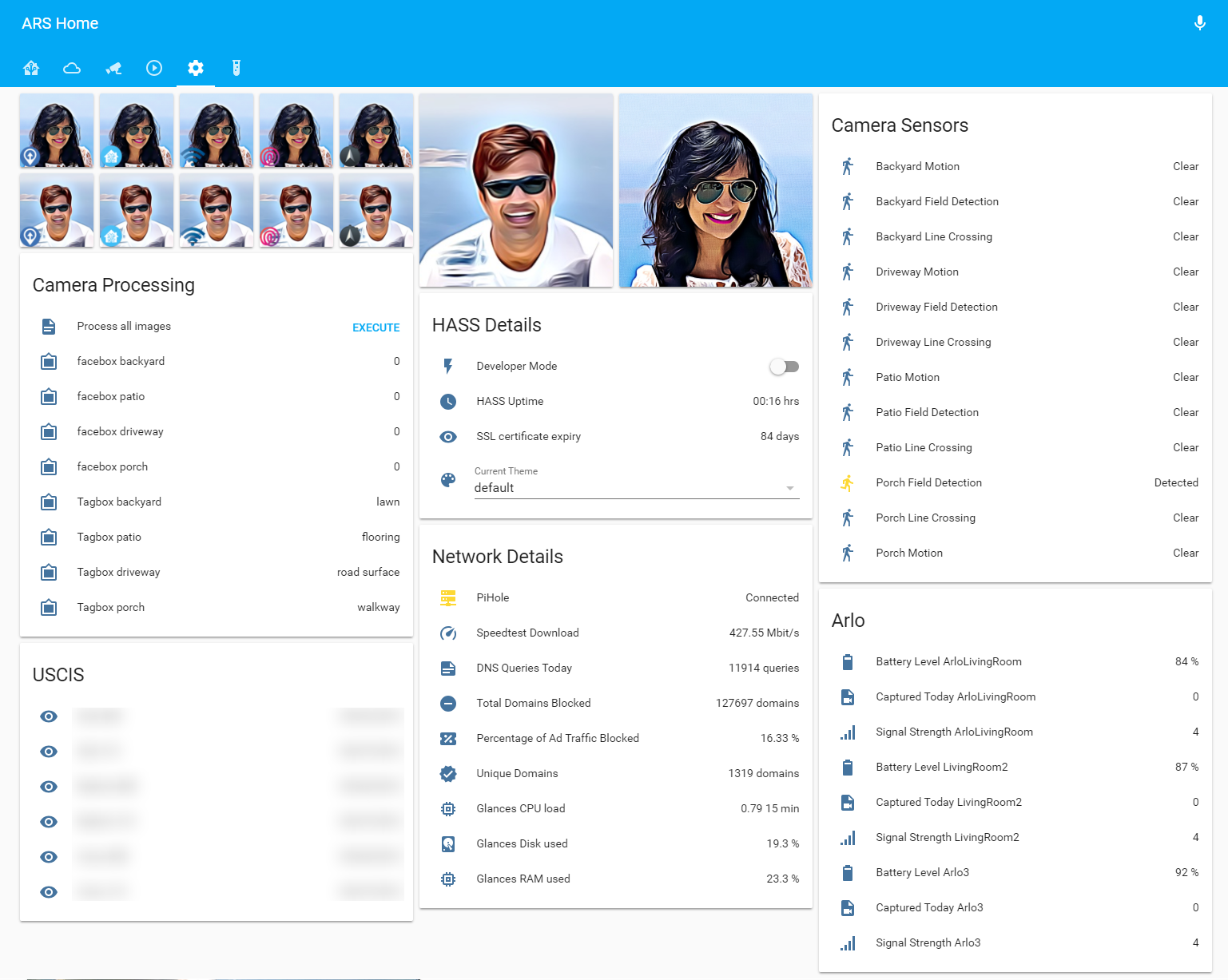
I moved my entire configuration to Lovelace. Here are some screenshots (please note that these may not be the most updated images, but you should get an idea).
Useful links
- HA cheat sheet for miscellaneous tips and tricks.
Explore related projects
codecrafters-io/build-your-own-x
Master programming by recreating your favorite technologies from scratch.
560,941 starspublic-apis/public-apis
A collective list of free APIs
497,202 starsmorluto/rea
Reverse engineer anything with agents, from app behavior down to native binaries.
442,610 starsopenclaw/openclaw
The AI that really does things. Any OS. Any Platform. The lobster way. 🦞
394,181 stars