
arn-c0de/GPG-Meister
arn-c0de/GPG-Meister has 32 GitHub stars and 1 forks. GitHot measured 0 stars in 24 hours, 0 in 7 days, and +1 in 15 days. Last checked 2026-11-11 04:14 UTC. Last push 2026-11-03.
GPG Meister is a local app built around GnuPG. It helps with common tasks like creating and importing keys, encrypting or signing messages, and exporting protected backups.
What you can do
- Key management: Create, import, inspect, label, and manage GPG keys.
- Message operations: Encrypt, decrypt, sign, and verify text messages.
- Folder encryption: Encrypt or decrypt a complete folder with a recipient key or a passphrase (Messages → Folders).
- Encrypted vault backups: Export and import encrypted key vaults for backup or transfer.
Measured star growth
- in 24h
- 0
- in 7 days
- 0
- in 15 days
- +1
- in 1 month
- Update delayed
Net star changes over overlapping periods, not daily totals. Missing measurements are left blank. Stars measure attention, not software quality.
README.md
OriginalGPG Meister





Desktop app for managing GPG keys, encrypted messages, signatures, and encrypted key backups.
GPG Meister is a local-first desktop application built on GnuPG. It gives users a focused interface for creating and importing keys, encrypting and signing messages, verifying signatures, and exporting encrypted vault backups of key material.
Current Status
[!WARNING] GPG Meister is in active development.
Important: The app is functional, but internal structures and the vault format may still change between releases. Keep independent backups of your GPG keys before updating. UI details, workflows, and compatibility guarantees are still evolving.
Features
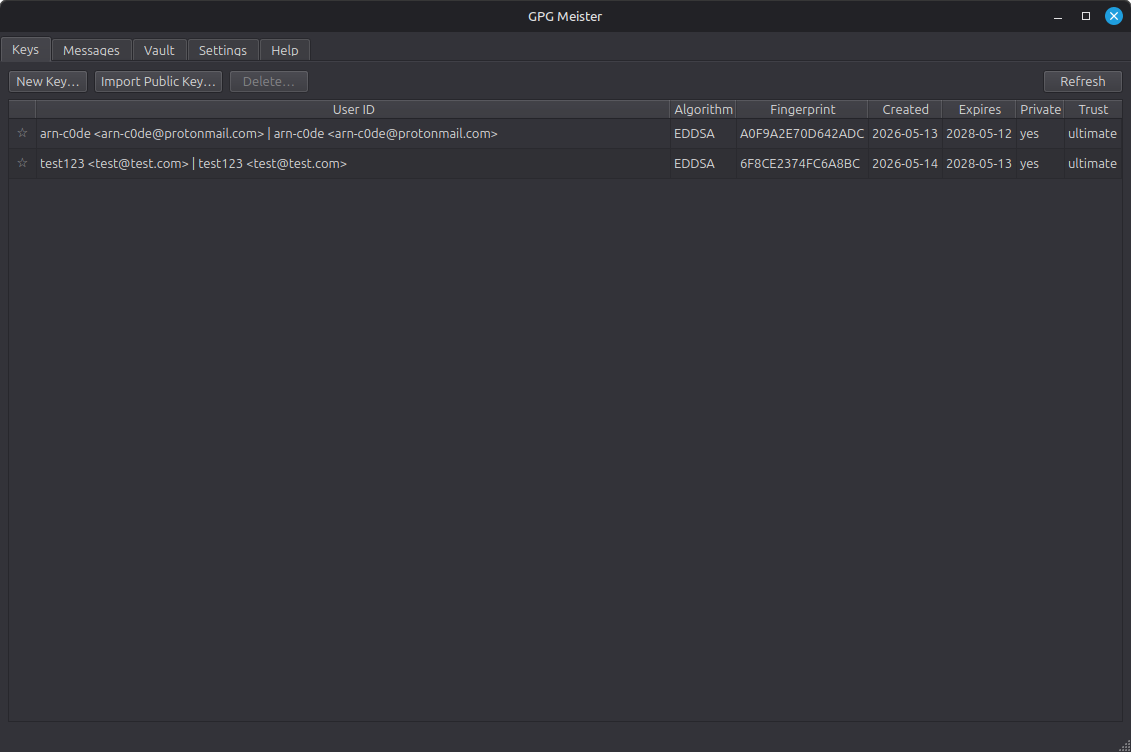
- Key management: Create, import, inspect, label, and manage GPG keys.
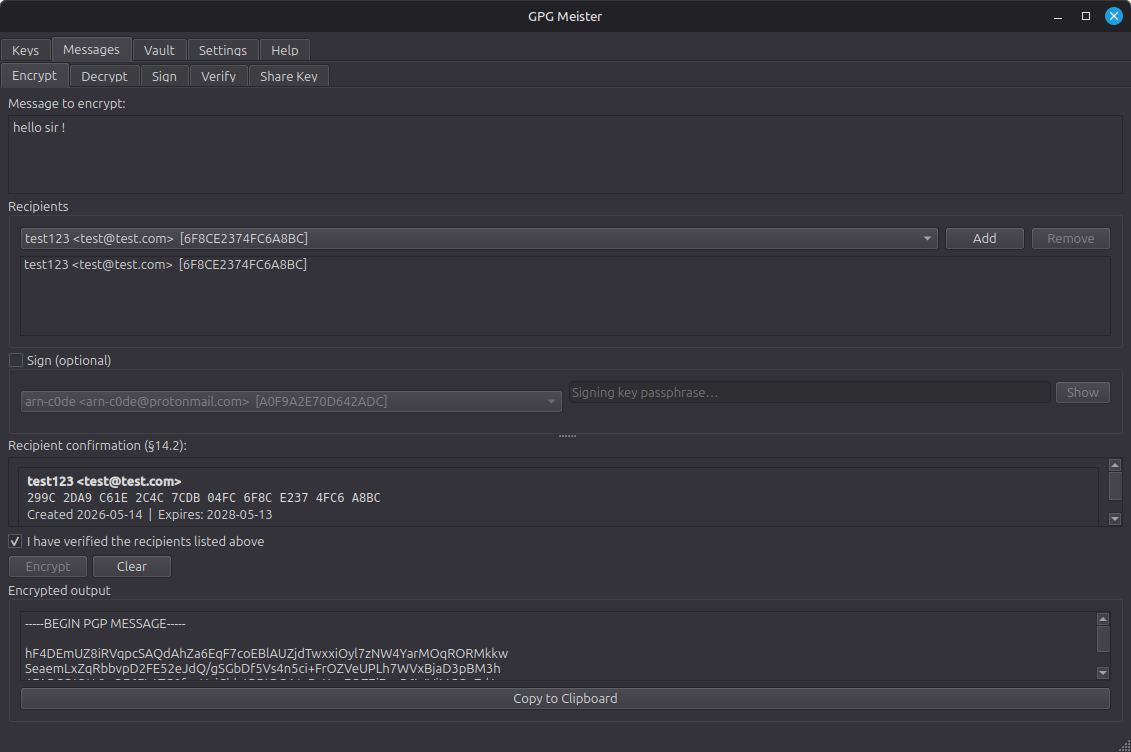
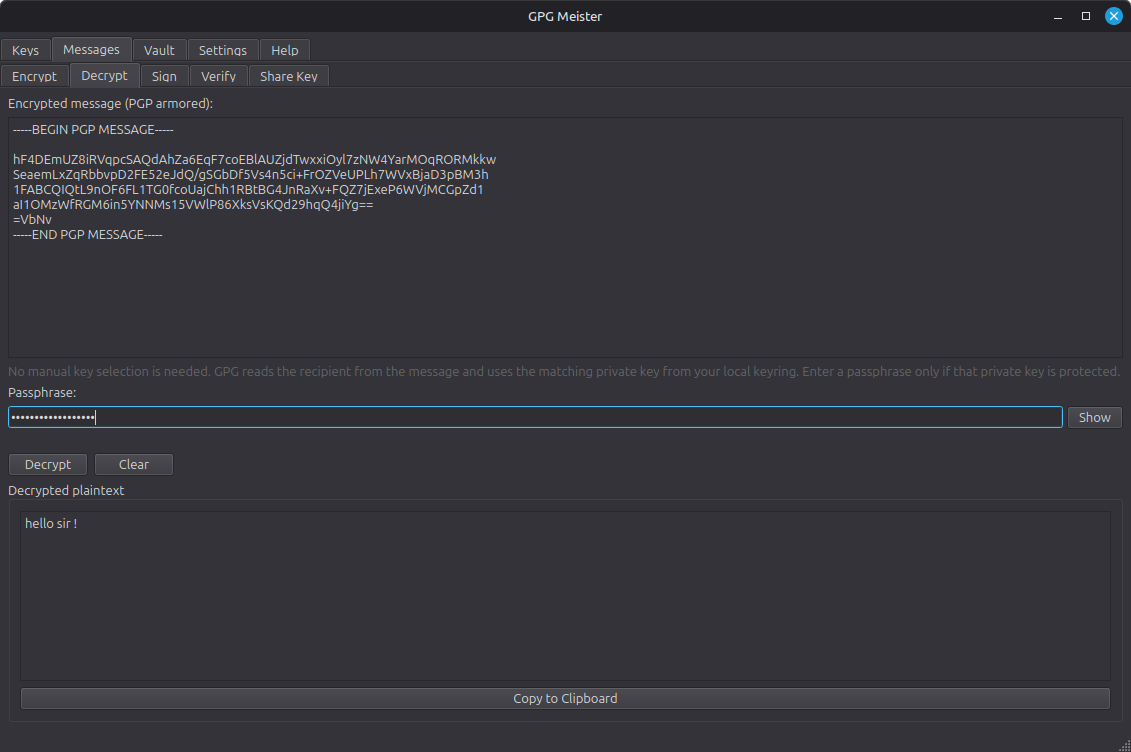
- Message operations: Encrypt, decrypt, sign, and verify text messages.
- Folder encryption: Encrypt or decrypt a complete folder with a recipient key or a passphrase (Messages → Folders).
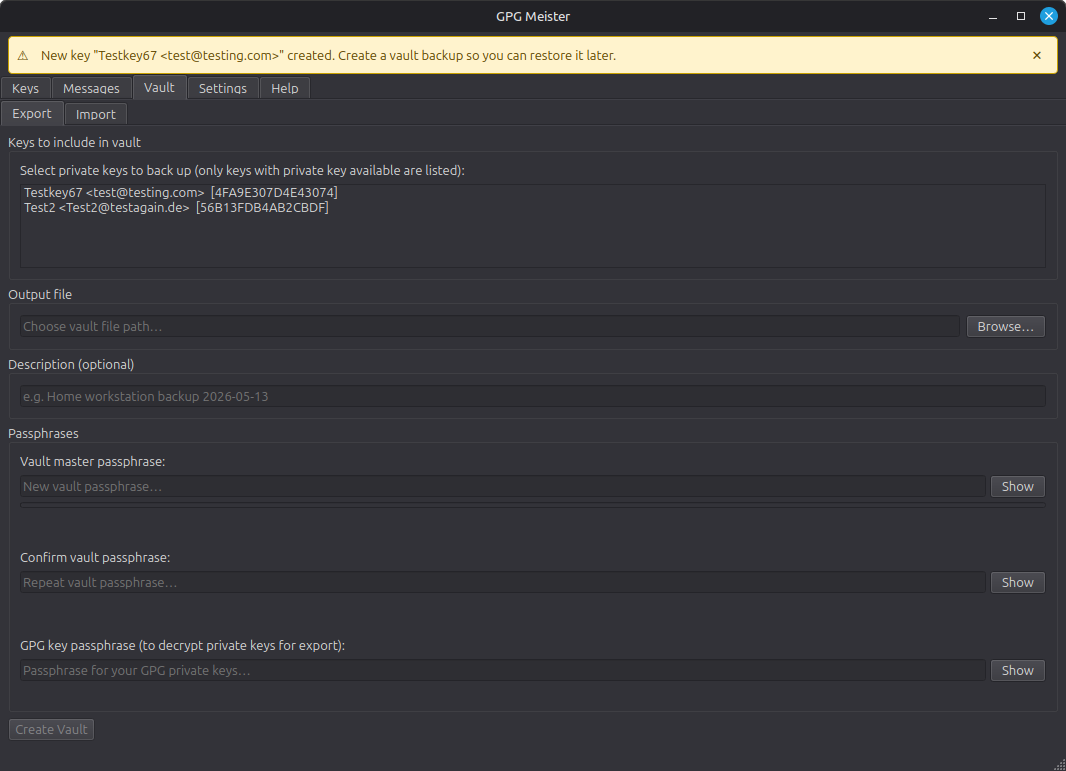
- Encrypted vault backups: Export and import encrypted key vaults for backup or transfer.
- Smartcard / YubiKey support: Use keys held on a YubiKey, Nitrokey, or other OpenPGP card to decrypt and sign with the card PIN instead of a passphrase, see at a glance which device holds each key, manage the card itself (PIN change and unblock, move a key onto the card, generate keys on it), and optionally add a token as a way to unlock a vault. See Smartcards and YubiKeys.
- Built-in help: Use the integrated help pages and glossary for common GPG concepts.
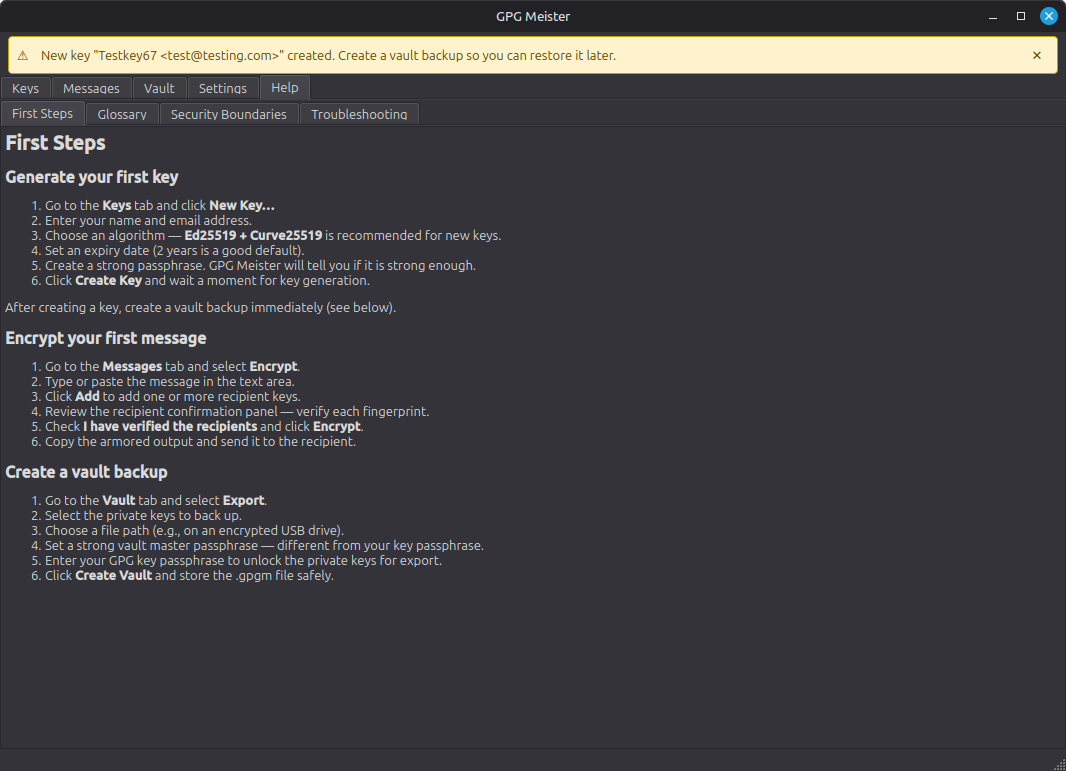
- Local-first workflow: Keep cryptographic operations and metadata on your own machine.
- Internationalized UI: Use the app in English or German.
Downloads
Prebuilt releases for Linux, Windows, and macOS are available here:
For version history and release notes, see the Changelog.
Contributing
Language contributors are currently wanted. GPG Meister ships with English and German today, and additional UI languages are tracked in issue #1.
See CONTRIBUTING.md for translation guidelines, development notes, and the contributor Hall of Fame.
Getting Started
Requirements
- GnuPG 2.2+
- Python 3.11+
uvfor the recommended development workflow
Docs
- Changelog
- Documentation Overview
- Plan vs Code
- App and Startup Flow
- Service Layer
- Security Policy
- Code of Conduct
- Storage Layer
- UI Layer
Security
- Local-first design with no cloud dependency
- Encrypted vaults for key backup and transfer
- Dedicated audit logging for security-relevant events
- GnuPG binary detection with trust pinning
- Local metadata store that does not keep private keys or passphrases
- Security reporting policy: SECURITY.md
Tech
- Python 3.11+
- PySide6 / Qt 6
- GnuPG
python-gnupg- Pydantic v2
Development
git clone https://github.com/arn-c0de/GPG-Meister.git
cd GPG-Meister
uv sync --extra dev
uv run gpgmeister
Run gpgmeister from anywhere
install.sh links gpgmeister into ~/.local/bin automatically, so after
installation the command is available system-wide:
gpgmeister
Make sure ~/.local/bin is in your PATH (it usually is by default on Linux).
If not, add it once:
echo 'export PATH="$HOME/.local/bin:$PATH"' >> ~/.bashrc && source ~/.bashrc
Checks
uv run pytest
uv run ruff check .
uv run mypy
Packaging
python scripts/build_translations.py
./scripts/build_appimage.sh
./scripts/generate_sbom.sh dist
Contact
- GitHub Issues: arn-c0de/GPG-Meister/issues
- GitHub Contact Page: arn-c0de contact
- Email: [email protected]
For bugs, unexpected behavior, or rough edges, open an issue or use one of the contact paths above.
License
MIT. See the LICENSE file.
Explore related projects
trimstray/the-book-of-secret-knowledge
A collection of inspiring lists, manuals, cheatsheets, blogs, hacks, one-liners, cli/web tools and more.
257,753 starsHack-with-Github/Awesome-Hacking
A collection of various awesome lists for hackers, pentesters and security researchers
125,254 starsswisskyrepo/PayloadsAllTheThings
A list of useful payloads and bypass for Web Application Security and Pentest/CTF
82,583 starscaddyserver/caddy
Fast and extensible multi-platform HTTP/1-2-3 web server with automatic HTTPS
78,959 stars