
appshubcc/Bettbox
appshubcc/Bettbox has 4,751 GitHub stars and 252 forks. GitHot measured +14 stars in 24 hours. Last checked 2026-11-06 16:43 UTC. Last push 2026-10-22.
Another Better Network Toolbox
Measured star growth
- in 24h
- +14
- in 7 days
- Collecting history
- in 15 days
- Collecting history
- in 1 month
- Collecting history
Net star changes over overlapping periods, not daily totals. Missing measurements are left blank. Stars measure attention, not software quality.
readme/README_en.md
Original简体中文 | English | Русский | فارسی | 日本語 | 한국어
⚡ Bettbox
Another Better Network Toolbox
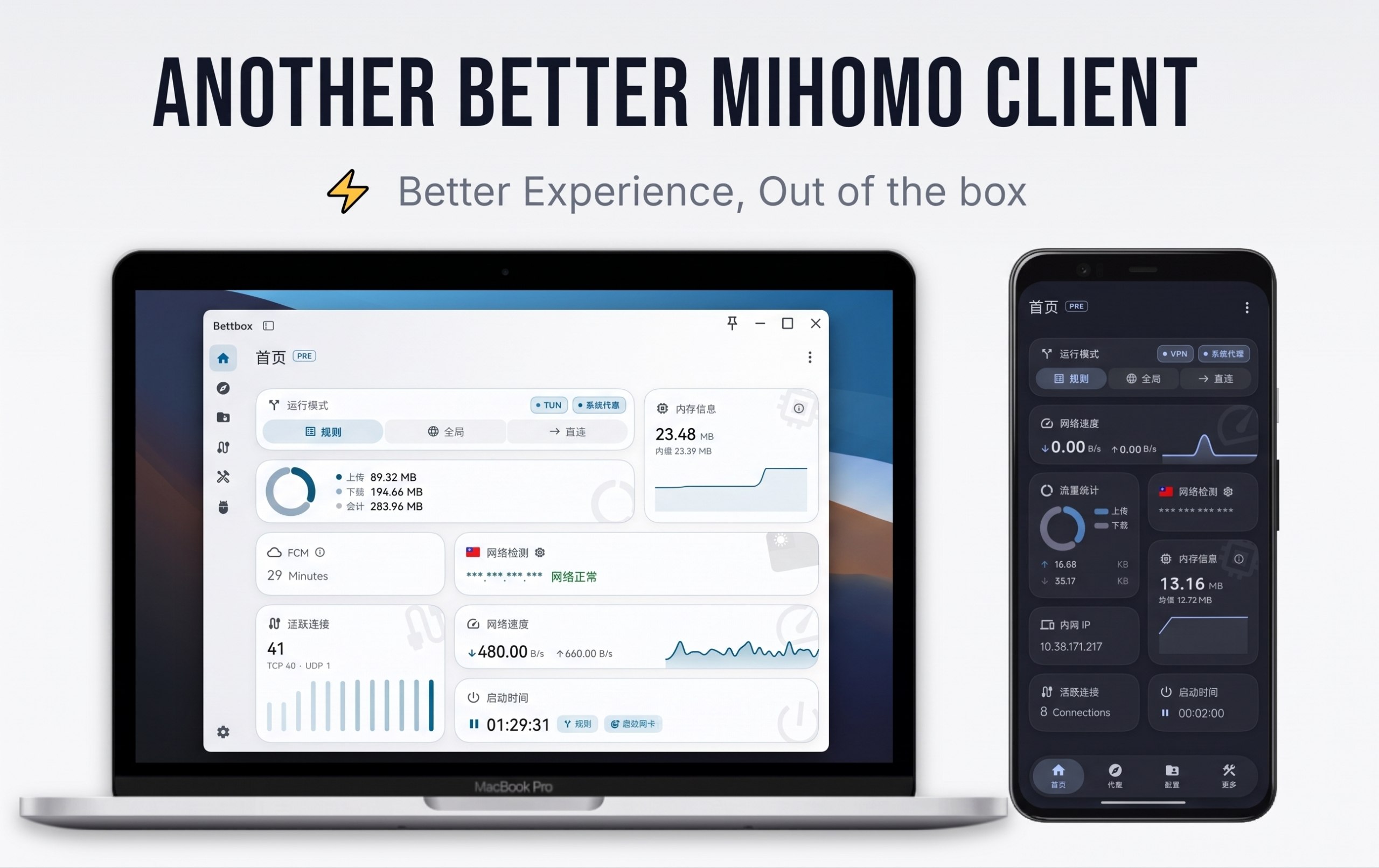
Bettbox is a cross-platform network traffic routing and DNS debugging tool built on the Mihomo core. It focuses on an outstanding user experience, is built for long-term stable operation, stays lightweight on resources, and collects no data at all.
Bettbox stands for Better Network Toolbox. The project has passed the manual security review of the SignPath Foundation, and the Windows build is signed with an OV code-signing certificate.


✈️ Telegram Community


🚀 Core Features
- Out-of-the-Box: Permission guidance, TUN, and managed routing mode come preconfigured, ready to use right after installation.
- Lightweight & Smooth: Low power consumption on mobile, low background usage on desktop, and smooth interface animations.
- Security & Trustworthy: The core tracks upstream Mihomo, and each platform requests only the minimum privileges it needs.
- Stability & Fault Tolerance: Optimized edge-case behavior in extreme network environments across platforms; dual configuration verification suits long-term operation.
- Architecture Optimization: Native ARM64 support on desktop, with continued maintenance of the Compatible edition for legacy devices.
- Smart Daemon: Smart start/stop across platforms, adaptation to mobile Doze sleep, and quick controls from the tray on desktop platforms.
- Visual Settings: Visual parameter tuning with instant effect, so even beginners never need to edit configuration by hand.
- Home Widgets: Several beautifully crafted built-in widgets let you monitor overall operating status right from the home screen.
- All-in-One Toolbox: Built-in professional-grade network and DNS routing debugging tools make your network status clear at a glance.
- Personalization: Material Design–style color themes, custom icons and titles, and even 30 speedtest animations.
- Ecosystem & Extension: External JS override scripts can adapt to a graphical interface, and a high-performance Code-forge editor is built in.
- Zero Privacy Risk: Open-source code, no ads, fully automated and publicly auditable CI/CD, and no background data collection.
- Community Driven: We take community feedback seriously, evolve together with an active user community, and respond promptly to high-quality issues.
🛠️ Installation & Downloads
Please visit the [Releases] page to download the latest installer suitable for your platform and operating system:
- Desktop Support:
- Windows 8.1+: (x64 / arm64)
- Linux Kernel 5.4+: (x64 / arm64)
- macOS 12.0+: (Intel / Apple Silicon)
- Mobile & Others:
- Android 8.0+: (ARMv8 / ARMv7 / x86_64 / Universal)
- Android TV: Full large-screen adaptation, optional ARMv7 32-bit version
- HarmonyOS NEXT: Can be used stably with [ZhuoYiTong]
Linux Community Packages:
- ArchLinux:
yay -S bettbox-binorparu -S bettbox-bin(Maintained by lyj404) - AMD64=v1 (Compatible):
yay -S bettbox-compatible-binorparu -S bettbox-compatible-bin(Maintained by VillagerTom)
💡 Frequently Asked Questions
System Requirements & Compatibility:
- For Android devices, ensure sufficient background execution permissions are granted; system must meet Android 8.0+.
- For legacy desktop hardware, please choose the corresponding Compatible build based on CPU instruction set architecture.
- Security: Bettbox is fully open-source and transparent; the code has passed the authoritative SignPath security audit with zero privacy collection.
Desktop Permissions & TUN:
- Windows administrator permissions are pre-handled by the installer; daily usage requires no manual re-authorization.
- When enabling the TUN virtual network adapter on macOS / Linux, enter the correct system password when prompted to complete authorization.
- For other errors, verify that no conflicting proxy tools are occupying ports in the background, and include debug logs when submitting feedback.
macOS First-Time Installation Guide:
- Download and open the
.dmginstaller according to your platform (Intel / Apple Silicon), and drag the Bettbox icon into the Applications folder. - Bypassing System Security Gatekeeper (Apple Commercial Developer Certificate is not currently purchased):
- Recommended: In "Finder - Applications", right-click the Bettbox icon and select "Open", then click "Open" in the system confirmation prompt.
- Alternative: If blocked, navigate to System "Settings -> Privacy & Security", locate Bettbox, and click "Open Anyway".
- When enabling TUN mode for the first time, a system password prompt will appear; enter your password to allow the creation of the virtual network interface.
- Download and open the
Subscription Import & Troubleshooting:
- If import fails, please reset the subscription URL in your service provider's dashboard and try again.
- If the issue persists, verify the node formats with your provider; if confirmed to be a client issue, feel free to submit an Issue.
💻 Development, Building & UI Adaptation
Taking Windows build as an example:
- System Requirements: Windows 10 or later
- Dependencies: Git, Visual Studio, Flutter 3.47.x, Golang, Inno Setup, Rust
* flutter pub get (fetch dependencies)
* dart .\setup.dart windows --arch amd64 --out core (build Core only)
* dart .\setup.dart windows --arch amd64 --out app --compatible (optional compatible build)
* After building, final artifacts are located in the `dist/` directory
Custom Script UI Adaptation:
- Bettbox supports graphical UI adaptation for external override scripts. Taking AIsouler's Script/Config Repository as an example, simply add the following declaration at the first line of the script to directly link with built-in visual toggles:
const Compatible_With_Bettbox = { ruleOptionsEnable: true };- If the script switches include policy groups and other function switches, you can declare policy group switch names via
policyGroupOptions; undeclared switches will be automatically grouped under the "⚙️ Other Settings" secondary menu:
const Compatible_With_Bettbox = {
  ruleOptionsEnable: true,
  // Declare switch names belonging to policy groups; must match keys in ruleOptionsEnable exactly
  policyGroupOptions: ['🚀 节点选择', '🛑 广告拦截'],
};
- If
policyGroupOptionsis undeclared or names do not match, all toggles will be displayed flat.
🛩️ Recommended Services
IEPL Dedicated Lines 〢 BBXY 〢 BaiYueGuang 〢 Ytoo
Budget Direct Lines 〢 Liangxin Cloud 〢 Chuixue Cloud 〢 YiFen
BBXY Exclusive 32% OFF Promo Code: bettbox68 , see: Details
Review : ❚ ❚ The links above are primarily for personal use or discussed and recommended within the TG community. They are displayed here solely as AFF links (Note: purchasing third-party services through these links provides a small commission to support the developer), which does not constitute any commitment or guarantee regarding their services. Please evaluate and choose reasonably.
☕ Sponsoring & Support
If you find this project helpful, you can also support development through the following methods or by using the Referral Links:
- TRON (TRC-20):
TCkTtZfF2WrciZLaJj3e1aqrh3zdTnCkDa - Bitcoin:
bc1qu950cl6035qvllmzk6cfw3l30j2lg3cq9n6g6h
❤️ Acknowledgments

|
Free code signing on Windows provided by SignPath.io, certificate by SignPath Foundation |
- FlClash GUI (This project originated from the excellent open-source project FlClash; tribute to the original author's pioneering exploration and contributions)
- Mihomo Core (Powerful and flexible core driver)
Thanks to all Contributors who have contributed to this project, as well as the following open-source projects for their inspiration and reference:
Zashboard, CMFA, Sparkle, SFA, HUSI, V2rayN, Bett-rules
📄 License
This project is licensed under the GPL-3.0 License.
Explore related projects
codecrafters-io/build-your-own-x
Master programming by recreating your favorite technologies from scratch.
560,444 starspublic-apis/public-apis
A collective list of free APIs
496,762 starsmorluto/rea
Reverse engineer anything with agents, from app behavior down to native binaries.
438,069 starsopenclaw/openclaw
The AI that really does things. Any OS. Any Platform. The lobster way. 🦞
394,072 stars