
apinanaivot/IKEA-3D-Model-Download-Button
apinanaivot/IKEA-3D-Model-Download-Button has 1,523 GitHub stars and 66 forks. GitHot measured +6 in 7 days. Last checked 2026-11-10 03:18 UTC. Last push 2026-02-05.
Adds ability to download models from IKEA website
What you can do
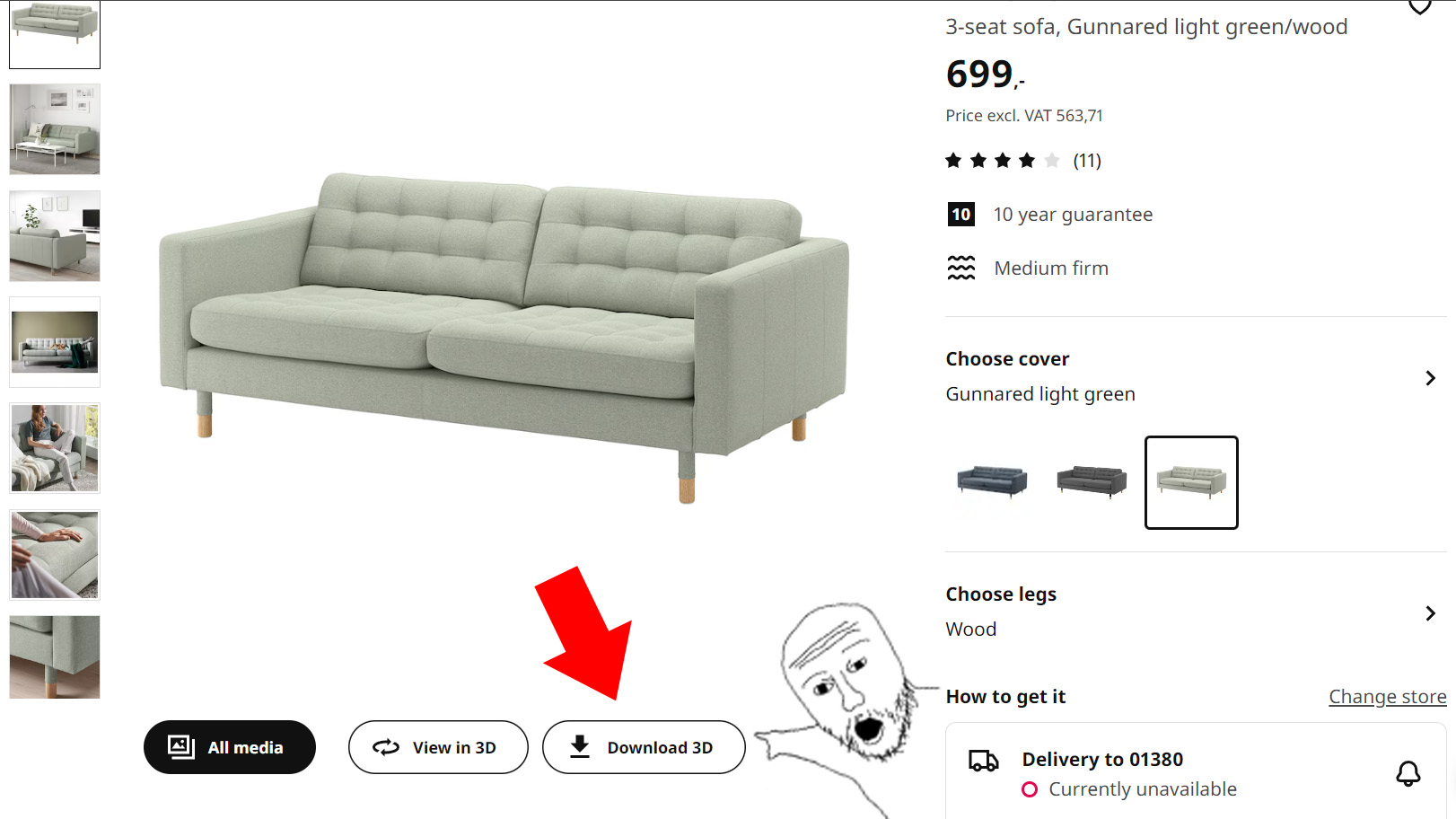
- Adds a "Download 3D" button next to the "View in 3D" button on IKEA product pages
- Works across all language versions of IKEA websites
- Automatically names downloaded files using the product name and color
- Optional GLB conversion: decompresses Draco geometry and converts WebP textures to PNG or JPG
Measured star growth
- in 24h
- Update delayed
- in 7 days
- +6
- in 15 days
- Update delayed
- in 1 month
- Update delayed
Net star changes over overlapping periods, not daily totals. Missing measurements are left blank. Stars measure attention, not software quality.
README.md
OriginalIKEA 3D Model Downloader
This Tampermonkey script adds a download button for 3D models on IKEA product pages, allowing you to easily save .GLB files of IKEA furniture and decorations. It works across different language versions of IKEA websites and automatically names the downloaded files based on the product name and color. The files can be opened in 3D software like Blender. This allows you to try out the furniture in your own 3D home planning software before making a purchase decision.
UPDATE: 3.11.2026 - Works on latest IKEA website. Added optional GLB conversion.
Features
- Adds a "Download 3D" button next to the "View in 3D" button on IKEA product pages
- Works across all language versions of IKEA websites
- Automatically names downloaded files using the product name and color
- Optional GLB conversion: decompresses Draco geometry and converts WebP textures to PNG or JPG
Installation
- Install the Tampermonkey browser extension for your browser.
- Click this link to install or update this script, or alternatively create a new script in Tampermonkey and paste the contents of
ikea-3d-model-downloader.user.jsinto it. - Save the script and ensure it's enabled in Tampermonkey.
- If you are using Chrome, open
chrome://extensions, click "Details" on Tampermonkey and turn on "Allow User Scripts". On older Chrome versions and other chromium browsers, like Edge or Opera, turn on developer mode in the browser's extension settings instead.
Usage
- Navigate to any IKEA product page that has a "View in 3D" button.
- You'll see a new "Download 3D" button next to the "View in 3D" button.
- Click the "Download 3D" button to download the GLB file of the 3D model.
- The file will be saved with a name in the format:
[Product Name] - [Color].glb
Troubleshooting
- If the download button doesn't appear, ensure you're on a product page with a 3D model available and refresh the page. You can also try pressing Ctrl + Alt + D if the download button doesn't appear.
- If using Chrome, check that "Allow User Scripts" is turned on in Tampermonkey's extension details
- If nothing works, create a bug report here and I'll try to fix it as soon as possible
Disclaimer
This tool is designed for personal home planning and visualization. Always respect IKEA's terms of service and use the saved models only for personal home design projects. The authors are not responsible for any misuse or violation of terms.
Explore related projects
freeCodeCamp/freeCodeCamp
freeCodeCamp.org's open-source codebase and curriculum. Learn math, programming, and computer science for free.
458,973 starsdonnemartin/system-design-primer
Learn how to design large-scale systems. Prep for the system design interview. Includes Anki flashcards.
377,634 starsreact/react
The library for web and native user interfaces.
252,548 starsvuejs/vue
This is the repo for Vue 2. For Vue 3, go to https://github.com/vuejs/core
212,623 stars